


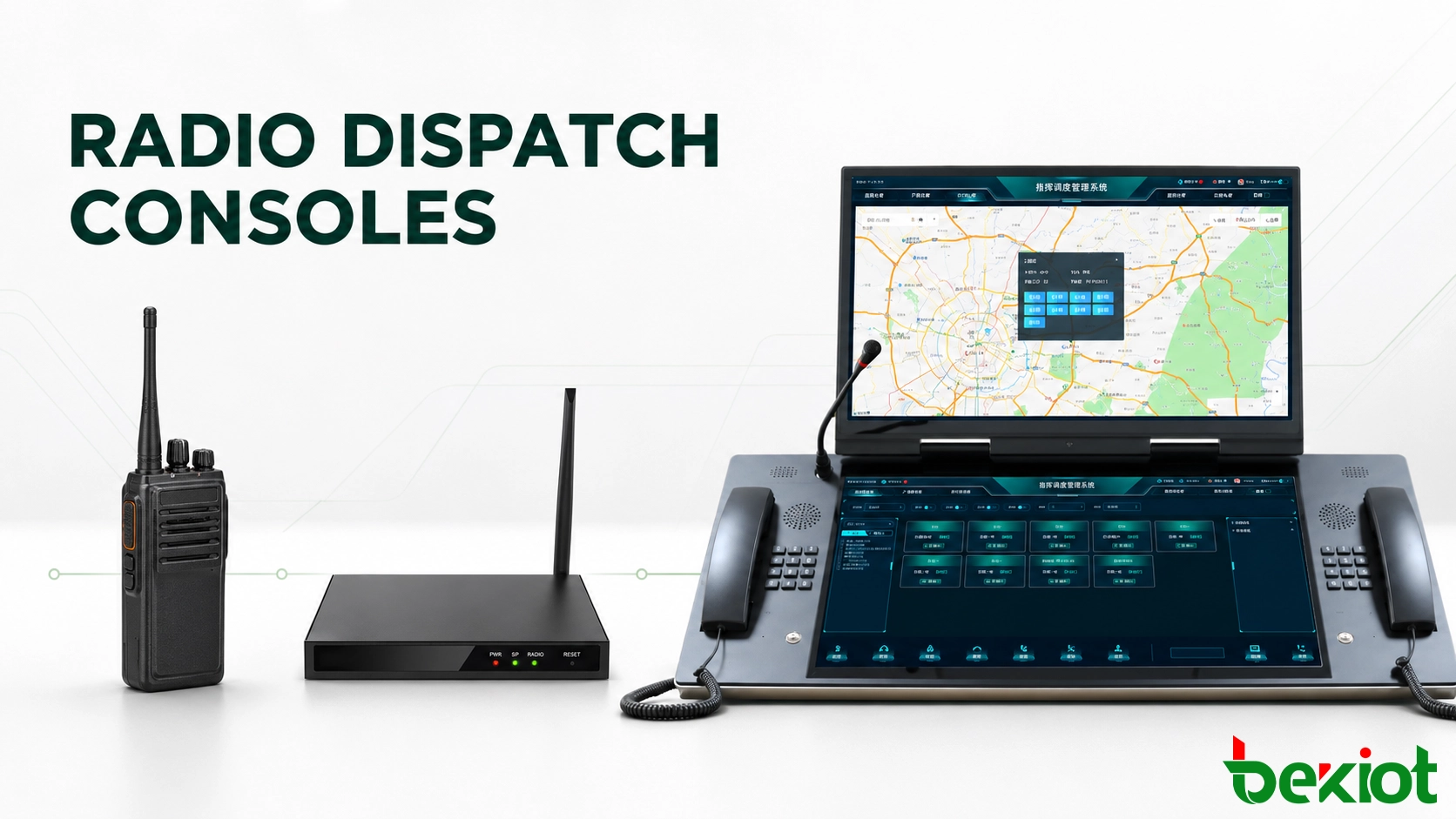
A dispatcher rarely works with radios by model number or gateway port. On the console, communication resources need to appear in operational terms such as Security VHF, Maintenance UHF, Operations DMR, Emergency Group or Remote Site 1.
This is the practical role of a radio dispatch console. It gives the operator one place to monitor radio activity, select a transmit resource, use push-to-talk (PTT), adjust channel audio and respond to active calls without placing a separate radio at every operator position.
What the console can actually control depends on the radio-side connection. A basic interface may provide only audio and PTT, while deeper radio integration can add channel selection, Radio ID, talkgroup information or emergency status.
Choosing a radio dispatch console is therefore not only about screen size or hardware layout. The operator workflow and the available radio interface need to be considered together.
What Does a Radio Dispatch Console Actually Control?
The main object on a radio dispatch console is the radio resource. A resource may represent a conventional radio channel, a digital talkgroup, a donor radio, a repeater, a remote radio site or another communication path made available by the dispatch platform.
Instead of showing technical names such as gateway port numbers, the console should use labels that make sense to the operator. A control room might display:
Security VHF
Plant Maintenance
Operations DMR
Emergency Channel
North Site Radio
Logistics UHF
This becomes important when several channels are active at the same time. The dispatcher should not need to remember which gateway port is connected to which radio. The interface should identify each resource according to its operational purpose.
Each visible resource can then provide the controls and status information supported by the radio integration, such as RX activity, TX status, PTT, volume adjustment, channel selection or radio identity.
The console is the operator-facing control layer. The radio network continues to handle RF communication, while the dispatch platform and radio interface determine which functions are available on the operator screen.
Essential Controls on a Radio Dispatch Console
Selected and Unselected Radio Resources
When several channels are displayed together, the operator needs to know which resource is selected for transmission.
For example, a dispatcher may be listening to Security, Maintenance and Logistics at the same time but want the next PTT transmission to go only to Security.
The interface should make the selected resource obvious before the operator presses PTT. Clear selection is more useful in daily operation than filling the screen with a large number of rarely used controls.
RX, TX and Channel Activity
A radio console should make receive and transmit states easy to distinguish.
At minimum, the operator may need to see:
which radio resource is receiving audio;
which resource is selected for transmit;
whether a channel is currently busy;
and whether the console is transmitting.
This becomes increasingly important as the number of monitored resources grows. If several channels become active at once, the operator needs to identify the source of each transmission without opening additional menus.
Push-to-Talk Control
PTT is the primary transmit control on most radio dispatch consoles.
It can be provided through an on-screen button, handset switch, desk microphone, programmable hardware key or footswitch. The best choice depends largely on how often operators transmit.
For occasional radio use, touchscreen PTT may be enough. In a control room where operators transmit throughout the shift, a physical PTT control is usually faster and easier to use without taking attention away from the main display.
Independent Audio Control
Monitoring several radio resources does not mean every channel should play at the same level.
A dispatcher may keep an emergency channel at a higher monitoring level while reducing routine traffic from maintenance or logistics. Individual volume and mute controls make this easier than adjusting the master speaker level whenever radio traffic changes.
Some console layouts can also separate selected and unselected audio, helping the primary working channel remain easier to hear when several resources are active.
Channel and Talkgroup Selection
Where supported by the radio interface, a console can provide more than audio and PTT. The operator may also be able to change a channel, zone or talkgroup directly from the dispatch position.
This capability needs to be confirmed during system design. Connecting radio audio to a dispatch platform does not automatically provide remote channel or talkgroup control.
Last-Call Replay
Short radio transmissions are easy to miss, especially when several channels are being monitored.
A last-call or instant-replay function allows the dispatcher to listen again to a recent transmission without searching through a full recording archive. In daily radio operation, this is often more practical than opening a separate recording-management interface.
Types of Radio Dispatch Consoles for Different Operator Positions
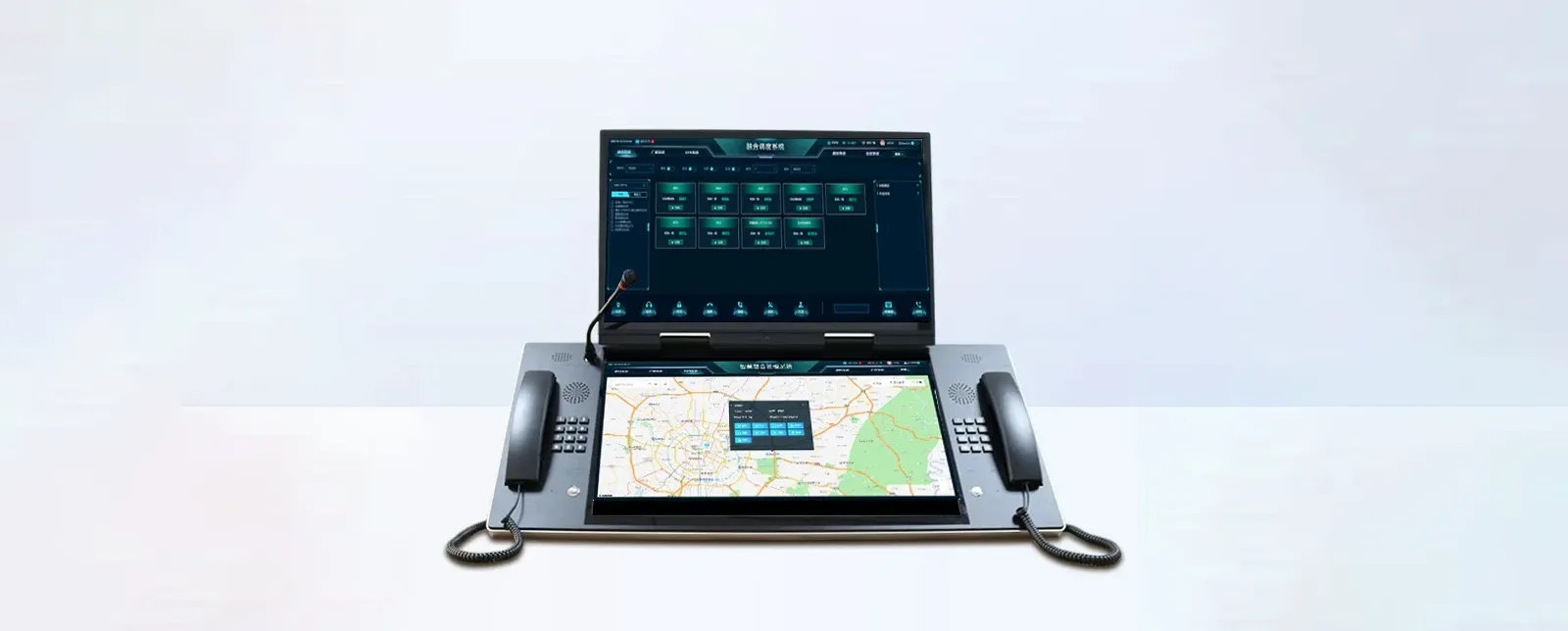
Radio dispatch consoles do not need to use the same hardware at every site. The appropriate configuration depends on the number of resources the operator handles, how often PTT is used and how much information needs to remain visible.
PC-Based Software Console
A software console can run on a standard PC with a headset, speakers, microphone and optional external PTT device.
This is a practical choice when the main requirement is software-based radio control and the organization already uses standard operator workstations.
The interface can also be adjusted when radio resources or user roles change without replacing the complete operator terminal.
Integrated Touchscreen Console
A fixed touchscreen console combines the operator computer and communication hardware into one desktop unit. This keeps the display, handset, microphone and frequently used controls together.
TheDSC-BD156 IP Dispatch Consoleuses a 15.6-inch touchscreen with an industrial handset and gooseneck microphone. This configuration suits positions that need an integrated desktop terminal without a large multi-screen workspace.
TheDSC-BD215S IP Dispatch Consoleuses a 21.5-inch FHD touchscreen with industrial handsets on both sides, giving the operator more display area and two dedicated handset positions.
Large-Screen Dispatch Console
When the operator needs more room for radio resources, call information and dispatch controls, a larger touchscreen can reduce interface crowding.
TheDSC-236 IP Dispatch Consoleuses a 23.6-inch touchscreen and can be configured with dual SIP handsets. This layout provides more working area while retaining dedicated voice hardware on the operator desk.
Multi-Screen Dispatch Console
Multi-screen consoles are useful when many communication resources or separate working panels need to remain visible at the same time.
TheDSC-238 IP Dispatch Consoleuses dual 23.8-inch touchscreens and supports additional display expansion. The extra display area can be used by the dispatch application to separate radio resources, active communications and other operator information instead of placing everything on one screen.
These devices are operator terminals. The radio functions available on them still depend on the dispatch software and the radio integration behind the console.
| Console Configuration | Display | Operator Hardware | Best Fit |
|---|---|---|---|
| DSC-BD156 | 15.6-inch touchscreen | Industrial handset + gooseneck microphone | Compact fixed operator position |
| DSC-BD215S | 21.5-inch FHD touchscreen | Dual industrial handsets | Standard control-room desk |
| DSC-236 | 23.6-inch touchscreen | Dual SIP handset option | Large touchscreen operator position |
| DSC-238 | Dual 23.8-inch touchscreens | Dual IP phones + display expansion | Multi-resource / multi-screen position |
How Radio Integration Changes What the Console Can Control
Two radio dispatch consoles can run similar software but provide very different controls because the connected radio systems expose different information.
A practical way to specify a project is to define the required integration depth before choosing the console hardware.
| Integration Level | Typical Radio-Side Connection | What the Console May Control or Display |
|---|---|---|
| Level 1: Audio + PTT | Radio audio and PTT interface | RX audio, TX audio, PTT |
| Level 2: Radio Control | Audio/PTT plus control interface | Audio, PTT, COR/COS, channel selection and supported radio controls |
| Level 3: Digital System Integration | Supported digital radio system interface | Talkgroup, Radio ID, emergency information and additional signaling where available |
Level 1: Audio and PTT
This is the simplest radio dispatch connection.
The console receives radio audio and provides transmit audio and PTT. It gives the dispatcher centralized voice access to a radio resource, but it may know very little about the radio network itself.
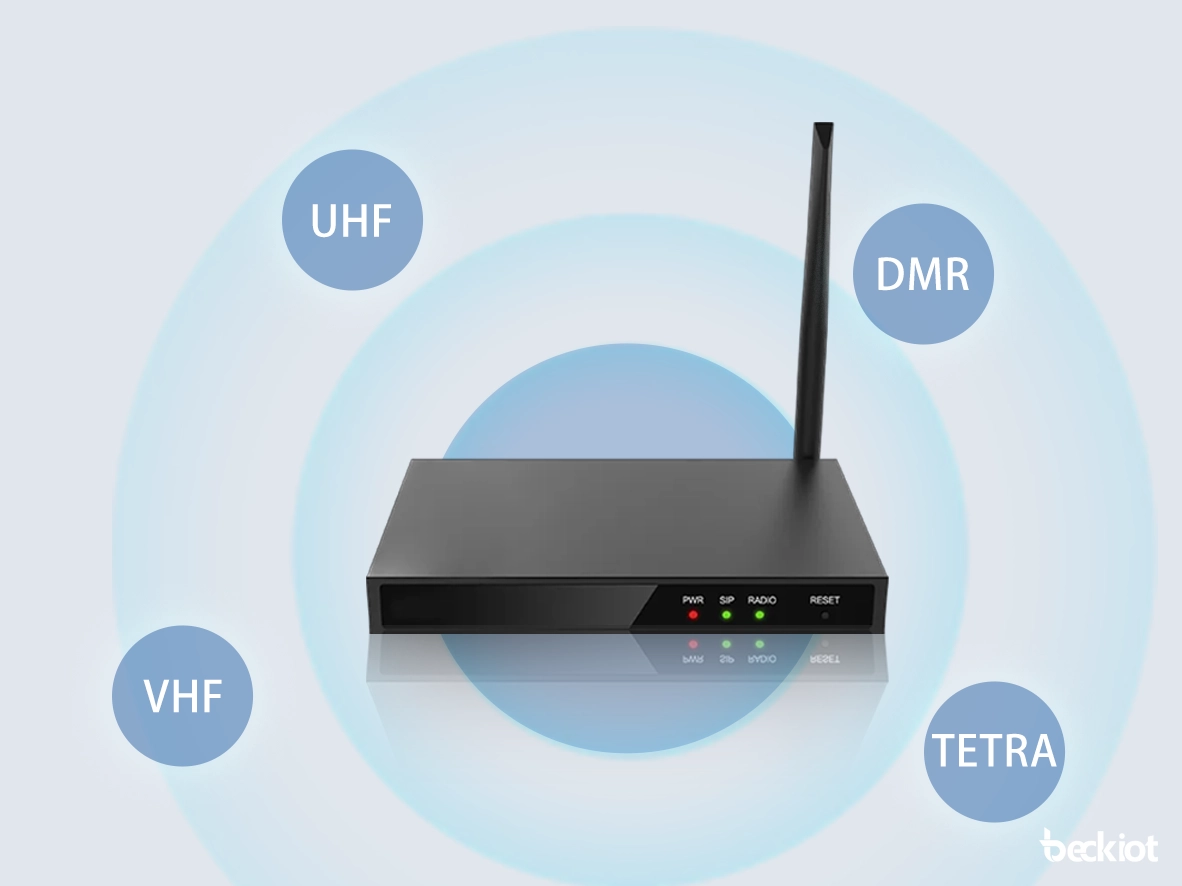
For conventional or remote radios, this type of connection is often implemented through aRadio over IP gateway.
The limitation is straightforward: if the interface carries only audio and PTT, the console cannot display Radio ID, talkgroup information or remote channel controls that are not supplied by the radio side.
Level 2: Audio, PTT and Radio Control
Some radio interfaces also expose control signals such as COR/COS, GPIO, serial commands or channel-selection controls.
The console can then provide a more complete operator workflow. For example, the dispatcher may be able to confirm receive activity or change a channel without physically operating the remote radio.
The exact controls depend on the connected radio and interface. Instead of specifying only “radio control,” a project should define which functions the operator actually needs.
Level 3: Digital Radio System Integration
Deeper integration with a supported digital radio system can make additional information available to the console.
Depending on the radio system, this may include:
Radio ID or subscriber identity;
talkgroup information;
emergency status;
individual or group call information;
unit status;
or additional radio signaling.
DMR, P25, TETRA and other radio technologies should not be treated as one universal console interface. Available functions depend on the radio network, manufacturer, software licensing and integration method.
For a broader explanation of radio-side architecture and gateway deployment, seeIP-Based Radio Dispatch System: Architecture, Functions, and Industry Applications.
How Much Screen Space Does a Radio Dispatch Console Need?
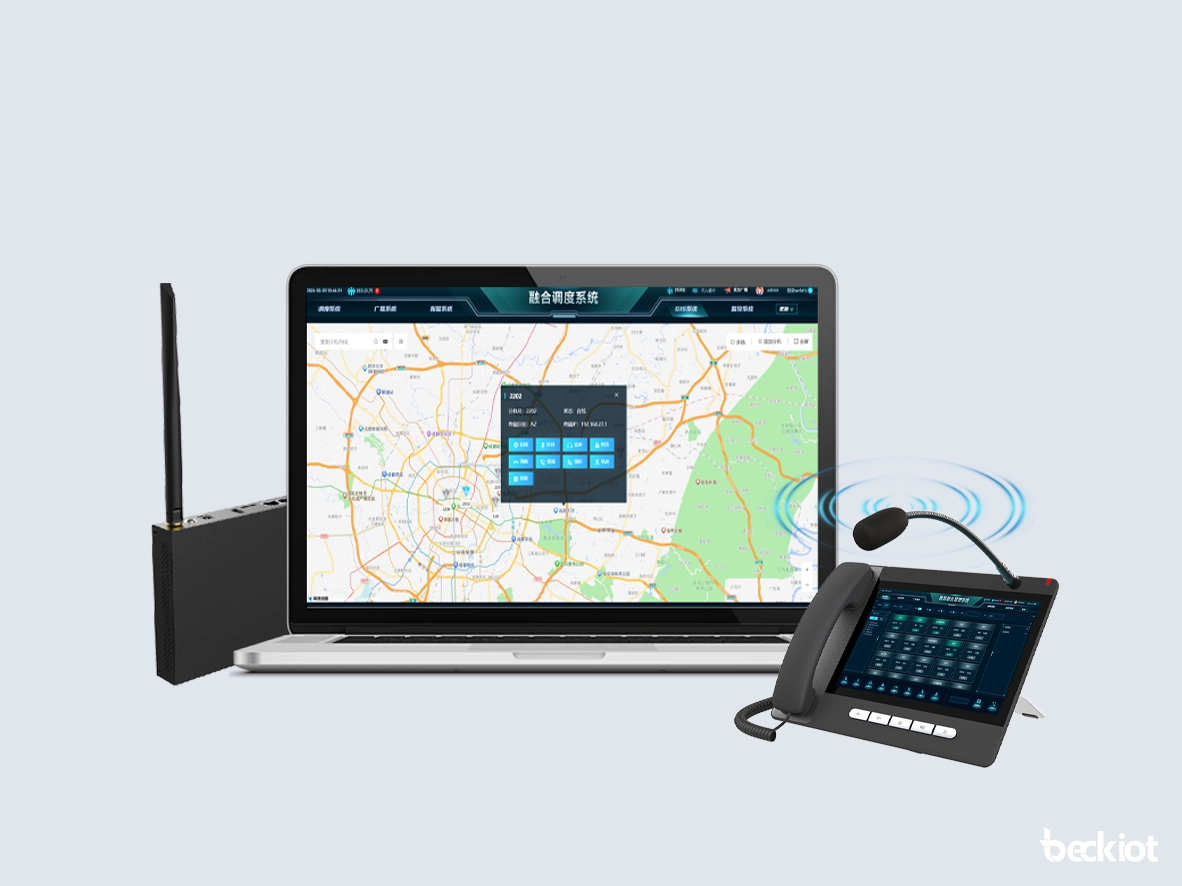
Screen size does not determine the technical capacity of a radio dispatch system. A 15.6-inch console is not automatically limited to a certain number of channels, and a dual-screen console does not automatically increase the number of radio resources supported by the platform.
Screen size mainly affects how much information the operator can keep visible and how easily those controls can be used.
Compact Operator Position
A smaller touchscreen works well when the operator handles a limited set of frequently used radio resources and does not need several secondary panels open at the same time.
The interface should keep the main channel controls large enough for quick selection and PTT operation instead of filling the screen with every available resource.
Standard Control-Room Position
A larger 21.5-inch or 23.6-inch display provides more room for channel panels, active call information and replay controls.
This is useful when operators monitor several groups throughout a shift and need to move between them without repeatedly opening and closing interface panels.
Multi-Screen Position
Dual or expanded displays become useful when the operator needs to keep a larger number of radio resources and separate operational panels visible simultaneously.
For example, one screen can remain focused on the primary radio resource layout while another carries recent call information, secondary groups or related dispatch controls.
The goal is not to maximize the number of screens. It is to avoid hiding information that needs to remain visible during normal operation.
What to Check Before Choosing a Radio Dispatch Console
Before selecting the console, define what the operator actually needs to see and control during a normal shift.
How many radio resources need to remain visible? Count the channels or talkgroups the dispatcher actively works with, not every resource configured on the platform.
How many channels may be monitored simultaneously? This affects the audio controls and screen layout required at the operator position.
Is physical PTT required? Frequent radio users may prefer a handset, desk microphone, programmable key or footswitch instead of touchscreen-only PTT.
Does the operator need one handset or two? Dual-handset consoles can be useful where separate communication paths need dedicated physical devices.
Does the console need remote channel control? If yes, confirm that the connected radio and interface expose the required commands.
Is Radio ID or emergency information required? Confirm that this information is available from the radio system before specifying it as a console feature.
Is instant replay required at the operator desk? If recent transmissions need to be checked quickly, replay should be accessible without leaving the main radio interface.
Is a backup operator position required? A standby console may use different hardware, but it still needs access to the radio resources required during a control-room outage.
The radio interface should be confirmed before the console hardware is finalized. A system that only requires remote audio and PTT can use a relatively simple operator interface. Channel control, Radio ID, emergency signaling and talkgroup information require more from the radio-side integration.
Once that control level is clear, the remaining decision is mainly about operator workflow: how many resources must stay visible, how often PTT is used, what physical controls are preferred and how much screen space the dispatcher needs.
Frequently Asked Questions About Radio Dispatch Consoles
What is the difference between a radio dispatch console and a radio?
A radio provides the RF connection to a radio network, while a radio dispatch console is the operator interface used to monitor and control radio resources. One console can present several radios, channels or talkgroups when they are connected through a compatible dispatch platform and radio interface.
Does a radio dispatch console connect directly to VHF or UHF radios?
It depends on the radio and its available interfaces. Conventional VHF or UHF radios are often connected through a radio gateway that transfers audio, PTT and supported control signals to the dispatch platform. Radios with additional control interfaces may provide functions beyond basic voice and PTT.
Can one radio dispatch console manage different radio systems?
Yes, if the dispatch platform provides compatible interfaces for those radio systems. The same operator console can present resources from analog VHF/UHF radios and supported digital networks such as DMR, P25 or TETRA. The controls available for each resource depend on its radio-side integration.
Will every radio dispatch console display Radio ID and talkgroup information?
No. The console can only display information supplied by the radio system and its integration interface. A basic audio-and-PTT connection may not provide Radio ID, talkgroup information, emergency status or other digital signaling.
How many radio channels can a dispatch console handle?
There is no fixed channel count based on screen size alone. System capacity is determined by the dispatch platform and radio interfaces, while the console display mainly determines how many resources can be shown conveniently at the same time. Larger or multi-screen positions are useful when operators need many radio resources to remain visible.
Can a radio dispatch console work with both analog and digital radios?
Yes. A dispatch console can present both analog and digital radio resources when the dispatch platform has the appropriate interfaces. Analog or conventional radios are commonly connected through radio gateways, while supported digital systems may use dedicated system interfaces. The functions available on the console can differ between the two connection methods.
For fixed touchscreen and multi-screen operator positions, seeBecke Dispatch Consoles.







