


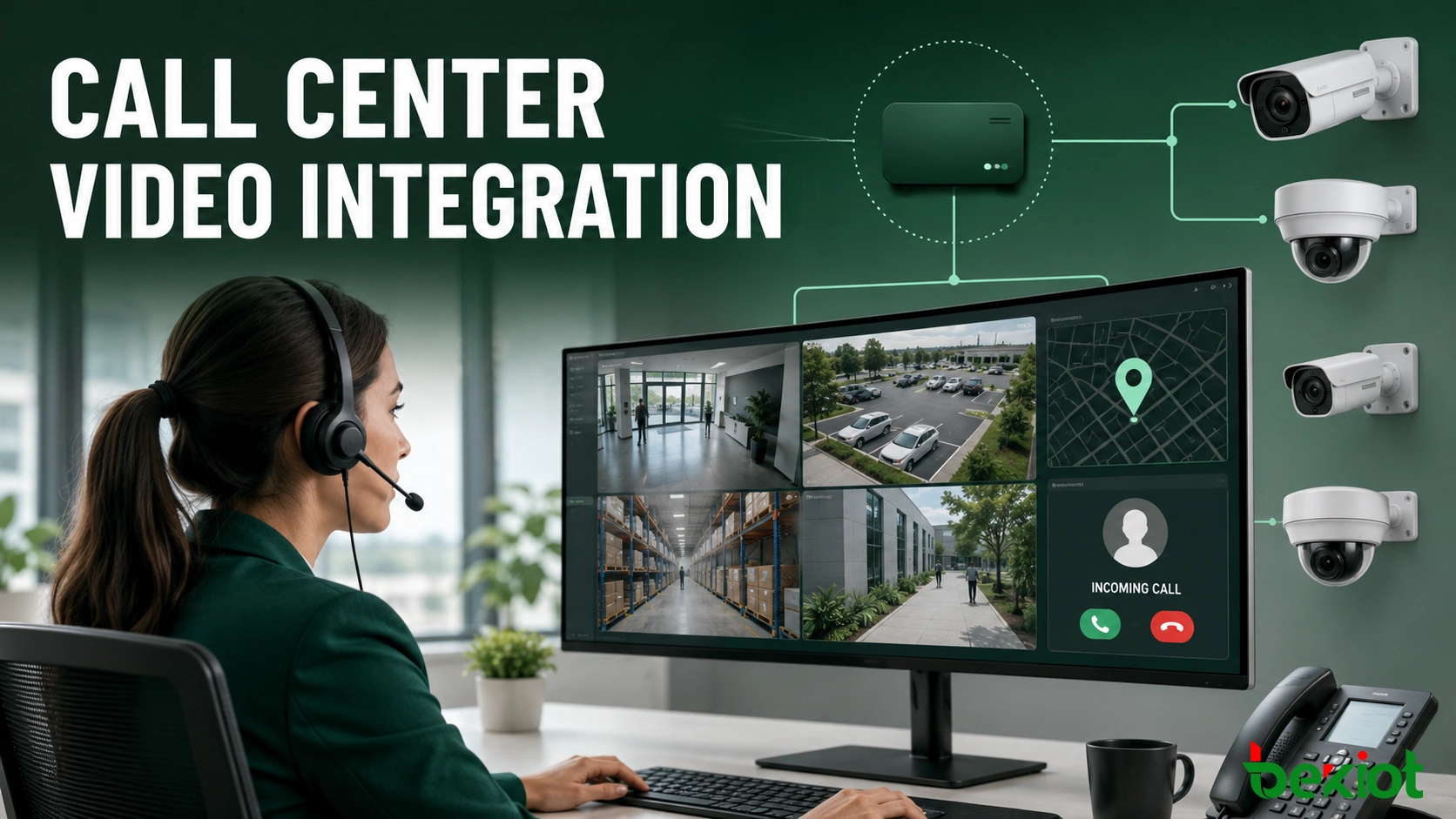
An incoming call often gives an agent less operational context than the situation demands. A caller may describe a blocked entrance, a safety incident or an equipment problem, but the agent still has to identify the location, find the correct camera and open a separate monitoring application. Connecting the call center to the video surveillance platform brings the relevant live view into the agent workspace as the call is handled.
This solution does not turn the call center into a replacement for the video management system. It links call events, location data and camera resources so that agents can verify conditions sooner and pass better information to security, maintenance or command personnel. It is particularly useful where calls are tied to physical locations, including public safety centers, tourist attractions, industrial sites, mines, campuses and large business parks.
Why voice alone can slow incident handling
A conventional call center is designed around conversations and customer records. Its main functions usually include a telephone switch or automatic call distributor, interactive voice response (IVR), computer telephony integration (CTI), customer relationship management (CRM), call recording, workforce scheduling, reporting and agent phones or softphones.
A surveillance system is organized differently. Cameras, network video recorders (NVRs) and a video management platform are arranged by site, building, floor, zone or device group. Operators normally search and view them from a dedicated monitoring client. Both systems may work well on their own, yet neither automatically understands the other's events or resources.
The delay appears at the boundary between them. The agent asks additional location questions, opens another application, searches a long camera tree and then tries to decide which view is relevant. If the caller is distressed, unfamiliar with the site or using a shared telephone, even the first location estimate may be uncertain. A practical integration reduces these manual steps while keeping the agent in control of the final camera selection.
The systems and data that must come together
The integration layer sits between the CTI or business application and the existing video platform. On the call-center side, it receives an event such as ringing, answered, transferred or disconnected, together with any available caller number, account, extension, service ticket, alarm source or location reference. On the surveillance side, it synchronizes the camera directory and requests live streams for authorized devices.
Where the monitoring platform supports GB/T 28181 cascading, a video access gateway can register as an upper-level platform and retrieve the existing device hierarchy. This approach generally avoids replacing cameras or NVRs: the video administrator configures the approved cascade relationship, device permissions and catalog scope on the current platform. In environments that do not use GB/T 28181, the same integration pattern can be implemented through the video platform's supported northbound API or standard access interface.
The connection should be treated as several coordinated exchanges rather than one interface. CTI supplies call signaling and agent status, the business application provides case context, the location service resolves a physical area, and the video platform supplies device catalogs and media sessions. Separating these responsibilities prevents a temporary video problem from interrupting call handling and allows each system to remain under its existing administrator.
The camera catalog should be cached and refreshed at controlled intervals instead of being rebuilt whenever a call arrives. Each synchronized record needs a stable device identifier, display name, parent site, online state and supported stream information. If a camera is renamed or moved to another group, the integration service should update its metadata without breaking historical event records that reference the original identifier.
| Layer | Information used | Role in the solution |
|---|---|---|
| Call center | Call status, caller identity, queue, agent, case or ticket | Starts the workflow and provides the business context |
| Location service | Telephone-to-site mapping, GIS coordinates, zones and aliases | Converts a call or event into a searchable physical area |
| Video access layer | Camera catalog, online state, stream address and protocol | Normalizes video resources and supplies playable streams |
| Agent workspace | Suggested cameras, live video and operator actions | Presents voice, case data and video in one workflow |
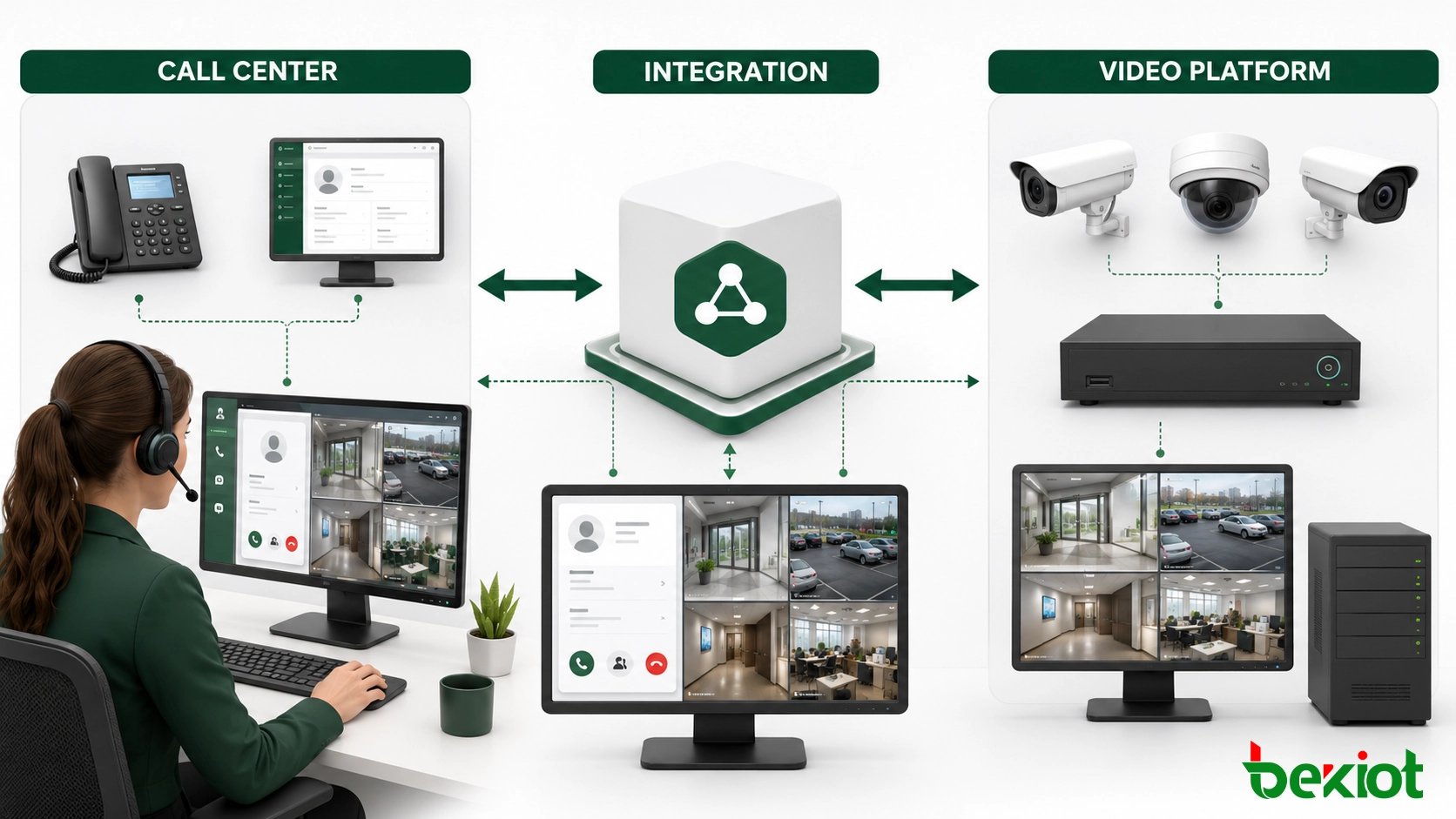
Design principle: integrate with the video platform whenever possible instead of opening separate connections to every camera. The platform already manages device registration, recording, permissions and health status; the integration layer should reuse those controls.
From an incoming call to the right camera
A useful workflow is event-driven. It does more than place a video player beside a softphone:
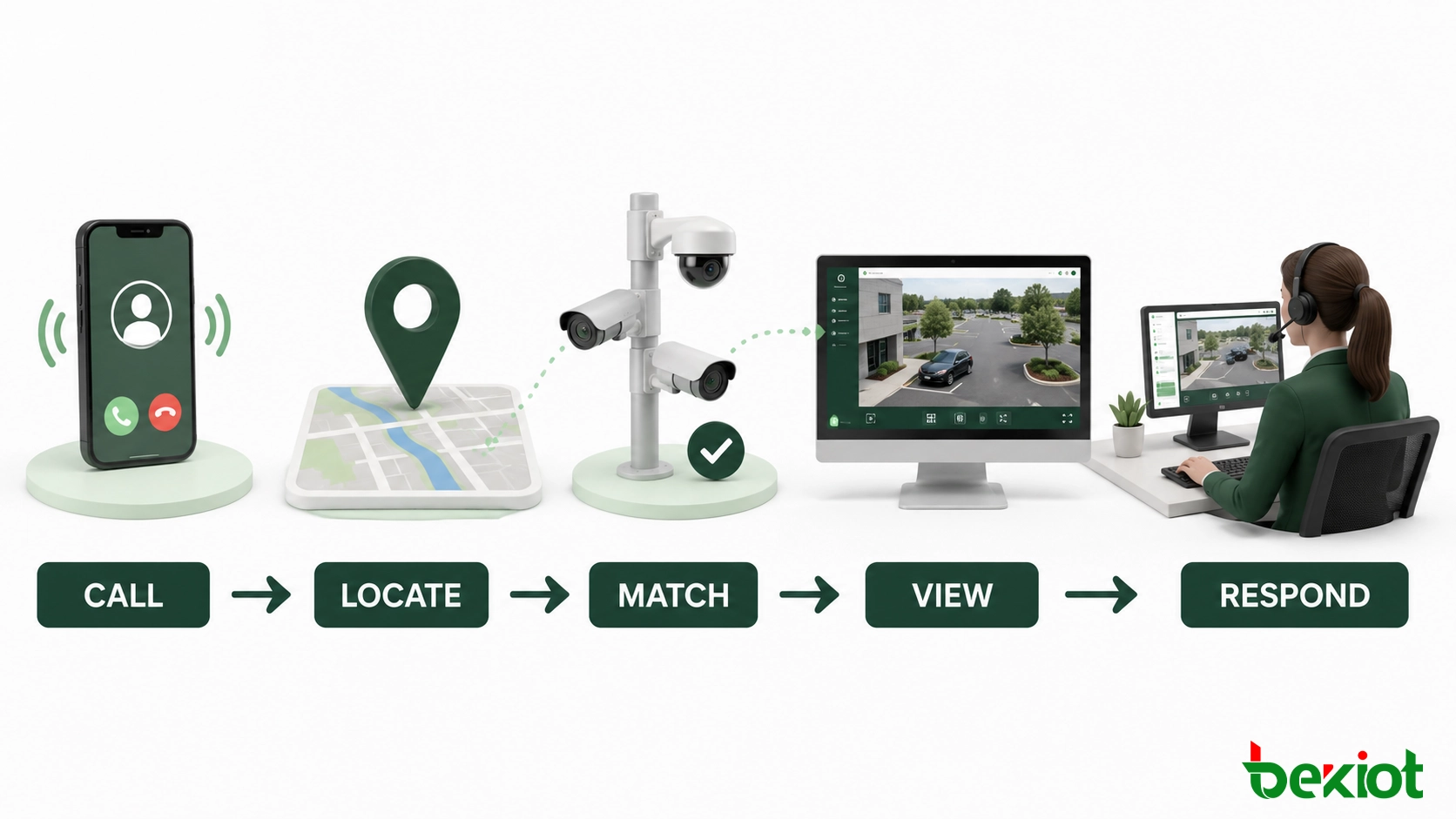
Capture the call event. The CTI service reports the incoming call and supplies the identifiers available at that point in the interaction.
Resolve the likely location. A rules service checks the caller profile, extension plan, alarm record, GIS database or open service ticket. If the result is not exact, it returns a zone rather than pretending to know a precise point.
Find relevant cameras. The location is compared with camera coordinates, site structure, coverage tags and predefined relationships. The system can rank nearby or operationally relevant cameras while preserving manual search.
Request playable streams. The video access layer verifies device availability and converts or relays the authorized stream in a format supported by the agent application.
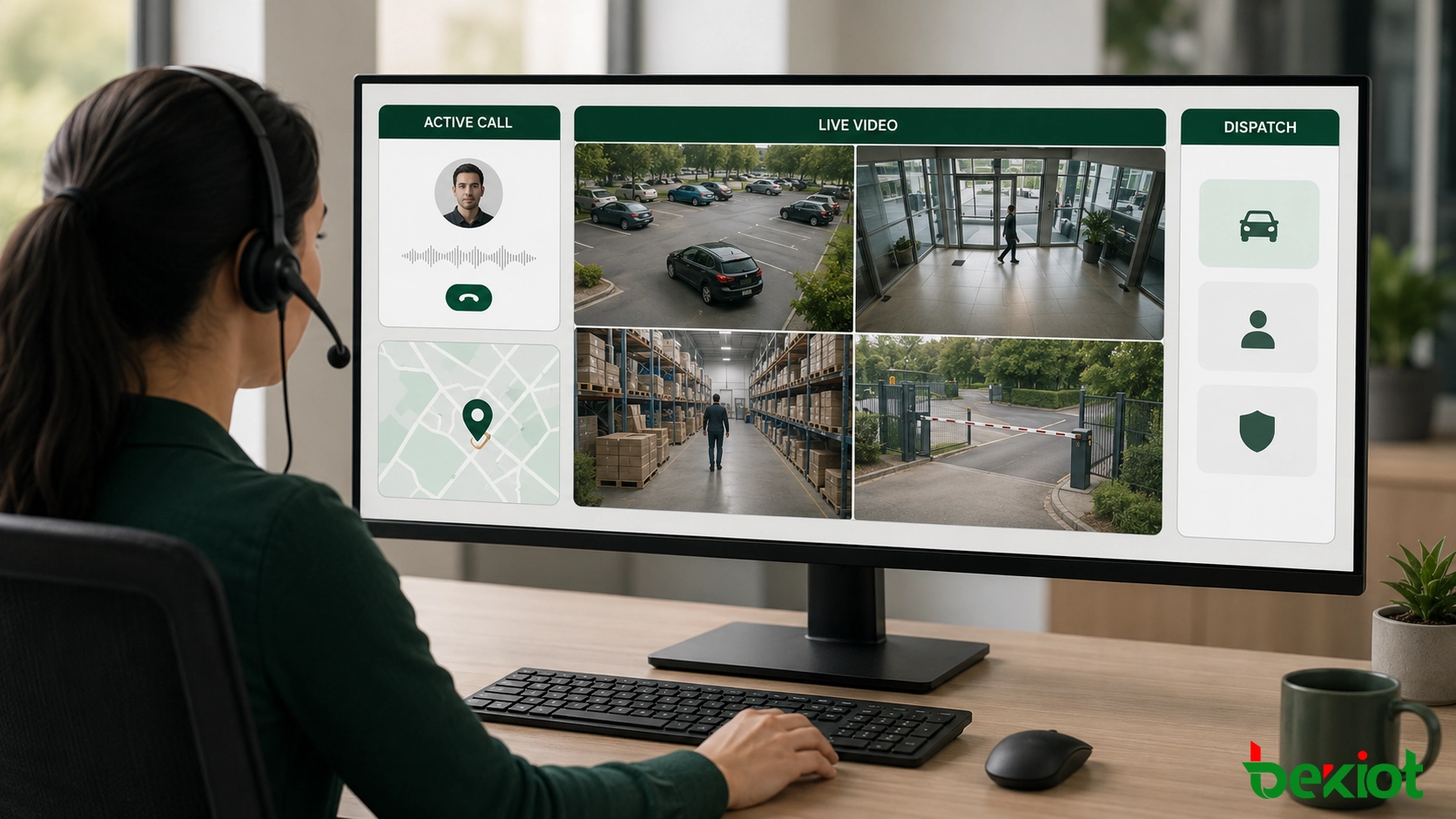
Present the view in context. The desktop displays the call record, location and suggested cameras together. Depending on the event, the agent can use a single view or a 2-, 4-, 9- or 16-window layout.
Record the operator action. Camera selections, call identifiers and case actions are associated with the same event so that the response can be reviewed later.
Build the mapping around operational locations
Telephone numbers and camera IDs rarely share a useful naming structure. A mapping database is therefore central to the solution. It can relate a customer account to a site, an internal extension to a building, an emergency terminal to a fixed coordinate, or an alarm code to a protected zone. Camera records can include latitude and longitude, floor, direction of view, coverage area, entrance name and business priority.
Exact coordinates are not always available, so the search service should support aliases and approximate matching. A call associated with “North Gate,” for example, may return the gate camera first and nearby road or parking cameras as alternatives. This is safer than silently presenting one view as certain when the source data only identifies a general area.
Keep the agent interface focused
The agent should not have to learn the full surveillance console. The embedded panel needs only the functions required by the service process: open the suggested camera, switch to nearby views, enlarge one stream, choose a split-screen layout and pass the verified location to another team. More advanced video investigation can remain in the dedicated monitoring client.
Speech analytics can also contribute an event signal. If a configured phrase or incident category is detected, the system may suggest a camera group or open the video panel. It should assist the workflow rather than make the final decision; the agent still needs to confirm the location and view.
Choosing a delivery method
The video protocol used inside the surveillance network does not have to be the format delivered to the browser or agent terminal. The access layer can adapt the stream to the endpoint and the operational need. The final choice depends on latency, browser support, network conditions, concurrent viewing and whether two-way session control is required.
| Delivery option | Best suited to | Planning consideration |
|---|---|---|
| HTTP-FLV | Web applications using a compatible JavaScript player | Simple HTTP delivery, but playback depends on the selected player |
| WebSocket-FLV | Low-delay browser display over a persistent connection | Proxy, firewall and connection management must be tested |
| HLS | Broadly compatible live viewing where some buffering is acceptable | Segmenting normally introduces more delay than interactive methods |
| WebRTC | Interactive, low-latency viewing in modern browsers | NAT traversal, media relays and session capacity require careful design |
| SIP video | Softphones, dispatch terminals and session-controlled video endpoints | Codec and signaling compatibility must be confirmed end to end |
A mixed deployment is common. The same integration service may use WebRTC for the agent browser, SIP for a dispatch console and HLS for a supervisor who needs broad compatibility rather than the lowest delay. Protocol choice should follow the endpoint and workflow, not a single system-wide preference.
Stream lifecycle management is as important as protocol selection. A stream should be created only for an authorized agent and released when the call, consultation or review session ends. The service also needs to prevent repeated pop-ups from opening duplicate media sessions for the same event. When several agents collaborate on one case, the platform can reuse the upstream camera feed while maintaining separate viewing permissions and audit records for each user.
Planning the rollout and acceptance tests
1. Define the trigger and response
Start with a small number of high-value events. Specify when the video panel opens, which data identifies the location, how cameras are ranked and what the agent should do if no reliable match is found. This prevents a technically successful integration from creating unnecessary pop-ups during routine calls.
2. Normalize the camera catalog
Import the approved directory from the surveillance platform and clean the metadata used for matching. Duplicate names, missing floor information and outdated coordinates will reduce accuracy even when the protocol connection is stable. Assign consistent site, zone and coverage labels before expanding the rollout.
3. Connect the agent application through APIs
The CTI or CRM interface should call the integration service for camera search, stream creation and event logging. This keeps protocol handling outside the business application and makes it easier to change a video platform, player or delivery method later.
4. Test the complete operating path
Acceptance should cover more than successful playback. Verify catalog synchronization, camera online and offline status, location matching, manual search, transfer between agents, authorization, stream recovery after interruption and event correlation. Test the required 1-, 2-, 4-, 9- and 16-view layouts on the actual agent computers and network, not only in a laboratory environment.
5. Introduce the solution in stages
A controlled first phase can provide manual camera search inside the agent desktop. The next phase can add rule-based suggestions, followed by automatic pop-up for events with reliable location data. Speech analytics and more complex dispatch linkage should be added only after the underlying mappings and operating procedures are proven.
6. Plan for degraded conditions
The call workflow must remain usable when a camera, gateway or media service is unavailable. The agent interface should show a clear status, preserve the voice call and offer manual search or nearby cameras instead of displaying an endless loading window. Recovery tests should include a disconnected camera, an interrupted gateway connection, delayed catalog updates and a browser that cannot start the preferred stream format. Each failure should create a useful operational log without exposing unnecessary technical messages to the agent.
Where the solution fits best
The strongest use cases share one feature: the call refers to a real place that can be associated with one or more cameras.
Public safety and incident intake: agents can verify the surrounding area while collecting the caller's description and preparing a dispatch record.
Tourist attractions: service centers can check entrances, transport points or crowded zones when visitors request assistance.
Factories and mines: control rooms can relate maintenance, safety or production calls to the correct workshop, gate or operating area.
Campuses and business parks: a central service desk can view nearby cameras when calls arrive from fixed help points, buildings or managed extensions.
Integrated command centers: the same camera selection can be shared with positioning, incident management and dispatch applications to support a coordinated response.
The value comes from the workflow, not from showing more video. A well-designed integration gives the agent the smallest relevant set of views, makes uncertainty visible and preserves the existing responsibilities of the call center and surveillance teams.
Frequently Asked Questions
Is AI required for automatic camera pop-up?
No. Deterministic rules based on caller identity, extension, ticket, alarm source or location are sufficient for most deployments. Speech analytics can add another trigger later, but it is not a prerequisite.
Does the caller need to provide GPS coordinates?
No. The location can come from a fixed telephone, customer or asset record, emergency terminal, access-control event, service ticket or manually selected site. GPS is only one possible source.
Can a historical call be linked to recorded video?
Yes, if both systems use synchronized time and retain a shared event, case or location reference. The call record can then request playback for the relevant camera and time window from the video platform.
Can integration begin without replacing the current agent desktop?
Often it can. A video panel may be embedded as a web component, opened in a controlled secondary window or launched from an existing CRM action. The best method depends on the desktop application's extension interfaces.
How should inconsistent camera names across multiple sites be handled?
Keep the original device name for traceability, then add normalized site, building, zone, direction and alias fields in the mapping layer. Search and ranking should use the normalized metadata rather than depend on the camera name alone.







