touchpoint

In addition to terminal devices, all personnel, places, and things connected to the network should also be considered.

View Details

resource

Understand best practices, explore innovative solutions, and establish connections with other partners throughout the Baker community.

×

touchpoint

touchpoint

In addition to terminal devices, all personnel, places, and things connected to the network should also be considered.

Learn more

resource

resource

Understand best practices, explore innovative solutions, and establish connections with other partners throughout the Baker community.

Contact Us

System Introduction

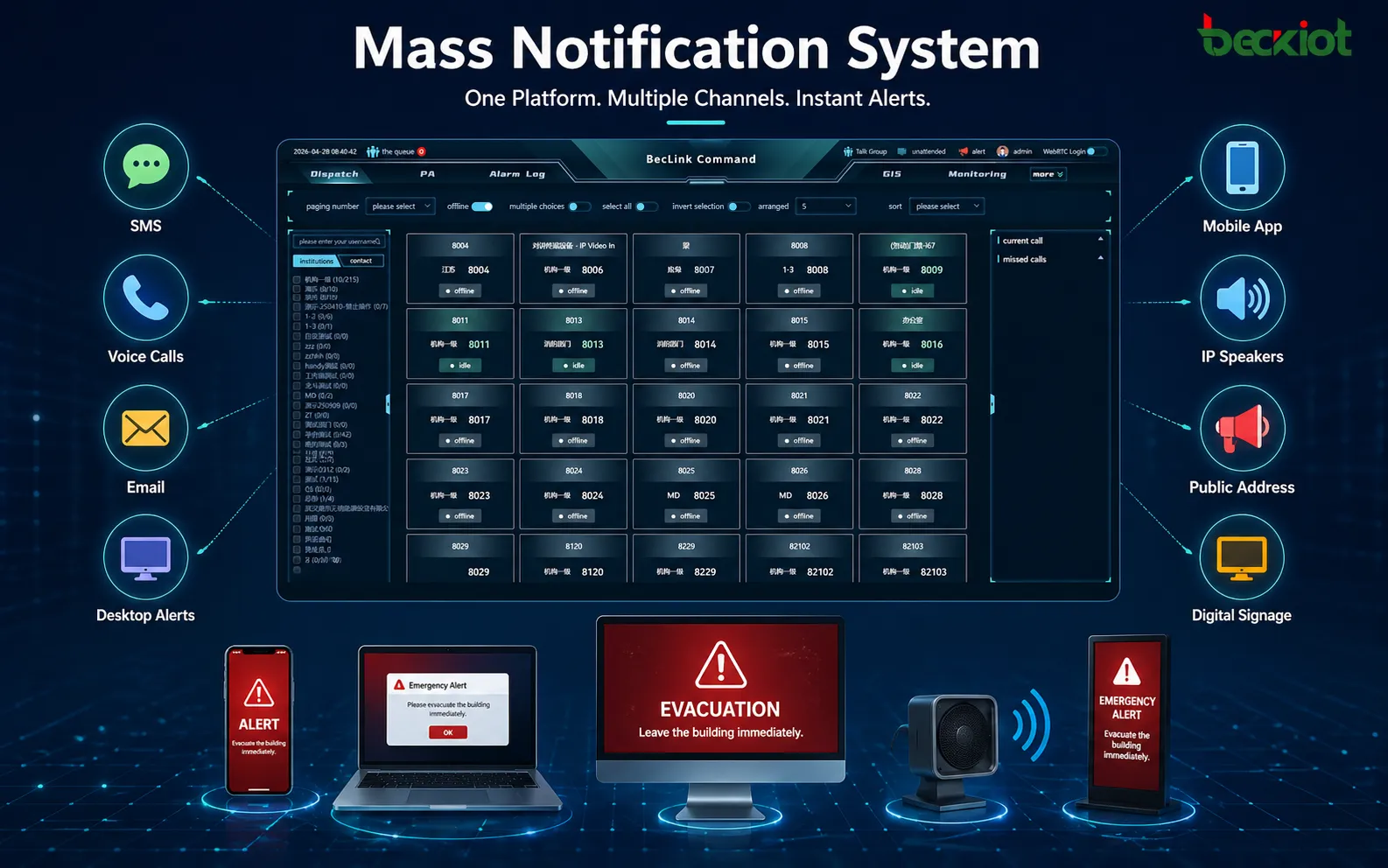
Emergency Notification Software helps organizations manage urgent communication, incident alerts, and response confirmation from one centralized platform. Administrators can create alert templates, select recipients by group, department, role, building, or location, and send messages across multiple channels. Real-time dashboards show delivery results, acknowledgement rates, failed messages, event logs, and response progress, supporting faster decisions during emergencies, drills, disruptions, and daily safety operations.
Multi-Channel Alerts

Multi-Channel Alerts

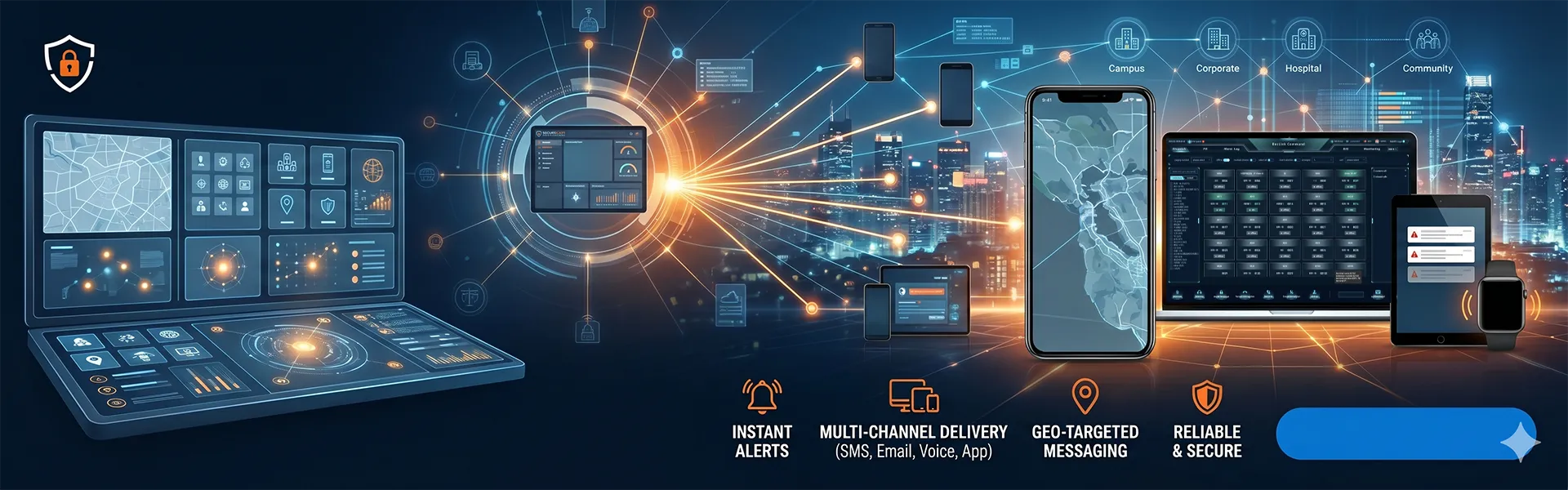
The system sends urgent messages through SMS, voice calls, email, mobile push notifications, desktop alerts, IP speakers, SIP phones, PA systems, and digital signage. By using multiple channels at the same time, organizations can reach employees, visitors, contractors, and field teams faster during emergencies, disruptions, drills, or daily safety announcements.

Targeted Notifications

Administrators can send notifications by department, role, shift, building, floor, site, response team, or geofence area. This helps avoid unnecessary mass alerts while ensuring affected personnel receive accurate instructions. It is ideal for campuses, factories, offices, hospitals, tunnels, public facilities, and multi-site organizations that need precise emergency communication.
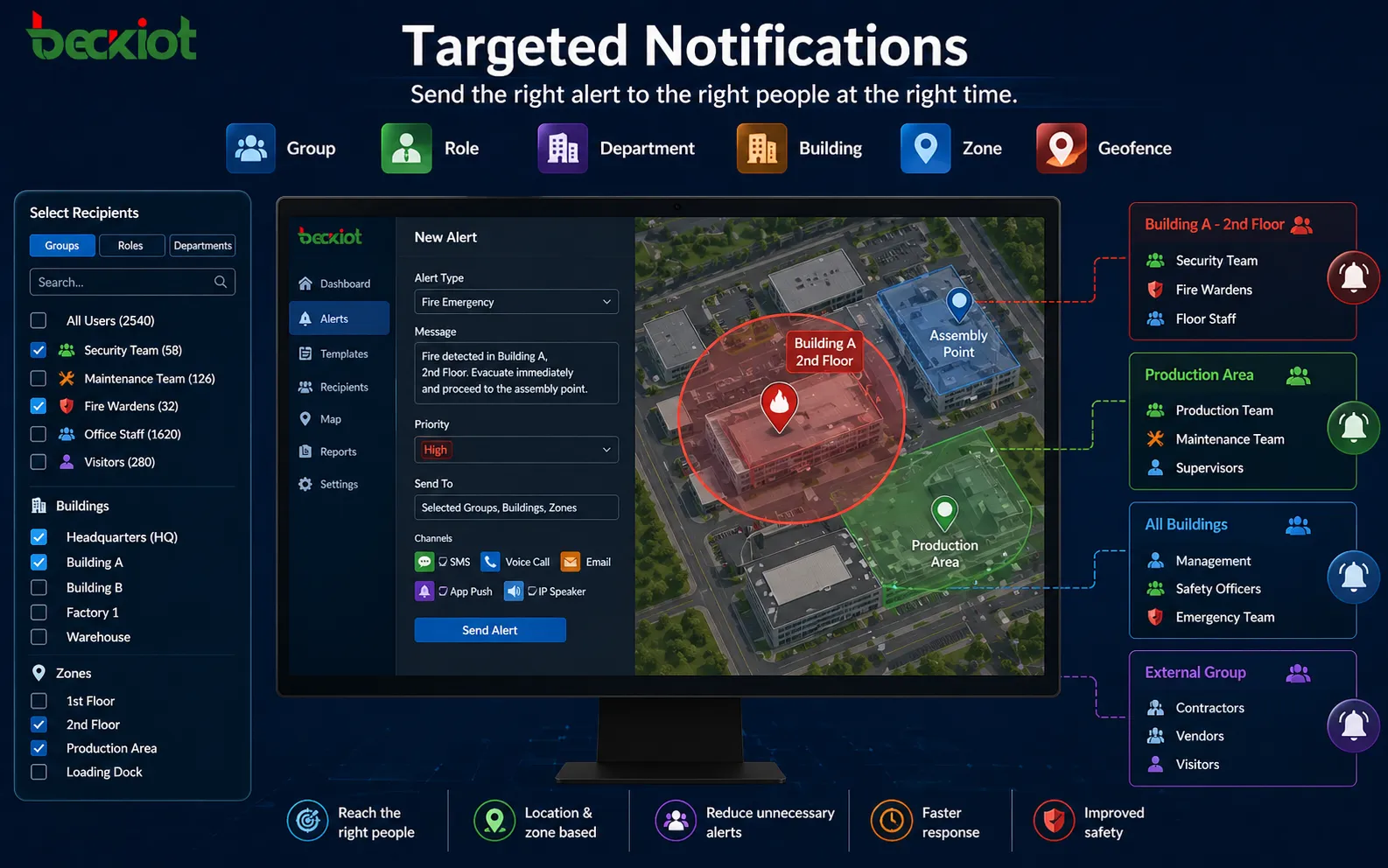
Targeted Notifications
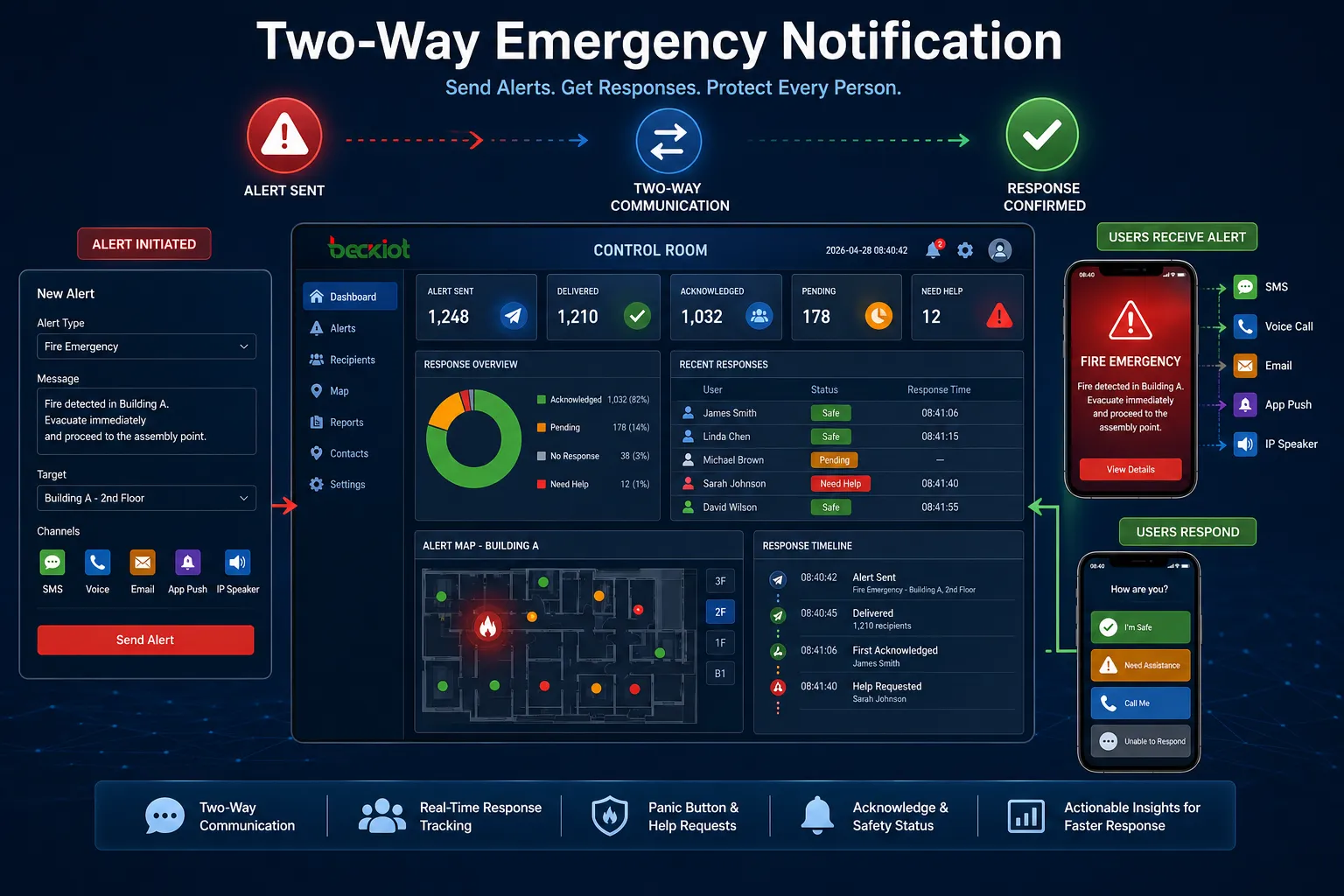
Two-Way Response

Two-Way Response

The software allows recipients to acknowledge alerts, report safety status, answer response questions, or request help. Operators can see who has received the message, who has not responded, and who may need assistance. Panic button and quick help functions can also support faster reporting from mobile users, security staff, teachers, nurses, and field personnel.

Automated Workflows

Preconfigured workflows help operators respond quickly to fire alarms, severe weather, security threats, evacuations, equipment failures, network outages, and business continuity events. Once triggered, the system can select templates, notify target groups, escalate unanswered alerts, launch follow-up actions, and record each step for later review and improvement.
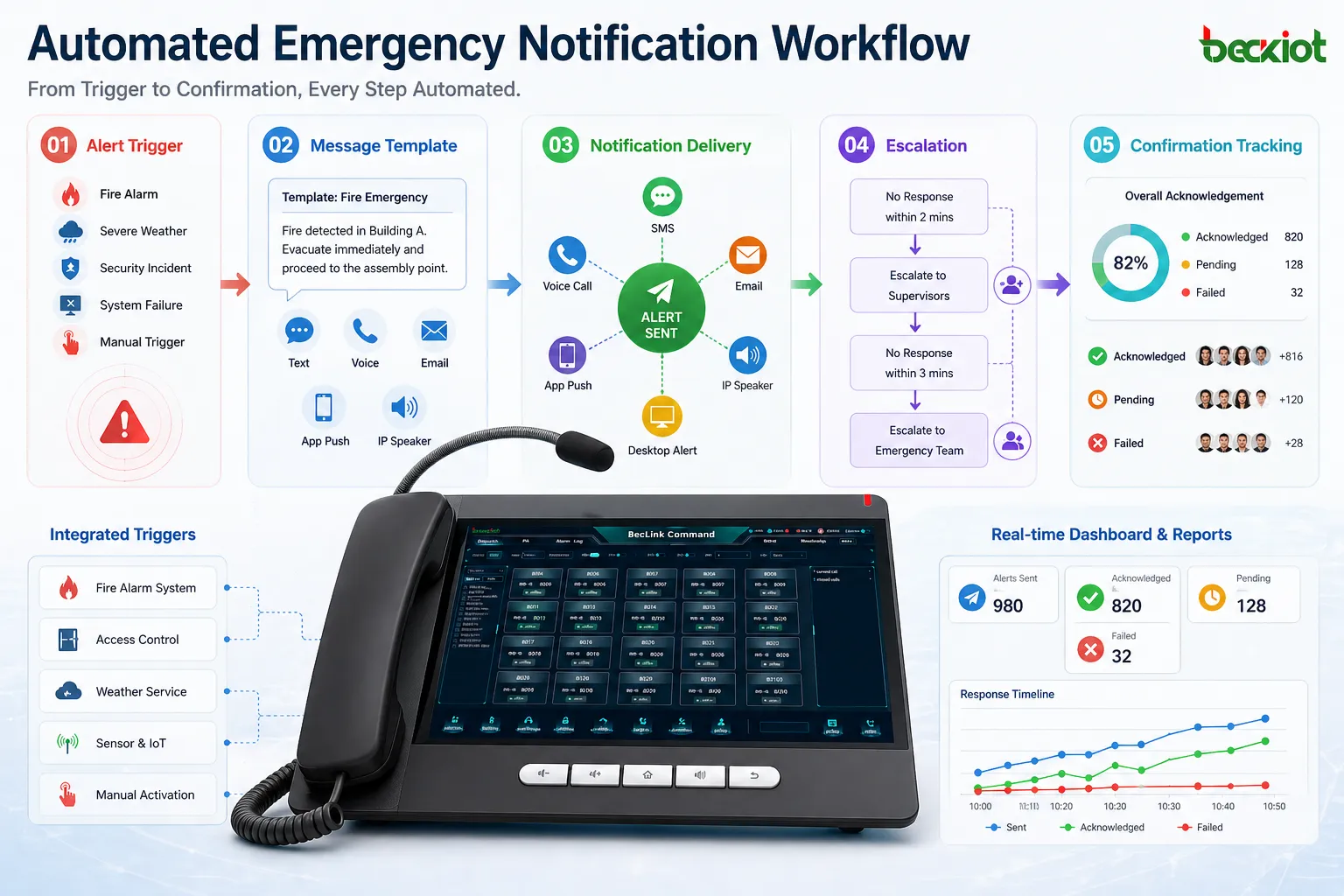
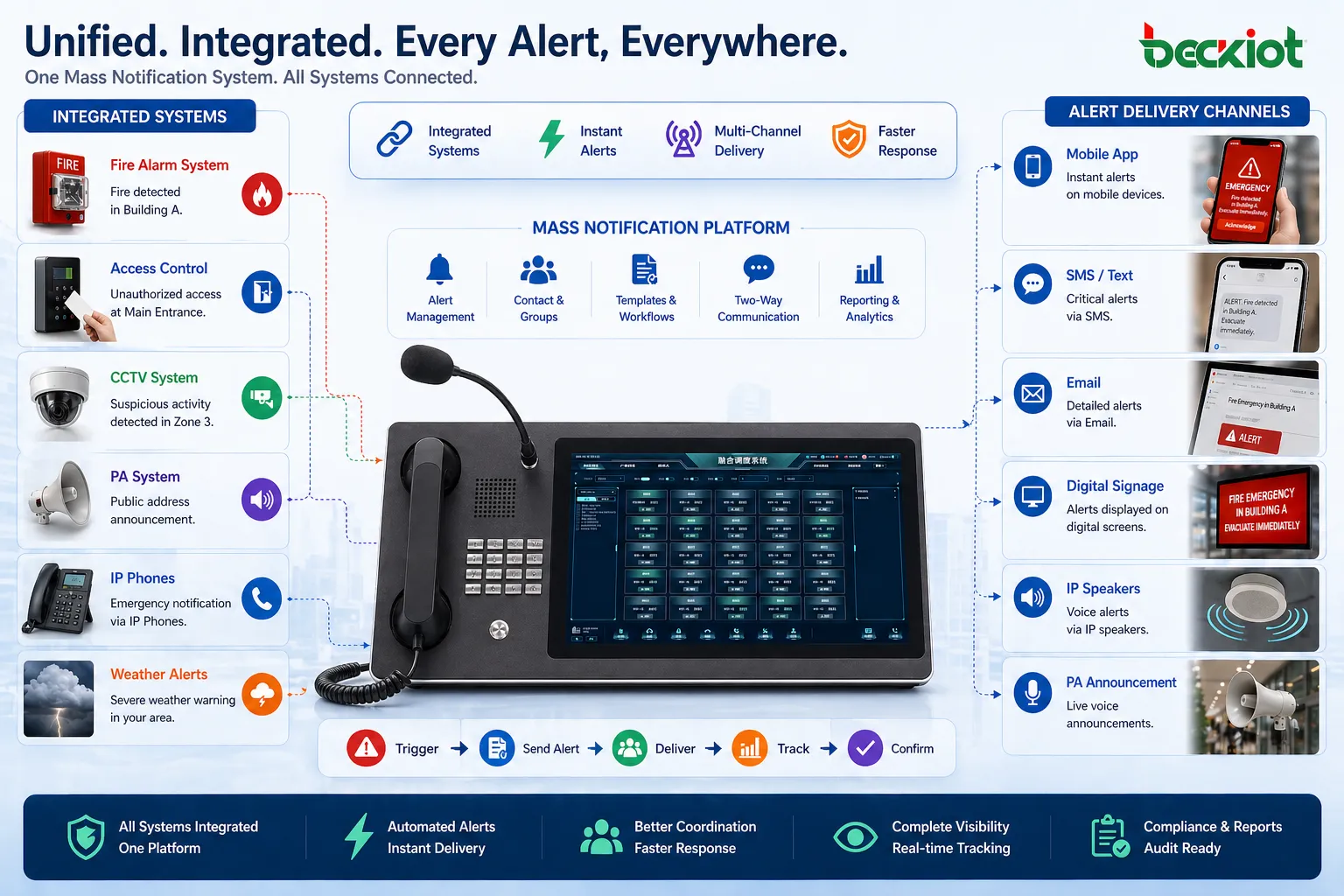
Automated Workflows
System Integration

System Integration

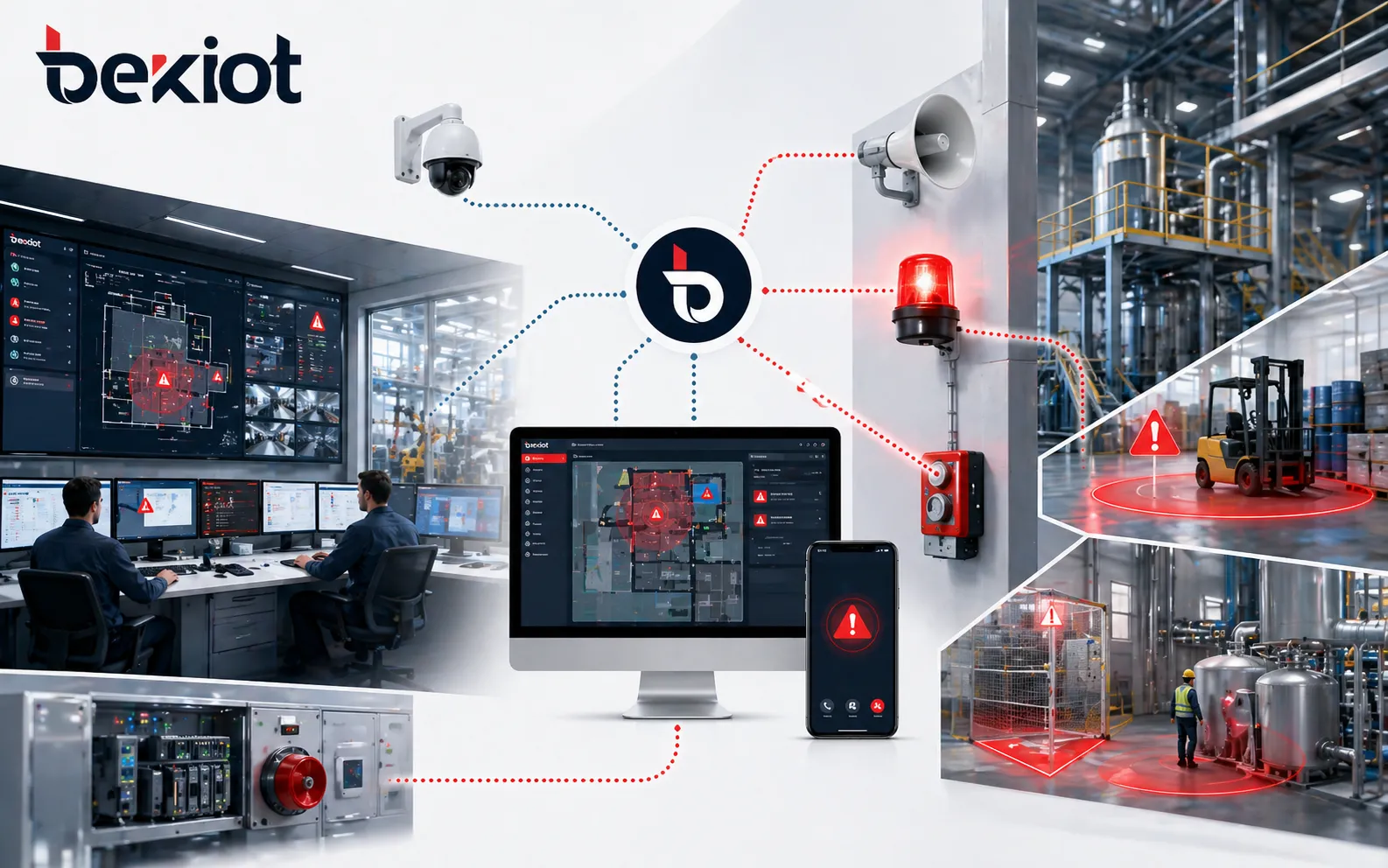
The platform can integrate with fire alarms, access control, CCTV, PA systems, IP speakers, SIP phones, HR directories, weather alerts, panic buttons, sensors, and digital signage. Integrated systems allow alerts to be triggered automatically, distributed across different devices, and displayed through on-site communication channels for faster and more coordinated emergency response.

Reports and Analytics

Real-time dashboards and reports show message delivery, failed attempts, acknowledgement rates, user responses, escalation records, operator actions, and event timelines. These records help safety managers evaluate alert performance, support compliance audits, improve emergency drills, and optimize future response plans for stronger organizational preparedness.
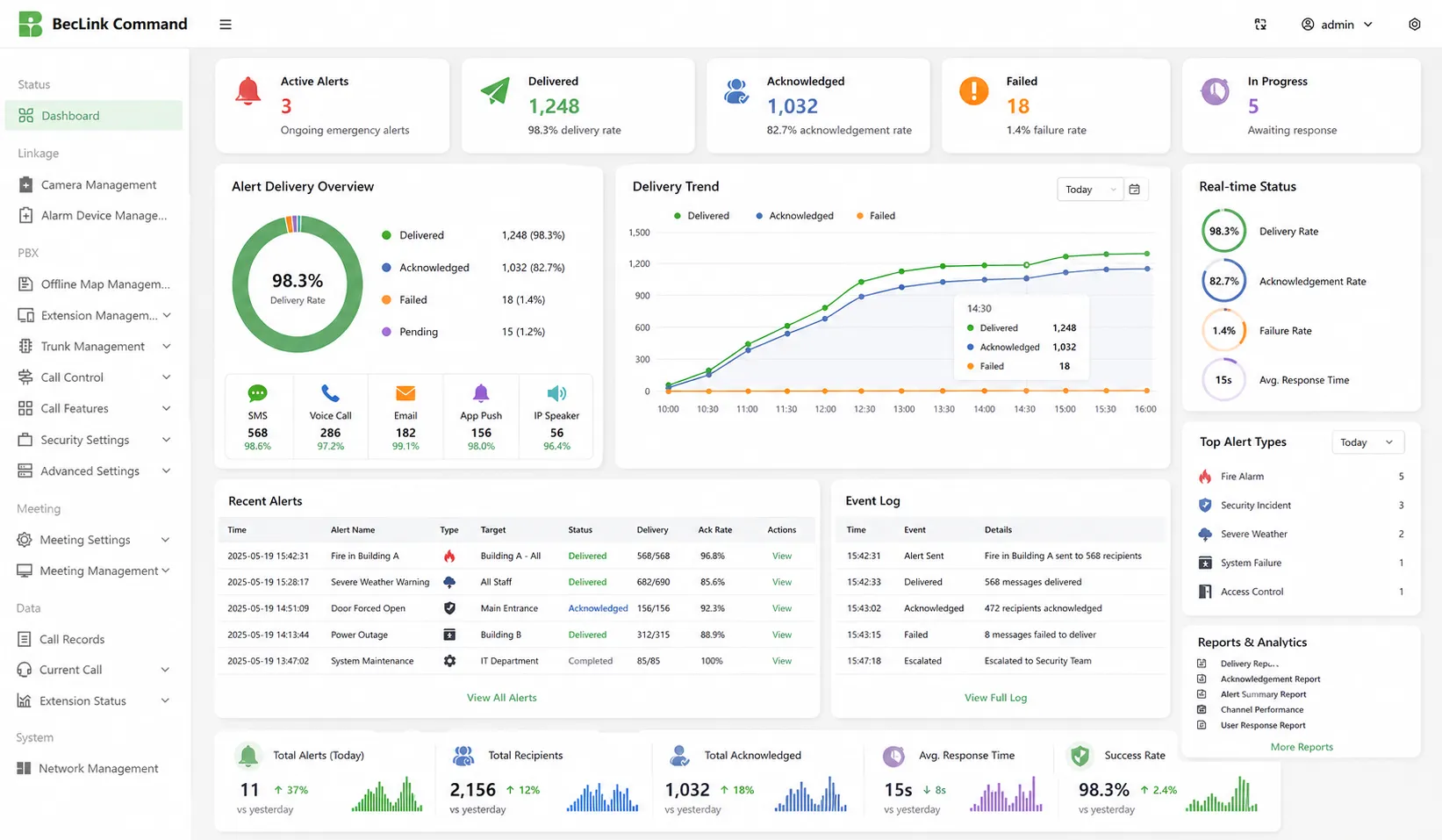
Reports and Analytics

Application Scenarios

Corporate Offices
Industrial Plants
Schools and Campuses
Hospitals and Healthcare
Transportation Hubs
Public Safety
Corporate Offices

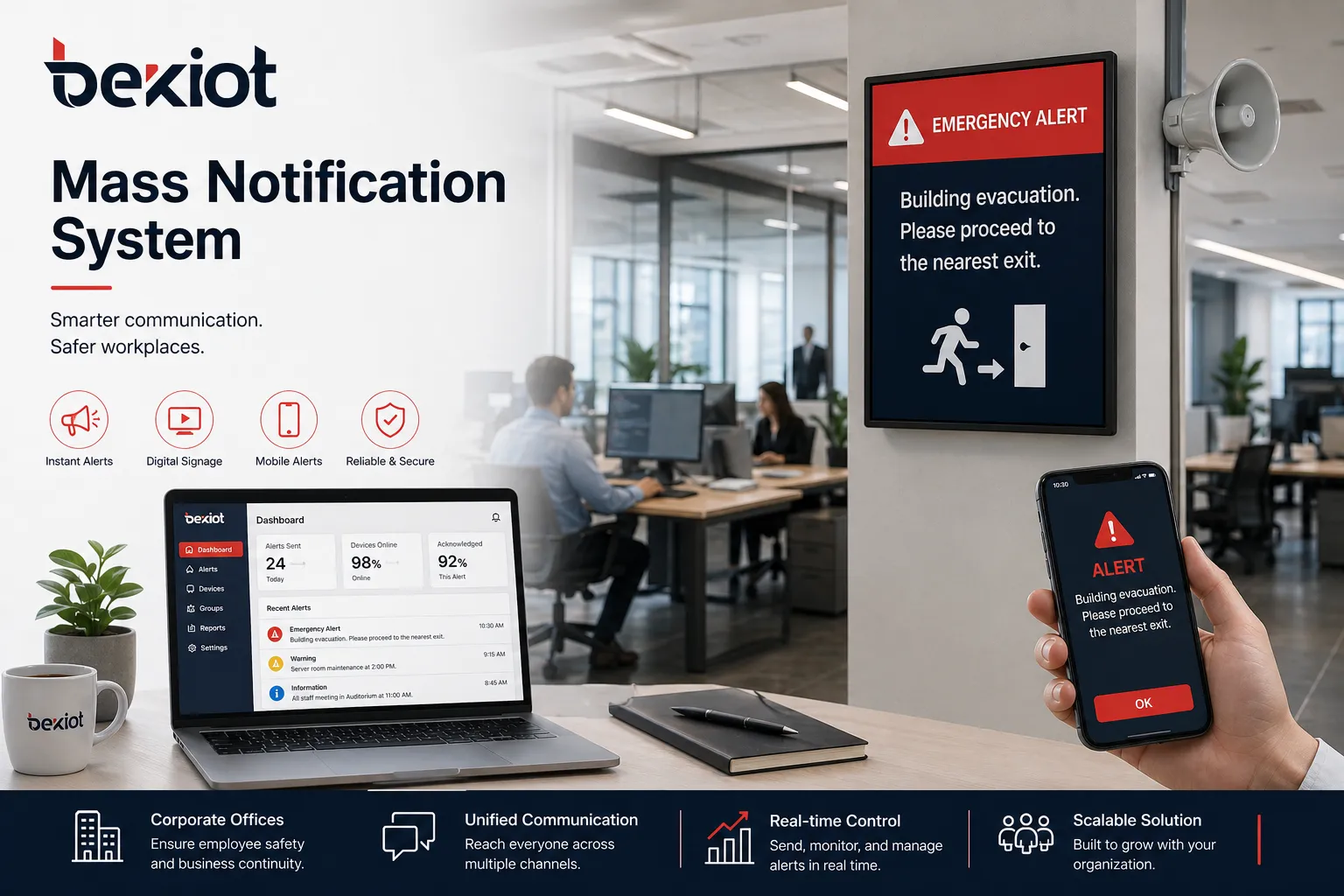
Corporate Offices

In corporate offices, the mass notification system helps security teams and facility managers send fast alerts for fire drills, power outages, visitor incidents, workplace threats, elevator failures, severe weather, and building evacuations. Employees can receive messages through desktop pop-ups, SMS, email, mobile apps, digital signage, and voice calls, ensuring that office teams receive clear instructions even during busy working hours.
Industrial Plants

Industrial Plants

Industrial plants require fast and reliable communication during equipment faults, gas leakage, fire risks, production line accidents, power failures, and evacuation events. Emergency notification software can connect control rooms, alarm systems, IP speakers, SIP phones, horn speakers, mobile users, and safety teams. Operators can send targeted alerts to workshops, warehouses, hazardous zones, maintenance teams, and management groups.
Schools and Campuses

Schools and Campuses

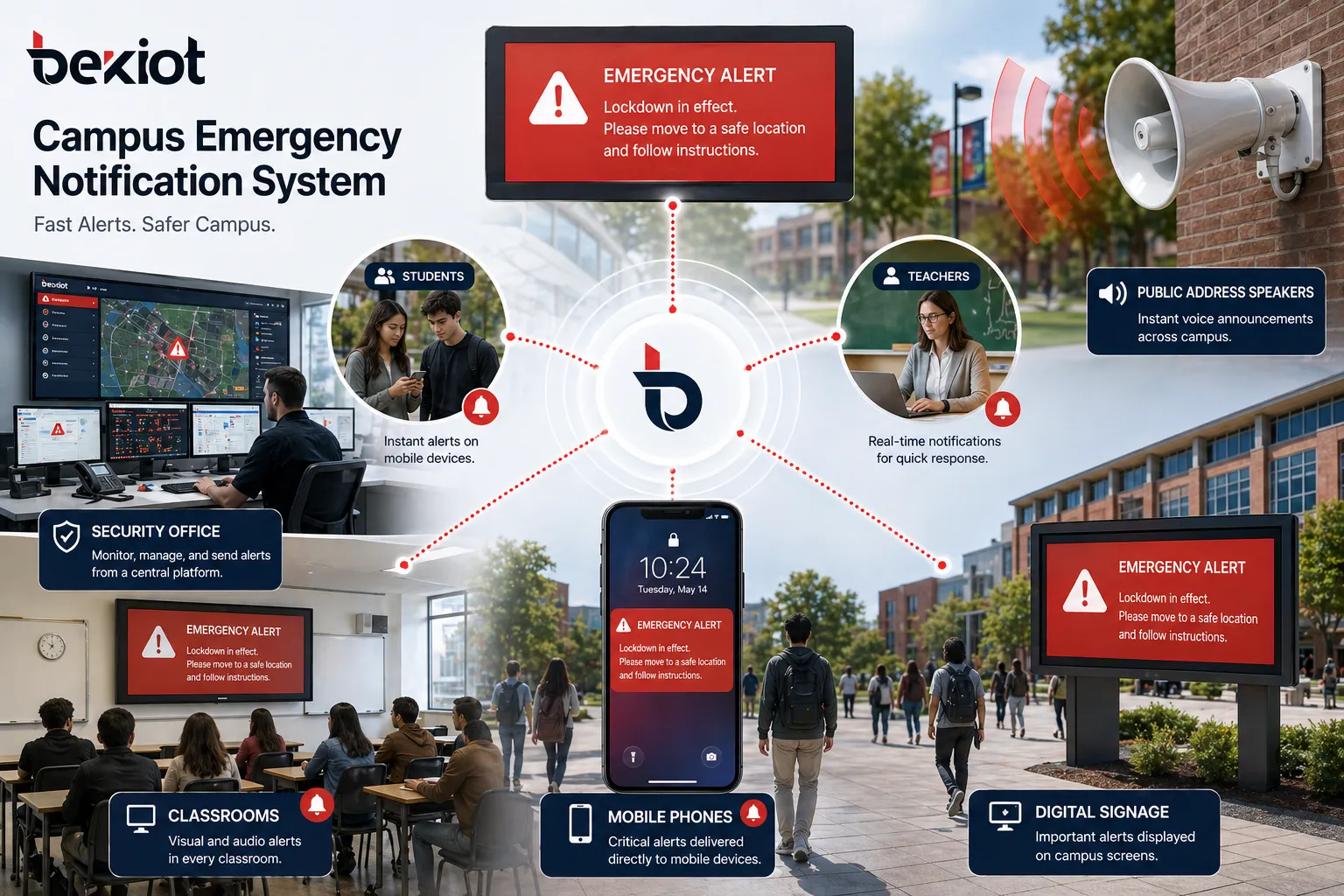
For schools and universities, the system supports emergency communication for lockdowns, severe weather, fire alarms, medical incidents, transportation changes, missing persons, and campus safety threats. Administrators can notify students, teachers, parents, security staff, and facility teams through SMS, email, mobile apps, PA systems, classroom displays, and desktop alerts, helping the campus respond quickly and consistently.
Hospitals and Healthcare

Hospitals and Healthcare

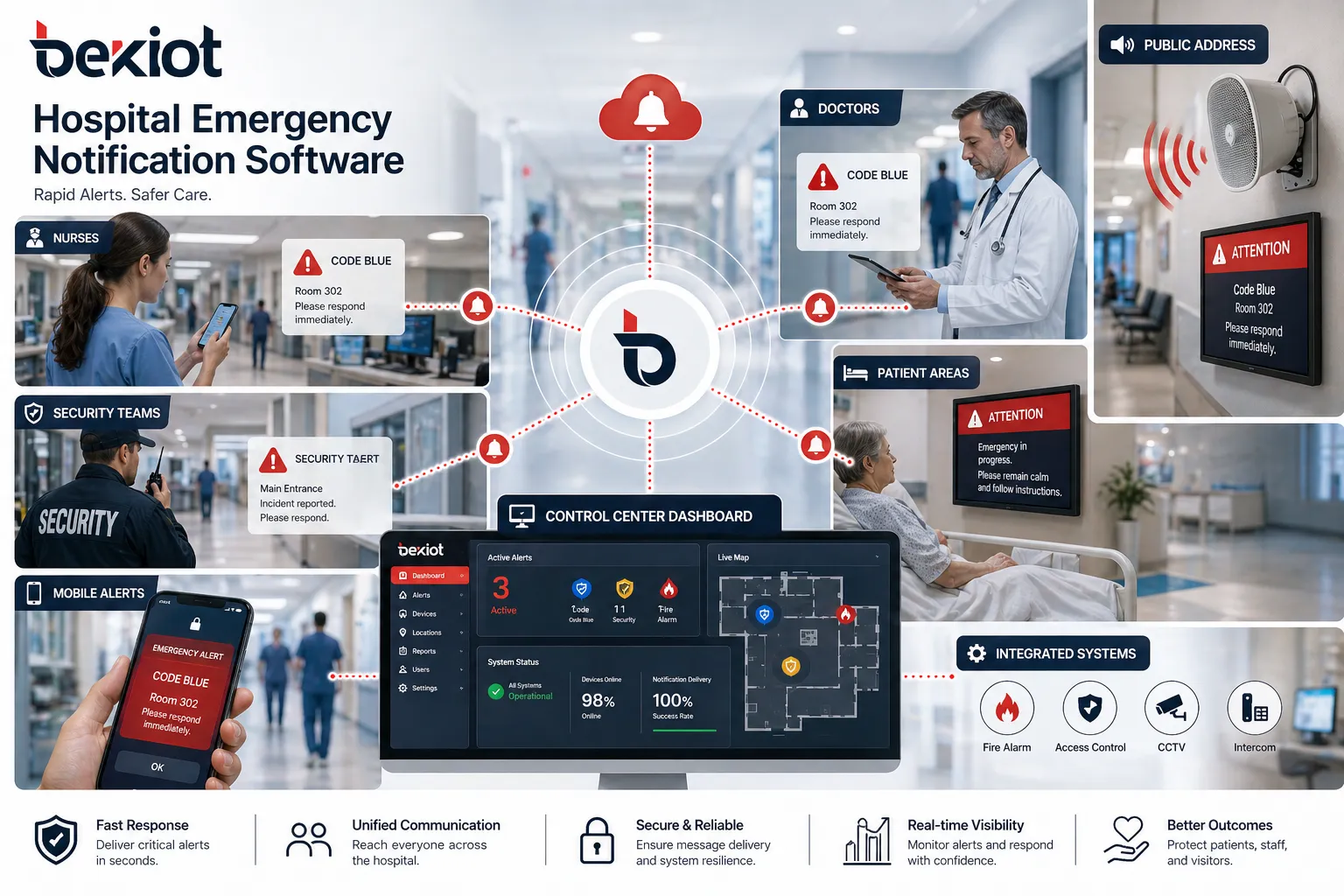
In healthcare environments, emergency notification software can support code alerts, security incidents, equipment failures, evacuation notices, staffing emergencies, infection control messages, and facility maintenance updates. Hospitals can notify doctors, nurses, security teams, department managers, and emergency response groups by role or location, helping medical teams coordinate faster without disturbing unaffected departments.

Transportation Hubs

Transportation Hubs

Airports, railway stations, bus terminals, tunnels, ports, and metro systems need large-area alerting for passenger safety, security events, traffic disruption, severe weather, equipment faults, and emergency evacuation. The platform can connect control centers, digital signage, PA systems, mobile alerts, intercoms, and field devices, helping operators broadcast instructions to passengers, staff, security teams, and maintenance personnel.
Public Safety

Public Safety

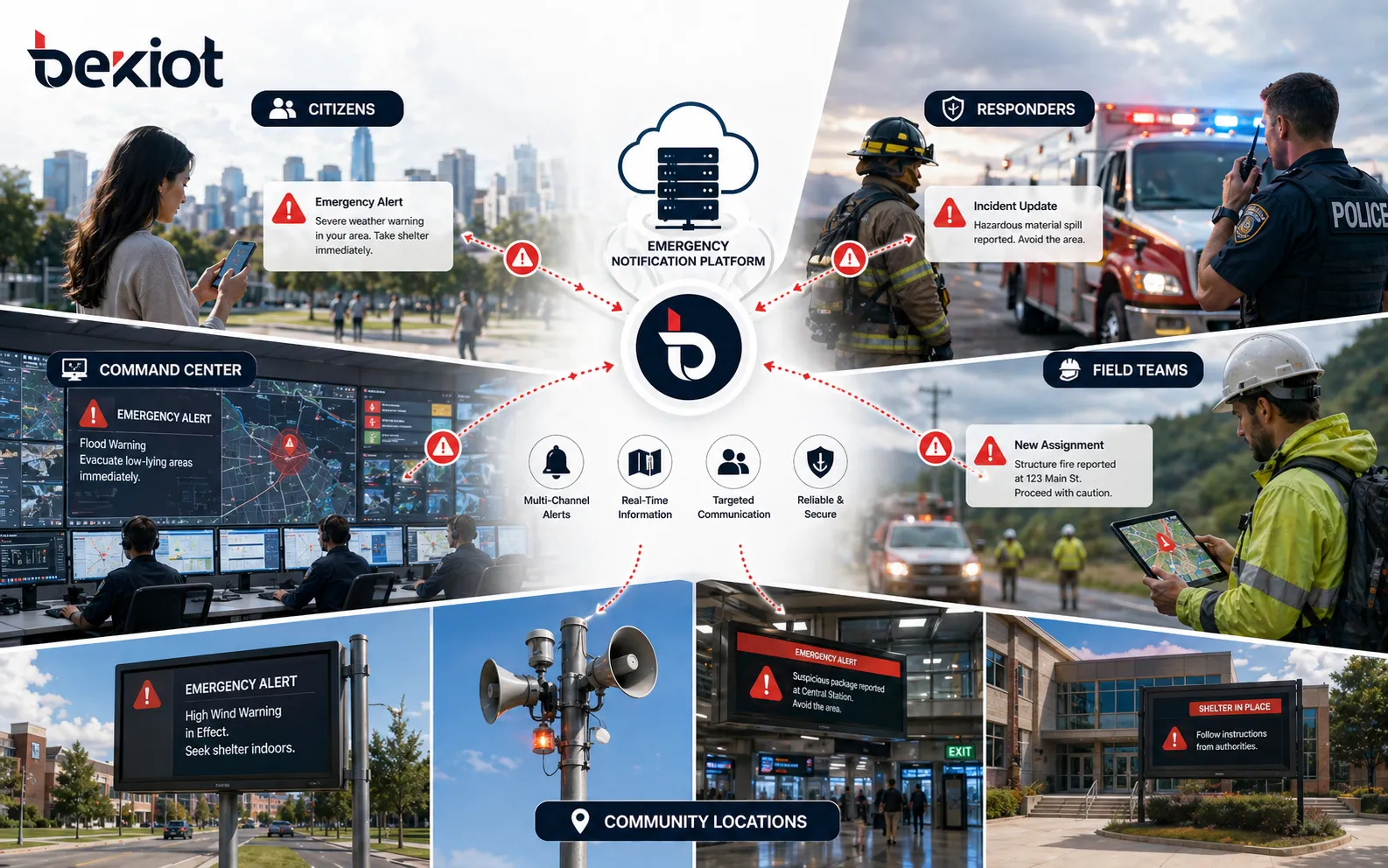
Public safety agencies can use the platform to send urgent alerts for natural disasters, evacuation orders, public security incidents, road closures, community emergencies, extreme weather, and infrastructure failures. Messages can be distributed to residents, emergency responders, government departments, field teams, and partner organizations, supporting faster coordination between command centers and the public.

Professional industrial communication manufacturer, providing high reliability communication guarantee!
Cooperation Consultation
customer service Phone
We use cookie to improve your online experience. By continuing to browse this website, you agree to our use of cookie.

Cookies

This Cookie Policy explains how we use cookies and similar technologies when you access or use our website and related services. Please read this Policy together with our Terms and Conditions and Privacy Policy so that you understand how we collect, use, and protect information.

By continuing to access or use our Services, you acknowledge that cookies and similar technologies may be used as described in this Policy, subject to applicable law and your available choices.

Updates to This Cookie Policy

We may revise this Cookie Policy from time to time to reflect changes in legal requirements, technology, or our business practices. When we make updates, the revised version will be posted on this page and will become effective from the date of publication unless otherwise required by law.

Where required, we will provide additional notice or request your consent before applying material changes that affect your rights or choices.

What Are Cookies?

Cookies are small text files placed on your device when you visit a website or interact with certain online content. They help websites recognize your browser or device, remember your preferences, support essential functionality, and improve the overall user experience.

In this Cookie Policy, the term “cookies” also includes similar technologies such as pixels, tags, web beacons, and other tracking tools that perform comparable functions.

Why We Use Cookies

We use cookies to help our website function properly, remember user preferences, enhance website performance, understand how visitors interact with our pages, and support security, analytics, and marketing activities where permitted by law.

We use cookies to keep our website functional, secure, efficient, and more relevant to your browsing experience.

Categories of Cookies We Use

Strictly Necessary Cookies

These cookies are essential for the operation of the website and cannot be disabled in our systems where they are required to provide the service you request. They are typically set in response to actions such as setting privacy preferences, signing in, or submitting forms.

Without these cookies, certain parts of the website may not function correctly.

Functional Cookies

Functional cookies enable enhanced features and personalization, such as remembering your preferences, language settings, or previously selected options. These cookies may be set by us or by third-party providers whose services are integrated into our website.

If you disable these cookies, some services or features may not work as intended.

Performance and Analytics Cookies

These cookies help us understand how visitors use our website by collecting information such as traffic sources, page visits, navigation behavior, and general interaction patterns. In many cases, this information is aggregated and does not directly identify individual users.

We use this information to improve website performance, usability, and content relevance.

Targeting and Advertising Cookies

These cookies may be placed by our advertising or marketing partners to help deliver more relevant ads and measure the effectiveness of campaigns. They may use information about your browsing activity across different websites and services to build a profile of your interests.

These cookies generally do not store directly identifying personal information, but they may identify your browser or device.

First-Party and Third-Party Cookies

Some cookies are set directly by our website and are referred to as first-party cookies. Other cookies are set by third-party services, such as analytics providers, embedded content providers, or advertising partners, and are referred to as third-party cookies.

Third-party providers may use their own cookies in accordance with their own privacy and cookie policies.

Information Collected Through Cookies

Depending on the type of cookie used, the information collected may include browser type, device type, IP address, referring website, pages viewed, time spent on pages, clickstream behavior, and general usage patterns.

This information helps us maintain the website, improve performance, enhance security, and provide a better user experience.

Your Cookie Choices

You can control or disable cookies through your browser settings and, where available, through our cookie consent or preference management tools. Depending on your location, you may also have the right to accept or reject certain categories of cookies, especially those used for analytics, personalization, or advertising purposes.

Please note that blocking or deleting certain cookies may affect the availability, functionality, or performance of some parts of the website.

Restricting cookies may limit certain features and reduce the quality of your experience on the website.

Cookies in Mobile Applications

Where our mobile applications use cookie-like technologies, they are generally limited to those required for core functionality, security, and service delivery. Disabling these essential technologies may affect the normal operation of the application.

We do not use essential mobile application cookies to store unnecessary personal information.

How to Manage Cookies

Most web browsers allow you to manage cookies through browser settings. You can usually choose to block, delete, or receive alerts before cookies are stored. Because browser controls vary, please refer to your browser provider’s support documentation for details on how to manage cookie settings.

Contact Us

If you have any questions about this Cookie Policy or our use of cookies and similar technologies, please contact us at support@becke.cc .