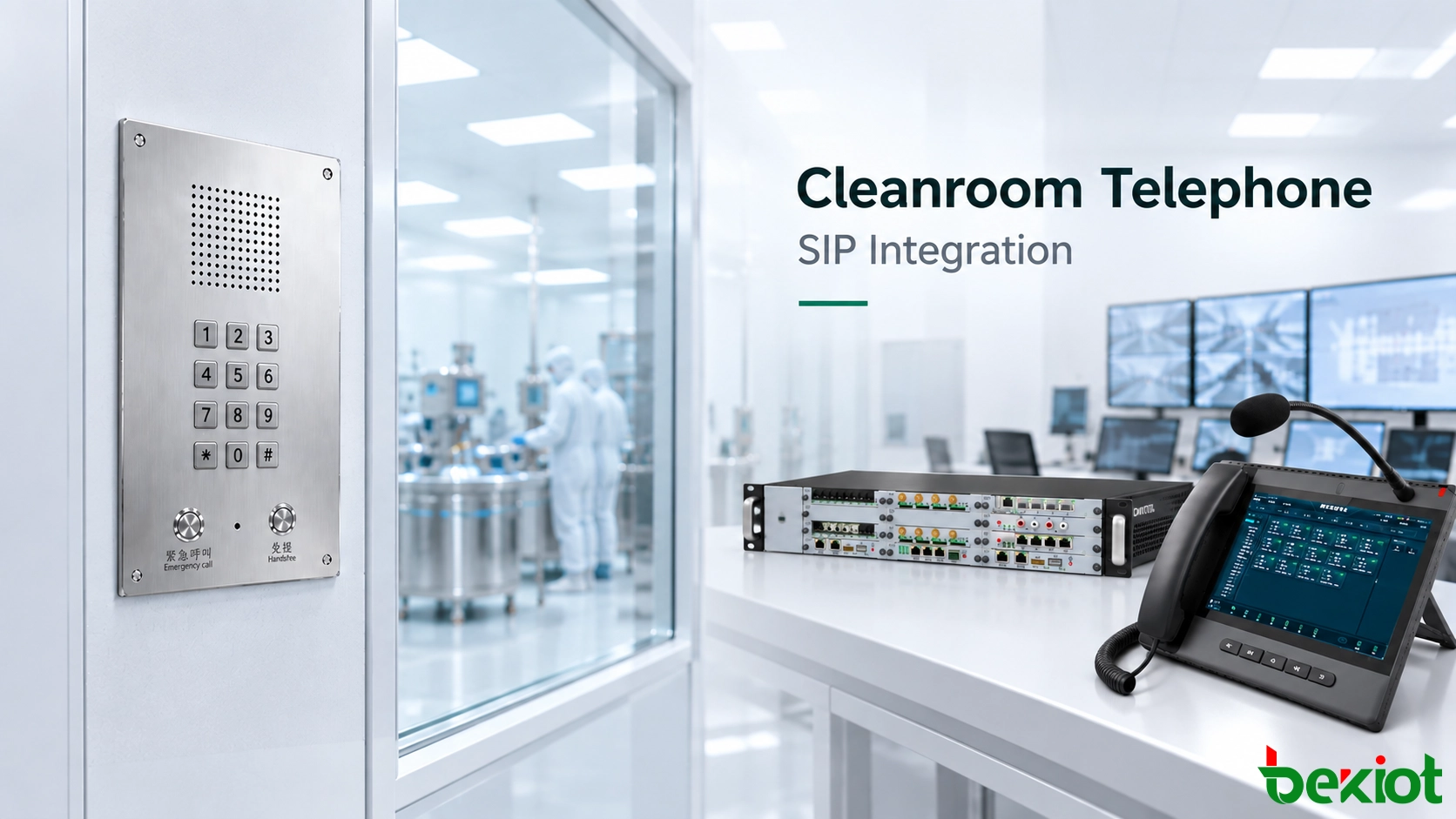
A cleanroom telephone can be physically installed, connected to Ethernet and assigned an IP address while still being unable to communicate with the control room. Network connectivity is only the first layer of a working SIP communication path.
To become a usable plant extension, the cleanroom endpoint must reach the SIP platform over the IP network, complete registration, obtain a clear extension identity, follow the required call-routing rules and establish a usable voice-media path with the remote telephone.
The basic relationship can therefore be understood as:
Network Connection → SIP Registration → Extension Identity → Call Routing → Voice Media → Communication Workflow
These stages should be treated separately during deployment. A telephone that has obtained an IP address has not necessarily joined the voice system, and a telephone that shows “Registered” has not necessarily completed a usable end-to-end call path.
Define the System Boundary Before Connecting the Endpoint
Before configuring the cleanroom telephone, the existing communication environment should be identified. The endpoint is being added to a system that may already include an IP PBX, SIP server, dispatch telephone, office SIP phones, network switches and communication policies.
The first task is to determine where the new cleanroom endpoint fits within that architecture.
A typical SIP-based relationship may be:
Cleanroom Telephone → IP Network → IP PBX → Control Room / Maintenance / Other Authorized Extensions
Several conditions should be confirmed before deployment:
whether the existing IP PBX or SIP server allows the required endpoint to register;
whether Ethernet connectivity is available at the cleanroom communication point;
whether the endpoint uses PoE or a separate power source;
whether the cleanroom network can reach the SIP platform under the site's VLAN, routing and firewall policies;
whether a new extension can be created within the existing numbering plan;
which positions the cleanroom extension needs to call and which positions need to call it.
The physical installation should be reviewed separately from SIP compatibility. A terminal may be technically compatible with the communication platform but still require a different mounting method, wall opening or cleaning arrangement for the controlled environment.
Likewise, a stainless-steel or sealed front panel does not by itself establish compliance with a particular cleanroom classification, GMP requirement or cleaning procedure. Product documentation and project specifications should be reviewed together.
The BT26 Cleanroom IP Handsfree Telephone, for example, can be used as a SIP endpoint within a compatible IP communication architecture. Its actual suitability for a specific controlled area should still be evaluated against the site's installation and environmental requirements.
From Network Connection to SIP Registration
The first technical layer is IP connectivity. The cleanroom telephone must have a usable network path to the SIP server or IP PBX.
Depending on the facility design, this may involve an assigned IP address, subnet, default gateway, VLAN and the routing required to reach the communication platform.
If PoE is used, the network infrastructure must also provide a power arrangement compatible with the endpoint. If the telephone uses local power, the required supply needs to be provided according to the product specification.
At this stage, the endpoint is connected to the data network, but it has not necessarily joined the telephone system.
IP connectivity and SIP registration are two different conditions.
The next stage is to configure the SIP relationship. The endpoint typically requires the appropriate SIP server or registrar information together with the account, authentication and transport settings expected by the existing platform.
The relationship can be simplified as:
Cleanroom Telephone → LAN → SIP Server / IP PBX
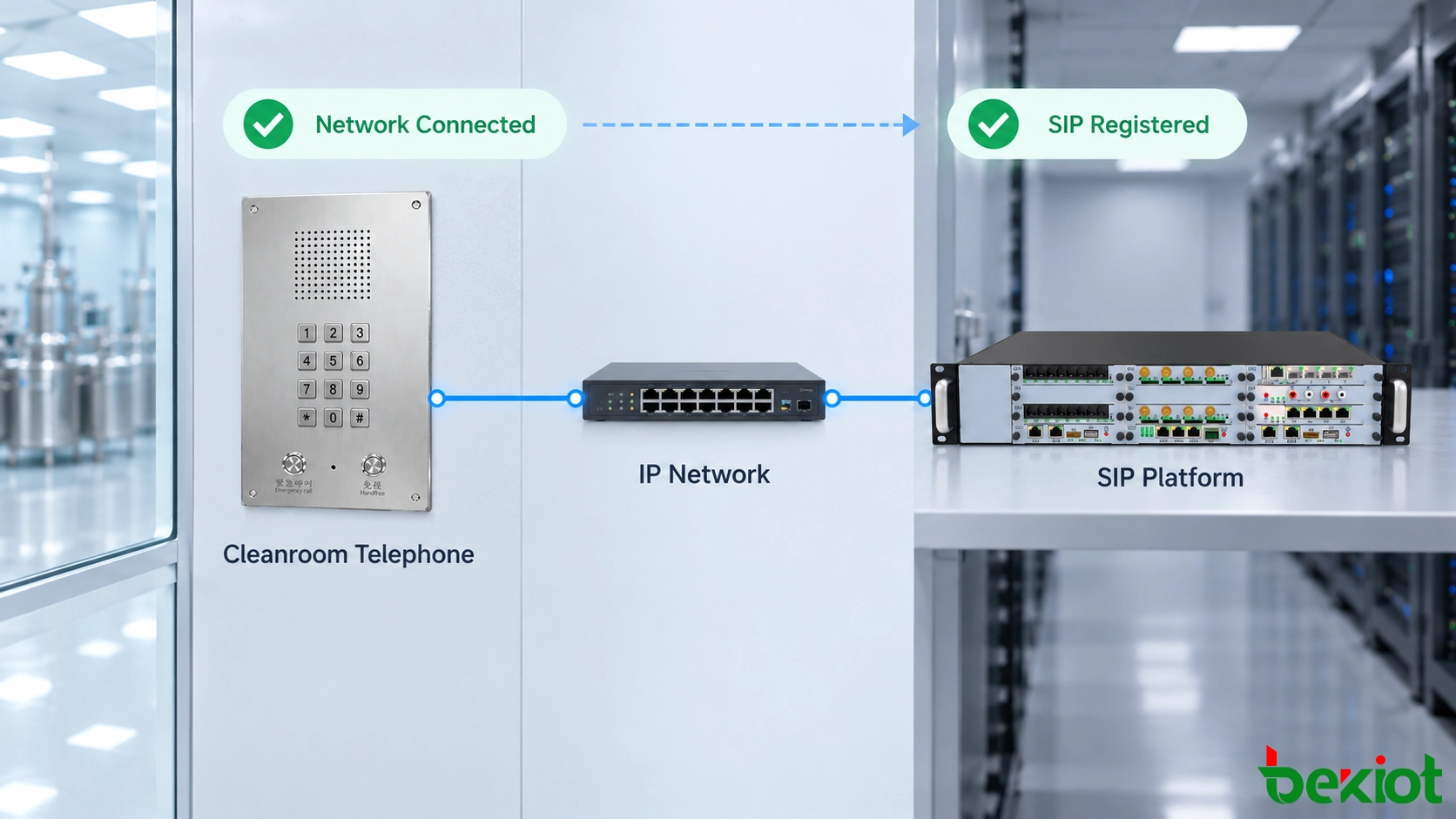
When registration succeeds, the SIP platform recognizes the endpoint through its configured account and extension identity.
However, registration only confirms one part of the communication path. The platform still needs to know how calls from that extension should be handled and which destinations are allowed to reach it.
This is why a “Registered” status should not be treated as the final commissioning result.
Extension Identity and Call Routing
In a controlled production environment, a cleanroom telephone often represents a physical area rather than an individual employee. The extension identity should reflect that operating model.
For example:
6101 — Formulation Room;
6102 — Filling Area;
6103 — Laboratory;
6104 — Packaging Clean Area.
These numbers are examples only. The actual deployment should normally follow the facility's existing numbering plan.
Consider a telephone in the filling area registered as extension 6102. When personnel initiate a call, the SIP platform receives the request from that registered identity and applies the configured call-routing rules.
A simplified path may be:
Filling Area / 6102 → IP PBX → Call Routing → Control Room
If the platform and destination terminal are configured to present the required caller information, the control-room operator can identify the extension or room associated with the call.
The extension therefore serves two related purposes:
Routing identity: it participates in call processing within the SIP system;
Location identity: it allows personnel to associate the call with a known physical area.
Call permissions should be planned at the same time. A filling-area endpoint may need to reach the control room, maintenance and production supervision, while another cleanroom point may require only a predefined duty position.
The reverse direction is equally important. The control room should be able to call the extension assigned to the cleanroom when the operating workflow requires two-way communication.
This creates a complete relationship:
Cleanroom ↔ SIP Platform ↔ Control Room
Successful registration without correct routing and permissions does not provide this operational relationship.
SIP Signaling and Voice Media Must Both Work
SIP deployment becomes more complex when call signaling and voice media are treated as if they were the same network flow.
In simplified terms:
SIP establishes and controls the call; RTP normally carries the voice media.
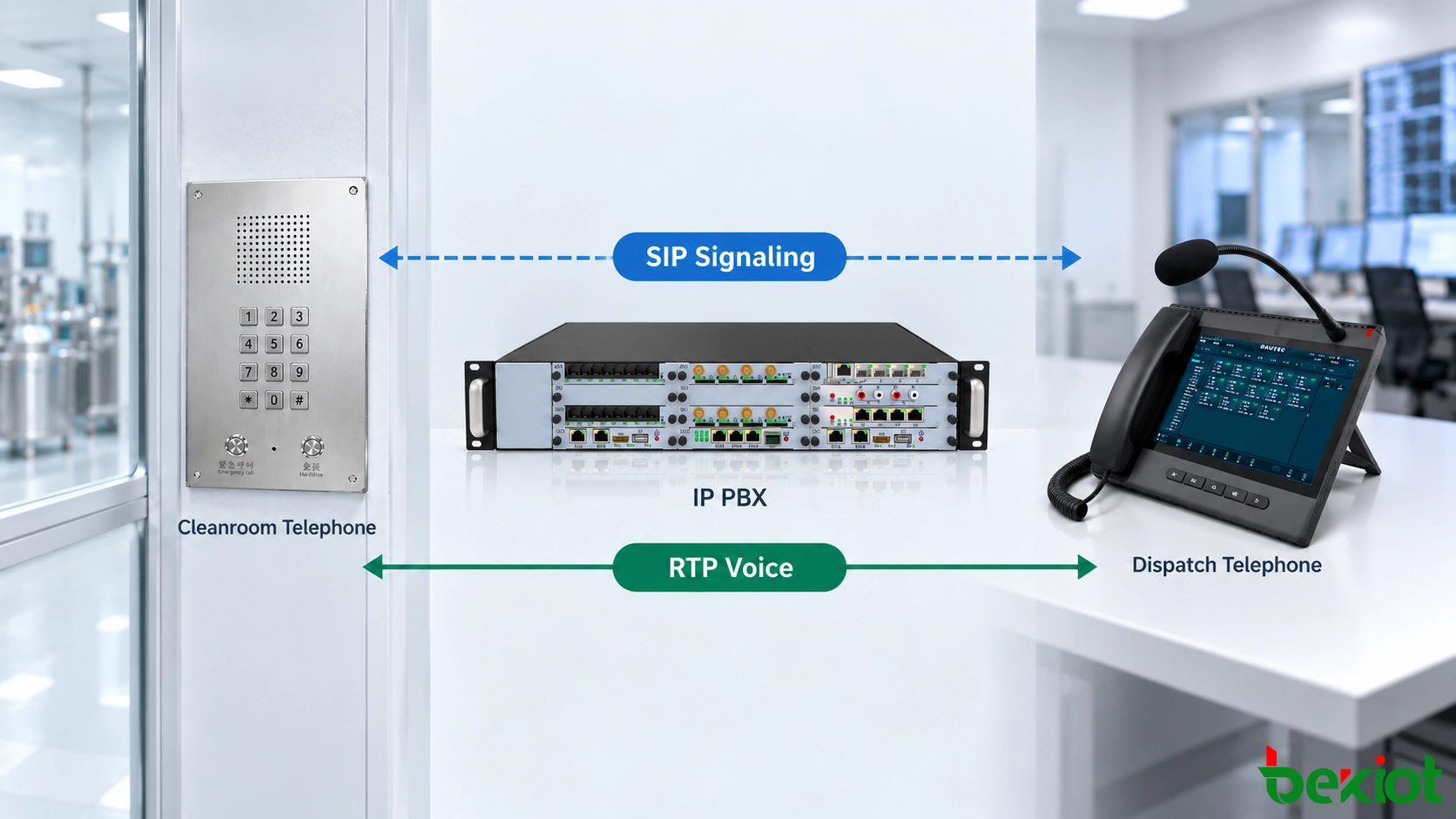
When a cleanroom operator calls the control room, SIP signaling is used to request the session, identify the destination and manage call states such as ringing, answer and termination.
Once the call is accepted, the endpoints also need a usable media path for the actual voice conversation.
This explains why several different conditions are possible:
the endpoint is registered but cannot reach the required destination;
the destination rings but no voice is heard after answering;
one side can hear the other, but audio does not work in the reverse direction;
the call works within one network segment but fails across another;
the call is established but voice quality is affected by packet loss, delay or network congestion.
These conditions should be diagnosed according to the actual network and communication architecture. Relevant areas may include VLAN routing, firewall policy, NAT behavior, media-port handling and codec negotiation.
Codec compatibility is also part of the media path. The cleanroom telephone, communication platform and remote endpoint need to support a common voice codec that can be used for the required call.
G.711, G.722 or other codecs may be available depending on the equipment and platform. The objective is not to enable the largest possible number of codecs, but to ensure that the communication path can negotiate a mutually supported option.
If the existing communication system requires TLS, SRTP or other security mechanisms, endpoint compatibility with those policies should also be confirmed as part of the integration design.
For shared data networks, voice traffic may also require appropriate QoS treatment according to the site's network design. The exact policy should follow the facility's network architecture rather than applying one fixed QoS value to every project.
How the Endpoint Enters the Plant Communication Workflow
Once network connectivity, registration, routing and media have been established, the cleanroom telephone can participate in the actual operating workflow.
Consider a filling-area operator who notices an abnormal equipment condition. The operator initiates a call from the fixed cleanroom endpoint.
The first part of the path is:
Cleanroom Telephone / 6102 → IP Network → IP PBX
The communication platform then applies the configured routing and presents the call to the required control-room position:
IP PBX → Control-Room Dispatch Telephone
After the control-room operator answers, the two endpoints establish the required voice session. Personnel in the cleanroom can explain what happened without leaving the controlled area.
If maintenance support is required, the communication process may continue:
Filling Area ↔ Control Room ↔ Maintenance
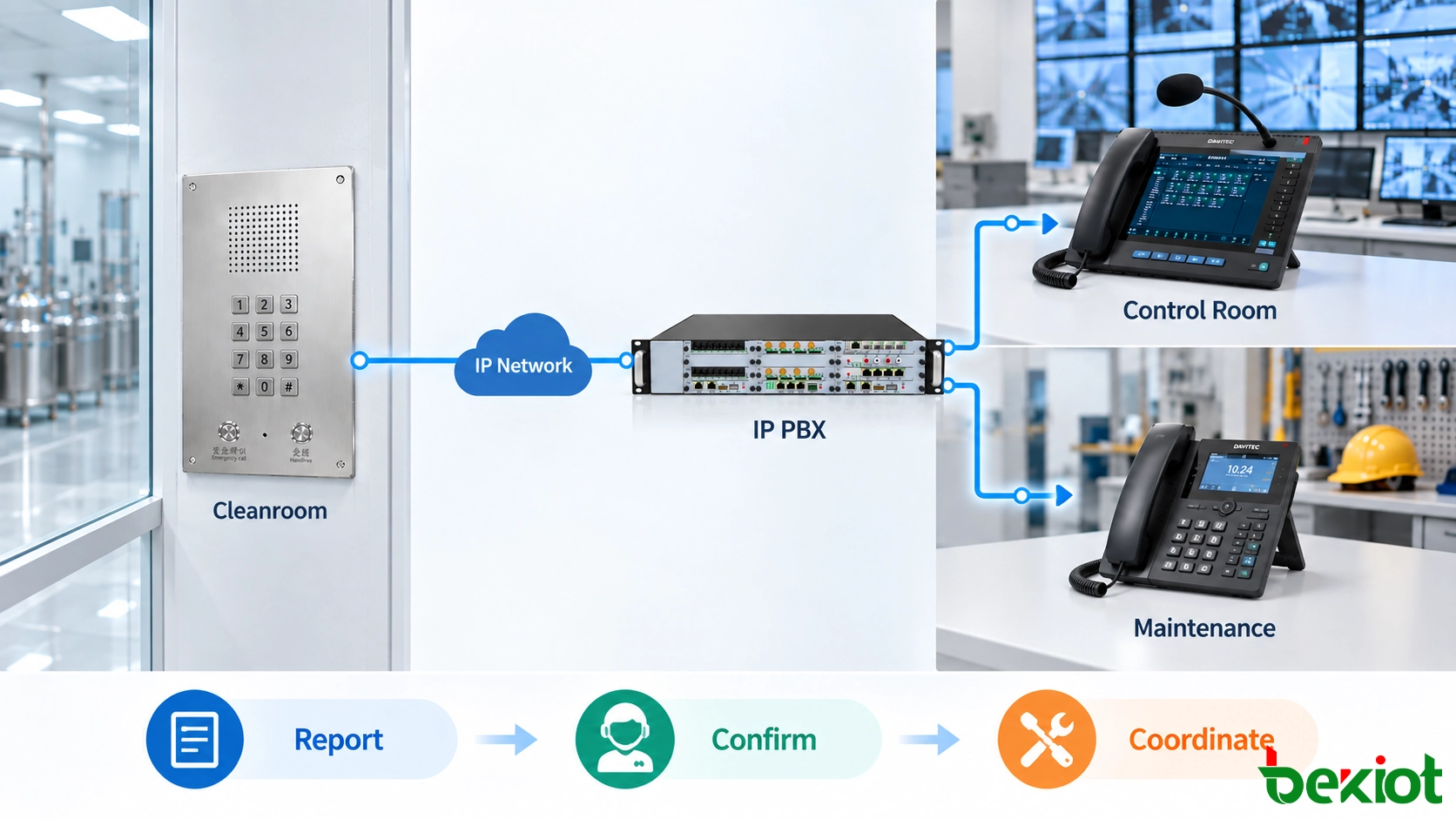
The exact handling method depends on the communication platform and the site's operating procedure. The control-room operator may place another call, transfer the existing call or use another supported function.
These capabilities should not be assumed simply because the cleanroom telephone uses SIP. Transfer, call groups, recording, dispatch functions and other services depend on the platform, endpoint configuration and account permissions.
The same applies to broadcasting, alarm integration, access control or other business-system functions. If the existing communication platform provides the required interfaces and capabilities, the cleanroom endpoint may participate in a broader integrated workflow. These functions are not created automatically by SIP registration.
For daily operation, the most important relationship remains straightforward:
Cleanroom ↔ Control Room ↔ Responsible Position
The communication system should allow information to move in both directions so that the control room can not only receive a report but also return instructions or contact the cleanroom again when required.
Verify the Complete Path Before Going Live
Commissioning should test the complete communication path rather than stopping when the endpoint appears online or shows a successful SIP registration.
| Verification Item | What to Check | Purpose |
|---|---|---|
| Network | The cleanroom endpoint can reach the required SIP platform | Confirms basic IP connectivity |
| SIP Registration | The correct account and extension register successfully | Confirms the endpoint has joined the voice platform |
| Outbound Call | The cleanroom can reach the required control-room position | Verifies the primary reporting path |
| Return Call | The control room can call the cleanroom extension | Confirms two-way communication |
| Caller Identity | The expected extension or room identity is presented | Helps identify the originating area |
| Voice Media | Clear audio is available in both directions | Confirms the media path is usable |
| Codec | A mutually supported voice codec is negotiated | Confirms compatible media handling |
| Permissions | The extension reaches the destinations required by the project | Confirms the intended call policy |
| Recovery | The endpoint returns to the required registered state after network or platform recovery | Checks post-interruption behavior |
| On-Site Audio | Personnel can communicate from the normal operating position | Confirms practical usability in the real cleanroom environment |
On-site audio testing is especially important for hands-free endpoints. A SIP call can be technically correct while still being difficult to use if ventilation noise, machinery or installation distance affects speech intelligibility.
Testing should therefore cover both directions from the actual operator position rather than only standing directly beside the telephone.
If the system does not behave as expected, troubleshooting should follow the layer where the problem appears. Registration problems should first be separated from routing problems, while calls that ring but have no or one-way audio should be investigated as signaling and media-path issues rather than treated as the same fault.
A cleanroom telephone is fully integrated only when the network connection, SIP registration, extension identity, call routing, voice-media path and real operating workflow all work together.
The practical result should be simple: personnel inside the cleanroom can reach the correct position, the control room can identify and return the call, and both sides can communicate clearly without leaving their normal operating areas.
FAQ
1. Can a cleanroom telephone register directly to an existing IP PBX?
It may be able to if the existing platform permits the endpoint to register and both sides use compatible SIP authentication, transport, network and codec settings. SIP support on both products does not by itself guarantee interoperability.
2. Does SIP registration mean the telephone is ready for operation?
No. Registration confirms that the endpoint has established the required relationship with the SIP platform. Call routing, permissions, caller identity, two-way voice and the actual operating workflow still need to be verified.
3. Should each cleanroom telephone have its own SIP extension?
A dedicated extension is often useful because it gives each fixed communication point a clear identity. In controlled production areas, the extension can represent a room or process area rather than an individual employee. The actual numbering plan should follow the facility's communication design.
4. Why can a SIP call ring but have no audio?
SIP signaling and voice media are different parts of the communication process. The signaling path may work while the media path is affected by network routing, firewall or NAT behavior, media handling or codec negotiation. The actual system configuration should be checked to determine the cause.
5. Can a cleanroom SIP telephone communicate with a legacy PBX?
It depends on the interfaces available on the existing PBX. If a usable SIP interface already exists, it may be possible to connect through that interface. Otherwise, a suitable gateway or another interworking method may be required according to the PBX interface and project architecture.