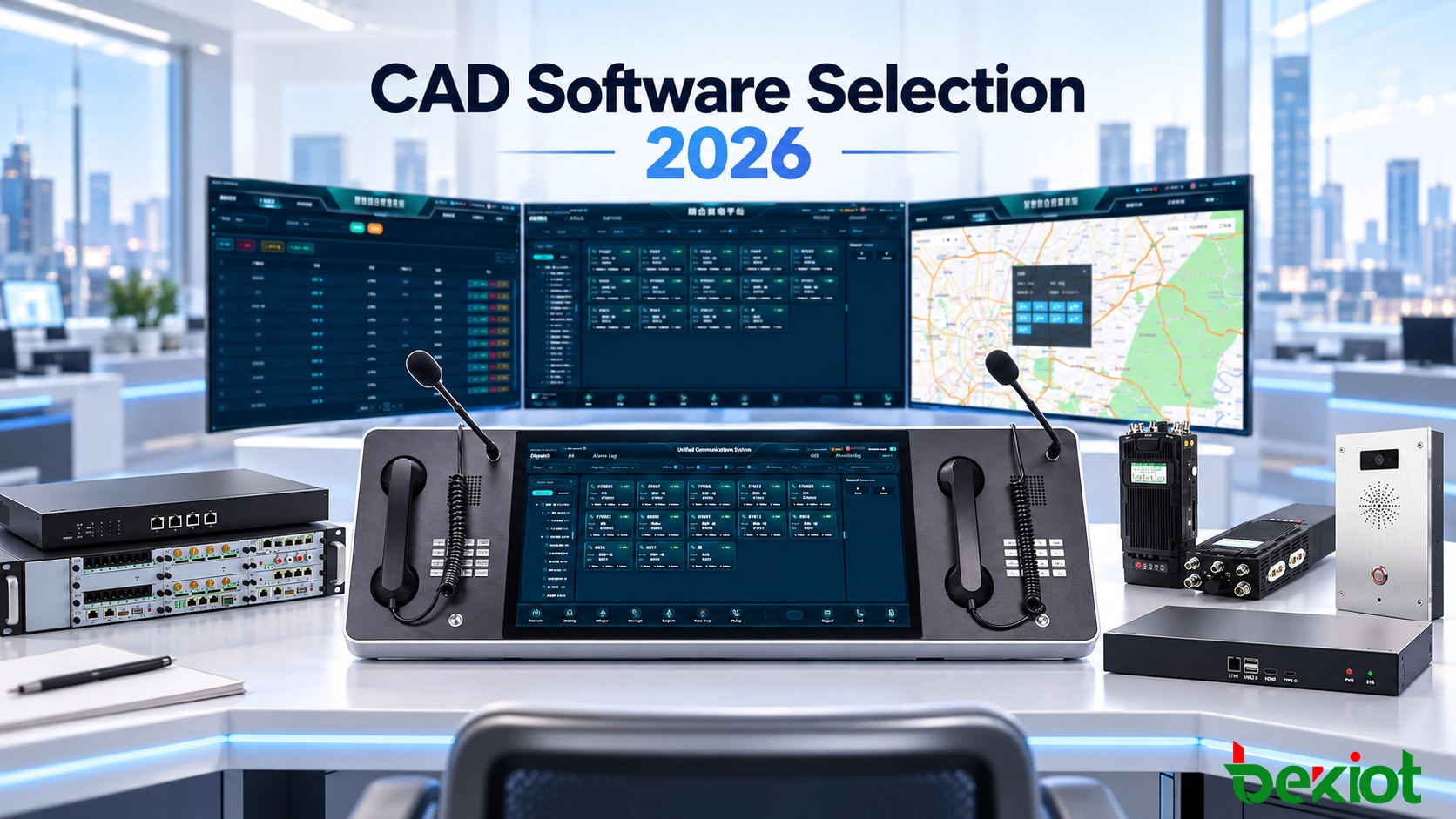
A computer-aided dispatch (CAD) demonstration can look convincing when every incident is prepared in advance, every unit is available and every connected system behaves correctly. Real control rooms rarely work that way. Operators handle incomplete reports, overlapping incidents, unavailable responders and communication links that can fail at the least convenient moment. The right CAD software must support those conditions without forcing staff to maintain a parallel set of spreadsheets, radio notes and manual case records.
Selecting CAD software in 2026 therefore requires a documented evaluation of dispatch workflows, integration interfaces, security controls, operational continuity and total ownership cost. The requirements differ between a police, fire or EMS communications center and an industrial plant, transportation operator or campus safety department. A voice dispatch console alone is not necessarily an incident-management CAD system; likewise, a CAD application does not automatically provide the radio, telephony and public-address infrastructure used to contact field teams.
Define the Operational Scope Before Comparing Vendors
Decide Which Dispatch Environment the System Must Serve
Begin with the organization that will use the software. A public safety answering point (PSAP) may need to transfer emergency incident information from call-handling equipment, manage several responder disciplines and exchange records with other agencies. An industrial control room may instead receive events from hazardous-area telephones, equipment alarms, access control and maintenance systems. A transport control center may use stations, tracks, route sections or kilometer markers rather than ordinary street addresses. These operating contexts require different location structures, permissions and external interfaces.
List the expected number of dispatcher positions, simultaneous active incidents, operational sites, response units and connected subsystems. Treat these figures as project inputs to be verified, not as a substitute for capacity testing. Identify the required deployment geography and any sites that must continue working when a central WAN connection is lost.
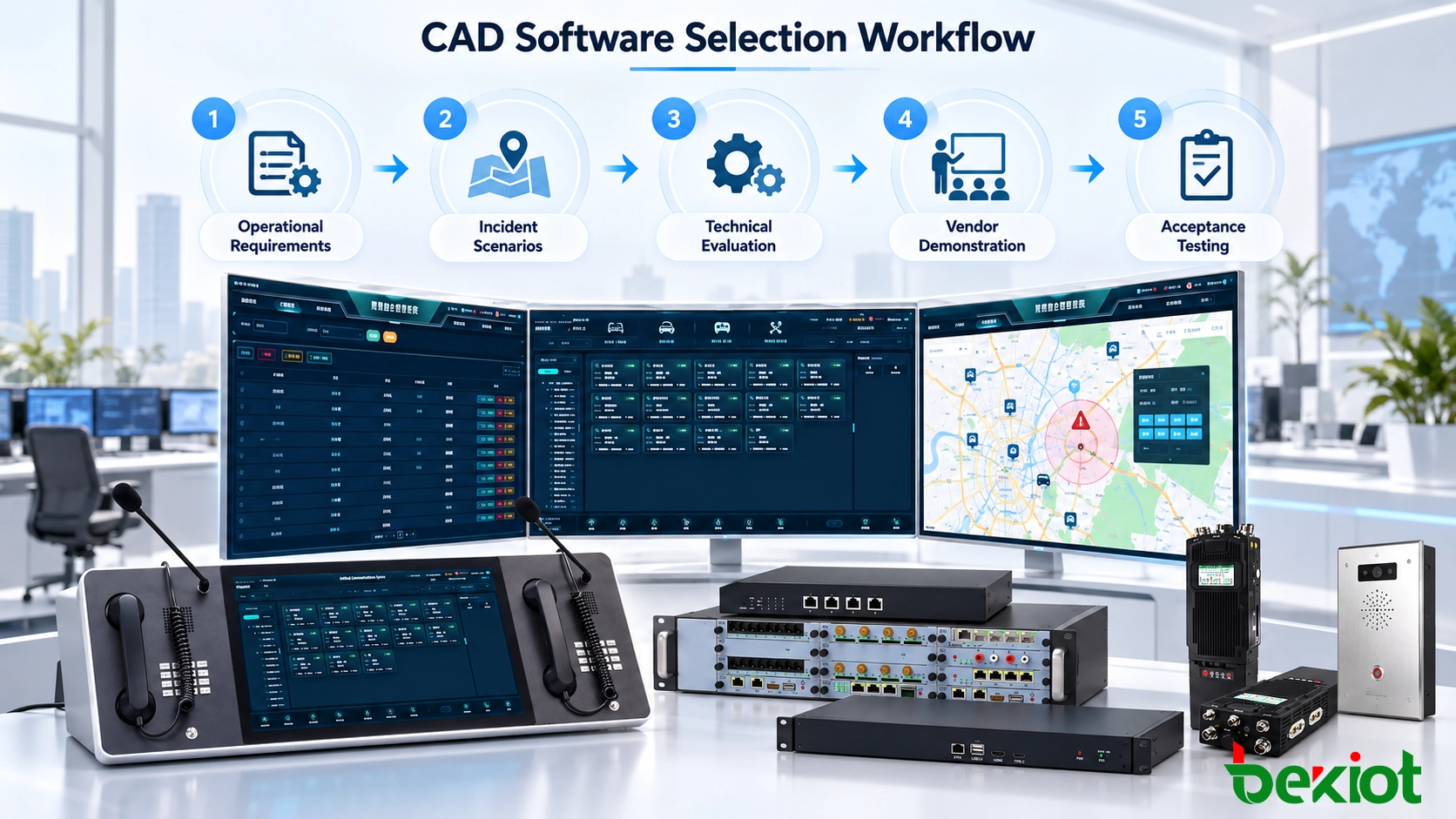
Write Three Realistic Incident Journeys
Before requesting proposals, document at least three representative scenarios: a routine event, a multi-unit emergency and a failure or handover condition. For each, identify who reports the incident, how the location is established, which team can be assigned, what acknowledgement is expected and who has authority to close the record. Include exceptions such as duplicate reports, an incorrect initial location, a busy response team or reassignment across shifts.
Convert these scenarios into mandatory, desirable and future requirements. A capability is mandatory only when the project cannot operate safely or meet its obligations without it. This distinction keeps advanced features from compensating for deficiencies in essential dispatch tasks.
Test the Functions Dispatchers Actually Use
Incident Intake, Classification and Location
A dispatcher needs to create a record from a telephone report, manual entry, supported alarm interface or connected application without losing the reporting source and time. Ask whether the system supports incident categories, configurable priority rules, location validation, linked duplicate reports and corrections to an initial report. Confirm that important details remain visible when ownership moves from a call taker to a dispatcher or supervisor.
During a live demonstration, interrupt data entry with another event, change the incident priority and transfer the case to another operator. The candidate should show how timestamps, original entries and subsequent changes are retained. A clean incident form is useful, but record integrity under pressure is more important than appearance alone.
Unit Availability, Assignment and Status
Resource selection should reflect more than the nearest icon on a map. Ask how the application represents unit type, qualification, duty area, availability, current assignment and communication contact. An automated recommendation is useful only when its input data and rules are understood; a dispatcher must be able to review or override a proposed unit where the operating policy allows.
Test the complete status chain: available, assigned, acknowledged, en route, on scene, task completed and returned to service, with names adapted to local procedures. When a unit becomes unavailable during an incident, the record should support reassignment without erasing the previous decision. For GIS or automatic vehicle location (AVL), require timestamps and a visible indication of stale or missing positions; an old GPS coordinate should not be presented as a verified current location.
Supervisor Visibility and Records
Supervisors need to see open incidents, overdue acknowledgements and unresolved assignments without changing the operator's working view. Reports should preserve who performed key actions and when. Confirm how incident information can be exported, searched and transferred to a records-management or maintenance system. A CAD incident record is not automatically a full records-management system (RMS), evidence-management platform or regulatory reporting solution.
Prove Interoperability with Existing Communications and Data
Integration claims must be tested as named interfaces, not as generic labels such as "open API," "SIP ready" or "GIS compatible." A system can display a camera, connect a telephone call or receive a GPS position without being able to associate that activity with a persistent incident identifier. Buyers should specify which fields, commands and status messages travel in each direction and who maintains the connector when either side is upgraded.
| Connected system | Evidence to request |
|---|---|
| Call handling / emergency intake | Incident data fields, event identifiers, update handling, and applicable PSAP/NG911 interfaces |
| Radio dispatch / telephony | Supported radio or SIP interface, destination selection, call-control permissions, and returned operational status |
| GIS / AVL | Map data sources, location identifiers, update timestamps, coordinate handling and offline behavior |
| RMS / work-order / field applications | Field mapping, record ownership, update direction, duplicate handling, export format and error recovery |
| Alarms / CCTV / paging | Event triggers, device-to-location mapping, operator actions, and confirmation available from each endpoint |
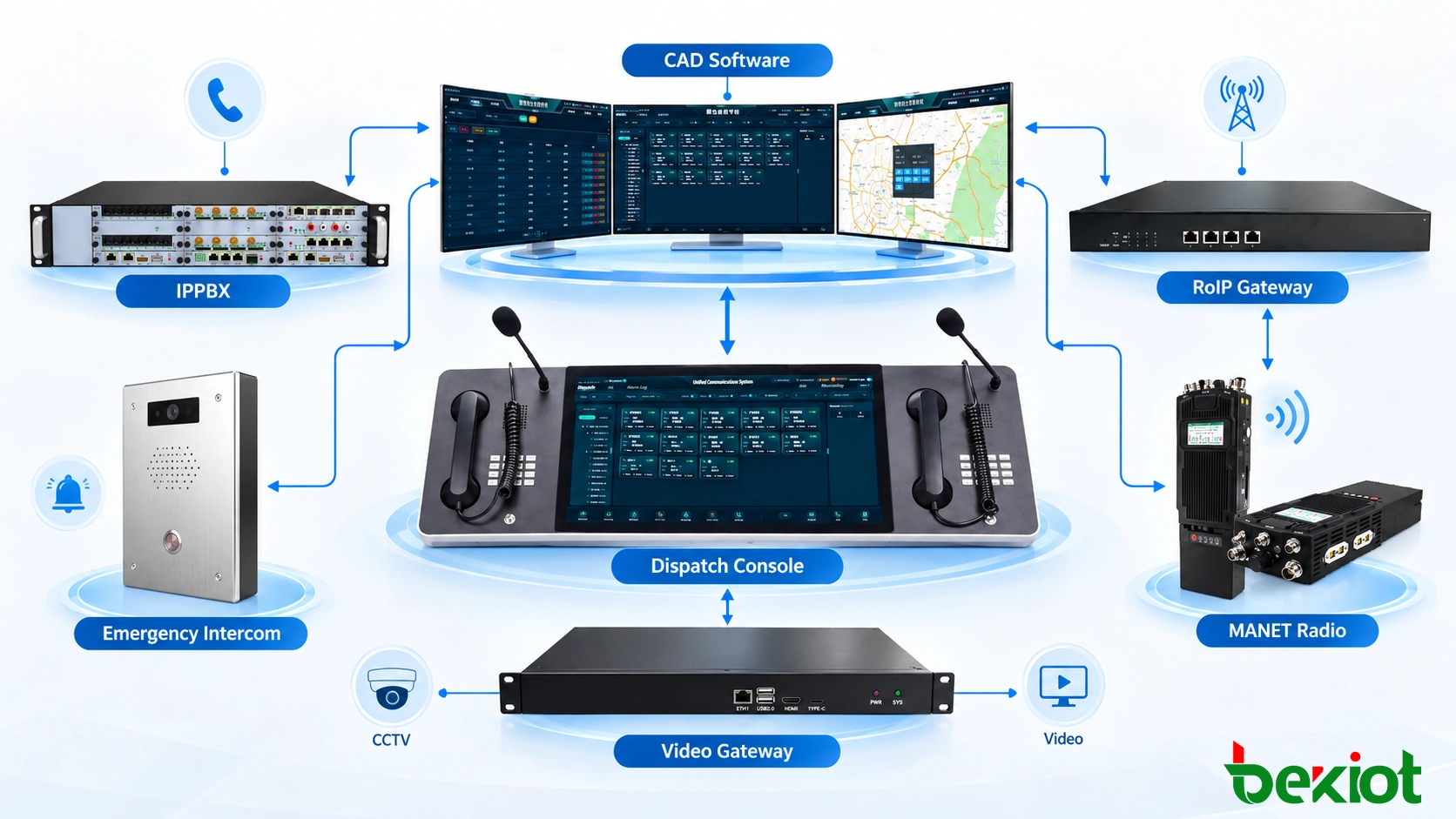
For a project involving professional radio networks, determine whether communication is routed through a supported system API, a radio dispatch server or a radio-over-IP gateway. A gateway may carry audio or push-to-talk control without exposing unit identities, resource availability or incident data to CAD. Similarly, SIP support does not prove that a telephone system can create CAD events, transfer incident context or report a responder's task status. Those links require actual application-level integration.
Interoperability is a documented industry challenge. The U.S. 911.gov CAD Interoperability Assessment Project identifies inconsistent interfaces and cross-agency data sharing as major obstacles. For a buyer, the practical response is to require interface documentation and demonstrate the complete event-to-response path across the systems proposed for the project.
Examine Security, Continuity and 2026 Readiness
Apply the Standards Relevant to the Jurisdiction
Do not treat every CAD project as a U.S. 911 installation. For a U.S. PSAP moving toward Next Generation 911, ask how the proposed CAD interoperates with the call-handling system, location services and incident data exchange. NENA-STA-049.1-2025 describes a transitional CAD (TCAD) model with both legacy and i3 interfaces and specific use of Emergency Incident Data Objects (EIDOs). These requirements apply to systems claiming that transitional role, not automatically to an industrial dispatch installation or every CAD product worldwide.
If criminal justice information (CJI) will be handled, the agency must also review the applicable FBI CJIS Security Policy and state-level conditions. Version 6.1 was released in June 2026, while audit transition arrangements can differ by jurisdiction. Ask for a control-by-control responsibilities matrix rather than accepting an unsupported claim that software is simply "CJIS certified." Other buyers should apply their own national privacy, cybersecurity, records-retention and sector-specific requirements.
Require Recoverable Operations, Not Just Redundant Servers
A resilient dispatch service requires more than two servers. Confirm which functions remain available when a workstation fails, the GIS service becomes unreachable, a radio interface stops responding or a site loses its WAN connection. Ask who declares a failover, how pending tasks are preserved, how clocks and logs remain aligned and how the system returns to normal operation without creating conflicting incident records.
Specify recovery time and recovery point objectives according to the organization's operational risk, then test them. Review authentication, role-based permissions, multifactor controls where required, encryption, audit logs, backup restoration and administrator access. Cloud, on-premises and hybrid deployments each need a clear responsibility model for hosting, patching, connectivity and data ownership. No model is automatically safer or more resilient without evidence.
Evaluate New Features Without Depending on Hype
AI-assisted triage, transcription, anomaly detection and recommendation tools may be offered in some 2026 proposals, but they should be assessed as optional functions unless operationally justified. Ask what data the tool uses, how errors are surfaced, whether a human approves consequential assignments and how a decision can be audited. The ability to create a summary or suggest a unit does not establish that the recommendation is accurate, authorized or appropriate under emergency conditions.
Compare Deployment, Migration and Lifetime Cost
A quote for software licenses is not the full cost of CAD ownership. Interface development, GIS data preparation, workstation hardware, system hardening, legacy data conversion, training, support, version upgrades and backup facilities may represent significant work. Use a consistent evaluation period—such as five years, or another term aligned with the contract—to compare candidates on the same basis. Treat the figures as vendor-specific estimates to verify, not as an assumed industry price per dispatcher.
| Cost or delivery item | Question for the vendor |
|---|---|
| Licensing and hosting | What is charged by operator, site, server, module, event volume or subscription period? |
| Interfaces and data | Which connectors are included, and who pays to repair them after upgrades? |
| Migration | Which historical records and attachments will be converted, validated and retained? |
| Testing and training | How many role-based sessions, rehearsals and acceptance cycles are included? |
| Continuity and support | What are the contracted support hours, recovery responsibilities and escalation paths? |
| Contract exit | In what usable format can incident and audit records be exported, and at what cost? |
Ask each shortlisted vendor for a written migration plan showing data ownership, mapping rules, validation samples, the cutover window and rollback conditions. Historical incident numbers, addresses, timestamps and user identifiers need particular care. For a live dispatch center, parallel operation and operator rehearsal may be more important than minimizing the number of installation days.
Require a Scripted Vendor Demonstration and Acceptance Test
Product videos and slide presentations cannot replace an operational demonstration. Give all candidates the same scenario and evidence requirements so the comparison is fair. Public procurement documents can make this explicit: the Tippecanoe County 2026 CAD replacement RFP schedules scripted vendor demonstrations and identifies a separate cost proposal template.
A Practical End-to-End Test Scenario
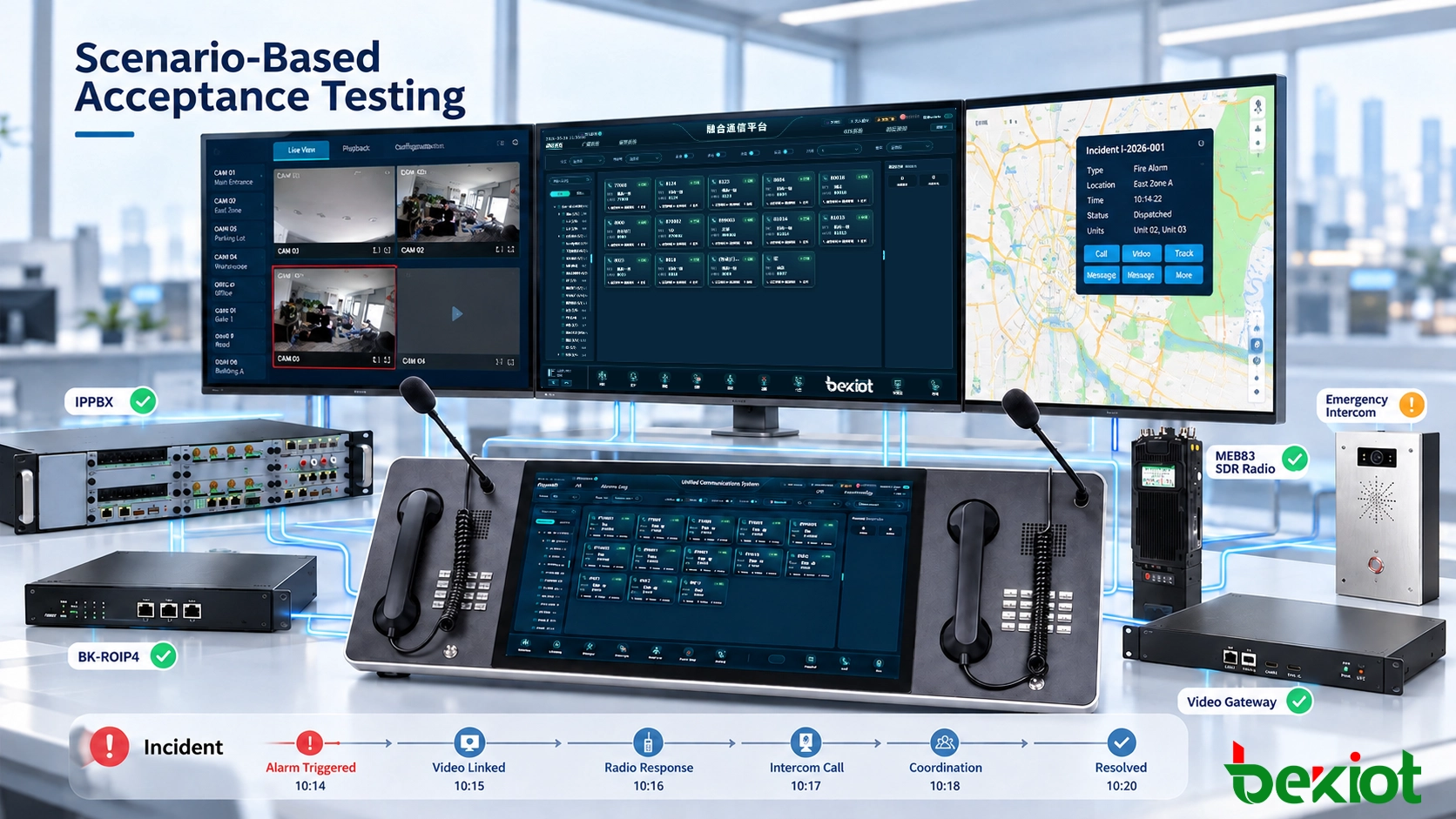
Consider a hypothetical industrial or transport-control incident: an emergency intercom reports smoke in a remote service area while a maintenance alarm arrives for the same location. The dispatcher must decide whether to associate the reports, verify the site on GIS, assign a qualified response unit, contact the team through an approved voice or radio channel, record the acknowledgement and follow the task through closure. Midway through the exercise, the first responder becomes unavailable and an external link is interrupted.
Register the first report with a traceable source, priority and location.
Handle the second input without silently overwriting the first report.
Select an appropriate unit from current resource status, with any location age visible.
Initiate the required communication through the actual connected system.
Record acknowledgement, reassignment, field updates and supervisor decisions.
Demonstrate loss-of-link behavior, recovery and a consistent final incident history.
For a police, fire or EMS center, replace this industrial example with incidents and regulatory interfaces appropriate to that agency. During the test, record the steps the operator takes, required manual workarounds, failed interfaces, log completeness and observed recovery behavior. These are acceptance observations, not performance guarantees that can be inferred from the vendor's marketing materials.
Score the Shortlist and Record the Decision
Evaluate candidates against mandatory requirements before assigning a weighted score. A platform that cannot meet a critical statutory obligation, complete an essential call-handling interface or recover an operational incident record should not win because it offers more optional dashboards. For candidates that pass those gates, the following weights illustrate how a control-room project might compare vendors. They are an example for tailoring—not a recognized industry standard.
| Evaluation category | Example weighting | Required evidence |
|---|---|---|
| Operational workflow | 25% | Scripted incident and reassignment demonstration |
| Interoperability | 25% | Named interfaces and working end-to-end tests |
| Security and continuity | 20% | Controls, audit logs, failover and recovery tests |
| Deployment and migration | 15% | Delivery plan, data conversion and operator training |
| Lifecycle cost | 10% | Comparable multi-year cost breakdown |
| Support and references | 5% | Contract terms and relevant deployment references |
Require evaluators to attach evidence to each score: a test result, interface specification, sample export, contract clause or verified reference. Record what was demonstrated, what requires custom development and what remains outside the proposal. This prevents a polished presentation from being treated as equal to a working integration.
For projects connecting CAD with industrial telephone systems, radio dispatch, alarms, CCTV, GIS and paging, the Becke Telcom Computer-Aided Dispatch System provides one example of how incident records and communications can be organized into separate but coordinated layers. The same evaluation criteria should be applied to any candidate: verify the supplied software modules, interfaces and project-specific operating behavior before making a purchasing decision.
Frequently Asked Questions
Should a small organization buy full public-safety CAD software?
Not necessarily. A campus, factory or local facility may need structured incident tracking and a few communication interfaces without the full regulatory and interagency scope of a public safety answering point. The required workflow and operating obligations should determine the software category.
Is CAD the same as a radio dispatch console?
No. CAD manages incidents, resource assignments, statuses and records. A radio dispatch console manages communication with radio users. They may be integrated, but voice communication alone does not provide the complete incident-management workflow.
What is the difference between CAD and RMS?
CAD primarily supports real-time incident handling and dispatch. An RMS manages more detailed downstream records and reporting. Some vendors offer integrated products, but buyers should check exactly which records and workflows belong to each component.
Can an existing CAD installation be upgraded in stages?
In some environments, yes. A staged approach may replace application components or interfaces separately, provided data consistency and operating continuity are maintained. Public safety upgrades must also follow the applicable legacy and NG911 transition requirements rather than assuming that partial integration is equivalent to full compliance.
What must be documented before signing the contract?
The contract should identify delivered modules, supported interfaces, acceptance scenarios, data ownership, migration scope, security responsibilities, recovery objectives, support levels, change costs and export or exit rights. Promises made during a demonstration should be traceable to written requirements and acceptance criteria.