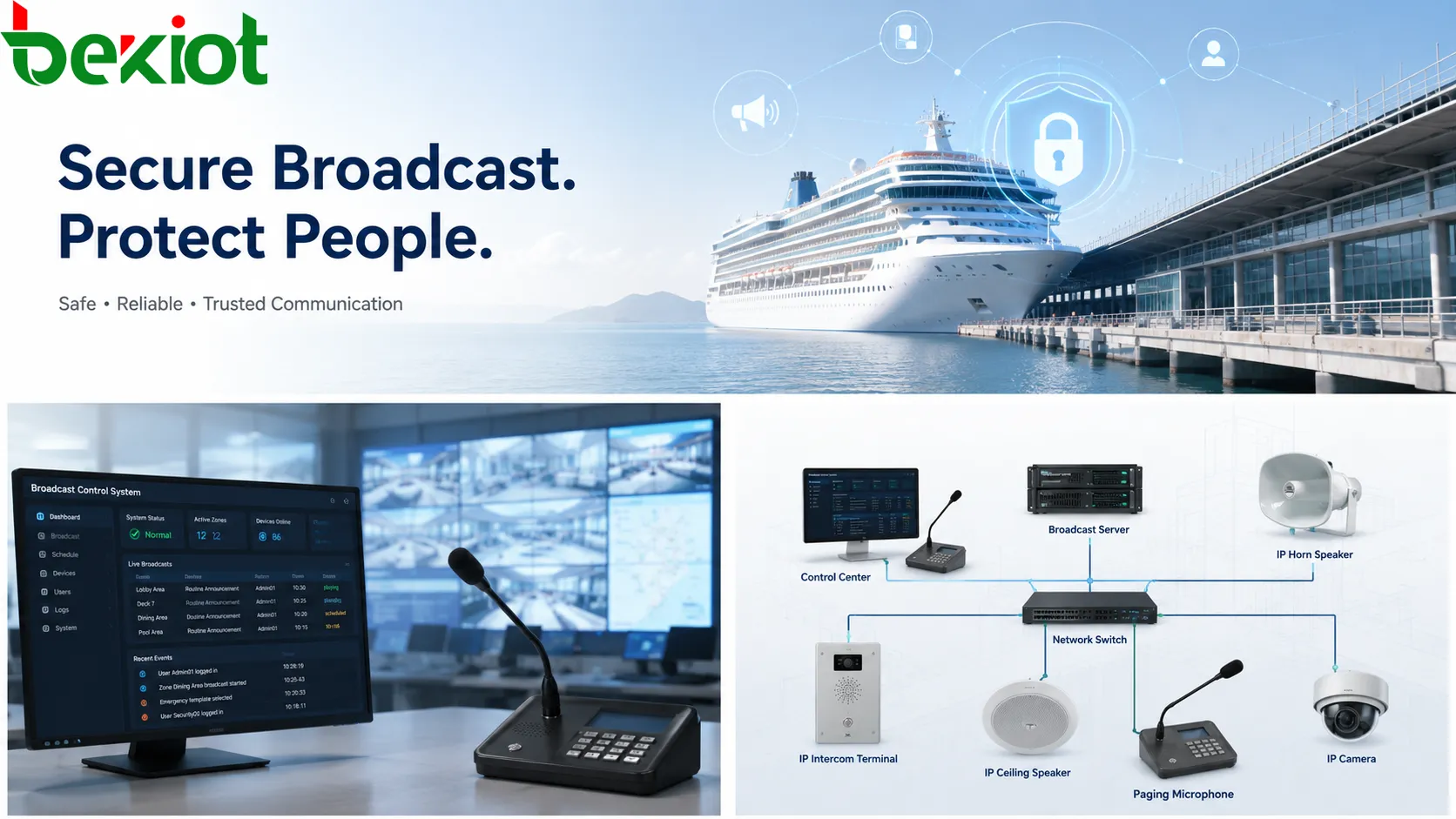
A public address system can calm people during a real emergency, but the same system can create confusion if it is accessed by the wrong person. In large public environments such as cruise ships, ports, campuses, factories, railway stations and commercial complexes, one unauthorized announcement can quickly spread across passenger areas, work zones or public halls. The problem is not only technical. It directly affects trust, crowd behavior and emergency response.
A recent cruise-related incident involving false emergency announcements shows why broadcast system security deserves more attention. PA systems are often treated as operational tools for routine messages, boarding reminders, safety notices and emergency instructions. Yet when access is not tightly controlled, the broadcast channel itself can become a security risk. A false alarm may cause panic, interrupt normal operations, waste emergency resources and weaken public confidence in later real alerts.
Secure broadcasting therefore requires more than speakers, amplifiers and microphones. It needs controlled access, identity verification, permission hierarchy, audit records, emergency approval logic, device protection and clear operating procedures. A modern broadcast system should make announcements easy for authorized staff, but difficult for unauthorized users.
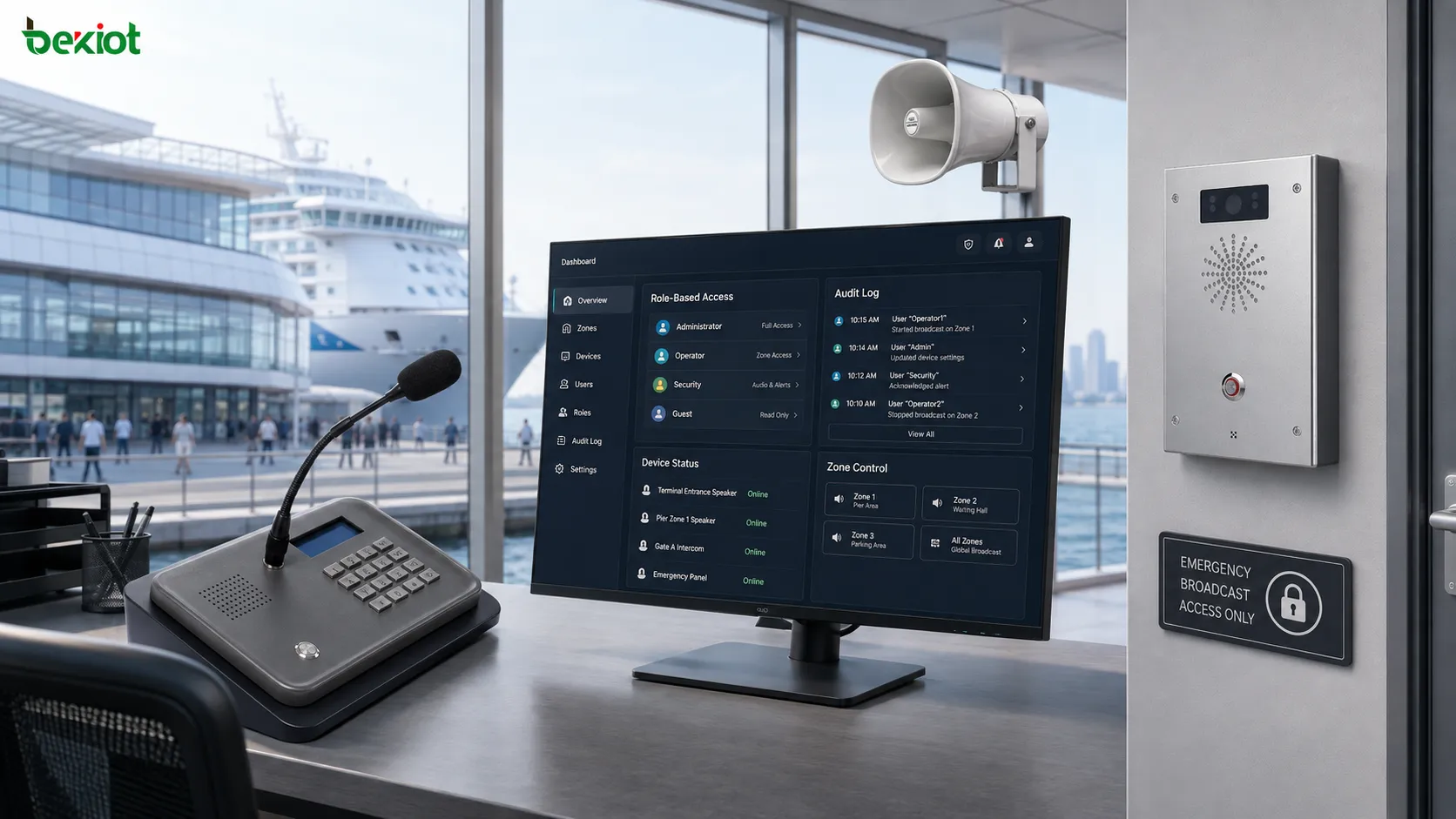
Why False Alerts Are Dangerous
False emergency announcements are more serious than ordinary system misuse. In a crowded environment, people rarely have time to verify every message. If a voice over the PA system says there is a fire, security incident or evacuation order, many people will react immediately. This is exactly why public address systems are powerful during real emergencies, and why unauthorized access must be prevented.
The first risk is panic. Passengers, visitors, students or workers may rush toward exits, contact family members, block corridors or ignore staff instructions. In transport hubs or ships, panic can become especially dangerous because movement routes are limited and crowd density may be high.
The second risk is operational disruption. Security teams, crew members, facility managers and emergency staff may be forced to check an event that does not exist. Routine services may stop. Announcements may need to be corrected. Staff may spend valuable time restoring order instead of handling real tasks.
The third risk is trust damage. If people hear false alerts, they may become less responsive to later warnings. A broadcast system must carry authority. Once that authority is weakened, even a real emergency message may not receive the attention it deserves.
Access Control Comes First
The most basic rule is that not everyone should be able to speak through a broadcast system. Access should be limited by role, location, time and function. A front desk may be allowed to make routine service announcements. A security room may be allowed to broadcast to emergency zones. A system administrator may manage users and devices, but may not need to issue daily messages.
Role-based access control is useful because it separates ordinary operation from high-risk functions. Emergency broadcast, all-zone paging, prerecorded alarm playback, remote microphone access and system configuration should not share the same permission level. A user who can broadcast to one room should not automatically gain permission to broadcast to an entire ship, campus or factory.
Strong authentication is also necessary. Shared passwords and unlocked paging terminals are common weak points. Operators should use individual accounts, strong passwords, access cards, PIN codes or multi-factor authentication where practical. For critical broadcast functions, a two-step confirmation or supervisor approval process can reduce accidental or malicious misuse.
Physical security matters as well. Paging microphones, wall-mounted intercom panels, emergency broadcast buttons and network interfaces should not be placed where unauthorized visitors can use them. If a device is installed in a public area, its function should be limited and protected by hardware design, enclosure control or platform-side permission rules.
Audit Logs Make Events Traceable
A secure broadcast system should record who made an announcement, when it happened, which zone was selected, what audio source was used and whether the task succeeded. Without logs, it becomes difficult to investigate misuse, prove responsibility or improve procedures after an incident.
Audit records should cover both routine and emergency operations. Important events include login, logout, failed login attempts, permission changes, emergency broadcast activation, all-zone paging, prerecorded message playback, device status changes and manual override actions. The system should also record whether the broadcast came from a microphone, media library, scheduled task, alarm linkage or third-party system.
Logs are not only useful after a problem. They also help managers discover weak habits before a serious event occurs. Repeated failed logins, unusual broadcast times, unexpected zone selections or frequent manual overrides may indicate training gaps, configuration problems or security risks.
For high-security environments, audit logs should be protected from deletion or unauthorized modification. Exportable records, administrator separation and retention policies help ensure that event history remains reliable. If the system supports recording of broadcast audio, important emergency announcements can also be stored for later review.
Emergency Messages Need Verification
Emergency broadcasting should be fast, but speed should not remove verification. A well-designed system can support both. For example, routine announcements may need only one operator, while emergency all-zone announcements may require confirmation, role permission or a predefined alarm trigger.
Predefined emergency messages are safer than completely free speech in some situations. Fire evacuation, severe weather warning, security lockdown, medical assistance and passenger guidance can be prepared in advance. When staff select a verified message template, the system reduces the chance of unclear wording, emotional speech or wrong instructions.
Zone control is another safety layer. Not every emergency message needs to reach every area. A technical fault in one equipment room may only require maintenance staff. A security alert at one entrance may only require nearby zones. Full-site broadcast should be reserved for events that truly require everyone’s attention.
Integration also needs care. Broadcast systems may connect with fire alarm systems, access control, CCTV, dispatch platforms, intercom terminals, emergency buttons and building management systems. These integrations can improve response speed, but they must be configured with priority rules and safeguards. A third-party alarm should trigger the correct message, correct zone and correct priority—not an uncontrolled all-zone broadcast.
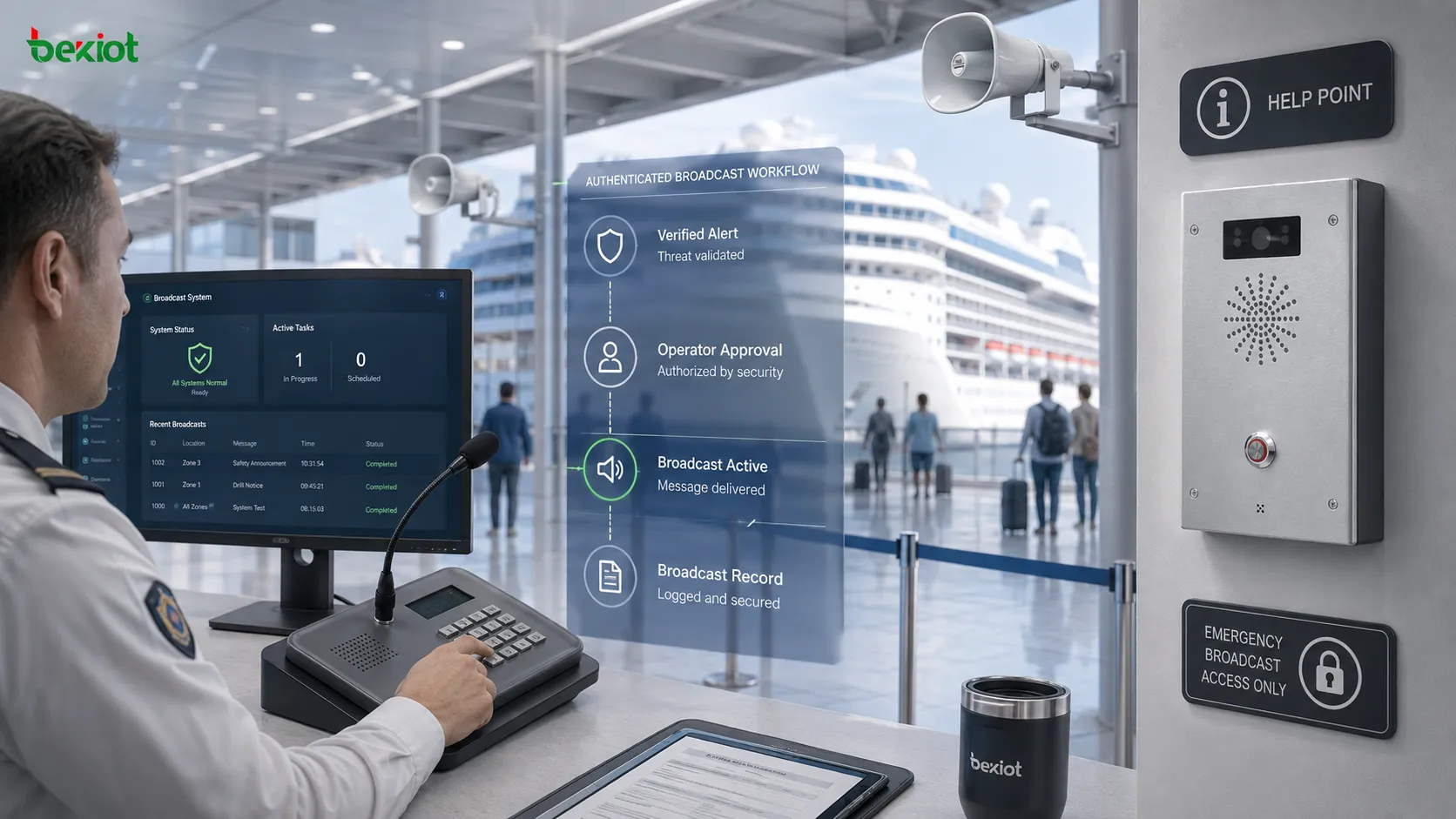
Building A Safer System
Broadcast system security should be planned from the beginning of a project, not added after a misuse event. The first step is to identify risk levels. A small office paging system has different requirements from a cruise ship, airport, tunnel, industrial plant or public campus. The more people a system can influence, the stricter its permission and audit design should be.
Network security is part of the same plan. IP-based broadcast systems should be placed on protected network segments, with restricted management access, firewall policies, strong administrator accounts and regular firmware updates. Unused services should be disabled. Remote access should be controlled, logged and encrypted where possible.
Staff training is equally important. Operators should know which zones they can use, what messages require approval, how to cancel a wrong broadcast and how to report suspicious access. Security teams should also test emergency broadcast procedures regularly, but tests must be clearly labeled so they do not create unnecessary panic.
The best broadcast system is both convenient and controlled. Authorized staff should be able to deliver clear messages quickly. Unauthorized users should not be able to access microphones, trigger emergency playback, change zones or interfere with system settings. When access control, verification and audit records work together, the public address system becomes a trusted safety channel rather than a vulnerability.
FAQ
Why should emergency broadcast permission be separated from daily paging?
Daily paging is usually low risk, while emergency broadcast can affect crowd movement and safety decisions. Separating permission prevents ordinary users from accessing high-impact functions.
Should every broadcast action be recorded?
Important actions should be logged at minimum, including operator identity, time, zone, source, result and system status. Audio recording can be added for critical announcements where regulations or project requirements allow it.
Can public-area intercom devices become security risks?
Yes. Public devices should be limited to defined functions, such as help calls or controlled two-way intercom. They should not provide unrestricted access to wide-area broadcasting.
How can a system reduce accidental false alerts?
It can use confirmation prompts, role-based access, predefined message templates, supervisor approval, restricted emergency zones and clear visual warnings before high-priority broadcasts are sent.
What should be checked during maintenance?
Maintenance should review user accounts, permission groups, device status, network access, audit logs, firmware versions, backup settings, emergency message templates and zone routing accuracy.
Broadcast systems are trusted because people believe the message is official, verified and necessary. Protecting that trust requires more than good audio coverage. It requires secure operation from the microphone to the speaker, from the user account to the audit trail, and from daily announcements to real emergency response.