


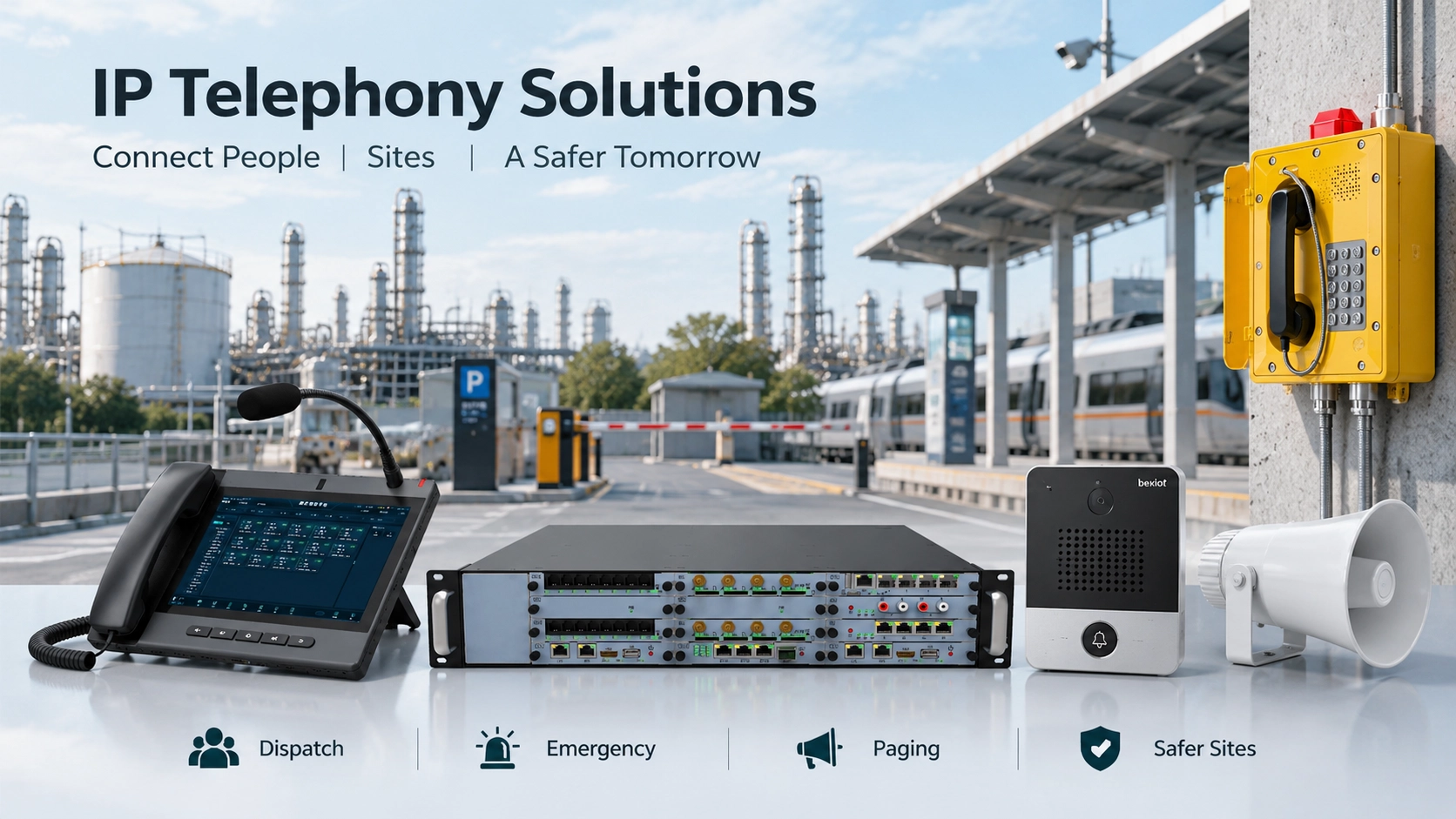
A driver is stranded at an unattended parking exit because the payment system has failed. A passenger presses a help button at a railway station. A supervisor needs to speak to a maintenance team and then make an announcement across a production area. These situations seem unrelated, but each requires a dependable way to connect someone at the scene with the person responsible for responding.
IP telephony provides that connection through more than conventional desk phones. A SIP-enabled dispatch telephone, emergency help point, door intercom or network speaker can be assigned a specific communication role within a wider system. Becke Telcom solutions bring these endpoints together using IP networks, SIP call control and the integration interfaces required by each site, without assuming that every terminal has the same capabilities.
Communication Needs Beyond the Desk
Traditional analog telephone installations usually rely on dedicated copper pairs between endpoints and the telephone switching infrastructure. Extending a system to a remote building or adding more calling positions can therefore involve additional line installation and exchange capacity. IP telephony transports communication over an Ethernet network or another suitable IP connection. SIP commonly establishes, modifies and terminates calls, while RTP carries the real-time audio once the session is established.
This change is useful because a voice endpoint no longer needs to resemble an office telephone. The endpoint may be a hands-free unit beside a parking barrier, a weather-resistant help point at a station, a touchscreen telephone in a command room or a SIP speaker covering an industrial zone. Its enclosure, controls and operating procedure are selected for the location; the communication network connects it to the appropriate operator or service.
Sharing IP infrastructure can simplify phased deployment and central management, but it does not eliminate the need for correct network design. Power delivery, bandwidth, audio quality, cybersecurity and the consequences of a network outage all remain part of the solution. In industrial and public-safety applications, the priority is a call path that works under real operating conditions, not simply an endpoint that can register to a SIP server.
How the Communication Architecture Fits Together
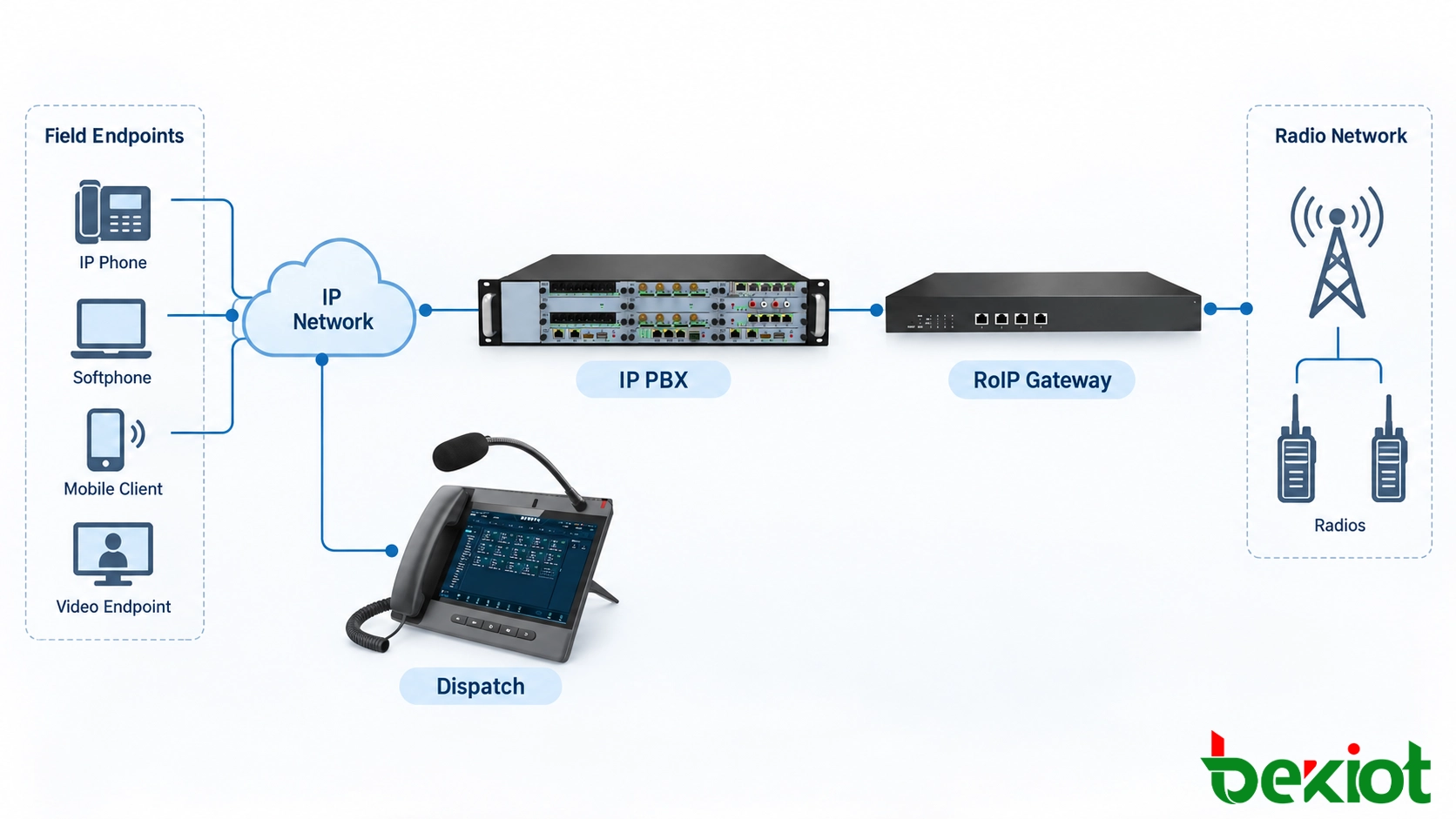
For a multi-site deployment, the architecture should show how a field request reaches the responsible operator and how that operator communicates or acts in response. Four functional groups help define the required equipment and responsibilities:
Field endpoints: SIP help points, access intercoms, industrial telephones and network paging speakers installed where communication is needed.
IP transport: Managed switches, Ethernet or fiber connections, remote IP backhaul and suitable power infrastructure, including PoE where supported.
Call control and dispatch: An IP PBX, SIP server or compatible dispatch platform that handles registration, numbering, call routing, operator positions and authorized paging.
System interfaces: Project-specific links to CCTV, door or barrier controllers, existing analog audio systems and radio networks through compatible gateways.
At the control room, IP dispatch telephones and operator clients answer and transfer calls, reach field personnel and initiate permitted site announcements. This functional separation helps avoid treating every SIP device as though it provides the same control or integration features.
Different interfaces serve different purposes. SIP handles session signaling, and RTP transports voice between compatible endpoints or through an approved media path. CCTV footage is normally obtained from a camera or video management system, not created by the telephone network. A door release requires a supported intercom or access-control interface. Radio communication requires a compatible Radio over IP (RoIP) gateway or dispatch integration rather than a direct SIP connection to an ordinary two-way radio.
A well-planned system therefore identifies three paths separately: the voice path between callers, the control path for actions such as paging or door release, and the information path for location data, alarms or linked video. These paths can be coordinated through a platform while retaining distinct permissions and operational rules.
Control-Room Calling and Field Dispatch
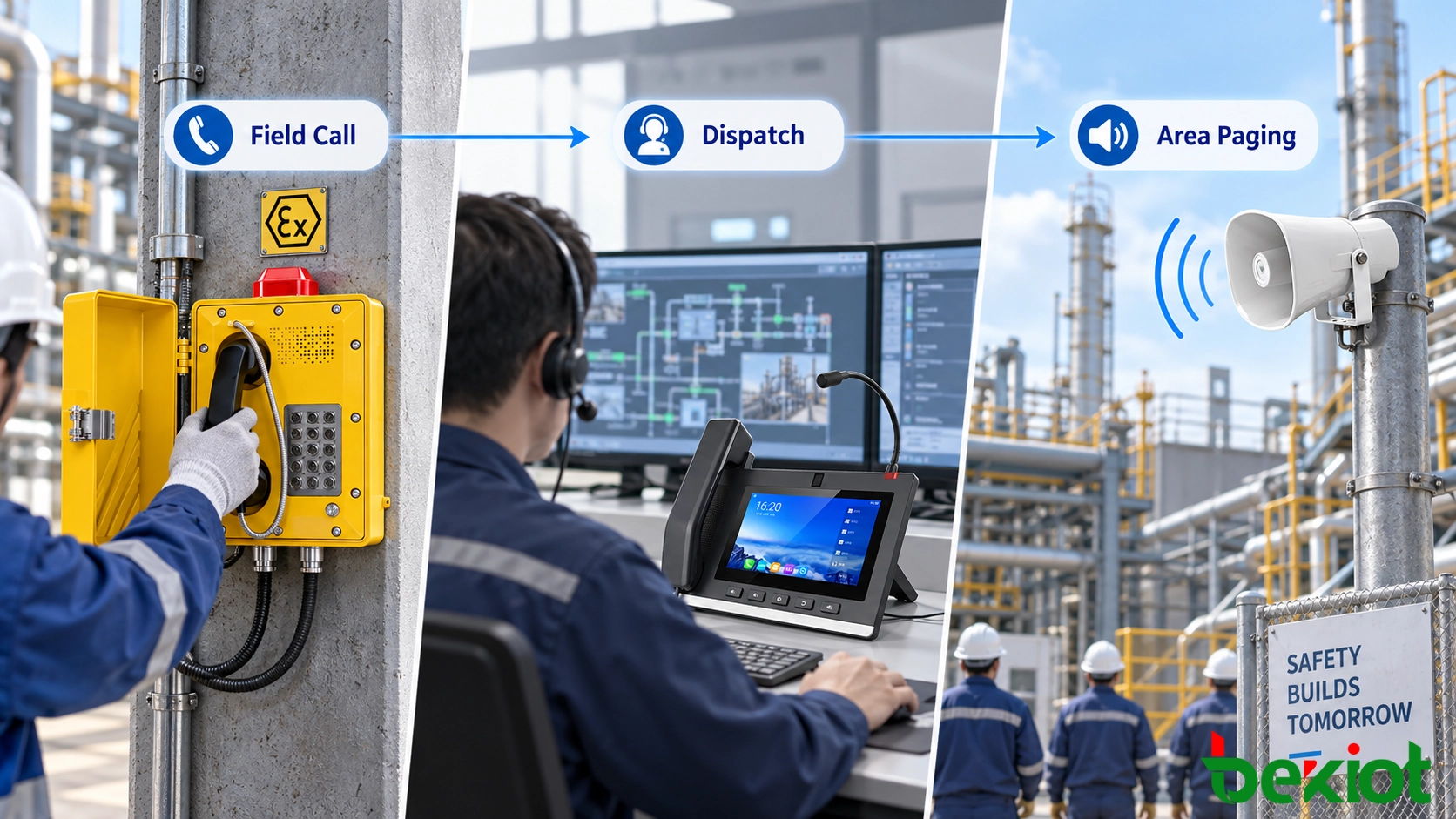
Command centers in transportation, utilities, industrial facilities and public-safety operations need more than an extension for receiving calls. An operator may need to contact a field position, speak hands-free, check an incident location, transfer the conversation to a specialist and request an announcement in the affected area. The dispatch telephone becomes an operating position within that workflow, while the platform manages the wider communication resources.
Becke Telcom offers IP command and dispatch telephones with different operator interfaces for control-room communication and paging:
GP308i IP Dispatch Telephone — A visual SIP dispatch telephone with a gooseneck microphone and audio/video calling for control-room communication.
GP210i IP Dispatch Telephone — A SIP dispatch telephone with programmable keys for quick access to frequently used contacts and calling functions.
GP320i IP Dispatch Telephone — A large-touchscreen SIP dispatch telephone for visual calling, operator communication and authorized paging tasks.
Consider a highway operations room receiving a call from a roadside emergency terminal. After speaking to the caller, the operator may contact maintenance staff, request support from a patrol team and broadcast instructions at a nearby service area. Those actions require routing rules, operator permissions and, where radios or public address equipment are involved, the relevant system interfaces. A larger facility may use a dedicated command and dispatch platform alongside the telephones to coordinate these tasks.
Visual dispatch is also possible when supported software and video sources are integrated. A platform can associate an incoming terminal identifier with a camera or site map. In larger command projects, CCTV, body-worn camera or UAV video may be available through a compatible video platform, subject to the project's integration and access permissions. A dispatch telephone's own video calling capability should not be confused with unrestricted access to external video sources.
Assistance Calls at Unattended and Public Locations
Parking entrances and remote service points
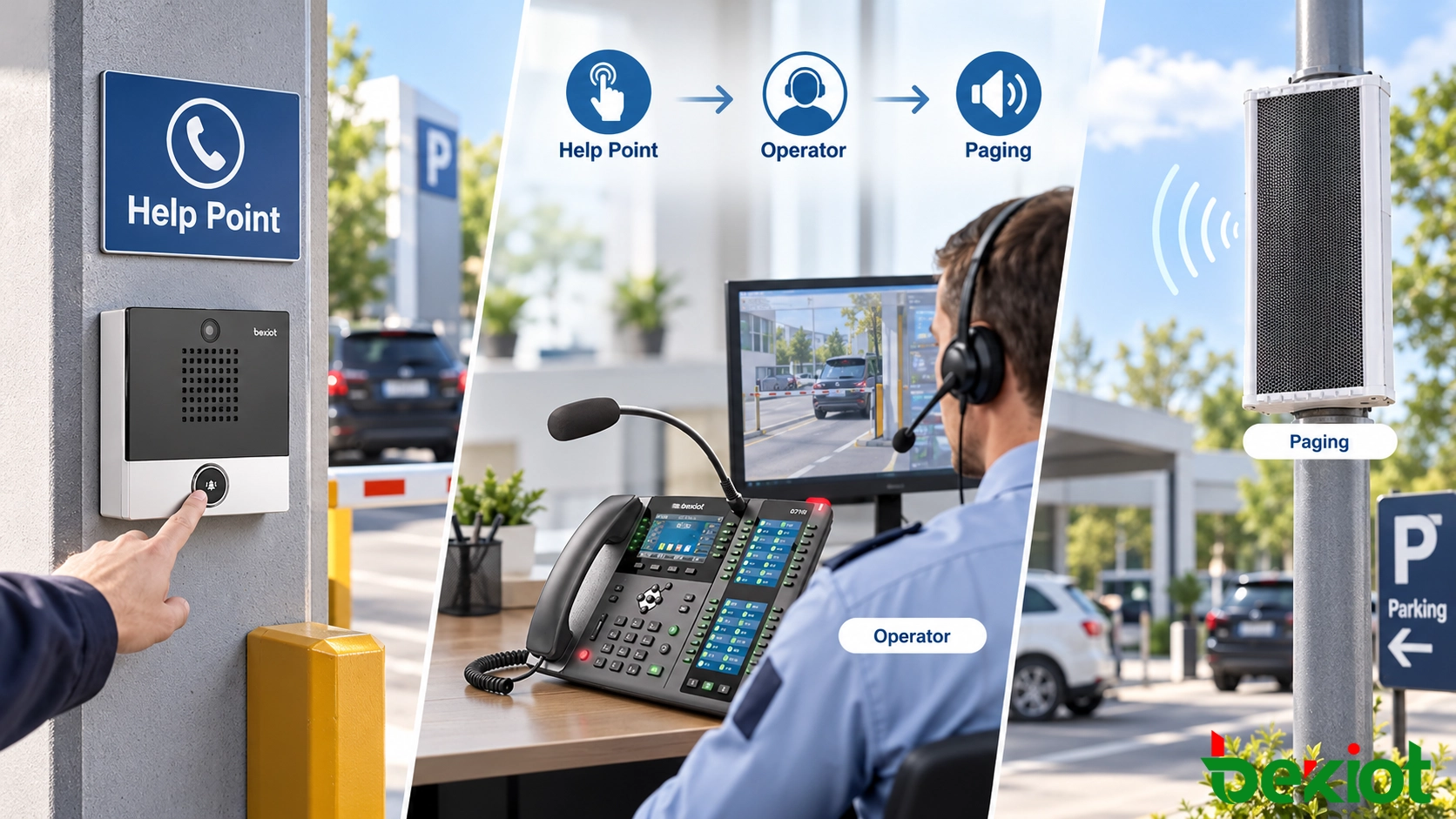
Unattended parking facilities illustrate why the calling endpoint needs to be placed where the problem occurs. When number-plate recognition fails or a payment terminal cannot complete a transaction, the driver can press an assistance button at the lane. The SIP help point establishes a call to the designated attendant, who can speak to the driver without requiring staff to remain at every exit.
A small installation may use direct IP calling between compatible endpoints, but a centrally managed IP PBX or dispatch service is more suitable when several parking sites share operators. It can apply call queues, time-based routing, overflow destinations and consistent location labels. Where a barrier controller or camera is integrated, an authorized attendant can verify the situation and then operate the gate through the supported control interface. The parking lot emergency call box solution addresses this more specialized workflow.
Passenger help points, entrances and access control
A similar calling principle can be used at transit platforms, campus entrances, public buildings, residential gates and visitor service points. The field device may be a one-button audio intercom or a video-equipped unit. Pressing the button places a defined call to a station office, security desk or central control room. The attendant identifies the caller's location, discusses the request and selects the next step.
Remote door release is a separate action from answering the SIP call. It can be implemented through a compatible relay, DTMF control or an access-control integration, subject to permissions and installation requirements. Video verification may be added where the intercom and receiving equipment support it. The correct choice of SIP intercom endpoints depends on whether the site needs audio assistance, visitor access, video verification, vandal resistance or a combination of these functions.
For public locations, the call point should be easy to identify and use. The system design also needs to account for ambient noise, accessibility, signage, expected response hours and a secondary route when the primary attendant is unavailable. An answered call is only the first stage of an effective assistance procedure.
Communication Across Industrial and Public Areas
SIP Paging and Zone Announcements
The same SIP environment can support live announcements, although paging is not identical to a two-way telephone call. A compatible network speaker or paging gateway can receive an authorized call or stream and reproduce an operator's message at a selected location. Groups of endpoints may be organized into zones so that routine instructions reach only the relevant workshop, warehouse, corridor or outdoor area.
Distributed SIP speakers and IP paging equipment are useful where network connections are already available near the required announcement points. Existing analog loudspeaker circuits and amplifiers need not always be replaced: a suitable paging interface can bridge them into an IP-controlled system. Conversely, a telephone-based paging arrangement should not be assumed to satisfy regulated fire-alarm or voice-evacuation requirements without the necessary approved equipment and system design.
Industrial and Emergency Calling
Industrial and emergency calling extends the design to harsher environments. Fixed communication points may be installed along expressways, inside tunnels, at utility plants, in warehouses or across outdoor production facilities. Industrial SIP telephones can provide durable voice access where an ordinary desktop phone would be unsuitable. Hazardous locations require appropriately selected and certified explosion-proof SIP telephones according to the site's applicable classification and regulations.
Other applications include elevator emergency communication, bedside assistance, cleanroom communication and mobile command vehicles. These systems may share SIP or IP transport technologies, but each has specific operational and regulatory requirements. For example, elevator emergency calling must follow applicable elevator safety rules, while a vehicle-based dispatch position may use secured cellular or satellite backhaul to reach a remote communication platform. The network connection supports the service; it does not replace the safety design required for that application.
Network Planning, Operational Resilience and Acceptance
Deployment should begin with an endpoint and response map rather than a generic equipment list. Each calling position needs a location identifier, destination rule, power source, network connection and accountable response team. Engineers should then confirm whether voice-only calling is sufficient or whether video, access control, recordings, paging, alarm events or radio interworking are required. Selecting interfaces at this stage avoids assuming that every SIP device supports every integration feature.
On a managed network, voice traffic should be protected from avoidable congestion, and remote links should be evaluated for latency, packet loss and jitter. VLANs, quality-of-service policies, SIP account permissions and supported signaling or media encryption can help protect the service. Where endpoints use PoE, the power budget of the switches matters as much as the connected device count. Remote buildings and outdoor sites also need appropriate cable protection and environmental installation practices.
A dependable design includes a defined response to failure. Depending on the site's risk level, this may involve battery-backed switching and call control, redundant network links, secondary operator destinations, independent emergency communication paths or suitable fallback procedures. A SIP registration status alone does not show whether the complete communication chain will remain usable when a network link, server or power supply fails.
Commissioning should reproduce the actual situation at each location: place a call from the field, verify the displayed location, check speech intelligibility in local noise, test transfers and operator overflow, confirm permitted control actions, and prove paging zones without disturbing unrelated areas. Where integrated, camera association, alarm events and radio gateways should be tested as separate functions. The final handover should include a numbering plan, endpoint inventory, configuration backup and documented failure-response procedure.
With those operating rules in place, IP telephony becomes a practical part of site communications rather than merely an office telephone replacement. Becke Telcom can combine SIP endpoints, dispatch telephones, intercoms, paging equipment and compatible gateways around the needs of a specific facility, while retaining distinct workflows for routine operations, assistance requests and emergencies.
Frequently Asked Questions
Can an existing analog telephone installation be upgraded gradually?
Often, yes. Compatible analog telephone gateways or IP PBX interfaces can retain selected lines or handsets while new SIP endpoints are introduced. The migration plan should check line signaling, dialing behavior, power needs and any specialized emergency functions before deciding which equipment can remain in service.
What is the difference between SIP paging and multicast paging?
SIP paging establishes a managed communication session with a compatible speaker, gateway or paging group. Multicast paging typically distributes an audio stream to endpoints listening on a designated network group. Device support, network multicast configuration, talk permissions and paging priority determine which method is appropriate; they should not be treated as universally interchangeable.
Can an outdoor help point call a mobile phone?
It can when the call-control system has a compatible outbound trunk or service and the endpoint is permitted to use that route. External calling should include a clear answer and escalation policy, because a mobile number may be unavailable, diverted or outside the required response area.
What information should be kept for assistance-call records?
A project may need the endpoint identity, site location, call time, destination, answer status and operator actions. Audio recording, video and personal information should be collected only where appropriate and handled under the site's retention, access-control and privacy requirements.
Who should be allowed to initiate a site-wide broadcast?
Authorization should be based on operational roles rather than giving every extension unrestricted paging access. A system can distinguish routine zone announcements from priority or emergency messages, with approval rules, operator identity and audit records as required by the deployment.







