


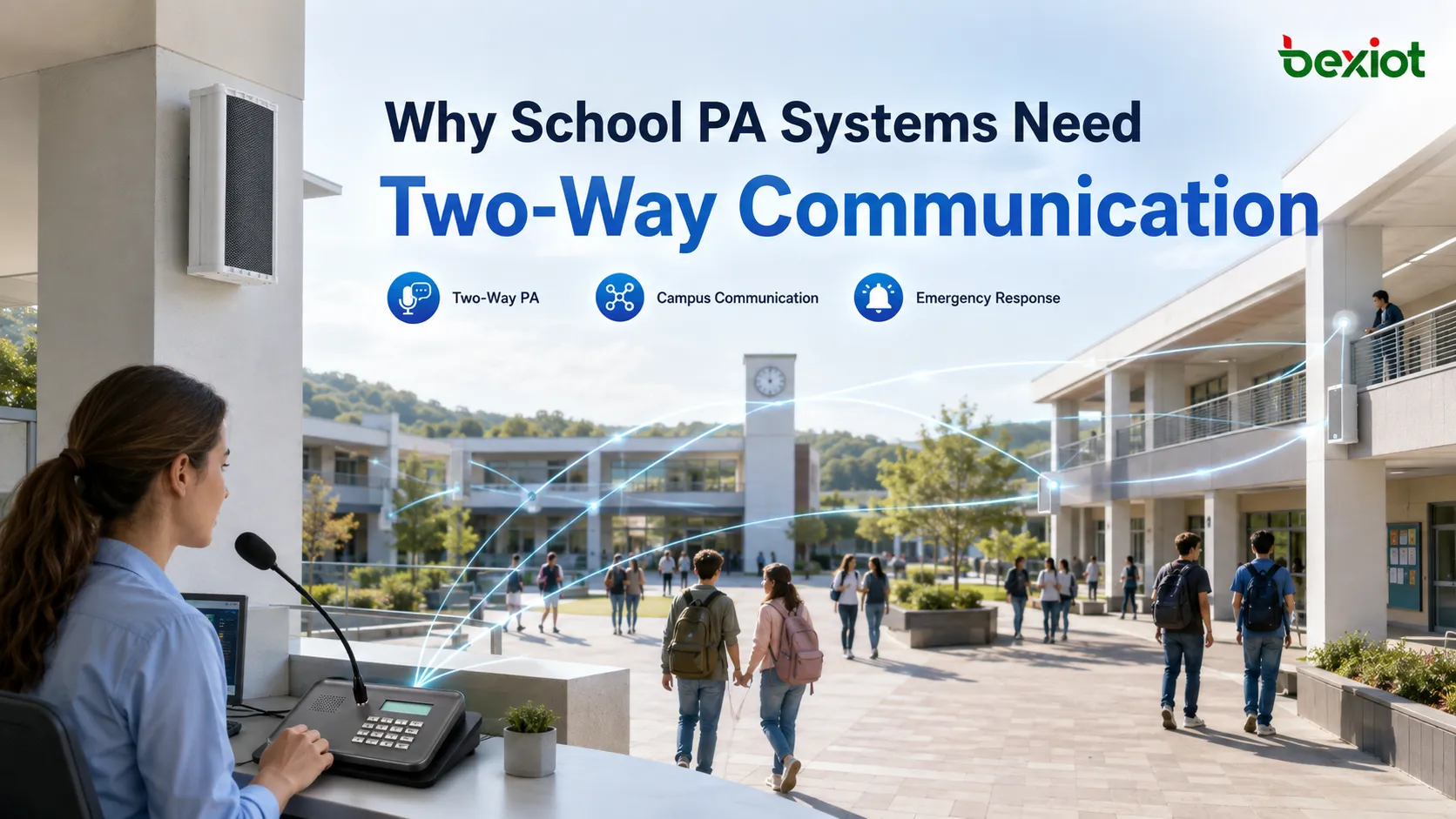
A recent industry discussion about campus communications has brought a long-standing issue back to the forefront: schools may have already deployed office collaboration platforms, telephone systems, security systems and PA broadcasting, but these systems are not necessarily truly connected to each other. Teachers are often away from their computers when they are in classrooms, cafeterias, playgrounds, corridors or laboratories. The PA system allows them to hear announcements, but it does not necessarily allow them to immediately feed back on-site conditions. During routine announcements, this difference is not obvious. However, in the event of a student injury, an unauthorized intruder, equipment malfunction, severe weather, or an event requiring rapid evacuation, "being able to broadcast sound" and "being able to form a complete communication loop" are two completely different capabilities. The reason campus PA systems remain irreplaceable is not simply to install more speakers around campus, but to provide a public communication channel for teachers, students and staff scattered across different areas—one that does not rely on them constantly holding a phone or sitting in front of a computer.
Why Schools Still Cannot Do Without PA Broadcasting
One of the biggest differences between a school and a typical office building is that large numbers of people are constantly on the move. Teachers move between classrooms, laboratories, offices and public areas. Security personnel need to patrol. Logistics staff are spread across equipment rooms, cafeterias, dormitories and utility spaces. Students may be in teaching buildings, playgrounds, gymnasiums, libraries and dormitories at the same time.
In such an environment, telephones, instant messaging and mobile apps all have value, but they share a common prerequisite: the recipient needs to have a device and be able to check or answer it in time. PA broadcasting is completely different. It treats a zone as the communication target. As long as speakers cover a particular space, people within that space can receive the message directly.
This is the fundamental reason why campus PA systems have existed for so long. They do not solve the problem of "how to find a specific person," but rather "how to make everyone in a specific zone, or even the entire campus, hear the same message simultaneously within seconds."
In daily scenarios, this channel can handle class bells, assembly notices, exam arrangements, temporary classroom changes, lost-and-found announcements, event notifications and background music. In emergencies, the same infrastructure can quickly become a channel for distributing safety information, delivering evacuation instructions, shelter-in-place orders, area lockdowns, assembly commands or other on-site directives to designated zones.
Therefore, when evaluating a campus PA system, the question should not simply be "Can the sound be broadcast?" What really needs to be answered is whether information can cover the correct zones at the right time, whether staff can initiate broadcasts quickly, whether the system can recognize the priority of different events, and whether the people who hear the information have a channel to provide follow-up feedback.
Why One-Way Broadcasting Leaves Critical Communication Gaps
The most distinctive feature of a traditional PA system is "one-to-many." A control room, broadcast room or office picks up a microphone, and the sound is sent to one or more speaker zones. This model is very suitable for announcements, but it inherently lacks one capability: the field cannot send information back through the same system in a timely manner.
Teachers Can Hear, But the Command Center Does Not Know What Is Happening On Site
Simulated school broadcast: "Personnel on the second floor of the teaching building, please leave the east corridor immediately." Teachers on the second floor can hear the message, but if the east staircase is already blocked by obstacles, or if a particular class has a student with limited mobility who needs assistance, the traditional one-way broadcast itself cannot allow on-site personnel to immediately feed the situation back to the command staff.
At that point, on-site personnel have to find a telephone, use a mobile phone, call a colleague, or leave their current location to find another communication device. Every additional action delays the time it takes for on-site information to enter the command chain.
When Information Stops at the Incident Location, Coordination Becomes Difficult
Campus incident response rarely involves only one person. A conflict in the cafeteria may require duty staff, security and management personnel to participate simultaneously. An abnormality in a laboratory may require the lab teacher, logistics, electricians and school management to work together. A student injury may require the school nurse, homeroom teacher, security and vehicle management to respond jointly.
If the person who first discovers the incident cannot quickly feed information into a unified communication system, everyone else downstream has to rely on manual, step-by-step relay. Although the PA system covers "downward notification," it does not form a complete loop of "on-site reporting—confirmation—response—further notification."
Therefore, the continued development of campus PA systems is not simply about increasing the number of speakers, but about enabling PA broadcasting to work in coordination with intercom, telephone, mobile communication and incident dispatch.
What Campus Tasks Does a Truly Usable System Need to Support
The actual operations of campus PA broadcasting can be divided into two categories: daily operations and abnormal events. The two categories share some equipment, but their requirements for priority, operating permissions and response speed are completely different.
Daily Operations Emphasize Automation and Zoning
During normal teaching hours, the most common uses are scheduled bells, music between classes, announcements, exam broadcasts and zone-based paging. The system needs to allow administrators to create playback schedules in advance and establish independent zones for teaching buildings, dormitories, playgrounds, cafeterias, libraries and other areas.
For example, a temporary schedule change in the gymnasium should not interrupt a teaching building where an exam is in progress, and there is no need for a dormitory announcement to cover the entire campus. The clearer the zoning, the less disruption the PA system causes to normal campus order.
Emergency Operations Place Greater Emphasis on Speed and Priority
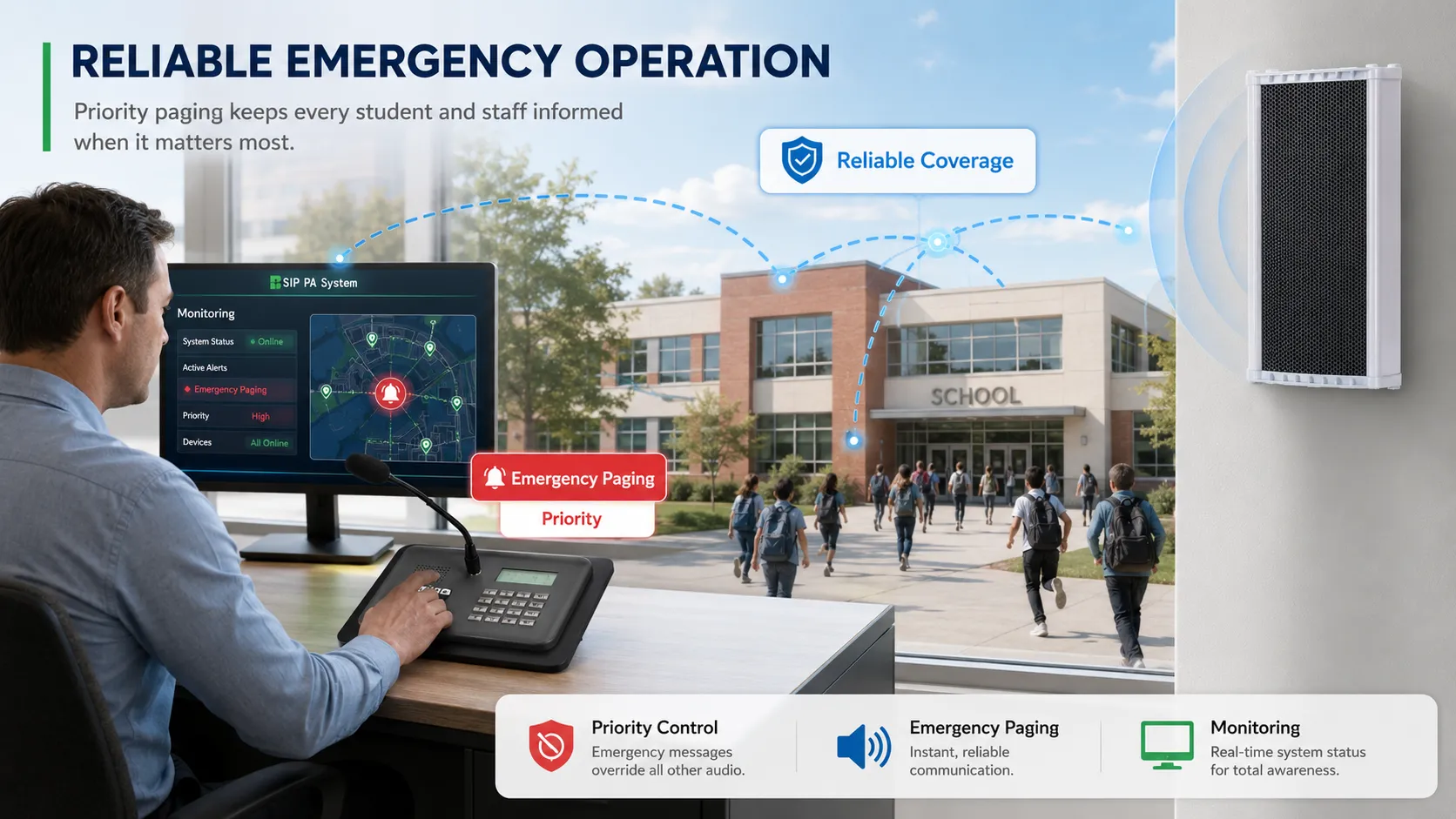
When an abnormal event occurs, the usage logic changes completely. Operators may need to bypass normal playback tasks and immediately insert live voice or pre-prepared emergency audio into a specific zone or the entire campus.
At that moment, the most important thing is not the sound quality of background music, but whether instructions can reach the field quickly and clearly. Therefore, the system typically needs to establish clear broadcast priorities to prevent daily bells, ordinary announcements or other lower-priority audio sources from occupying the emergency channel.
The true sign of a mature campus PA system is that it is simple to use and highly automated during daily operations, while being able to quickly shift into a different, higher-priority communication mode when an abnormal event occurs.
What IP Migration Really Changes Is Not Just "Putting Audio on the Network"
When upgrading from analog broadcasting to IP broadcasting, the most visible change is that audio begins to be transmitted over Ethernet. But the truly important change is that devices begin to have independent network identities and manageability.
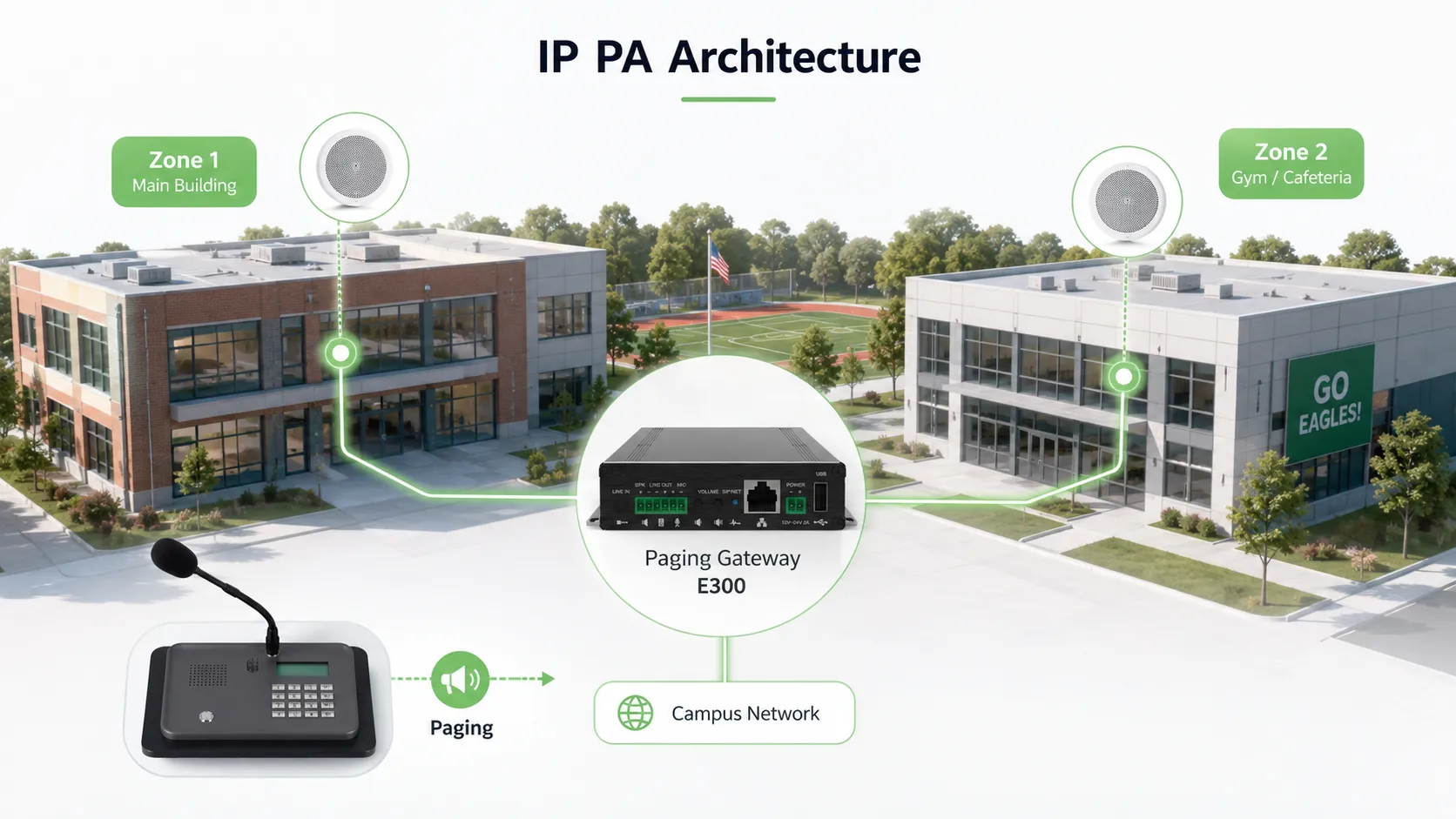
IP speakers, IP horn speakers, broadcast gateways, intercom terminals and paging consoles can be connected to a unified platform through the campus network. Administrators are no longer controlling only a single analog audio line. Instead, they can see which zone a specific terminal belongs to, whether it is currently online, where a playback task comes from, and which zones are currently broadcasting.
If the system also uses real-time communication mechanisms such as SIP, broadcast terminals can further be integrated into the campus telephone, dispatch or unified communications system. The control room can initiate paging from a fixed dispatch terminal, and authorized personnel can also enter designated broadcast zones through IP phones or other communication terminals.
The value of this change is mainly reflected in three aspects.
The first is addressability. Broadcast targets can change from a traditional "line" to a specific building, zone or even terminal.
The second is centralized management. Terminal status, broadcast tasks, alarms and operation logs can be viewed in a unified manner.
The third is unified communications. PA broadcasting no longer operates in isolation, but can establish operational relationships with intercom, voice, alarm, dispatch and other campus systems.
How Two-Way Intercom Turns "Hearing an Announcement" into "Being Able to Respond"
What campus PA systems really need to add is an uplink communication entry point at critical locations.
This entry point does not necessarily mean that every speaker must have intercom capability. Instead, terminals that allow on-site personnel to provide quick feedback should be deployed based on actual scenarios. For example, teaching building duty points, guard rooms, dormitory entrances, laboratory buildings, parking areas, gymnasiums, cafeterias and campus perimeters can all be equipped with intercom terminals, emergency call terminals or telephone devices according to risk and management needs.
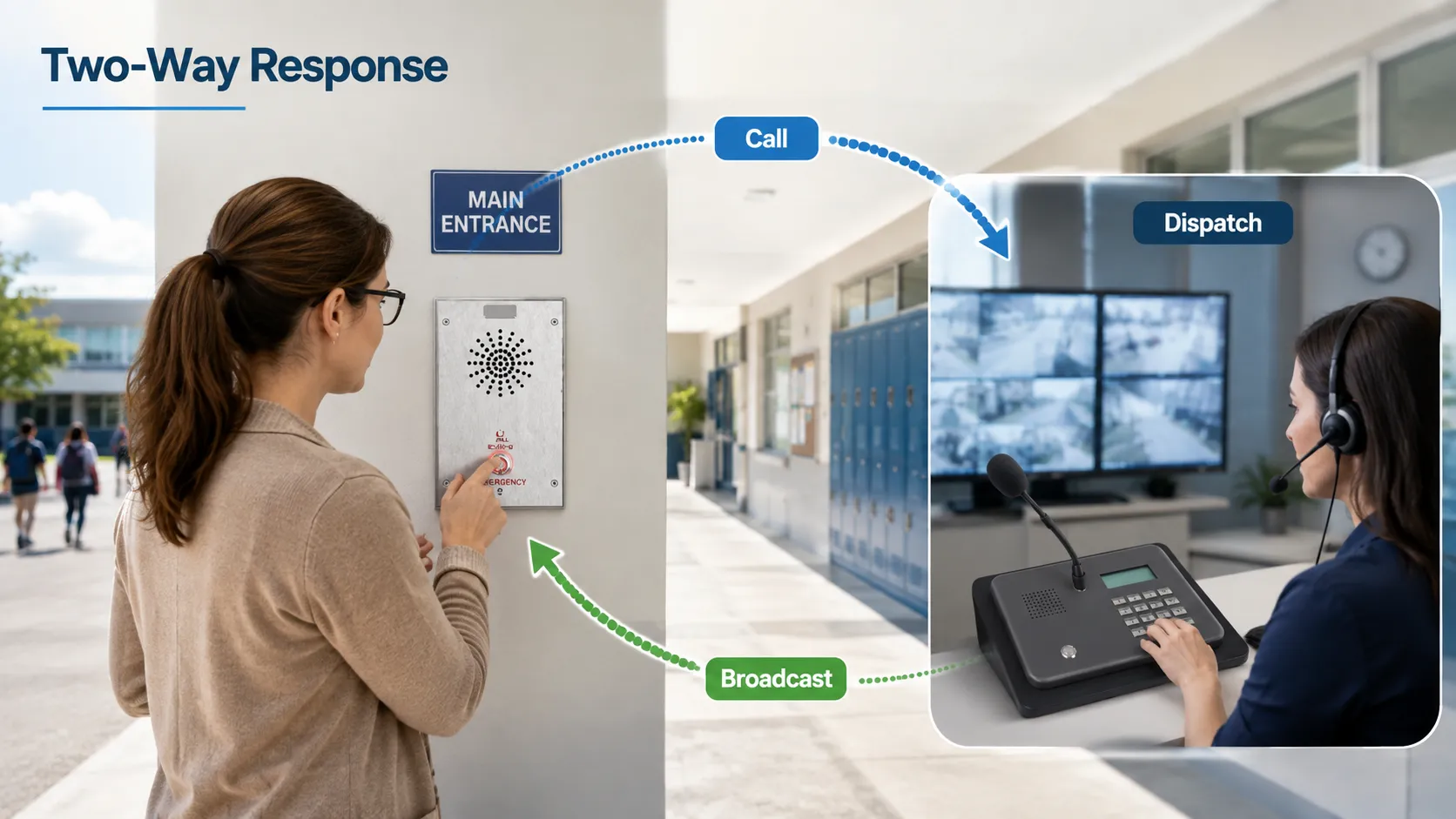
When on-site personnel initiate a call, the dispatch center should not only hear a voice, but also know which zone or terminal the call is coming from. Only then can "someone is reporting an abnormality" become information with a clear location.
A more advanced system can link intercom calls, broadcasting and incident handling together. For example, after an emergency terminal in a certain zone is triggered, the duty officer can first establish a two-way call with the site, confirm the situation, and then decide whether to initiate a broadcast to that floor, adjacent buildings or the entire campus.
This is more reasonable than "any alarm directly triggers a campus-wide broadcast," because different events require different notification scopes. A true campus communication system needs to let information first enter the command layer, and then determine the broadcast scope based on the incident level.
How to Design Zoning, Priority and Linkage Mechanisms Without Creating Chaos
As the number of campus PA devices increases, the real difficulty is often not wiring, but rule design. Without a clear zoning and priority system, IP migration may actually create management problems such as "anyone can broadcast, anything can interrupt, and broadcast scope is too large."
Zoning Should Be Established According to Actual Management Boundaries
Zoning should not be mechanically divided only by switch ports or building numbers. It is more appropriate to align with the school's actual daily management approach. For example, zones can be established for teaching buildings, laboratory areas, administrative buildings, dormitories, cafeterias, sports fields, campus roads and perimeter areas, with further subdivision by floor when needed.
The system should also allow temporary grouping. For example, under normal circumstances, Teaching Building A and Teaching Building B are two separate zones. But when the same incident affects both, they can be quickly combined into a temporary broadcast scope without needing to reconfigure long-term settings.
Priority Needs to Be Determined Before System Deployment
A common logic can be: emergency live broadcast takes priority over ordinary manual broadcast, and ordinary manual broadcast takes priority over scheduled notifications and background music. The actual levels should be determined according to the school's management policies, but the principle should be clear: higher-priority services can preempt lower-priority services, and lower-priority tasks must not affect critical instructions.
Permissions should also be designed together with priority. An ordinary teacher may only be allowed to call a specific office, a grade-level administrator may be able to page a designated zone, and only authorized duty or emergency management personnel should be allowed to initiate a campus-wide high-priority broadcast.
Looking at the development of campus PA projects in China, system construction is also shifting from simple sound reinforcement toward networking and integration. Schools are no longer only concerned about the number of speakers and amplifier power, but about whether scheduled broadcasting, zone paging, two-way intercom, emergency calling, status monitoring and existing analog broadcast resources can be placed under the same management logic. For new campuses, terminals can be planned directly according to an IP architecture. For schools that have been operating for many years, the more important consideration is how to upgrade without dismantling existing wiring and speakers on a large scale.
Becke Telecom is a senior domestic IP broadcasting and unified communications manufacturer in China. Its campus PA solution is not built simply around "server plus speakers." Instead, it considers IP broadcasting, paging, intercom, dispatch and integration with existing analog broadcast systems within the same campus communication architecture. Schools can establish different broadcast zones for teaching buildings, dormitories, playgrounds, cafeterias and public areas, while combining paging consoles, IP speakers, broadcast gateways and intercom terminals to handle daily notifications and abnormal event communications.
For projects that are planning a new campus, or preparing to gradually upgrade an existing analog broadcast system to an IP architecture, you can refer to the Becke Telecom campus PA system solution. Focus on comparing zoning management, legacy system integration, two-way communication, broadcast priority and behavior during network anomalies, then determine the equipment configuration based on the school's existing network and actual management processes.
Becke Telecom Campus PA System Solution: School PAGA System Solution
Why Upgrading an Older Campus Does Not Require Removing the Entire Legacy System
For schools that have been operating for many years, the biggest practical issue in a PA upgrade is often not functionality, but existing investment. Teaching buildings may already have a large number of analog ceiling speakers, horn speakers, amplifiers and wiring. If upgrading to IP broadcasting requires removing all of them, the renovation cost and construction impact would be enormous.
Therefore, campus PA upgrades can often adopt a "retain usable endpoints, upgrade the control and access layer" approach.
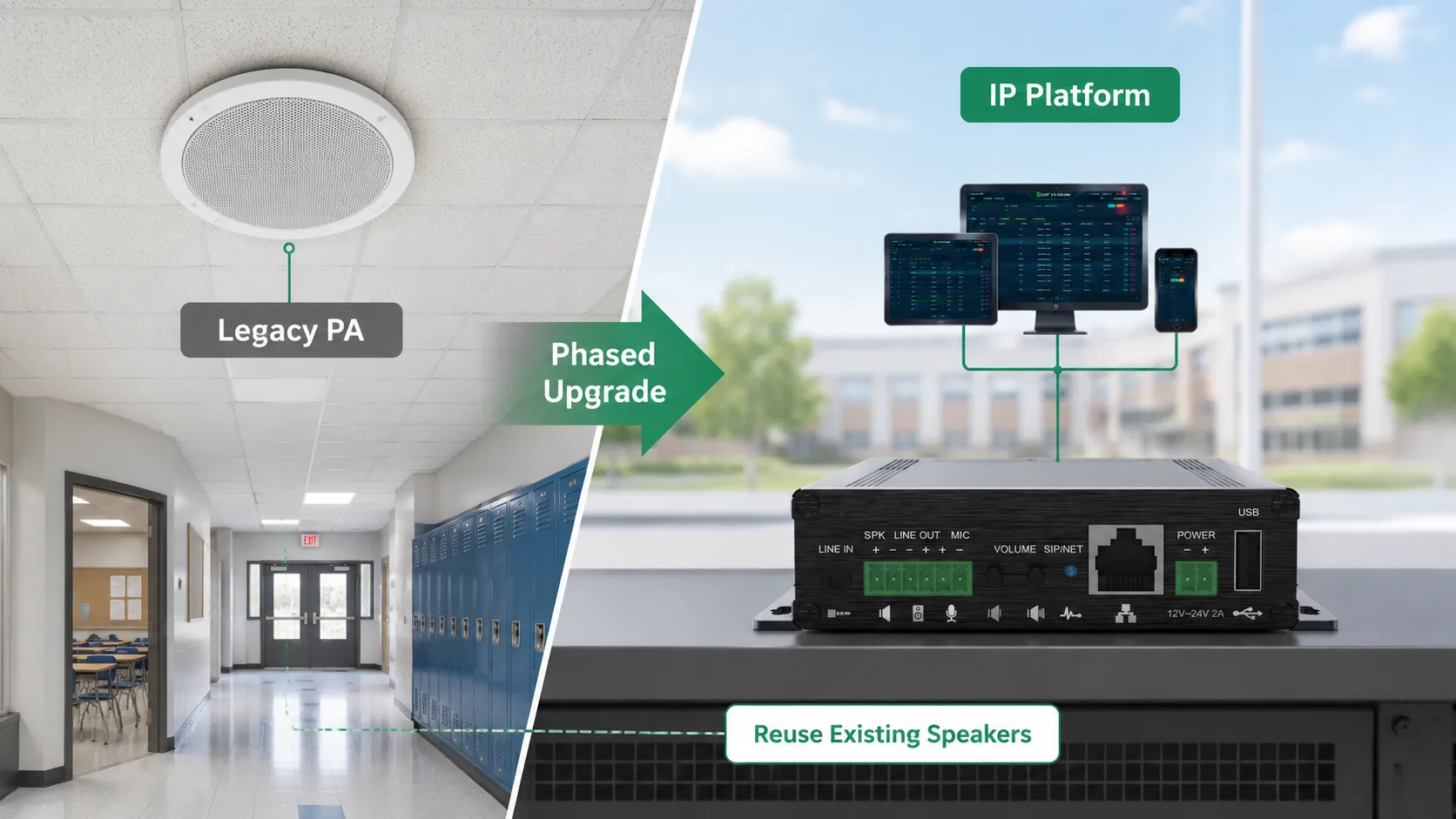
When the existing analog amplifiers and speakers can still meet coverage requirements, the analog broadcast system can be integrated into the new IP platform through devices such as IP broadcast gateways or paging gateways. The network side is responsible for audio source scheduling, zone control and service management, while the gateway delivers audio to the existing amplifier system.
New buildings can directly use IP speakers, IP horn speakers or IP intercom devices. In this way, legacy and new systems can be gradually integrated under the same management platform, without requiring a one-time replacement of all equipment across the entire campus.
Another important value of this approach is that renovation can be carried out in phases by zone. For example, teaching buildings can be upgraded during summer vacation, while dormitories and public areas can be handled in a later phase. There is no need to shut down the entire campus for construction just because a new system is being introduced.
Of course, whether legacy wiring should be retained still requires inspection first. If the speakers are aged, the wiring insulation is faulty, or the coverage itself is unreasonable, simply adding IP gateways will not solve these physical-layer defects.
Whether It Can Keep Broadcasting at Critical Moments Matters More Than the Number of Features
A campus PA system that plays bells normally every day does not automatically prove that it is suitable as a critical communication system. What really needs to be verified is which core capabilities remain when network, server or power supply anomalies occur.
The first is power supply. IP terminals powered by PoE can reduce on-site power cabling, but if the switch itself loses power, PoE terminals will also stop working. Therefore, switches, servers and network equipment that need to handle critical broadcast tasks should be configured with UPS or other backup power according to the project level.
The second is local capability after platform disconnection. Some architectures allow terminals or edge devices to save necessary audio files, scheduled tasks or local broadcast rules. Even if the central server is temporarily unreachable, some basic tasks can continue to execute.
The third is network paths. For critical buildings, core network redundancy, dual uplinks or reasonable network segmentation should be considered to prevent a single access switch failure from causing a large-scale broadcast outage.
The fourth is local communication mechanisms. For projects that rely on cloud or higher-level communication platforms, it should also be determined whether internal campus paging and broadcasting remain available after the uplink connection is lost. Depending on the architecture, local servers, multicast or edge control can be used in engineering to retain internal campus communication capabilities.
Finally, there is status monitoring. A truly reliable system should be able to detect terminal offline events, network anomalies or equipment failures, rather than only discovering that a building has had no sound until the next broadcast attempt.
How to Design and Accept a Project During Implementation
The most common problem in campus PA projects is that the equipment list is complete, but the actual workflows have not been designed in advance. A more reasonable implementation sequence should begin with usage scenarios.
Step One: Clarify "Who Needs to Talk to Whom, and Where"
For example, does the principal's office need campus-wide broadcast capability? Does the guard room only need to call the duty center? Can a dormitory administrator broadcast to a single dormitory building? Can teachers contact the security center? After an emergency terminal is triggered, who answers the call?
Once these relationships are mapped out clearly, zoning, permissions and terminal types can be designed more accurately.
Step Two: Confirm the Priority Relationship Between Daily and Emergency Services
The preemption relationship between scheduled bells, background music, ordinary announcements, manual paging and emergency broadcasts needs to be determined before system commissioning, rather than being tested and adjusted by administrators after deployment.
Step Three: Conduct Acoustic and Communication Testing
Acceptance testing should not simply stand under a speaker and confirm that "there is sound." Tests should be conducted in typical locations such as classrooms, corridors, stairwells, playgrounds, cafeterias and gymnasiums to verify that messages can be clearly understood.
High-noise areas also need to account for actual background noise. For example, corridors after class, crowded cafeterias and gymnasiums require more demanding speech intelligibility tests than empty classrooms.
Step Four: Conduct Abnormal State Testing
Simulate central platform anomalies, a disconnected network link, switch failure or partially offline terminals, and check whether system alarms and remaining broadcast capabilities meet the design requirements.
For two-way terminals, testing should also verify whether emergency calls can correctly reach the designated duty location, whether the terminal zone can be identified, and whether necessary event and operation records remain after the call ends.
Ultimately, a campus PA system that is truly suitable for school use should not be merely "a sound system that can play bells." It should become the foundational layer of campus public communication: handling notifications and teaching order on a daily basis, rapidly expanding information coverage during abnormal events, and working in coordination with intercom, telephone, security and other communication methods.
This is exactly why campus PA broadcasting remains irreplaceable. Mobile phones, office software and instant messaging are good at connecting specific people, while PA broadcasting is responsible for connecting entire spaces. Only when a school combines these two capabilities does communication truly extend from the office to classrooms, corridors, playgrounds, dormitories and every critical location on campus.
FAQ
Does every classroom have to install an independent IP speaker?
Not necessarily. New projects can use IP speakers according to management and cabling conditions, while existing analog speakers can continue to be used through amplifiers and IP broadcast gateways. The key is whether the required zoning, coverage and centralized management can be achieved, rather than requiring all endpoints to use exactly the same equipment form.
Can class bells and emergency notifications use the same set of broadcast equipment?
Technically, they can share part of the network, control platform and speaker terminals, but clear service priorities should be established so that emergency manual broadcasts or high-priority events can interrupt ordinary bells, background music and daily notifications.
Can campus wireless networks completely replace wired broadcast networks?
Wireless networks are suitable for mobile terminals and some flexible deployment scenarios, but fixed critical broadcast terminals usually need to consider coverage stability, network congestion, power supply and fault recovery. Whether to use wireless should be judged according to the specific zone and reliability requirements, rather than completely replacing wired connections simply to reduce cabling.
Does campus PA broadcasting need to retain recordings and operation logs?
If the system handles important notifications, emergency broadcasts or dispatch tasks, retaining records of broadcast source, time, target zone, operator and necessary audio recordings helps with incident review and maintenance inspection. The specific retention scope and period should be determined according to the school's management policies and local privacy requirements.
Can a campus PA system directly replace the statutory fire emergency broadcast system?
They cannot be simply equated. There may be a linkage relationship between daily campus broadcasting and fire emergency broadcasting, but the design, equipment, priority and acceptance of fire protection systems are usually governed by dedicated regulations or project specifications. During project implementation, the responsibility boundaries of the two systems should be clearly defined, and linkage should be carried out according to the permitted interface methods.







