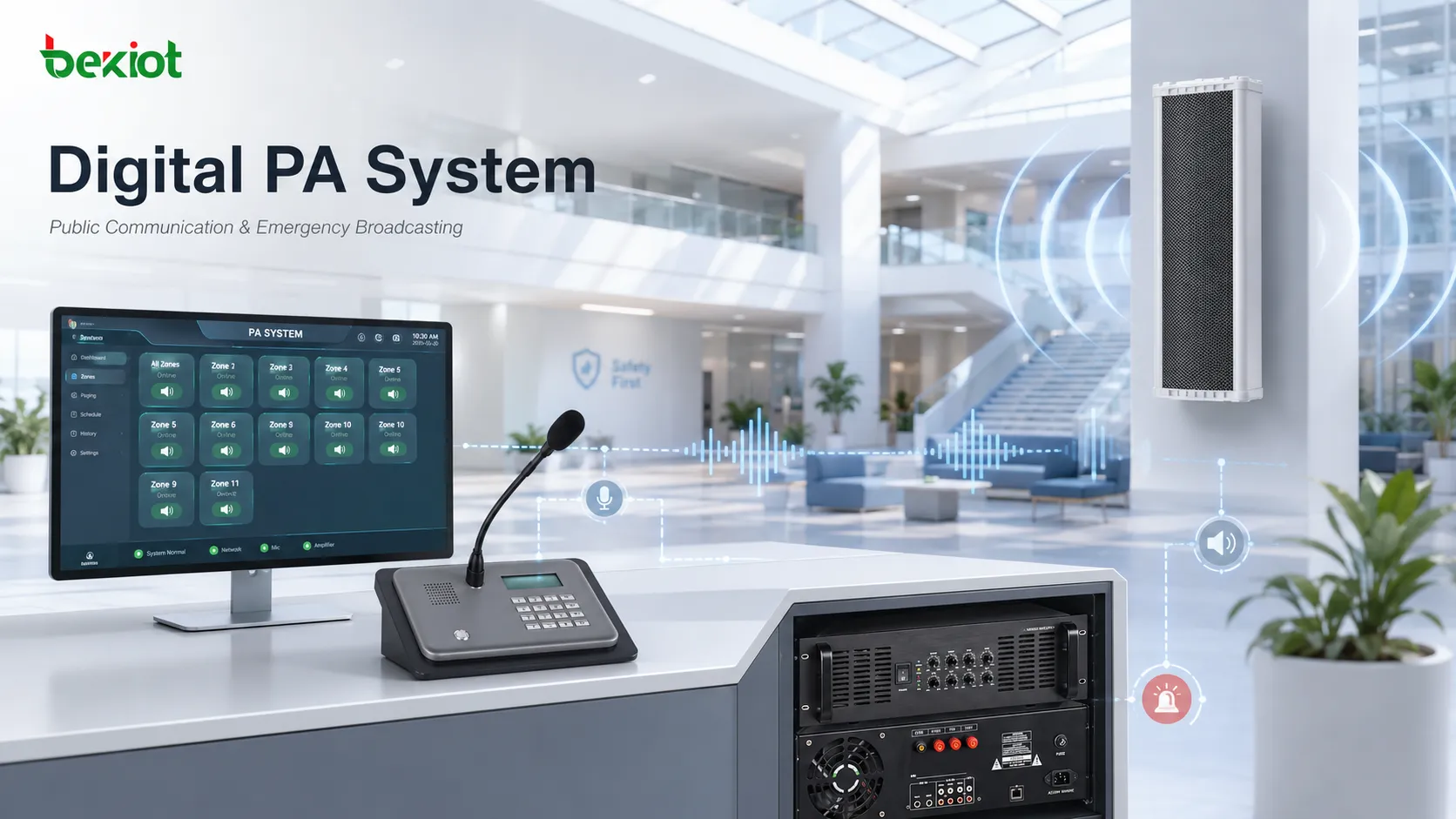
A public place can become difficult to manage when information must reach many people at once. A school may need to announce a schedule change. A factory may need to warn workers near a machine area. A shopping center may need background music, promotion messages, and emergency instructions without disturbing every floor at the same volume. In these situations, a PA system, or public address system, is not simply a set of speakers. It is the communication layer that turns voice, audio files, visual messages, schedules, and alerts into controlled public information.
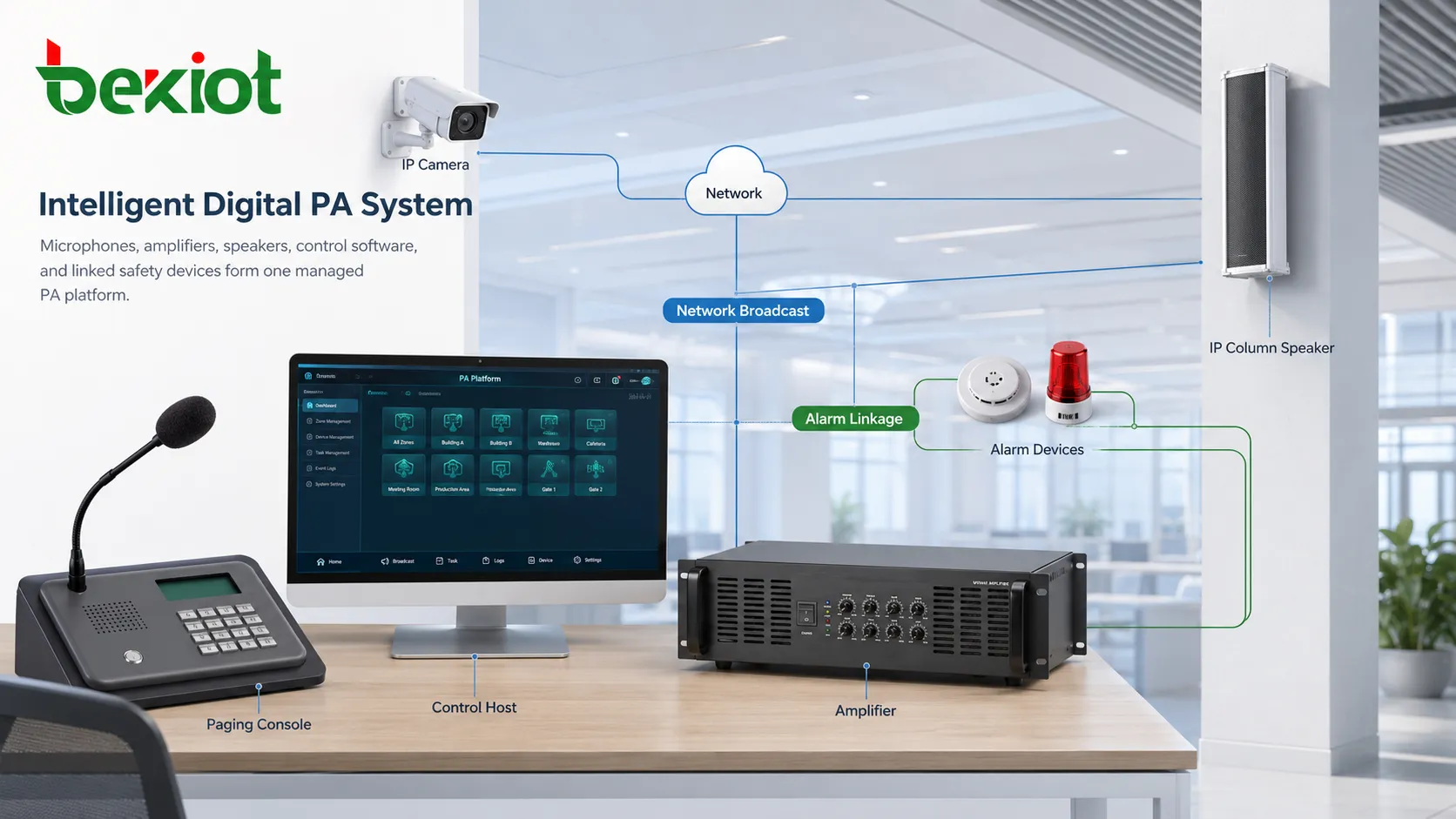
A basic PA system usually includes microphones, amplifiers, speakers, control equipment, and wiring or network transmission. Its purpose is simple: send clear messages to selected people in selected places. In modern buildings and public facilities, however, this simple purpose has become more demanding. Operators now expect zoning, remote control, scheduled playback, emergency priority, background music, audio and video delivery, and easier integration with safety systems.
This is why digital broadcasting has become important. Traditional analog public address systems can still work for small and simple environments, but they become difficult to expand when a site needs many zones, multiple audio sources, remote operation, or emergency linkage. A digital PA architecture can make broadcasting easier to control, easier to maintain, and more suitable for schools, factories, transport stations, offices, shopping centers, communities, and large public buildings.
Role In Public Spaces
The first value of a PA system is reach. It allows one operator or one automated event to communicate with many people at the same time. This is different from calling individuals one by one. A PA message is heard directly in the space where action is needed, whether that space is a classroom corridor, station hall, warehouse, office lobby, car park, workshop, or shopping floor.
A well-planned PA system also reduces unnecessary noise. Public broadcasting does not mean every message should be sent everywhere. In dense urban areas, schools and commercial buildings often sit close to residential zones. Frequent full-site announcements can create complaints and reduce listener attention. With proper zone control, routine messages can be sent only to the correct classroom, floor, workshop, or department, while emergency instructions can still reach the entire site when required.
The system also supports atmosphere. Background music, event reminders, customer guidance, safety notices, and public service announcements can all be managed from the same platform. In a shopping center, the sound environment affects customer experience. In a school, bell schedules and classroom announcements affect daily order. In a factory, clear voice instructions can affect both efficiency and safety.
Digital Architecture Shift
Traditional PA systems usually rely on analog audio wiring, amplifiers, and speaker circuits. This structure is familiar and reliable when the system is small. The limitation appears when the site becomes larger or more complex. Adding zones may require more cabling and more equipment. Changing broadcast routes may require physical rewiring or manual operation. Monitoring device status is often limited.
Digital PA systems use network transmission, control hosts, decoders, IP amplifiers, IP speakers, PoE switches, and software-based management. The system can distribute audio through Ethernet infrastructure and control different zones through a graphical interface. In many projects, operators can manage hundreds of zones, create groups, set schedules, trigger emergency messages, and send announcements from a control room or remote device.
The shift to digital architecture also improves maintenance. A networked system can show device status, connection health, playback tasks, zone availability, and fault information where supported. This gives administrators better visibility than a purely analog installation. Instead of discovering speaker or amplifier problems only during a real broadcast, maintenance teams can check system condition in advance.
Digital architecture does not always mean all old equipment must be removed. Many sites modernize step by step. Existing speakers or amplifiers can sometimes be connected through adapters, decoders, or control interfaces. This makes it possible to upgrade management and zoning functions while still preserving useful infrastructure.
Audio And Visual Delivery
Modern public broadcasting is no longer limited to voice through speakers. It can include audio broadcasting, visual broadcasting, text notification, video display, and multimedia scheduling. The right mode depends on the environment and the message type.
Audio broadcasting remains the most direct method. A microphone, paging console, software client, or scheduled audio file sends speech or sound to the selected speaker zones. This is useful for daily announcements, emergency warnings, shift reminders, passenger guidance, class bells, background music, and security instructions. Audio is fast because people do not need to look at a screen or open a device.
Visual broadcasting is useful where silent communication is preferred or where people may miss spoken messages. Digital signage, television screens, display walls, and scrolling text can show notices, images, videos, emergency guidance, transport information, air quality data, event schedules, or commercial promotions. In some environments, visual broadcasting reduces noise while still keeping information visible.
The strongest result often comes from combining both. For example, an emergency event may trigger a voice evacuation message while screens show exit guidance. A shopping center may use background music and visual advertising at the same time. A campus may use speakers for urgent messages and digital displays for daily schedules. This combination makes the PA system part of a broader information delivery environment.
Zone Design And Daily Use
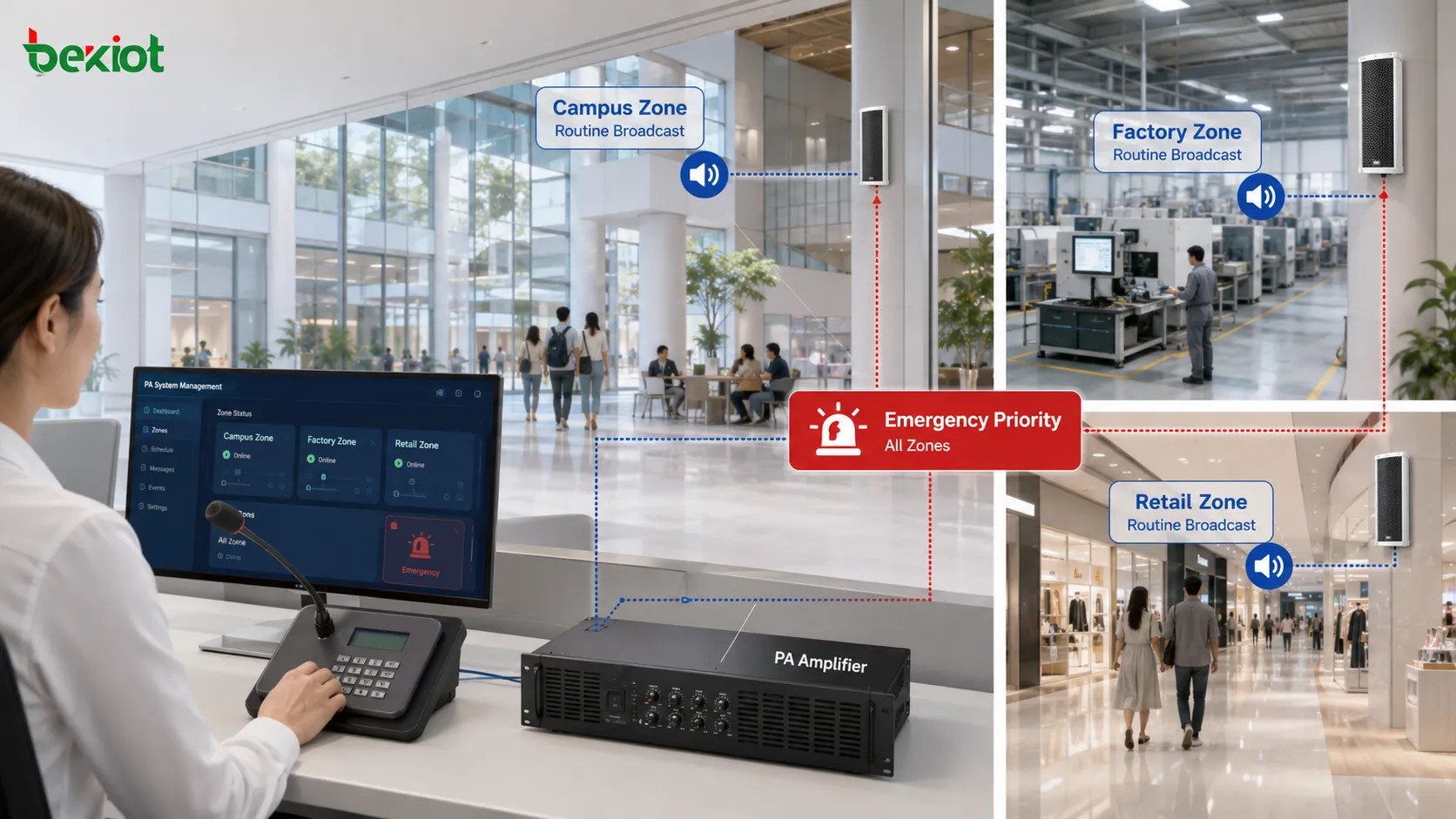
Zone design is one of the most important parts of PA system planning. A zone can be a classroom building, floor, corridor, workshop, warehouse, production line, station platform, parking area, mall section, public square, or emergency group. The system should match how the site actually operates, not just how the floor plan looks.
In a campus, zoning can reduce full-area announcements and avoid disturbing nearby neighborhoods. Classroom zones, playground zones, office zones, exam zones, sports halls, and outdoor areas may need different speaker types and different broadcast rules. Scheduled bells, exam listening tests, activity notices, and emergency messages should not all use the same route or volume.
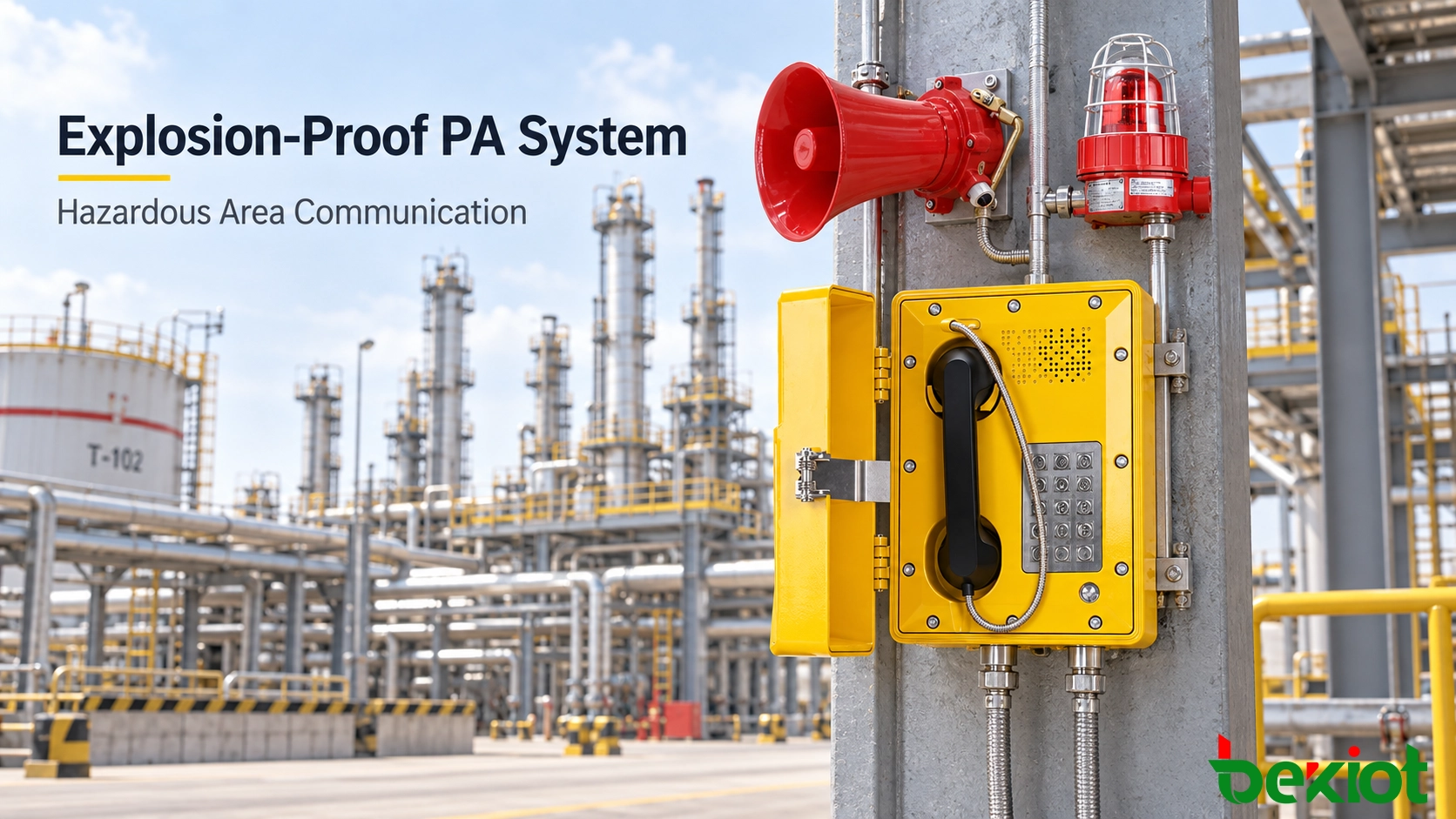
In a factory, zoning helps handle noise, distance, and safety. Machinery may create strong background noise, and workers may be spread across large areas. A message for one production line should not interrupt unrelated departments, but a fire alarm or gas warning must reach all relevant areas immediately. Some industrial sites also need horn speakers, waterproof speakers, talkback speakers, or linked warning lights.
In retail and commercial environments, zoning supports both customer experience and business operation. Different floors or brand areas may need different music, promotion messages, and service announcements. At the same time, security staff must be able to issue clear warnings or evacuation instructions when needed. Good zoning prevents message fatigue and keeps important broadcasts noticeable.
Choosing The Right Devices
Equipment selection should begin with the environment. A speaker that works well in a quiet office may not work in a workshop. A classroom microphone may not suit a large gym. A shopping center may need discreet full-range speakers, while an outdoor yard may need waterproof horn speakers with higher sound pressure.
For indoor spaces, clarity and integration with the interior are often the main concerns. Ceiling speakers, wall-mounted speakers, or built-in full-range speakers are common in offices, classrooms, corridors, and retail areas. In spaces with echo or long reverberation, such as halls and gyms, column speakers or directional speaker layouts may help improve speech intelligibility.
For outdoor and industrial spaces, durability becomes more important. Waterproof and dustproof housings, corrosion resistance, strong output, stable wiring or network connection, and easy maintenance should be considered. In high-noise areas, the system may need horn speakers, higher amplifier power, and careful placement so that messages are audible but not painfully loud.
Microphones also need attention. A desk microphone can work well for reception desks, security rooms, and control rooms. A wireless teaching microphone may be better for classrooms because teachers need to move freely. In commercial spaces, directional microphones can help reduce background noise so announcements remain clear.
The control host or software platform should support the real operation model. Useful functions include graphical zone selection, scheduled playback, live paging, text-to-speech, remote control, mobile app operation, emergency priority, event logs, equipment monitoring, and easy source management. If the site plans to add video displays, environmental monitoring, or IoT control, the platform should also support integration rather than only basic audio output.
Safety And Management Value
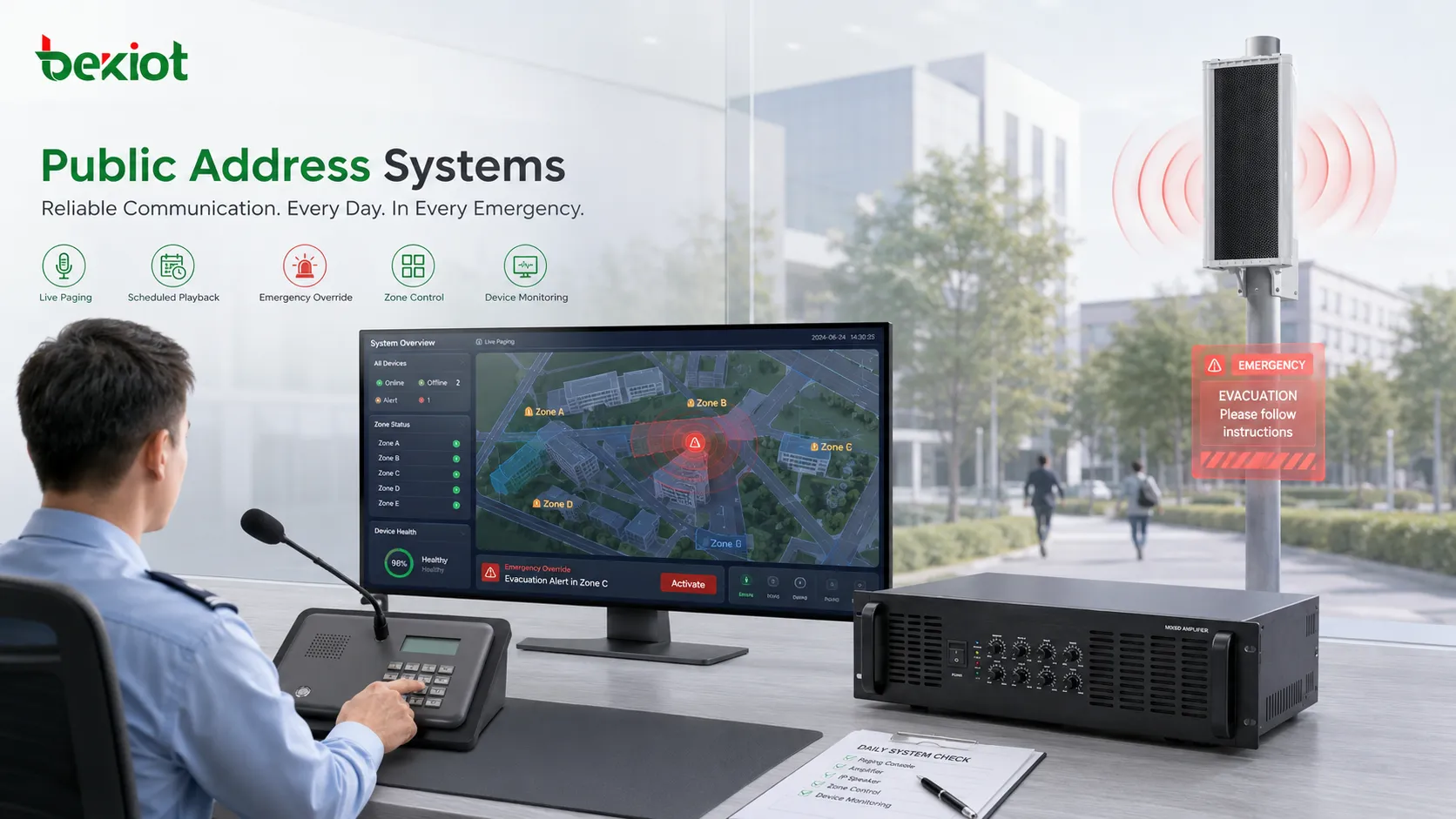
A PA system has daily value, but its critical value appears during abnormal events. When a fire alarm, security incident, power issue, equipment fault, weather warning, or evacuation event occurs, people need clear instructions. A delayed or unclear message can increase confusion. A good PA system provides a fast and controlled way to tell people what is happening and what they should do next.
Emergency priority is essential. Background music or scheduled messages should not block urgent broadcasts. The system should allow emergency messages to override lower-priority audio sources. Operators should also be able to broadcast to all zones or selected emergency zones without complicated steps.
Integration can make response more effective. A factory may connect the PA system with alarm inputs, warning lights, CCTV, environmental sensors, or a control room platform. A campus may combine announcements with digital signage, access information, weather data, and scheduled notices. A shopping center may integrate public broadcast, video wall content, security warnings, and facility management.
Management value also comes from reduced labor. Remote operation and scheduled playback reduce the need for staff to walk to a broadcast room for every message. Device monitoring reduces blind maintenance. Graphical interfaces reduce wrong-zone announcements. Over time, these details make the system more dependable and easier to operate.
FAQ
Is a PA system only used for emergency announcements?
No. Emergency broadcasting is important, but PA systems are also used for daily notices, background music, class bells, shift reminders, customer guidance, promotion messages, and routine operational communication.
When should a site choose digital broadcasting?
Digital broadcasting is usually suitable when the site needs multiple zones, remote control, scheduled playback, device monitoring, audio-video integration, or easier expansion across buildings.
Can old speakers remain in a new PA project?
In many cases, yes. Existing speakers may be reused through amplifiers, adapters, decoders, or hybrid wiring, but their condition, impedance, coverage, and audio quality should be checked before reuse.
What causes poor speech clarity in a PA system?
Common causes include wrong speaker placement, too much echo, weak amplifier power, noisy surroundings, poor microphone choice, bad cabling, incorrect volume settings, and lack of zone-based design.
Why is zone naming important?
Clear zone names help operators choose the correct broadcast area quickly. Names such as “Main Lobby,” “Workshop A,” or “Second Floor East” reduce mistakes compared with unclear codes.
What should be tested before handover?
Each zone should be tested for volume, clarity, emergency override, scheduled playback, microphone input, remote operation, device status reporting, and coverage in the actual listening area.
Conclusion
A modern PA system is a managed communication tool for public spaces, not just an audio device chain. When microphones, speakers, amplifiers, control hosts, network devices, visual displays, and emergency rules are planned together, the system can support daily operation and urgent response at the same time. The best design starts from the site: who needs to hear the message, where they are, how noisy the area is, how quickly the message must arrive, and what should happen when normal broadcasting meets an emergency event.