


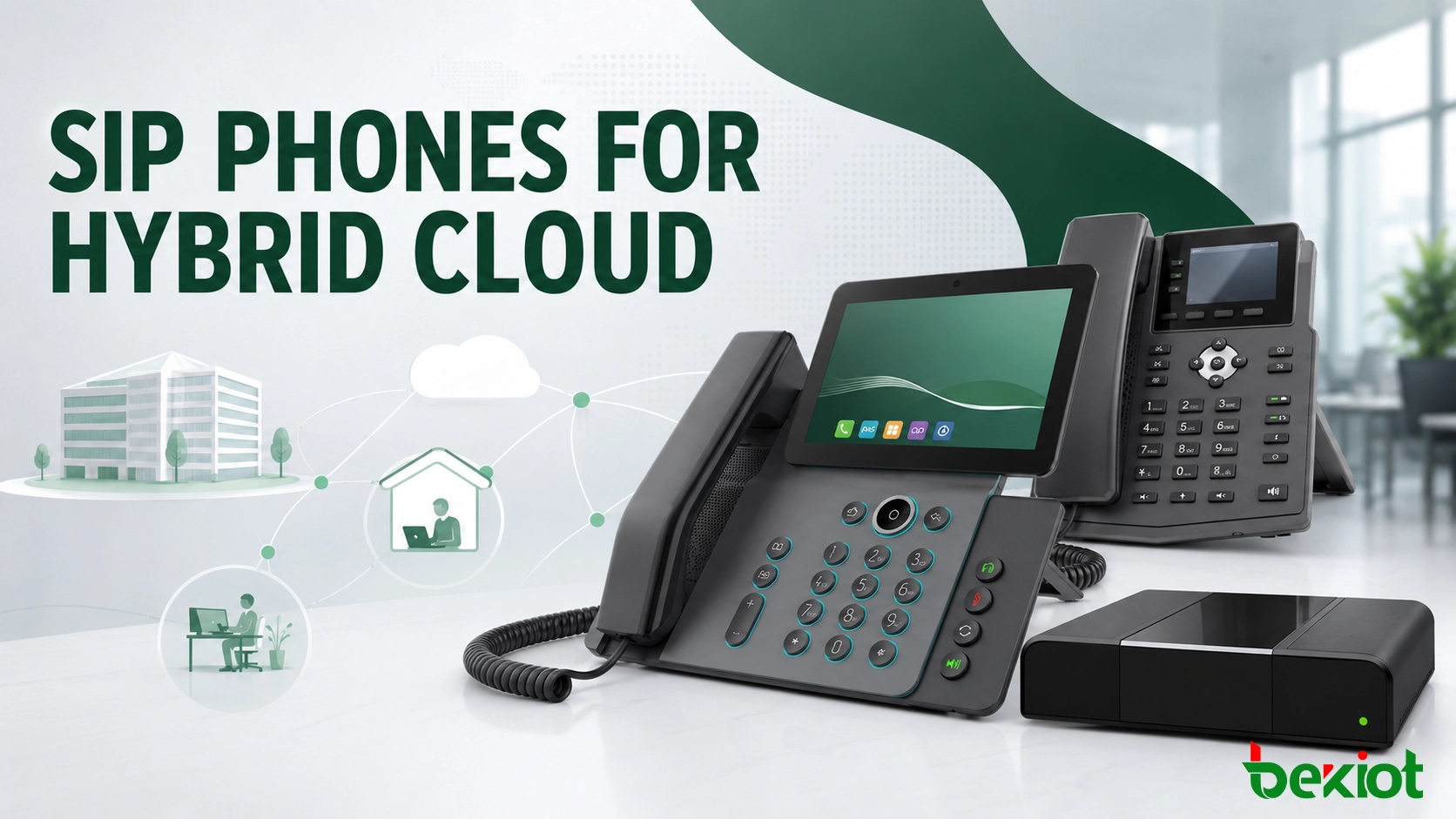
A hybrid cloud communications system allows an enterprise to keep selected voice services, data and control functions on private infrastructure while using public cloud capacity for remote access, expansion, collaboration or disaster recovery. SIP phones provide the user-facing connection to this environment, but the endpoint alone does not create a hybrid cloud. Reliable operation depends on how call control, media, security, routing and management are divided between the local site and the cloud.
Why enterprises use a hybrid model
Moving every communication service to the public cloud is not suitable for every organization. A factory may need local calling to continue when the internet connection is interrupted. A financial or government organization may need recordings and user data to remain within a controlled environment. A company with an existing PBX may also want cloud-based remote access without replacing its current telephone infrastructure.
A hybrid design provides a middle path. The private environment can retain critical call control, internal extensions, sensitive records and site-level survivability. The public cloud can provide elastic capacity, remote-user access, centralized applications, analytics or backup services. The division is based on business policy rather than a fixed technical formula.
This approach supports several practical goals:
Protect critical workloads: sensitive data and essential calling functions can remain in the private environment.
Expand when demand changes: cloud resources can absorb seasonal traffic, new branches or temporary projects.
Preserve existing investment: a SIP trunk or controlled interconnection can link an established PBX with cloud services.
Improve continuity: local and cloud resources can provide alternative call paths when one service becomes unavailable.
Simplify multi-site access: branches and remote users can connect to a shared dial plan and communication policy.
Workload placement should also reflect operational dependencies. Keeping call control on-premises has limited value if DNS, authentication or number routing remains available only through the cloud. For every service, the design team should identify its upstream dependencies, data location, recovery target and administrative owner. This prevents a minor supporting-service outage from disabling an otherwise redundant voice platform.
What the architecture needs to connect
A workable design normally contains four layers: the private communication environment, the public cloud service, the secure connection between them and the SIP endpoints used by employees. Each layer has a separate responsibility, and the system should define which layer remains available when another one fails.
| Layer | Typical responsibility | Design question |
|---|---|---|
| Private environment | Local call control, sensitive records, internal routing and site survivability | Which calls must continue without cloud access? |
| Public cloud | Elastic capacity, remote access, shared applications, analytics and backup services | Which services benefit from centralized or on-demand resources? |
| Interconnection | SIP routing, VPN or dedicated links, security policy and media traversal | How are signaling and media protected between environments? |
| SIP endpoints | User registration, calling, feature access and audio or video handling | Where does each phone register during normal and fallback operation? |
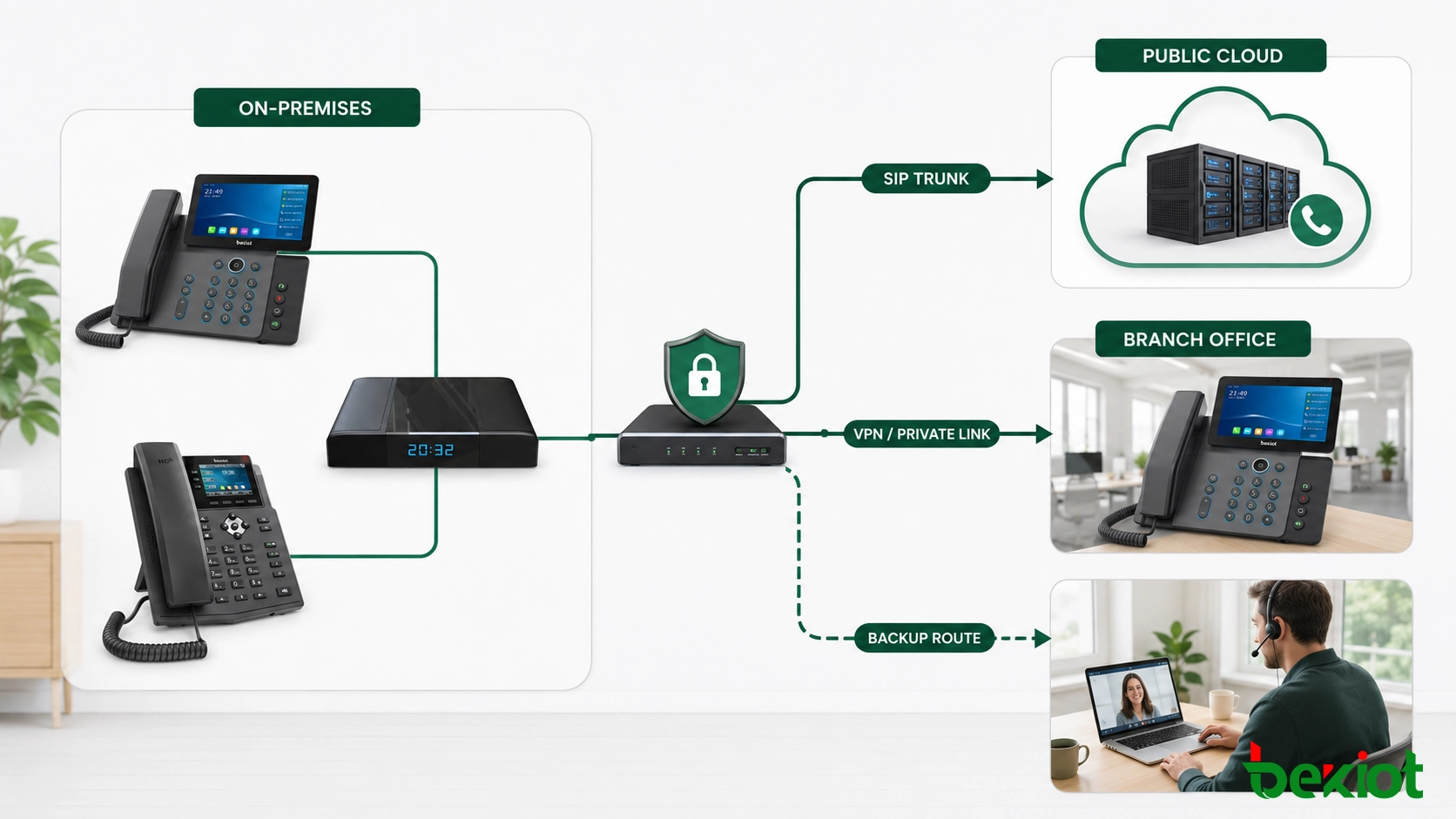
The environments can be connected through a secure VPN, a dedicated private circuit or another controlled network path. An enterprise session border controller or equivalent security boundary is commonly placed at the edge to validate sessions, normalize SIP messages, enforce routing policy and manage media traversal. Directly exposing the call-control server or individual phones to the public internet should not be the default design.
The management plane needs the same level of planning as the call path. Provisioning, firmware distribution, certificate renewal, directory synchronization and configuration backup may cross the boundary between local and cloud systems. These services should use authenticated connections and defined maintenance windows. Administrators also need one inventory that shows each phone, its assigned user, registration target, software version and last successful configuration update.
How calls move between local and cloud services
The call path should be planned before endpoints are deployed. In a common configuration, office SIP phones register with local call control. Internal calls stay on the local network, while external or cloud-hosted services are reached through a SIP trunk. Remote users may register through a protected edge service, or they may use a cloud platform that routes calls back to the enterprise when access to local resources is required.
SIP manages session establishment, modification and termination. Voice and video media normally use RTP, while RTCP reports help monitor delivery quality. Keeping signaling and media roles separate matters during troubleshooting: a call may register and ring successfully even when a firewall, NAT rule or media route prevents two-way audio.
The integration design should account for the following functions:
Registration: define the primary registrar and the behavior of the phone if that server cannot be reached.
Dial-plan control: use consistent extension ranges, number normalization and permissions across sites.
Media negotiation: confirm that endpoints, trunks and media services share compatible codecs. Common examples include G.711 for high-quality voice, G.729 for compressed voice where supported and H.264 for video.
NAT traversal: use a controlled edge service and, where required, STUN or TURN functions for remote media paths.
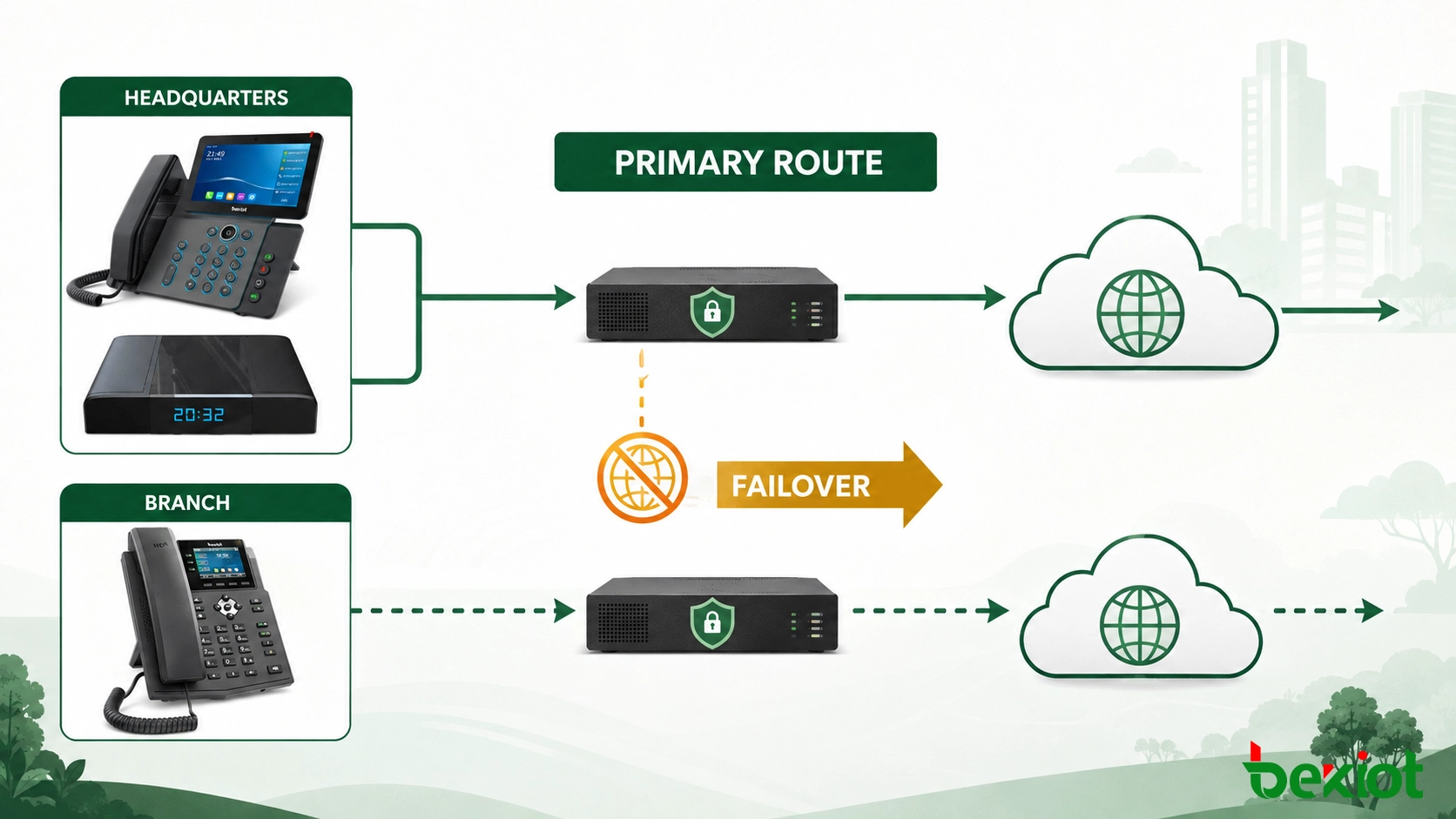
Failover: decide whether calls stay local, use an alternate trunk or move to cloud call control during an outage.
Application integration: connect CRM, reporting or workflow systems through supported APIs rather than direct database changes.
A SIP trunk is especially useful when the organization wants to retain an existing PBX. It allows the local system to exchange calls with cloud services without changing every endpoint at once. This supports phased migration: one branch, queue or user group can move first while the remaining users continue on the current platform.
Routing data must remain consistent during that transition. If extension ranges, caller IDs or permission classes are maintained separately in two systems, the same number may be interpreted differently depending on the call path. A controlled source of truth should publish dial-plan changes to both environments and record when each update becomes active. Temporary translation rules can support migration, but they should have an owner and a removal date so that they do not become permanent hidden dependencies.
Security and voice quality across both environments
Hybrid deployment increases the number of trust boundaries. Security cannot depend on a single firewall rule. Signaling, media, user identities, administration interfaces and inter-cloud connections all require separate controls.
TLS can protect SIP signaling between supported systems, while secure media transport can protect the voice or video stream when required. Certificates must be issued, renewed and validated consistently on servers, edge devices and endpoints. Encryption does not replace access control: extension credentials, administrator permissions and API tokens still need secure storage and lifecycle management.
Network separation is equally important. Voice devices can be placed in a dedicated VLAN with controlled access to call control, DNS, time services and approved management systems. Firewall policies should allow only the required signaling and media paths. Monitoring should detect unusual registration attempts, unexpected destinations, repeated authentication failures and sudden changes in call volume.
Voice quality depends on the complete network path rather than the phone alone. QoS markings must be recognized by switches, routers, private links and cloud edges. Bandwidth planning should include codec rate, IP and transport overhead, packetization and simultaneous calls. As a practical starting estimate, one SIP voice call may require approximately 80–100 kbps, while an HD video call may require about 2–4 Mbps. Actual consumption varies by codec, frame rate, packet size and network design, so the final figures should be verified through testing.
| Control area | What to configure | What to observe |
|---|---|---|
| Signaling security | TLS, certificate validation and registration controls | Failed authentication and unexpected registration sources |
| Media delivery | RTP path, secure media policy and NAT traversal | Packet loss, latency, jitter and one-way audio |
| Traffic priority | QoS marking, queue policy and bandwidth reservation | Congestion during business peaks and link failover |
| Operational security | Role-based access, audit logs and patch management | Configuration changes and abnormal administrator activity |
Before production use, establish a quality baseline on the primary and backup network paths. Record registration time, call setup time, packet loss, jitter, round-trip delay and the result of representative transfers or conferences. Repeat the same tests during busy periods and after failover. These measurements provide an acceptance reference and make later troubleshooting more objective: the operations team can compare a reported problem with known normal behavior instead of judging quality from a single test call.
A practical deployment plan
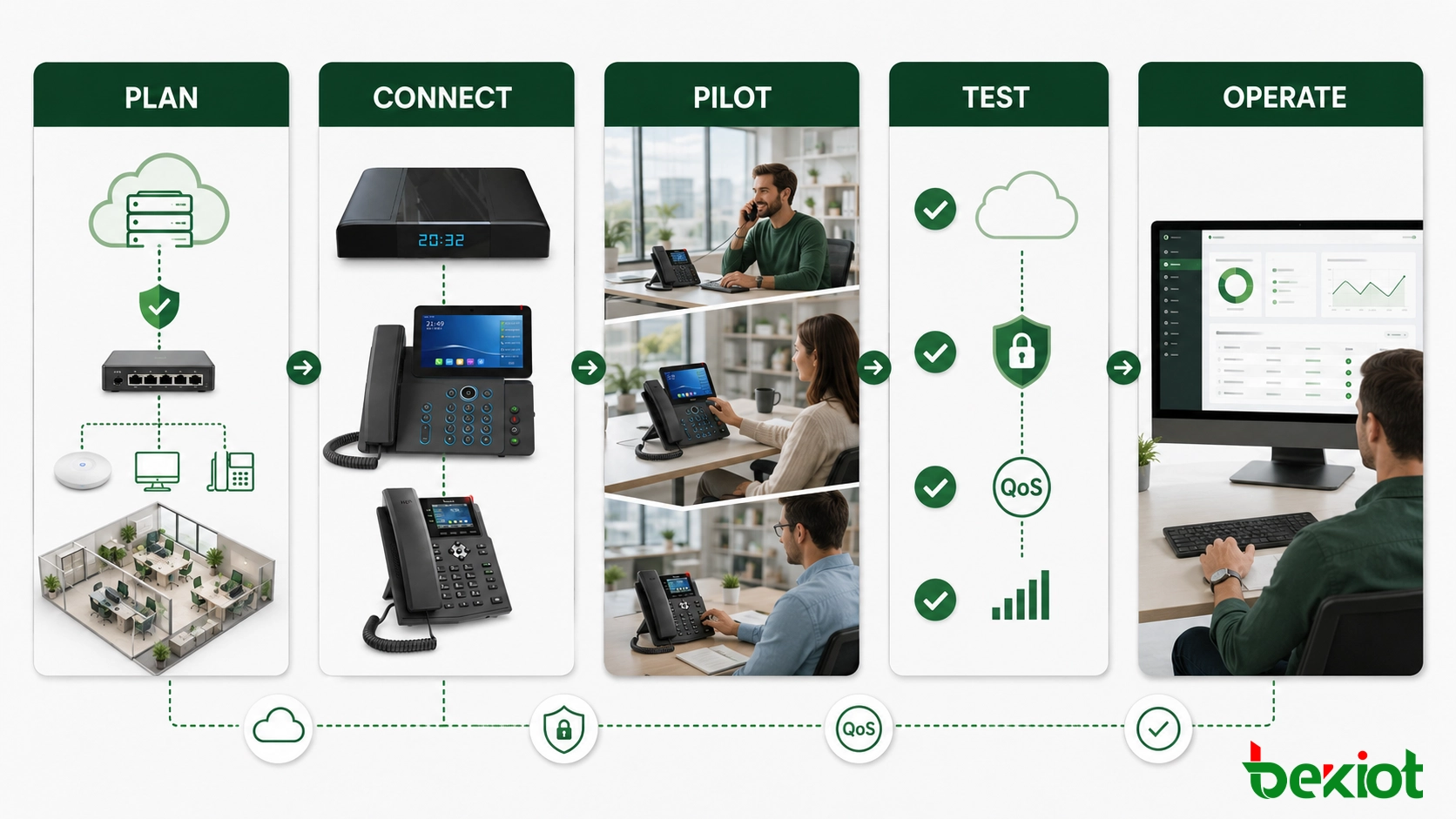
1. Separate business requirements from technology choices
List the services that must stay local, the users who need cloud access, the data that cannot leave the private environment and the maximum acceptable outage. This determines the architecture more reliably than choosing software or hardware first.
2. Document normal and failure call paths
Create separate call-flow diagrams for internal calls, external calls, remote users, emergency numbers and branch-to-branch traffic. Then repeat the exercise for internet failure, cloud-service failure, local call-control failure and trunk failure. A design is incomplete if it describes only normal operation.
3. Prepare the network and security boundary
Confirm VLANs, routing, DNS, time synchronization, certificates, firewall rules and QoS behavior. Test the complete path to the cloud rather than only the local switch. If redundant links are used, verify that the secondary route preserves the required SIP and media policy.
4. Run a limited endpoint pilot
Start with a small group that represents office users, reception, customer service and one remote location. Test registration, internal and external calls, transfer, hold, conferencing, voicemail, directory access and fallback behavior. Capture signaling and media statistics when a problem occurs instead of relying only on user descriptions.
5. Validate capacity and recovery
Load testing should cover concurrent registrations, simultaneous calls, media processing and trunk capacity. Recovery tests should verify service detection, route switching, configuration synchronization and the return to the primary system. Backups are useful only when the restore procedure has been tested.
6. Establish routine operations
Daily operations should include device status, registration failures, SIP response codes, RTP or RTCP quality data, CPU and memory utilization, link usage and certificate expiry. Troubleshooting should combine call logs, packet capture, controlled call generation and network monitoring. This provides evidence about whether a fault is caused by routing, authentication, media negotiation, bandwidth or an endpoint configuration.
Where SIP phones fit into the user experience
The SIP phone is where network design becomes visible to the user. Registration time, audio quality, feature-key behavior, directory access and recovery after an outage all affect whether the hybrid platform feels reliable. Endpoint selection should therefore follow the approved codec list, security policy, provisioning method, power design and user role.
Reception and customer-service users may need multiple line keys, busy-lamp fields and headset support. Meeting spaces may require video or conference functions. Standard office users may need only a clear display, secure registration and straightforward transfer controls. Using a consistent endpoint family can simplify templates, firmware management, training and spare-device planning.
Related Product: Becke SIP Phones
The endpoint rollout should use centralized provisioning wherever possible. A phone can receive its server address, account settings, security certificates, time configuration and feature-key layout from an approved profile. This reduces manual configuration and makes it easier to move users between sites without creating inconsistent settings.
Frequently Asked Questions
Can one extension ring a desk phone and a mobile client?
Yes, if the call-control platform supports simultaneous ringing, shared identity or a similar mobility feature. The administrator should define how unanswered calls, busy status and voicemail behave across both devices.
Can call recordings remain on-premises while reports run in the cloud?
Yes. Recording media can remain in private storage while selected metadata is sent to a cloud reporting service. The integration must follow retention, access and privacy requirements, and it should avoid sending sensitive content unless explicitly permitted.
How should emergency-call location be handled for remote users?
The system needs a location policy that reflects where the user is actually working, not only the office assigned to the extension. Emergency routing, callback information and local regulatory requirements should be verified for every supported remote-work region.
Do remote SIP phones require public IP addresses?
Usually not. Remote endpoints normally connect through a protected edge service that manages NAT traversal and security. Assigning public addresses directly to desk phones increases exposure and is rarely necessary.
What should happen when an employee moves to another office?
Central provisioning should apply the correct account, time zone, emergency location, dial plan and access policy for the new site. The change should be recorded so that routing and security audits remain accurate.







