


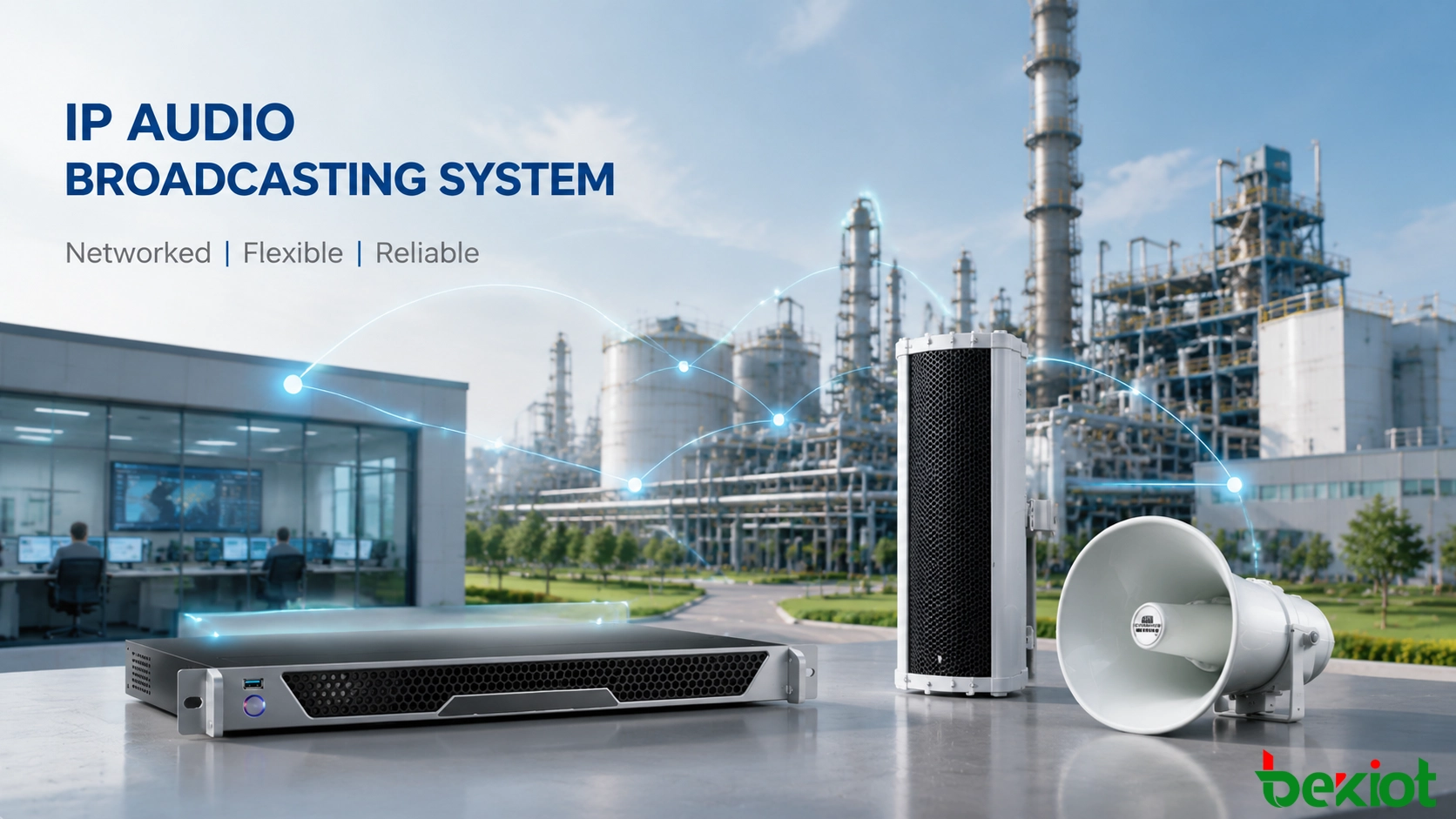
Modern industrial and public facilities increasingly rely on network-based audio communication to replace traditional independent broadcasting systems. A remote IP broadcasting solution uses Ethernet networks to transmit digital audio, allowing operators to manage multiple zones, terminals, and audio services from a unified platform.
Unlike traditional broadcasting systems that require dedicated audio wiring, IP-based audio platforms use existing network infrastructure to provide flexible deployment, remote operation, and easier expansion. They are widely applied in industrial parks, manufacturing facilities, schools, hospitals, transportation infrastructure, energy projects, and public safety environments.
However, building a reliable network audio deployment requires more than connecting terminals to a network. Engineers need to consider system architecture, IP planning, device registration, zone configuration, scheduling functions, and emergency communication requirements.
This guide explains the complete configuration process, covering system design, device setup, remote broadcasting functions, emergency integration, and practical deployment considerations.
Understanding the System Components
A complete understanding of system components helps engineers design a stable and scalable audio communication architecture. A typical solution consists of a management platform, network infrastructure, and distributed IP audio terminals.
IP Broadcasting Server
The IP broadcasting server works as the core management unit of the platform. It controls audio distribution, terminal registration, scheduled tasks, user permissions, and device monitoring.
Main functions include:
Audio file storage and management.
Broadcast zone configuration.
Scheduled playback control.
Real-time voice announcements.
Terminal status monitoring.
In large-scale projects, the server is normally deployed in a control center and connected with distributed audio terminals through the network.
IP Broadcast Terminals
IP broadcast terminals receive digital audio streams from the management platform and convert them into sound output. Each terminal has an independent network address, allowing administrators to manage devices according to location and operational requirements.
Common terminal types include:
IP network speakers.
IP amplifiers.
IP horn speakers.
Industrial network loudspeakers.
Emergency audio terminals.
Different terminals can be selected according to environmental conditions. Indoor facilities may use standard network speakers, while factories, tunnels, and outdoor areas may require high-power or weather-resistant audio equipment.
Network Infrastructure
Network infrastructure directly affects the stability and performance of an IP audio deployment. Proper network planning ensures reliable transmission and simplifies future maintenance.
Typical network components include:
Core switches.
Access switches.
Fiber transmission links.
Network management equipment.
For large projects, broadcast traffic should be separated from normal office data through VLAN planning. This improves network reliability and reduces interference from unrelated services.
Planning the Network Architecture
Network planning is the first practical step in building a reliable remote audio communication system. Before installation, engineers should define topology, device locations, IP addresses, and bandwidth requirements.
Designing the System Topology
A typical deployment contains several functional layers:
Central management platform.
Core network layer.
Regional network switches.
Distributed IP audio terminals.
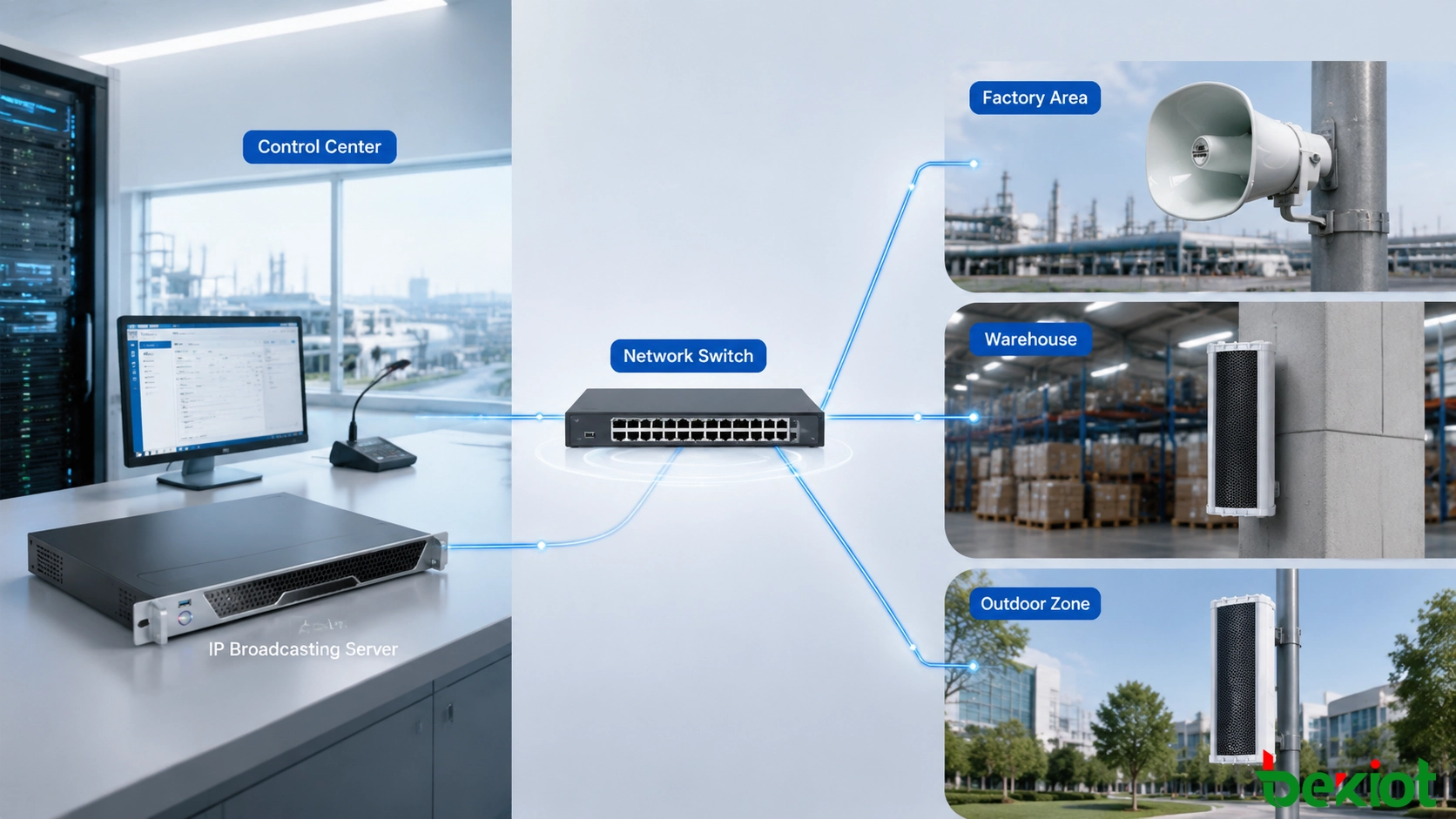
The communication structure normally includes:
Broadcast Management Center

IP Broadcasting Server

Network Switch

IP Audio Terminals
For industrial facilities and public infrastructure projects, additional regional management nodes can be added when more terminals or multiple control locations are required.
IP Address Planning
Each device requires a unique network address. Proper IP planning helps prevent address conflicts and simplifies future maintenance.
Typical configuration includes:
Fixed IP address for the broadcasting server.
Dedicated address ranges for audio terminals.
Separate address groups for different zones.
Devices should be organized according to physical locations and operational requirements.
Industrial Park

Production Area

Warehouse Zone

Office Building

Security Area
This structure allows operators to identify terminals quickly and perform targeted broadcasts more efficiently.
Configuring the IP Broadcasting Management Platform
After completing the network design, the next step is configuring the management platform. The platform provides a unified interface for terminal registration, zone management, task scheduling, and operational monitoring.
Adding and Registering Audio Terminals
Before broadcasting services can be used, all network audio terminals need to be registered in the management platform. Each device should be assigned with a clear name, location, and management category.
The typical configuration process includes:
Searching available network terminals.
Registering devices in the platform.
Assigning device names and locations.
Configuring user permissions.
For example, terminals in an industrial facility can be organized according to operational areas:
Factory Area

Production Workshop

Storage Area

Loading Zone

Security Checkpoint
This structure helps operators locate specific terminals quickly and manage broadcasts according to actual working areas.
Creating Broadcast Zones
Zone management is a key function of network-based broadcasting platforms. By grouping terminals according to locations or business requirements, administrators can send different audio content to different areas.
Common zone configurations include:
Building-based zones.
Production-area zones.
Campus-area zones.
Emergency response zones.
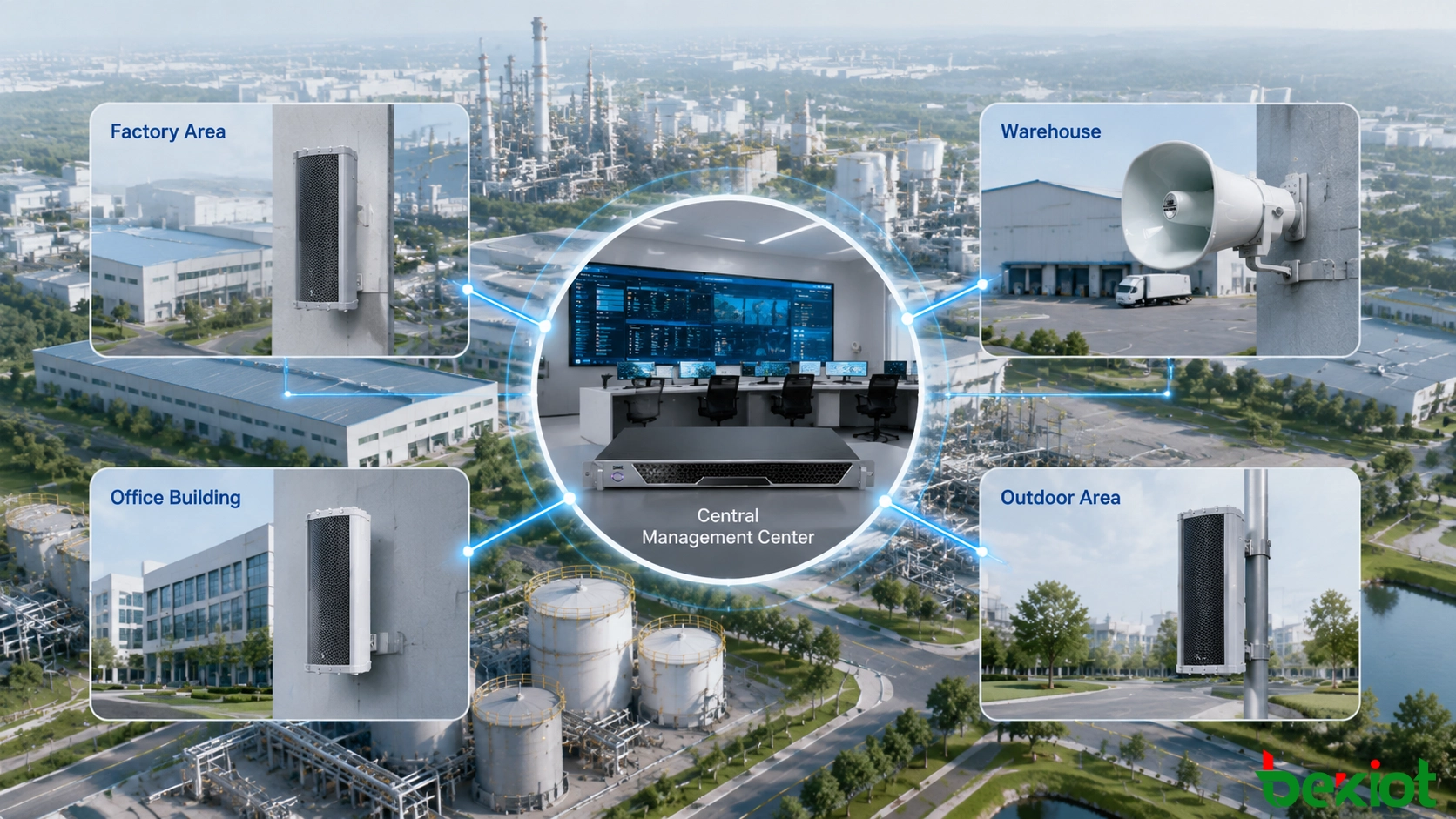
For example, an industrial park may create separate zones for:
Manufacturing areas.
Warehouse areas.
Office buildings.
Outdoor operation areas.
Each zone can operate independently, allowing operators to perform local announcements, regional notifications, or facility-wide broadcasts according to operational requirements.
Setting Up Remote Broadcasting Functions
One of the key benefits of IP-based audio platforms is centralized operation. Administrators can manage audio services from a control location without manually operating individual terminals.
Real-Time Voice Broadcasting
Real-time broadcasting allows operators to send live voice messages through microphones connected to the management platform.
This function is commonly used for:
Emergency instructions.
Production notifications.
Temporary operational commands.
Safety announcements.
A typical operation process includes:
Operator

Broadcast Management Platform

Selected Broadcast Zone

IP Audio Terminal

Audio Output
Compared with traditional audio systems, network broadcasting allows operators to select required areas directly through software instead of controlling separate audio circuits.
Scheduled Audio Playback
Scheduled playback allows organizations to automatically distribute audio content according to predefined time plans.
Common applications include:
School daily schedules.
Factory shift reminders.
Safety education messages.
Public facility announcements.
Administrators can configure:
Playback time.
Target zones.
Audio files.
Repeated schedules.
After configuration, scheduled tasks can run automatically without continuous manual operation.
Remote Audio File Management
In addition to live announcements, the platform can manage stored audio files and distribute them to selected areas.
Typical audio resources include:
Emergency instructions.
Safety training content.
Background music.
Operational notifications.
Audio files can be assigned to specific zones and played according to schedules or manual commands.
Emergency Broadcasting and System Integration
In critical environments, network broadcasting is not only used for daily communication but also plays an important role in emergency response.
By connecting with alarm systems, communication platforms, and security applications, the system can deliver important information quickly during emergency situations.
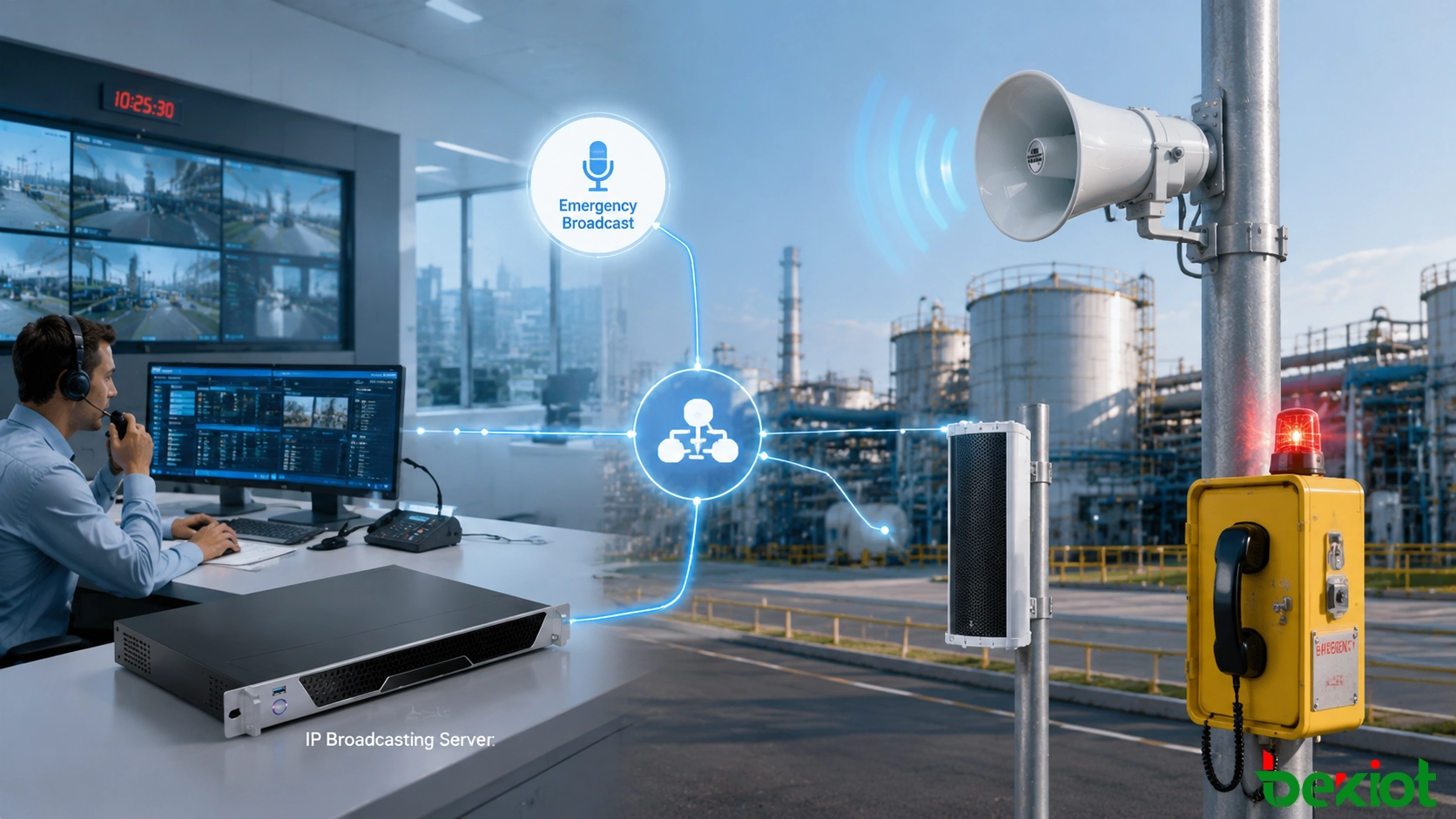
Emergency Broadcast Workflow
A typical emergency process includes:
Emergency Event

Alarm Trigger

Broadcast Platform

Emergency Audio Message

Target Area Terminals

Personnel Response
For example, when an abnormal event occurs in an industrial facility, operators can send evacuation instructions to specific areas while maintaining communication with field personnel through integrated communication systems.
Integration with Communication Platforms
Modern IP audio solutions are increasingly integrated with other communication systems to create a unified operational environment.
Common integration scenarios include:
Industrial telephone systems.
SIP communication platforms.
Emergency command systems.
Video surveillance platforms.
Fire alarm systems.
Through integration, operators can combine voice communication, video information, alarms, and audio notifications within a coordinated workflow.
Industrial Applications of Remote IP Broadcasting Systems
Remote IP broadcasting solutions are widely used in environments that require centralized communication, fast information delivery, and reliable emergency response. Compared with traditional audio systems, network-based platforms provide better scalability and easier integration with other digital systems.
Industrial Plants and Manufacturing Facilities
Industrial facilities usually contain multiple production areas, warehouses, equipment zones, and outdoor operation areas. Efficient communication is essential for production coordination, safety management, and emergency response.
A remote IP broadcasting solution allows managers to send announcements to selected workshops, production lines, or the entire facility from a centralized control location.
Common applications include:
Production scheduling notifications.
Safety reminders.
Emergency evacuation announcements.
Daily operational instructions.
When combined with industrial communication platforms, network audio can become part of a unified communication environment where voice calls, alarms, and audio notifications support each other.
Energy, Chemical, and Hazardous Environments
Energy and chemical facilities often require reliable communication because many areas involve strict safety requirements and complex operating conditions.
In these environments, IP-based audio platforms can support:
Emergency announcements.
Safety warnings.
Operation instructions.
Evacuation notifications.
When integrated with industrial telephones, alarm devices, and command platforms, the system can provide a more complete emergency communication workflow.
Transportation Facilities and Tunnels
Transportation environments such as tunnels, railway stations, airports, and highways require reliable communication between control centers and distributed locations.
Remote broadcasting allows operators to deliver announcements to specific areas without deploying separate audio wiring networks.
Typical applications include:
Passenger information announcements.
Traffic management messages.
Tunnel emergency notifications.
Public safety instructions.
Schools, Campuses, and Public Facilities
Educational institutions and public facilities often require scheduled announcements and emergency notification capabilities across multiple buildings or areas.
IP audio platforms support:
Daily schedule announcements.
Event notifications.
Emergency response communication.
Multi-building audio management.
Key Considerations for Reliable Deployment
A reliable network audio deployment requires proper planning of network design, device management, and long-term maintenance. Hardware installation alone is not enough to guarantee stable operation.
Network Bandwidth and Traffic Management
Although audio transmission requires less bandwidth than video services, large deployments with many terminals still require careful network planning.
Recommended practices include:
Using dedicated broadcast VLANs.
Managing network traffic priorities.
Monitoring transmission performance.
Maintaining stable network connectivity.
Multicast Configuration
Large-scale IP audio projects commonly use multicast transmission to improve network efficiency.
Multicast allows one audio stream to be delivered to multiple terminals efficiently without creating independent streams for every device.
Network equipment should support functions such as:
IGMP Snooping.
Multicast management.
Network traffic control.
Reliability and Backup Planning
For critical applications, reliability should be considered during system design. Industrial sites, transportation facilities, and emergency centers usually require stable operation under different conditions.
Important considerations include:
Backup power protection.
Stable network connections.
Server protection and recovery strategies.
Regular system testing.
Integration with Other Systems
Modern IP audio solutions are increasingly connected with other operational platforms instead of working as independent audio systems.
Common integration options include:
Video surveillance systems.
Emergency command platforms.
Telephone communication systems.
Fire alarm systems.
Access control platforms.
Building a Scalable Network Audio Architecture
The future development of broadcasting systems is moving toward deeper integration with communication platforms, intelligent management systems, and digital operational environments.
Instead of operating as isolated audio tools, modern network audio platforms are becoming part of complete communication ecosystems. They support real-time information delivery, coordinated emergency response, and cross-department collaboration.
A scalable architecture allows organizations to gradually expand existing systems by adding new terminals, zones, and applications without rebuilding the entire communication infrastructure.
This approach provides several long-term advantages:
Protects existing network and audio investments.
Simplifies integration with other technology platforms.
Supports future expansion requirements.
Improves operational efficiency through unified management.
Conclusion
Configuring a remote IP broadcasting system requires a complete understanding of network architecture, terminal management, zone planning, scheduling functions, and application requirements.
Compared with traditional broadcasting solutions, IP-based platforms provide greater flexibility, easier expansion, and stronger integration capabilities. Organizations can use existing network infrastructure to build communication systems across factories, campuses, transportation facilities, and public infrastructure.
By combining IP broadcasting with industrial communication, emergency systems, and intelligent management platforms, enterprises can create a more reliable communication environment for daily operations and emergency response.
FAQ
How many terminals can an IP broadcasting system support?
The supported number of terminals depends on server performance, network design, audio transmission requirements, and project scale. Large deployments can be expanded through distributed architecture and additional management nodes.
Can IP broadcasting systems support remote management?
Yes. Administrators can manage terminals, zones, audio files, and scheduled tasks through a centralized management platform.
Can IP broadcasting integrate with emergency communication systems?
Yes. IP broadcasting platforms can connect with telephones, alarm systems, video platforms, and command solutions to support coordinated emergency response.
What is the difference between IP broadcasting and traditional broadcasting?
Traditional broadcasting relies on dedicated audio wiring, while IP broadcasting uses network communication. Network-based solutions provide easier expansion, remote management, and better integration with modern digital systems.







