


Choosing an SOS intercom system is not just about adding an emergency call point to a wall, gate, roadside, or public area. In real projects, the right choice depends on where the system will be used, how quickly operators need to respond, what other systems must be linked, and how the platform will be managed over time.
A well-designed SOS intercom solution should do more than start a voice call. It should help staff verify the situation, escalate incidents, notify the right people, connect with video and broadcast systems, and reduce response time during urgent events. That is why the best buying decision is usually based on the overall response workflow, not just the hardware itself.
Why the Right SOS Intercom System Matters
Not every SOS intercom project has the same operational goal. In some environments, the main requirement is to provide a fast one-touch help point for visitors or staff. In others, the system must become part of a wider security, communications, and dispatch platform that supports video verification, group response, public address, and coordinated incident handling.
If the system is too simple, operators may receive a call but still lack the information they need to assess the event. If the system is too closed, it may become difficult to integrate with existing IP PBX platforms, paging systems, CCTV, or mobile communication tools. Choosing correctly from the start helps reduce later retrofit costs, improve day-to-day operation, and create a more reliable emergency response process.
The best SOS intercom system is not simply the one with the most features. It is the one that fits the site, supports the response process, and remains easy to expand as needs grow.
Start with the Real Use Scenario
Public areas, campuses, and visitor spaces
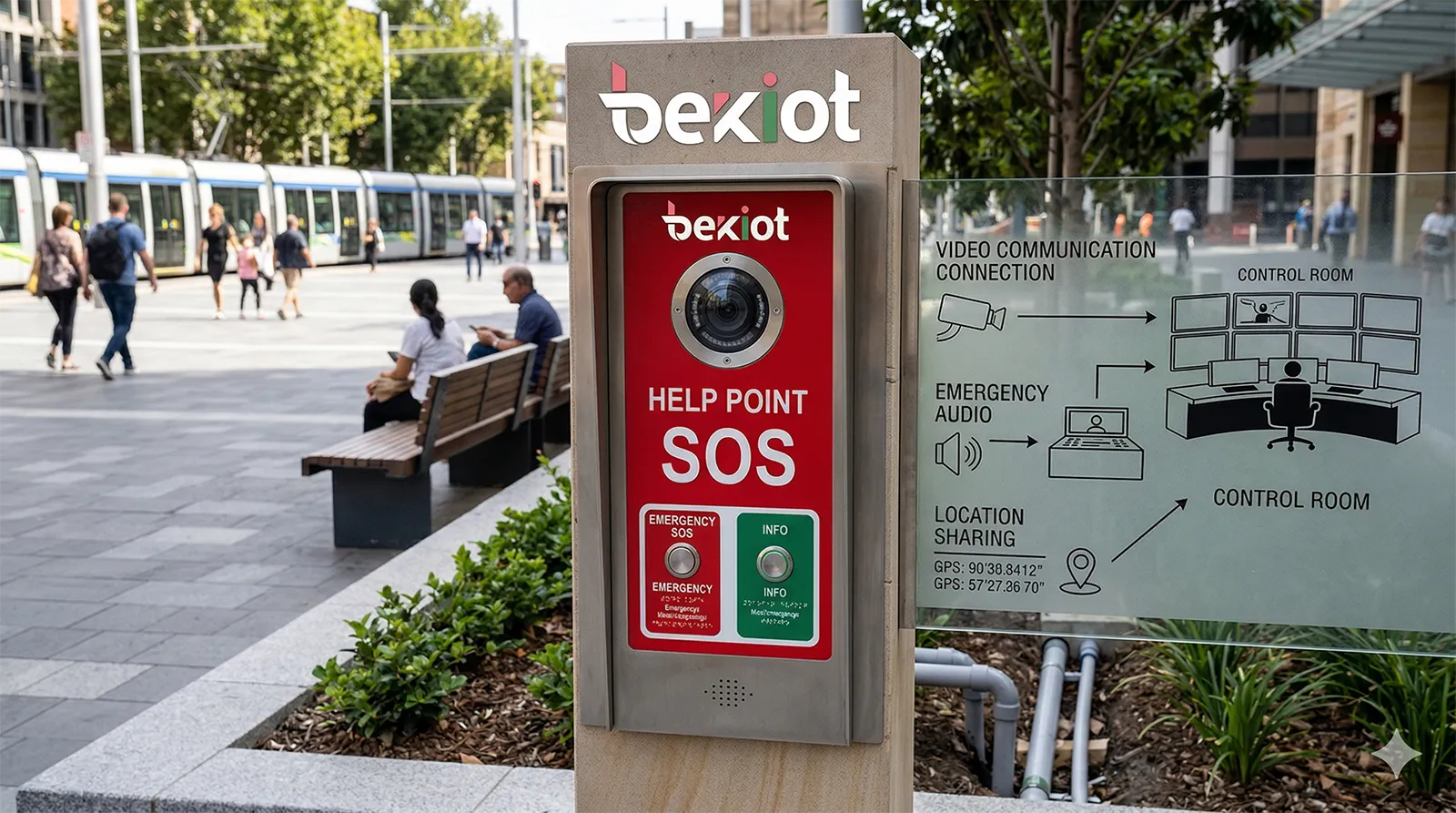
In campuses, scenic areas, commercial spaces, and open public environments, SOS intercom points are often used by people who need immediate help, clear instructions, and fast contact with security or support staff. In these settings, one-touch calling, hands-free communication, and simple user interaction are more important than complicated user menus.
These projects also benefit from visible deterrence and confidence. When users can see that a help point includes audio, camera support, and a direct connection to a control room, they are more likely to use it correctly during an emergency. For these environments, ease of use and response clarity should be the first selection criteria.
Parking areas, entrances, and unattended access points
Parking facilities, gate entrances, building lobbies, and unattended checkpoints often need more than voice communication. Operators may need to identify the caller, verify the surrounding situation, and in some cases trigger door release or other remote actions. That makes video intercom capability much more valuable in these locations.
For this type of deployment, it is wise to choose a system that can combine emergency calling with camera linkage, remote confirmation, and event recording. The intercom should not function as an isolated unit. It should act as part of a wider operational point that supports access, safety, and response management.
Roadside, transport, tunnel, and outdoor environments
Highways, tunnel portals, roadside help points, and transport corridors create a more demanding environment for SOS communication. Background noise, weather exposure, distance from the control room, and the need for faster dispatch all place extra pressure on the system design.
In these sites, buyers should focus on audio intelligibility, rugged construction, broadcast linkage, and the ability to route calls quickly to the right response team. If the project includes multiple zones such as roadside points, tunnels, control rooms, and patrol teams, the intercom system should support centralized dispatch rather than stand-alone endpoints.
Industrial and utility environments
Factories, utility sites, production zones, energy facilities, and other operational environments usually require a tougher and more integration-driven approach. Emergency communication may need to work alongside industrial telephony, warning broadcast, monitoring systems, and maintenance team coordination.
In these cases, system stability, long-term manageability, and interoperability are often more important than consumer-style features. A reliable SOS intercom system in an industrial project should support continuous operation, practical alarm workflows, and smooth coordination between the field and the control center.
Decide Between Audio-Only and Audio-Video
When audio-only is enough
An audio SOS intercom can still be the right choice in many projects. If the main goal is to provide basic help calling, two-way voice communication, and quick operator contact, an audio unit may offer the simplest and most cost-effective solution. This is especially true when the site already has separate CCTV coverage and the intercom is intended mainly for voice assistance.
Audio-only devices can also be easier to deploy in locations where bandwidth is limited or where privacy requirements reduce the need for a camera. The key is to confirm that the system still offers reliable call quality, clear operator handling, and event logging rather than assuming that a camera is always required.
When video adds real operational value
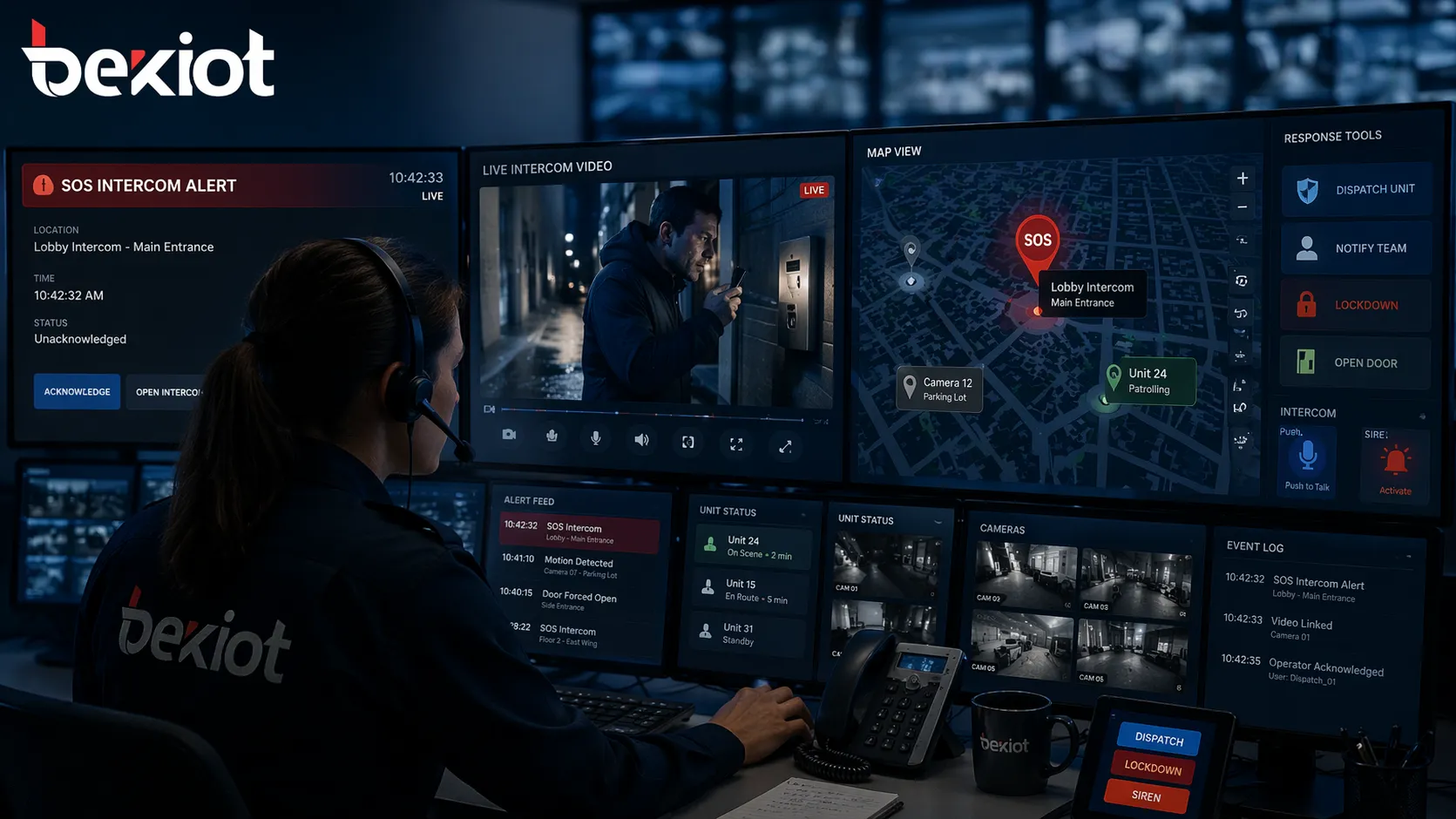
Audio-video intercoms become more important when operators need visual confirmation. If the site has frequent incidents, visitor verification needs, access control tasks, or a high risk of false alarms, video can dramatically improve decision-making. A live image helps operators judge the situation faster and decide whether the event needs security intervention, maintenance support, or emergency escalation.
Video also helps create a more complete record of events. For many organizations, this is valuable not only for incident review but also for training, accountability, and service quality improvement. If your team needs better visibility and faster assessment, video is usually worth the added investment.
Prioritize Response Speed and Audio Clarity
One-touch calling and hands-free communication
In a real emergency, users should not need to navigate menus or remember procedures. A good SOS intercom system should allow a person to press one button and immediately reach the control point, security desk, or support center. This basic function sounds simple, but it has a direct impact on actual response performance.
Hands-free full-duplex communication is equally important. When people are under stress, carrying bags, injured, or trying to manage a crowd, they need natural two-way communication without complex operation. This is why ease of activation and ease of speaking should be considered core selection requirements.
Noise handling and speech intelligibility
One of the biggest differences between low-end and professional SOS intercom systems is how they perform in real acoustic conditions. Outdoor traffic noise, wind, industrial background sound, and reverberant indoor spaces can all reduce communication quality if the device and platform are not designed well.
When evaluating systems, look beyond simple statements like “HD voice.” Ask whether the system supports echo cancellation, noise reduction, and high speech intelligibility in noisy environments. In many projects, clear communication matters more than raw loudness because misunderstandings can delay action at the exact moment when clarity is most needed.
An emergency call that cannot be clearly heard is only half a solution. Audio quality should always be treated as a safety requirement, not a cosmetic feature.
Check How the SOS Intercom Links with Other Systems
Video linkage and event verification
A strong SOS intercom system should not leave operators blind after a call is triggered. Ideally, the call event should bring related video resources to the operator screen so that staff can quickly verify the scene and understand what is happening around the help point.
This kind of linkage shortens decision time and helps prevent both underreaction and overreaction. It is particularly useful in public safety, transport, campus, and large-site environments where the nearest response team may not be physically close to the incident point.
Broadcast and paging support
Many emergency events require more than a private call between one user and one operator. In some cases, staff need to broadcast instructions to a nearby zone, play pre-recorded messages, or issue live paging to direct movement or warn people away from danger.
If your project includes outdoor areas, corridors, transport spaces, or distributed sites, check whether the SOS intercom platform can work with paging and broadcast resources. Zonal broadcast support can make the difference between a passive help point and an active emergency response node.
Call transfer and escalation
Not every emergency call should end with the first operator who answers. Some incidents need to be escalated to a supervisor, another department, a mobile phone, or an external response contact. A practical SOS intercom system should support call transfer, forwarding, and escalation rules so that important calls are not lost when staff are busy or away.
This becomes especially important in multi-site organizations or facilities with layered response teams. Instead of relying on a single operator position, the system should support structured handling and backup routing.
Dispatch and team coordination
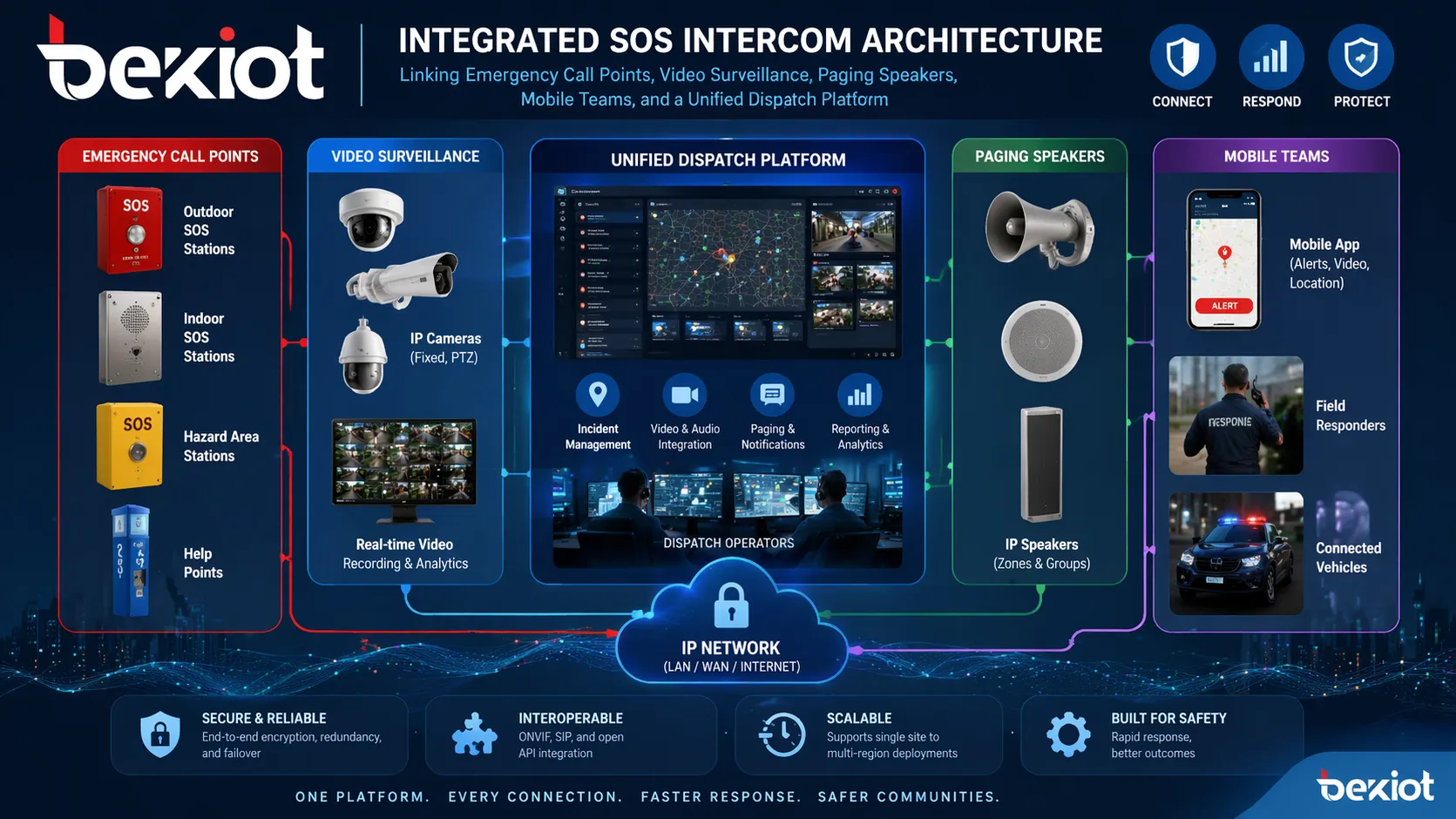
In larger deployments, SOS intercoms work best when connected to a unified dispatch environment. This allows operators to coordinate multiple calls, view device status, contact field teams, and move quickly between voice, video, and broadcast actions from one interface.
If your site includes security staff, patrol teams, maintenance crews, or mobile responders, choose a system that supports coordinated communication rather than isolated intercom answering. The intercom should be one entry point into a broader response process.
Choose an Open and Scalable Architecture
Why standards matter
One of the most important buying decisions is whether the SOS intercom system is based on open standards or a closed vendor environment. A standards-based platform gives you more flexibility to work with existing communications infrastructure and more freedom when expanding later.
For most professional projects, SIP support is a major advantage because it allows the intercom system to connect more naturally with IP PBX platforms, communication servers, dispatch platforms, and related endpoints. Open architecture reduces lock-in and gives the project a much longer useful life.
Think beyond today’s device count
Many projects start with a limited number of emergency help points and grow later. A site may begin with a few public intercoms, then add gate stations, operator phones, broadcast zones, mobile handsets, or remote sub-control rooms. If the original system is hard to expand, every later upgrade becomes slower and more expensive.
That is why scalability should be part of the first purchase decision. Ask whether the system supports more endpoints, more operator positions, more zones, more integrations, and multi-site management without requiring a complete redesign.
Consider Management, Maintenance, and Total Cost
Remote management and device visibility
For a small site, local configuration may seem acceptable. But once projects grow across buildings, campuses, roads, or distributed facilities, remote management becomes critical. Buyers should look for a system that makes it easy to deploy, monitor, update, and maintain devices from a central point.
This reduces routine workload, shortens troubleshooting time, and improves long-term reliability. A platform that can show device status, support batch management, and simplify configuration changes will usually produce a lower total operating cost over the life of the project.
Deployment flexibility
Different projects require different deployment approaches. Some need a local server environment for internal control. Others prefer cloud-assisted or distributed deployment. Some sites span multiple networks or remote areas. A practical SOS intercom system should be able to adapt to the project rather than forcing the customer into a single rigid model.
When comparing vendors, ask whether the solution supports local deployment, cross-network deployment, and future expansion to additional sites. Flexibility at the architecture level often matters more than short-term savings on one device line item.
Questions to Ask Before You Buy
Before selecting a supplier, it helps to ask a few direct questions. Can the system support one-touch emergency calling with clear full-duplex audio? Can it link calls with video, paging, or operator workflows? Can calls be transferred or escalated if the first position is unavailable? Can the platform integrate with your existing communications or security systems?
You should also ask how devices are managed, how incidents are recorded, and how the system will expand if the project scope grows. The right vendor should be able to explain the complete response workflow, not just list endpoint features.
Common Mistakes When Choosing an SOS Intercom System
One common mistake is buying only on unit price without considering how the system will actually be used. A low-cost intercom may seem attractive at first, but if it lacks integration, remote management, or escalation capability, the total project value quickly drops.
Another common mistake is treating the intercom as a stand-alone product. In most real-world deployments, emergency communication works best when tied to video, dispatch, paging, and mobile response teams. Choosing a platform with open architecture and practical integration options usually leads to a much stronger long-term result.
Conclusion
The right SOS intercom system should match the environment, support fast and clear communication, and fit naturally into the site’s wider safety or operations workflow. For some projects, that means a simple audio help point. For others, it means a more advanced platform with video, broadcast, dispatch integration, call escalation, and remote device management.
Instead of asking only which device to buy, ask what kind of emergency response process you want to support. When you choose a system around real operational needs, the SOS intercom becomes more than a call point. It becomes a reliable part of a complete safety communication solution.
FAQ
What is the most important feature in an SOS intercom system?
The most important feature is dependable emergency communication in the real environment where the unit will be installed. That usually means one-touch calling, clear two-way audio, and reliable operator response. After that, the priority shifts to integration with video, paging, and dispatch tools.
Should I choose an audio-only or video SOS intercom?
Choose audio-only when the main goal is simple emergency help calling and separate CCTV already covers the location. Choose video when operators need visual verification, remote assistance, better event review, or tighter integration with access control and incident workflows.
Why is SIP support important in an SOS intercom system?
SIP support helps the intercom system work more easily with IP PBX platforms, dispatch systems, operator phones, and other communication devices. This makes the solution more flexible, easier to expand, and less dependent on a closed vendor ecosystem.
Can an SOS intercom system work with paging and broadcast?
Yes. In many professional deployments, the best SOS intercom solutions also support paging, zoned announcements, and emergency broadcast functions. This is especially useful in campuses, transport sites, scenic areas, industrial locations, and large public spaces.
How do I know if a system is scalable enough for future growth?
Ask whether the platform can add more devices, more control points, more sites, and more integrations without major redesign. A scalable system should also support centralized management so that growth does not create an unreasonable maintenance burden.







