


Fast voice communication still matters in modern organizations. Email, chat, and workflow platforms are useful for routine collaboration, but they are not always the best tools when a message must reach people immediately. A paging phone system gives businesses a direct way to deliver live announcements, operational instructions, and urgent alerts across one building or many connected sites.
In practical terms, a paging phone system combines telephony, paging, and broadcast functions into a unified communication environment. It can connect desk phones, SIP phones, IP speakers, gateways, intercom devices, paging adapters, and management platforms so that staff can initiate routine announcements or emergency notifications from authorized endpoints. For offices, factories, campuses, hospitals, parking facilities, transport hubs, and industrial sites, that combination can significantly improve speed, coordination, and safety.
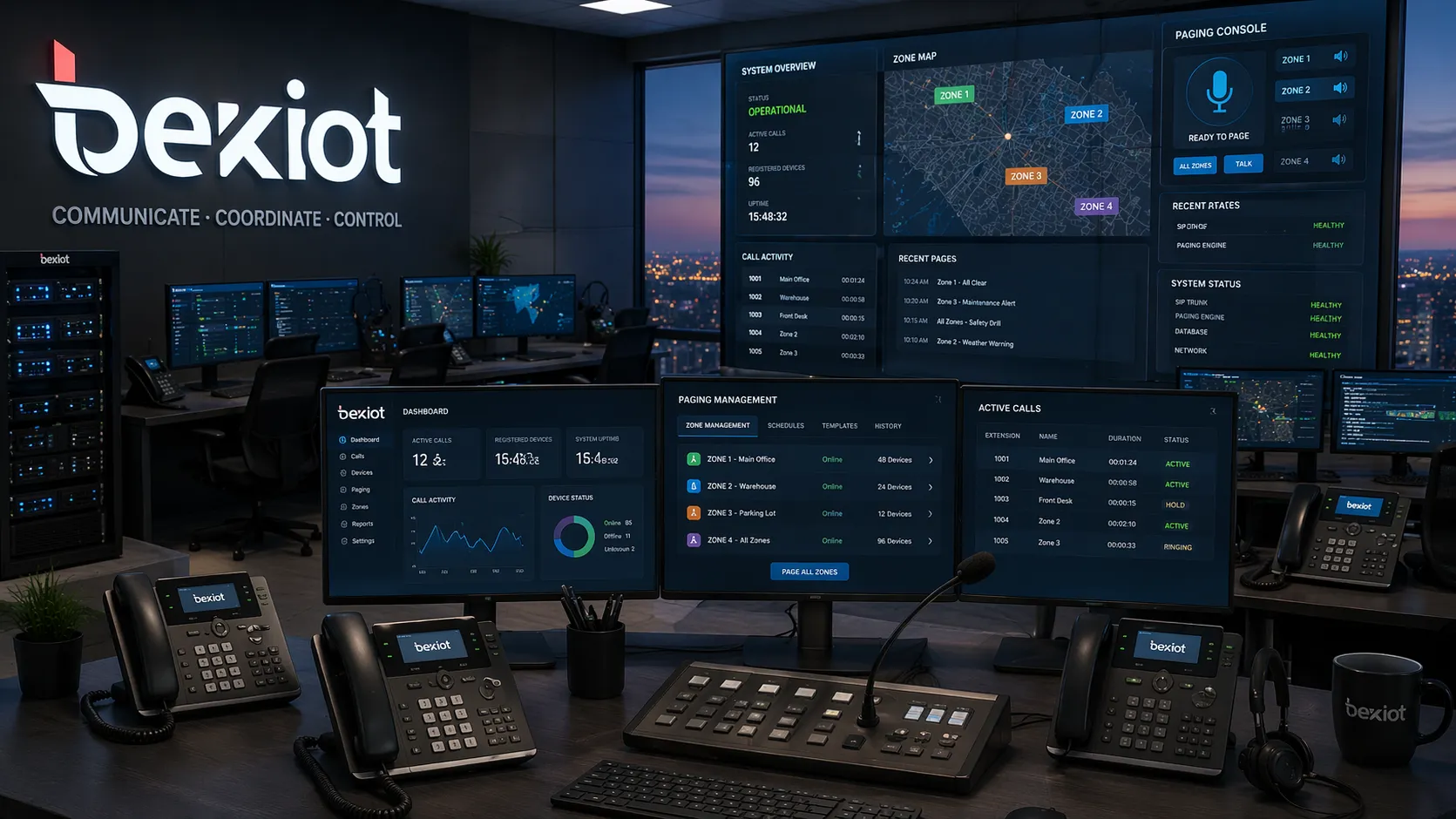
What Is a Paging Phone System?
A paging phone system is a voice communication system that allows a user to broadcast spoken messages to selected zones, groups, or entire facilities through connected phones, speakers, amplifiers, or intercom endpoints. Unlike a basic phone system that focuses on person-to-person calling, a paging phone system is designed to support one-to-many communication as well as fast operational coordination.
In traditional environments, paging was often handled by analog overhead speakers connected to a legacy PBX or public address system. Today, many organizations use IP-based paging phone systems that support SIP, network routing, centralized management, and integration with business communication and security infrastructure. That makes the system more flexible, easier to scale, and more useful in both normal operations and emergency response.
A paging phone system is no longer just an add-on for making announcements. In many facilities, it has become part of the organization’s operational communication and emergency readiness strategy.
How a Paging Phone System Works
Core Components of the System
A modern paging phone system usually includes several coordinated elements. These may include SIP phones or paging telephones, an IP PBX or communication server, IP speakers or amplifiers, paging gateways, intercom devices, and a centralized management or dispatch interface. In larger environments, the system may also include network switches, recording functions, call routing rules, and monitoring software.
Each component plays a defined role. Phones and operator consoles are used to initiate calls, page groups, or trigger alerts. The IP PBX or paging server handles registration, permissions, audio routing, and priority logic. Speakers, horn units, and intercom endpoints deliver audio to people in the field. Gateways help connect newer IP infrastructure with legacy analog paging equipment when organizations need a gradual migration path rather than a complete replacement.
This architecture allows businesses to build a communication layer that matches their real operating environment. A small office may only need a few SIP phones and ceiling speakers, while a large industrial site may require redundant servers, rugged field endpoints, zoning logic, dispatch consoles, and integration with alarms and video monitoring.
How Calls and Paging Requests Are Routed
When an authorized user dials a paging code or selects a paging zone from a phone or console, the system processes that request through the PBX or paging controller. The platform checks user permissions, identifies the selected destination, and routes the live audio stream to the correct speaker groups, paging devices, or connected endpoints. Depending on the design, the system can support one-way announcements, targeted group paging, or page-and-answer functions.
This is particularly useful in business environments where different teams need different audio coverage. A warehouse supervisor may page only logistics staff, while a facilities manager may need to send a message to an entire building. In more advanced deployments, paging requests can also be scheduled, triggered by events, or linked to predefined workflows such as shift changes, visitor guidance, security notifications, or after-hours alerts.
Because the system is network-based, routing can also extend beyond a single room or building. Multi-site organizations can use the same platform to manage paging across branch offices, parking structures, industrial areas, campus buildings, or remote operational sites, while still controlling permissions and priorities from a centralized interface.
Emergency Alert Workflow and Priority Logic
Emergency communication is where a paging phone system shows its strategic value. In a critical event, the platform can allow selected users or automated rules to override routine audio traffic and push a high-priority announcement to one zone, multiple zones, or the full facility. This may include live voice instructions, pre-recorded evacuation messages, lockdown notifications, or hazard warnings.
The emergency workflow can also be linked to external systems. Fire alarms, panic buttons, access control events, CCTV-based verification, or industrial monitoring platforms can trigger a voice response process. For example, an operator may receive an alarm, view the incident location, open an audio channel, and launch a targeted or sitewide announcement from the same environment. That kind of coordination helps reduce confusion and shortens the time between detection and response.
Priority logic is equally important. During an emergency, a critical alert should not compete with routine announcements. A well-designed system gives emergency audio higher priority, supports forced override where appropriate, and keeps event logs so teams can review what happened after the incident has been managed.

Key Features of a Modern Paging Phone System
Live Paging and Zone-Based Announcements
The most visible feature of a paging phone system is live paging. Authorized users can pick up a handset, press a configured key, or use a dispatch application to make an immediate announcement. Zone-based communication adds precision by allowing messages to be sent only to selected departments, floors, buildings, parking areas, or operational sectors.
This targeted approach is valuable because not every message should be heard everywhere. In business settings, over-broadcasting can reduce attention and create unnecessary disruption. Zone paging helps organizations keep communication relevant while still preserving the ability to escalate to all-call mode when a wider message is necessary.
Two-Way Communication and Intercom Support
Many modern paging phone systems go beyond one-way audio. They can support two-way communication through SIP intercom stations, help points, call boxes, and page-and-answer endpoints. This is especially important in environments where staff or visitors may need to request assistance and receive immediate verbal guidance from a control room or reception desk.
That capability is useful in campuses, parking areas, warehouses, industrial plants, and transportation facilities. Instead of relying only on overhead announcements, the organization can combine one-to-many paging with direct person-to-operator communication. The result is a more responsive communication environment that supports both operational messaging and incident handling.
Centralized Management, Monitoring, and Integration
A strong paging phone system should be manageable from a central platform. Administrators need to control devices, paging groups, schedules, permissions, and event logs without excessive complexity. Operators may also need a visual dashboard that shows endpoints, zones, alarms, or incident locations in real time.
Integration is another major feature. Many organizations want the paging phone system to work with SIP telephony, IP PBX platforms, PA systems, access control, video surveillance, building management, and emergency alert workflows. The more naturally these elements connect, the more useful the system becomes. Instead of operating as an isolated audio tool, it becomes part of a broader business communication and safety ecosystem.
The real strength of a modern paging phone system lies in unification. When phones, speakers, intercoms, alerts, and operator tools work together, communication becomes faster, clearer, and easier to manage.
Benefits for Business Communication
From a business perspective, a paging phone system delivers value in several ways. First, it improves speed. Staff do not have to depend on indirect messages or delayed digital channels when immediate action is required. A live page can notify a department, call a response team, guide visitors, or coordinate operational changes in seconds.
Second, it improves consistency. Instead of using disconnected communication methods across different departments, the organization can manage announcements, telephony, and voice coordination through a more unified structure. That reduces confusion, supports standard operating procedures, and helps maintain communication quality across locations.
Third, it supports scalability. As the business grows, new phones, speakers, zones, or facilities can often be added through the same IP-based framework. This is more efficient than maintaining separate systems for telephony, paging, and local audio broadcast. For many organizations, that translates into lower infrastructure complexity and better long-term return on investment.
There is also an important human factor. Clear voice instructions can be more effective than text-only alerts when staff are moving, working in noisy environments, wearing gloves, or responding under pressure. In those moments, a reliable paging phone system can help reduce hesitation and improve coordination between teams.
Why Paging Phone Systems Matter in Emergency Alerts
Emergency alerts require immediacy, clarity, and reach. A paging phone system supports all three. It can send urgent voice notifications to broad areas, targeted zones, or individual response teams while maintaining centralized oversight. That is critical during fire events, medical incidents, security breaches, severe weather situations, evacuation procedures, hazardous material releases, or major operational disruptions.
Voice communication also adds context. A siren or flashing indicator may signal that something is wrong, but it does not always explain what people should do next. A live or pre-recorded paging announcement can tell occupants whether to evacuate, shelter in place, avoid a specific area, wait for instructions, or contact emergency personnel. That difference can greatly improve response quality during high-pressure events.
In many facilities, emergency preparedness is no longer separate from daily communication infrastructure. The same SIP phones, intercoms, paging speakers, and management interfaces used in normal operations can become part of the emergency communication chain. That dual-use model helps organizations gain more value from their investment while keeping staff familiar with the tools they may need during a crisis.

Common Business Applications
Offices and Commercial Buildings
In office environments, a paging phone system can be used for visitor announcements, internal coordination, emergency notifications, and after-hours communication. Reception teams may use it to contact staff, security personnel may use it to issue instructions during incidents, and facility managers may use it for maintenance-related messaging or buildingwide notices.
For multi-floor or multi-tenant properties, zoning is especially useful. Instead of broadcasting every message across the entire property, operators can communicate with specific reception areas, service corridors, parking zones, or tenant sections. This helps maintain a professional environment while still ensuring that urgent messages can be escalated when needed.
Factories, Warehouses, and Industrial Sites
Industrial environments often place greater demands on communication systems. Noise, distance, dust, heat, and operational risk can all affect message delivery. In these settings, a paging phone system may work with horn speakers, industrial phones, rugged intercom stations, and dispatch platforms to support production coordination, shift communication, safety instructions, and emergency response.
Factories and warehouses also benefit from structured zoning. Shipping areas, production lines, utility rooms, loading bays, and restricted sections may all require different message logic. During an alarm event, operators can send a localized warning first, assess the situation, and then expand the notification if conditions require a wider response.
For hazardous or mission-critical sites, organizations may also look for higher-reliability designs, protected endpoints, redundant control options, and integration with CCTV, fire systems, gas detection, or industrial control platforms.
Campuses, Hospitals, and Parking Facilities
Large campuses and public-facing properties require both operational communication and fast public guidance. In schools and universities, a paging phone system can support class-change messaging, public announcements, emergency instructions, and communication with security or administrative teams. In hospitals, it can help coordinate departments, call response teams, and deliver controlled alerts without relying entirely on mobile devices.
Parking facilities and transport-oriented environments also benefit from the combination of paging and two-way communication. Call boxes, help points, barrier stations, and entry intercoms can connect visitors or drivers to an operator, while paging speakers and phones help staff coordinate across ramps, payment areas, stairwells, entrances, and control rooms.
These mixed environments illustrate why many organizations no longer want separate systems for telephony, paging, and emergency communication. A unified platform is often easier to manage, easier to expand, and better aligned with real operational workflows.
Paging Phone System vs Traditional PA System
A traditional PA system is primarily designed for one-way broadcasting. It can be effective for simple announcements, but it is often limited in flexibility, zoning, integration, and management. A paging phone system, by contrast, usually adds telephony logic, SIP support, permissions, endpoint diversity, and centralized control. That makes it more suitable for organizations that need communication to be part of a wider operational process rather than a standalone audio function.
The difference is especially clear in environments that require multiple communication modes. A business may want desk phones for staff, intercom points for visitors, help points for emergencies, overhead speakers for broad announcements, and dispatch software for operators. A modern paging phone system can bring those functions together under a more unified framework.
This does not mean traditional PA infrastructure has no role. In many projects, legacy PA equipment can remain in service through gateways or hybrid designs. The key question is whether the organization needs simple broadcast capability or a more integrated communication platform that supports business operations and emergency workflows at the same time.
How to Choose the Right Paging Phone System
Evaluate Network and SIP Compatibility
Compatibility is one of the first selection criteria. Organizations should confirm that the system supports standard SIP integration and can work with their existing IP PBX, phones, intercom devices, and network environment. This is especially important when the business wants to expand gradually or preserve current infrastructure rather than replacing everything at once.
It is also helpful to consider how the platform handles device provisioning, user permissions, extension mapping, and remote administration. A system that integrates cleanly at the SIP and network level will usually be easier to maintain, troubleshoot, and scale over time.
Review Coverage, Zoning, and Reliability Requirements
The right solution depends on the communication environment. A small office may focus on ceiling speakers and desk phones, while a warehouse or outdoor site may need horn speakers, rugged devices, and stronger zoning logic. Businesses should think carefully about where messages need to be heard, which teams require two-way communication, and what emergency scenarios the system must support.
Reliability should also be assessed realistically. Facilities with safety-critical operations may need redundancy, event logging, priority override, backup power support, and endpoints designed for harsh conditions. The system should not only sound good in demonstrations; it should perform dependably under operational stress.
Plan for Integration and Future Expansion
A paging phone system should fit into a broader communication roadmap. Businesses often gain more value when the system can integrate with CCTV, access control, alarm workflows, dispatch software, or mass notification strategies. Even if those integrations are not required on day one, selecting a platform with open and scalable architecture can prevent costly redesign later.
Future growth matters as well. New buildings, added departments, extra paging zones, remote sites, and new communication endpoints should be supported without forcing the organization into a fragmented structure. A good system is not just effective today; it also remains usable as the business evolves.
Becke Telcom Paging Phone System Solutions
Unified Architecture for Voice, Paging, and Alerts
For organizations looking for a more complete deployment model, Becke Telcom can position a paging phone system as part of a unified communication and emergency response architecture. Instead of treating paging as an isolated feature, the solution can bring together SIP phones, paging gateways, intercom devices, IP PBX platforms, emergency call points, and dispatch functions into a coordinated operational environment.
This approach is especially useful for industrial facilities, campuses, transport areas, commercial buildings, and other sites where voice communication must support both routine coordination and incident response. By using open SIP-based architecture, businesses can build a platform that is easier to integrate with existing communication and security systems while still leaving room for future expansion.
Flexible Devices and Deployment Scenarios
Becke Telcom’s broader portfolio makes it possible to adapt the paging phone system concept to different site requirements. A project may include SIP phones for office communication, industrial or emergency phones for harsh environments, SIP intercom devices for entry or help points, voice gateways for mixed infrastructure, and centralized dispatch tools for operator control.
In practical terms, that flexibility helps businesses match the communication layer to real operational needs. A commercial building may prioritize reception communication and zone paging. A warehouse may need stronger broadcast coverage and faster staff coordination. A critical site may need integrated emergency phones, paging, alarms, and centralized command logic. The value of the solution comes from shaping the system around the workflow, not forcing every site into the same template.
A strong paging phone system should support daily communication first, then scale naturally into emergency alerting, multi-zone coordination, and broader operational integration.
Conclusion
A paging phone system is an important communication tool for businesses that need fast announcements, better coordination, and stronger emergency response capability. By combining telephony, paging, zoning, and centralized management, it helps organizations move beyond isolated voice tools and build a more responsive communication environment.
Whether the deployment is in an office, warehouse, campus, hospital, parking facility, or industrial site, the right solution should be easy to manage, flexible to expand, and ready to support both everyday operations and urgent alerts. For businesses planning long-term communication improvement, a modern paging phone system can deliver practical operational value while strengthening preparedness at the same time.
To explore a deployment strategy that fits your environment, it is worth evaluating a solution that can unify SIP phones, paging endpoints, intercom devices, gateways, and emergency communication workflows under one scalable architecture.
FAQ
What is a paging phone system used for?
A paging phone system is used for live announcements, zone-based communication, and emergency alerts across one or more areas of a facility. It helps staff communicate quickly during routine operations and gives authorized users a fast way to send instructions during incidents.
Can a paging phone system work with SIP phones and IP PBX platforms?
Yes. Many modern paging phone systems support SIP integration, which allows them to work with SIP phones, IP PBX systems, paging gateways, IP speakers, and intercom endpoints. This is one of the main reasons businesses prefer IP-based systems over isolated legacy paging setups.
What is the difference between a paging phone system and an intercom system?
A paging phone system is mainly designed for one-to-many or zone-based announcements, while an intercom system is often used for direct two-way communication between specific endpoints. In many modern deployments, the two are combined so that organizations can support both broadcast messaging and point-to-point assistance.
Which industries benefit most from paging phone systems?
Paging phone systems are widely used in offices, commercial buildings, factories, warehouses, campuses, hospitals, parking facilities, transport hubs, and industrial sites. Any environment that requires fast voice coordination or emergency communication can benefit from this type of system.
How do businesses choose the right paging phone system?
Businesses should look at SIP compatibility, zoning capability, integration options, reliability, endpoint types, and future scalability. The best choice is usually a system that fits both current workflows and long-term expansion plans rather than one that only meets a narrow short-term requirement.







