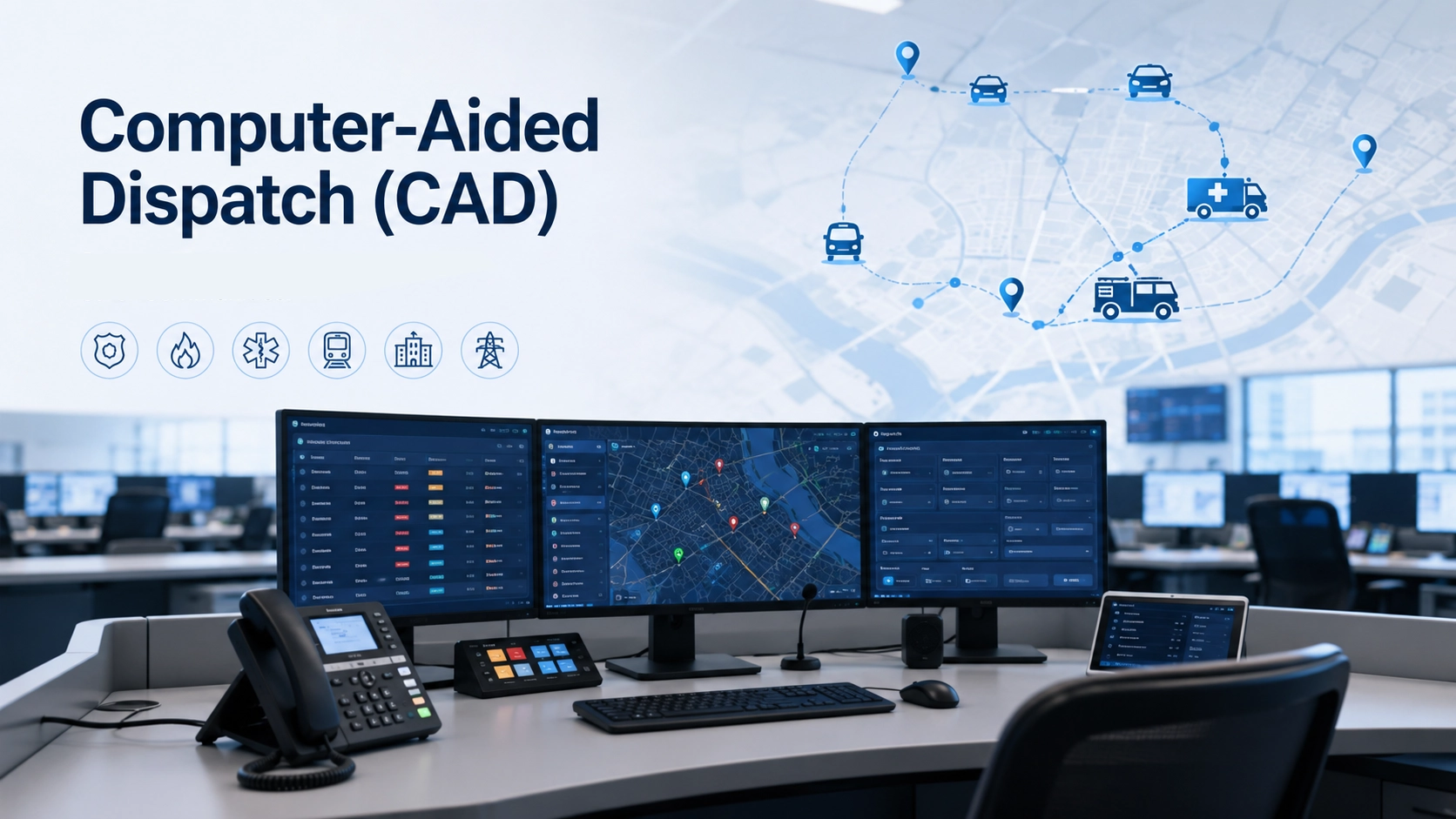
Computer-aided dispatch (CAD) is software used to organize incident information, assign response resources and track an event through to closure. It gives dispatchers a shared record of what happened, where assistance is needed, who is responsible and which actions remain outstanding. An emergency call, radio report or connected alarm can start the process.
The practical value comes from keeping those details connected as the situation changes. A voice call may reach a field team, but the control room also needs to know whether that team accepted the assignment, arrived at the location and completed its work. CAD maintains that operational record alongside the communication systems used during the response.
From Incident Intake to Closure
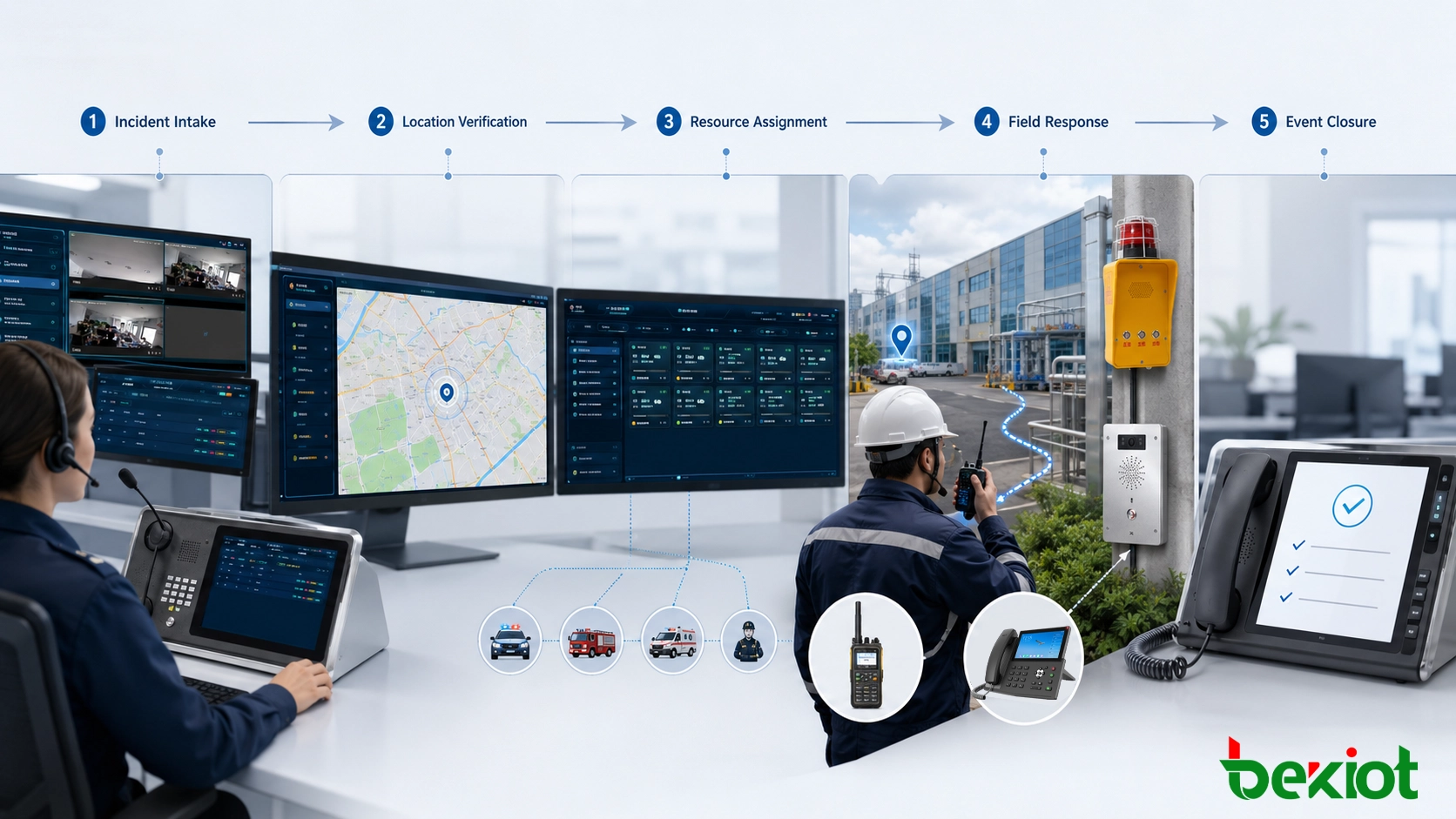
A CAD workflow turns an incoming report into a sequence of accountable actions. Procedures and status names vary between organizations, but the incident record should remain identifiable as it passes between call-takers, dispatchers, supervisors and field personnel.
Capture the Report
A call-taker or dispatcher records the reporting source, incident type, initial description and available contact details. Where a verified interface exists, an alarm platform or another application may supply some of these fields automatically. Required fields and validation rules help prevent incomplete reports from moving through the workflow unnoticed.
The system assigns an incident identifier so later notes, assignments and updates can refer to the same event. Further information can be added without losing the original report or its creation time.
Verify Location and Priority
The location may be a street address, station platform, road section, building entrance, room or equipment point. GIS mapping helps place it in context, while address records, site plans and caller information support verification. A device appearing on a map does not establish that its stored location is correct.
Priority follows the reported conditions and the organization's response procedures. Dispatchers need a way to revise it when new information changes the urgency, with the change recorded in the incident history.
Select and Assign Resources
Resource selection considers availability, responsibility area, qualifications, equipment and access to the location. Distance alone may be insufficient: the nearest team may already be committed or lack the required capability.
Configured recommendation rules can present suitable resources for review. The dispatcher confirms an assignment or records another choice. The resource record should then show its commitment, reducing the risk that another operator assigns the same team to conflicting work.
Confirm and Follow the Response
Assignments may reach personnel through mobile applications, vehicle terminals, radio or telephone. The workflow distinguishes sending instructions from receiving confirmation that the responsible team has accepted them. Subsequent updates can record departure, arrival, requests for support and completion.
When a team reports by voice, an authorized operator may enter the update manually. Missed acknowledgements and overdue actions can trigger configured alerts or supervisor review.
Close the Event
Closure records the outcome, any unresolved issues and the person authorizing completion. If maintenance or investigation must continue, the incident can reference a follow-up record in the appropriate system. Releasing a resource and closing an incident are separate actions: one team may finish while other teams remain assigned.
The retained history supports later review of decisions, response times and communication activity, subject to the organization's access and retention policies.
CAD Architecture and Data Responsibilities
A CAD installation may use local servers, hosted services or a combination of the two. The underlying responsibilities remain similar, even when several functions appear within one application.
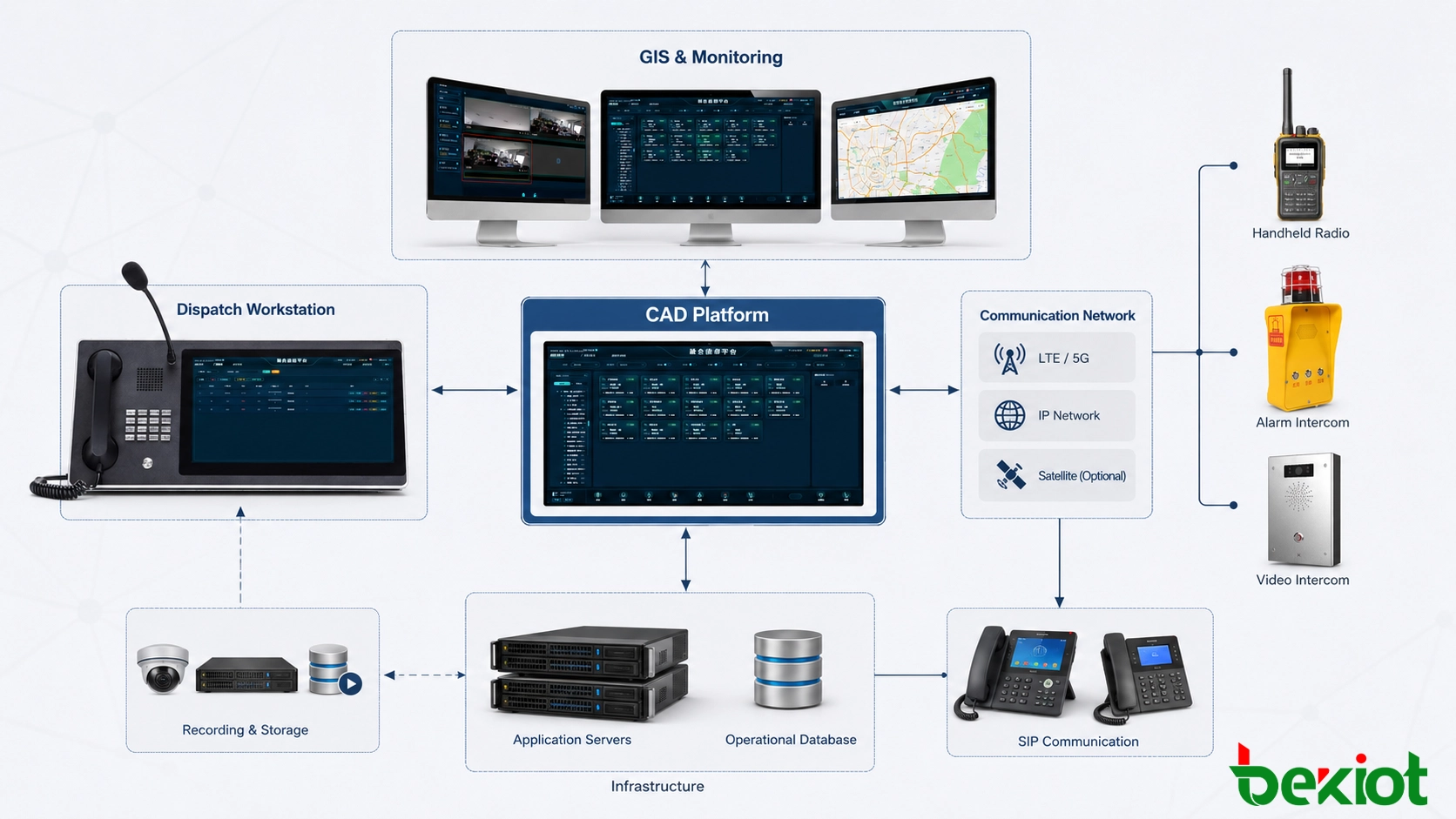
| Component | Primary responsibility | Important dependency |
|---|---|---|
| Operator workstations | Present incident queues, assignments, maps and authorized controls. | Clear priorities, suitable screen layouts and role-based access. |
| Application services and database | Maintain incident records, workflow rules, assignments and audit history. | Consistent updates, recovery arrangements and reliable time synchronization. |
| GIS and location services | Resolve locations and display response areas, routes and site information. | Maintained maps, verified addresses and known positioning limitations. |
| Resource information | Describe personnel, teams, vehicles, capabilities and availability. | Current shifts, assignments, qualifications and contact mappings. |
| Communication and integration services | Exchange permitted data and connect supported calling, radio and recording functions. | Documented interfaces, identifier mapping and visible interface failures. |
| Mobile and field access | Deliver incident details and return acknowledgements, status updates and notes. | Device access, network coverage and defined behavior during disconnection. |
For shared information, the project should identify which system owns each field. Personnel qualifications may come from a staffing system, while CAD owns the current assignment. Without agreed ownership and update rules, connected applications can display different versions of the same resource.
Connecting Incident Records with Communications
CAD manages the incident workflow. A radio dispatch console controls radio resources and voice operations; a telephone platform handles calls. Integration can bring these functions into one operator interface, but the data relationship must be defined as carefully as the connection itself.
Map Incidents, Resources and Contacts
Each incident needs a stable identifier. Assigned resources also need identifiers that can be matched to their current communication destinations, such as a mobile account, telephone extension or authorized radio group. A team changing vehicles or sharing a radio across shifts makes this mapping especially important.
A useful integration lets an operator select an assigned resource, contact the correct destination and associate the resulting activity with the intended incident. It should also provide a way to correct an association. A shared radio channel or a call made while several incidents are open cannot always be matched safely from timing alone.
Separate Session Control from Incident Data
SIP provides signaling for establishing, changing and ending communication sessions. Audio commonly travels using RTP. These protocols do not, by themselves, define the CAD incident record, response priority, team assignment or arrival status. Exchanging that information requires a supported application interface and agreed data definitions.
A RoIP gateway may connect compatible radio audio and transmit control to an IP communication environment. The available interface determines whether additional information, such as individual radio identity, talk-group details or location, can also be exchanged. Basic audio and PTT connectivity should not be presented as proof of full radio data integration.
For each connection, identify the supported actions, the data returned and the behavior when a request fails. A successful test call establishes only part of the required operation.
Keep Technical and Operational States Distinct
| Observed state | What it establishes | What still needs confirmation |
|---|---|---|
| Assignment sent | The application initiated delivery through its configured interface. | Delivery to the intended destination and acceptance by the responsible team. |
| Voice session connected | A communication session was established. | Usable audio and acknowledgement of the instructions by the intended personnel. |
| Radio transmission active | The interface reports transmission activity. | Reception and understanding by the intended radio users. |
| Assignment acknowledged | A response was recorded through the agreed confirmation process. | Arrival, progress and completion of the assigned work. |
Recording links need similar care. An incident may involve several calls, radio exchanges and operators. The integration can retain references to relevant recordings, using supported communication identifiers and explicit incident associations. Time synchronization helps reconstruct the sequence, while playback permissions determine who can retrieve the audio.
One call can also concern several incidents. The chosen system should support the organization's required associations without assuming that every incident corresponds to one recording.
Industrial Alarm Response in Practice
Consider an illustrative refinery deployment in which an alarm interface, detector-to-location mapping and incident creation rules have already been configured and tested. A detector reports an alarm in a tank area. The response record could develop as follows:
Create the incident. The interface supplies the detector identifier, reported state and source timestamp. CAD creates a record under the configured rule, while preserving the source reference for review.
Verify the context. The dispatcher checks the mapped location and available information, then applies the site's response procedure. Any uncertainty remains visible in the record.
Assign the team. The dispatcher selects an available, qualified resource and sends the assignment. A radio group or fixed industrial telephone provides voice contact where configured.
Track the response. Acceptance, arrival and subsequent reports update the incident. Additional resources receive their own assignments, allowing their progress to be tracked separately.
Record the outcome. The authorized operator documents the disposition and any follow-up work. Associated communications remain accessible through the supported recording references.
This workflow depends on more than receiving an alarm signal. An incorrect location mapping, stale resource record or failed acknowledgement can interrupt the process. CAD coordinates information and personnel; decisions about site conditions remain with the responsible personnel and operating procedures.
Applications Across Different Operating Environments
Computer-aided dispatch is closely associated with public safety. Related incident and resource coordination workflows also serve transport operators, utilities and managed facilities. Each environment needs its own location model, resource definitions and response rules.
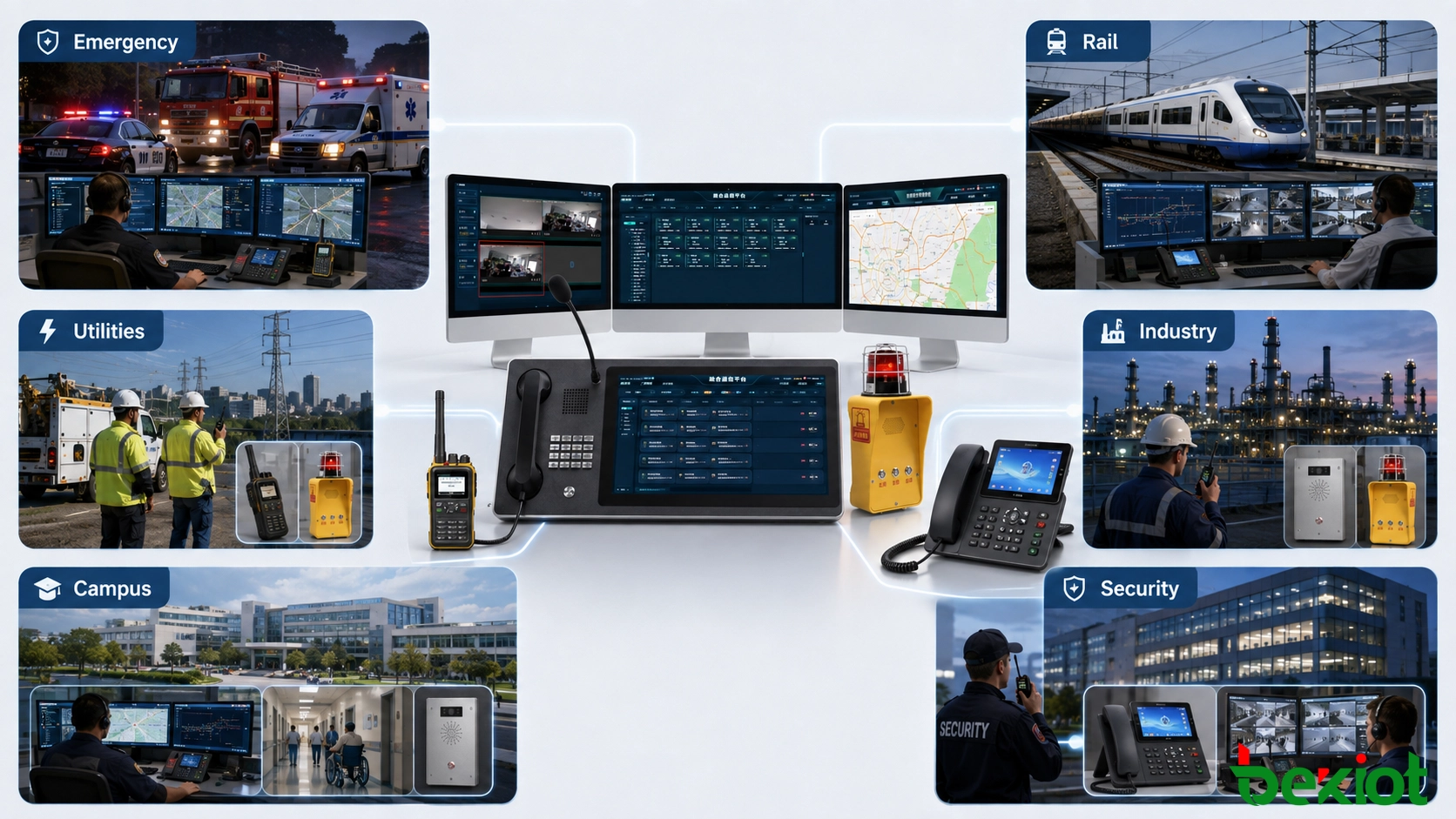
Public safety and emergency services: Calls for assistance require unit assignment, responder status, escalation and cooperation between agencies. Jurisdiction and incident responsibility need to remain clear when information is shared.
Transportation: Operators coordinate passenger incidents, security events and equipment faults across stations, tunnels, terminals and road sections. Locations often require an operational reference, such as a platform or track section, in addition to a map point.
Utilities and field services: Teams respond to outages, leaks and equipment faults. Dispatch decisions may depend on specialist qualifications, available equipment and access arrangements, with follow-up work handled by maintenance or work-order systems.
Industrial facilities: CAD-style workflows can organize alarm responses, personnel assistance and urgent repairs. Site zones, shift responsibilities and communication coverage influence how resources are assigned and contacted.
Campuses, healthcare and security: Building entrances, floors, rooms and restricted areas are often essential dispatch details. The platform can coordinate security officers, facilities teams and other designated responders according to their responsibilities.
A general maintenance scheduler or a radio console should be evaluated against the required incident workflow before being described as a complete CAD system. Similar screens or shared terminology do not establish equivalent capabilities.
Deployment and Acceptance Checks
Begin with the operating workload: concurrent users, incident peaks, active resources, sites, interfaces and required hours of service. Size recording storage and communication capacity separately from incident-processing capacity. Choose local or hosted deployment around connectivity, data handling, support and recovery requirements.
Acceptance testing should follow representative incidents across the connected systems. Record the expected result, the observed result and any limitation for each test.
| Test area | Practical check |
|---|---|
| Incident and location data | Use a valid address, an ambiguous location and an unmapped alarm point. Confirm that uncertainty and missing information remain visible. |
| Resource assignment | Attempt conflicting assignments and use a resource with unsuitable qualifications. Verify the configured warnings, permissions and override history. |
| Delivery and acknowledgement | Disconnect a field terminal and delay a response. Confirm how delivery failures, unacknowledged tasks and overdue actions are shown. |
| Communication and recordings | Contact resources through each required interface, transfer a call where supported and retrieve the correct recordings from the incident context. |
| Continuity and recovery | Interrupt a required service in a controlled test. Verify fallback procedures, retained records and reconciliation after recovery. |
| Access and audit | Use dispatcher, supervisor and administrator roles to verify permitted actions, restricted records and traceable changes. |
For CAD-to-CAD exchange, additionally agree which organization owns the incident and which updates each partner may make. Interface compatibility alone does not settle differences in priorities, status codes or operational authority.
Connections to alarm, asset or operational technology systems should expose only the information and actions required for the dispatch role. Network separation, protected interfaces and controlled administrative access belong in the deployment design. Training should include incomplete reports, busy periods and the loss of normal communication channels.
FAQ
Does CAD Require GPS Tracking?
No. A resource can be assigned using its responsibility area, declared location and manually maintained availability. GPS or automatic vehicle location can improve geographic visibility when supported, but a position fix does not establish a team's availability or qualifications. Fixed site references can be more useful for indoor locations.
Can Several Reports Belong to One Incident?
Yes, where the system supports linking or merging related reports. A telephone call, an alarm and a radio report may describe the same event. Association rules should preserve source information and allow review, because similar locations or timestamps alone may also describe separate incidents.
Should an Alarm Reset Automatically Close the Incident?
That relationship should be explicitly defined in the operating workflow. A return-to-normal signal describes the reporting device's state; assigned work or follow-up checks may remain open. Many deployments therefore keep alarm state and incident disposition separate, with closure controlled by an authorized user.
How Does CAD Differ from a Records Management System?
CAD primarily supports active incident handling and resource coordination. A records management system supports longer-lived reports, cases and associated records, although responsibilities can overlap. Where the systems exchange information, define the transferred fields and how later corrections are handled.
For projects connecting dispatch workflows with industrial telephones, radio resources, intercom and paging, share the existing platform, interface documentation and site requirements with Becke Telcom. The proposed scope should identify the communication equipment required and the incident-management functions provided by the selected software.
Related solution: Emergency communication solutions for connected dispatch, paging and intercom systems.