


Walk up to almost any apartment building entrance, parking garage gate, or campus walkway at night, and you will probably see one: a fixed panel with a button, a speaker, and sometimes a camera or keypad. You press the button, someone answers, and either lets you in or sends help. It is such a familiar piece of the built environment that most people never stop to think about what it actually is, how it works, or why there are so many different kinds.
At its simplest, a call box is a communication device installed at a specific location so a person can quickly contact someone else — a resident, a security desk, a control room, an operator, or an emergency response team. Depending on where it is deployed, it may handle visitor entry, emergency assistance, parking support, campus safety, industrial communication, or secure access control. The device itself may look similar across these settings, but what happens after you press that button can be very different.
The traditional call box was a straightforward audio unit connected over analog lines. Press the button, ring a phone, talk. Today, many systems run over IP and SIP networks, support hands-free communication and video calling, can remotely release doors or gates, log every event, and integrate with CCTV, paging, dispatch, and access control platforms. That evolution has turned the modern call box from a basic help point into a network-connected endpoint that sits inside a much larger communication and security ecosystem. Understanding what that means in practice is the first step toward choosing the right system for a given site.
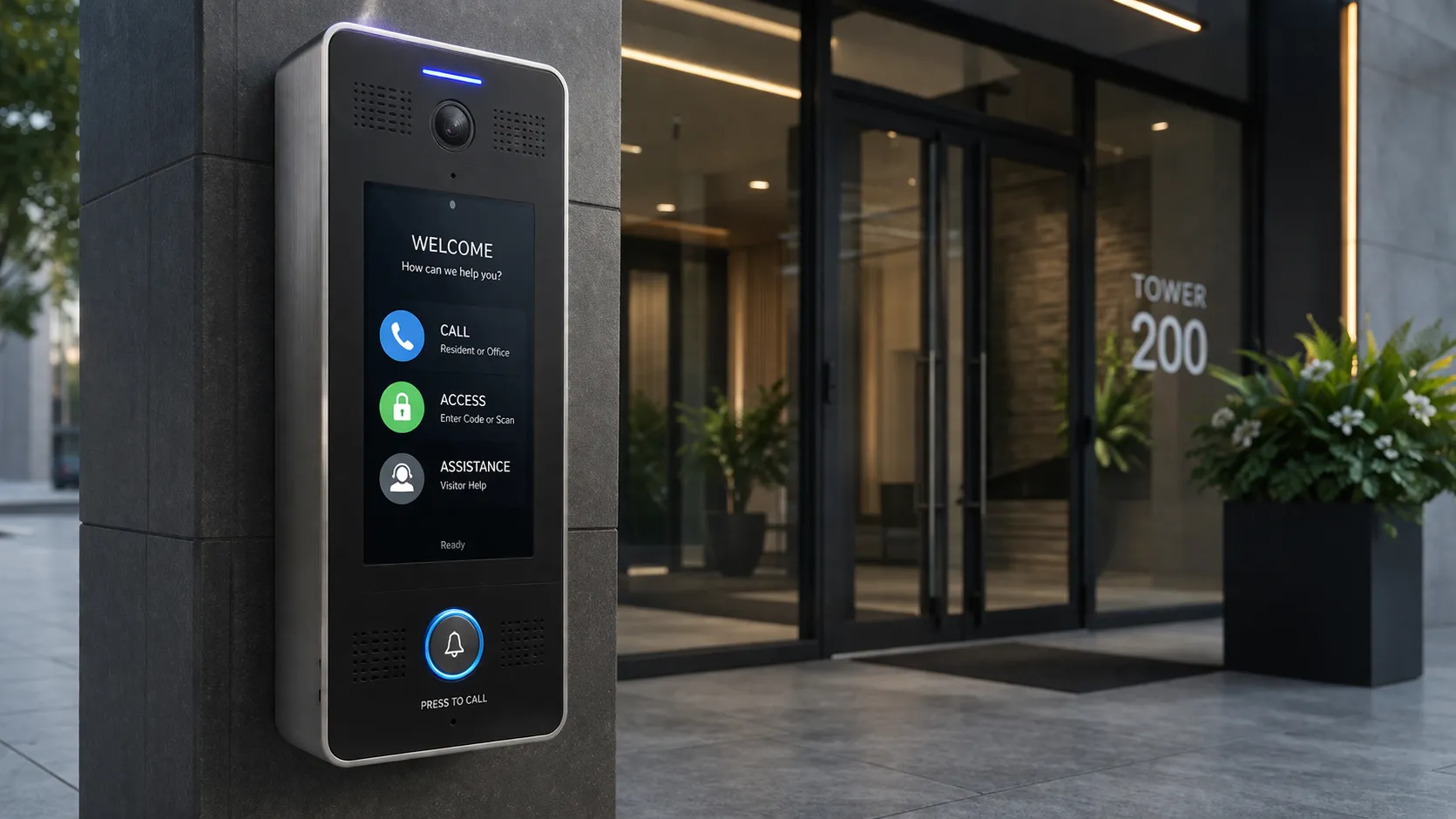
What a Call Box Actually Is
A call box is a wall-mounted, pole-mounted, pedestal-mounted, or embedded communication endpoint designed to initiate contact from a fixed location. Stripped to its essence, it creates a direct link between the person standing at the device and the person or team responsible for answering. That request may be routine or urgent — a visitor asking to be let into an apartment building, a driver needing help at a parking gate, a student requesting security assistance on campus, or a worker reporting an incident to an operations center.
Because the same core concept serves so many purposes, the terminology can get fuzzy. People may refer to a device as a call box, an intercom, an entry phone, a help point, or an emergency phone depending on the context. These terms are related, but they emphasize different things. A call box is the broad category — any fixed device used to place a call from a specific location. An intercom usually emphasizes two-way conversation, particularly for entry control or internal communication. An emergency phone emphasizes urgent assistance and rapid escalation. In practice, many products combine all three roles, so the most accurate label depends on what the deployment is trying to accomplish rather than on a strict technical boundary.
| Feature | Call Box | Intercom | Emergency Phone |
|---|---|---|---|
| Primary Purpose | General fixed-point communication | Access control & two-way conversation | Urgent assistance & rapid escalation |
| Typical Users | General public, visitors, staff | Authorized users, visitors | Anyone needing immediate help |
| Common Environment | Indoor or outdoor, varied | Indoor, controlled access points | Outdoor, public, remote, harsh |
| Video Support | Optional, increasingly common | Common for verification | Less common, situational |
| Access Control | Optional | Core feature | Typically not included |
| Durability Expectation | Medium to high | Medium | Very high, vandal-resistant |
| Visibility Design | Varies by application | Low-profile, blends in | High-visibility, blue light / SOS |
| Typical Integrations | CCTV, dispatch, PA, access control | Access control, IP PBX, door release | Dispatch, PA, alarm, SCADA |
The key takeaway is that a call box is best understood as a fixed-point communication device. What changes from one deployment to another is not the core concept, but the level of integration, ruggedness, and response workflow built around it. A device at a luxury apartment lobby and a device on a highway shoulder may share the same basic DNA, but they are designed for very different worlds.
From Button Press to Response: How the Flow Works
The process begins when someone activates the device. That might mean pressing a single emergency button for immediate assistance, selecting a name from a directory, entering a code on a keypad, or tapping an option on a touchscreen. Some call boxes have one big button and nothing else — designed so that anyone, in any state of distress, can trigger a call without thinking. Others are built for more controlled interactions, where visitors look up a resident or staff member and place a directed call.
In modern systems, the moment the call begins, the device may also activate a camera, switch on an indicator light, raise the speaker volume, display a status message, or send a notification to a monitoring platform. This serves two purposes. It gives the person at the box clear feedback that their request is being processed — important in a stressful situation where uncertainty makes everything feel worse. And it gives the receiving party immediate context: who is calling, from where, and sometimes what is happening visually before they even answer.
Once activated, the call is routed through whatever communication infrastructure the system uses. In older deployments, that may be an analog phone line or a hardwired local controller. In newer ones, the signal typically travels over an IP network, a SIP server, an IP PBX, a cellular connection, or a cloud-connected platform. The destination varies by site design: a residential call box may ring a tenant's phone or mobile app; a parking or campus help point may ring a security desk; an emergency call box may connect to a public safety answering point, an operator console, or a dispatch platform that can escalate the event according to predefined procedures.
After the call reaches its destination, the receiving party answers — typically with two-way audio, and in video-equipped systems, with a live camera feed as well. If the device is part of an entry management system, the person answering can verify the visitor and remotely unlock a door, gate, or barrier. In safety-focused deployments, the response may go beyond conversation: the system can trigger event recording, pop up a camera feed on an operator's screen, send an alarm notification, activate a paging zone, or launch a dispatch workflow so the incident is documented and handled according to site procedures. What started as a single button press has become a coordinated response.
The Main Types and Where Each One Belongs
Call boxes are not one-size-fits-all. The right type depends on what the device is expected to do, where it will be installed, and who will be using it. Here is how the main categories break down.
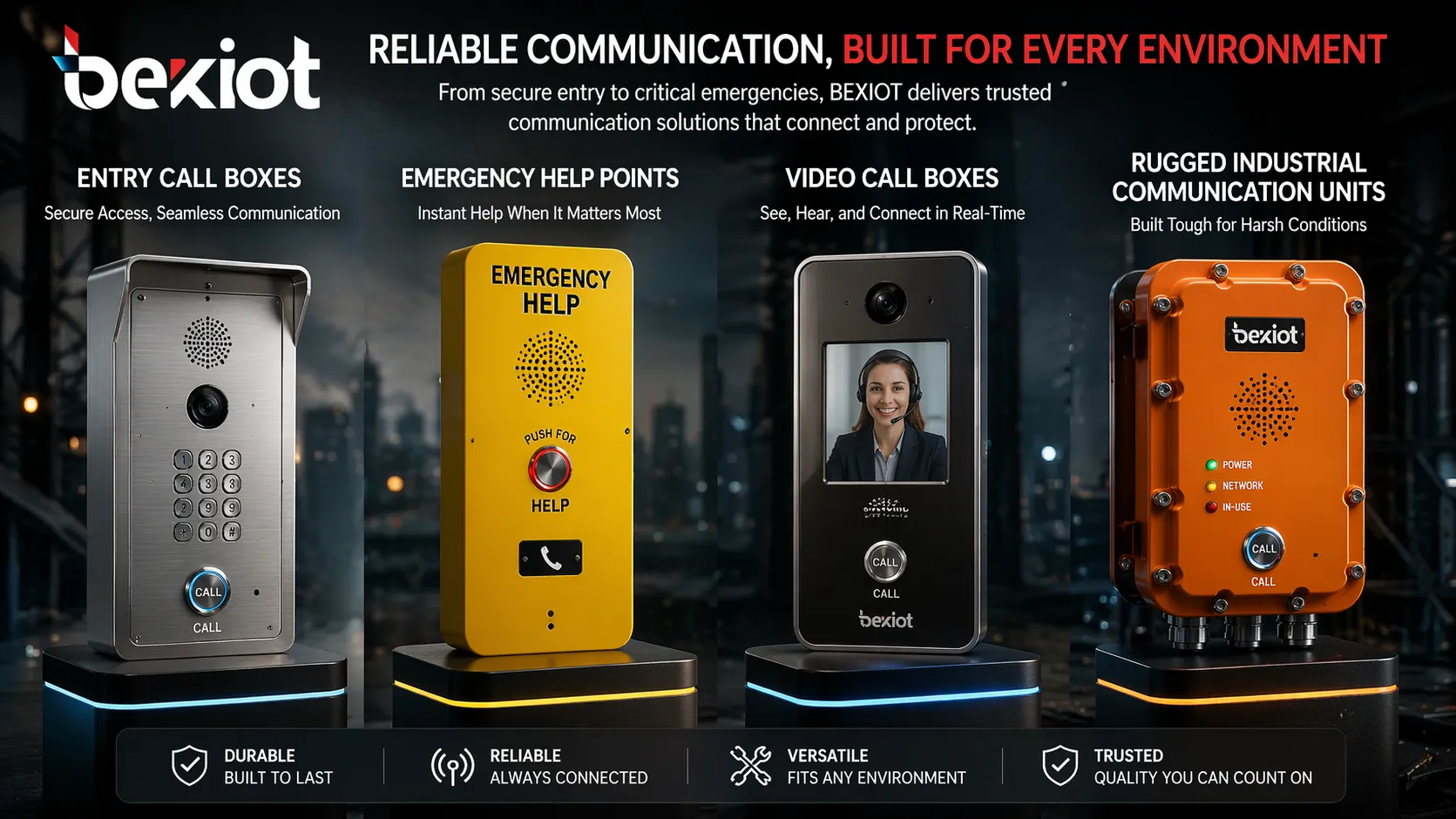
Entry call boxes
These are the devices you see at apartment buildings, gated communities, office lobbies, and restricted facilities. Their job is to help a visitor contact a resident, receptionist, guard, or facility manager before entry is granted. They often include a directory, keypad, card reader, QR code workflow, or remote release feature. Newer models support mobile answering and video verification, which means a resident can see and speak to a visitor from their phone and let them in without being physically present. The emphasis here is on convenience and controlled access — making it easy for legitimate visitors to get in while keeping unauthorized people out.
Emergency call boxes
Emergency call boxes are designed for rapid assistance in places where a person may need help but does not have immediate access to a staffed desk. Think highways, parking lots, campus walkways, transit platforms, public parks, and remote outdoor areas. These devices prioritize visibility, speed, and reliability above all else. Many are built around one-touch activation — press once and you are connected. They often have high-visibility enclosures, blue strobe lights or SOS indicators, hands-free audio so a person in distress does not have to hold a handset, and integration with security or emergency response workflows. The design assumption is that the user may be injured, frightened, or under attack, so every interaction must be as simple and fail-safe as possible.
Video call boxes
Video call boxes add a camera to the voice communication so the receiving party can visually verify the person, the location, or the event. This is especially useful at building entrances, loading docks, perimeter gates, and other controlled points where confirming identity matters. A security operator can see whether the person at the gate is an expected delivery driver or someone who should not be there. Video also creates a record of the interaction, which can be valuable for later review if an incident occurs. The tradeoff is that video requires more bandwidth and more infrastructure, and it raises privacy considerations that audio-only systems do not.
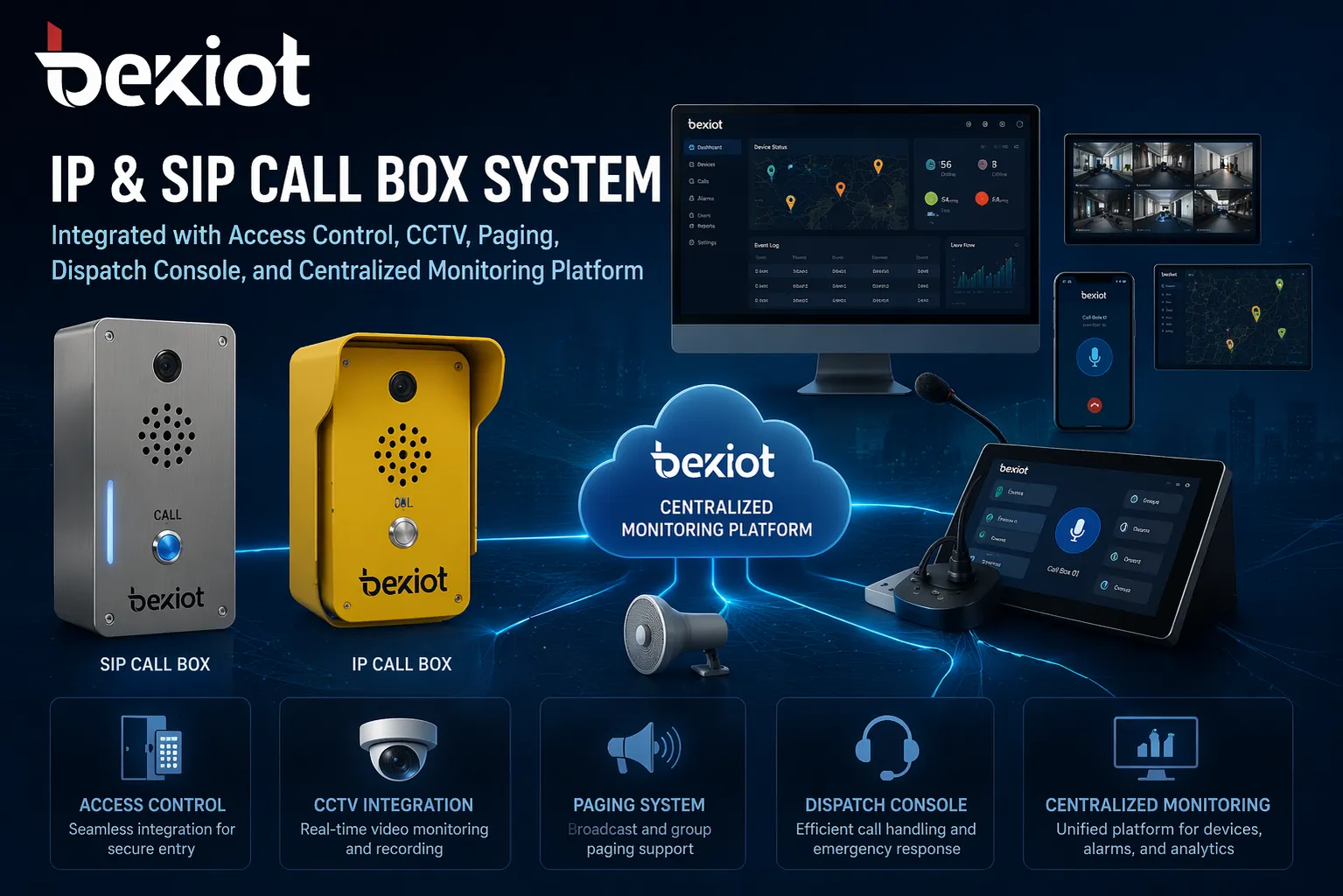
IP and SIP call boxes
IP and SIP call boxes operate over Ethernet or managed IP networks instead of relying on isolated legacy wiring. They can register to SIP platforms, IP PBX systems, or unified communication environments, which makes them easier to scale and integrate across multiple sites. For organizations that already use IP telephony, this is often the preferred architecture because the call box becomes a natural extension of a broader communications system that may include desk phones, mobile clients, paging endpoints, gateways, and dispatch consoles. Instead of being a stand-alone device that requires its own separate wiring and management, it is just another endpoint on the network.
Industrial and rugged call boxes
Industrial call boxes are built for conditions that would destroy a normal device: outdoor exposure, dust, humidity, vibration, corrosive atmospheres, high-noise production floors, tunnels, port terminals, utility substations, and large process sites. Their enclosures are weather-sealed and vandal-resistant. Their audio is amplified to cut through background noise. Their controls are designed to be operated with gloves or in emergency conditions. In these environments, the call box is rarely a stand-alone device — it is part of a wider operational safety system that may include paging, alarm interfaces, radio dispatch, CCTV, and emergency communication infrastructure. A failure here is not an inconvenience; it is a safety risk.
Wired, Wireless, or IP: How Connection Choices Shape Deployment
Not all call boxes connect the same way, and the underlying communication method has real consequences for installation cost, scalability, maintenance, and what the system can integrate with. Getting this right early saves significant trouble later.
Wired systems — using analog telephone lines, low-voltage cabling, or dedicated control wiring — are the traditional approach. They can be effective in stable environments where the infrastructure already exists, and they are simple to understand and maintain. The downside is that expansion becomes difficult when the site grows or changes. Running new cable to an additional location may require trenching, conduit, or construction work that is disruptive and expensive. Wired systems are often associated with legacy installations, though they still make sense for specific facilities that need simple, reliable point-to-point communication and have no plans to expand.
Wireless and cellular call boxes reduce the need for extensive cabling. This makes them attractive for outdoor areas, parking facilities, temporary sites, or remote locations where a wired installation would be costly or physically disruptive. A cellular call box can be installed almost anywhere there is signal, with no need to run cable back to a central point. The tradeoff is that performance depends on network coverage — which can be inconsistent in remote areas, underground structures, or dense industrial environments — and on ongoing connectivity management, including cellular service plans and signal reliability. Power is also a consideration: a wireless device in a remote location still needs a power source, which may mean solar, battery, or a separate power run.
IP and networked call boxes use the site's existing data network to transport voice, video, signaling, and event data. In most modern projects, this is the preferred architecture because it supports centralized management, distributed deployment, and easier integration with telephony, video surveillance, access control, and security operations systems. An IP call box can be managed from a central console, its firmware updated remotely, and its status monitored continuously. For multi-building campuses and enterprise environments, IP and SIP approaches typically offer the best balance of scalability, flexibility, and long-term value — especially when the organization already has a robust IP network and an IP PBX or unified communication platform in place.
What to Look For When Specifying a Call Box System
Choosing the right call box starts with the application, not the product. A residential front entrance has very different requirements from a campus blue-light help point or a factory-floor emergency station. The expected workflow — who calls, who answers, what action follows — should define the product and the architecture, not the other way around. Working backward from the workflow tends to produce better decisions than starting with a feature list and trying to find a use for every capability.
Several practical questions should guide the specification. Is the device indoor or outdoor? Outdoor units need weather sealing, UV resistance, and temperature tolerance that indoor units do not. Is audio alone sufficient, or does the receiving party need to see the caller? Video verification adds security and context but also adds bandwidth, storage, and privacy considerations. Does the system need to integrate with doors, gates, CCTV, paging, or a central operator platform? If so, the device must support the right protocols and APIs. What are the environmental demands — background noise levels, vandalism risk, exposure to dust or chemicals, distance from the nearest network or power source? Each of these factors narrows the field of suitable products.
Hands-free two-way audio remains the foundation, especially for public and emergency use where a person may not be able to hold a handset. Beyond that, the capabilities that matter most depend on the site. Many projects now expect video verification, remote unlock control, call forwarding to mobile devices, event recording, and integration with security or operations software. For larger or more demanding sites, organizations also look for SIP compatibility, IP PBX integration, centralized management, real-time status monitoring, weather and vandal resistance, and support for third-party systems such as access control, CCTV, public address, or dispatch platforms. The wider the site and the harsher the environment, the more valuable a fixed, known, well-integrated communication point becomes — not just as a device, but as a location-aware trigger for a coordinated response.
For organizations planning long-term system growth, IP and SIP-based options are often the most flexible because they fit more naturally into unified communication and security environments. They can be added to the network like any other endpoint, managed centrally, and updated without requiring a technician to visit each device. As call boxes continue to evolve from simple speaker-and-button units into network-connected communication endpoints that support voice, video, automation, and centralized event handling, the question is no longer only "What is a call box?" It is also "What role should this device play in the site's overall communication and response strategy?"
FAQ
Can a call box function without a continuous network connection?
It depends on the type. Analog and some local controller-based call boxes can operate independently of a data network, using dedicated wiring or phone lines to reach their answering point. IP and SIP call boxes, however, require a working network connection to register, route calls, and support features like video and remote management. Some IP devices include a local fallback mode or can store event logs offline and sync when connectivity returns, but real-time two-way communication generally requires an active connection. For sites where network reliability is a concern, redundant connections — such as a primary Ethernet link with a cellular fallback — can keep the call box operational even if the main network goes down.
How are call boxes powered in remote outdoor locations?
Remote call boxes use several power strategies depending on the site. The most common is Power over Ethernet (PoE) for IP devices, which carries both data and power over a single Ethernet cable — practical when a network cable can be run to the location. For truly remote sites where cabling is impractical, solar power with a battery backup is widely used, especially for emergency call boxes along highways and in parks. Some cellular models use long-life primary batteries that can last for years on standby, though this typically limits the device to low-power operation and audio-only communication. Organizations should calculate the expected standby and talk-time power requirements against the available power source, and factor in seasonal changes in sunlight for solar installations.
What kind of maintenance schedule do call boxes typically require?
Maintenance frequency depends on the environment and the device type. Indoor entry call boxes in clean, controlled environments may only need quarterly checks — verifying the call connects, the audio is clear, the door release works, and the firmware is up to date. Outdoor and industrial units need more frequent attention, typically monthly, because they are exposed to weather, dust, vibration, and potential vandalism. Emergency call boxes in high-risk or high-traffic locations may be checked weekly or even daily through automated monitoring systems that test connectivity and report faults proactively. Key maintenance tasks include cleaning microphones and speakers, checking enclosure seals for water intrusion, verifying backup power health, testing call routing to the intended destination, and reviewing event logs for any missed calls or failed connections. A call box that is not tested regularly is a call box that may fail silently until someone needs it.
Can a call box integrate with access control systems from a different vendor?
In many cases, yes, but the level of integration depends on the protocols and APIs each system supports. Most modern IP call boxes use standard protocols like SIP for voice communication and can trigger door or gate relays through dry-contact outputs, Wiegand interfaces, or network-based commands. For deeper integration — such as pulling a visitor's name from an access control database, syncing access credentials, or logging entry events directly into the access control system — the devices need to support compatible APIs or integration platforms, and some custom configuration may be required. Organizations with multi-vendor environments should ask potential suppliers specifically about their integration capabilities with the access control, CCTV, and dispatch systems already in place, rather than assuming compatibility will be seamless.
How do you ensure call box audio is intelligible in very noisy environments?
Noisy environments — factory floors, construction sites, transportation hubs, areas near heavy machinery — require specific design choices. First, the device should have amplified audio output capable of overcoming ambient noise, with speakers rated for the sound pressure levels present at the location. Second, noise-canceling or directional microphones can help isolate the user's voice from background noise. Some industrial call boxes include acoustic echo cancellation and digital signal processing that suppresses background noise while enhancing speech. Third, the physical placement matters: installing the call box in a slightly sheltered location or away from the noisiest equipment can make a significant difference. Fourth, in extremely high-noise areas, visual indicators — strobe lights, text displays — can supplement audio by confirming that the call has connected and that someone is responding, even if the user cannot hear clearly over the noise. In the most extreme environments, some systems support vibrating or beacon-style feedback that does not depend on audio at all.







