


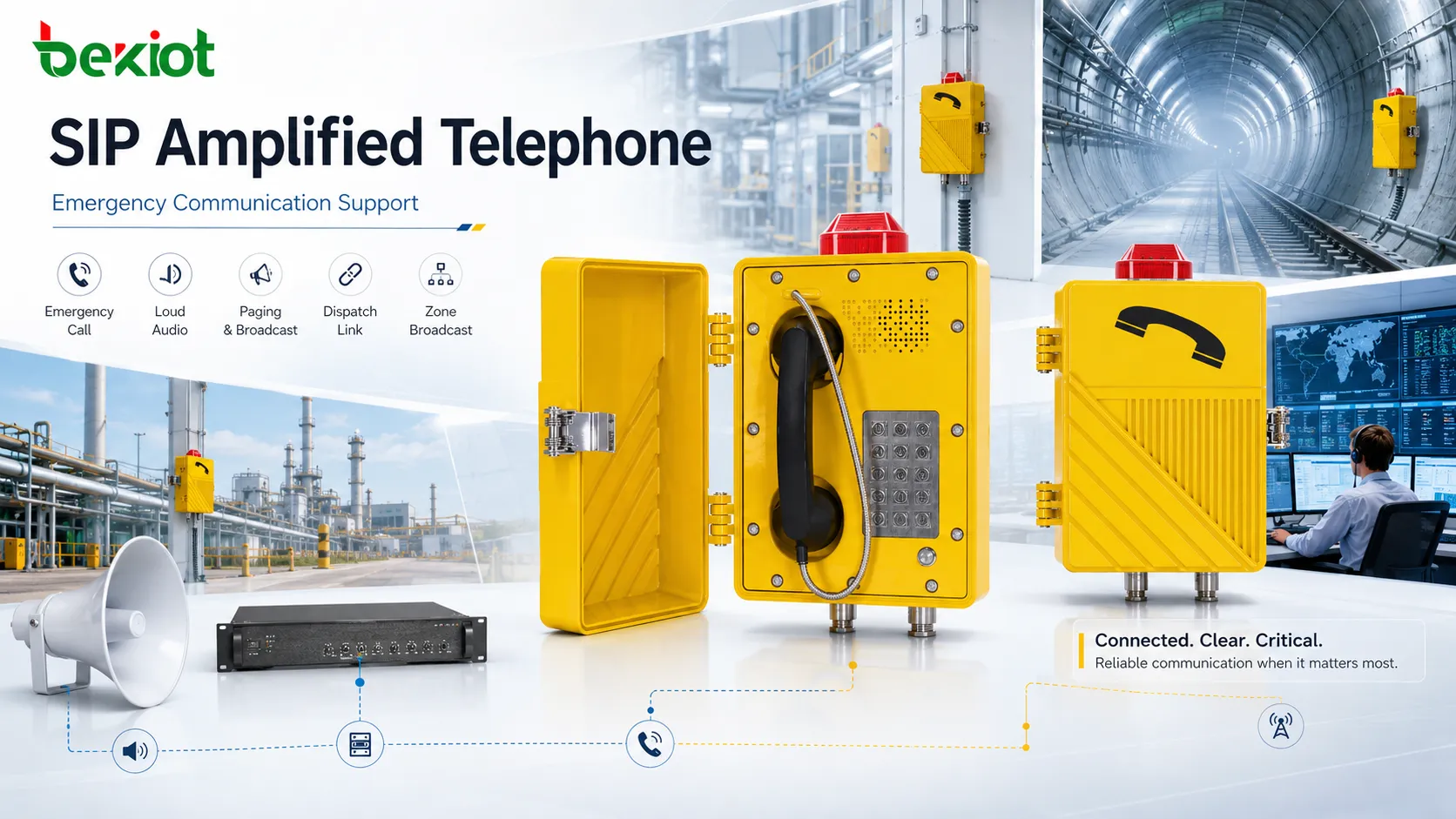
A SIP amplified telephone is not just a louder version of an ordinary IP phone. In many industrial and public facility environments, it works as a fixed communication point that can make calls, receive paging announcements, amplify emergency instructions, and connect field users with a control room or dispatch center. When an incident occurs, the device can help people hear urgent information, call for assistance, and coordinate action from a specific location.
Emergency communication support depends on more than one button or one speaker. It requires SIP network access, stable audio output, clear microphone pickup, priority handling, zone-based paging, alarm linkage, device monitoring, and installation reliability. A well-designed SIP amplified telephone can become part of a wider emergency communication system rather than remaining an isolated endpoint on the wall.
Why emergency support matters
Emergency communication is different from routine communication. During daily operation, a missed call or unclear announcement may only cause inconvenience. During a fire alarm, security incident, equipment fault, medical emergency, evacuation notice, tunnel incident, or hazardous area warning, the same weakness may delay response or create confusion. For this reason, communication equipment used in fixed field positions must support fast access, clear voice, and reliable alert delivery.
SIP amplified telephones are often installed in places where people may not be sitting beside a desk: workshops, corridors, loading docks, parking areas, equipment rooms, tunnels, substations, outdoor yards, warehouses, entrances, gates, utility areas, and public help points. In these locations, the device must be easy to identify and easy to use. Users may need to call the control room quickly, receive instructions hands-free, or hear a broadcast while moving through the area.
The amplified function is especially important when the environment is noisy or physically large. A normal phone ring or speaker output may be too weak for machinery spaces, traffic areas, tunnels, or open yards. Amplified output helps the device act as a stronger local audio point, supporting both direct communication and emergency announcement delivery.
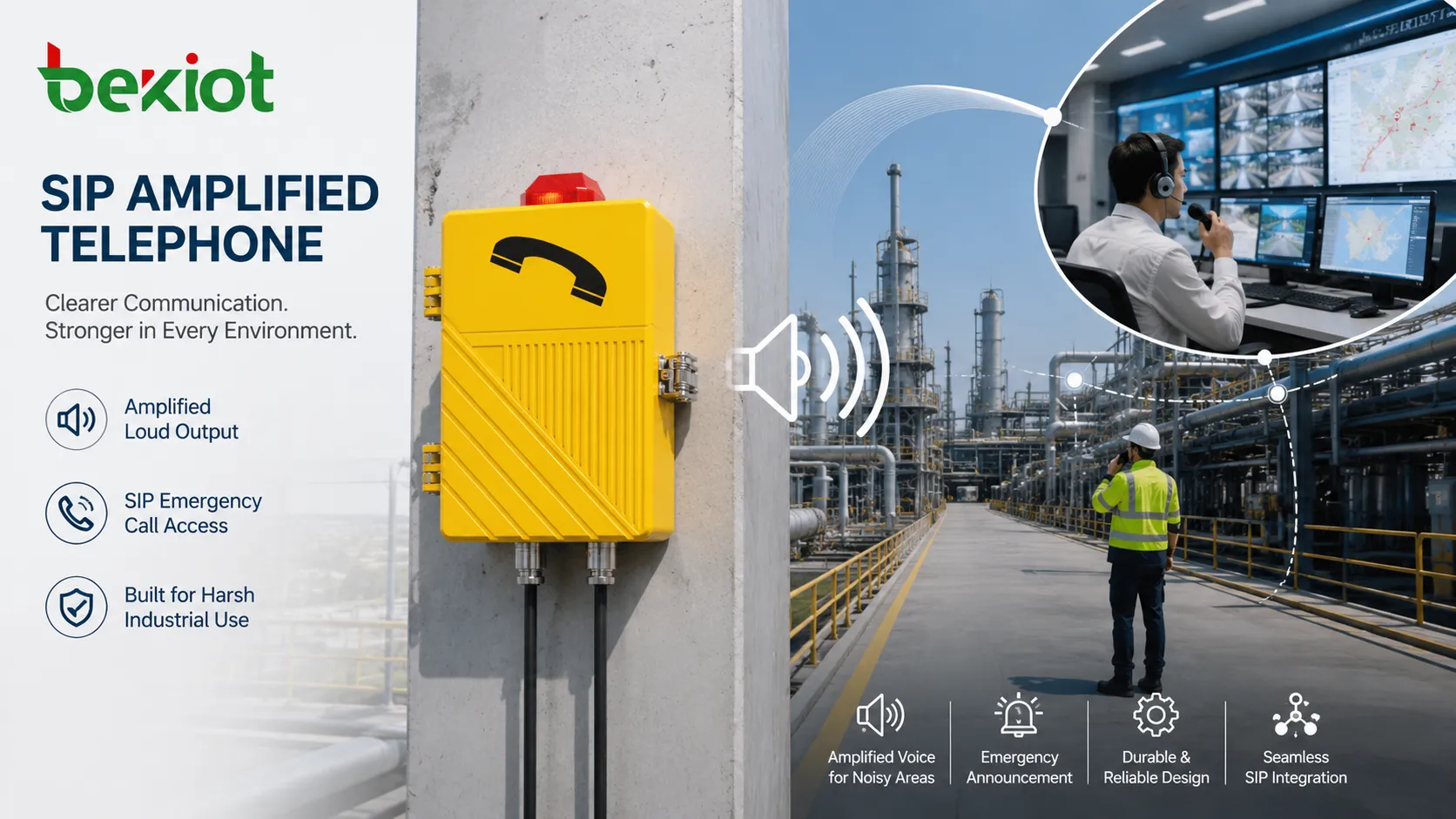
How the device responds
Call initiation from the field
One of the most basic emergency functions is field-to-control-room calling. A user can lift the handset, press a call button, dial a short code, or activate a programmed hotline function. The device then connects to a SIP server, IP PBX, dispatch console, security desk, duty room, or emergency operator according to the system configuration.
This function matters because users in the field may not know whom to call during an incident. A preconfigured hotline or emergency key can reduce hesitation. Instead of searching for a number, the user interacts with the device and reaches the assigned response point. This is useful for help points, production lines, tunnels, parking areas, public facilities, and remote equipment rooms.
Voice reception from the center
Emergency communication is not only about calling out. The control room may need to call back, issue instructions, ask for confirmation, or guide the user through a response process. The amplified telephone should provide enough local audio output for the user to hear the operator clearly.
In noisy locations, speaker strength, acoustic direction, receiver quality, and gain control affect the result. A call that connects technically may still fail if the field user cannot understand the message. Therefore, the device should be selected and installed according to real acoustic conditions rather than only network compatibility.
Paging reception and playback
Some SIP amplified telephones can receive paging or broadcast audio from a SIP platform, paging server, dispatch system, or IP PBX. This allows the device to act as a local announcement endpoint. During an emergency, a control room can send instructions to one device, one group, or multiple areas.
Paging reception is valuable when the telephone is installed in a location where people may not initiate a call but still need to hear instructions. For example, a parking level, warehouse aisle, factory gate, tunnel section, or outdoor yard may need audible guidance during evacuation or emergency coordination.
Core capabilities for emergencies
Loud and clear local output
The first capability is amplified audio output. Emergency announcements must be heard in real spaces, not only measured in a quiet test room. The device should provide sufficient volume for the expected environment while preserving speech clarity. Loud but distorted audio may create noise instead of useful information.
Clear local output supports evacuation notices, safety warnings, return-to-work messages, equipment shutdown instructions, and security alerts. It also helps operators speak directly to people near the device when a two-way call is active. The best result depends on speaker power, housing design, installation height, surrounding noise, and acoustic direction.
Fast SIP-based connection
SIP allows the device to connect with modern IP communication systems. It can register to an IP PBX, SIP server, dispatch platform, or emergency communication platform. This makes it easier to route calls, define hotline numbers, set call groups, and manage endpoints across a network.
Fast connection depends on both device and platform design. Registration must be stable, call routing must be clear, and emergency numbers must be tested. A device that looks correct on the wall but is not registered or cannot reach the duty console is not ready for emergency use.
Priority announcement support
Emergency messages often need priority. A fire warning, evacuation order, security alert, or hazardous area instruction should not be blocked by routine paging or ordinary audio. In a well-planned system, emergency announcements can override lower-priority messages and reach the required endpoints first.
Priority should be controlled by role. Not every user should be able to interrupt all areas. The system should define who can start emergency paging, which zones are affected, whether the announcement is recorded, and what happens if another call or broadcast is already active.
Zone and group delivery
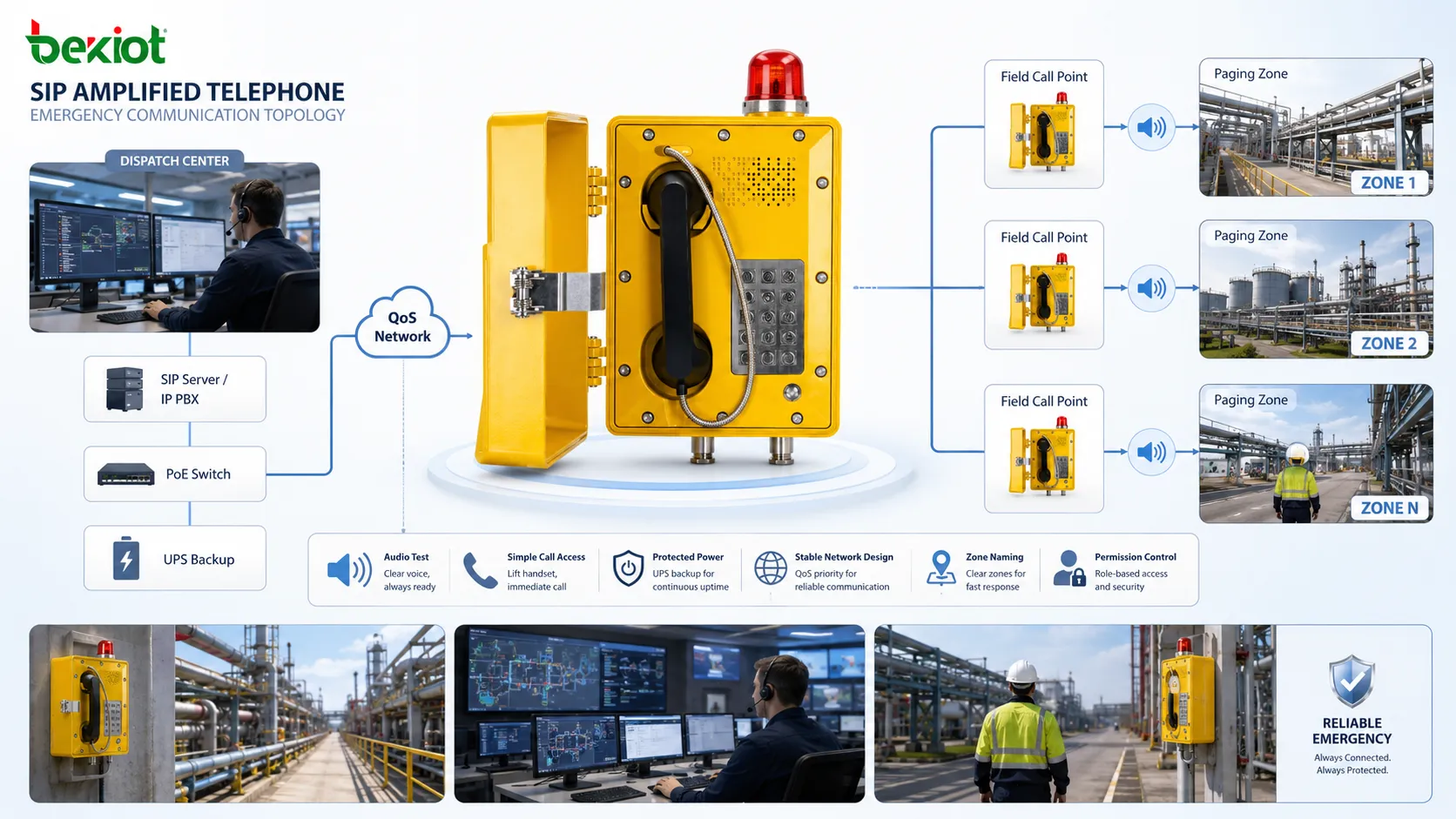
Emergency communication is more effective when the correct area receives the correct message. Some incidents require a site-wide announcement, while others only affect one floor, one workshop, one tunnel section, one parking area, or one equipment room. SIP amplified telephones can be organized into paging groups or zones according to the site layout.
Zone-based delivery reduces confusion. A local maintenance warning does not need to interrupt the whole facility. A serious evacuation event may need a wider announcement. The ability to choose the correct scope improves both efficiency and safety.
Two-way confirmation
Broadcasting tells people what to do, but two-way communication helps confirm what is happening. A field user can call the operator after hearing an announcement. The operator can ask whether people have evacuated, whether an area is blocked, whether someone is injured, or whether equipment has been shut down.
This confirmation loop is valuable because many emergencies develop dynamically. A message may need to be adjusted after field feedback. A fixed SIP amplified telephone provides a known communication point where people can report back without relying only on mobile phones.
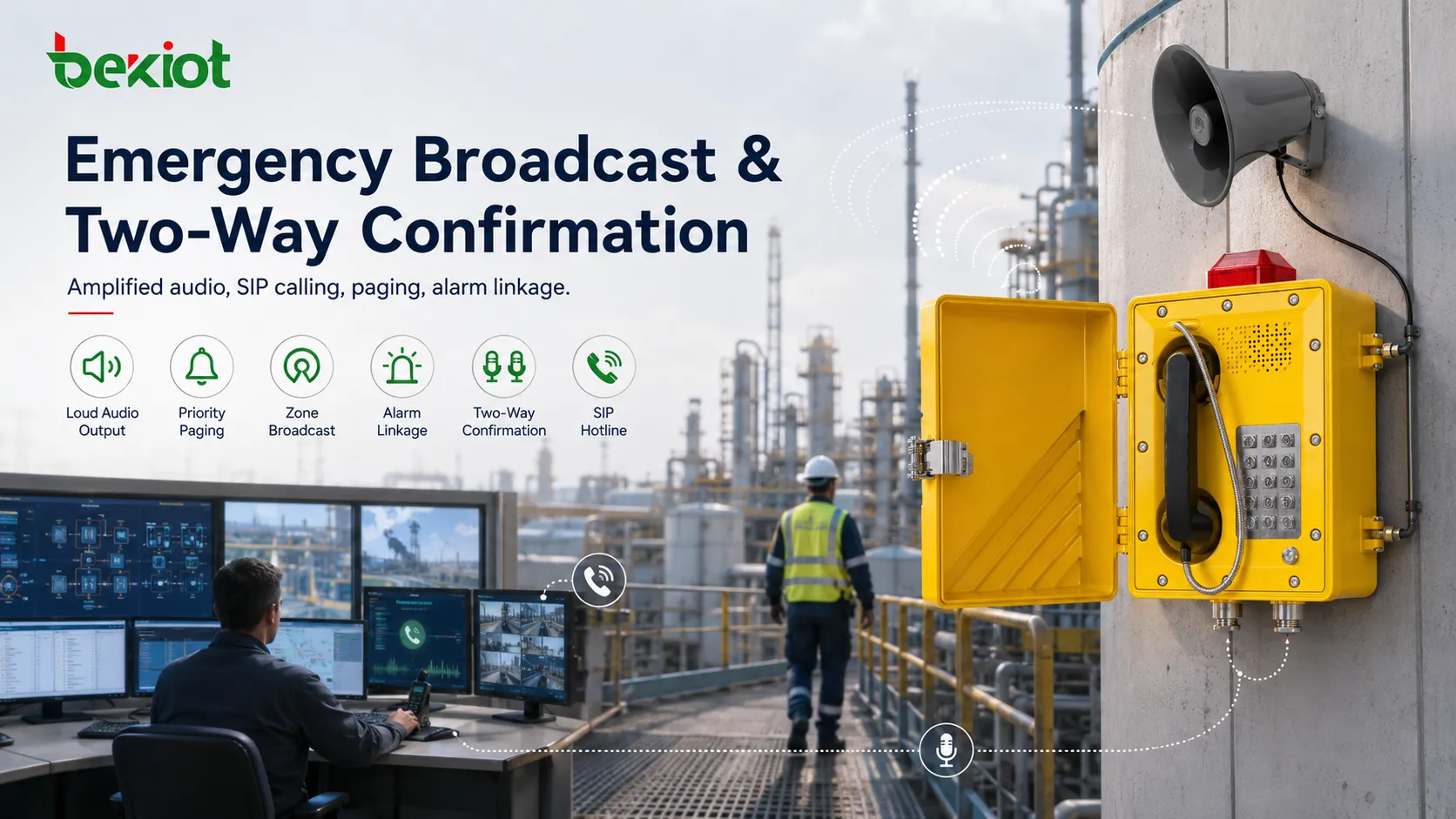
Alarm linkage improves response
A SIP amplified telephone can become more valuable when it is linked with alarms, buttons, sensors, access control, dispatch software, or emergency workflows. For example, a panic button may trigger a call to the control room and activate a nearby audio announcement. A fire alarm may trigger a priority broadcast to selected zones. An equipment fault may notify maintenance staff through a paging group.
Alarm linkage reduces manual delay. Without linkage, an operator may need to notice an alarm, identify the area, search for the correct paging group, and start an announcement manually. With linkage, part of this workflow can be automated or preconfigured. The operator still remains important, but the system helps shorten the time between event detection and response.
Automatic linkage should be designed carefully. False alarms, wrong zone mapping, and poorly worded messages can create confusion. For high-impact actions, the system may require confirmation before broadcasting. For urgent safety events, automatic priority messages may be appropriate. The correct logic depends on the site’s emergency procedure.
Where the function fits
Factories and production sites
Factories need emergency communication for equipment faults, production line stops, fire alarms, gas warnings, injury reports, and safety coordination. SIP amplified telephones can be placed near production lines, control cabinets, workshops, warehouse doors, and utility rooms. Workers can call the control room, while the platform can send announcements back to the area.
In noisy production spaces, amplified output and clear speech are important. The device should be tested while machines are running. If workers cannot hear the message under normal operating noise, the installation may need additional speakers, better placement, or adjusted paging zones.
Tunnels and underground spaces
Tunnels, underground corridors, basements, and parking structures often have long distances, echo, limited visibility, and difficult evacuation routes. Fixed communication points give users a clear place to request help. Amplified announcement support helps deliver instructions to people nearby.
For these areas, network reliability and power backup should be considered. If the telephone depends on PoE, the switch and backup power become part of emergency readiness. Cable protection and device monitoring are also important because faults may remain unnoticed in remote locations.
Warehouses and logistics areas
Warehouses and logistics centers use emergency communication for vehicle movement warnings, loading dock incidents, fire alarms, personnel assistance, equipment faults, and evacuation instructions. SIP amplified telephones can support both communication with supervisors and local broadcast playback.
Because warehouses may have wide aisles, high racks, forklifts, and changing noise levels, audio coverage should be planned carefully. One amplified telephone may not cover every corner. Zone design should match the physical layout and staff movement patterns.
Campuses and public facilities
Campuses, hospitals, office parks, government buildings, shopping centers, and transport hubs may use SIP amplified telephones at entrances, corridors, service desks, parking areas, security points, and outdoor spaces. These devices can help visitors, staff, or security personnel contact the control center during an emergency.
Public environments require simple operation. The user may not be trained. Buttons, labels, call feedback, and audio prompts should be clear. If the device is part of a public help point, the design should make the emergency function obvious.
Design choices that matter
Audio coverage must be tested
Emergency audio should be evaluated under real conditions. A device may sound loud in a quiet room but become unclear beside machines, traffic, ventilation, or crowd noise. Testing should include both field-side listening and control-room listening. The goal is intelligibility, not only volume.
Installation height, wall reflection, speaker direction, enclosure structure, and nearby noise sources can all affect the result. If the area is large or noisy, one amplified endpoint may need to work with additional speakers or paging devices.
Numbering should stay simple
Emergency call access should be simple. Users should not need to remember long numbers during stress. Hotline dialing, one-button calling, speed dial, or clearly labeled short codes can reduce mistakes. The routing destination should be tested regularly.
Paging numbers and zone codes should also be logical. Operators should see names that match real locations, such as “North Warehouse,” “Tunnel Section 2,” or “Main Parking Level,” rather than unclear technical codes. Clear naming improves response speed.
Power needs protection
Many SIP amplified telephones use PoE or local DC power. If the device is part of emergency communication, its power path should be protected. PoE switches may need UPS support. Local power adapters should be installed securely. Outdoor or industrial power wiring should be protected from damage.
Power recovery should also be tested. After a power interruption, the device should restart, reconnect to the SIP platform, and restore service without manual configuration. Emergency systems should not require hidden manual steps after each outage.
Network quality must be stable
SIP signaling and RTP media need stable network transport. Packet loss, delay, jitter, multicast blocking, VLAN mistakes, firewall rules, or registration failure can affect paging and calls. Emergency communication should not share an uncontrolled network path without planning.
QoS, voice VLANs, network monitoring, device heartbeat, and clear IP addressing can improve reliability. The communication team should know how to check whether the device is online, registered, and reachable from the platform.
Permissions should be controlled
Emergency features must be protected from accidental or unauthorized use. All-call paging, priority broadcast, emergency override, and alarm-triggered announcements should be assigned to authorized roles only. At the same time, field users should be able to request help easily.
This balance is important. If permission is too loose, the system may be misused. If permission is too restrictive, response may be delayed. The design should follow the site’s operation procedure and safety responsibilities.
Common gaps to avoid
One common gap is treating the device as only a phone. If it is not connected with paging groups, alarm workflows, device monitoring, or emergency routes, much of its support capability is unused. The device should be part of a communication plan, not only a mounted endpoint.
Another gap is relying only on volume. Emergency messages must be understandable. If the output is loud but distorted, echoing, or masked by machinery, users may still miss the instruction. Acoustic testing should be included in project acceptance.
Poor zone mapping is also a serious issue. An announcement may be sent to the wrong area if paging groups are not documented and tested. This can delay evacuation or disturb unrelated teams. Zone lists should be reviewed whenever the site layout changes.
Network and power assumptions can also create hidden risk. A SIP endpoint that loses registration after a switch reboot or fails when the network is congested is not reliable enough for emergency use. Power, registration, media path, and backup behavior should all be tested.
How readiness should be tested
Testing should begin with basic functions: device power, network connection, SIP registration, call initiation, call answer, audio output, microphone pickup, and remote operator response. These checks confirm that the communication path is alive.
Next, emergency workflows should be tested. A field user should be able to reach the correct destination. The control room should be able to call back. Paging reception should work for the correct zones. Emergency priority should override routine messages where required. If the device is linked with alarms, the trigger logic should be tested with safe procedures.
Real-site audio testing is essential. The team should test while machines are running, vehicles are moving, ventilation is active, or the area is occupied. The message should be understandable at normal listener positions. If the sound is unclear, the issue should be corrected before acceptance.
Maintenance testing should continue after deployment. Devices can become offline, speakers can weaken, labels can fade, cables can loosen, and zone groups can become outdated. Periodic testing keeps the system aligned with the real site.
Frequently Asked Questions
What is the main emergency value of a SIP amplified telephone?
Its main value is combining fixed SIP calling with amplified local audio output. This allows users to call for help and allows the control room to send audible instructions to the device or its area.
Can it replace a public address system?
Not always. It can support local paging and amplified announcements, but large sites may still need dedicated public address speakers, amplifiers, paging controllers, and zone management for full coverage.
Why is zone control important?
Zone control ensures that emergency messages reach the correct area. It prevents local incidents from disturbing the whole site and helps serious events reach all affected spaces quickly.
What affects emergency audio clarity?
Audio clarity is affected by speaker output, microphone pickup, background noise, installation height, wall reflection, network quality, codec settings, and whether the message is tested under real operating conditions.
How often should the system be tested?
Testing frequency depends on the risk level and site procedure. Critical emergency points should be checked regularly, especially after network changes, power work, device replacement, or site layout adjustments.
Final points for selection
A SIP amplified telephone supports emergency communication by combining fixed call access, amplified voice output, SIP platform integration, paging reception, zone notification, priority broadcast, alarm linkage, two-way confirmation, and remote management. Its value is strongest in places where people need both a clear communication point and audible emergency instructions.
The device should not be selected only by appearance or speaker power. The real selection standard should include emergency workflow, audio coverage, network reliability, power protection, SIP compatibility, zone planning, permission control, field durability, and long-term maintenance. A reliable system is built from both proper equipment and correct deployment.
For projects that require industrial telephones, SIP amplified endpoints, paging linkage, or emergency communication solutions, Becke Telcom can provide product and system options for factories, tunnels, campuses, parking areas, warehouses, and public facilities. The best configuration should be matched with the site layout, noise level, network architecture, emergency procedure, and actual communication workflow.







