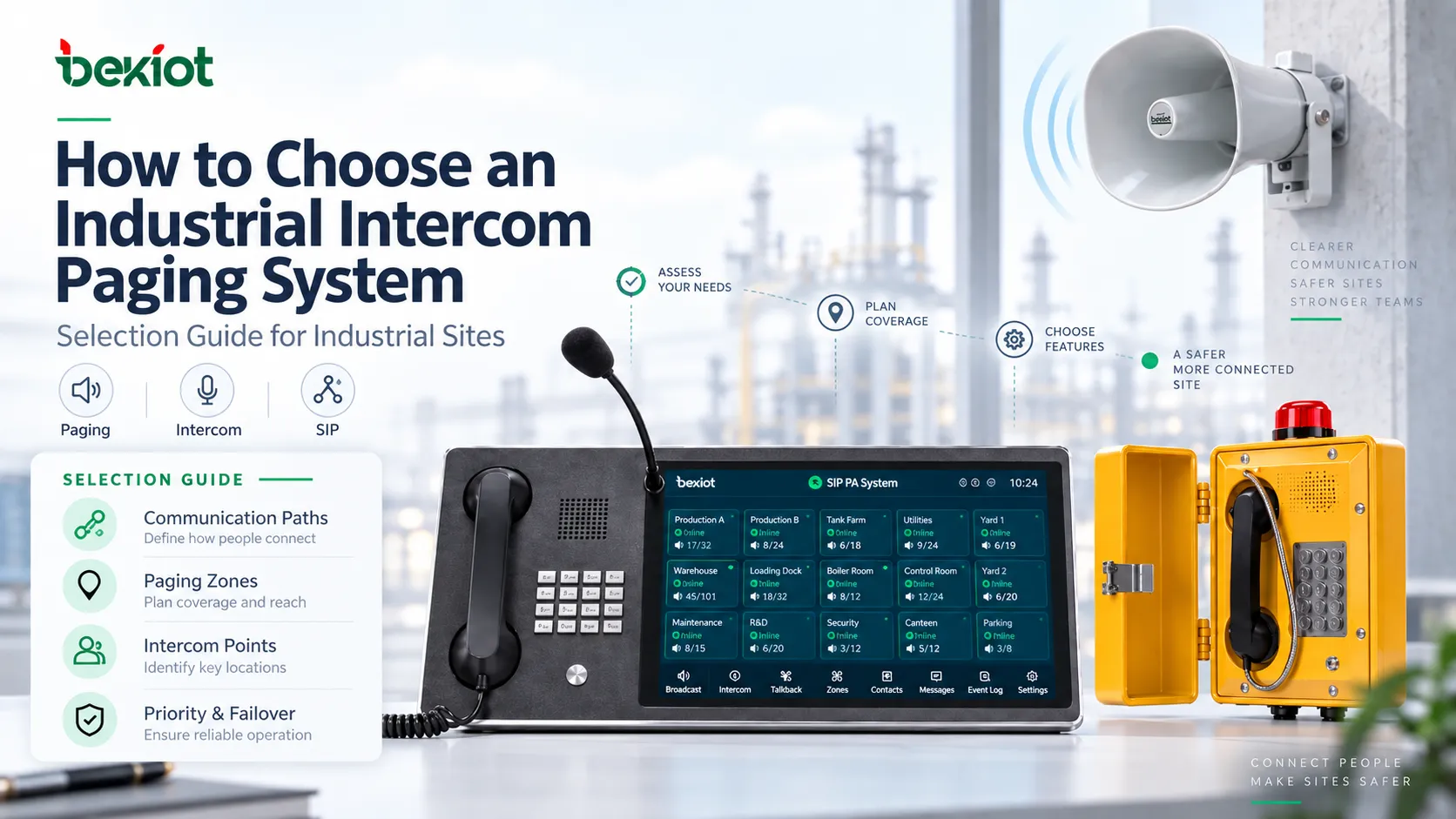
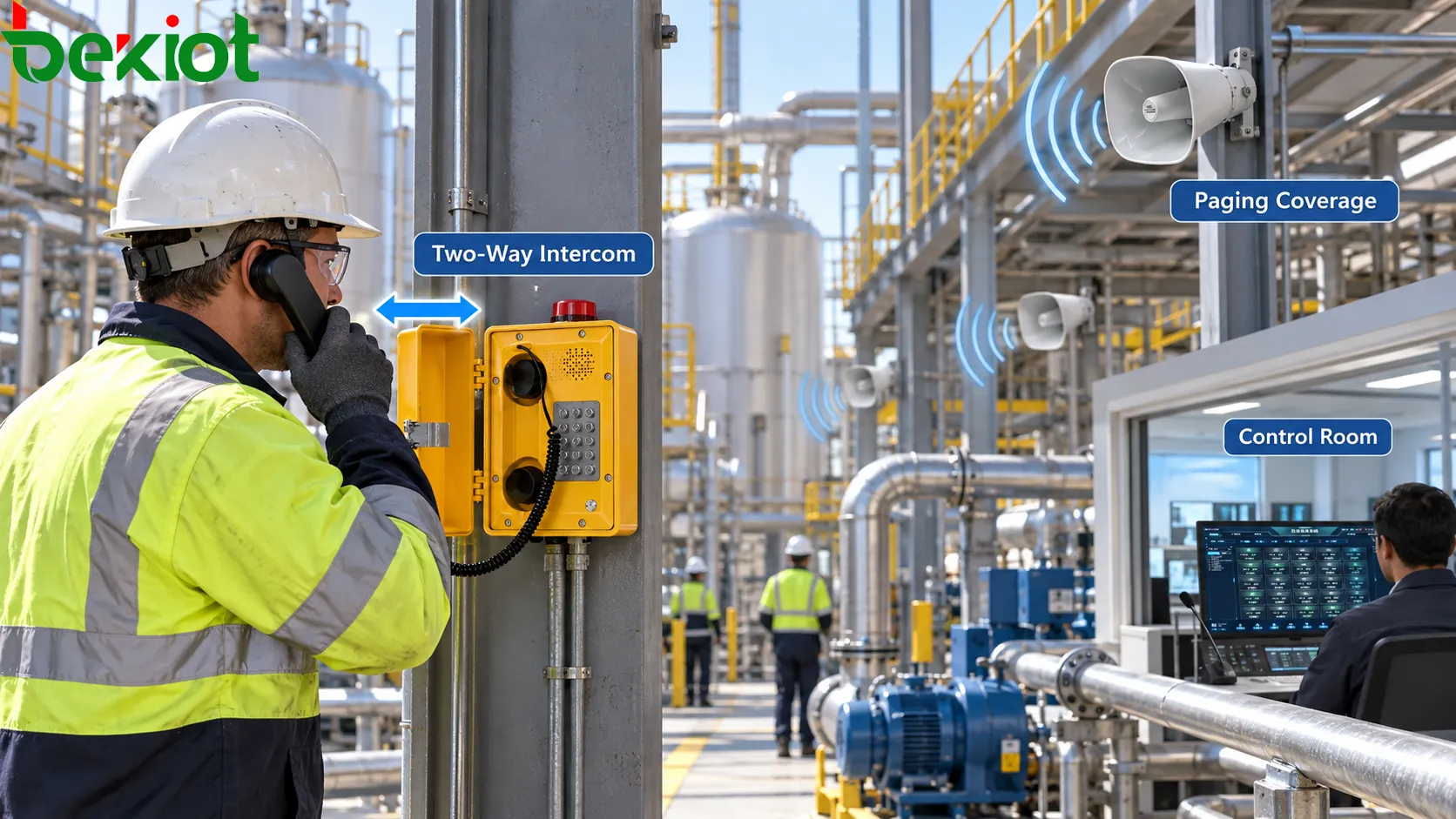
An industrial site rarely communicates in only one direction. A control room may need to address an entire production area, while a technician at a pump station, tunnel entrance or loading platform may need to call the operator back immediately.
That combination changes the selection process. A system designed only around loudspeaker coverage can leave workers without a practical return path. A design based only on intercom terminals can provide good point-to-point calling but poor area communication.
The key is to treat paging and intercom as two communication layers that share part of the same infrastructure but solve different operational problems. Equipment selection becomes much clearer once the call paths, paging zones and intercom access points are mapped separately.
1. Communication Paths Before Equipment
The first task is to map how communication actually moves through the site.
Instead of starting with speakers, intercoms or paging consoles, list the operating situations that require voice communication. Each situation should identify a source, a destination and whether a reply is needed.
Typical paths include:
Control room to one field intercom
Control room to one production zone
Control room to several paging zones
Field intercom to control room
Emergency call point to a predefined operator
Supervisor to selected work areas
Alarm input to predefined paging zones
A warehouse announcement and a maintenance call may both use the same IP network, but they are not the same communication event.
The warehouse message is one-to-many communication. The maintenance call is point-to-point or point-to-group communication and normally requires a return audio path.
| Operational Need | Communication Type | Typical Endpoint |
|---|---|---|
| Routine area announcement | One-to-many | Paging microphone + speakers |
| Field assistance request | Two-way | Intercom or industrial telephone |
| Emergency help call | Predefined two-way path | One-button call station |
| Control-room instruction | One-to-one or one-to-zone | Dispatch console or paging terminal |
| Alarm notification | Automatic one-to-many | Alarm interface + paging zones |
This communication map also prevents one common design mistake: selecting a single device type and trying to make it perform every role.
A loudspeaker is good at reaching an area. An intercom is good at giving a person a return path. A paging microphone is good at addressing selected groups. A control-room console may coordinate several of these functions at once.
2. Paging Zones and Intercom Points Are Different
Paging coverage and intercom access should be planned as two separate layers.
A paging zone answers:
Which area should hear this message?
An intercom point answers:
Where can a worker start or receive a two-way conversation?
Those two questions rarely produce the same equipment quantity.
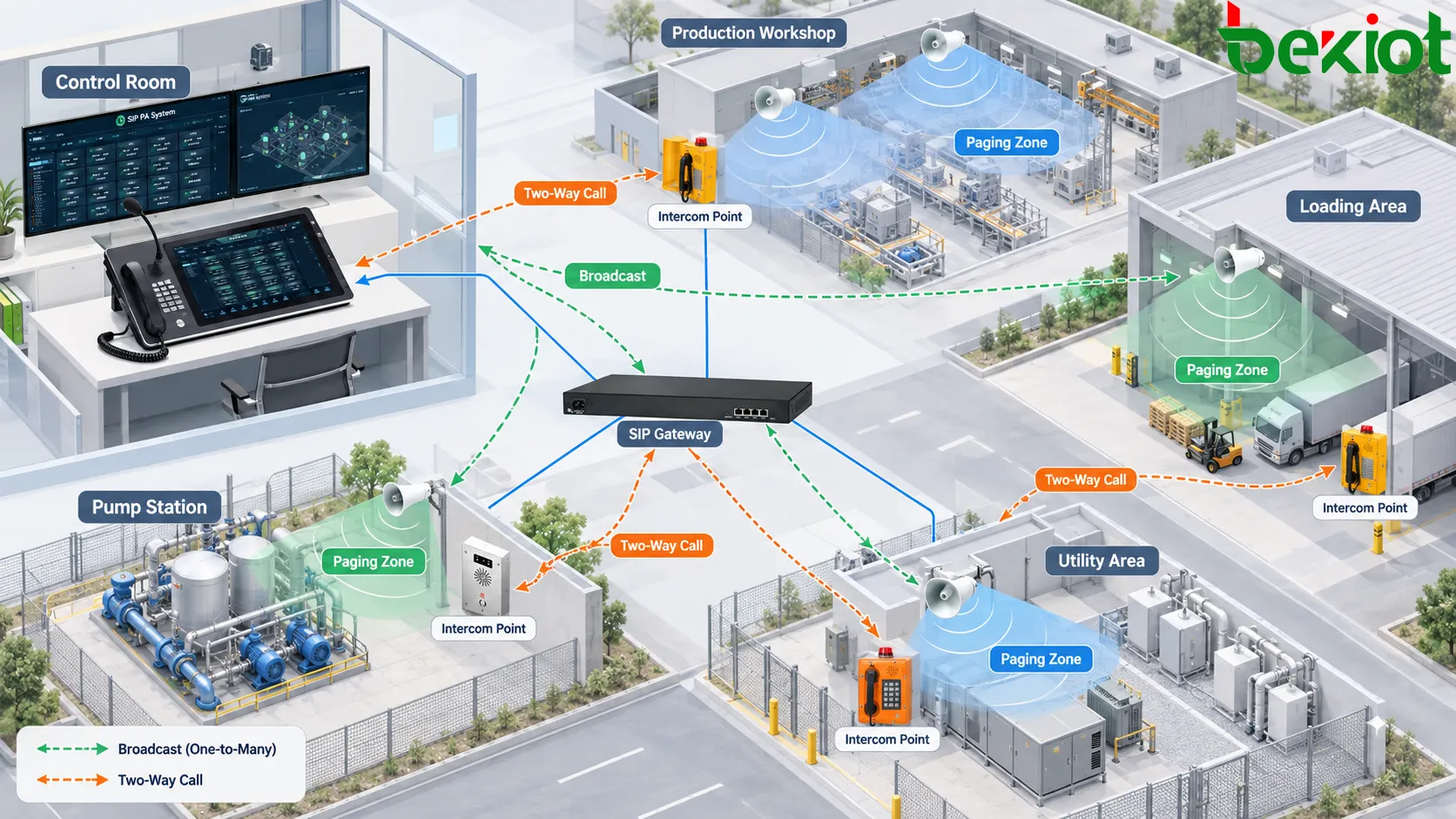
One Zone Can Have Several Intercom Points
Consider a long production workshop. The whole workshop may operate as one paging zone because supervisors usually address everyone in the area at the same time.
The same workshop may still require several intercom points because workers at opposite ends of the building should not have to walk a long distance to report a fault or contact the control room.
A single operational area could therefore contain:
1 paging zone
6 horn speakers
3 field intercoms
The three quantities serve different purposes and should not be forced into a one-to-one relationship.
Several Zones Can Share an Operator
The opposite arrangement is also common.
Production, loading and utility areas may operate as separate paging zones, while calls from all three areas route to the same control-room operator.
The operator therefore needs visibility of both the caller and the originating location, while paging controls need to remain organized around zones.
This distinction becomes especially important on large industrial sites, where speaker coverage may be dense but intercom points only need to be installed at strategic work positions, entrances, equipment stations or emergency locations.
3. Assign the Right Endpoint to Each Role
Once the communication paths and access points are clear, individual endpoint types can be selected according to their role.
The objective is not to install the most capable device everywhere. It is to give each location the interface needed for the task performed there.
| Endpoint | Primary Role | Typical Location |
|---|---|---|
| Horn speaker | Wide-area announcement | Outdoor plant, workshop, loading area |
| IP speaker | Network paging | Indoor or distributed IP environments |
| SIP intercom | Two-way field communication | Entrances, workstations, production areas |
| Industrial telephone | Direct voice calling | Noisy, harsh or exposed locations |
| Call station | Fast predefined call | Emergency or assistance points |
| Paging microphone | Zone selection and live paging | Security desk or local control position |
| Dispatch console | Multi-resource coordination | Main control room |
Environment Still Matters
The communication role comes first, but the installation environment determines which version of the endpoint can perform that role reliably.
Check conditions such as:
Indoor or outdoor installation
Dust and water exposure
Temperature range
Corrosion
Vibration and mechanical impact
Background noise
Protective gloves or hearing protection
Hazardous-area classification where applicable
A standard SIP intercom may be suitable for an indoor utility room but inappropriate for an exposed process area. A weather-resistant device may survive outdoors but still not have the certification required for a classified hazardous location.
Environmental protection and hazardous-area certification should therefore be checked independently.
Keep Field Operation Simple
Industrial users often need fewer controls rather than more.
A worker reporting a fault may only need one button that reaches the correct operator. A maintenance station may benefit from a handset because it keeps the microphone close to the user. A security desk may require multiple keys, zone selection and call history.
The interface should follow the task rather than the maximum feature set available from the device.
4. Paging Audio and Intercom Audio Need Different Design
One of the most important differences in an industrial intercom paging system is the direction of the audio.
Paging usually works from one source toward many listeners:
Control room → paging zone → multiple workers
Intercom communication has to work in both directions:
Field worker ↔ control room operator
A site can therefore have acceptable paging coverage and still provide poor intercom communication.
Paging Depends on Coverage
For paging, the design should concentrate on getting understandable speech to the complete required area.
The main variables include:
Speaker placement
Speaker direction
Coverage overlap
Obstructions
Background noise
Reverberation
Paging-zone boundaries
Adding more amplifier power does not automatically improve intelligibility. Several correctly positioned speakers often provide more even coverage than one device operating at much higher output.
Intercom Depends on the Return Path
For a field intercom, the microphone side becomes equally important.
The operator must be able to understand the person standing near the endpoint while machinery, vehicles or ventilation equipment may be operating around them.
Important factors include:
Microphone distance
Microphone direction
Local noise entering the microphone
Echo control
Handset versus hands-free operation
Half-duplex or full-duplex behavior
This is why a device that performs well as a paging endpoint should not automatically be treated as a substitute for a dedicated intercom.
The final test is not whether both devices produce sound. It is whether an announcement can be understood across the required zone and whether a field worker and operator can understand each other in both directions.
5. SIP Routing and Group Paging
When intercom and paging share a SIP/IP infrastructure, the system has to support different communication patterns without making the network architecture unnecessarily complex.
A point-to-point call may follow:
Field intercom → IP network → SIP server → control-room console
A group announcement may follow:
Paging microphone → paging platform → selected zone → multiple IP audio endpoints
An alarm-driven message may add another route:
Alarm input → communication platform → priority rule → predefined paging zones
Do Not Treat SIP as the Complete Compatibility Test
Two devices can both support SIP and still behave differently in a complete paging and intercom system.
Before purchase, verify the functions that matter to the operating workflow:
Point-to-point SIP calling
Paging groups
Multicast where used
Call routing
Codec compatibility
DTMF or programmable key actions
Alarm and relay interfaces
Recording
Device registration and recovery
Choose Group Paging Around Scale
Small groups may be handled through individual SIP sessions, while larger IP paging deployments may use multicast or another platform-supported distribution method.
The appropriate method depends on the number of endpoints, server capacity, network topology and paging behavior required by the project.
If multicast is used, the network should be configured to handle the required multicast traffic deliberately rather than assuming every switch and routed segment will pass it correctly.
Connect Existing Systems Instead of Replacing Everything
Many industrial sites already have analog amplifiers, speaker circuits, PBX equipment, radio systems or alarm interfaces.
A new intercom paging system does not always require complete replacement of those assets.
Gateways and system interfaces can be used where appropriate to connect existing PA equipment, SIP infrastructure, radio resources and control-room systems. The important requirement is to define the actual signaling and audio path rather than relying on a generic statement that the systems can be “integrated.”
Related Solution: Paging and Intercom Broadcasting System
6. Priority, Failover and Acceptance
The final selection decision should be tested against situations where several communication events happen at the same time or part of the system becomes unavailable.
Normal operation alone does not reveal whether the combined paging and intercom design is practical.
Define Which Communication Wins
A field intercom call may already be active when a higher-priority page is initiated. A routine announcement may be playing when an emergency message is triggered. Two operators may attempt to use overlapping zones.
The expected behavior should be defined before commissioning.
A project may distinguish between:
Routine announcements
Live operational paging
Priority paging
Emergency announcements
Normal field calls
Emergency field calls
The exact order is project-specific. What matters is that operators know which communication can interrupt another and what happens to the lower-priority session.
Test Failures by Communication Path
Instead of asking only whether the system is redundant, test what happens to individual communication paths.
For example:
If one field intercom loses power, does zone paging continue?
If one paging amplifier fails, can field intercom calls still reach the control room?
If a network segment is interrupted, which zones and call points are affected?
If the primary operator position is unavailable, where do field calls route?
If the SIP server restarts, how do endpoints re-register?
This approach exposes the real operational impact of a failure rather than treating redundancy as a single equipment feature.
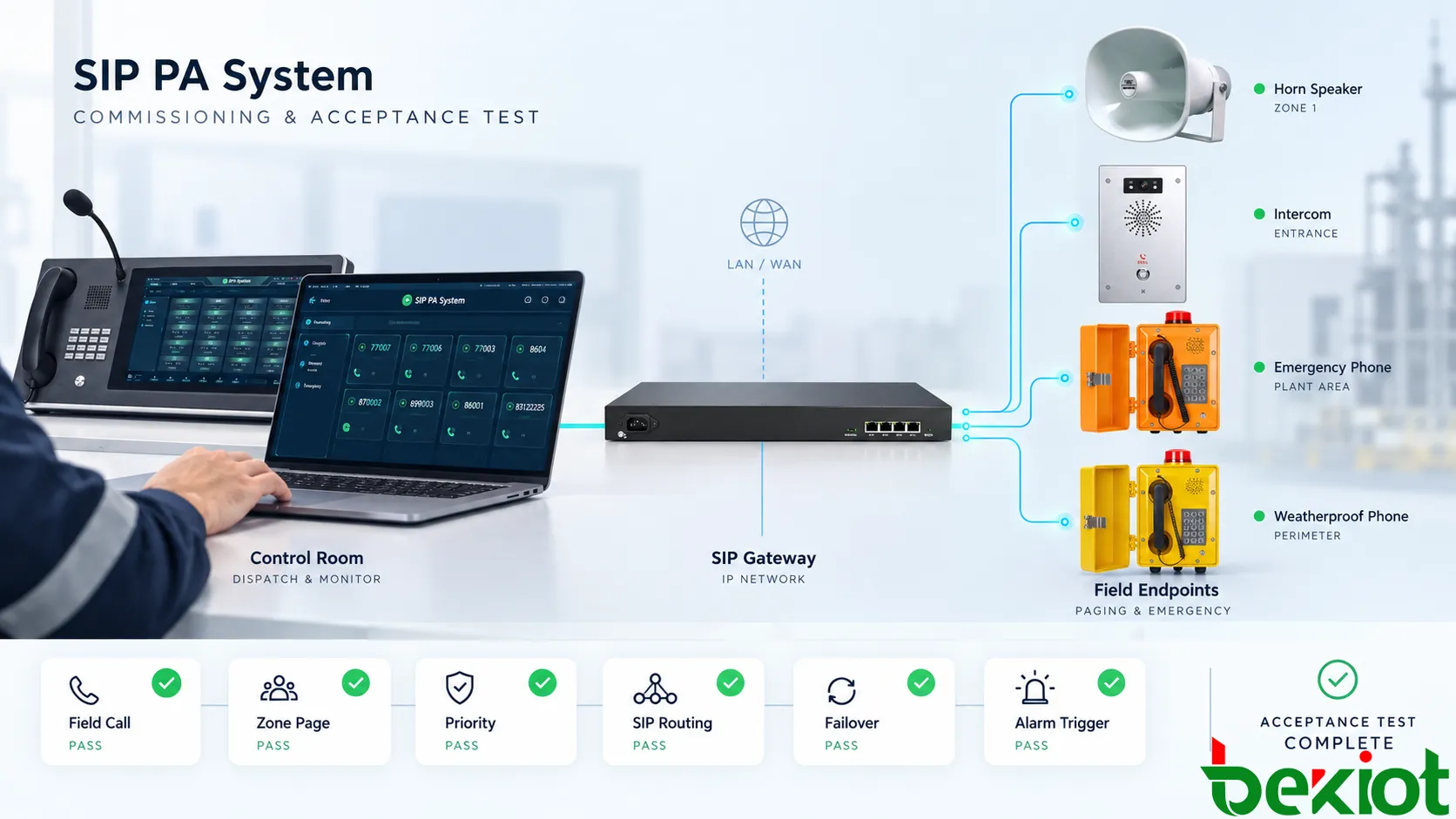
Acceptance Should Reproduce Real Use
Commissioning should test complete workflows from end to end.
| Acceptance Test | Verify |
|---|---|
| Field-to-control call | Correct destination, audio in both directions and usable operating steps |
| Single-zone page | Only the selected area receives the message |
| Multi-zone page | All selected zones receive synchronized, understandable audio |
| Paging during active call | Configured priority behavior occurs correctly |
| Emergency call | Correct operator or backup destination receives the call |
| Alarm-triggered page | Input, routing, priority and field output operate as configured |
| Network interruption | Actual affected zones and endpoints match the resilience design |
Testing these combined scenarios provides a much clearer acceptance result than confirming individual speakers and intercoms one by one.
7. Industrial Intercom Paging System FAQ
Should every paging zone have an intercom?
No. Paging zones are based on where messages need to be heard, while intercom points are based on where people need access to two-way communication. One zone may contain several intercom points, or an area covered by many speakers may only need one field call point.
Can paging and intercom use the same IP network?
Yes. SIP intercoms, paging terminals, servers and IP audio endpoints can share network infrastructure when bandwidth, QoS, multicast behavior where applicable, VLAN design, power continuity and failure paths are planned for the required communication load.
Is an IP speaker the same as a SIP intercom?
Not necessarily. Some IP speakers include microphones or SIP calling functions, but a dedicated intercom may provide a more suitable microphone position, user interface and two-way audio behavior. Selection should follow the communication task rather than the protocol supported by the device.
When should an industrial telephone be used instead of a hands-free intercom?
A handset can be useful where users need the microphone close to the mouth, where surrounding noise is high or where more private communication is required. Hands-free intercoms can be more convenient at locations where quick operation and open communication are more important.
Can an existing analog PA system be connected to a new SIP intercom system?
Often yes. A suitable paging gateway or system interface can connect existing amplifiers and speaker circuits to an IP-based communication platform, provided the required audio routing, signaling, priority and supervision functions are supported.
A well-designed industrial intercom paging system does not treat paging and two-way communication as the same function. It coordinates them.
Paging zones determine where instructions are heard. Intercom points determine where personnel can respond. SIP routing connects those endpoints to the correct operators and groups, while priority rules determine how the system behaves when communication events overlap.
For industrial projects involving SIP paging, rugged intercoms, industrial telephones, paging gateways and control-room communication, Becke Telcom can configure the system around the site's actual communication paths, field locations and existing infrastructure.