Encyclopedia
2026-09-15 16:15:35

SIP Explosion-Proof Phone Is Registered but Calls Fail: How to Troubleshoot Common Faults?

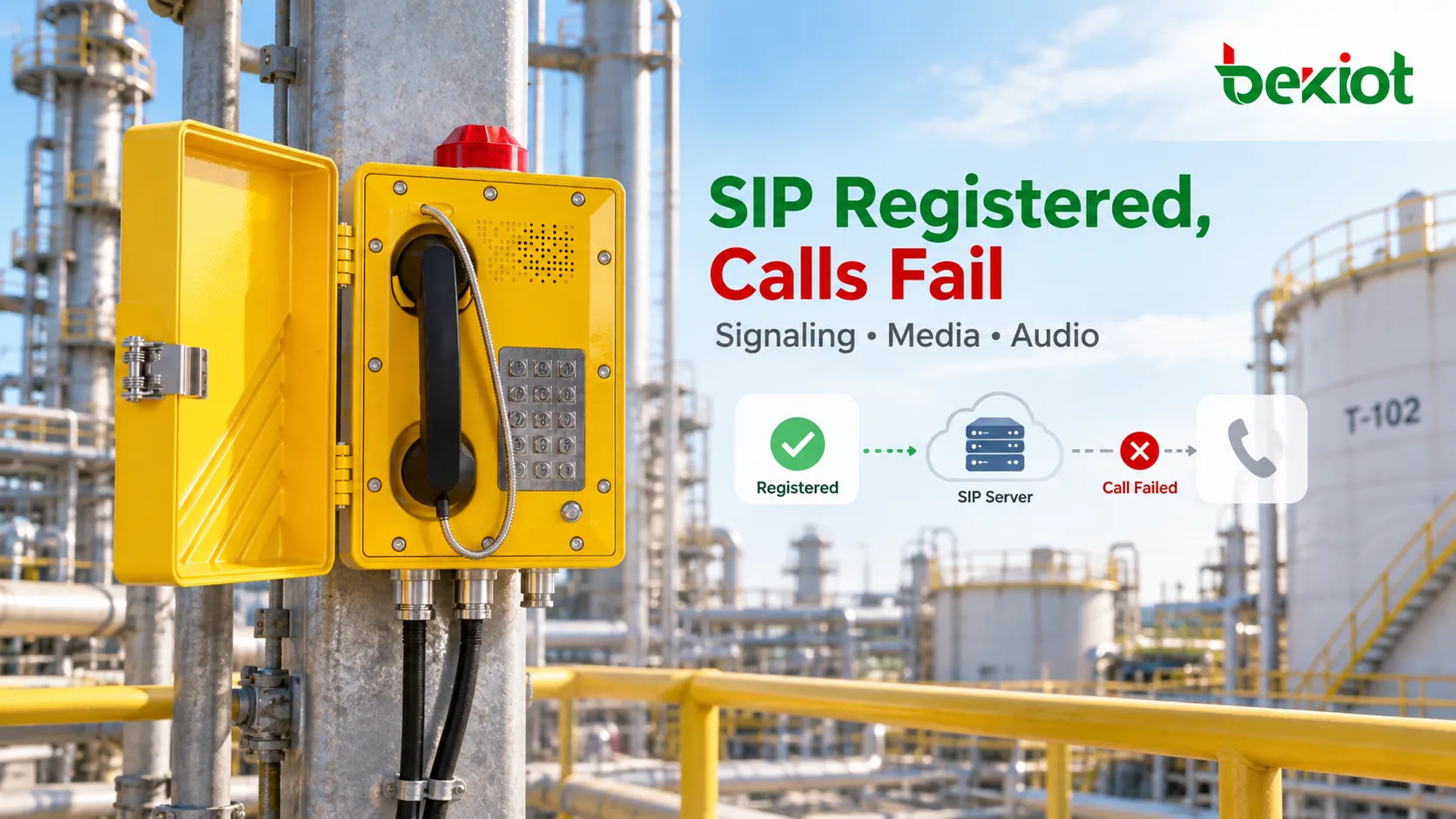
A SIP explosion-proof telephone may remain successfully registered while calls still fail because registration, call signaling and RTP media use separate paths. This guide explains how to isolate routing, codec, NAT, firewall and local audio faults.

Becke Telcom

SIP Explosion-Proof Phone Is Registered but Calls Fail: How to Troubleshoot Common Faults?

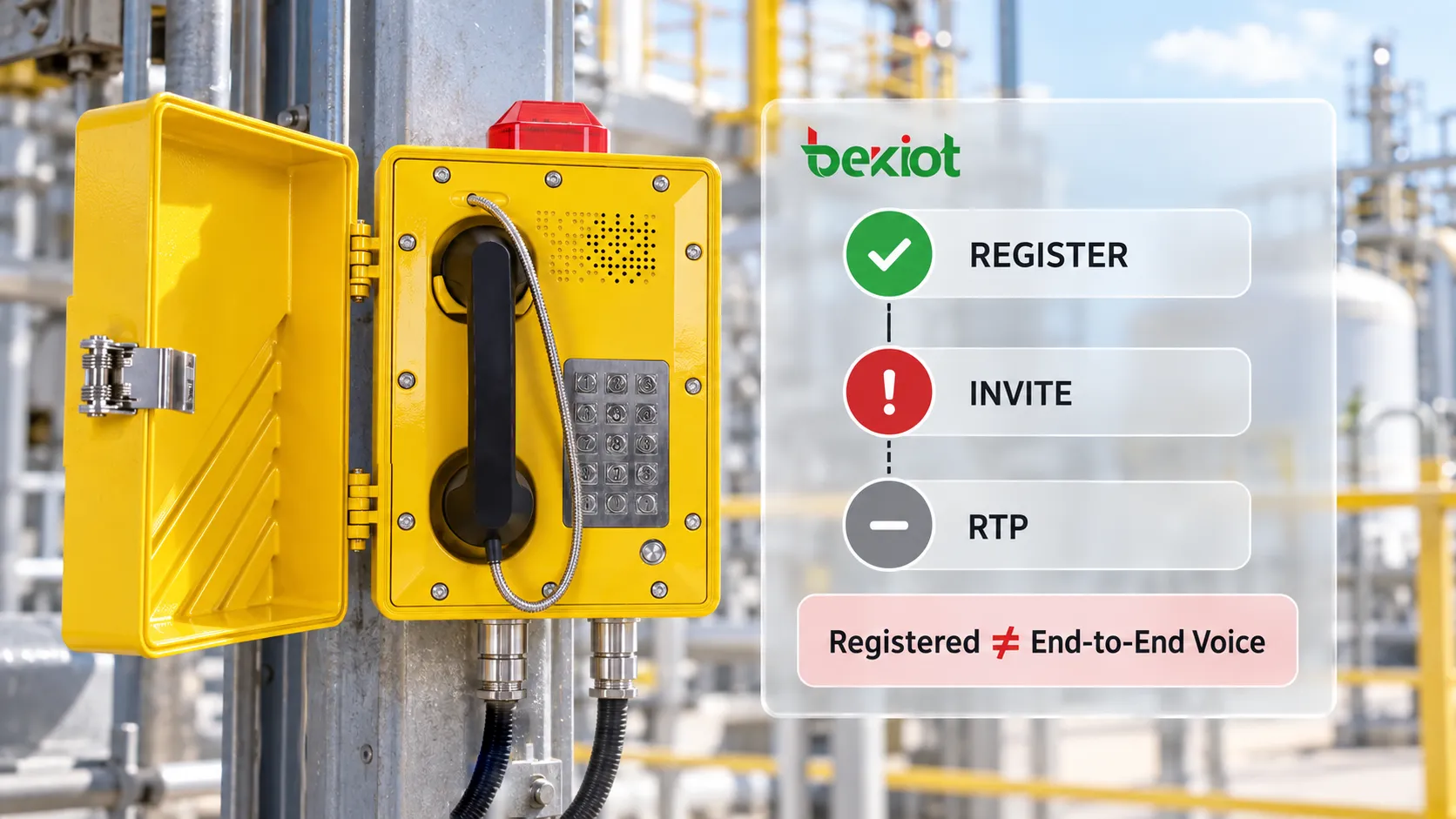
When maintaining a SIP explosion-proof telephone, a 200 OK response to a REGISTER transaction only confirms that the endpoint has successfully established an authenticated address binding with the registration server. It does not guarantee that an INVITE can be routed correctly, that SDP can negotiate a compatible codec, or that RTP media can pass in both directions between the explosion-proof telephone and the far end. In other words, "Registered" describes one part of SIP control-plane reachability, not complete end-to-end calling capability.

This is why an explosion-proof telephone can appear properly registered yet still fail to ring, connect with no audio, provide one-way voice, or disconnect immediately after answer. In many cases, the registration server is not the actual source of the fault. The problem lies in the signaling path, media path or local audio chain that comes after registration. Troubleshooting in three layers—signaling, media and endpoint audio—turns a vague "registered but cannot call" complaint into a series of independently testable stages and avoids repeated device reboots in the wrong direction.

Why Doesn't Registered Mean the Phone Can Definitely Make Calls?

Start by looking at what registration actually does. A REGISTER request sent by the endpoint normally includes several important fields: the Request-URI, which identifies the registration domain; To, which represents the account being registered, or Address-of-Record (AOR); Contact, which identifies the endpoint's current reachable address, typically an IP address and port; and Expires, which defines how long the registration remains valid.

Registration is not a one-time operation. The platform stores a relationship in its Location Service indicating that a particular AOR can currently be reached through a specific Contact. That binding has an expiration time, often configured around one hour. The endpoint must refresh the registration before it expires. If it does not, the platform may eventually consider that extension offline.

Authentication commonly takes two exchanges. The endpoint first sends REGISTER without credentials, and the server responds with 401 Unauthorized together with challenge parameters such as realm and nonce. The endpoint calculates the authentication digest using the account credentials and sends another REGISTER with an Authorization header. Only then does it normally receive 200 OK. In signaling terms, "registration succeeded" therefore means that the endpoint and server have just completed an authenticated REGISTER transaction.

A real telephone call requires much more. When the user dials, the endpoint must generate an INVITE. The PBX, SIP Server or dispatch platform must route the called number according to numbering and permission rules. Both sides then use SDP to negotiate a codec, media address and RTP port before voice can actually flow.

Signaling and media also follow separate paths. SIP signaling commonly uses UDP/TCP 5060 or TLS 5061, while RTP normally uses a separate range of dynamic UDP ports. If a firewall permits 5060 but blocks the RTP range, registration can work perfectly while the call has no audio.

       REGISTER succeeds
       → SIP account shows Online
       → INVITE can still be rejected
       → Even if 200 OK is returned
       → RTP can still be blocked by a firewall, NAT or an incorrect media address
       → Even if RTP reaches the endpoint
       → The local microphone or loudspeaker may still be faulty    

The key point is simple: registration status is a snapshot showing that one transaction succeeded at a particular time; it is not proof of end-to-end voice availability. It does not even prove that the network is reachable at this exact moment, because registration is refreshed periodically and the displayed Registered state may simply reflect the last successful refresh.

Complete SIP explosion-proof telephone call path from REGISTER registration and INVITE call setup to SDP media negotiation and two-way RTP voice, showing why Registered status does not guarantee end-to-end calling

First Decide Whether the Fault Is in Call Setup or Voice Media

When someone reports that a telephone is "registered but cannot make calls," the first step should not be changing codecs or network settings. First determine exactly what "cannot call" means. A few questions can usually establish the troubleshooting direction before any tools are used.

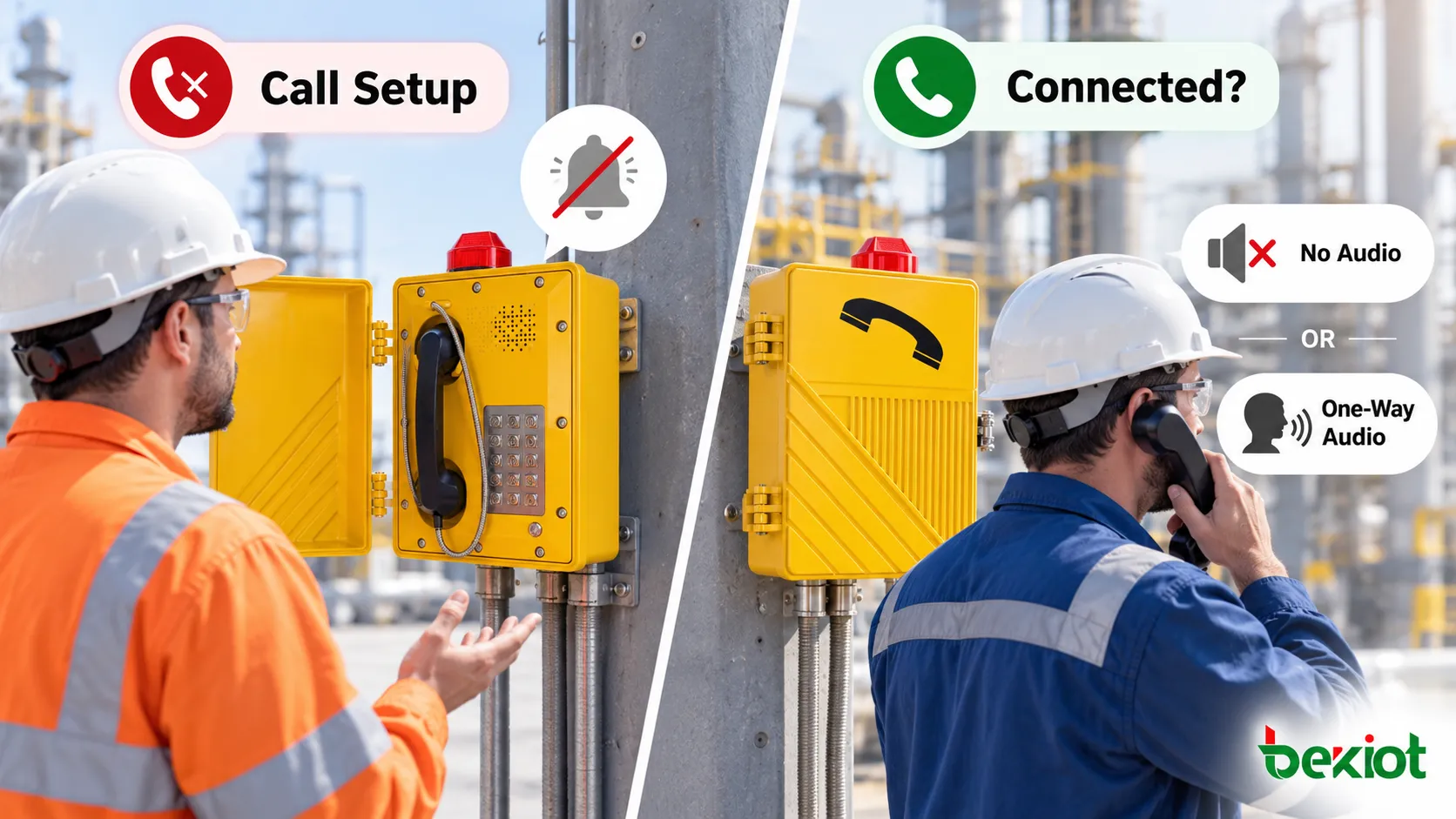
A complete SIP call can be divided into two main stages. The first is call setup, beginning with INVITE and continuing until the called side answers with 200 OK and the caller sends ACK. The second is voice media, where the SDP negotiation has completed and two-way RTP should actually flow. The simplest dividing line is whether the user interface shows the call as connected.

If dialing immediately generates an error, there is no ringing, or the far-end user never sees an incoming call, the problem is more likely in SIP signaling or call routing. If both ends show the call as connected and the call timer is running but there is no audio or only one-way audio, troubleshooting should move to the SDP and RTP media path.

SymptomLikely StageFirst Checks
Immediate dialing error / no ringing / far end receives nothingCall setupNumber routing, permissions, SIP response codes, signaling reachability
Call shows connected but there is no audioVoice mediaSDP media address, RTP ports, firewall, NAT, codec
Call connects but audio is one-wayVoice mediaCompare SDP, RTP, NAT mapping and captured media by direction
Call disconnects after several secondsCall setup + mediaACK, Session Timer, NAT timeout, platform release policy
Audio breaks up or becomes intermittentMedia transport qualityPacket loss, jitter, latency, bandwidth and RTP port changes

Two other patterns are also useful. If the telephone can call out but cannot receive calls, the cause is often related to inbound number routing, the Contact address, NAT or platform routing. If it can receive but cannot call out, the checks should shift toward Dial Plan, outbound permissions, number formatting or SIP Trunk configuration.

If ordinary SIP extensions can call each other but calls to the dispatch console, paging system or PSTN fail, the fault domain becomes much smaller and is more likely related to a particular route or system interface.

A useful field report should therefore answer four questions:

  • Is the failure on outbound calls or inbound calls?

  • Does the call ring?

  • Does the interface show the call as connected?

  • Is there no audio, one-way audio, or does the call disconnect after several seconds?

Those four answers are far more useful than simply saying, "the phone doesn't work."

When Call Setup Fails, Should You Check the Number, Permissions or SIP Response First?

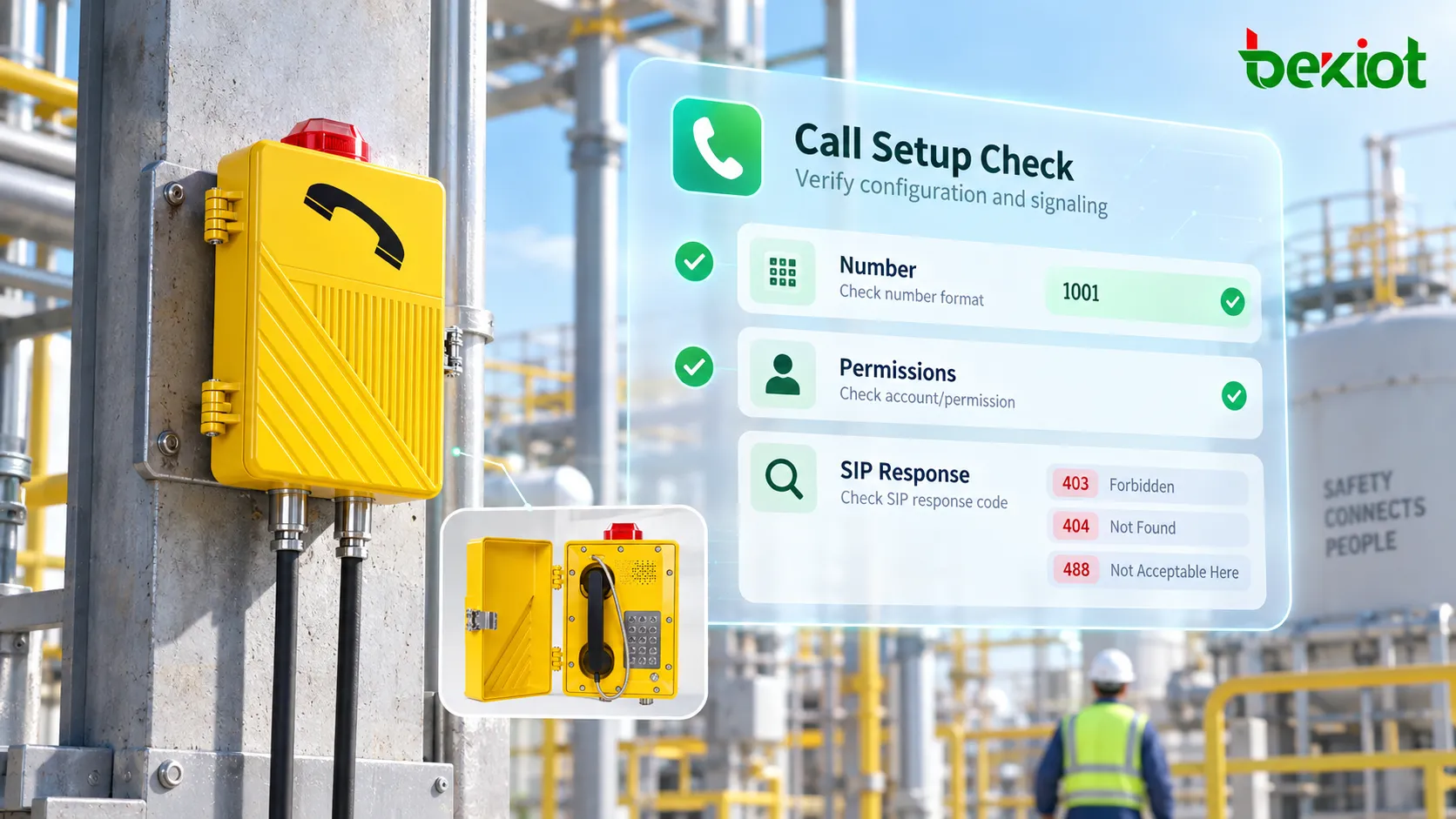
If the problem occurs during call setup, follow the SIP signaling path before suspecting the explosion-proof telephone hardware. A practical order is: number → permissions → response code → signaling reachability.

Start with the number and Dial Plan. Does the Request-URI sent by the endpoint match what the platform expects? Does the extension need a prefix? Does cross-system dialing require an area code, access code or number translation? Many cases of "registered but cannot call out" are ultimately caused by a mismatch between the number format sent by the telephone and the routing rules configured in the PBX.

For example, the telephone may send 8001, while the PBX expects 8#8001 or a full E.164-formatted number. A packet capture showing the INVITE Request-URI can confirm this immediately.

Next check account permissions. Some extensions are allowed to make internal calls only and have no PSTN permission. Others can call ordinary SIP extensions but are not allowed to access emergency hotlines, dispatch groups or paging zones. This type of Class of Service configuration is particularly easy to miss in industrial projects because registration does not test those business permissions. REGISTER answers "is this account online?" while the call attempt answers "is this account allowed to call this destination?"

SIP response codes can then narrow the fault further:

ClassCommon ResponsesTypical Direction
1xx Informational100 Trying, 180 Ringing, 183 Session ProgressCall setup is progressing; the problem may be further downstream or media-related
2xx Success200 OKCall setup succeeded; move to media troubleshooting
4xx Client Failure401/407 authentication, 403 permission, 404 not found, 408 timeout, 480 unavailable, 486 busy, 488 codec mismatchOften related to endpoint configuration, routing or service policy
5xx Server Failure500, 503 Service UnavailablePBX, SBC or dispatch-platform side
6xx Global Failure603 DeclineDestination explicitly rejects the call

Several responses appear frequently in troubleshooting. 401/407 usually point toward authentication challenge handling, such as credential, algorithm or account-binding issues. 403 should lead the investigation toward permission rules, account policy or the reason the platform rejected the request. 404 can mean that the number does not exist or no route matches. 408 and 480 point toward timeout or user unavailability. 488 is commonly associated with incompatible media capabilities or codec negotiation.

If the SIP configuration appears correct but the INVITE never reaches the destination system, return to the network path. Check VLAN, gateway, firewall, ACL rules and the actual destination address used by the telephone. The quickest test is to capture traffic on the server side. If the INVITE arrives but is not forwarded, investigate the PBX or dispatch-platform routing. If the INVITE never arrives, focus on the endpoint or the network path between the endpoint and server.

If the Call Is Connected but There Is No Audio or One-Way Audio, What Should You Check?

"Both sides show connected, but there is no sound" is one of the most common SIP faults. At this point, call signaling has usually completed successfully. The problem is more likely in SDP negotiation or RTP transport. Troubleshooting should now move from the signaling plane to the media plane.

Start with the media information carried in SDP. Several lines are particularly important: c= identifies the connection address, m= defines the media and port, a=rtpmap maps payload types to codecs, and a=sendrecv/sendonly/recvonly defines the media direction.

The audio address advertised by the endpoint in the INVITE or 200 OK must be reachable from the far end. If the endpoint places an unroutable private address such as 192.168.x.x in the SDP while the peer is on another network, the SIP call can still be established even though the RTP stream never reaches its destination. This is a classic "connected but no audio" fault.

NAT environments are especially prone to this problem, and the handling depends on the network architecture. SIP signaling may pass through NAT successfully while the media path fails completely. Common NAT behaviors include Full Cone, Restricted Cone, Port Restricted Cone and Symmetric NAT, with increasingly difficult traversal characteristics.

Industrial networks commonly solve this by using an SBC as a media relay so that RTP is anchored through a known point. Other environments may use STUN to discover public address mappings, while more complex deployments may use TURN or ICE. The correct mechanism depends on the real network topology. A successful REGISTER does not prove that RTP can cross NAT.

Firewalls are another common cause. Some projects allow only 5060 or 5061 because those are the obvious SIP ports, while voice uses a completely separate RTP range. Many devices dynamically allocate RTP ports from ranges such as 10000–20000. If SIP is permitted but RTP is blocked by an ACL, the result is exactly what users report as "the call connects, but there is no audio."

One-way audio should be investigated by direction. If the control room can hear the field telephone but the field user cannot hear the control room, at least one RTP direction or one local audio path is already working. Instead of rechecking the entire network, compare the two SDP addresses, RTP ports, NAT mappings and captured media flows. Directional differences often point directly to one side's NAT mapping, firewall rule or incorrect SDP address.

When a SIP explosion-proof telephone call is connected but has no audio or one-way voice, troubleshoot the media path through SDP addresses, RTP ports, NAT, firewall and SBC

After the Network Is Verified, Check the Codec and Local Audio Chain

The presence of RTP packets does not guarantee intelligible voice. The next step is to confirm that both sides actually negotiated a compatible codec.

Codec negotiation follows the SDP offer/answer model. The calling endpoint lists the codecs it supports in the INVITE SDP, normally in preference order. The called endpoint selects one of the codecs it also supports and returns it in the 200 OK. If the two capability lists have no common codec, media negotiation fails.

Common codecs in industrial explosion-proof telephones include G.711 (PCMU/PCMA, 64 kbps and widely compatible with PSTN environments), G.729 for lower-bandwidth links, G.722 for wideband voice, and Opus on some newer devices. If the telephone has only one codec group enabled while the PBX, recording system or dispatch platform supports another, the result may be 488 Not Acceptable Here or, in some implementations, a connected call with abnormal media.

The correct troubleshooting method is to compare the Payload Types and codec lists in both SDP messages rather than simply checking a management page that says a codec is enabled.

Once codec negotiation and RTP transport are confirmed, move to the endpoint's physical audio path. Explosion-proof telephones often operate for long periods in high-noise, humid, dusty or corrosive environments. A microphone, handset, loudspeaker, amplifier module, connector or field cable can fail even when the SIP stack is operating perfectly.

A practical method is to compare RTP statistics with what can actually be heard on site. If packet capture shows continuous two-way RTP with normal packet counts and timing, but one side still has no audio, check mute state, audio level and the physical microphone or loudspeaker. If RTP is being transmitted but the audio content is effectively silent, the microphone pickup or audio-capture path should also be investigated.

When quantitative media analysis is available, three indicators are particularly useful: packet loss, jitter and one-way latency. Voice degradation becomes noticeable as packet loss increases, excessive jitter may require a larger jitter buffer, and high one-way latency makes natural conversation more difficult. If loss is concentrated on a particular network hop, link congestion or radio transport may be involved.

For explosion-proof paging stations with amplified output, also distinguish between the built-in telephone loudspeaker path and any external horn or amplifier output. They do not necessarily use exactly the same audio path. Normal handset or hands-free calling does not prove that external paging audio is working, and the reverse is also true. Commissioning and troubleshooting should verify each required audio path separately instead of treating every "no paging audio" complaint as a SIP fault.

How Can Packet Capture Quickly Narrow the Fault Domain?

For a complex SIP fault, repeatedly changing parameters is usually less effective than capturing one complete failed call and following it in time order from REGISTER through BYE. Wireshark is sufficient for most cases. Useful capture points include the telephone side, a mirrored switch port and the SBC or PBX side.

Capture location determines what can be proven. A trace at the endpoint shows exactly what the telephone sent and received, which helps determine whether the fault originates locally. A trace at the SBC or PBX shows whether the platform received and forwarded the signaling correctly. For deployments that cross VLANs, sites or an SBC, captures at several points are preferable because one capture point can only prove that a message passed that location; it cannot prove that the next network segment behaved correctly.

Once the trace is available, follow the call in this order:

       1. Did REGISTER succeed?
       → 2. Was INVITE actually sent?
       → 3. Did the PBX receive and route it correctly?
       → 4. Did the far end return 18x / 200 OK?
       → 5. Did SDP negotiate a common codec?
       → 6. Is two-way RTP actually present?
       → 7. Are the RTP destination IP addresses and ports correct?
       → 8. Are the field microphone and loudspeaker actually passing audio?    

Wireshark provides useful tools for this. SIP messages can be filtered with expressions such as sip or sip.CSeq. Under Telephony → VoIP Calls, a call can be reviewed together with its signaling sequence and related RTP streams. RTP analysis can also help expose packet loss, jitter and other media-quality indicators.

The troubleshooting order should remain signaling first, media second. If signaling fails, the problem is in call establishment. If signaling completes but media is absent, the investigation belongs in the media path.

For an "outbound works, inbound fails" case, verify whether the inbound INVITE actually reaches the explosion-proof telephone. If the call consistently drops after a few seconds or tens of seconds, check ACK, Session Timer, NAT mapping and whether the platform releases the session because an expected message was not received.

Another less obvious case is media renegotiation during the call. A re-INVITE may change the RTP address or port. If a NAT mapping fails during that renegotiation, the symptom can be "the call worked for a few seconds and then audio disappeared."

The objective is not to memorize every SIP response code. Keep asking one question: what was the last layer this call passed successfully, and where did the first abnormal behavior appear? Once the first failure point is located, much of the troubleshooting work is already done.

SIP explosion-proof telephone packet capture troubleshooting follows REGISTER, INVITE, SIP responses, SDP, RTP and the local audio path to isolate registered-but-cannot-call faults

FAQ

If a SIP Phone Shows Registered, Does That at Least Prove the Network Is Working?

No. Registered only shows that the endpoint was able to complete a SIP registration transaction with the Registrar at a particular time. It does not prove that call routing, destination reachability, RTP media, NAT, firewall rules or the endpoint's audio hardware are all working. It also does not prove that the network will remain free of packet loss or high latency during an actual call. Because registration is periodic, the displayed Registered state may simply reflect the last successful refresh.

Both Sides Show Connected but There Is No Audio. What Should Be Checked First?

First inspect the media IP addresses, RTP ports and codec negotiation in SDP. Then confirm that the firewall, NAT device or SBC permits two-way RTP. If bidirectional RTP is definitely reaching both endpoints, move on to the microphone, loudspeaker, mute state and local audio-output settings. The practical order is media path first, local hardware second.

Why Can the Same Explosion-Proof Telephone Make Internal Calls but Fail on PSTN Calls?

Internal extension calls and PSTN calls usually use different routing paths. External calling also involves outbound permissions, number translation, SIP Trunk configuration, carrier routing and Caller ID rules. Successful extension-to-extension calling only proves that part of the SIP and media path is working. PSTN calls still have to pass through the trunk and carrier network, which introduces additional routing and policy requirements.

Registration Is Normal, but Audio Breaks Up or the Call Disconnects Midway. What Could Cause This?

The problem is often in media transport quality: packet loss, excessive jitter, insufficient bandwidth or an expired NAT mapping can interrupt RTP during the call. Check RTP loss and jitter first, then investigate link capacity and radio coverage where applicable. If calls consistently disconnect after a predictable interval, also investigate re-INVITE media renegotiation and Session Timer behavior.

Why Does Replacing the Telephone Fix the Problem While the Original Unit Still Fails?

This often points to the original telephone's configuration, firmware or local hardware rather than the network. Possible causes include a firmware issue, incorrect SIP parameters such as registration expiration, NAT handling or RTP port range, or a failure in the DSP or audio module. Compare the two devices configuration by configuration, especially codec lists, SIP ports and NAT settings, instead of immediately attributing the difference to an unstable network.

Can Rebooting a SIP Explosion-Proof Telephone Be Considered a Proper Troubleshooting Method?

A reboot can sometimes temporarily restore registration, refresh a NAT mapping or clear a stalled process, but it should not replace fault isolation. If the underlying cause is Dial Plan configuration, SIP permissions, firewall rules, codec negotiation or media routing, rebooting may only hide the problem briefly or have no effect at all. A better maintenance approach is to record the failure symptoms, preserve signaling traces and logs, and then determine whether the first fault lies in the endpoint, network or communications platform.

Becke Telcom can assist with troubleshooting based on the actual architecture of the endpoint, IP PBX, SIP Trunk, network switching, SBC and dispatch system. Becke Telcom also provides explosion-proof telephones, explosion-proof paging telephones, SIP gateways, IP paging and unified dispatch equipment for petrochemical, energy, mining, tunnel and other industrial communication environments.

Recommended Products
catalogue
customer service Phone
We use cookie to improve your online experience. By continuing to browse this website, you agree to our use of cookie.

Cookies

This Cookie Policy explains how we use cookies and similar technologies when you access or use our website and related services. Please read this Policy together with our Terms and Conditions and Privacy Policy so that you understand how we collect, use, and protect information.

By continuing to access or use our Services, you acknowledge that cookies and similar technologies may be used as described in this Policy, subject to applicable law and your available choices.

Updates to This Cookie Policy

We may revise this Cookie Policy from time to time to reflect changes in legal requirements, technology, or our business practices. When we make updates, the revised version will be posted on this page and will become effective from the date of publication unless otherwise required by law.

Where required, we will provide additional notice or request your consent before applying material changes that affect your rights or choices.

What Are Cookies?

Cookies are small text files placed on your device when you visit a website or interact with certain online content. They help websites recognize your browser or device, remember your preferences, support essential functionality, and improve the overall user experience.

In this Cookie Policy, the term “cookies” also includes similar technologies such as pixels, tags, web beacons, and other tracking tools that perform comparable functions.

Why We Use Cookies

We use cookies to help our website function properly, remember user preferences, enhance website performance, understand how visitors interact with our pages, and support security, analytics, and marketing activities where permitted by law.

We use cookies to keep our website functional, secure, efficient, and more relevant to your browsing experience.

Categories of Cookies We Use

Strictly Necessary Cookies

These cookies are essential for the operation of the website and cannot be disabled in our systems where they are required to provide the service you request. They are typically set in response to actions such as setting privacy preferences, signing in, or submitting forms.

Without these cookies, certain parts of the website may not function correctly.

Functional Cookies

Functional cookies enable enhanced features and personalization, such as remembering your preferences, language settings, or previously selected options. These cookies may be set by us or by third-party providers whose services are integrated into our website.

If you disable these cookies, some services or features may not work as intended.

Performance and Analytics Cookies

These cookies help us understand how visitors use our website by collecting information such as traffic sources, page visits, navigation behavior, and general interaction patterns. In many cases, this information is aggregated and does not directly identify individual users.

We use this information to improve website performance, usability, and content relevance.

Targeting and Advertising Cookies

These cookies may be placed by our advertising or marketing partners to help deliver more relevant ads and measure the effectiveness of campaigns. They may use information about your browsing activity across different websites and services to build a profile of your interests.

These cookies generally do not store directly identifying personal information, but they may identify your browser or device.

First-Party and Third-Party Cookies

Some cookies are set directly by our website and are referred to as first-party cookies. Other cookies are set by third-party services, such as analytics providers, embedded content providers, or advertising partners, and are referred to as third-party cookies.

Third-party providers may use their own cookies in accordance with their own privacy and cookie policies.

Information Collected Through Cookies

Depending on the type of cookie used, the information collected may include browser type, device type, IP address, referring website, pages viewed, time spent on pages, clickstream behavior, and general usage patterns.

This information helps us maintain the website, improve performance, enhance security, and provide a better user experience.

Your Cookie Choices

You can control or disable cookies through your browser settings and, where available, through our cookie consent or preference management tools. Depending on your location, you may also have the right to accept or reject certain categories of cookies, especially those used for analytics, personalization, or advertising purposes.

Please note that blocking or deleting certain cookies may affect the availability, functionality, or performance of some parts of the website.

Restricting cookies may limit certain features and reduce the quality of your experience on the website.

Cookies in Mobile Applications

Where our mobile applications use cookie-like technologies, they are generally limited to those required for core functionality, security, and service delivery. Disabling these essential technologies may affect the normal operation of the application.

We do not use essential mobile application cookies to store unnecessary personal information.

How to Manage Cookies

Most web browsers allow you to manage cookies through browser settings. You can usually choose to block, delete, or receive alerts before cookies are stored. Because browser controls vary, please refer to your browser provider’s support documentation for details on how to manage cookie settings.

Contact Us

If you have any questions about this Cookie Policy or our use of cookies and similar technologies, please contact us at support@becke.cc .