


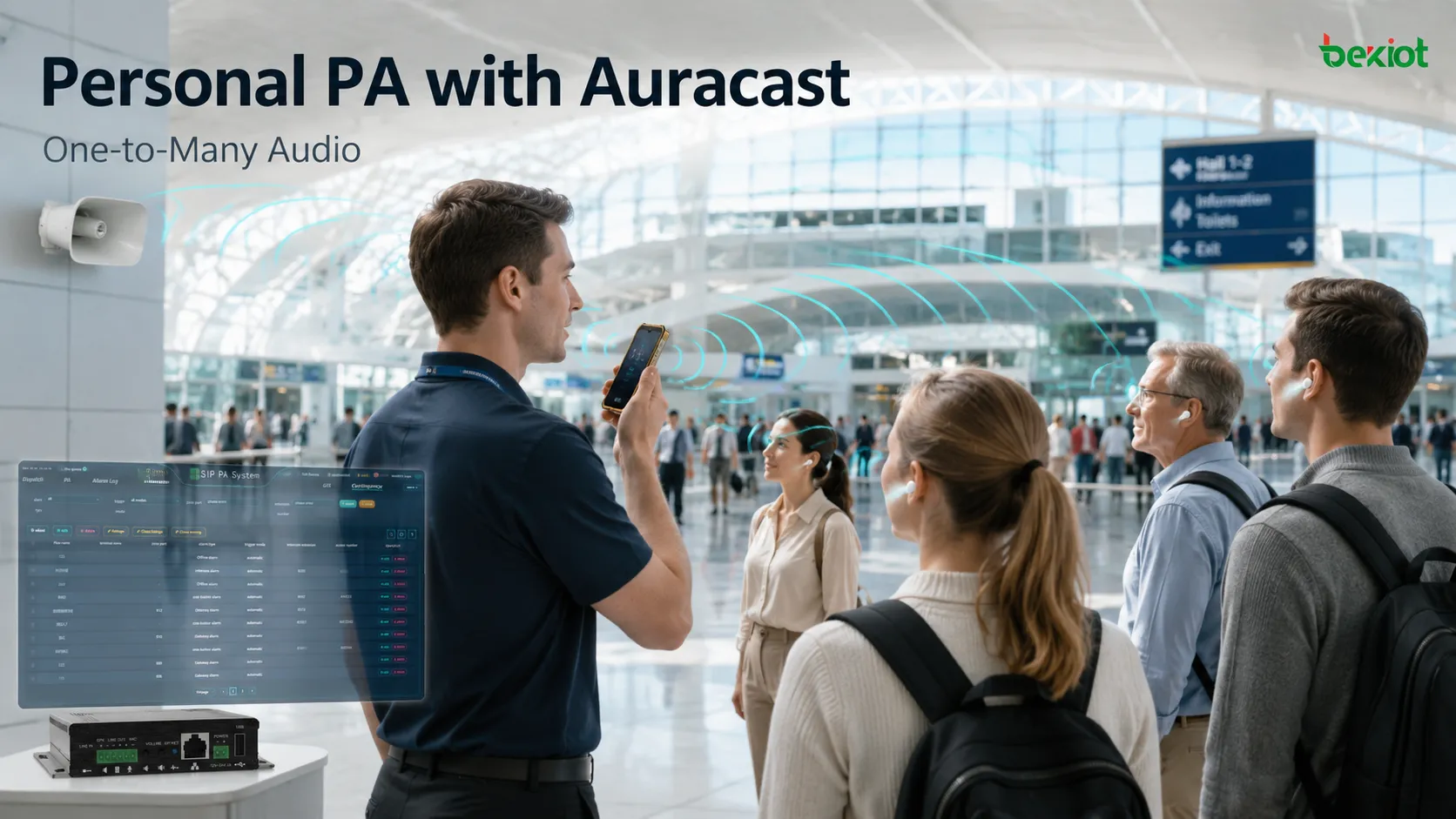
A recent Voice Broadcast feature spotted in a Pixel beta build has pushed a long-developing trend into the spotlight. With the feature enabled, a user can speak into the phone's microphone and send that live voice over Bluetooth LE Audio as an Auracast broadcast directly to nearby compatible earbuds, hearing devices, or wireless speakers. No power amplifier is required, no speaker cabling has to be installed, and listeners do not even need to pair with the phone in the traditional Bluetooth sense.
This is more than another convenience feature on a smartphone. It reflects a broader change in what "broadcasting" can mean. Traditional public-address systems are associated with equipment rooms, amplifiers, ceiling speakers, and fixed coverage zones. Auracast introduces a different model: a phone carried in someone's pocket can become a temporary audio source for many nearby listeners. Broadcasting no longer has to mean "everyone in this physical space hears the same message." It can also mean "everyone within range who chooses to join receives the audio directly." Personal devices are beginning to become part of the public-audio distribution chain.
From Point-to-Point to Broadcast: How Does One-to-Many Audio Work?
Traditional Bluetooth audio is built mainly around point-to-point connections. A phone pairs with a set of earbuds, establishes a dedicated audio link, and sends the sound to that device. If ten people need to listen at the same time, a point-to-point model would require far more connection management, creating additional complexity for stability, device resources, and power consumption.
Auracast takes a fundamentally different approach. The smartphone acts as a broadcast source and continuously transmits the same audio stream. Compatible devices within range can discover that broadcast and join independently. Whether five people or fifty people are listening, the phone does not need to establish a separate full audio session with every receiver because it is still transmitting one broadcast stream.
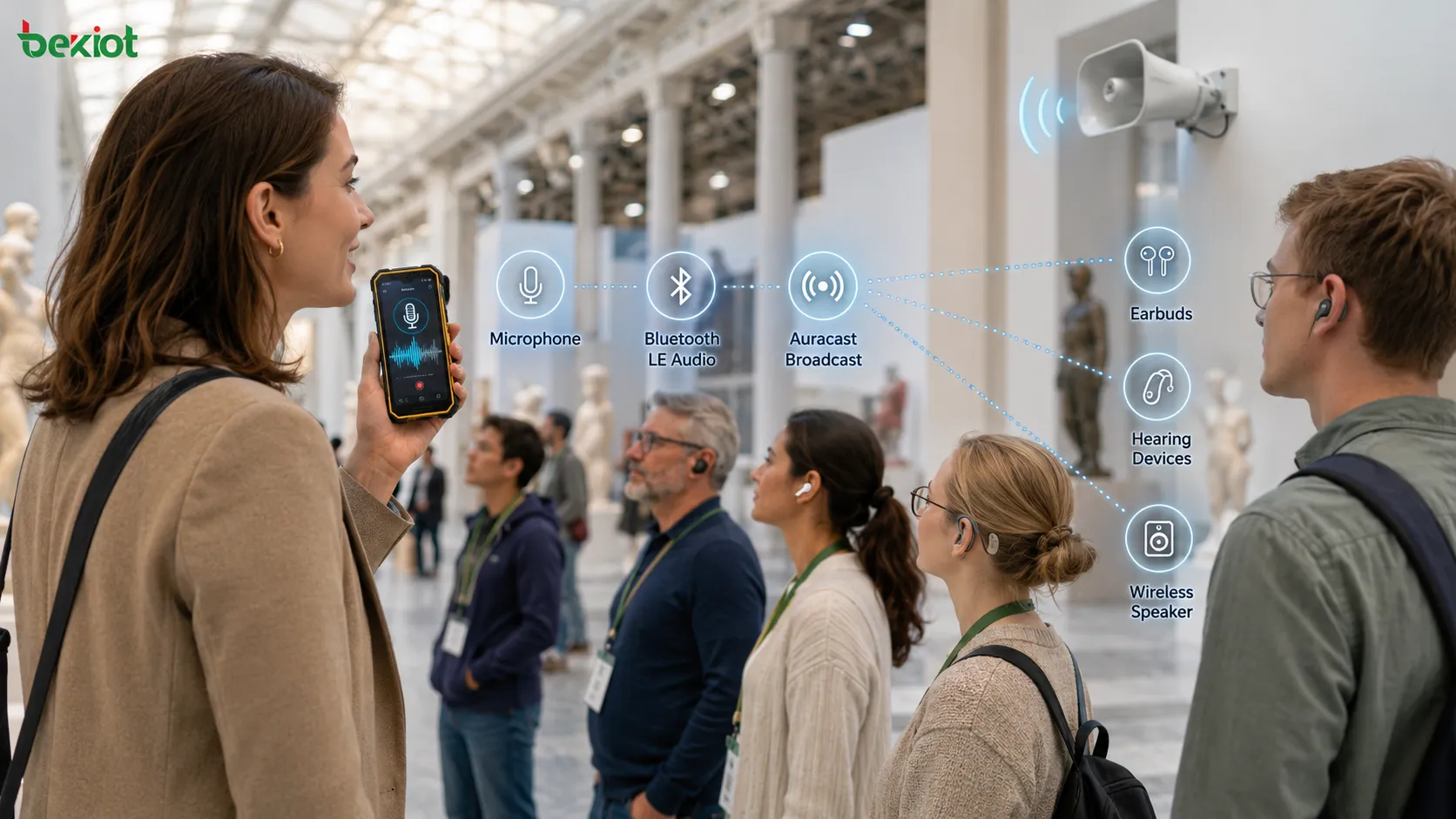
When a feature such as Voice Broadcast uses the phone's built-in microphone, the basic path can be simplified as:
Smartphone microphone → Bluetooth LE Audio encoding → Auracast broadcast → Multiple nearby receivers join independently
The receiving device does not have to be a conventional pair of earbuds. Compatible hearing devices, Auracast-enabled speakers, and other supported audio receivers can also join. A broadcast can be open so that anyone within range can discover and listen to it, or it can be protected with access credentials so that only authorized listeners can join. That makes the same technology useful for internal training sessions, guided tours, and other controlled listening environments.
This is what makes the idea of a "personal PA system" meaningful. The smartphone does not become a high-power loudspeaker. Instead, it changes from a personal communication device into a local broadcast audio source.
Which Use Cases Are Likely to Adopt It First?
The strongest use cases are not the ones where Auracast attempts to replace the fixed PA systems used in shopping centers, factories, or airports. Its real strength is in temporary, short-range, and personalized listening situations.
Guided tours are one of the clearest examples. A tour guide no longer needs to carry a portable loudhailer or speak loudly enough for the entire group to hear. Visitors can listen through their own compatible earbuds, while people nearby are not disturbed by the commentary. Museums, exhibition halls, corporate tours, and in-person training sessions could use the same approach.
In meeting rooms and classrooms, Auracast can act as a lightweight assistive listening layer. A presenter does not have to raise the loudspeaker level simply to overcome background noise. Instead, the voice can be delivered directly to individual listeners, often improving speech intelligibility.
This is particularly valuable for assistive listening. Restaurants, railway stations, hospital lobbies, and other reverberant or noisy spaces can make distant speech difficult to understand even when a person uses a hearing device. If the speaker's voice is delivered directly to a compatible hearing instrument through Auracast, much of the room's acoustic interference can be bypassed.
Another useful category is temporary announcements. Small event organizers, field staff, and temporary service points may need to send a short message to a nearby group without setting up a conventional sound-reinforcement system. In those cases, a smartphone can provide a very lightweight broadcasting tool.
These scenarios share one important characteristic: there may be many listeners, but the coverage area is limited and the listeners already have their own receiving devices. That matches the operating model of Auracast very well.
How Is It Fundamentally Different from a Traditional PA System?
Smartphone broadcasting and conventional public-address systems both appear to solve a one-to-many communication problem, but they do so in fundamentally different ways and are designed for different operational requirements.
| Comparison | Auracast Personal Broadcast | Traditional Public-Address System |
|---|---|---|
| How audio reaches the listener | Delivered directly to personal earbuds, hearing devices, or compatible receivers | Delivered through loudspeakers covering a physical area |
| Does the listener need a receiving device? | Yes, an Auracast-compatible receiver is required | Usually no |
| Coverage model | Personal reception within wireless broadcast range | Coverage by building, floor, zone, or acoustic area |
| Typical applications | Guided tours, training, assistive listening, temporary announcements | Daily paging, scheduled announcements, zoned paging, and emergency notification |
| Deployment model | Lightweight, mobile, and temporary | Fixed, centrally managed, and designed for continuous operation |
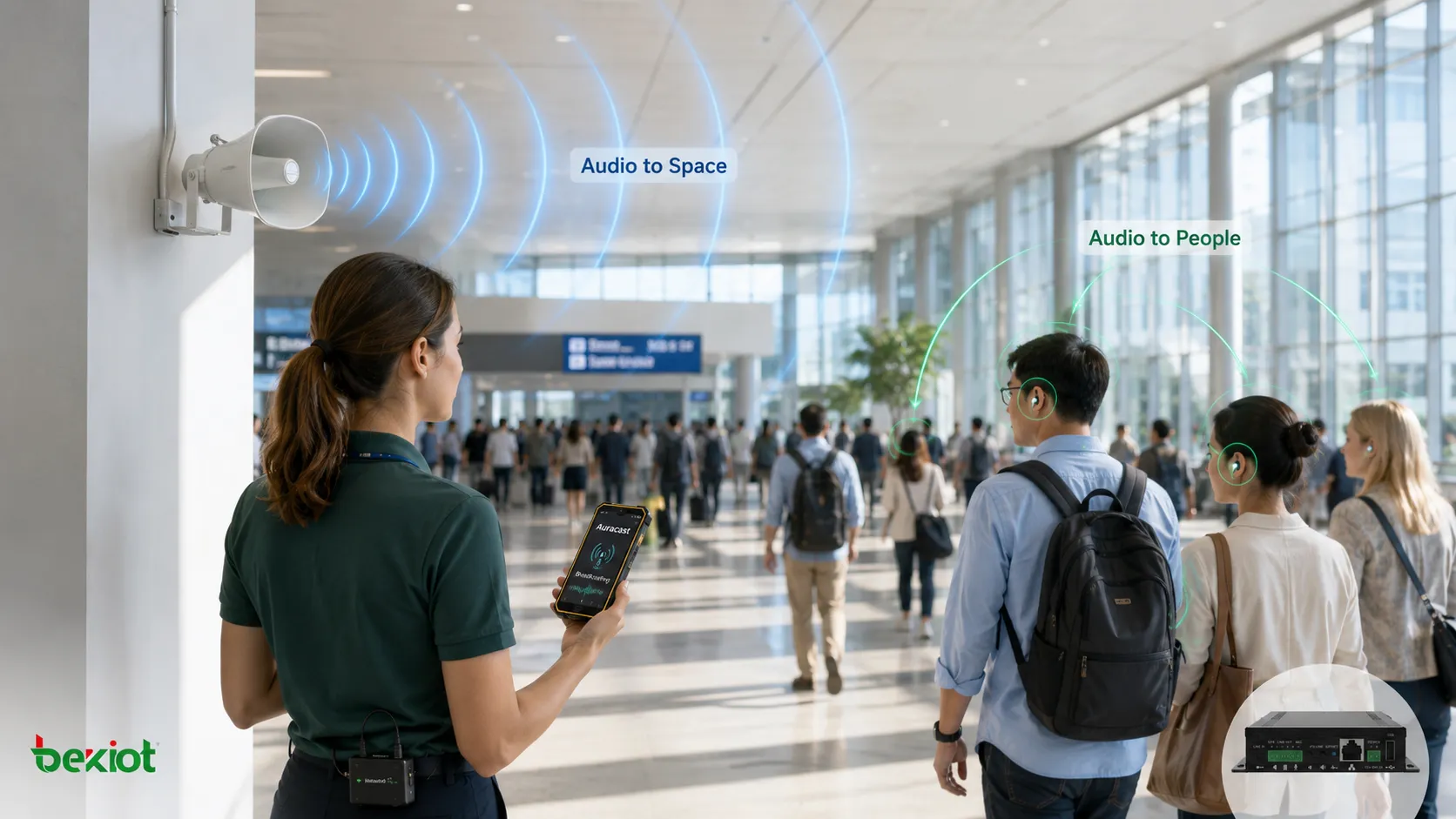
The most important difference can be summarized in one sentence: a traditional PA system sends sound into a space, while Auracast sends audio directly to individuals.
With conventional public address, anyone who enters the loudspeaker coverage area can hear the announcement without taking any action. With personal broadcast audio, the listener needs a compatible receiver and must actively join the broadcast. That is why the two approaches should be viewed as complementary delivery models rather than direct substitutes.
Why Can't It Replace a Professional PA System Yet?
The idea that a smartphone can become a personal PA system naturally raises another question: could fixed loudspeakers eventually become unnecessary? From an engineering perspective, the boundary between the two technologies is still very clear, and there is no realistic near-term replacement relationship.
The first limitation is the receiving requirement. One of the most important characteristics of a professional PA system is that people in the area do not need to install an app, wear earbuds, or actively join a communication session. Loudspeakers simply deliver the message to everyone within the coverage area. Auracast depends on receiver compatibility and user participation, which makes it unsuitable as the only communication method for emergency evacuation and other safety-critical situations.
The second limitation is coverage visibility and supervision. Large campuses, schools, transport hubs, and industrial sites need to know which zones are currently broadcasting, whether endpoints are online, whether volume levels are appropriate, and whether an emergency message has been successfully distributed. A smartphone broadcast only covers a local radio environment and does not inherently provide the same level of endpoint monitoring and operational supervision.
The third limitation is priority handling. Professional PA systems often carry background music, routine announcements, live paging, and emergency messages at the same time. When a higher-priority event occurs, the system must be able to interrupt ordinary programming and force the emergency message through. If smartphone broadcasting is ever used in critical communications, it will require similarly robust priority arbitration and authorization mechanisms.
Reliability is another important difference. A fixed PA system can be designed with UPS backup power, server redundancy, local storage, redundant networks, and dedicated amplifier paths. A smartphone still depends on battery state, operating-system status, radio conditions, and individual user behavior.
For these reasons, smartphone broadcasting is better positioned as a supplementary information channel in safety-critical environments rather than as the only way to deliver an important message.
Will the Future Be a Dual Model of "Space + Personal Audio"?
The most interesting direction for Auracast may not be replacing the PA server at all. Instead, it could add a new listening layer to existing public-address systems.
An airport terminal could continue using ceiling speakers and sound columns for general announcements while also broadcasting gate changes or baggage information directly to nearby passengers' earbuds. A conference center could use fixed sound reinforcement for the main hall while offering separate personal audio channels for different languages. A school could keep its conventional PA system for campus-wide notification while using personal broadcasting for guided tours, specific teaching activities, or assistive listening.
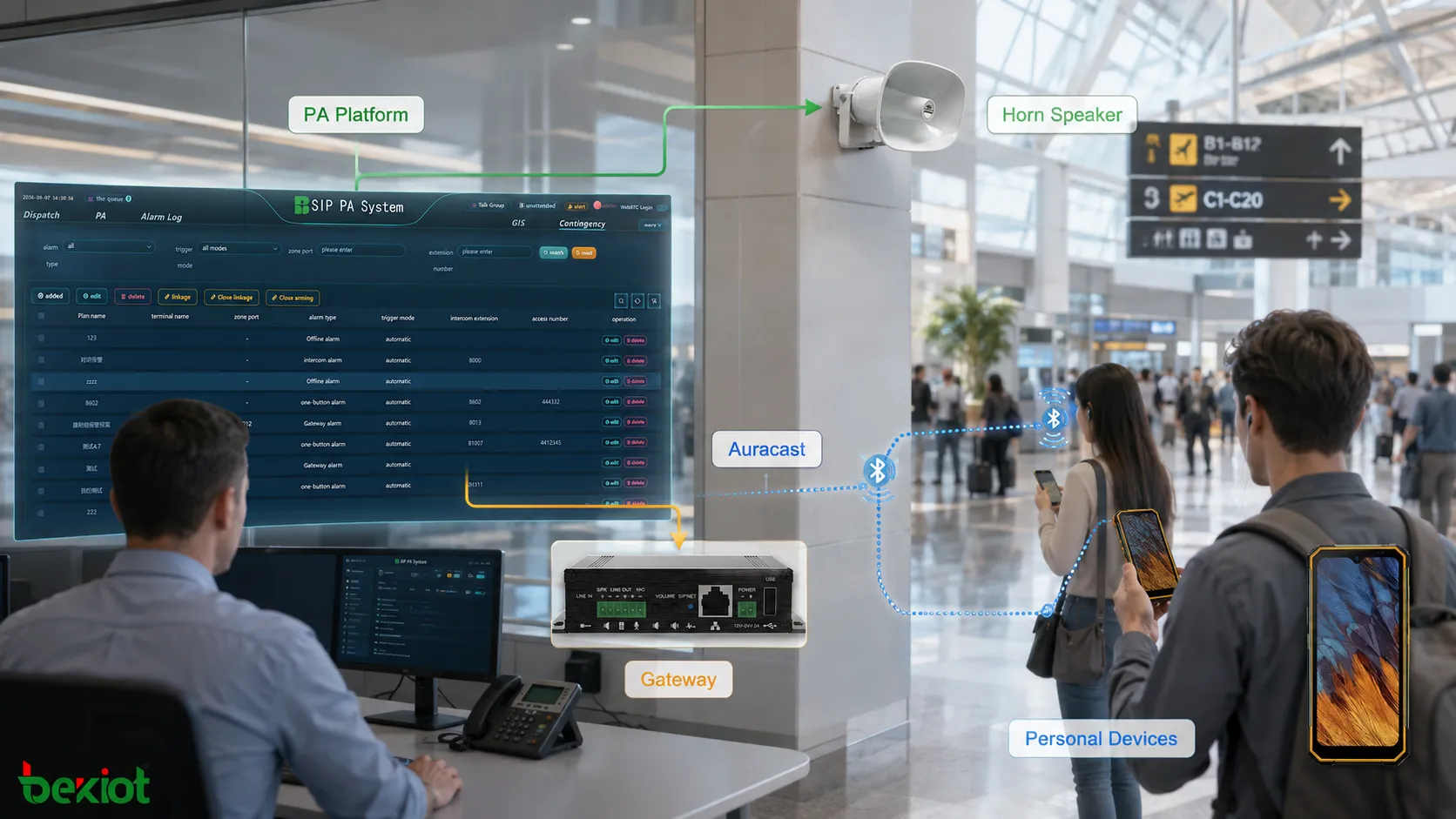
From a system architecture perspective, the future may therefore include two parallel delivery paths:
PA platform → Amplifier / Loudspeaker → Physical-space coverage
PA platform or mobile device → Auracast → Personal receiving devices
The first path solves the problem of "everyone must hear this." The second solves a different problem: "some people need to hear this more clearly, privately, or in a more personalized way."
For the public-address industry, this represents more than the addition of another wireless protocol. Traditional PA systems are mainly designed around physical zones. Future communication platforms may need to manage physical areas, user groups, and individual receivers at the same time. System administrators may eventually care not only about "which zone is playing," but also about "which users are receiving which audio stream."
Where Is the Real Change Happening?
Voice Broadcast itself is not a particularly complicated feature, but the trend behind it is important: broadcast audio is beginning to move beyond professional fixed systems and into ordinary personal devices.
Smartphones have traditionally been receivers of broadcast information. They are now beginning to act as broadcast sources. Earbuds were once purely private listening devices, but they can increasingly become endpoints for public information. As a result, the boundaries of a broadcast system are expanding beyond servers, amplifiers, and loudspeakers to include smartphones, wearables, and personal hearing devices.
That does not mean traditional PA systems will disappear. A more realistic future is one in which fixed public-address systems handle reliable, mandatory, large-area communication, while Auracast and similar technologies handle mobile, temporary, and personalized audio distribution. When those two models are combined, the central question for public communication systems will no longer be only "Can this message reach the area?" It will also become "What is the most appropriate way for different people to receive this message?" From that perspective, turning a smartphone into a personal broadcast system is not the end of public address. It is the beginning of a more diversified audio-distribution model.
FAQ
What Kind of Latency Can Be Expected from Auracast Voice Broadcasting?
Local Auracast end-to-end latency is generally expected to remain in the tens to low hundreds of milliseconds, depending on the transmitter's encoding buffers and the receiver's decoding strategy. For voice guidance, tours, and announcement applications, that level of delay is usually acceptable. Applications that require tight synchronization between audio and live video may still require device-specific latency calibration.
How Many People Can Receive an Auracast Broadcast from One Smartphone?
In principle, the broadcast model does not impose the same receiver-count limit as traditional point-to-point Bluetooth because the transmitter sends one broadcast stream instead of establishing an individual connection with every listener. Practical capacity is more likely to be influenced by the RF environment, receiver discovery behavior, and local wireless congestion. In a relatively open environment, simultaneous reception by dozens or potentially larger groups is feasible.
Can Anyone Nearby Listen to an Auracast Broadcast?
In an open broadcast, compatible devices within range may be able to discover and join the audio stream, so this mode is not suitable for sensitive information. Where access needs to be controlled, a protected broadcast can use access credentials so that only authorized listeners can decode the audio. For internal training, commercial tours, and other controlled applications, protected access is generally the more appropriate approach.
Which Smartphones Currently Support Auracast Transmission?
On Android, devices with suitable Bluetooth hardware and operating-system support for Bluetooth LE Audio are gradually gaining Auracast transmission capabilities, with Pixel devices among the earlier platforms to expose this type of functionality in testing. On iOS, support depends on Apple's device and operating-system implementation, so transmission capability should be confirmed against the current official device specifications and software release notes.







