A subway station is a moving environment even when the trains are not moving. People wait on platforms, pass through corridors, enter fare areas, gather near exits, use elevators, report incidents, and sometimes create safety or comfort concerns for other riders. In that kind of public space, a slow response can allow a small behaviour issue to become a wider service problem.
Real-time monitoring tools are becoming part of how transit agencies handle this challenge. Instead of depending only on officers walking through stations or waiting for a situation to escalate, transit control teams can use cameras, rider reports, digital public address systems, and dispatch procedures to respond faster. The goal is not simply to watch a station. The goal is to create a practical response loop: detect the behaviour, verify the location, issue a message, and decide whether staff or law enforcement should be sent.
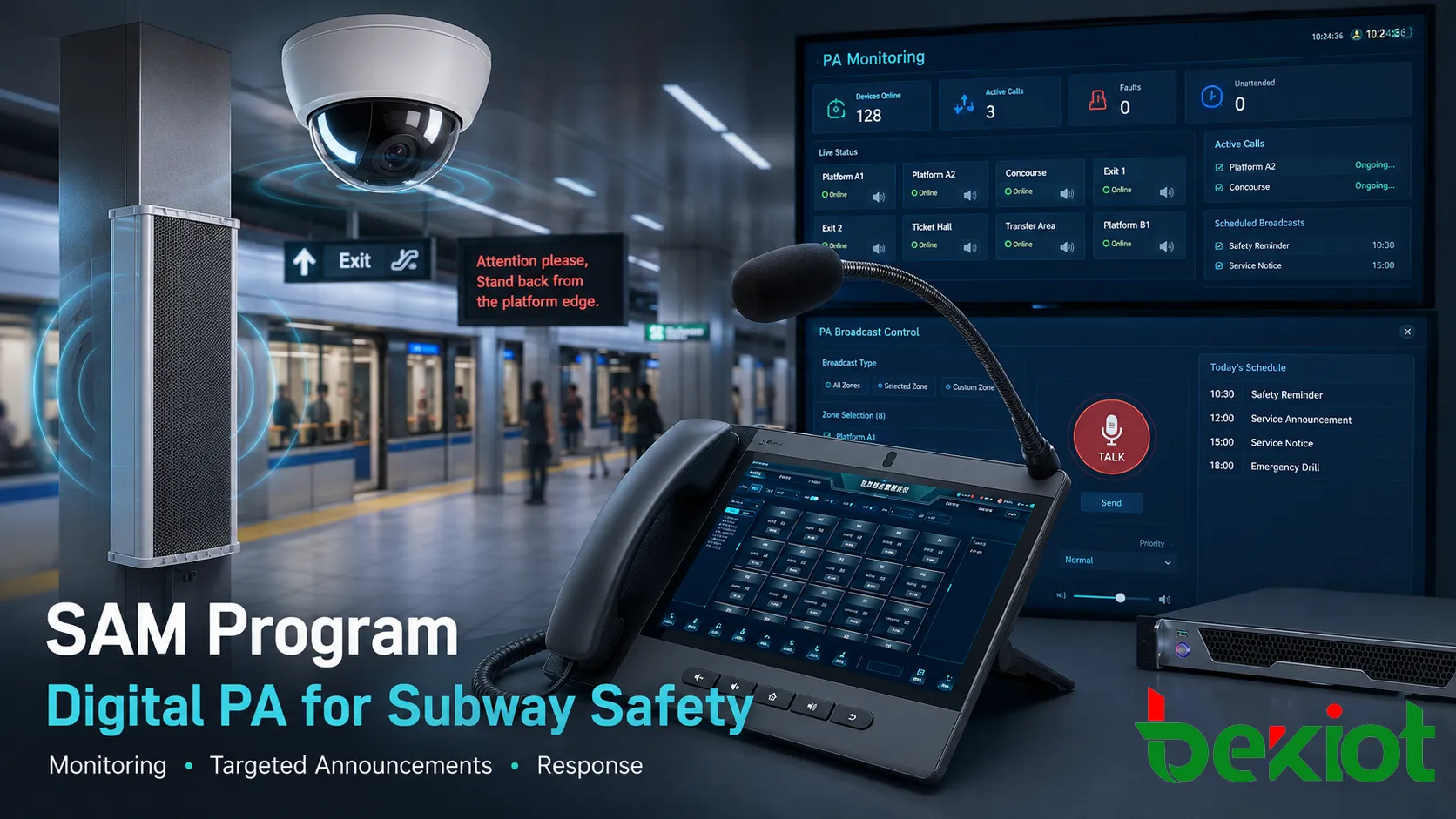
The Toronto Transit Commission’s Subway Assistance Management Program, known as SAM, reflects this shift. The program links station monitoring with targeted public address messages so control staff can respond to behaviours such as smoking, loitering, vandalism, or unsafe conduct in a more immediate way. The idea is simple but operationally important: if staff can identify a problem in a station, they may be able to address it through the station announcement system before the situation requires a larger intervention.
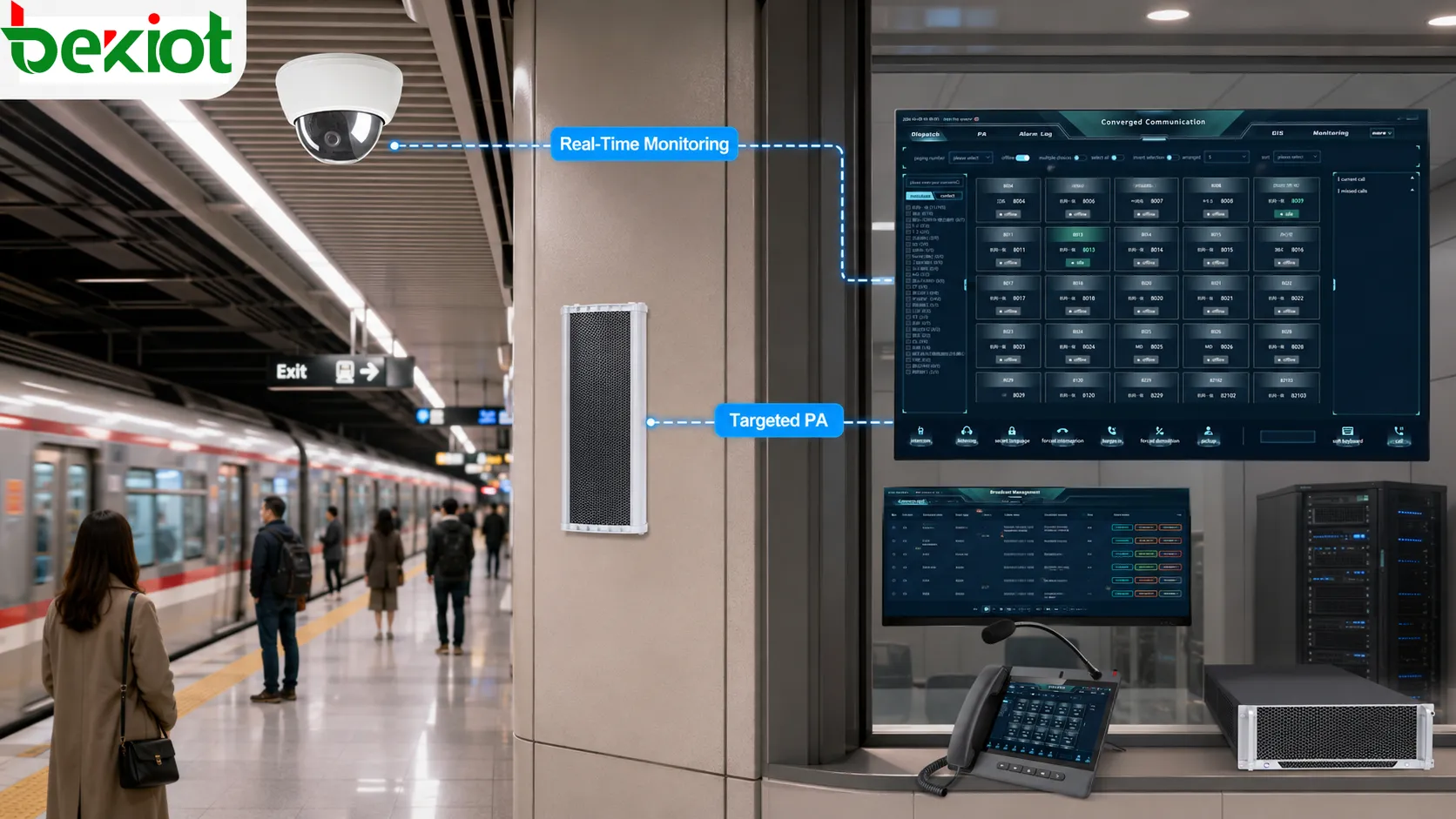
Why Station Response Needs Precision
Transit safety is not only about major emergencies. Many daily problems are smaller, repeated, and location-specific. Smoking on a platform, vandalism near an entrance, unsafe loitering in a passageway, or behaviour that makes riders uncomfortable may not always require an immediate police response. Yet these issues still affect rider confidence, station cleanliness, staff workload, and the public perception of the system.
Traditional station response has limits. Transit officers cannot stand in every corridor or monitor every platform in person at all times. Station staff may be busy with service operations, customer questions, accessibility support, fare equipment, or train movement. Riders may notice behaviour before staff do, but a report is only useful if the control room can understand where the event is happening and what kind of response is appropriate.
A more precise model connects three pieces of information. First, the control team needs a location. Second, it needs a behaviour type. Third, it needs a response option that is faster than sending staff blindly through a large facility. A targeted announcement can become that first response. It lets the system address the person or area involved, remind riders of rules, and test whether the behaviour stops before resources are dispatched.
This is why a digital PA upgrade matters. A general station announcement is useful, but a targeted message is more operationally meaningful. It can be directed to a specific area, timed to a specific event, and used as part of a sequence that includes monitoring and escalation.
How SAM Supports Control Rooms
SAM is designed around the reality that a transit control room must manage many events at once. Staff need tools that help them see what is happening, communicate quickly, and decide whether to escalate. When cameras and public address systems are linked through a real-time monitoring process, the control room can move from passive observation to active intervention.
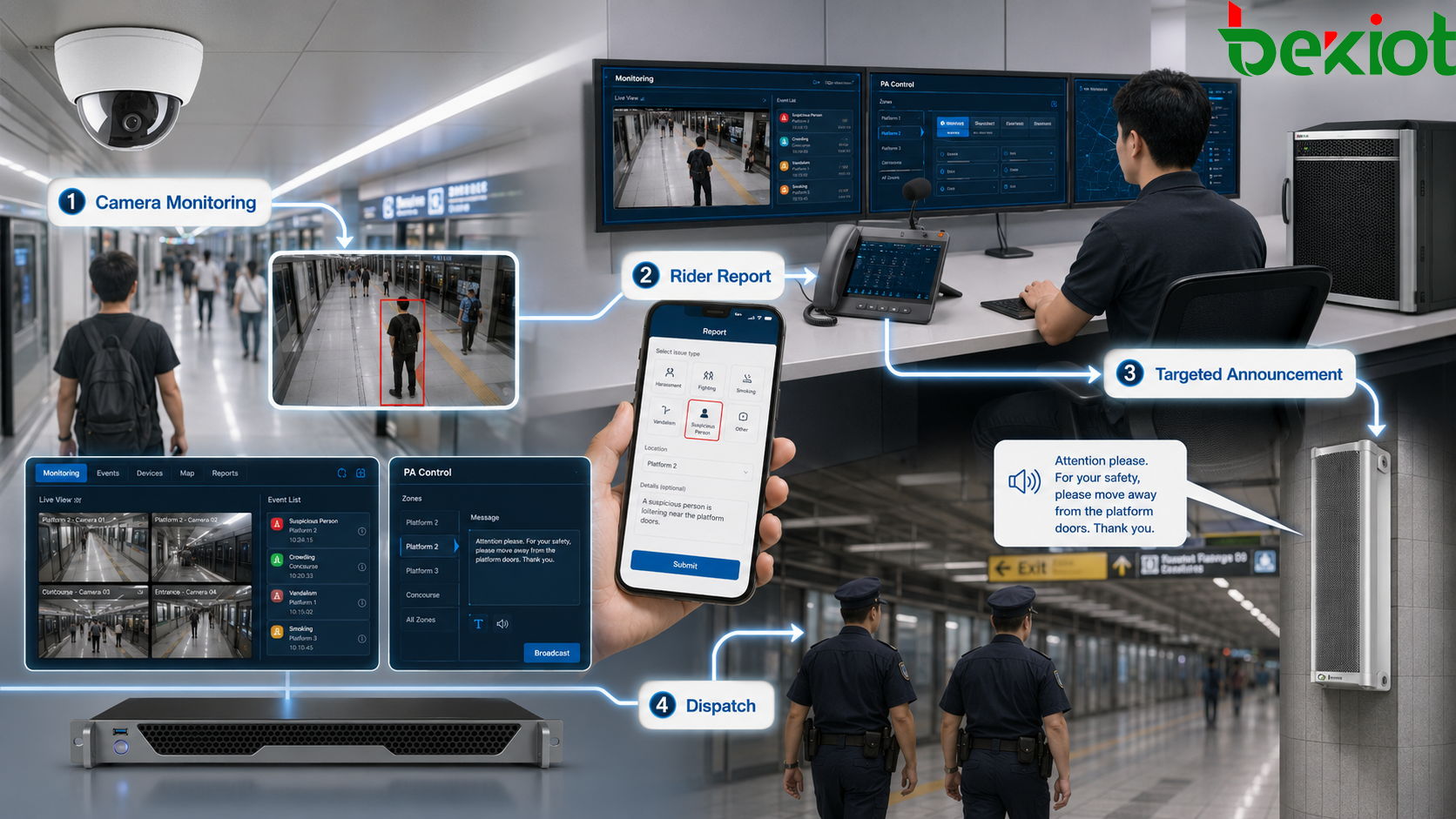
The process may begin with a rider report through a safety app, a camera observation, or another station-level input. If control staff identify behaviour such as smoking or vandalism, they can issue a warning through the public address system. If the behaviour continues, the situation can be escalated to enforcement staff or law enforcement.
This kind of workflow is valuable because it gives the control room more than one response level. Not every incident needs the same reaction. Some situations may be resolved through a public announcement. Others may require staff attendance. More serious or persistent events may need enforcement dispatch. A system that supports this layered approach can help reduce unnecessary deployment while still giving operators a way to act quickly.
The pilot deployment at Kennedy Station also shows why stations are a logical starting point. Stations have fixed cameras, fixed announcement points, known layouts, and defined passenger areas. That makes it easier to match a behaviour report to a physical location and then send a message to the relevant part of the facility.
Cameras, Apps and PA Work Together
A monitoring system is strongest when it does not rely on one input alone. Cameras help control staff verify what is happening. A rider reporting app can bring attention to something staff may not have seen yet. A public address system gives operators a way to respond directly inside the station. Enforcement dispatch provides a next step when a verbal warning is not enough.
Each layer has a different function. Cameras provide visual awareness. Reports from riders add ground-level information. The PA system communicates with people in the station. Staff or law enforcement provide physical response. When these layers are connected, the system becomes more useful than a camera-only or announcement-only approach.
The Safe app plays an important role in this model because riders are often closest to the event. A person who sees smoking, vandalism, or unsafe conduct can report it from the station. The control team can then review the situation and decide whether to issue an announcement or dispatch personnel.
This does not mean rider reports should replace staff judgment. Reports need context, verification, and responsible handling. But when used properly, they can reduce the delay between an incident occurring and the control room becoming aware of it. In a busy transit environment, that time difference matters.
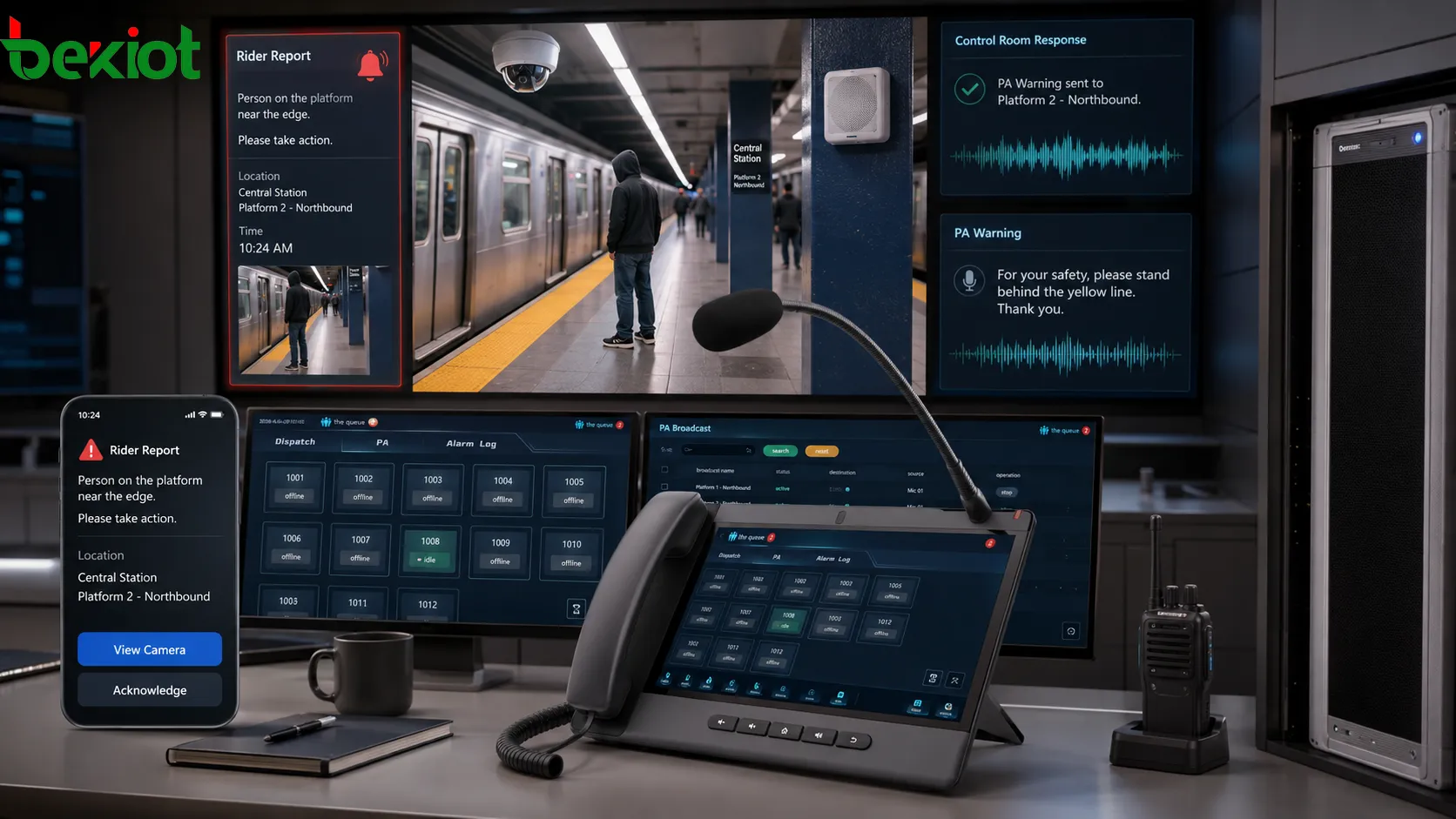
What Digital PA Adds
Public address systems are familiar in transit stations, but digital PA changes how they can be used. A legacy announcement system may be limited in routing, zoning, scheduling, audio quality, and control integration. A digital format can support more targeted messages, clearer control-room operation, and easier connection with monitoring tools.
For station safety, the most important value is targeted communication. A generic message broadcast across a wide area may not affect the person involved in a specific behaviour issue. A more targeted announcement can speak to the right zone at the right time. It can also reduce unnecessary disruption for riders elsewhere in the station.
Digital PA also supports consistency. Operators can use prepared wording for common situations, such as smoking, blocking passageways, or unsafe behaviour near platforms. This helps avoid unclear messages and makes the response sound official. In public environments, clarity and tone matter. A message should be firm enough to be understood, but controlled enough to avoid creating panic or confusion.
Another advantage is integration with incident management. If a PA action is part of the station response workflow, it can be logged, reviewed, and compared with follow-up actions. Over time, the agency can see whether warnings reduce repeat incidents, which stations need more attention, and where enforcement resources are most useful.
Cost also matters in public transit technology decisions. A pilot program with a defined budget gives the agency a way to test whether the operational benefit is strong enough for broader deployment. If targeted messages reduce incidents, improve customer satisfaction, or help deploy staff more efficiently, the value may go beyond the equipment cost itself.
Where Deployment Has Limits
A station-based system does not automatically solve every communication challenge across a subway network. Trains and tunnels create different technical conditions. Underground propagation, antenna coverage, moving vehicles, onboard announcement equipment, and tunnel infrastructure can make real-time communication more difficult than in a fixed station environment.
This is why a station pilot is easier to implement than a train-wide rollout. A station has stable equipment locations and known speaker zones. A train moves through changing radio conditions, different underground segments, and areas where signal propagation may be inconsistent. If the onboard announcement system cannot reliably receive or play targeted messages in the way operators need, the train environment becomes a separate engineering problem.
Upgrading underground antenna systems may help improve future capability, but that kind of infrastructure work requires planning, testing, and integration with existing train and tunnel systems. Transit agencies cannot assume that a tool working well in a station will work the same way on a moving train.
There are also policy and public communication considerations. A system that calls out bad behaviour through a PA system must be used carefully. It should focus on observable conduct, safety, and rider experience rather than creating unnecessary embarrassment or conflict. Staff need clear operating rules so announcements are timely, appropriate, and consistent.
Privacy and trust also matter. Public transit systems already use cameras and safety reporting tools, but riders still expect responsible use. The system should make the station feel safer, not more chaotic. That means the technology must be paired with training, oversight, clear procedures, and measured escalation.
Lessons for Transit Technology
The broader lesson is that station safety technology works best when it supports real operational decisions. A camera without response capacity only records a problem. A PA system without monitoring only broadcasts messages. A safety app without control-room action may frustrate riders. The real improvement comes when these tools are connected into a workflow that staff can use quickly and consistently.
Transit systems considering similar tools should start with the behaviour categories they want to address. Smoking, vandalism, loitering, unsafe conduct, emergency assistance, crowding, accessibility concerns, and customer support needs all require different response rules. A single announcement strategy will not fit every case.
Station layout should also guide deployment. Platforms, concourses, entrances, elevators, fare areas, and passageways may need different announcement zones. If a message cannot be directed accurately, it may become noise rather than a useful intervention. Good system design depends on mapping cameras, speakers, reporting locations, and staff response routes together.
The control-room interface is another key point. Operators should not need to switch between too many systems or manually guess which speaker zone matches a camera view. A useful platform should make the relationship between incident, location, camera, PA zone, and escalation path easy to understand.
Finally, results should be measured. A transit agency can review incident counts, repeat behaviour, rider complaints, customer satisfaction, response times, staff deployment patterns, and announcement effectiveness. These measures help determine whether the system is only visible or truly useful.
FAQ
How should a station PA warning be written?
It should be short, specific, calm, and behaviour-based. The message should identify the rule or safety issue without using personal insults or language that could escalate tension.
What should operators check before sending a message?
Operators should confirm the location, behaviour type, speaker zone, potential safety risk, and whether the situation requires a message, staff dispatch, or immediate enforcement support.
Can targeted announcements replace patrol staff?
No. Announcements can handle some low-level or early-stage situations, but physical response is still needed when behaviour continues, safety is at risk, or riders need direct assistance.
Why is station zoning important?
Zoning helps messages reach the correct area without disturbing the entire facility. It also makes the announcement feel more relevant and reduces unnecessary noise for other riders.
What data helps evaluate the system?
Useful data includes incident frequency, response time, repeat locations, rider complaints, staff dispatch patterns, announcement outcomes, and changes in customer satisfaction.
What makes train deployment harder?
Moving trains face signal propagation issues, tunnel coverage limits, onboard equipment constraints, and changing radio conditions that are more complex than fixed station PA systems.