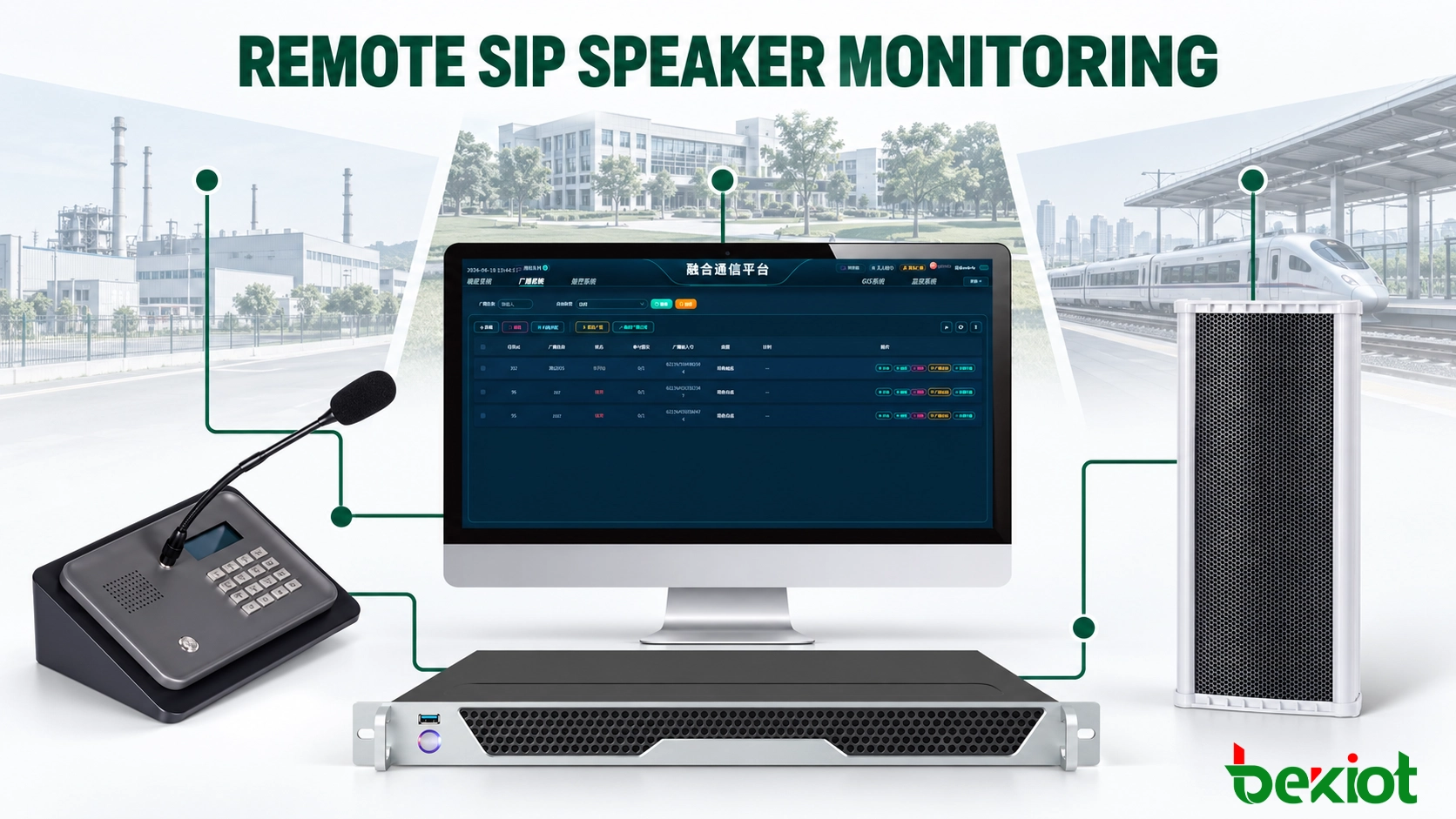
A SIP speaker can appear online in the management platform and still produce no usable sound at the installation point. Registration may remain normal even when the amplifier has failed, the output volume has been changed, the speaker circuit is damaged or the audio stream cannot pass through the network.
This type of silent failure is difficult to identify when speakers are distributed across factories, campuses, transport facilities, public areas or several remote branches. A technician cannot visit every location whenever a status icon changes. The monitoring system must therefore separate basic network availability from SIP signaling, broadcast delivery and physical audio output.
An effective maintenance process combines remote monitoring with scheduled audio tests and targeted site inspections. Its purpose is to identify the affected layer, narrow down the likely cause and restore service before the speaker is needed for an operational or emergency announcement.
Build an Accurate Device Inventory
Remote monitoring depends on knowing exactly which device has generated an alarm. Generic names such as “Speaker 01” or “Zone Device 3” quickly become unusable when hundreds of endpoints are installed across different sites.
A practical device name normally identifies the site, building, zone and installation position. For example, a speaker at the east entrance of Warehouse 2 could be recorded as “WH2-East-Entrance-01.” The same name needs to appear in the broadcast platform, SIP server, network management system, drawings and maintenance records.
Each device record needs the following information:
Site, building, floor, zone and exact installation position
Device model, serial number, hardware revision and firmware version
IP address, MAC address, VLAN and switch-port assignment
SIP account, server address, transport method and registration interval
Broadcast groups, multicast addresses and priority assignments
Power source, PoE switch port or local power-supply information
Rated output power and approved operating-volume range
Installation date, warranty status and maintenance history
Responsible department, local contact and fault-escalation route
Group membership deserves particular attention. One speaker may belong to a daily operations group, a local emergency group and a site-wide evacuation group. A device placed in the wrong group can miss an important announcement even though its network and SIP status remain normal.
Linking logical records with physical installation details also improves field maintenance. Once the platform reports a fault, the technician can identify the associated switch, power source, installation height and access requirements before travelling to the site. This avoids repeated visits caused by missing access equipment or incompatible replacement parts.
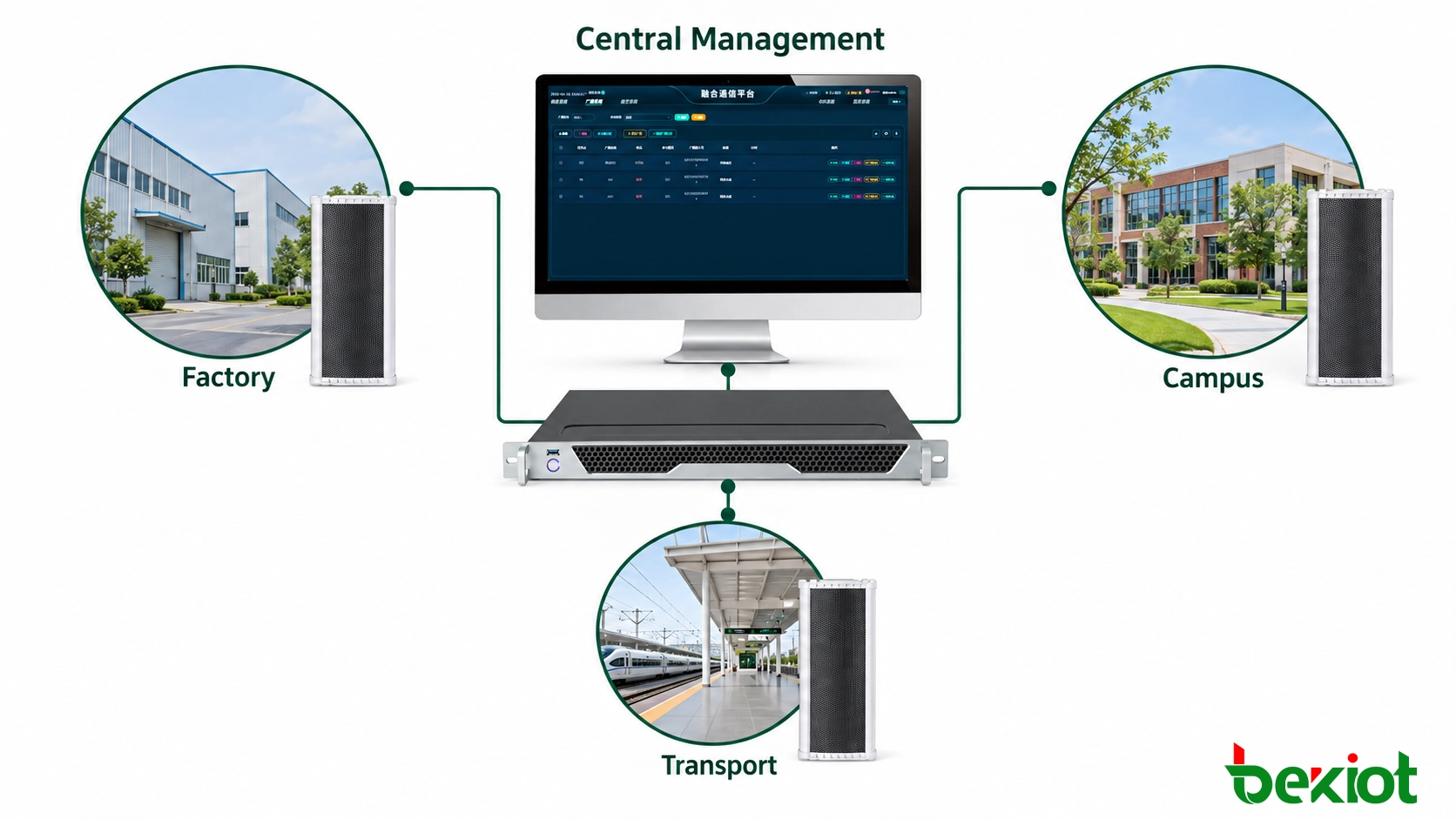
Fig.1 - A centralized platform links SIP speakers with site networks, PoE switches, SIP services and maintenance records across multiple remote locations.
Monitor the Complete Communication Path
No single status value can confirm that a SIP speaker is fully operational. A complete monitoring design covers the network, SIP service, media path, device hardware and the platform that generates the broadcast.
Network Connectivity
Basic supervision begins with device reachability and connection stability. A speaker that repeatedly disconnects may be affected by a damaged cable, loose connector, unstable wireless link, failing switch port, incorrect VLAN, unreliable PoE supply or changes in the upstream network.
Switch information is often more useful than a simple ping result. Port state, PoE consumption, link speed, interface errors and discarded packets can show whether the problem is located in the endpoint or the network serving it.
A ping response only confirms that the IP interface is reachable. It does not prove that the SIP process is running or that the device can receive and play audio. Some networks also block ICMP traffic, so a failed ping does not automatically mean that the speaker is offline.
SIP Registration and Signaling
SIP registration confirms that the speaker has authenticated with the SIP server or IP PBX and that the platform has a current contact address for the endpoint. Registration failures may result from an incorrect password, duplicate account, DNS failure, certificate problem, firewall restriction or mismatch between UDP, TCP and TLS settings.
The registration history is more informative than a single online indicator. Frequent registration loss and recovery can reveal a marginal network connection or unstable power source that may not be visible during a routine platform check.
Some SIP platforms send periodic OPTIONS requests to confirm that an endpoint is still responding at the signaling level. A successful response verifies SIP availability, but it does not test the RTP audio path, multicast reception, amplifier or loudspeaker unit.
Broadcast Delivery and Media Status
The broadcast platform needs to record which task was sent, which zones were selected and which devices accepted the task. Useful records may include the audio source, start time, priority level, target group, playback duration and completion result.
Unicast SIP paging and multicast broadcasting follow different traffic paths. A speaker may receive an ordinary SIP call but fail to play a multicast announcement because it cannot join the required group. Incorrect multicast addresses, blocked ports, VLAN boundaries, IGMP snooping or missing multicast routing can all produce this result.
Media faults can also occur after signaling succeeds. A SIP session may connect normally while RTP packets are blocked by a firewall, sent to the wrong address or affected by packet loss and jitter. Reviewing the signaling result together with media statistics provides a more reliable diagnosis than checking registration alone.
Amplifier and Speaker Condition
Monitoring depth depends on the equipment. Some professional SIP speakers can report amplifier condition, device temperature, supply voltage or output-circuit faults. Simpler models provide only network and SIP status.
These capabilities need to be confirmed during product selection. A management platform cannot report an amplifier or speaker-circuit failure unless the endpoint contains the necessary detection hardware and exposes the result through a supported interface.
Shared Infrastructure
Speakers depend on more than the SIP server. The service path may also include a broadcast application, media server, database, NTP service, switch, router, VPN connection and local power system.
When several endpoints fail at the same time, their shared dependencies provide an important clue. If twenty speakers connected to one PoE switch disappear simultaneously, the platform should present the switch or power source as the likely common cause instead of treating the event as twenty unrelated speaker failures.
Test the Audio Path, Not Just the Network
Silent failures are a major risk in distributed broadcasting. The platform may send an announcement, establish the session and generate a successful task record even though no intelligible sound reaches the intended area.
Periodic audio-path testing closes this monitoring gap. A test can be launched manually from a paging console or generated automatically as a scheduled task. The result needs to confirm the complete route from the audio source to the installed loudspeaker.
A functional audio test covers:
Whether the correct speaker or broadcast group receives the message
Whether playback begins within the permitted delay
Whether speech remains clear and free from interruption or distortion
Whether the output level is suitable for the local ambient noise
Whether emergency audio overrides routine playback correctly
Whether normal playback resumes after the priority message ends
Whether the event log records the correct source, target, time and result
Systems without automatic acoustic verification still require a listening check. A designated person at each site can confirm the scheduled test and record the result against the relevant device or zone. A verbal confirmation without a device reference provides little value when faults must later be traced.
Some installations use monitoring microphones, audio-return circuits or amplifier supervision to improve remote verification. These functions are architecture-dependent and should be treated as specified system capabilities rather than standard features of every SIP speaker.
Test messages must be clearly identified to prevent confusion with real emergency instructions. Routine tests can run during agreed maintenance periods. Tests involving evacuation messages, alarm tones or high-priority override need advance coordination with the affected departments.
Frequency depends on the function of the area. An evacuation route, hazardous work area or transport platform requires more frequent verification than a speaker used only for background audio. Outdoor equipment may also need additional checks after severe weather, construction work or changes to the surrounding environment.
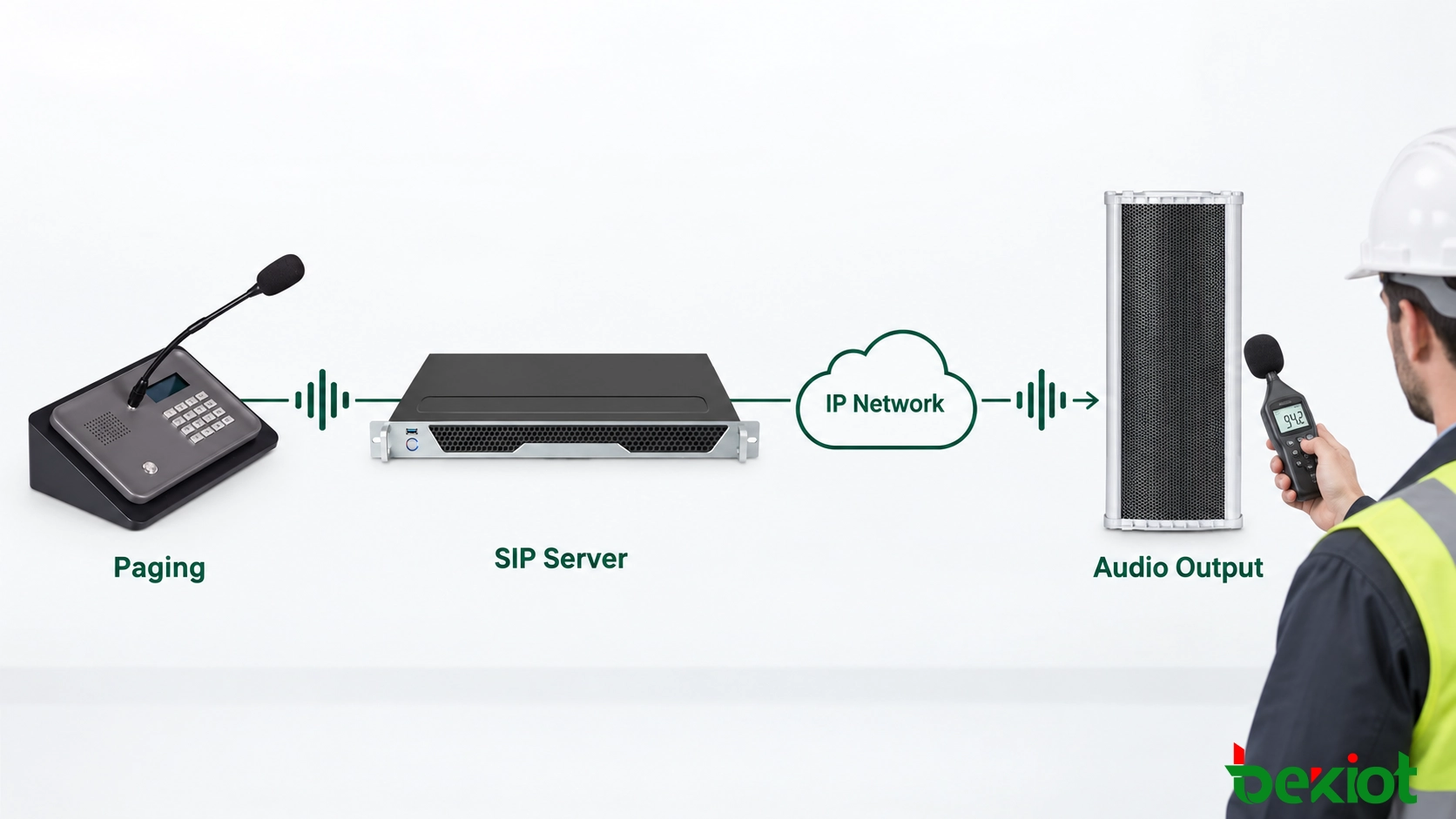
Fig.2 - Audio-path testing verifies the complete route from the paging source and SIP platform to network transmission, amplification and physical sound output.
Control Configuration and Firmware Changes
Configuration drift is a common source of inconsistent behaviour. Two speakers of the same model may perform differently because they use different firmware, codec priorities, multicast addresses, time settings or output limits.
Each device model needs an approved configuration baseline covering:
IP addressing, VLAN assignment, gateway and DNS settings
SIP server, port, transport and registration parameters
Codec order, packetization and audio-gain settings
Multicast groups, ports and playback priorities
Maximum and minimum output levels
NTP server, time zone and scheduling parameters
Administrator accounts and remote-access restrictions
Alarm thresholds, log settings and event destinations
Configuration backups provide a known recovery point when a remote change causes unexpected behaviour. The change record needs to identify the affected devices, reason for the adjustment, maintenance period, expected result and rollback procedure.
Batch changes are best introduced through a small pilot group. After confirming registration, paging, multicast, scheduling and priority operation, the same configuration can be rolled out to additional sites in controlled stages.
Periodic compliance checks can compare active device settings with the approved baseline. A mismatch may indicate an incomplete upgrade, unrecorded local adjustment or unauthorized change. Showing the exact parameters that differ is more useful than reporting only that a device is noncompliant.
Firmware Upgrades
Firmware updates may address security vulnerabilities, compatibility problems or known device faults, but they can also interrupt service. Before an upgrade, verify the hardware revision, current version, target version, upgrade sequence and available rollback method.
Firmware packages need to come from an approved source. Where checksums or digital signatures are available, validating them reduces the risk of installing a damaged or incorrect file.
Critical coverage must remain available throughout the maintenance window. In areas with overlapping speakers, one group can remain active while another is upgraded. If the site does not have overlapping coverage, temporary communication arrangements may be required.
Completion of the firmware transfer is not the end of the upgrade. The device must be checked for successful startup, correct configuration, SIP registration, unicast paging, multicast reception, scheduled playback and emergency-priority operation.
Time Synchronization
Speakers, SIP servers, broadcast platforms and network devices need consistent time. Without synchronized clocks, the same fault may appear under different timestamps in separate logs, making the event difficult to reconstruct.
Incorrect time can also cause scheduled announcements to play early, late or not at all. NTP status therefore needs verification after device resets, firmware upgrades and changes to network access rules.
Related Product: Becke Telcom SK12-SIP 120W Weatherproof PA Column Speaker
Secure the Remote Management Channel
Remote maintenance does not require every speaker’s administration interface to be exposed directly to the internet. Public access increases the risk of password attacks, unauthorized configuration, firmware tampering and deliberate service interruption.
Remote sites are normally connected to the central management environment through private links, VPNs or another controlled access path. Device-management traffic can also be separated from ordinary user traffic through appropriate VLAN and firewall policies.
Suitable security measures include:
Replacing factory-default administrator credentials
Using a unique SIP account for each speaker
Separating operator, technician and administrator permissions
Restricting management access to approved source addresses
Using encrypted management connections where the equipment supports them
Disabling unused accounts, ports and management services
Keeping protected backups of approved configurations
Reviewing administrator permissions at regular intervals
Monitoring interfaces require the same protection. SNMP, HTTP APIs, syslog services and manufacturer-specific management protocols should remain inside trusted management networks. Default SNMP community strings and unnecessary write permissions create avoidable risk.
Management logs need to identify the administrator, target device, changed parameters, operation time and result. This record provides an audit trail for security investigations and also helps engineers determine whether a fault began after a remote change.
Backup access requires careful planning. If the main WAN or VPN connection fails, operators may lose both broadcast service and the ability to inspect the remote site. Depending on the importance of the installation, an independent backup link or local fallback broadcast method may be necessary.
Prioritize Alarms and Standardize Fault Handling
A background-music speaker in a low-priority area does not require the same response as an emergency speaker covering an evacuation route. Alarm classification helps maintenance teams direct their attention to the failures with the greatest operational effect.
Critical: Loss of the central platform, complete site outage or failure of multiple emergency zones
Major: One critical zone unavailable, repeated registration loss or confirmed amplifier fault
Warning: Intermittent connectivity, abnormal temperature, configuration mismatch or increasing interface errors
Maintenance: Inspection due, configuration backup required or approved firmware update available
Thresholds need to prevent alarm flooding without hiding genuine failures. One lost packet does not require an emergency response, but repeated disconnections within a defined period indicate an unstable service that needs investigation.
Planned switch restarts and maintenance work can be recorded in advance so that expected outages do not generate unnecessary escalation. Critical service interruptions must still remain visible throughout the maintenance window.
A practical fault-handling sequence is:
Identify the affected site, zone and number of devices.
Check for other devices sharing the same network or power source.
Review switch-port state, PoE delivery and network reachability.
Verify SIP registration, account status and signaling responses.
Review broadcast-task records and recent configuration changes.
Check RTP, codec and multicast settings where applicable.
Run a controlled announcement to the affected endpoint or group.
Compare the device configuration with the approved baseline.
Restart the affected service or endpoint only when operationally safe.
Arrange an on-site inspection if remote checks cannot confirm audio output.
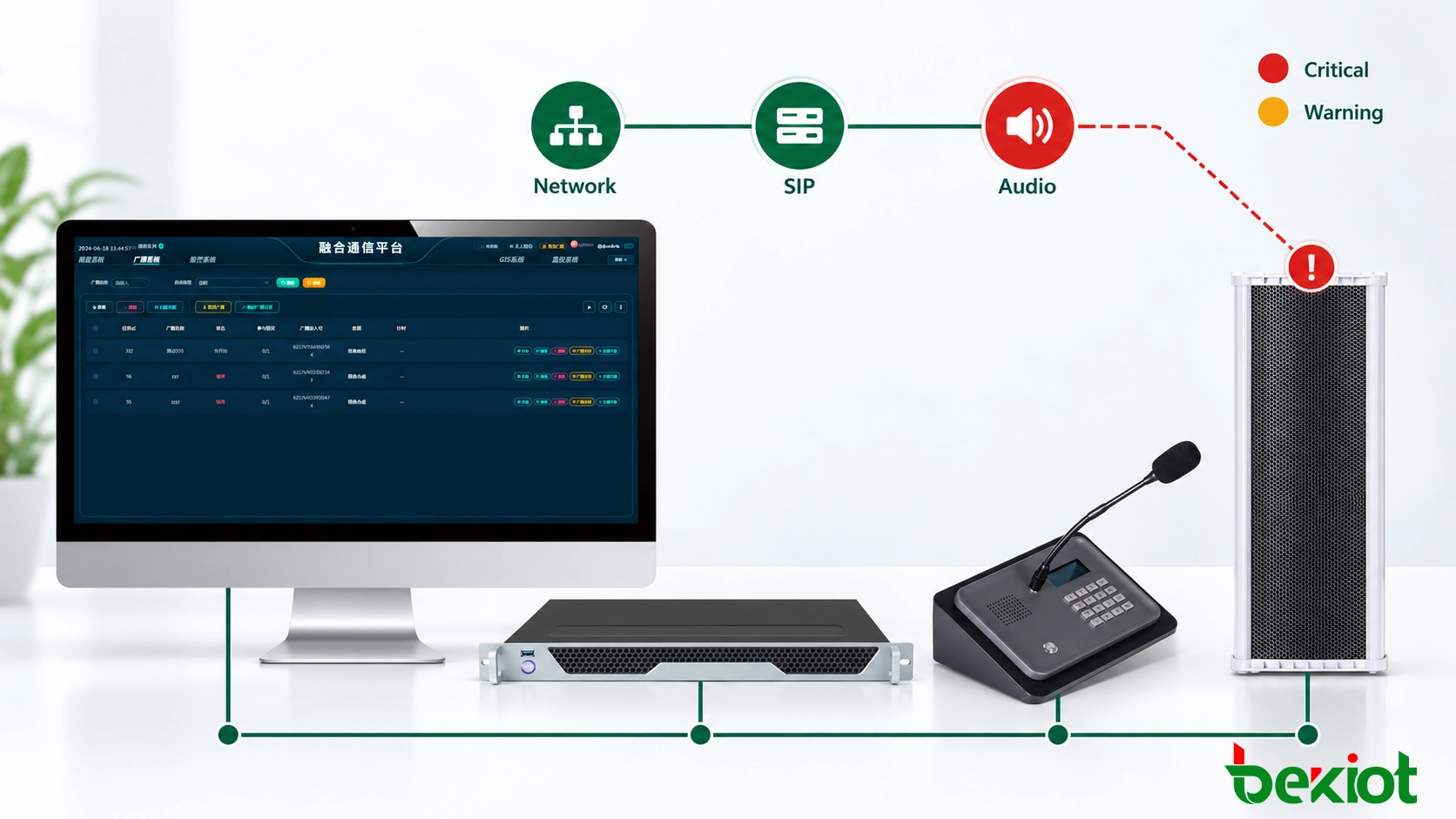
Fig.3 - Alarm classification and a standardized diagnostic workflow help maintenance teams identify shared faults and restore critical speaker coverage.
An alarm is not complete merely because the status icon has returned to green. Closure requires evidence that service has been restored. The maintenance record should include a successful test broadcast, confirmation of group membership and verification of the required output level.
Repeated incidents need root-cause review. Several speakers disconnecting at the same time each week may point to a scheduled network task, power interruption or bandwidth problem. Repeated outdoor failures after rain may indicate damaged seals, unsuitable cable entries or water ingress rather than a software issue.
Maintenance planning also includes spare parts. Remote sites may require compatible power supplies, PoE injectors, surge protectors, mounting hardware and replacement speaker units. Approved firmware and configuration backups need to remain available so a replacement endpoint can be commissioned without rebuilding its settings from the beginning.
FAQ
Does SIP Registration Prove That a Speaker Is Working?
No. Registration verifies signaling between the endpoint and SIP platform. It does not confirm RTP delivery, amplifier operation or physical sound output.
What Is the Difference Between Ping, SIP and Audio Monitoring?
Ping checks basic IP reachability. SIP monitoring checks registration and signaling availability. Audio monitoring verifies whether the broadcast reaches the endpoint and produces intelligible sound at the installation point.
How Often Should Distributed SIP Speakers Be Tested?
The interval depends on the importance of the zone, environmental conditions and applicable maintenance requirements. Emergency and evacuation areas generally need more frequent functional testing than locations used only for routine announcements.
Can All SIP Speakers Be Upgraded at the Same Time?
Upgrading a small pilot group first reduces operational risk. The remaining devices can be upgraded in stages after the new firmware has passed registration, playback, multicast and priority tests.
Can SNMP Be Used to Monitor SIP Speakers?
Yes, when the selected speaker provides the necessary SNMP functions. Available information varies by model and may include network, device or fault status. SNMP does not confirm physical sound output unless the equipment includes suitable amplifier or audio-path supervision.