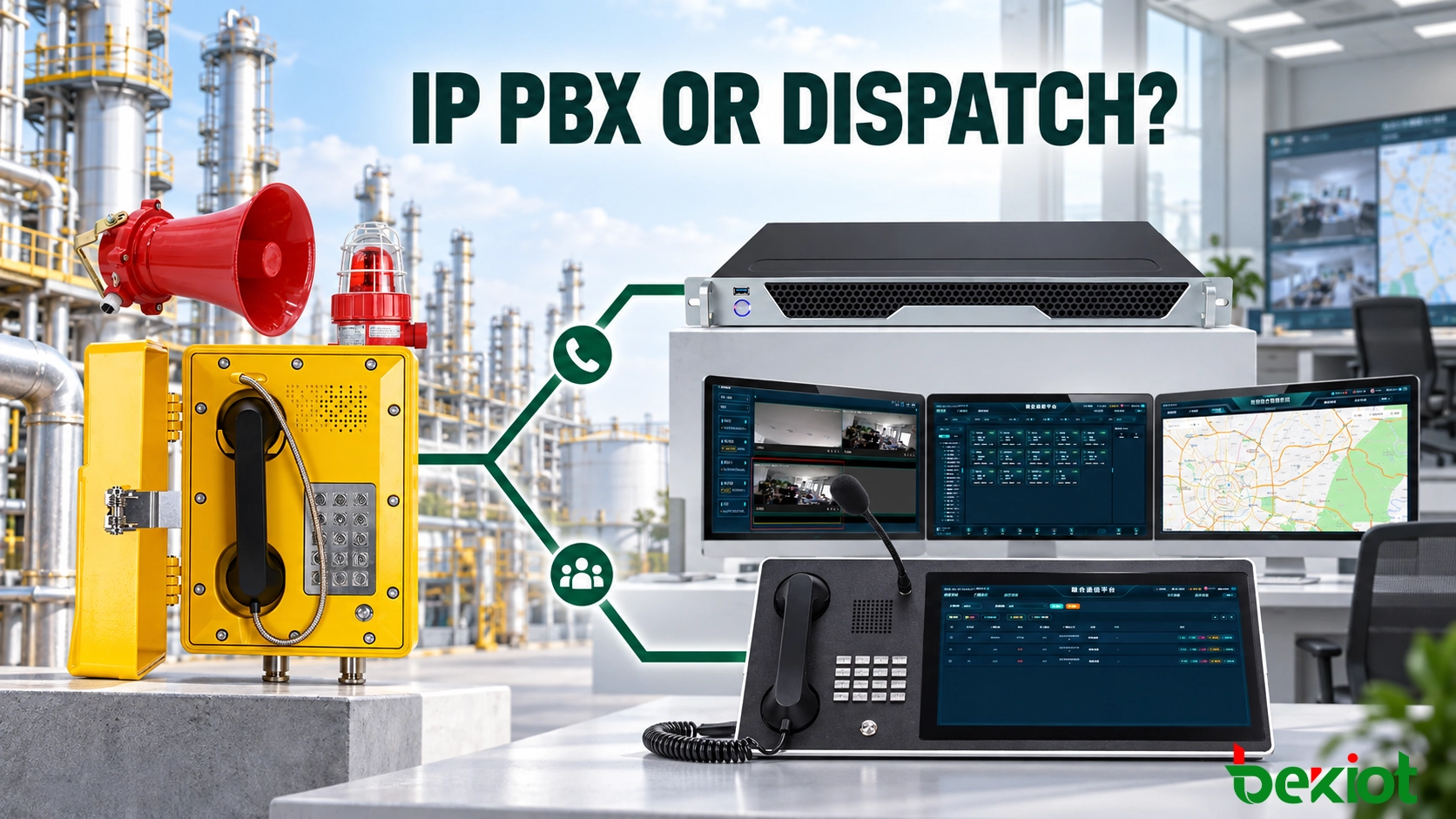
An explosion-proof telephone beside a production line may only need to call the control room. Another telephone in a tank farm may need to identify its location, interrupt routine traffic and bring several response teams into the same conversation.
Both devices can use SIP, but their operational roles are different. Routine extension calling can usually be handled by an IP PBX. Calls that require location display, emergency priority and coordinated response are better directed to a dispatch system.
Many industrial sites need both. In that case, the IP PBX manages telephone services while the dispatch platform gives control-room operators the tools required to handle operational and emergency events.
Start with the Role of the Field Telephone
Explosion-proof telephones are installed in areas where ordinary commercial phones may not be suitable, including petrochemical facilities, fuel storage areas, chemical plants, mines and other hazardous industrial environments.
The enclosure and certification address the physical installation environment. The central communication platform performs a different job: it determines where the call goes, what the operator sees and what happens when the first destination is unavailable.
Before selecting the platform, the project team needs to identify the tasks assigned to each telephone:
Calling a control room or maintenance department
Receiving calls from authorized extensions
Reporting equipment faults or abnormal conditions
Sending an emergency call with higher priority
Identifying the field location to the operator
Contacting safety, production or response teams
Starting an alarm, broadcast or video-linkage workflow
A telephone used for routine production communication does not need every dispatch function. A device designated as an emergency reporting point, however, needs more than a working voice path. Its call must reach the right operator and remain visible until it is handled.
Define Call Initiation and Escalation
Field telephones do not always use a complete keypad. At a fixed emergency point, lifting the handset or pressing one button may automatically call a predefined destination. This shortens the operating process for someone wearing gloves or responding under pressure.
Other locations need a keypad because personnel may call maintenance, production, security or another department. The platform must support the selected operating method without making emergency access difficult.
The call route also needs a second step. If the main control-room extension is busy or unattended, the call can move to another seat, ring a group of operators or transfer to a central control center. Sending an emergency call directly to ordinary voicemail would leave the caller without a confirmed response.
Routing rules may be stored in the telephone, IP PBX or dispatch platform. Commissioning records need to show where those rules are configured so that a destination change does not require unnecessary visits to every field device.
When an IP PBX Is the Right Connection
An IP PBX is suitable when the explosion-proof telephone operates mainly as a fixed industrial extension. A SIP telephone registers with the PBX, receives an extension number and follows the site’s call-routing and permission rules.
This arrangement works well for routine communication between field personnel, workshops, control rooms and maintenance teams. The operator answers the call in the same way as an ordinary internal call and can transfer it when another department is responsible.
Depending on the selected platform, an IP PBX may provide:
Extension-to-extension calling
Ring groups and hunt groups
Call transfer, forwarding and time-based routing
SIP trunk or public telephone network access
Call permissions and destination restrictions
Call records and basic recording
Centralized numbering across several buildings or sites
Consider a telephone installed near a pump station. A technician uses it to contact the electrical workshop or report a fault to the control room. The call does not need a map, incident form or multi-party dispatch process. An IP PBX can handle this requirement without introducing an additional operating interface.
The PBX can also restrict the telephone to an approved list of destinations. A field extension may be allowed to call the control room, safety office and emergency number while unrelated or external destinations remain blocked.
Understand the Limits of a PBX Call
A PBX normally identifies a call by extension number and caller name. A structured numbering plan can indicate the plant, building or operating zone, while a name such as “Tank-Farm-East-Gate” provides a more useful reference than “Telephone 03.”
This approach is adequate when the site has a limited number of field devices and operators know the layout. It becomes less effective in a large plant where several similar calls may arrive from different zones at the same time.
A basic telephone display does not normally show the device on a plant map or present nearby cameras and response groups. Emergency priority and persistent alarm indication also depend on the capabilities and configuration of the selected PBX.
If operators need to recognize the location immediately and coordinate follow-up actions from the same screen, a dispatch system is more appropriate.
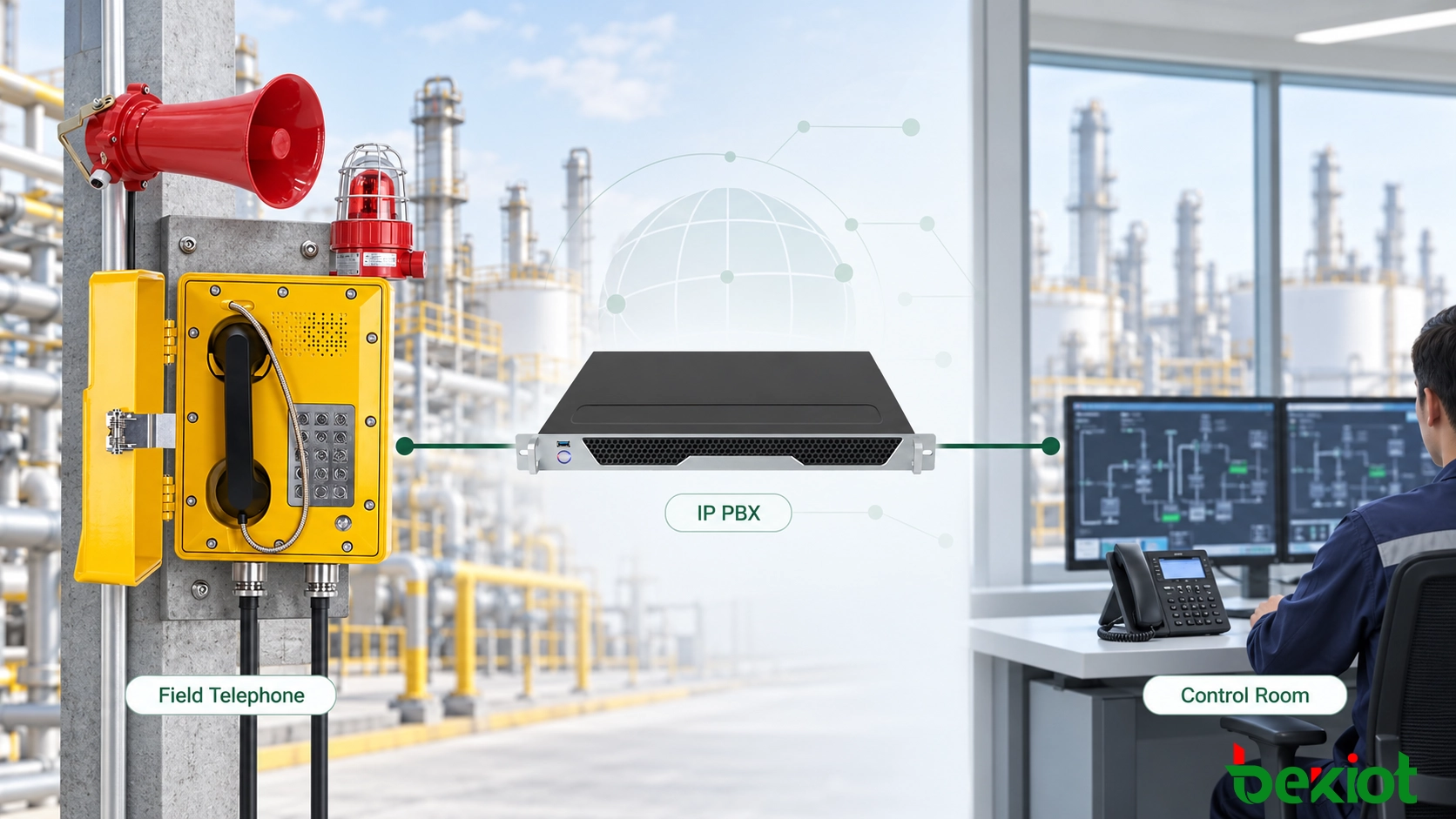
Fig.1 - An IP PBX is suitable when explosion-proof telephones primarily require extension calling, call routing and controlled access to other telephone networks.
When a Dispatch System Is the Better Choice
A dispatch system is designed around operator control rather than ordinary extension calling. It gives the control room a dedicated interface for receiving field calls, identifying their source and coordinating the required response.
This becomes important when an explosion-proof telephone is part of an operational or emergency process. Instead of showing only an extension number, the dispatch interface can associate the call with a site, production zone, device name and handling priority.
Depending on the platform and integration design, relevant dispatch functions may include:
Visual identification of the calling telephone and its location
Emergency call priority and queue management
One-touch calling to predefined departments
Operator-controlled conferences
Call recording and event history
Integration with paging, alarms or video surveillance
Handle a Call from a Hazardous Area
Imagine that an operator uses an explosion-proof telephone in a tank farm to report a leak. With an ordinary call flow, the control room sees the caller name and answers.
In a dispatch workflow, the call can also identify the tank farm zone on the operator interface. The dispatcher speaks with the caller, contacts the safety team and brings maintenance personnel into the conversation without moving between several unrelated systems.
If video integration has been configured, the operator may open the relevant camera view to confirm visible conditions. A targeted broadcast can then warn personnel in the affected area while avoiding unnecessary announcements in unrelated zones.
These functions are determined by the dispatch platform and its interfaces. A SIP connection by itself does not automatically provide maps, video or alarm linkage.
Coordinate Operator Handover
Large control rooms may have separate seats for production, security and emergency response. The dispatch design identifies which seat receives each type of call and who takes over when the primary position is unavailable.
Shared handling status helps prevent two operators from responding independently to the same event. The platform may show that a call is waiting, active, transferred or completed, while the recording system retains the associated voice and timestamps.
Multi-site organizations can also route overnight calls to a central control center. The field telephone remains at the same location, but its answering destination changes according to the operating schedule.
These capabilities only add value when the device database and operator permissions are maintained correctly. A wrong location name or outdated dispatch group can misdirect the response even when the voice call works normally.
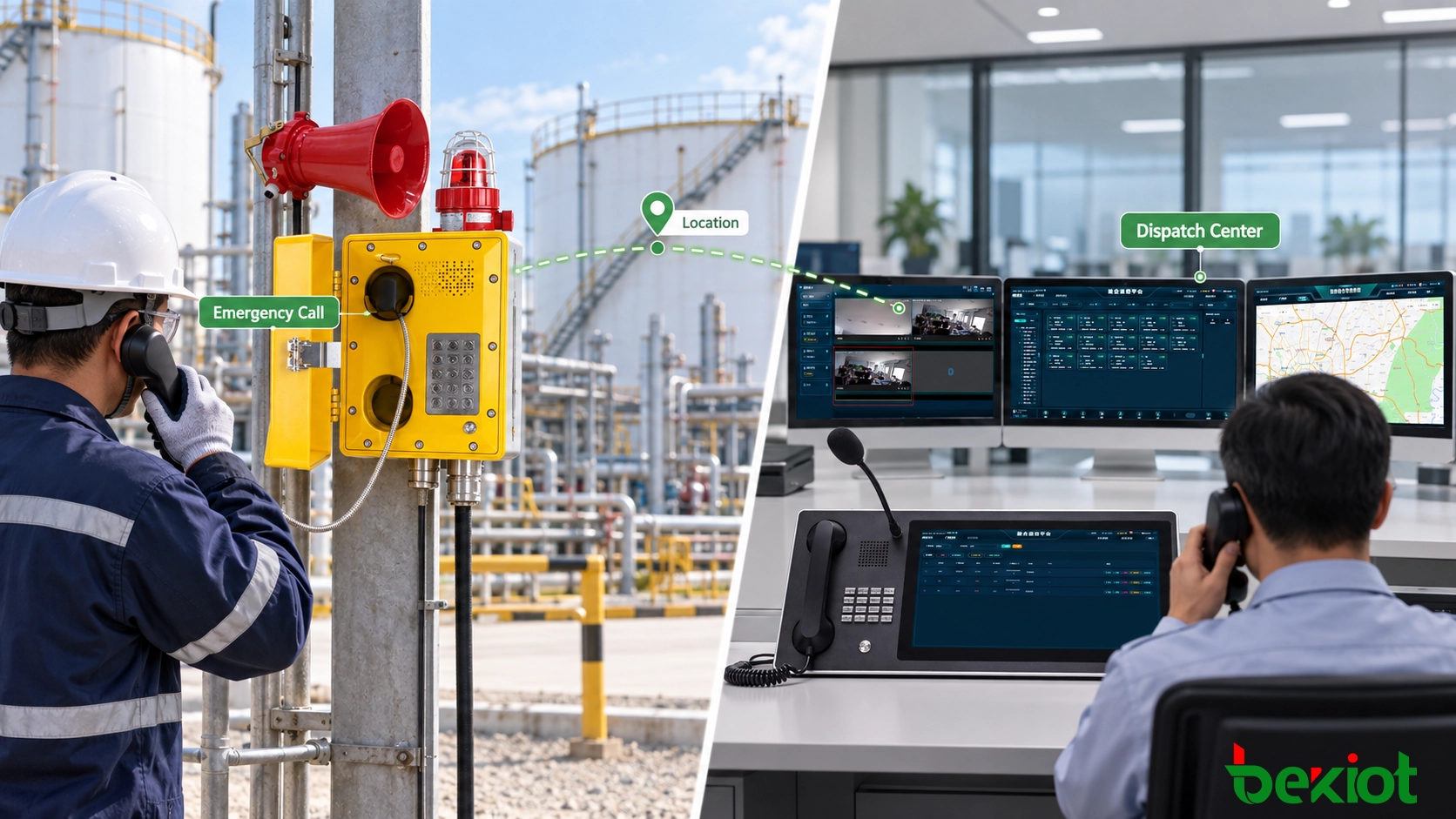
Fig.2 - A dispatch system adds location awareness, emergency priority and coordinated operator control to field telephone calls.
Why Many Industrial Sites Use Both Systems
Industrial communication rarely fits into one category. Routine telephone service may be sufficient during normal production, while an incident requires location awareness, priority handling and communication across several departments.
In an integrated architecture, the two platforms perform different roles:
The IP PBX manages extension numbers, call routing, SIP trunks and everyday telephone services.
The dispatch system provides operator consoles, location display, emergency handling, recording and coordinated communication.
The explosion-proof telephone may register with a shared SIP communication core, while the dispatch clients operate as authorized endpoints or applications in the same environment. Another design can connect the PBX and dispatch platform through a SIP trunk or supported application interface.
The correct method depends on the products involved. Dual registration, redundant servers and application programming interfaces cannot be assumed unless the selected equipment supports them and the complete call flow has been tested.
Separate Routine and Emergency Routes
One field telephone can support more than one call route. A technician may dial the maintenance office for an ordinary equipment issue, while a dedicated emergency key sends an urgent call directly to the dispatch center.
The dial plan needs to make this distinction clear. Emergency numbers should remain short and fixed, and programmable keys need protection from unauthorized changes.
Different routes can also use different handling rules. A routine call may follow a standard ring group, while an emergency call appears with a persistent visual and audible indication at designated dispatch positions.
Plan Failover and Shared Identification
A combined architecture introduces shared dependencies. If a SIP server, network link or dispatch interface fails, the design needs an alternative route to an available operator.
Depending on the required availability, the system may use a secondary SIP server, backup control-room destination or redundant network path. A larger site may also retain a local communication method for use during a wider network outage.
Successful registration with a backup server does not prove that the complete service has recovered. After switchover, engineers still need to verify caller identification, emergency priority, recording and the route to the correct operator.
Device identity must remain consistent across both systems. The PBX directory, dispatch interface, site drawing and maintenance record should use the same location-based name for each telephone. This prevents the PBX and dispatch platform from becoming separate communication islands with conflicting records.
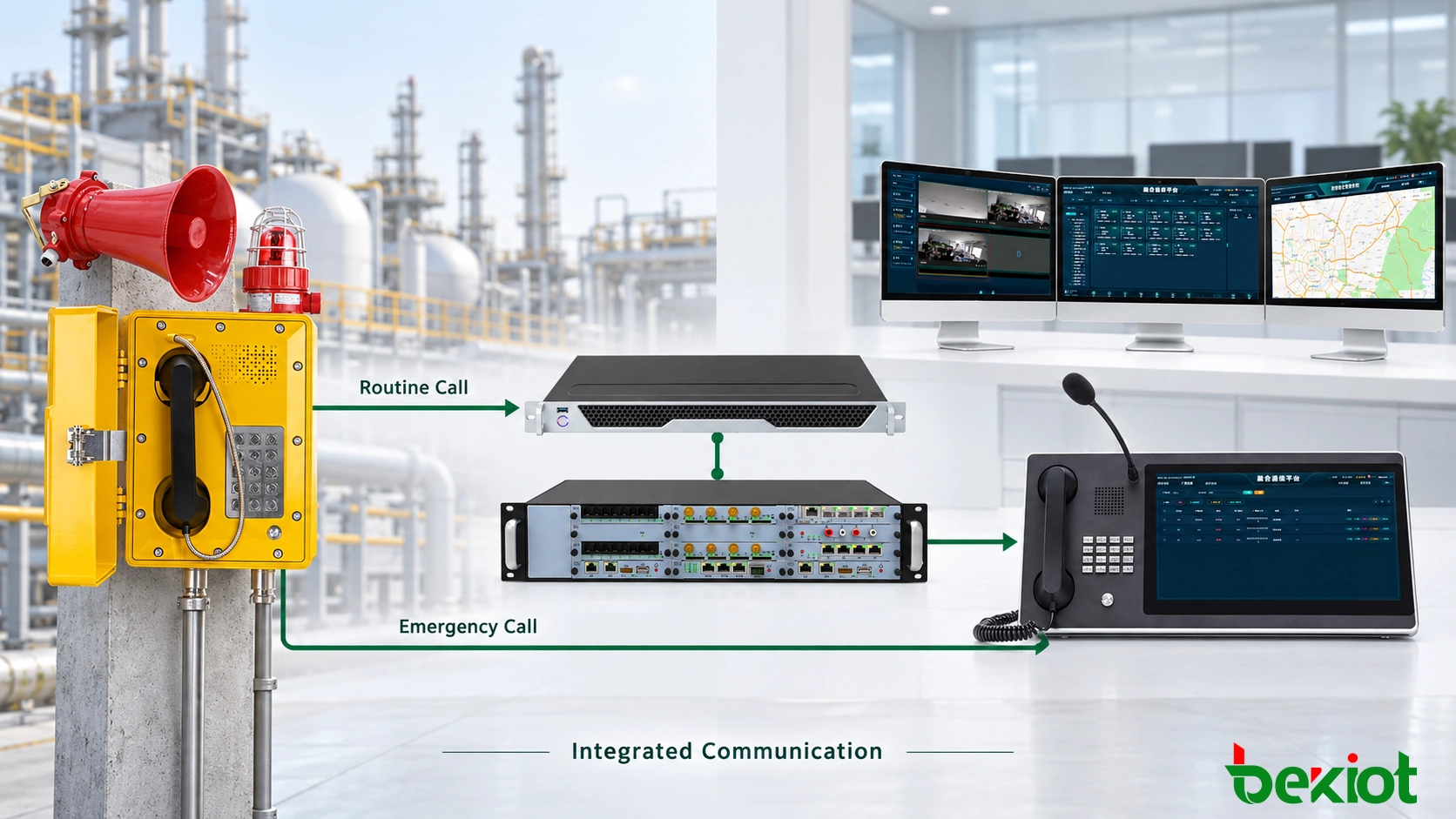
Fig.3 - A combined architecture separates routine call management from emergency dispatch control while keeping field telephones reachable through one coordinated communication environment.
Related Product: Becke Telcom EX-BH621 Explosion-Proof SIP Telephone
Choose the Architecture and Verify the Call Flow
The following comparison provides a practical starting point:
| Requirement | IP PBX | Dispatch System | Integrated Architecture |
|---|---|---|---|
| Routine extension calling | Direct support | Available on many platforms | Managed through the PBX |
| SIP trunk or public network access | Direct support | May require a trunk or gateway | Managed through the PBX |
| Visual location display | Usually limited to caller information | Map or site display may be available | Presented by the dispatch platform |
| Emergency call prioritization | Requires specific routing rules | Managed through dispatch priorities | Uses coordinated routing and presentation |
| Operator-controlled conference | Standard conference functions | Direct operator control | Available within the dispatch workflow |
| Paging and alarm coordination | Requires external integration | Available when supported and configured | Connected through dispatch interfaces |
| Routine calls and emergency response | Covers the telephone service | Covers operational response | Covers both workflows |
Check Whether the Telephone Is SIP or Analog
A SIP explosion-proof telephone can register directly with a compatible IP PBX or dispatch platform. An analog model requires an FXS port, analog telephone adapter or voice gateway before it can communicate with an IP-based system.
The gateway becomes part of the call path. Its power, port status, network connection and recovery behaviour must be included in the system test.
Reusing existing analog cables can reduce reconstruction work, but cable distance, condition and routing still need inspection. A working line during a quiet site test may behave differently after additional devices, electrical interference or environmental exposure are introduced.
Verify the Complete Communication Path
Commissioning cannot stop when the telephone successfully registers. Testing must confirm what the operator sees, where the call goes and what happens after it is answered.
A complete test covers:
Normal calls to approved extensions
Hotline and emergency-key routing
Unanswered-call escalation
Correct device name and location display
Two-way voice quality under actual site noise
Recording, playback and timestamp accuracy
Operator transfer and conference functions
Alarm, broadcast or video linkage where configured
Recovery after network, server or power interruption
Field telephones and communication servers can be placed in controlled network segments with access limited to required SIP, media and management services. Each telephone should use its own SIP account, and administrative access needs to remain separate from daily operator permissions.
Where encrypted signaling or media is required, compatibility must be tested across the complete route. A mismatch in transport, certificates or supported codecs can prevent communication even when each device works correctly on its own.
Every test result should identify the telephone, installation location, calling route, answering position and observed outcome. Recording the result against a model name alone provides little value when many identical devices are installed.
Connecting a telephone to a different central platform does not change its hazardous-area certification. The selected model, cable entries, power arrangement, mounting method and accessories still need to meet the requirements of the installation area.
An IP PBX is usually the simpler choice for controlled extension calling. A dispatch system becomes more valuable when operators need immediate location awareness, emergency priority and coordinated response. Where both requirements exist, an integrated architecture keeps routine calls and incident handling within one planned communication environment.
FAQ
Can a SIP Explosion-Proof Telephone Register Directly with an IP PBX?
Yes, if the telephone and IP PBX use compatible SIP, codec, transport and authentication settings. Registration should be followed by inbound, outbound and recovery testing.
Does a Dispatch System Replace the IP PBX?
Not necessarily. Some dispatch platforms include SIP call-control functions, while others work with a separate IP PBX or SIP server. The architecture depends on extension services, trunk access, redundancy and dispatch requirements.
Can an Analog Explosion-Proof Telephone Connect to an IP Dispatch System?
Yes. A compatible FXS gateway or analog telephone adapter converts the analog telephone interface into SIP or another protocol accepted by the central system.
Can the Same Telephone Make Routine and Emergency Calls?
Yes. Routine calls can follow the normal dial plan, while a dedicated emergency key or hotline route sends urgent calls to the dispatch center. The telephone and central platform must support the required routing method.
Which Architecture Is Better for an Emergency Industrial Site?
A dispatch system or integrated PBX-and-dispatch architecture is generally more suitable when the site requires emergency priority, location display, recording, group communication and alarm linkage. The final choice should follow the documented incident-handling process.