A delivery truck is waiting at the wrong bay, a conveyor has stopped in the sorting area, and a forklift route must be temporarily closed. These events may occur at the same time, but they do not require the same announcement or the same audience.
Warehouse communication becomes difficult when one general broadcast covers every building and work area. Instructions intended for loading-bay employees may interrupt order-picking teams, while workers in a noisy outdoor yard may not hear a message clearly enough to act.
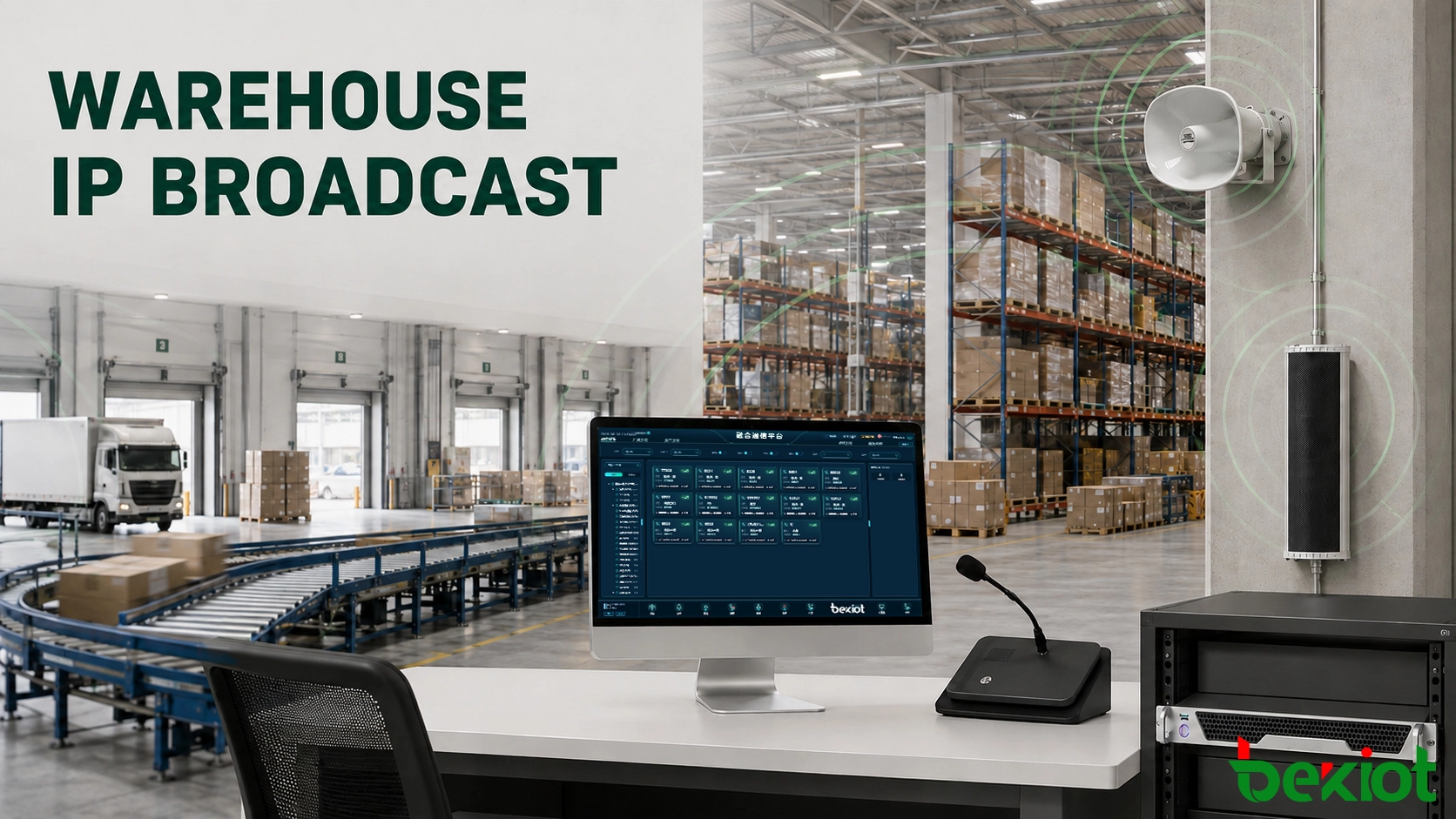
An IP broadcast system organizes announcements by operational area. Supervisors can speak to a selected zone, schedule routine notices and issue priority instructions from a paging console or control-room interface. Becke Telcom combines broadcast management, paging terminals, amplifiers, speakers and field intercoms according to the layout and working procedures of the facility.
Related solution: IP Paging and Broadcast System
1. Where Warehouse Paging Breaks Down
Warehouses rarely have one consistent acoustic environment. A packing area may be relatively quiet, while a loading dock contains truck engines, reversing alarms and metal impact noise. High-bay storage introduces long reverberation, and cold-room doors can reduce the level of sound entering from an adjacent area.
These differences affect both speaker selection and message delivery. Installing the same speaker at the same spacing throughout the site may leave some positions too quiet and others uncomfortably loud.
Messages reach the wrong employees
A facility-wide announcement may appear simple, but repeated irrelevant messages cause workers to stop paying attention. A request for Bay 12 does not need to interrupt the cold-storage team, administration office or maintenance workshop.
Broadcast permissions also matter. A loading supervisor may need access to the receiving docks and outdoor vehicle lanes, while only the safety team or control room should be able to activate every zone.
Noise changes during the working day
Speaker coverage tested in an empty warehouse may perform differently after conveyors, ventilation equipment, forklifts and packing lines begin operating. Open loading doors, stacked goods and temporary storage racks can also change how sound travels.
Volume alone does not solve this problem. Excessive output near a speaker can make speech harsh without improving intelligibility at distant positions. Coverage must be checked at actual workstations, traffic routes and loading points while normal equipment is running.
Staff use different communication points
Warehouse announcements may begin at a security desk, logistics office, loading-bay station or central control room. If operators rely on unrelated microphones and local amplifiers, they may not know which zones are available or whether another announcement is already active.
A managed broadcast platform gives authorized personnel a consistent way to select an area, make a live announcement and check the operating status of connected equipment.
2. Zone Layout by Work Area
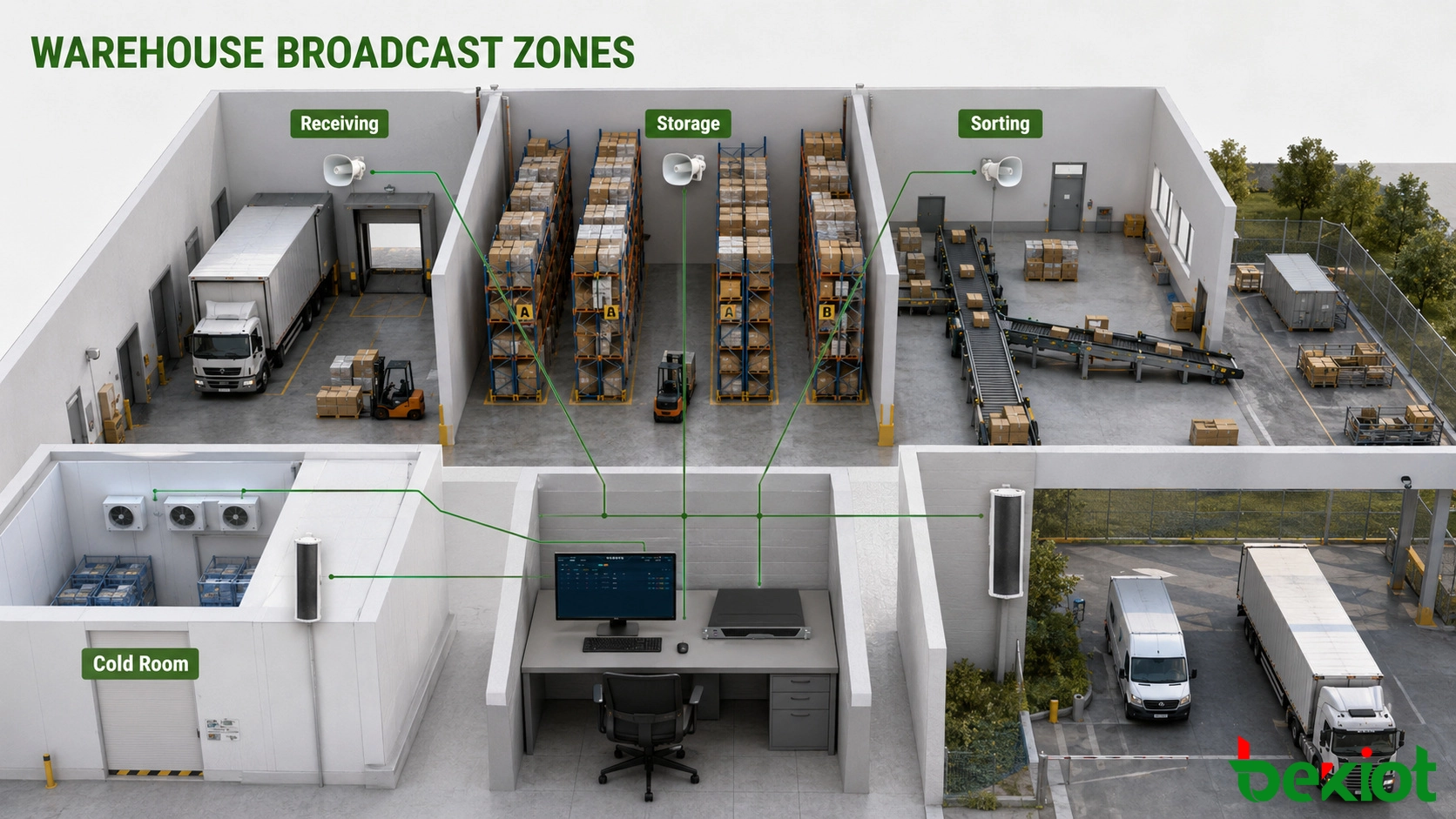
Broadcast zones work best when their names match the terms used by warehouse employees. Labels such as “Zone 01” or “Speaker Group B” provide little help during an urgent event. Names such as “Inbound Dock,” “Cold Room” and “West Vehicle Yard” are easier to recognize on a paging console.
| Work Area | Typical Broadcast | Equipment Consideration |
|---|---|---|
| Receiving docks | Truck arrival, bay assignment and unloading instructions | Horn speakers for engine and loading noise |
| High-bay storage | Picking tasks, aisle restrictions and safety notices | Even coverage along long aisles |
| Sorting and packing | Line changes, order priorities and equipment stops | Speech clarity near conveyors |
| Cold storage | Door alarms, equipment faults and personnel calls | Terminals suitable for low-temperature conditions |
| Battery-charging area | Restricted access and maintenance instructions | Local coverage without disturbing nearby teams |
| Outdoor yard | Driver guidance, vehicle movement and weather warnings | Weather-resistant horns or column speakers |
| Office and rest areas | Shift information and administrative notices | Lower sound level and wider indoor coverage |
Separate acoustic zones from management groups
One physical area may belong to more than one broadcast group. The inbound and outbound docks can operate as separate daily zones but join the same emergency group. Several packing lines may receive individual production messages while remaining part of an all-warehouse safety announcement.
This arrangement lets the operator choose the smallest useful audience without losing the ability to reach the complete site during an emergency.
Plan temporary and shared areas
Logistics facilities frequently change their internal layout. Seasonal stock, temporary staging areas and new sorting equipment may alter employee routes and speaker coverage. Zone design should allow an area to be reassigned without replacing the complete broadcast system.
Shared areas also need clear ownership. If two departments use the same vehicle yard, the paging permissions and zone name must be understood by both teams.
3. Broadcasts Used During a Shift
Loading-bay coordination
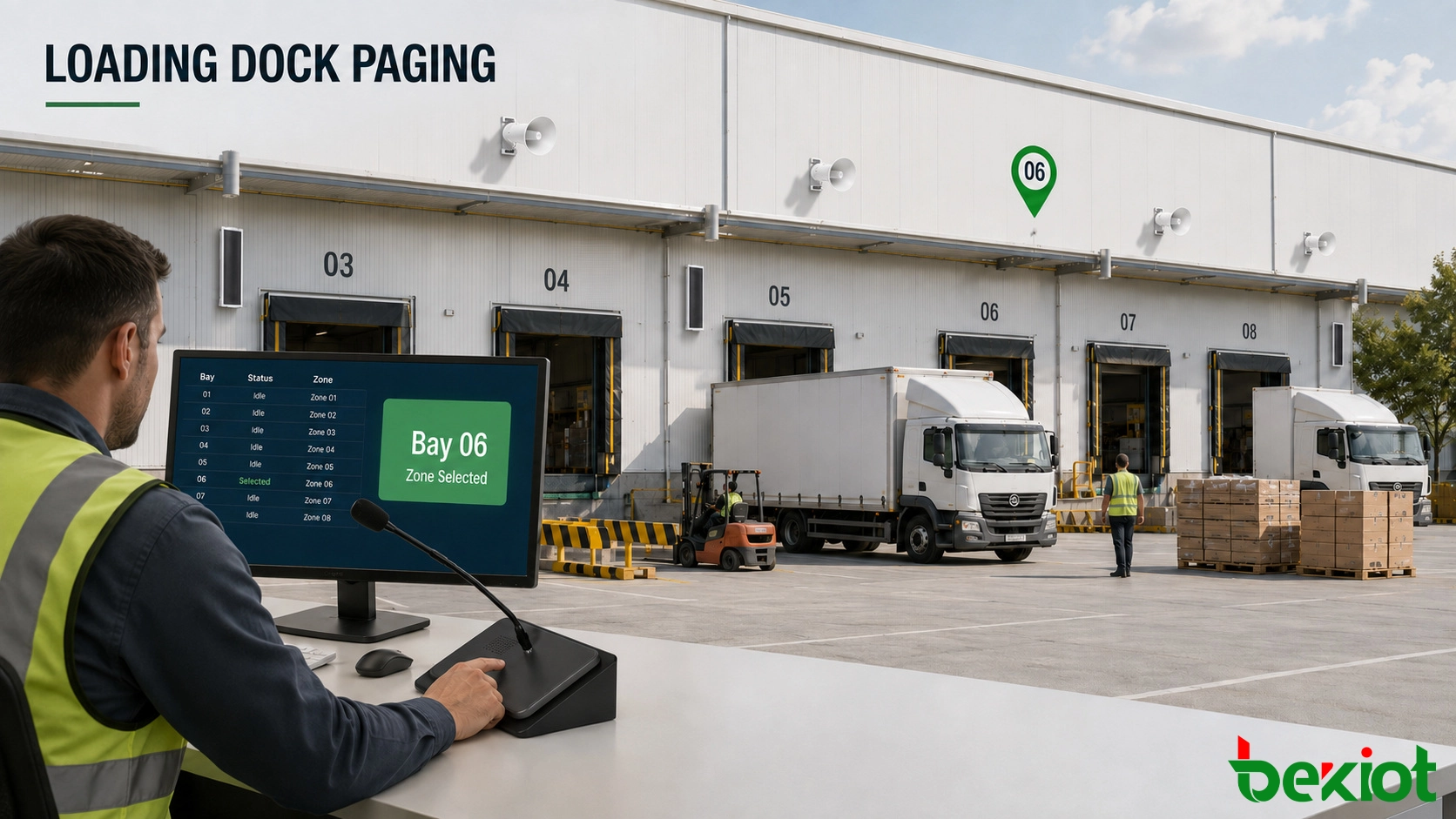
When a truck reaches the entrance, the security or logistics operator can direct the driver to an assigned bay. The message can be sent to the outdoor lane and the selected loading area instead of every warehouse building.
If a bay becomes unavailable, the operator can issue a correction immediately. This is useful when dock assignments change because of delayed vehicles, damaged goods, inspection work or equipment failure.
Live operational paging
A supervisor may need to call a maintenance technician, stop work in one aisle or ask a team leader to contact the control desk. A paging console provides direct access to named areas and commonly used broadcast groups.
Predefined keys reduce selection time for frequent destinations. Access rights can prevent an employee responsible for one building from accidentally paging an unrelated facility.
Scheduled notices
Shift changes, break times, vehicle restrictions and routine safety reminders can be stored as scheduled tasks. Each task needs an assigned zone, playback time and expiry date.
Temporary notices should not remain active after the related work has finished. For example, a message about maintenance in Aisle 6 should be removed when the aisle reopens rather than continuing during the next shift.
Priority announcements
Routine music or scheduled audio must not delay an urgent instruction. The system needs a clear priority order so that an emergency message can interrupt lower-level content.
Priority does not mean that every alarm must automatically page the entire site. A minor equipment fault may require a local maintenance message, while smoke detection or an evacuation order may require several buildings and outdoor assembly areas.
4. Linking Alarms and Intercoms
Broadcasts become more useful when an alarm input identifies the affected location. A signal from a cold-room door, conveyor controller or fire-alarm interface can notify the operator and prepare the corresponding broadcast zone.
Automatic playback is suitable only when the event and required instruction are clearly defined. Other events should remain operator-controlled. A conveyor fault, for example, may require the supervisor to confirm the affected line before asking employees to stop work.
Confirm events through intercom
A worker at a dock, equipment room or restricted entrance may use a SIP intercom to contact the control desk. The operator can speak with the caller, identify the station and then page nearby employees when assistance or area clearance is required.
This avoids sending a general announcement before the situation has been confirmed. The same station record may also provide the operator with the device name, installation point and responsible department.
Keep emergency control straightforward
Emergency operation should not depend on navigating several complex menus. Operators need direct access to priority zones, stored safety messages and an all-call function appropriate to their authority.
Becke Telcom systems can combine a broadcast server, management interface, GP100 paging console, SIP intercoms, IP amplifiers, horn speakers and outdoor column speakers. The final equipment combination depends on the number of zones, existing loudspeakers, acoustic conditions and required operator positions.
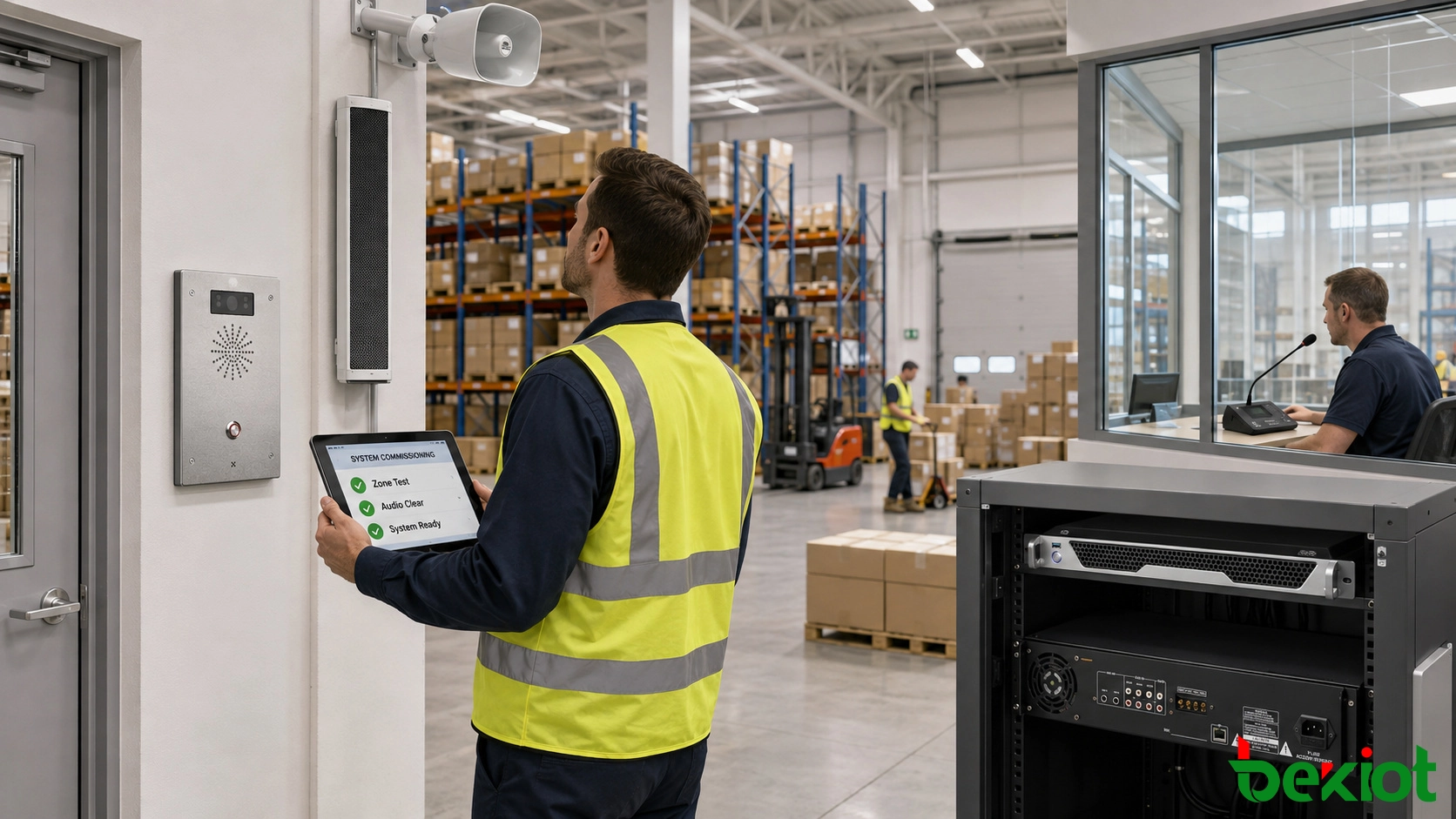
5. What to Test Before Handover
Seeing a speaker as online does not confirm that an announcement is understandable on the warehouse floor. Commissioning requires real broadcasts while the facility is operating under representative conditions.
Test every operating zone
The technician should initiate a call from each authorized paging position and confirm that only the selected area receives the message. Combined groups, emergency groups and all-call permissions also need separate checks.
Testing should include:
Live announcements from the paging console
Scheduled messages at the configured time
Priority interruption of routine audio
Zone names shown on the management interface
Speech clarity at workstations and traffic routes
Coverage near open loading doors and operating machinery
Alarm-triggered and operator-confirmed broadcasts
Intercom calls from field stations
Amplifier, speaker-line and terminal fault reporting
Operation after the primary power source is interrupted
Measure intelligibility where people work
Tests should be conducted at picking stations, packing tables, dock entrances, forklift crossings and other positions where employees must understand instructions. Standing directly below a speaker does not represent the complete coverage area.
If a message is loud but difficult to understand, the project team should review speaker direction, spacing, mounting height and delay between adjacent areas before increasing the volume.
Record the final configuration
The handover record should list each zone, its speakers, amplifier channels, paging permissions, stored messages and alarm associations. Any later change to racking, work areas or equipment should trigger a review of the affected broadcast zone.
Becke Telcom can configure the system around the warehouse’s existing work areas and expansion plan. The result should be a clear operating path: the right person selects the right area, delivers the right instruction and receives confirmation that the required equipment is available.
6. FAQ
Can one system manage several warehouse buildings?
Yes. Each building can retain its own broadcast zones while authorized operators manage selected buildings from a central interface. Site and building names should remain visible so that similarly named areas are not confused.
Can existing amplifiers and passive speakers be retained?
They may be retained if their condition, power rating and speaker-line design meet the project requirements. A suitable broadcast gateway or audio interface can connect existing equipment with the central platform. Compatibility and priority control must be tested before deployment.
Which speaker is suitable for a noisy loading dock?
Directional horn speakers are commonly used where truck engines, reversing alarms and loading activity create high background noise. Selection should be based on measured noise, mounting position, required coverage and environmental protection rather than wattage alone.
Does every warehouse alarm need to trigger an automatic broadcast?
No. Automatic messages are appropriate for events with a verified signal and predefined response. Alarms that require investigation should first notify the operator, who can confirm the affected area and select the correct instruction.