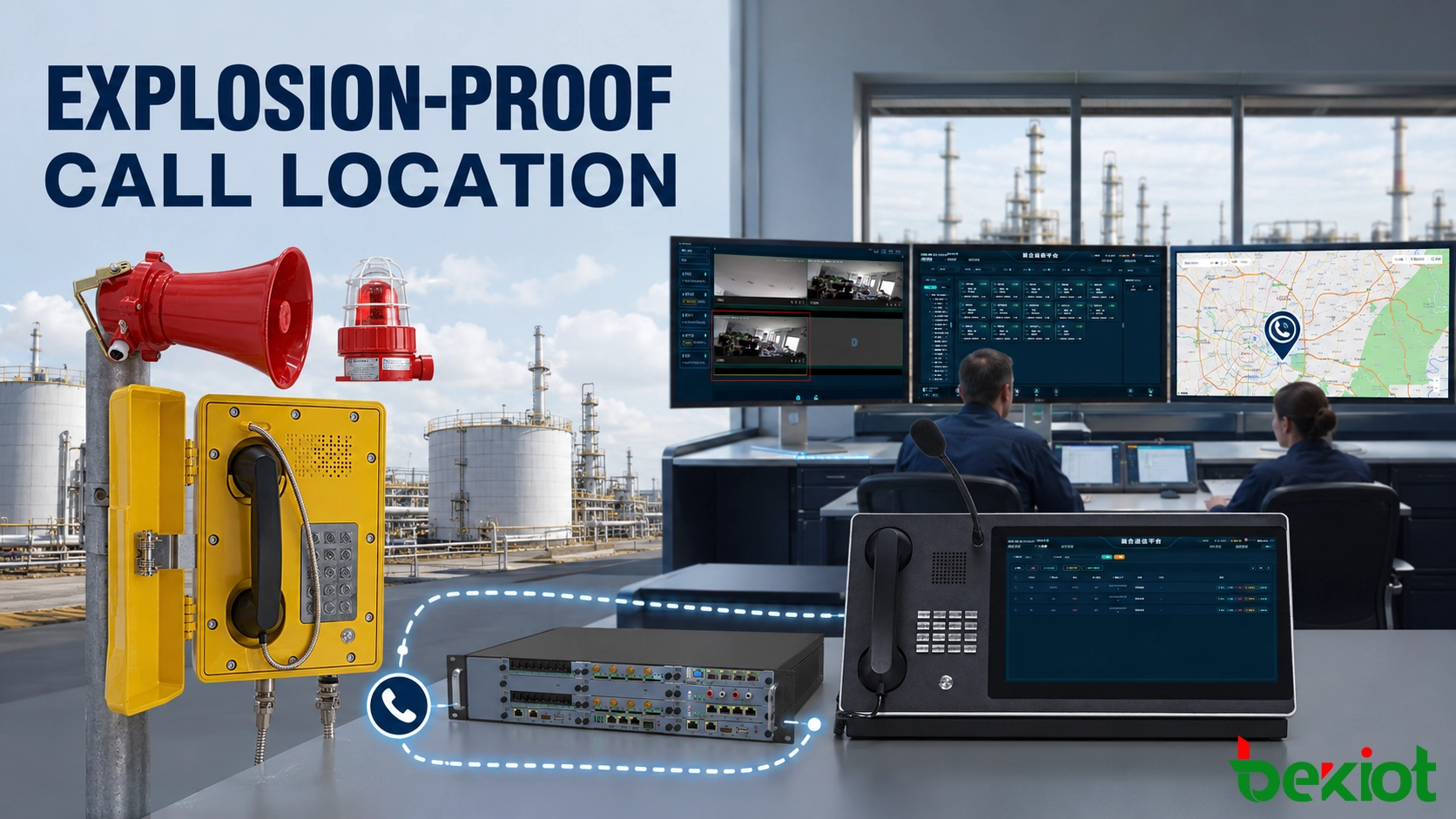
When an explosion-proof telephone calls a control room, the operator should see more than an extension number. The incoming-call window should identify the station, show where it is installed and provide enough operational context for the response to begin immediately.
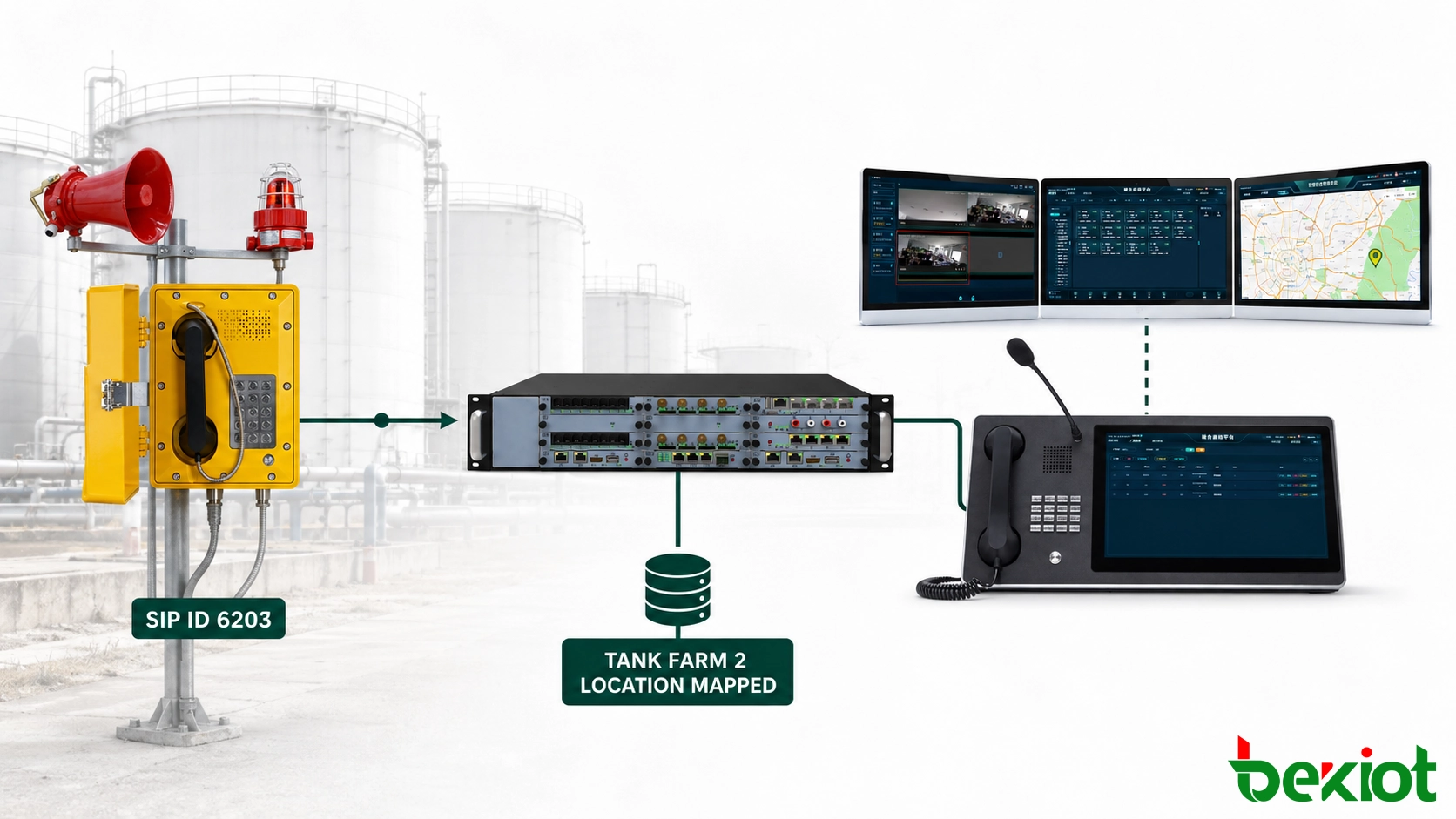
A fixed explosion-proof telephone normally does not use GPS to report its location. Instead, it has a unique SIP account, extension number, analog line or gateway port. That identity is linked to a station record created during system configuration. When the call arrives, the communication platform retrieves the corresponding site, process area and installation point.
For example, extension 6203 can appear as “Tank Farm 2 – Pump Station Entrance.” The operator can answer the call, open the associated camera and contact the responsible team without asking the caller to describe the location in a noisy or stressful environment.
Explosion-Proof TelephoneRelated product:
How Does a Calling Identity Become a Physical Location?
A SIP station is normally identified by its extension or SIP account. An analog station is identified by its PBX line or voice-gateway port. In both cases, the communication platform needs a stable identifier that points to one physical installation.
SIP explosion-proof telephone identification
A SIP explosion-proof telephone registers with an IP PBX, SIP server or dispatch system using a configured account. When a worker lifts the handset or presses an emergency call key, the telephone sends a call request containing its assigned identity.
The server reads the calling information, applies the dial plan and routes the call to the correct operator group. The dispatch platform uses the extension or station identifier to retrieve the location record associated with that device.
Larger systems often receive the same caller identity in different formats. One platform may receive 6203, another may receive sip:6203@plant.example, while an inter-site trunk may add a prefix such as 106203. These formats must be converted into one internal station identity before the location lookup takes place.
If number normalization is incomplete, the voice call may reach the operator while the location field remains empty or points to the wrong station.
Analog explosion-proof telephone identification
An analog telephone does not register with a SIP server, but its line still represents a known field position. The identifying source may be a PBX extension, dedicated cable pair or port on an analog voice gateway.
Suppose a telephone at the loading rack is connected to gateway port 8. That port is assigned an extension and linked to the loading-rack station record. If the cable is later moved to another port, the corresponding record must also be updated.
Why IP and MAC addresses are secondary references
IP and MAC addresses are useful for network management, equipment inventory and fault diagnosis. They are less useful on the operator screen because they do not clearly describe a physical location.
An IP address may also change after DHCP renewal, network redesign or equipment replacement. The equipment record can retain the IP address, MAC address, serial number, firmware version and switch port, while the operator interface uses a stable extension, station code and readable location name.
What Information Should a Station Record Contain?
A station record connects the communication configuration with the physical installation. Operators, system engineers and maintenance personnel should be able to use that record to identify the same field point without ambiguity.
| Station Field | Example | Purpose |
|---|---|---|
| Station code | EX-TF2-PS03 | Provides a unique engineering reference |
| SIP extension | 6203 | Identifies and routes the incoming call |
| Site | North Chemical Plant | Separates stations in multi-site systems |
| Operating area | Tank Farm 2 | Identifies the process or safety zone |
| Exact position | Pump Station Entrance | Helps responders find the telephone |
| Map point | TF2-MP-18 | Highlights the correct site-map position |
| Related camera | CCTV-TF2-18 | Provides a view of the surrounding area |
| Primary destination | Main Control Room | Defines the first operator group |
| Backup destination | Emergency Response Center | Provides a route when the primary group does not answer |
Use names that describe the real site
Labels such as “Telephone 1,” “Outdoor Phone” or “Yellow Station” are easy to create but difficult to use during an incident. A location-based name immediately tells the operator where the call originated.
The same wording should appear on the field label, dispatch interface, site drawing and maintenance record. If the physical label says “Tank Farm 2 – Pump Station Entrance,” the control-room screen should not display a different description such as “North Outdoor Phone 3.”
Multi-site systems also need a facility prefix. “Pump Room 1” may exist at several plants, while a structured code such as NP-TF2-PS03 identifies the plant, area and station.
Define the position precisely
A process-area name alone may not be sufficient. Tank farms, tunnels, mines and offshore facilities can contain several communication points within the same operating zone.
The record should include a practical landmark such as an entrance, stairway, pump skid, shelter, loading bay, cross passage or equipment-room door. Responders should be able to find the station from its written description without relying only on a map coordinate.
Indoor and underground facilities may use floor plans, tunnel chainage, level numbers or zone grids instead of latitude and longitude. The position format should match the way the facility is operated and maintained.
Separate the station from the hardware
The communication point and the installed telephone are related but should not be treated as one permanent record. A damaged device may be replaced while its extension, location and emergency route remain unchanged.
Separating station information from hardware information allows technicians to update the serial number, MAC address or IP address without rebuilding the map point. If the telephone is moved to another area, both the station record and field label must be revised.
What Does the Control Room See When a Call Arrives?
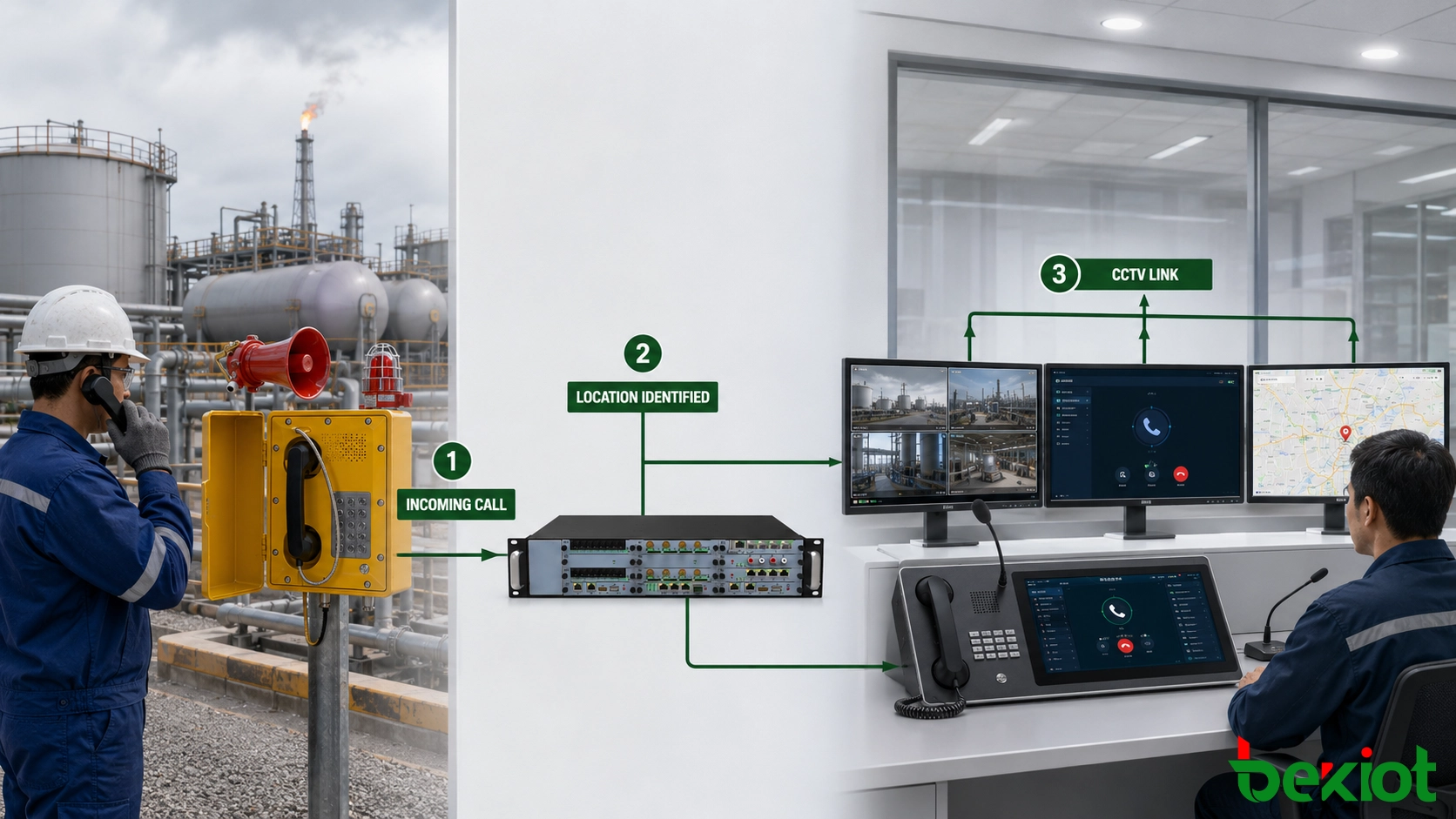
Several system actions occur between the worker initiating a call and the operator seeing its location:
The field telephone sends a call request using its assigned identity.
The SIP server, IP PBX or voice gateway receives the request.
The number is converted into the system’s internal station format.
The routing policy selects the appropriate operator group.
The dispatch platform retrieves the station information.
The interface displays the site, area and map position.
Configured video, recording or incident functions are activated.
Display operational information instead of protocol data
An operator does not need to interpret a SIP URI, IP address or gateway port during an emergency. A visual dispatch console should present information that supports an immediate decision.
A useful incoming-call panel can show:
Station name and extension
Facility and process area
Exact installation point
Call priority
Map or floor-plan marker
Nearby camera shortcut
Responsible operating department
Primary response group
Current communication status
Consider a worker reporting a leak from extension 6203. As the telephone rings, the operator sees “Tank Farm 2 – Pump Station Entrance” and the corresponding map point. The location is available before the call is answered, avoiding a separate search through extension lists.
Link the station with the correct camera
A SIP call does not normally include a camera address. The telephone station and nearby camera must be associated through the dispatch platform or an external integration layer.
Once configured, the incoming identity can open a camera shortcut or trigger an automatic video display. The operator can speak with the caller while checking for smoke, equipment damage, blocked access or personnel movement.
Some stations may be covered by several cameras. The interface can provide a preferred view while allowing the operator to select another angle when the event extends beyond the immediate telephone position.
Keep call and incident records connected
Call recording should retain the station identity, receiving operator, answer time, call duration and transfer history. If the platform creates an incident record, the call and its recording can use the same event number.
The SIP server, dispatch platform, recorder and video system should also use a common time source. Consistent timestamps make it possible to review voice, video and operator actions in the correct order.
Route unanswered calls without losing the source
A hazardous-area station should have a primary destination and a defined no-answer route. Routine calls may enter a normal queue, while an emergency key can use a dedicated route or higher priority.
If the main control room does not answer within the required time, the system can forward the call to a secondary control room, safety office, emergency response center or duty supervisor. The original station identity must remain visible after the transfer.
How Should Location Identification Work Across Multiple Sites?
A platform serving several plants or remote facilities needs a numbering plan that distinguishes every fixed station. Reusing the same extension range without a site prefix can cause two physically separate telephones to appear identical.
Preserve the site identity during call routing
A multi-site identifier can combine a facility code with the local extension. For example, NP-6203 identifies North Plant extension 6203, while SP-6203 refers to a station at South Plant.
SIP trunks, voice gateways and number-translation rules must preserve enough information to identify the original facility. If an inter-site route removes the facility prefix, the receiving platform may display the wrong location even though the call connects successfully.
Maintain one authoritative location record
The SIP server, dispatch interface, electronic map, recording platform and maintenance database may all use station information. Maintaining unrelated copies in each system increases the likelihood of inconsistent names and map points.
The project should define one authoritative source for station names and physical locations. Approved changes can then be synchronized with the other platforms through configuration management, controlled imports or application interfaces.
Access to these records should be restricted and logged. A changed extension or incorrect map point can send an operator to the wrong area while the telephone continues to work normally.
Synchronize primary and standby systems
A standby server provides limited protection if it contains an outdated station database. Primary and backup platforms should use the same number mappings, location descriptions, camera associations and routing rules.
Failover testing should include an actual field call after the standby platform becomes active. The backup operator should receive the same station information that appeared on the primary system.
Essential and supporting services should also be separated. A map or CCTV server failure should not prevent the voice call from reaching the control room. When visual services are unavailable, the interface should still display the written station name and position.
Protect the calling identity
SIP accounts should use appropriate authentication, access control and network segmentation. These measures prevent an unauthorized endpoint from registering as a trusted field station and causing the platform to display a false location.
This becomes particularly important when calls cross shared IP networks, remote facilities or third-party SIP infrastructure. The receiving platform needs to verify the account and permitted route before treating the displayed station as reliable.
How Is Call Location Tested and Kept Accurate?
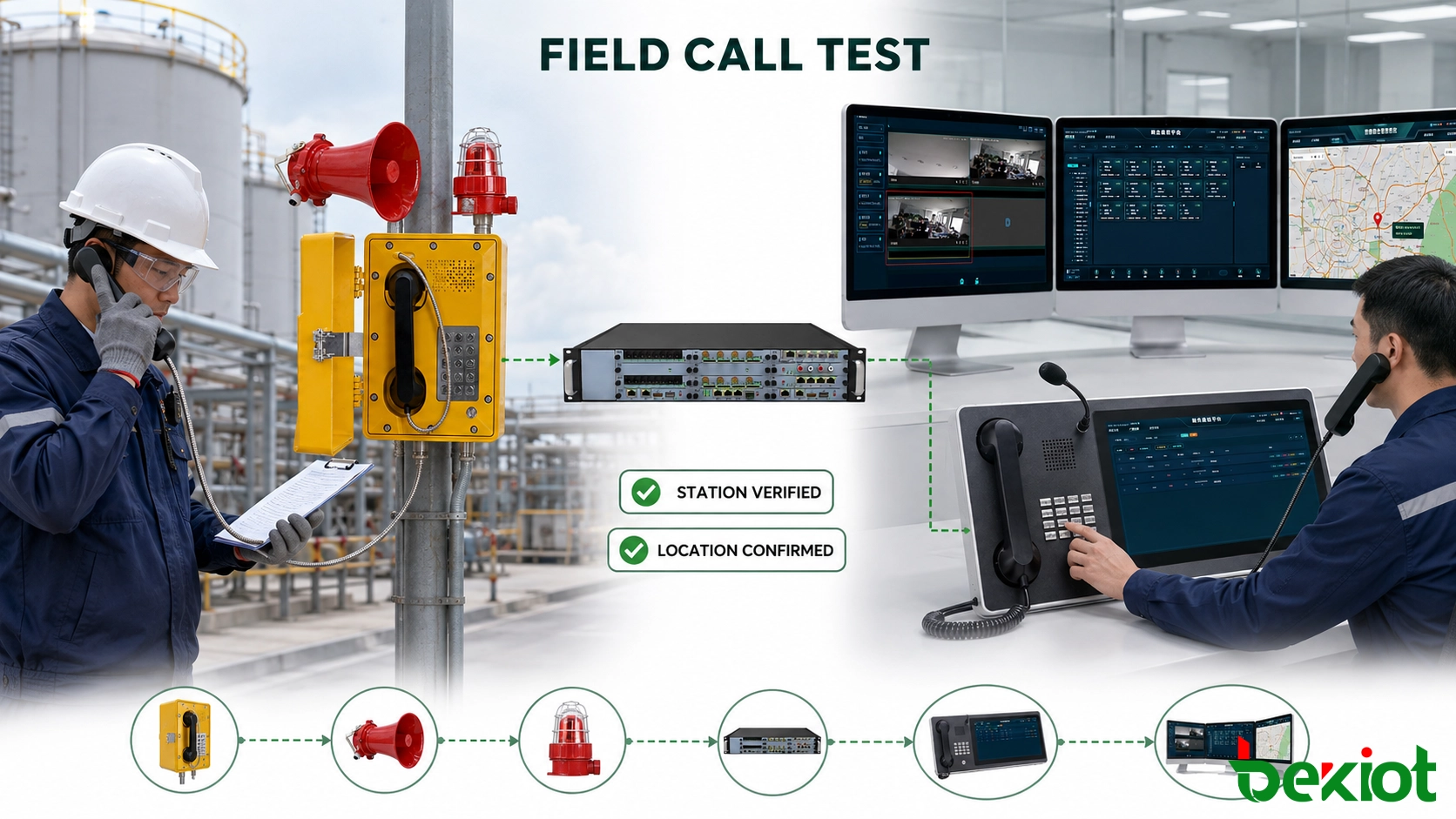
An online or registered status does not prove that the correct position will appear at the control room. Commissioning must include a real call from every installed field station.
Test from the physical telephone
During site acceptance, a technician should stand at the telephone while an operator checks the incoming information. The test should verify:
The correct extension or line identity is received
The station name matches the field label
The facility, area and exact position are accurate
The correct map marker is highlighted
The associated cameras are available
The call reaches the intended operator group
The no-answer route reaches the backup destination
The recording retains the original station identity
The timestamps are consistent across connected systems
Check common identification faults
| Observed Problem | Likely Cause | Recommended Check |
|---|---|---|
| The operator sees only a number | No station record matches the extension | Review number conversion and station mapping |
| The wrong location appears | The database contains an old or incorrect entry | Compare the displayed record with the field label |
| Two devices appear as one station | The devices share a SIP account | Assign a separate account to each fixed station |
| An analog call shows the wrong area | The gateway lines or ports were changed | Trace the physical line and confirm its port assignment |
| The wrong camera opens | The video association is incorrect | Review the station-to-camera mapping |
| The backup console has no location | The station records are not synchronized | Check database replication and failover configuration |
| The location disappears after transfer | The original caller identity is not preserved | Review SIP routing and transfer behaviour |
Record the acceptance result
Each station should have a documented pass or fail result. The acceptance record can include the station code, telephone number, displayed location, camera association, routing result, test time and names of the field technician and control-room operator.
Any mismatch should be corrected before the communication point enters operational service. A note stating that “the call works” is not sufficient if the operator receives the wrong site or map position.
Review records after site changes
Location information can become inaccurate after equipment replacement, construction work, area renaming, cable rerouting or gateway maintenance. These changes should trigger a review of the station record rather than only an update to the hardware inventory.
Periodic maintenance should include selected calls from the field. Network reachability and SIP registration confirm connectivity, but only an end-to-end call confirms that the operator receives the correct location and routing information.
Reliable location display requires three records to remain consistent: the telephone identity, the installed position and the dispatch-platform mapping. If they match, the operator can see where the call originated before answering and begin the correct response without asking for location confirmation.
FAQ About Explosion-Proof Telephone Call Location
Does a SIP explosion-proof telephone send its GPS location?
A fixed SIP telephone normally sends its configured calling identity rather than live GPS coordinates. The control room determines the position from the station record. Mobile explosion-proof terminals may use GPS or other real-time positioning technologies.
Can an analog explosion-proof telephone be identified by location?
Yes. Its PBX extension, dedicated line or analog gateway port can be associated with a fixed station. The assignment should be checked whenever field wiring or gateway ports are changed.
Can the location still be displayed if the electronic map is unavailable?
The platform can still display the facility, area and written position if the text-based station database remains available. Higher-availability designs should keep voice calling and basic location identification independent of nonessential map and video services.
How often should telephone location records be checked?
Records should be reviewed after any device move, cable change, gateway-port reassignment, area renaming or system migration. Periodic field-call tests should also be included in the site’s communication maintenance plan.