


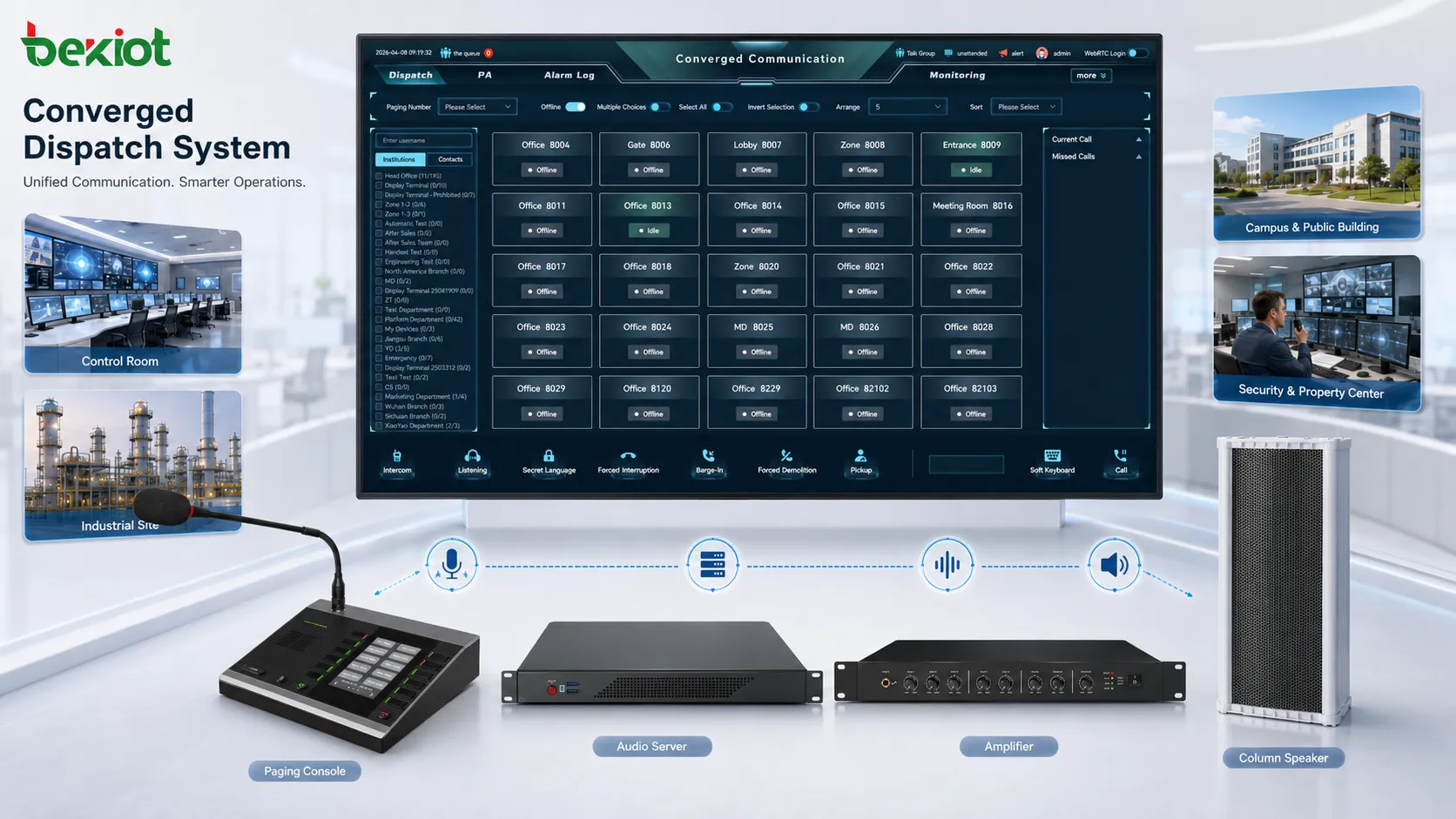
Zycoo M100 SIP microphone console is built for operator desks that need fast control over paging, intercom, prerecorded messages, music playback, and emergency audio tasks. It combines a physical microphone console, SIP communication, 30 programmable shortcut keys, two-way voice, local audio storage, PoE power, and external control interfaces in one desktop device.
Its value is most obvious in places where staff cannot rely only on software screens. Security rooms, reception desks, school offices, healthcare stations, property management centers, parking control rooms, and factory operation areas often need fixed keys, clear status feedback, and direct access to frequently used broadcast functions.
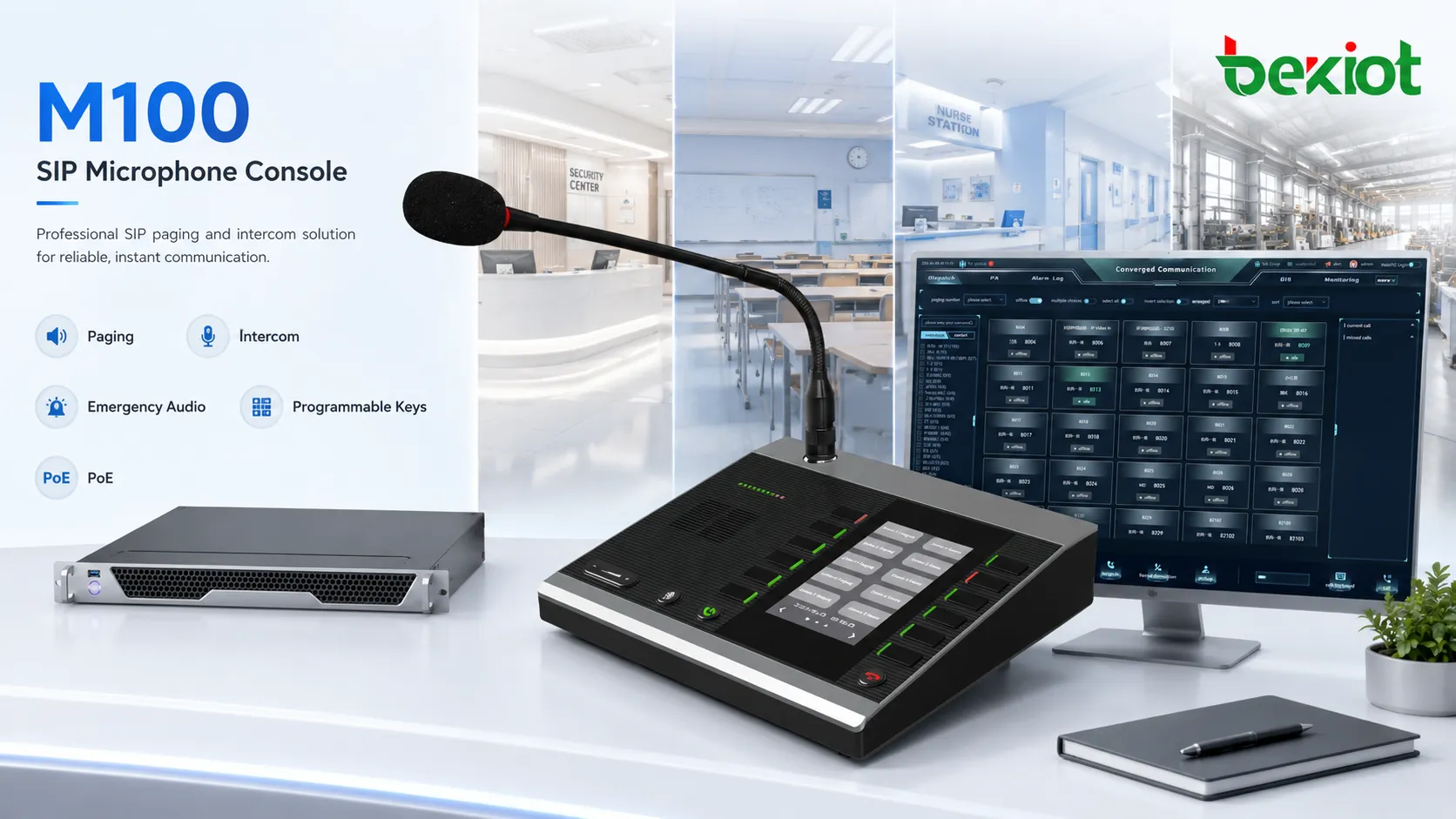
Product Positioning: A Desk Console, Not Just a Paging Microphone
A standard paging microphone usually performs one main job: send live voice to speakers. The M100 has a broader product role. It can act as a SIP endpoint, a local paging controller, a two-way communication point, a trigger panel for external actions, and a playback device for stored audio files.
This makes it suitable for projects where operators need to handle multiple audio tasks from one desk. A receptionist may call a specific zone. A school office may play scheduled prompts. A security desk may trigger an emergency message. A facility operator may control relay output or start multicast broadcast without opening several software menus.
30 Programmable Keys for Fast Daily Operation
Zycoo M100 includes 30 programmable shortcut keys. This is the main interface advantage of the product. Each key can be assigned to a common task, so routine operations become faster and less dependent on manual dialing or software navigation.
Supported key actions include one-touch calling, HTTP request, DTMF request, relay control, and multicast. In practical use, this means the same console can call a SIP terminal, start a group broadcast, send a control command, trigger an external device, or send audio to multiple endpoints.
| Key Function | Typical Use | Operational Value |
|---|---|---|
| One-touch call | Call an extension, speaker zone, intercom point, or desk terminal | Reduces dialing steps and improves response speed |
| HTTP request | Trigger a platform action or third-party system command | Connects audio operation with web-based control workflows |
| DTMF request | Send tone commands during a call or control process | Useful for telephony control and legacy command interaction |
| Relay control | Activate connected external devices | Links paging or call actions with physical outputs |
| Multicast | Send broadcast audio to grouped IP endpoints | Supports efficient one-to-many network paging |
Serverless Paging for Small and Local Systems
The M100 can work as an independent serverless console. This is useful for small sites or local systems that need basic paging and intercom before deploying a full audio management platform. It can support individual broadcast, group broadcast, and internal communication in a simpler architecture.
For small offices, shops, service counters, parking areas, temporary command points, and local facility rooms, this reduces the initial system cost and setup complexity. The same console can later be integrated into a larger SIP-based system when the project expands.
SIP Compatibility and Codec Support
Zycoo M100 supports standard SIP communication, making it suitable for integration with SIP speakers, SIP intercom terminals, IP audio platforms, IP PBX systems, and dispatch communication systems. In a unified communication project, the console can work as a physical control endpoint instead of a separate standalone broadcast tool.
Its supported audio codecs include G.722, G.711 A-law, G.711 U-law, and Opus. G.711 offers broad compatibility with many VoIP systems. G.722 supports clearer wideband voice when the system allows it. Opus adds flexibility for modern IP communication environments where bandwidth and network quality may vary.
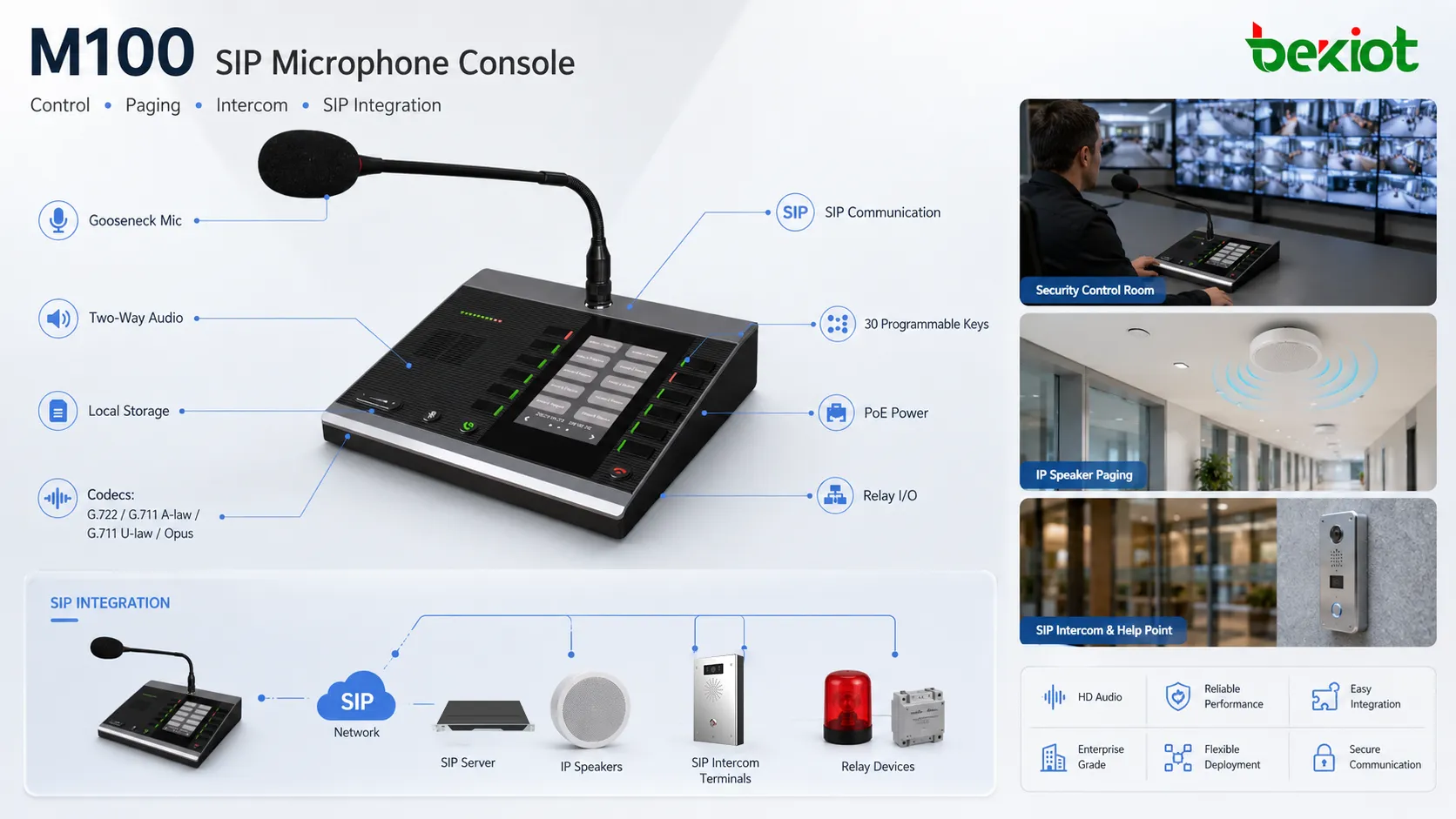
Two-Way Voice for Intercom and Operator Response
The console supports two-way communication, so it is not limited to one-way announcements. Operators can speak with selected endpoints, receive voice response, and coordinate with people at remote points. This is important in scenarios where paging and conversation both happen from the same desk.
In a school, staff may contact a classroom or office. In a healthcare facility, a nurse station may communicate with a service point. In a factory or parking area, operators may speak with an entrance, help point, or work area before deciding whether to trigger a broader announcement.
TF Card Audio Playback for Repeated Messages
Zycoo M100 supports local music and information storage through a TF card. This allows operators to play prerecorded messages instead of repeating the same words manually. Common use cases include opening notices, closing reminders, safety instructions, welcome messages, evacuation prompts, and routine public announcements.
The supported MP3 audio stream range covers 8KHz to 48KHz sampling rates, 64kbps to 320kbps bitrates, and mono or stereo audio. This gives the console enough flexibility for simple voice prompts, clearer recorded messages, and background music playback.
Display and Physical Interface Design
The M100 uses a 4.3-inch LCD display with 480 × 272 resolution and 24-bit 8R8G8B color. For an operator console, this screen helps users confirm status, menu information, and operation feedback while keeping the main actions on physical keys.
This combination is practical for shared workstations. Different staff members can use the same console across shifts without depending entirely on software training. The screen provides visibility, while the shortcut keys keep common actions close to hand.
| Specification | M100 Data | Product Meaning |
|---|---|---|
| Programmable keys | 30 keys | Supports direct access to calls, broadcast groups, triggers, and control actions |
| Display | 4.3-inch LCD, 480 × 272, 24-bit 8R8G8B | Provides visual feedback for desk operation |
| Power input | DC 12V 1A | Supports standard adapter-based installation |
| PoE | IEEE 802.3 af/at | Allows network and power through one Ethernet cable |
| Dimensions | 210 × 190 × 46mm | Fits reception desks, control rooms, and operator workstations |
| Weight | 1.2kg | Stable for desktop use without occupying excessive space |
| Operating temperature | -20°C to 50°C | Suitable for typical indoor and controlled facility environments |
PoE and Rear Interface for Cleaner Installation
The console supports both DC 12V 1A power input and PoE based on IEEE 802.3 af/at. For desks with structured network cabling, PoE reduces separate power adapters and simplifies cable routing. This is useful in reception areas, control rooms, security desks, nurse stations, and dispatch workstations.
The rear interface allows connection with external devices, supporting the console’s role as a control point. When combined with relay control, HTTP requests, DTMF commands, and multicast functions, the M100 can link audio operation with local devices or platform-based workflows.
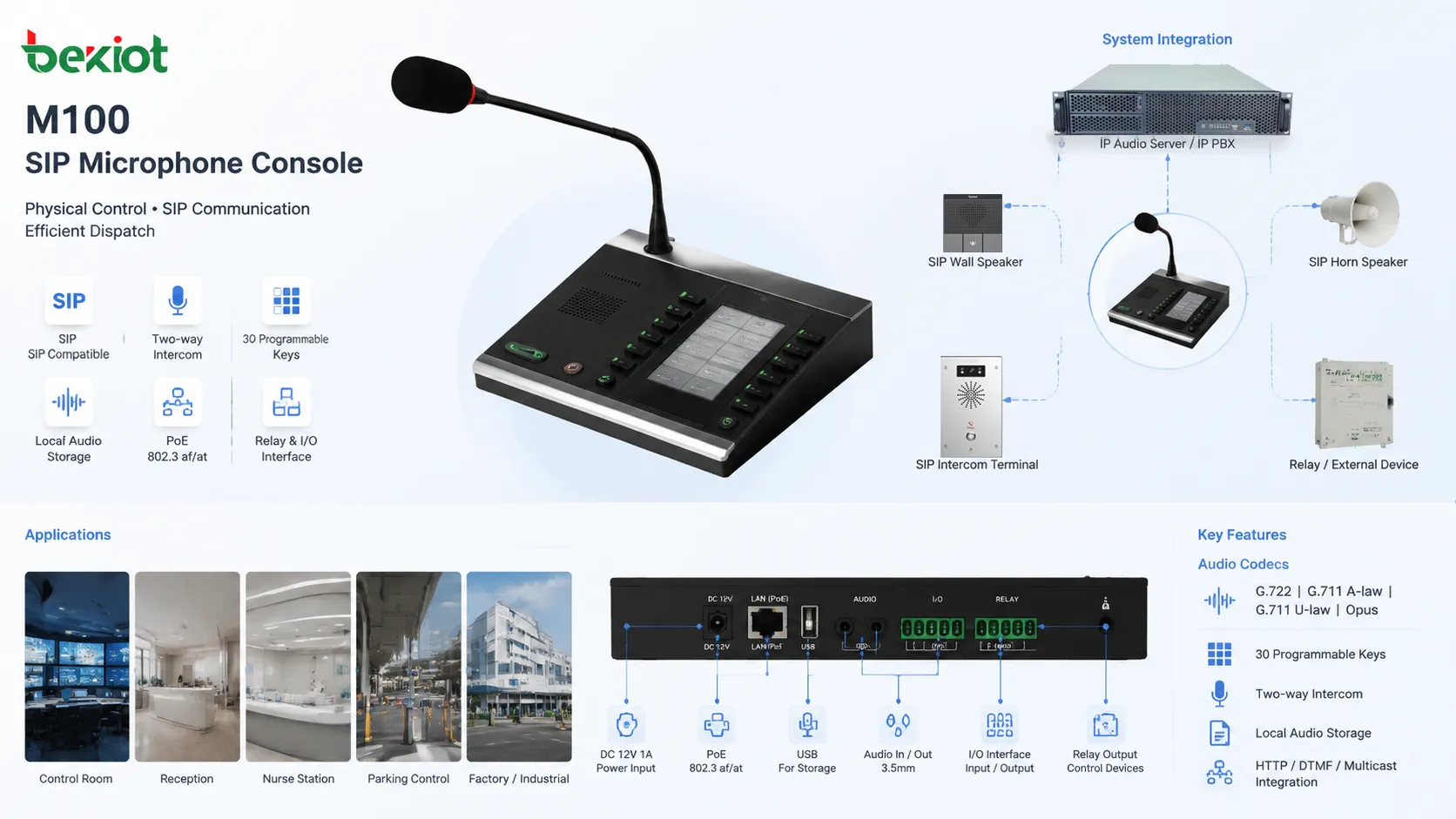
Where the M100 Fits Best
The M100 is most suitable for projects that need a dedicated physical console for frequent audio operation. It fits security rooms, school offices, healthcare stations, hotel reception desks, commercial service counters, parking control centers, property management rooms, and factory control desks.
In education projects, it can be used for class-area paging, daily notices, office communication, and emergency instructions. In healthcare and senior care facilities, it can support reminders, internal communication, and public guidance. In commercial buildings and hotels, it can help reception or management staff control service announcements and background audio tasks.
In industrial, logistics, and parking scenarios, the console is useful because it combines one-touch calling, group paging, relay action, and prerecorded messages. Staff can respond faster when the main functions are already mapped to physical keys.
Selection Notes for System Designers
Zycoo M100 is a good fit when staff need frequent, repeatable, and fast control from one fixed desk. If a project only requires occasional paging from a computer, software control may be enough. If the operator needs hardware keys, live microphone paging, stored audio playback, two-way calls, and external triggers, a dedicated SIP microphone console is more practical.
Before deployment, engineers should confirm SIP registration, codec settings, paging group logic, multicast requirements, TF card message planning, relay wiring, HTTP trigger rules, DTMF use cases, PoE budget, and user permission design.
For emergency-related use, the network switch, SIP platform, and PoE power path should be included in backup power planning. A console used for urgent paging should not depend on an unprotected network or unstable power source.
Product-Level Technical Summary
Zycoo M100 SIP microphone console brings together 30 programmable keys, SIP integration, serverless paging, two-way voice, TF card audio playback, MP3 support, relay control, HTTP and DTMF actions, multicast operation, rear-panel external connectivity, PoE IEEE 802.3 af/at, DC 12V 1A input, and a 4.3-inch color LCD.
Its main strength is operator efficiency. Instead of asking staff to switch between software pages, phone dialing, playback tools, and control systems, the M100 places common communication actions on a physical desktop console. For SIP paging and IP audio projects, this makes daily operation clearer and emergency response more direct.
FAQ
Is the M100 more suitable for small systems or large systems?
It can serve both. Small systems can use its serverless paging capability, while larger systems can integrate it with SIP platforms, IP speakers, intercom terminals, and dispatch workflows.
Why use physical keys instead of only software control?
Physical keys are faster for repeated tasks and easier for shared workstations. They also reduce operation mistakes when staff need to trigger paging, calls, or control actions quickly.
What should be prepared before using TF card playback?
Audio files should be named, organized, and tested in advance. Message volume, language, playback order, and emergency priority should also be planned before the console is put into daily use.







