


Video phones are no longer limited to simple face-to-face calling. As IP networks, SIP communication systems, broadband access, video codecs, and endpoint processing capabilities continue to mature, video phones have become practical terminals for enterprise communication, emergency command, customer service, remote collaboration, and multimedia dispatch. They combine the reliability of a telephone with the direct visual experience of video communication, making them useful in many professional environments where voice alone is not enough.
In early VoIP development, video calling was technically possible but difficult to popularize. Bandwidth was limited, terminal cost was high, video compression efficiency was lower, and many organizations did not yet have stable IP infrastructure. Today, these barriers have been greatly reduced. Modern IP networks can support HD video communication, SIP platforms can manage audio and video sessions together, and video endpoints can be deployed not only in meeting rooms, but also on desks, duty posts, service counters, dispatch seats, security rooms, and field operation points.
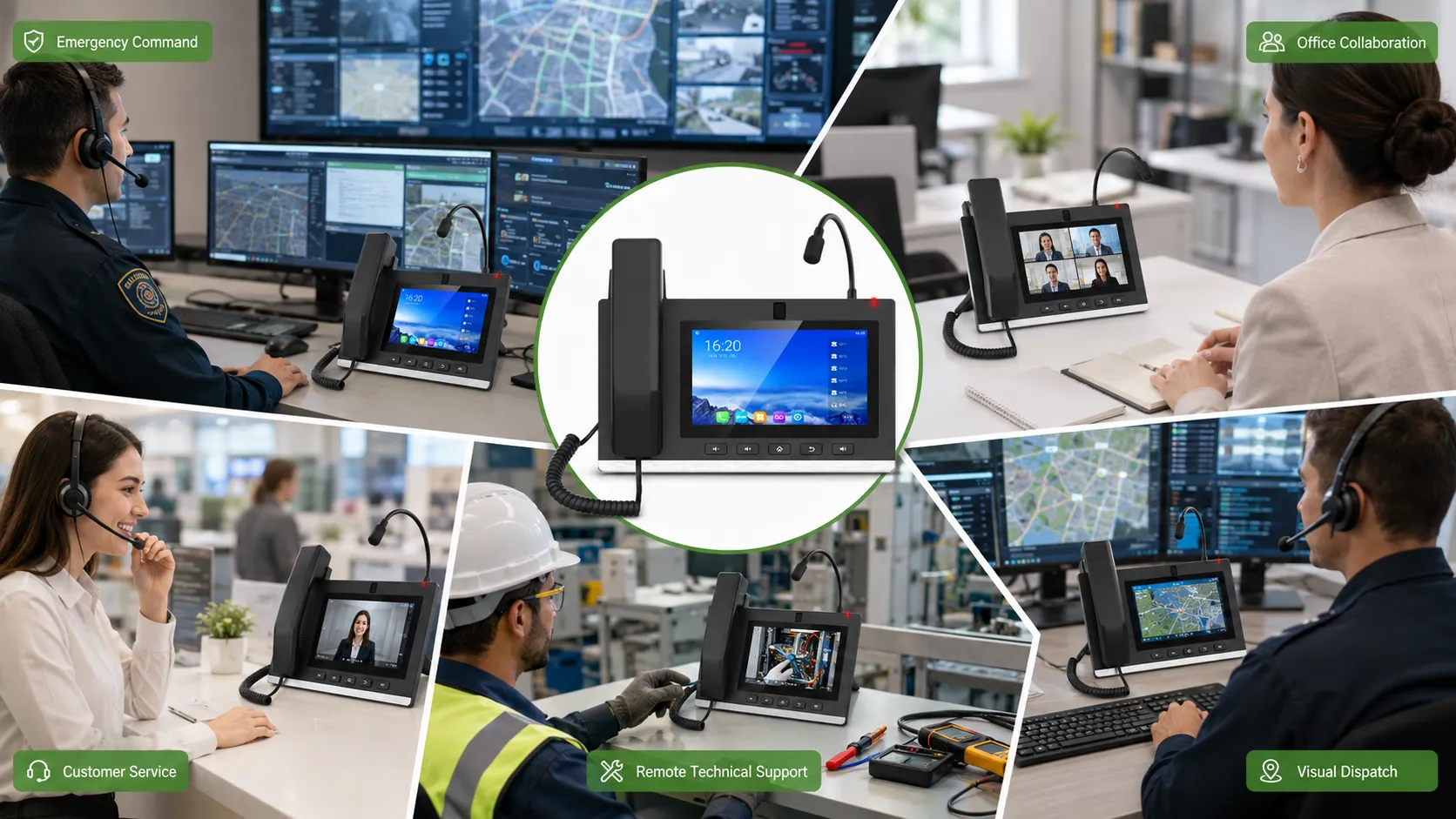
Why Visual Communication Is Becoming a Core Requirement
Voice communication is fast and familiar, but it cannot always describe the full situation. A caller can report an incident, explain a fault, or describe a customer problem, but the listener still needs to imagine the actual scene. In daily office work, this may only cause minor misunderstanding. In emergency command, identity verification, remote technical support, and field maintenance, incomplete information can delay judgment and reduce response efficiency.
Visual communication reduces this gap. When users can see the person, environment, equipment status, document, alarm location, or site image, they can make decisions with more context. A video phone provides this capability in a fixed and manageable terminal form. Unlike personal mobile apps, it can be controlled by the organization, connected to the SIP communication system, configured with permissions, and deployed in stable work positions.
This is important for industries that need traceable communication and standardized service processes. A customer service counter may need face-to-face explanation. A control room may need to verify an on-site condition. A security office may need to communicate with a gate post. A manager may need to join a quick video discussion without booking a conference room. These are practical reasons why video phones remain useful even when mobile video apps are common.
From Early Video Calling to Managed Enterprise Terminals
Video calling first appeared as an extension of telephone communication. The original idea was simple: if two people can talk by phone, they should also be able to see each other during the call. However, early video telephone services were limited by narrow bandwidth, high equipment cost, unstable transmission quality, and insufficient user demand. This made video phones difficult to deploy at scale in homes and ordinary offices.
With the development of VoIP, broadband networks, SIP signaling, H.264/H.265 video compression, HD cameras, and integrated screens, video phones gained new value in enterprise and industry projects. They can be connected to IP-PBX systems, unified communication platforms, dispatch systems, customer service platforms, video access systems, and command centers.
This shift changes how video phones should be understood. In a professional system, a video phone is not just a screen added to a telephone. It is a visual endpoint that can participate in voice calls, video calls, meeting sessions, dispatch workflows, service workflows, and sometimes video resource access.
Emergency Command and Visual Dispatch
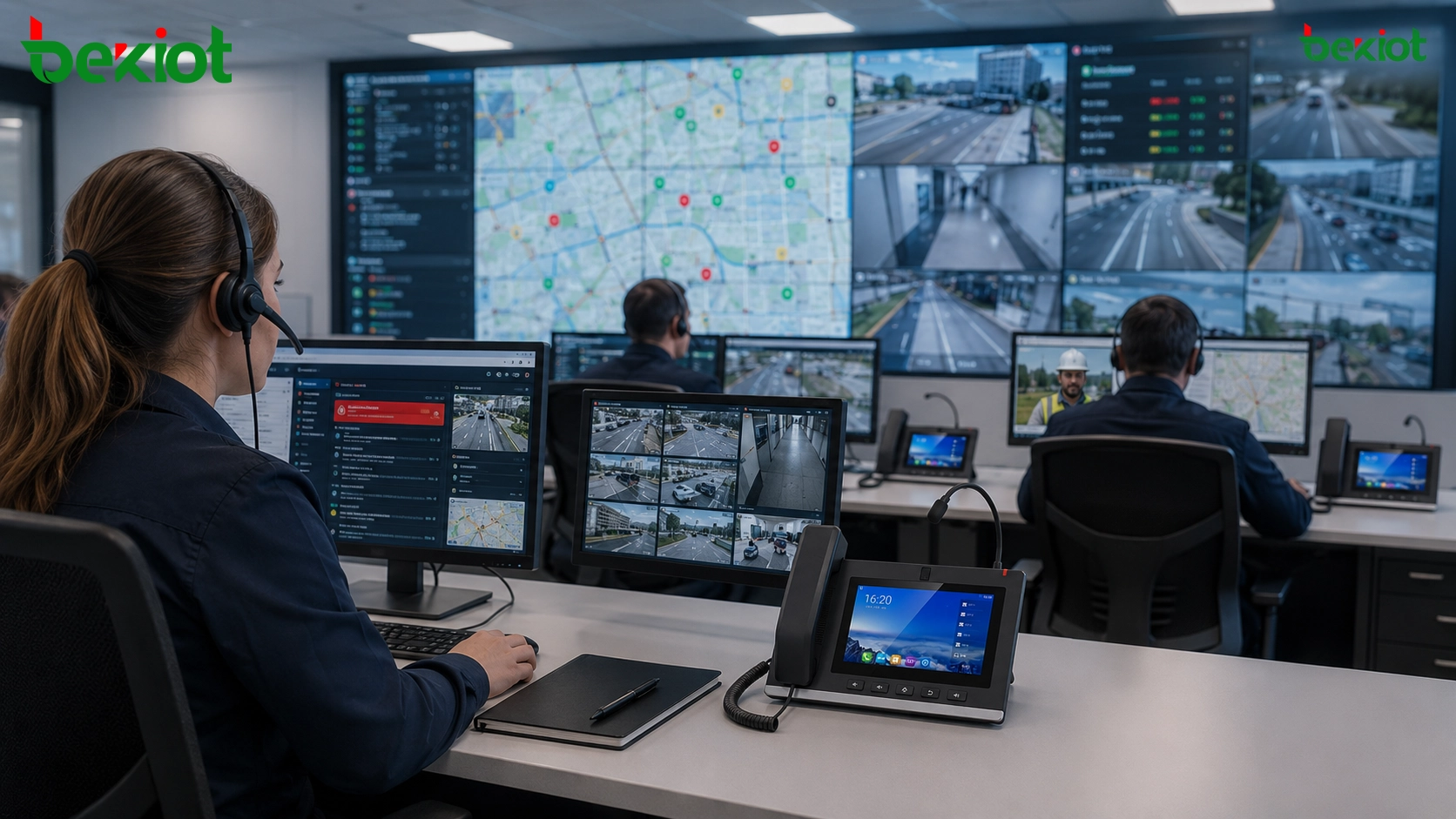
Emergency command is one of the most important application fields for video phones. In a command center, operators often need to communicate with field posts, duty rooms, emergency teams, security points, maintenance teams, and external departments. Voice calls can report what happened, but visual communication can show what is happening.
For example, during a facility alarm, the command center may need to confirm whether there is smoke, flooding, crowd congestion, equipment damage, vehicle blockage, or personnel injury. If the field post uses a video phone or visual communication terminal, the dispatcher can quickly establish a video call and obtain more direct information. This improves situational awareness during the first response stage.
In a multimedia dispatch architecture, video phones can also work with surveillance, alarm linkage, recording, public address, intercom, GIS, and mobile field video systems. When an event occurs, the operator may receive an alarm, call the responsible position, view related camera images, notify nearby teams, and record the communication process. The video phone becomes one part of this visual dispatch chain.
Security Rooms, Gate Posts, and Facility Control Points
Security and facility management are highly suitable for video phone deployment. Many sites have fixed communication positions such as security rooms, guard booths, visitor entrances, parking lot offices, loading bays, equipment rooms, and property service desks. These positions need simple, stable, and direct communication with visual confirmation.
For gate posts and visitor entrances, video phones can support face-to-face communication between security personnel and the control room. When a visitor, delivery driver, contractor, or maintenance worker arrives, the operator can confirm identity, explain procedures, and coordinate access. In some projects, the video phone may also work with door intercom, access control, or surveillance systems.
For equipment rooms and facility control points, the terminal can help maintenance staff communicate with the central control room while checking actual equipment status. Instead of describing a panel indicator, cable connection, pump condition, or cabinet alarm only by voice, the field operator can show the situation through video. This reduces repeated explanation and helps remote experts guide the next step.
Business Meetings and Desktop Collaboration
Video conferencing rooms are useful for formal meetings, but not every discussion needs a full meeting room. Many daily conversations are short, urgent, or department-level. Users may need to discuss a document, confirm a project detail, review a service issue, or coordinate with a remote branch. A desktop video phone can provide quick visual communication without requiring meeting room scheduling.
This is especially useful for managers, project coordinators, reception desks, customer-facing departments, sales support teams, and technical support teams. The user can answer a normal voice call and then switch to video when visual interaction becomes necessary. Compared with software-only meeting tools, a fixed video phone is always ready, easier to manage, and does not depend on the user’s personal computer status.
In multi-site enterprises, video phones can also support branch-to-headquarters communication. A branch office may not have a dedicated video conference room, but key positions can still participate in visual discussions through desktop terminals. This makes collaboration more flexible without building full conference facilities everywhere.
Related Product: Becke GP308i Video Phone for SIP video calling, paging microphone operation, and visual dispatch communication.
Customer Service and Remote Consultation
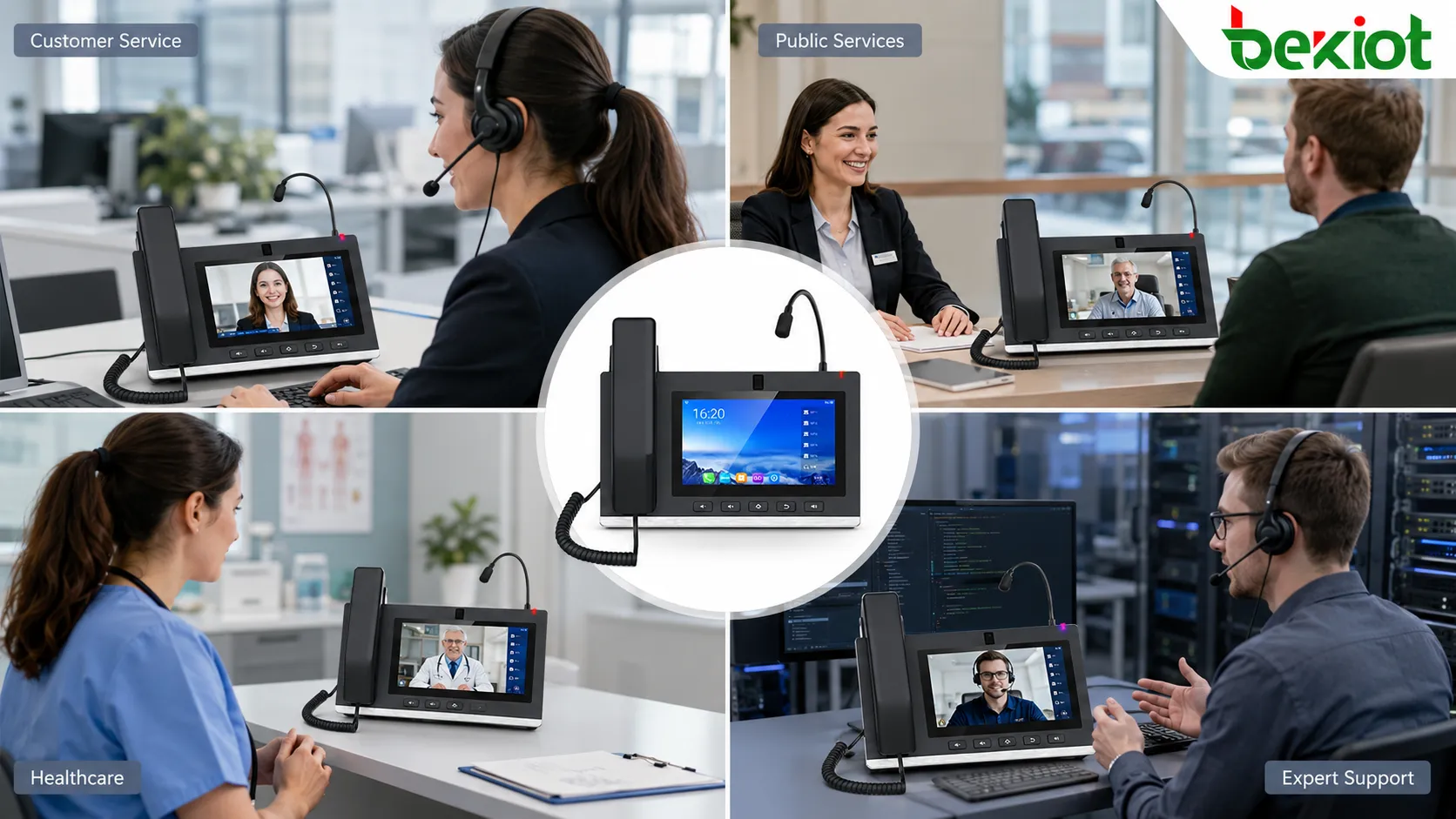
Customer service is another scenario where video phones can create clear value. In many industries, service quality depends not only on answering questions, but also on building trust, confirming identity, guiding operations, and explaining procedures clearly. Voice calls can handle simple inquiries, but they may not be enough for complex service interactions.
Video customer service allows the agent and customer to communicate face to face. This can help with remote consultation, document explanation, account service, insurance consultation, public service guidance, medical registration support, and high-value business communication. For users who are not familiar with digital platforms, visual guidance can reduce confusion and improve completion rate.
In some service centers, video phones can be placed at counters, self-service areas, remote service kiosks, or branch offices. When a user needs assistance, the terminal connects to a central service team. This allows one service center to support multiple remote service points while maintaining a more personal communication experience than ordinary audio calls.
Public Services, Finance, and Regulated Workflows
Public service organizations, banks, insurance companies, government service centers, and utility service providers often need a communication method that is both efficient and controllable. Video phones can support remote face-to-face service while keeping the endpoint within a managed environment. This is different from personal mobile video apps, where device control, recording, identity, and data protection may be more difficult.
For public service halls, a video phone can connect citizens with remote specialists. For finance and insurance, it can support consultation, identity review, product explanation, and document guidance. For utilities and enterprise service centers, it can help users report problems, show documents, and receive step-by-step support.
These scenarios often require call recording, service traceability, privacy management, and access control. Therefore, the video phone should not be deployed as a standalone device only. It should be connected to a communication platform or service system that can manage users, permissions, routing, records, and operational data.
Healthcare, Education, and Remote Expert Support
Video phones can also support healthcare, education, and remote expert communication. In healthcare environments, fixed video terminals may be used for remote consultation, nurse station communication, department coordination, or patient service support. A medical worker can communicate visually with another department without leaving the workstation.
In education and training, video phones can support small-scale remote teaching, campus duty communication, office collaboration, and administrative consultation. Although large online teaching platforms are common, a managed fixed terminal still has value in offices, reception areas, control rooms, and campus service points.
For industrial and technical support, video communication can be even more practical. A field worker can show equipment, wiring, fault indicators, or installation conditions to a remote expert. The expert can guide the worker in real time, reducing travel cost and shortening troubleshooting time.
Command Centers and Multi-Source Video Access
In more advanced projects, video phones may not be limited to person-to-person video calls. They can be part of a visual command environment where different video sources are integrated. These sources may include surveillance cameras, mobile video terminals, drones, body-worn cameras, vehicle-mounted cameras, remote meeting systems, or field operation devices.
The key requirement is media access and platform coordination. A video access system or media server may collect video streams from different sources and distribute them to command seats, large screens, video phones, dispatch consoles, or mobile clients. In this structure, the video phone becomes one of the receiving and communication endpoints.
This design is useful in emergency management, transport operation, industrial safety, public security, campus management, large venues, and utility control centers. Operators can communicate with people while checking relevant visual evidence. This helps turn a simple phone call into a more complete decision-making process.
Architecture for Professional Deployment
A professional video phone deployment usually includes several layers. The endpoint layer includes video phones, SIP phones, intercom terminals, meeting terminals, and optional mobile clients. The network layer includes LAN, VLAN, WAN, VPN, QoS, PoE switches, routers, and firewall policies. The communication control layer is usually based on SIP servers, IP-PBX systems, unified communication platforms, or dispatch platforms.
The media and integration layer may include media servers, recording systems, video access platforms, surveillance integration, alarm systems, public address systems, and third-party application interfaces. The operation layer covers user management, permissions, device status, logs, routing rules, and maintenance processes.
Planning these layers helps avoid a common mistake: treating video phones as isolated devices. A video phone can make a call by itself, but the project value comes from how it connects to the organization’s communication workflow.
Technical Points That Affect User Experience
Video phone performance depends on more than screen size or camera quality. Network quality is one of the most important factors. Video calls require stable bandwidth, low packet loss, reasonable latency, and proper quality of service. If the network is congested, users may experience frozen video, audio delay, lip-sync problems, call drops, or one-way media.
Codec compatibility should also be checked. Different systems may support different audio and video codecs. In SIP-based environments, signaling compatibility, SDP negotiation, NAT traversal, firewall traversal, and RTP media path must be tested. If the video phone needs to connect with a dispatch platform, meeting system, or third-party video source, end-to-end testing is necessary.
Audio design is often underestimated. A video call is still a communication session, and poor audio can ruin the experience even when the video image is clear. Echo cancellation, microphone pickup range, speaker volume, background noise, gain control, and room acoustics should be evaluated, especially in duty rooms, service counters, factories, and control rooms.
Security and Management Considerations
Because video phones are IP devices, security planning is necessary. Administrators should manage account credentials, SIP registration permissions, device access, firmware updates, password policies, network isolation, and remote management channels. In public-facing or semi-public environments, physical protection and user operation limits should also be considered.
For sensitive industries, call recording, video privacy, data retention, access logs, and user authorization may be required. The system should define whether video calls are recorded, who can view records, how long data is stored, and how personal information is protected.
Device management also affects long-term operation. A project with dozens or hundreds of video phones needs centralized provisioning, status monitoring, configuration backup, firmware control, and fault diagnosis. Without management tools, maintenance costs may increase as the number of endpoints grows.
Scenario Planning Matrix
| Scenario | Main Communication Need | Typical Value of Video Phones | Key Planning Point |
|---|---|---|---|
| Emergency command | Fast incident verification and response coordination | Supports visual dispatch, alarm confirmation, and field communication | Integration with dispatch, recording, alarm, and video access systems |
| Security and facility management | Gate post, duty room, and control room communication | Improves identity confirmation and fixed-position communication | Stable network, one-touch calling, and access control linkage |
| Office collaboration | Quick visual discussion without meeting room scheduling | Extends video communication to desks and key work positions | Simple user operation and SIP platform compatibility |
| Customer service | Remote face-to-face consultation and guided service | Improves trust, explanation quality, and service efficiency | Recording, privacy, identity verification, and workflow design |
| Remote support | Expert guidance for field workers or distributed sites | Allows experts to see equipment status and guide troubleshooting | Camera position, audio clarity, and stable media transmission |
How to Evaluate Whether a Project Needs Video Phones
Not every voice communication project needs video phones. The decision should be based on workflow value. If users only need simple extension calls, ordinary SIP phones may be enough. If users need to see people, documents, service processes, field conditions, or live video sources during communication, video phones become more meaningful.
A useful evaluation method is to ask several questions. Does the user need visual confirmation? Does the operator need to judge a field situation? Does the service process require identity or document explanation? Does the organization need fixed terminals instead of personal mobile apps? Does the communication need to be recorded, managed, and integrated with a platform? If the answer is yes, video phones may be a suitable option.
The deployment scale should also match the real requirement. A small office may only need a few desktop video endpoints. A command center may need video phones at dispatch seats and duty posts. A public service network may need many terminals across branch locations. The solution should be sized according to use cases, not only by the number of users.
Implementation Workflow for Integrators
A structured deployment process can reduce project risk. The first step is requirement analysis. The project team should identify user roles, communication paths, video call scenarios, required integrations, recording needs, and operation procedures. This step determines whether the video phone is used mainly for calls, service, meetings, dispatch, or video access.
The second step is network and platform design. The team should confirm SIP server compatibility, IP addressing, VLAN design, QoS policy, PoE capacity, firewall rules, NAT traversal, codec settings, and bandwidth planning. For cross-site communication, WAN quality and VPN architecture should be tested before deployment.
The third step is endpoint configuration and workflow testing. Video phones should be configured with accounts, contacts, speed dial keys, call permissions, video settings, audio settings, and management policies. The test should include normal calling, video calling, call transfer, meeting access, failover behavior, reboot recovery, long-session stability, and user operation.
Common Mistakes to Avoid
One common mistake is deploying video phones only because they look more advanced than ordinary phones. If the project does not define real visual workflows, the terminals may be underused. The system should be designed around communication problems that video can actually solve.
Another mistake is ignoring network conditions. Video communication requires more stable media transmission than ordinary voice calls. A network that works for basic VoIP may still perform poorly for video if bandwidth, QoS, packet loss, or firewall traversal is not planned correctly.
A third mistake is separating video phones from other systems. In command, service, and facility management projects, the terminal should be connected with the communication platform, user directory, call rules, recording, alarm linkage, or video access architecture where needed.
Final Review
Video phones have moved from early experimental video calling devices to practical visual communication terminals for enterprise and industry use. Their value appears most clearly in scenarios where users need more than voice: emergency command, multimedia dispatch, customer service, office collaboration, remote consultation, healthcare coordination, education support, and technical troubleshooting.
A professional deployment should not treat the video phone as a standalone product. It should be planned as part of a managed communication system, with clear user roles, call routes, video workflows, network design, security policies, and maintenance methods. When these elements are aligned, video phones can improve communication efficiency, reduce misunderstanding, support remote decision-making, and extend visual collaboration to more work positions.
For organizations planning communication upgrades, the best approach is to match the endpoint type with the actual workflow. Ordinary SIP phones are suitable for basic voice communication. Video phones are more suitable when visual confirmation, remote service, field verification, or multimedia coordination is required.
FAQ
Can video phones work with an existing SIP phone system?
Yes. Many video phones can register to SIP-based communication platforms, but compatibility should be tested for signaling, codecs, video negotiation, and media traversal before deployment.
Are video phones suitable for outdoor or unattended locations?
They can be used in fixed service points or duty posts, but the project should consider enclosure protection, power supply, network stability, installation angle, and physical security.
Do video phones require a dedicated video conference platform?
Not always. They can support point-to-point video calls in some systems. However, meeting access, recording, multi-party video, and platform integration may require a SIP server, UC platform, conference system, or media server.
What is the difference between using a video phone and using a mobile video app?
A video phone is usually a fixed, managed, organization-controlled endpoint. It is better for duty posts, service counters, command seats, and standardized workflows. A mobile app is more flexible for personal mobility but may be harder to control in managed environments.
What should be tested before project acceptance?
The acceptance test should include SIP registration, voice calls, video calls, audio quality, video clarity, call transfer, meeting access, network recovery, long-session stability, recording behavior, user permissions, and operation simplicity.







