


Smart communities, smart parks, smart factories, emergency platforms, and city-level digital systems are no longer built around one isolated application. They depend on the fusion of video, communication, alarms, AI analysis, IoT data, dispatch workflows, and business platforms. Among these elements, video integration is often one of the most difficult but most valuable parts of the project.
The challenge is not simply whether a camera can produce a video stream. In real projects, integrators may need to connect cameras from different manufacturers, video recorders, drones, body-worn cameras, video conferencing systems, command terminals, AI servers, mobile clients, and web platforms. These sources may use different protocols, encoding formats, bitrates, frame rates, control methods, and access permissions. A video gateway provides the conversion, aggregation, output, and interface layer needed to make these video resources usable inside a smart application.
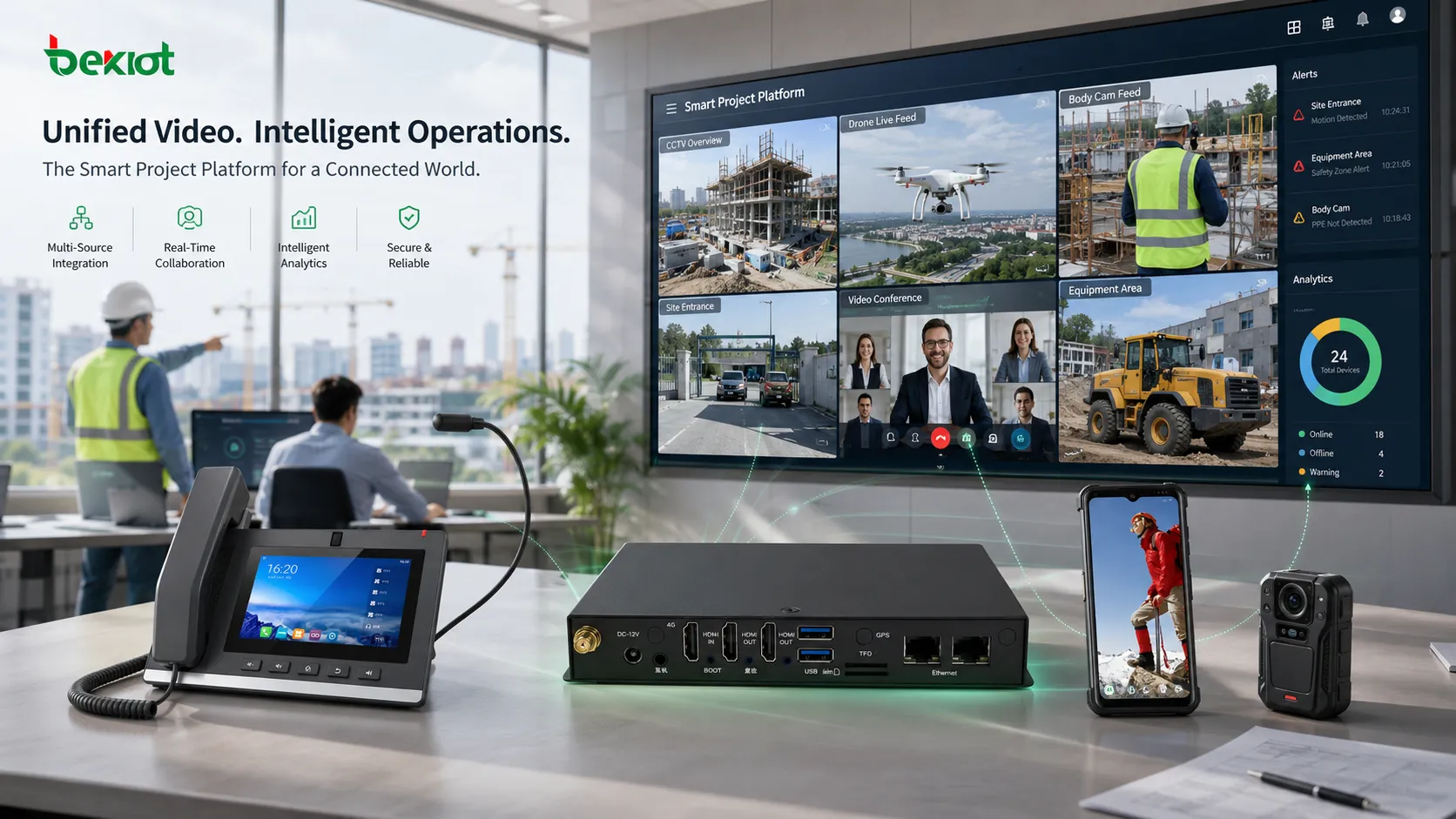
Integration Starts With Fragmented Video Sources
In many smart project developments, video resources come from different departments, systems, vendors, and field environments. A security subsystem may use IP cameras and NVRs, an emergency response team may use drones or body-worn recorders, and a command center may need to view live video through a web browser or dispatch platform.
Without a gateway layer, developers often have to handle each video source separately. This increases development complexity, creates compatibility risks, and makes future expansion more difficult. A gateway-based architecture allows the platform to receive, manage, and distribute multiple video sources through a more unified method.
Wider Access Support Reduces Project Risk
One of the most important values of a video gateway is broad input compatibility. Smart systems may need to access not only traditional video surveillance streams, but also live drone feeds, field recorder streams, video meeting resources, mobile video, and other streaming media sources.
A practical gateway should be able to adapt to complex project conditions instead of forcing all devices to follow one fixed format. This is especially important in renovation projects, multi-vendor projects, and phased construction projects where old and new video systems must operate together.
More than surveillance video
Modern smart systems increasingly combine fixed cameras with mobile and temporary video sources. For example, a factory inspection platform may need production-line cameras and mobile inspection recorders. An emergency command system may need surveillance cameras, drone video, vehicle-mounted video, and on-site communication terminals.
By using a video gateway, these sources can be brought into the same service layer for preview, forwarding, protocol conversion, AI analysis, alarm linkage, and platform integration.
Better adaptation for multi-vendor environments
Different manufacturers may use different stream formats, authentication methods, device control interfaces, and media behavior. A gateway helps reduce the direct dependency between the application platform and the original video device.
This makes project development more predictable. The platform connects to the gateway, while the gateway handles the differences between field devices, video systems, and streaming protocols.
Output Flexibility Improves the User Experience
In earlier projects, many platforms simply pulled RTSP streams from cameras and embedded RTSP players into software interfaces. This method is now often too limited for modern smart applications. It may increase camera-side pressure, make remote access more difficult, limit device control, and create poor compatibility across browsers, mobile terminals, and different operating environments.
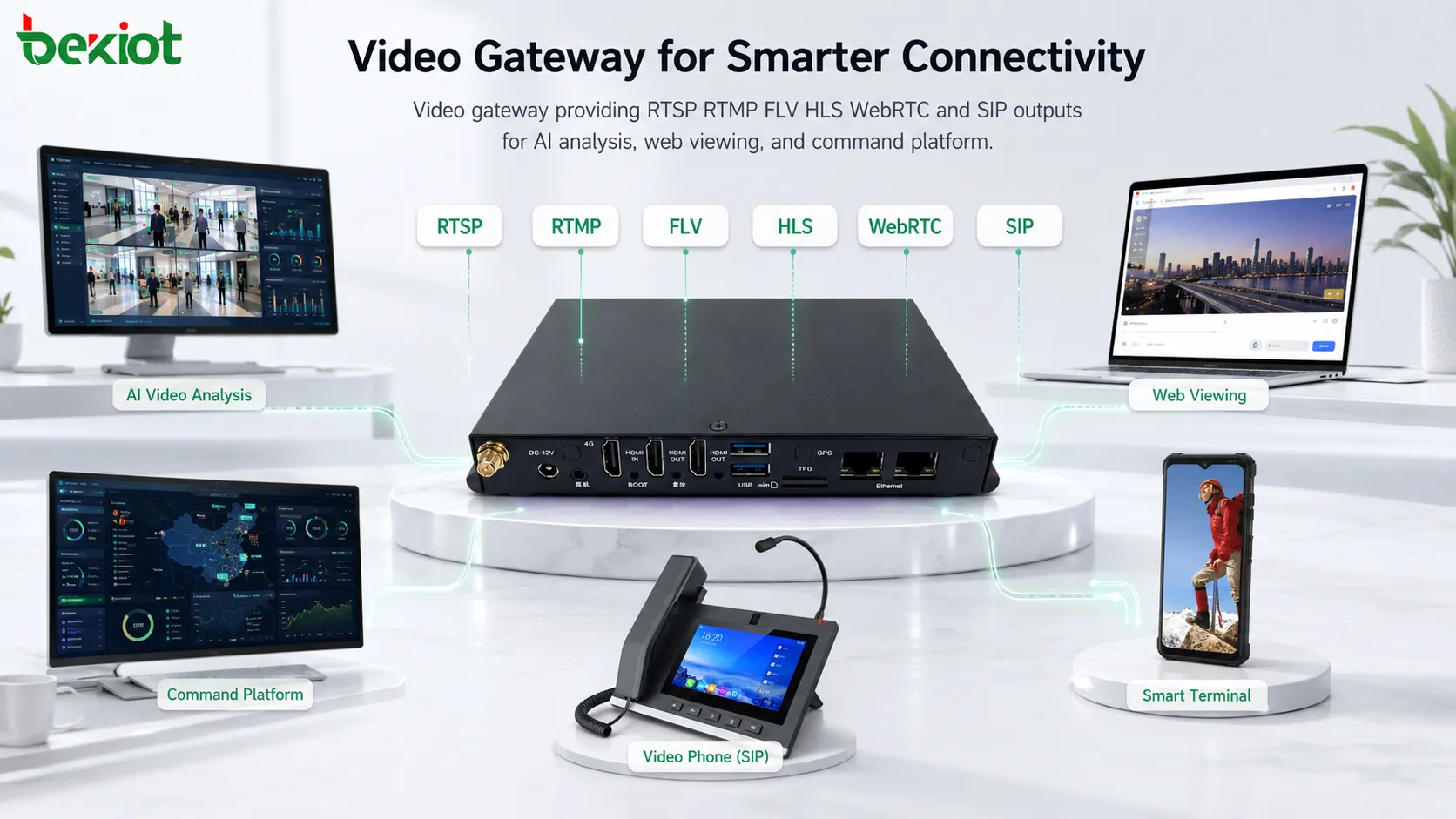
A video gateway can provide richer output options. Typical output protocols may include RTSP, RTMP, FLV, HLS, WebRTC, and SIP. More importantly, one gateway can often output several formats at the same time, allowing different systems to use the same video source in different ways.
Different outputs for different business needs
For AI video analysis, the gateway can output RTSP streams to an AI server. When an alarm is triggered, operators can view the related live stream through WebRTC in a browser-based command interface. For media distribution, HLS or FLV may be used in other scenarios. For communication fusion, SIP video can be connected with dispatch or communication systems.
This multi-output capability helps reduce pressure on original monitoring systems and cameras. It also avoids repeated direct pulling from multiple business platforms, which can improve system stability in large projects.
Browser and remote viewing become easier
Modern users often expect video to open quickly in a browser, command platform, mobile interface, or emergency dashboard. WebRTC-based output is especially useful for low-latency web viewing, while other protocols can support recording, distribution, compatibility, or integration with existing media platforms.
The gateway does not only forward video. It becomes the video service layer between field devices and business applications.
True Transcoding Is Different From Simple Repackaging
Video transcoding is often misunderstood. Some devices only change the protocol package of a stream and describe it as transcoding. In reality, true video transcoding means adjusting video encoding format, frame rate, bitrate, resolution, and other media parameters in real time.
This requires processing capability and usually increases hardware cost. However, it can also greatly improve compatibility when different systems cannot directly decode or display the same stream.
Why real-time conversion matters
Cross-system video sharing may fail because of codec mismatch, unstable frame rate, unsupported bitrate, unsuitable resolution, or decoding limitations on the receiving platform. These problems can cause black screens, delayed playback, stuttering, distorted images, or unstable viewing.
A gateway with real transcoding capability can help normalize video streams for different platforms. This makes development easier and reduces the chance that a project fails during integration, testing, or final acceptance.
Compatibility becomes a design advantage
As smart projects become more integrated, video is no longer used by only one monitoring client. The same video may be required by a command platform, AI engine, mobile application, alarm screen, recording module, and third-party management system.
Transcoding and output adaptation help make the same video resource usable across these different application layers.
Interfaces Make the Platform Easier to Build
API capability is another important part of a video gateway. In smart projects, developers often need to request video URLs, control preview, manage devices, link alarms, obtain status information, call related functions, or connect video with other business modules.
Instead of developing every device protocol from the beginning, the application platform can call gateway interfaces to obtain video services. This reduces technical workload and helps the project team focus more on user workflows, business logic, and system value.
Useful for command and event-based workflows
In emergency command, industrial safety, park management, and public security projects, video is often triggered by events. A fire alarm, access control event, patrol report, emergency call, or AI detection result may need to open the nearest live video automatically.
With gateway APIs, the platform can connect event logic and video resources more efficiently. This creates a stronger closed loop from event detection to visual confirmation and response coordination.
SIP capability supports communication fusion
Some gateway solutions can also provide SIP-based video or web phone capability. This is valuable when the project needs to combine video with voice dispatch, intercom, command communication, or emergency response workflows.
In selected scenarios, a gateway with integrated media and communication capabilities can reduce the need for separate SIP servers, monitoring servers, and streaming servers. The final architecture depends on project scale, redundancy requirements, and integration depth.
Deployment Scenarios in Smart Applications
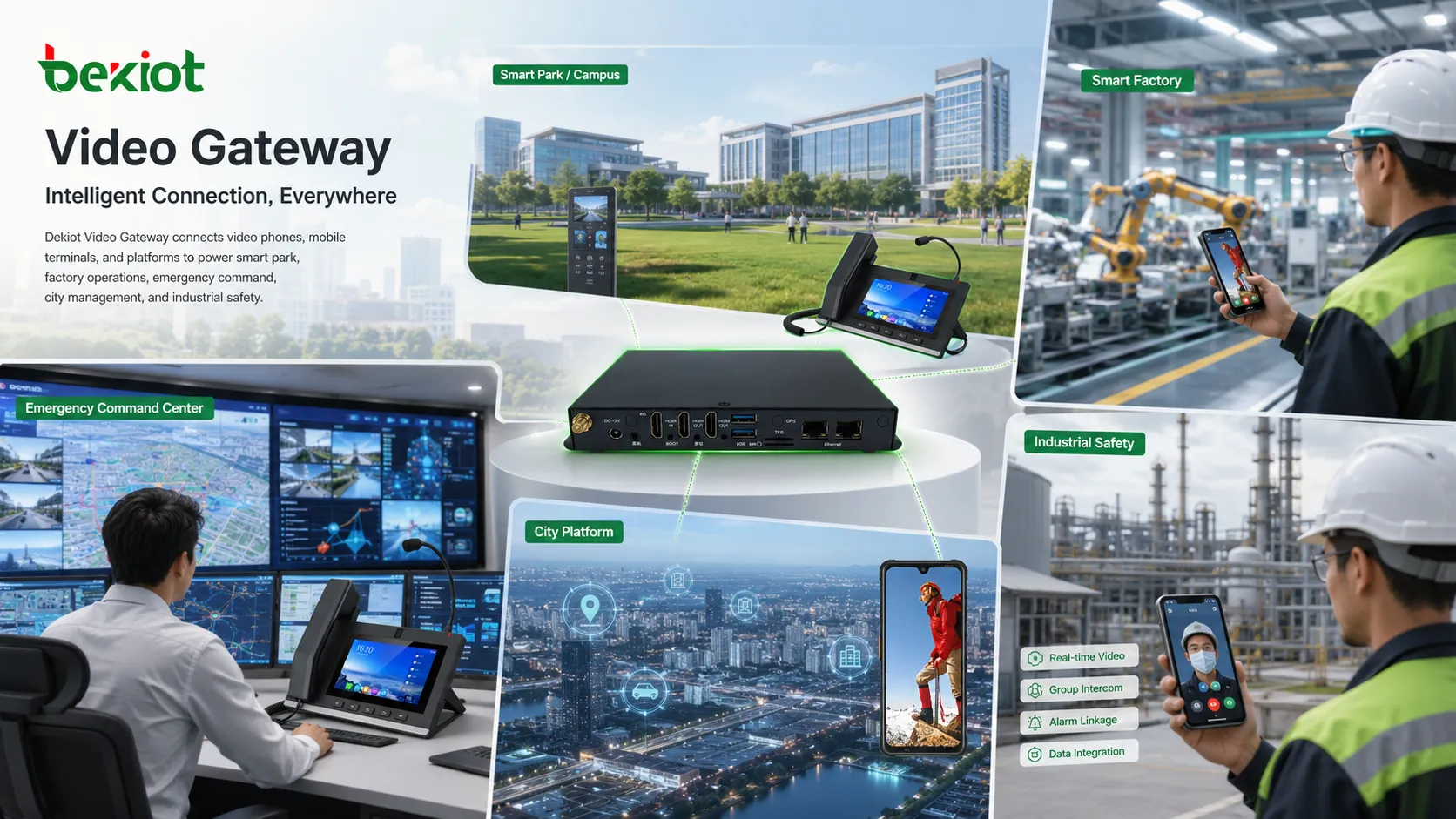
A video gateway can be used in many project types where video resources must be shared across platforms. Typical applications include smart parks, smart factories, emergency command centers, city management platforms, transportation systems, energy sites, campuses, hospitals, logistics parks, and industrial safety systems.
For example, a command center may need to combine CCTV, drone video, body-worn recorder video, SIP video intercom, alarm linkage, GIS map display, and AI detection results in one interface. Without a gateway, every video source may require separate development and maintenance. With a gateway, the platform can use a more standardized access and output layer.
How to Plan a More Reliable Architecture
Before selecting a gateway, project teams should review the number of video sources, device brands, input protocols, output formats, concurrent viewing requirements, AI analysis needs, remote access methods, recording requirements, and future expansion plan.
They should also confirm whether the project requires true transcoding or only protocol conversion. This distinction affects performance, cost, device selection, and user experience. If the project involves multiple platforms and browser-based access, output options such as WebRTC, HLS, FLV, RTSP, RTMP, and SIP should be considered based on actual usage.
Key technical checks
Important checks include stream stability, delay, resolution adaptation, browser compatibility, multi-user viewing load, alarm linkage response time, API completeness, network bandwidth, authentication, device control, and system recovery after interruption.
For projects involving safety or command operations, redundancy, permission control, secure remote access, logging, and long-term maintainability should also be included in the design review.
Product selection tips
Choose a gateway that matches the real project workflow instead of selecting only by the number of channels. A device with flexible protocol output, API support, stream conversion, and communication integration may provide more value than a simple forwarding device.
For projects that combine video, voice, intercom, dispatch, alarm linkage, and platform integration, Becke Telcom can be considered as a solution partner for gateway access, communication integration, and project-level system adaptation.
Business Value for Integrators and Owners
The purpose of a video gateway is not only to make video visible. It helps reduce technical risk, shorten integration time, protect existing video assets, and give smart platforms more flexible service capability.
For system integrators, this means less repeated protocol development and fewer compatibility surprises. For project owners, it means better video access, smoother remote viewing, easier AI integration, stronger alarm linkage, and a platform that can grow with future requirements.
In competitive smart project delivery, richer video capability can become a practical differentiator. When video sources, communication systems, AI analysis, and business applications are connected properly, the platform becomes more useful for real users instead of being only a data display interface.
For smart project teams planning video, voice, and alarm integration, Becke Telcom can help evaluate suitable gateway-based communication and media access solutions.
FAQ
Can a video gateway replace all video platform software?
Not always. A gateway mainly solves access, conversion, output, and integration problems. Large projects may still need VMS, command software, recording platforms, or business applications for management and operation.
How many video channels should be reserved for future expansion?
The reserve depends on project scale, but it is usually better to plan additional channel capacity for new cameras, drones, mobile devices, AI analysis streams, and temporary event access instead of designing only for the current list.
Is low latency always the most important requirement?
No. Low latency is critical for command, remote control, and emergency response. For recording, playback, training, or public information display, stability and compatibility may be more important than the lowest possible delay.
What is the difference between gateway access and direct camera access?
Direct access connects each platform to each camera or recorder. Gateway access places a service layer between the device and the application, making protocol adaptation, output conversion, permission control, and multi-platform sharing easier to manage.
Should AI analysis receive original streams or processed streams?
It depends on the AI algorithm and project design. Some AI servers need high-quality original streams, while others benefit from adjusted resolution, bitrate, or frame rate. This should be tested before final deployment.







