


A command center is not only a large screen room or a place where operators sit in front of dashboards. Its real value comes from connecting people, systems, data, communication channels, alarms, video, maps, procedures, and response resources into one coordinated operating environment. In a complex site, a single event may involve security, equipment status, emergency communication, access control, public address, video surveillance, maintenance teams, field personnel, and management approval. Without a command center, these elements may remain scattered across separate platforms and departments.
The command center exists to reduce that fragmentation. It helps operators understand what is happening, where it is happening, who is affected, which resources are available, what action has already been taken, and what should happen next. Whether it is used for emergency response, industrial operations, transportation management, campus security, public facility management, or enterprise coordination, the command center turns distributed information into structured situational control.
What makes a command center different from a monitoring room
A monitoring room usually focuses on watching system status. Operators may observe video feeds, alarm lists, production dashboards, access events, or network status. This is useful, but monitoring alone does not guarantee coordinated action. When an incident occurs, the team still needs to verify the event, contact the right people, dispatch resources, announce instructions, record decisions, and follow up until closure.
A command center goes beyond observation. It combines monitoring with command, communication, dispatch, coordination, escalation, recording, and decision support. It does not only show that something happened; it helps the organization respond in a controlled way. This difference is important in environments where incidents can affect safety, service continuity, production efficiency, or public order.
The command center also provides a shared operating picture. Instead of each department seeing only its own screen, the center can integrate multiple systems into a common workflow. Security staff, maintenance teams, emergency responders, supervisors, and management can work from the same event context. This reduces duplicated communication and conflicting decisions.
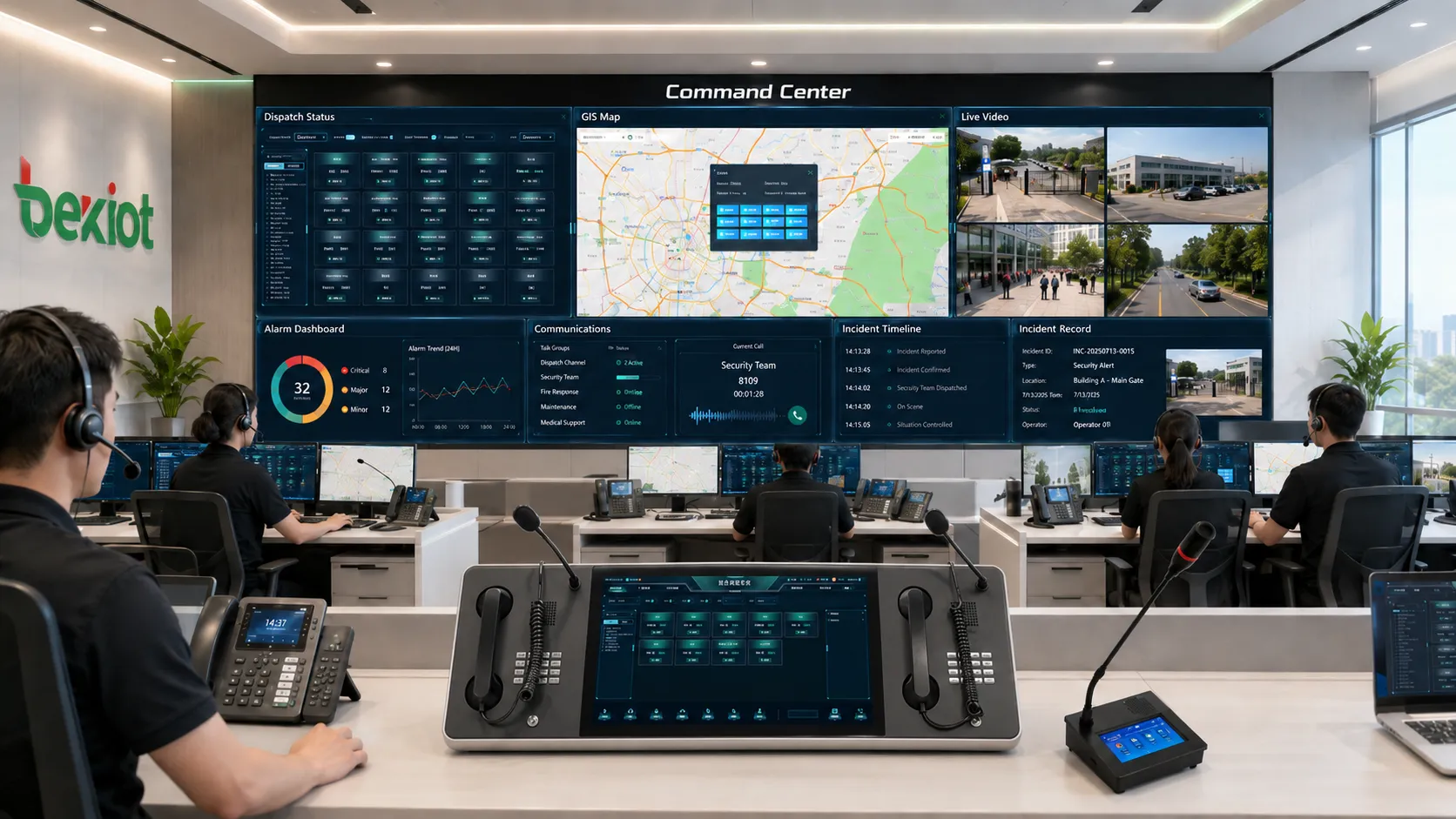
In practice, a command center may include a video wall, operator consoles, dispatch phones, intercom panels, paging control, alarm management, GIS maps, incident records, data dashboards, communication logs, collaboration tools, and emergency plans. The exact configuration depends on the industry, but the core purpose remains the same: faster awareness, faster coordination, and more reliable response.
Core system value
Situational awareness
The first value of a command center is situational awareness. Operators need to understand the current state of people, equipment, spaces, vehicles, alarms, communication channels, and field resources. A well-designed command center collects these signals and presents them in a way that supports quick judgment.
Situational awareness is not the same as displaying more data. Too much data can slow decision-making if it is not organized. The command center should highlight event location, alarm severity, related video, affected area, response status, and available resources. The purpose is to help operators answer the most urgent questions quickly: What happened? Where is it? How serious is it? Who needs to act?
Faster emergency response
Emergency response often fails because information arrives slowly or separately. One operator sees an alarm, another has the camera, another controls the paging system, and another knows the field team. A command center reduces this separation by linking alarm triggers, video verification, dispatch communication, public announcements, and response records.
When an incident occurs, the center can display the location, open relevant cameras, notify duty personnel, activate paging zones, start recordings, and track acknowledgement. This shortens the time from detection to action. In fire response, security incidents, equipment faults, medical assistance, hazardous gas warnings, or public safety events, even small time savings may have important value.
Cross-department coordination
Many incidents require more than one department. A power fault may affect security doors, elevators, network devices, public address, and business operation. A transport delay may involve customer service, security, platform staff, dispatchers, and maintenance teams. A campus emergency may involve security, medical support, administration, and public communication.
The command center provides a place and workflow for cross-department coordination. It helps different teams work from the same event record instead of exchanging fragmented messages. This reduces misunderstanding and makes the response more consistent.
Resource dispatch and task control
A command center helps operators assign resources according to the event. These resources may include patrol teams, maintenance personnel, emergency responders, field vehicles, duty officers, technical specialists, or support departments. The system can show who is available, where they are located, what task they have received, and whether they have completed it.
This turns response into a managed process rather than informal phone calls. Dispatch records, task status, acknowledgement, escalation, and closure notes can be linked to the incident. This is valuable for both operational efficiency and later review.
Traceability and accountability
Command centers create records. They can record alarm time, operator acknowledgement, camera access, dispatch calls, paging broadcasts, voice communication, decision notes, escalation actions, response duration, and closure results. These records make the response process traceable.
Traceability supports management review, training, compliance, legal evidence, service improvement, and fault analysis. It helps organizations understand not only what happened, but how the organization responded. This is one of the most important long-term values of a command center.
Operational continuity
In daily operation, the command center helps maintain continuity. It monitors system health, equipment status, communication availability, alarm trends, facility conditions, and service interruptions. Operators can identify abnormal patterns before they become major incidents.
For organizations that operate continuously, such as transportation sites, industrial plants, utilities, hospitals, data centers, and public facilities, this continuity is essential. The command center becomes a stable operating hub that supports both routine management and emergency response.
Main functional modules
Unified monitoring dashboard
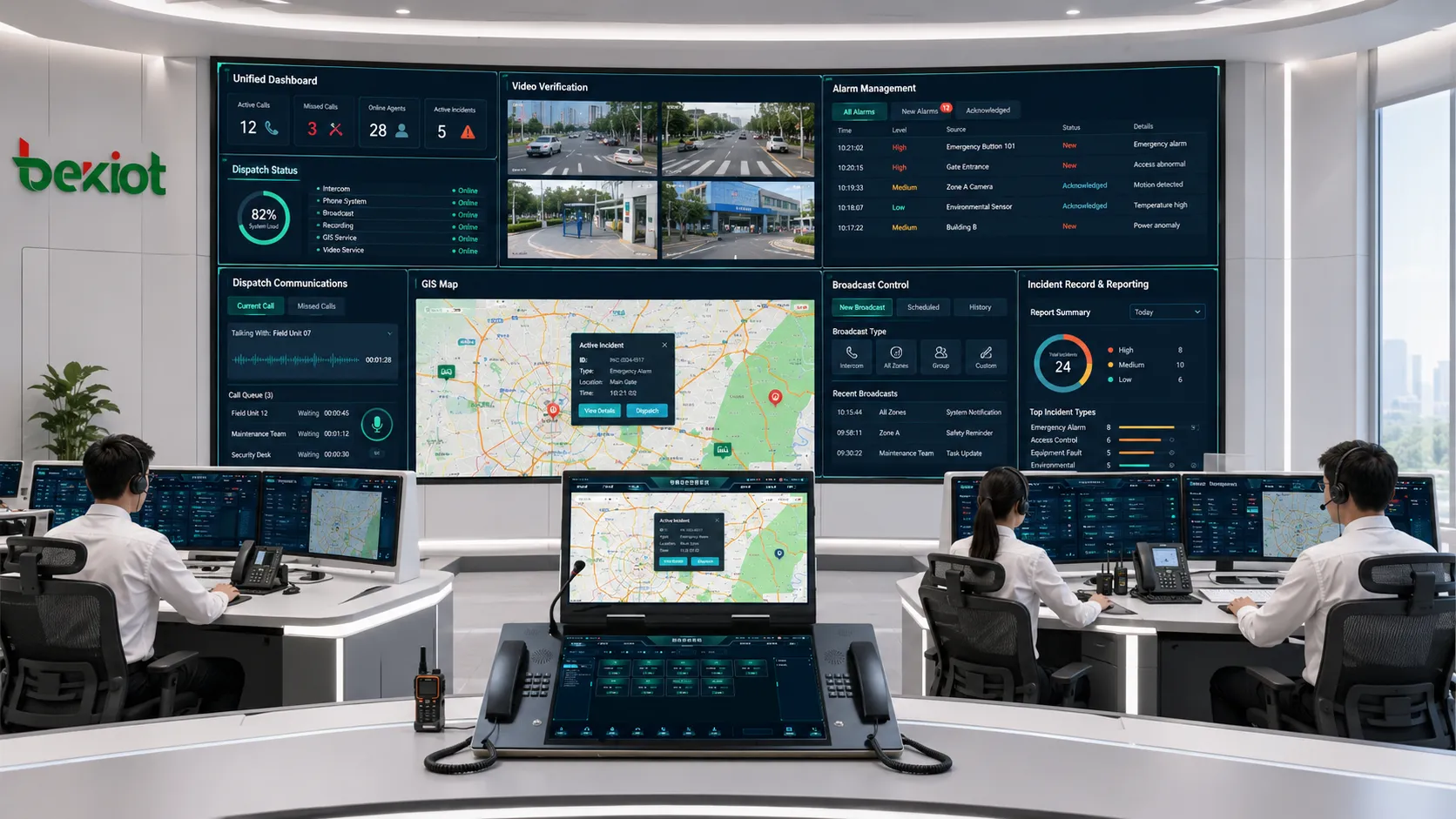
The monitoring dashboard is the visual entrance of the command center. It may show alarms, cameras, maps, device status, environmental data, production indicators, access events, communication status, and task progress. A good dashboard should not simply collect every available data point; it should prioritize what operators need to see.
Dashboards should be role-based. A security operator may need alarm location and video. A maintenance dispatcher may need equipment status and work orders. A public facility manager may need crowd flow, emergency calls, and service status. The command center should support different views without losing the shared operating picture.
Video and visual verification
Video surveillance is often one of the most important information sources in a command center. When an alarm or incident occurs, related cameras can help operators verify the situation before dispatching resources. Video can confirm whether an intrusion is real, whether smoke is visible, whether a crowd is forming, or whether a person needs assistance.
Video should be connected with location and event data. Operators should not need to search hundreds of camera names manually during an emergency. When an alarm occurs, the system should open the relevant camera or camera group based on the event location. This improves response speed and reduces operator stress.
Communication and dispatch
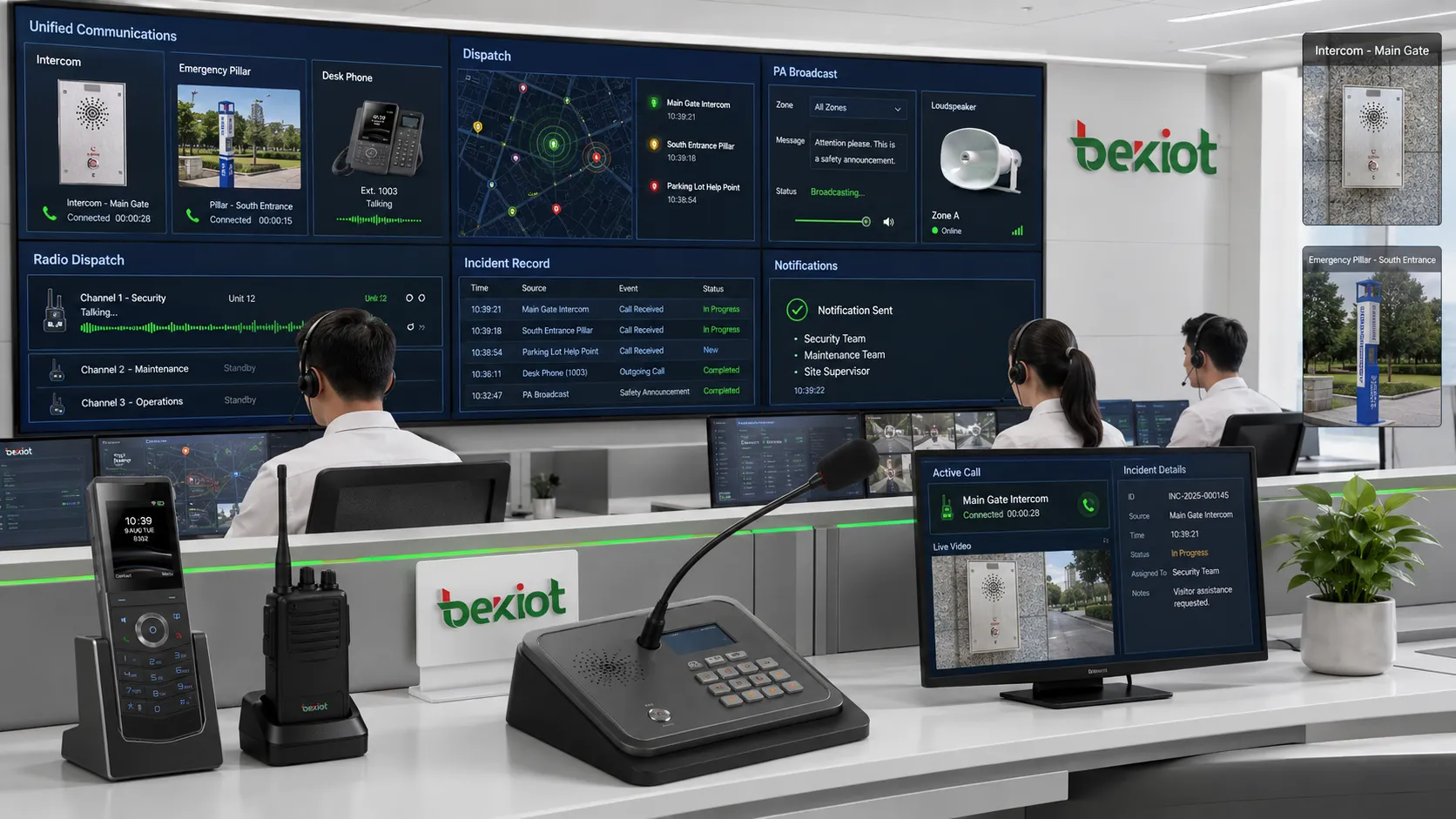
A command center must communicate. Operators need to call field teams, talk to security posts, page public areas, connect with emergency phones, coordinate with maintenance staff, and report to supervisors. Communication tools may include IP phones, dispatch consoles, intercom systems, radio integration, public address systems, mobile apps, video conferencing, and messaging platforms.
The value comes from integration. If the operator can see the alarm, open the camera, call the nearby team, broadcast instructions, and record the communication from one workflow, response becomes faster and clearer. Communication should be treated as part of command execution, not as a separate tool.
Alarm and event management
Alarm management allows the command center to classify, prioritize, filter, acknowledge, escalate, and close events. Not every alarm should be handled with the same urgency. A fire alarm, security intrusion, equipment fault, access denial, help call, and network offline alert should follow different response paths.
Good event management reduces alarm fatigue. Operators should focus on meaningful events rather than being flooded by repeated low-value alerts. The system should support priority rules, repeated alarm handling, false alarm analysis, escalation logic, and event closure records.
GIS map and location management
Location is critical in command operations. A map, floor plan, site diagram, or GIS interface helps operators understand where the event occurs and which resources are nearby. This is especially important in large campuses, industrial parks, airports, rail stations, tunnels, ports, hospitals, and utility networks.
Location management should connect devices, cameras, alarms, communication points, access doors, evacuation routes, equipment rooms, and response teams. When the operator sees the incident on a map, the next action becomes more intuitive.
Incident recording and reporting
Incident records help the command center track the full response process. A record may include the event source, time, location, priority, related systems, operator actions, communication logs, video snapshots, dispatch tasks, response notes, and final result. This creates a structured history.
Reporting converts these records into management insight. The organization can analyze response time, alarm frequency, recurring faults, department workload, resource usage, and procedure compliance. A command center should support improvement, not only daily operation.
Application areas
Public safety and emergency management
Public safety command centers support emergency calls, incident dispatch, security coordination, fire response, disaster warning, traffic control, public communication, and multi-agency collaboration. These centers need strong situational awareness because events may develop quickly and affect many people.
The value lies in coordinated command. Operators can view event location, communicate with field responders, monitor cameras, activate public announcements, track resources, and record decisions. For emergency management, the command center becomes the link between detection, decision, and field action.
Transportation hubs and traffic operation
Airports, railway stations, metro systems, bus terminals, ports, highways, tunnels, and parking facilities use command centers to monitor passenger flow, traffic status, platform conditions, alarms, access points, equipment faults, and public address systems.
Transportation environments require fast coordination because delays or incidents can spread quickly. A command center helps operators handle service disruptions, safety alerts, crowd control, emergency assistance, maintenance dispatch, and public guidance through one coordinated workflow.
Industrial plants and production facilities
Industrial command centers support production monitoring, equipment alarms, safety communication, environmental detection, utility systems, access control, emergency response, and maintenance coordination. These sites may include workshops, outdoor yards, power rooms, storage areas, hazardous zones, and remote equipment points.
The command center helps reduce downtime and improve safety. When a fault occurs, operators can identify the location, check equipment status, communicate with maintenance teams, issue paging instructions, and record the response. In high-risk sites, command coordination can help prevent small abnormalities from becoming major incidents.
Energy, utilities, and infrastructure
Power plants, substations, water treatment facilities, pipelines, district heating systems, renewable energy sites, data centers, and telecom infrastructure require continuous monitoring and coordinated response. Many assets are remote, unmanned, or difficult to access.
A command center helps centralize visibility. Operators can monitor equipment status, alarms, environmental conditions, network links, site access, and maintenance tasks. Remote communication and dispatch become important because field teams may need guidance from the central office.
Campuses, hospitals, and public buildings
Campuses, hospitals, government buildings, commercial complexes, stadiums, museums, and office parks use command centers for security, emergency calls, fire alarms, access control, public address, visitor assistance, facility maintenance, and service coordination.
These environments combine public service and safety management. A command center helps route alarms to the correct team, verify incidents through video, communicate with building areas, guide evacuation, and coordinate response across departments. The result is better service continuity and safer facility operation.
Enterprise and multi-site operation
Large enterprises may use command centers to manage branches, offices, warehouses, retail stores, service teams, IT systems, physical security, customer operation, and business continuity. Multi-site operation requires centralized visibility because local problems may affect regional or national service.
The command center can monitor key indicators, compare site status, coordinate emergency response, dispatch support teams, and manage communication across locations. It also helps management understand operational risk from a broader perspective.
Communication value inside the command center
Voice communication as the response backbone
Command centers often depend on voice communication because urgent coordination is still faster through direct conversation. Operators may need to call field staff, talk to control posts, coordinate with maintenance teams, contact security guards, or connect with external responders. Voice provides immediate clarification when written data is not enough.
Voice systems should be integrated with events where possible. When an operator calls a field team from an incident record, the communication can be logged. When a help point calls the center, the location can appear automatically. This makes voice part of the command workflow.
Public address and emergency announcements
Public address systems allow the command center to send instructions to physical spaces. This is useful for evacuation, safety reminders, crowd guidance, service announcements, equipment area warnings, and emergency instructions. The command center can choose zones based on the event location.
Announcements should be clear, targeted, and traceable. Broadcasting to too many areas may create confusion, while broadcasting to too few areas may fail to protect people. Zone-based paging and recorded broadcast logs improve both effectiveness and accountability.
Intercom and help point integration
Intercoms and help points connect people at the scene with the command center. They are common in parking lots, elevators, tunnels, gates, campuses, hospitals, transport stations, industrial zones, and public facilities. When someone presses a help button, the command center can receive both the call and the location.
This integration supports two-way verification. Operators can speak with the person, open nearby cameras, dispatch staff, and record the incident. The help point becomes not only a call device, but an event source inside the command system.
Multi-channel notification
Command centers often need to notify different people through different channels. Operators may use phone calls, radio, mobile apps, SMS, email, platform messages, public address, or video meetings. Multi-channel notification ensures that critical information reaches the right group.
Notification rules should be based on role and priority. Routine faults may go to maintenance staff. Security incidents may go to guards. Emergency events may notify supervisors and response teams. Good notification design reduces confusion and prevents unnecessary alert overload.
Design and deployment considerations
Start from workflows rather than screens
A command center should not be designed only around a video wall or dashboard appearance. The first question should be workflow: What events must be handled? Who receives them? What information is needed? Which systems must respond? How should the event be closed? The visual design should support these workflows.
When design starts only from screens, the result may look impressive but operate poorly. Operators may still need to switch systems, search manually, call people separately, and record notes outside the platform. Real value comes from workflow integration.
Unify data naming and location structure
Data naming affects response speed. Device names, camera names, alarm points, paging zones, doors, rooms, floors, buildings, and maps should follow a clear structure. If operators see only technical codes, they may waste time interpreting the event.
Location structure is especially important. A command center should know which devices are near the event, which camera covers the area, which paging zone should be used, and which team is responsible. This depends on accurate mapping.
Plan operator roles and permissions
Different users need different permissions. An operator may acknowledge alarms, a dispatcher may assign tasks, a supervisor may close incidents, an administrator may configure rules, and management may view reports. Clear role design protects the system from misuse and reduces operational confusion.
Permissions should also protect sensitive data. Some video feeds, security events, medical areas, personnel information, or executive zones may need restricted access. The command center should balance visibility with responsibility.
Prepare for redundancy and continuity
Command centers are often used during critical events, so reliability matters. Power supply, network links, servers, storage, communication channels, operator workstations, and display systems may need redundancy depending on risk level. Backup procedures should be defined before incidents occur.
Continuity also includes people. If one operator is unavailable, another should be able to understand the event record and continue handling. Procedures, training, and system usability are part of resilience.
Test with real operating scenarios
Testing should include realistic events, not only individual system functions. The team should test what happens when an alarm occurs, when a camera is offline, when a field team does not respond, when public address is busy, when multiple events happen at the same time, and when the network is under load.
Scenario testing reveals whether the command center actually supports response. It also helps operators build familiarity before real incidents. A command center that has never been tested under realistic conditions may fail at the moment it is needed most.
Common problems in command center projects
Too much display and too little action
Some command centers focus heavily on large screens and impressive visual effects, but provide weak support for actual response. Operators can see many dashboards but still need to perform actions manually in separate systems. This creates a gap between monitoring and command.
The solution is to evaluate every display element by action value. Does it help operators decide, communicate, dispatch, verify, or record? If not, it may be visual decoration rather than operational support.
System integration without process integration
Another common problem is connecting platforms technically without defining response procedures. The alarm can reach the dashboard, the camera can pop up, and the phone can call, but no one has defined who should act and how the event should be closed.
Technical integration should follow process integration. The project should define event categories, response roles, escalation rules, closure standards, and review methods. Otherwise, the command center may become a collection of connected tools rather than a command system.
Alarm overload
Alarm overload reduces attention. If every minor event appears as urgent, operators may become numb and miss serious incidents. The command center should classify alarms, suppress repeated low-value alerts, highlight priority events, and support filtering.
Alarm design should be reviewed regularly. Repeated alarms may indicate sensor problems, threshold issues, unresolved faults, or poor classification. Reducing noise improves operator focus.
Poor maintenance after deployment
Command centers require ongoing maintenance. Devices are added, cameras move, departments change, phone numbers update, maps are revised, response teams reorganize, and procedures evolve. If the platform is not updated, the command center becomes less accurate over time.
Maintenance should include device status review, map updates, contact list updates, rule testing, backup checks, user permission review, and report analysis. Long-term value depends on continuous alignment with the real site.
How to evaluate command center value
Response time
A command center should reduce the time between event detection and response action. Evaluation should measure how quickly operators receive alarms, verify situations, contact responders, issue announcements, and close incidents.
Decision quality
Decision quality improves when operators have accurate context. The command center should provide location, video, history, resource status, procedures, and communication tools. If operators still depend on scattered information, the system value is incomplete.
Coordination efficiency
The center should make cross-department work easier. Evaluation should consider whether security, maintenance, operations, management, and field teams can share the same event record and understand their responsibilities.
Traceability
Every important event should leave a clear record. The organization should be able to review what happened, who responded, what was communicated, which actions were taken, and how the event was closed. Traceability is a key measure of command maturity.
Scalability and maintainability
A command center should support future growth. New devices, zones, teams, buildings, branches, and data sources should be added without redesigning the entire system. At the same time, daily maintenance should be practical for administrators.
Closing Notes
The value of a command center lies in coordinated control. It integrates monitoring, communication, dispatch, alarms, video, maps, data, procedures, and records so that organizations can understand events faster and respond more reliably. It is not simply a place with large screens; it is a system for turning information into action.
Its application areas include public safety, transportation hubs, industrial plants, energy and utilities, campuses, hospitals, public buildings, enterprise operations, and multi-site management. In each area, the command center helps improve situational awareness, emergency response, resource dispatch, cross-department coordination, and operational continuity.
A successful command center should be designed around real workflows, accurate data, clear roles, reliable communication, strong event management, practical integration, and long-term maintenance. When these elements are handled well, the command center becomes a central capability for safer, faster, and more accountable operation.
FAQ
What is the main purpose of a command center?
The main purpose is to integrate monitoring, communication, dispatch, alarms, video, maps, data, and response workflows so that an organization can understand events and coordinate action more effectively.
Is a command center only used for emergencies?
No. It is also used for daily operations, equipment monitoring, security management, traffic control, facility maintenance, service coordination, and business continuity. Emergency response is only one important function.
What systems are commonly integrated into a command center?
Common systems include video surveillance, alarm management, access control, public address, intercom, IP phones, dispatch platforms, GIS maps, building management, equipment monitoring, incident recording, and reporting tools.
Why is communication important in a command center?
Communication turns awareness into action. Operators need to contact field staff, issue announcements, coordinate teams, escalate incidents, and record decisions. Without communication, monitoring cannot become effective command.
How should a command center project be evaluated?
It should be evaluated by response time, decision quality, coordination efficiency, traceability, system reliability, operator usability, scalability, and whether it supports real response workflows rather than only displaying information.







