


SIP softphones are no longer limited to simple computer-based telephone applications. Modern softphone clients can support voice calls, video calls, instant messaging, contact management, conferencing, and integration with IP PBX, VoIP platforms, unified communication systems, emergency command platforms, and call center systems. For many organizations, a SIP softphone is a flexible endpoint that helps extend enterprise communication from fixed desks to laptops, mobile phones, tablets, and remote working environments.
A practical SIP softphone solution should not only focus on whether the software is free. It should also consider platform compatibility, audio quality, video capability, codec support, security, ease of use, account configuration, network compatibility, and integration with existing communication systems. Different softphones are suitable for different users, such as office staff, remote employees, customer service agents, dispatch operators, field managers, and small business users.
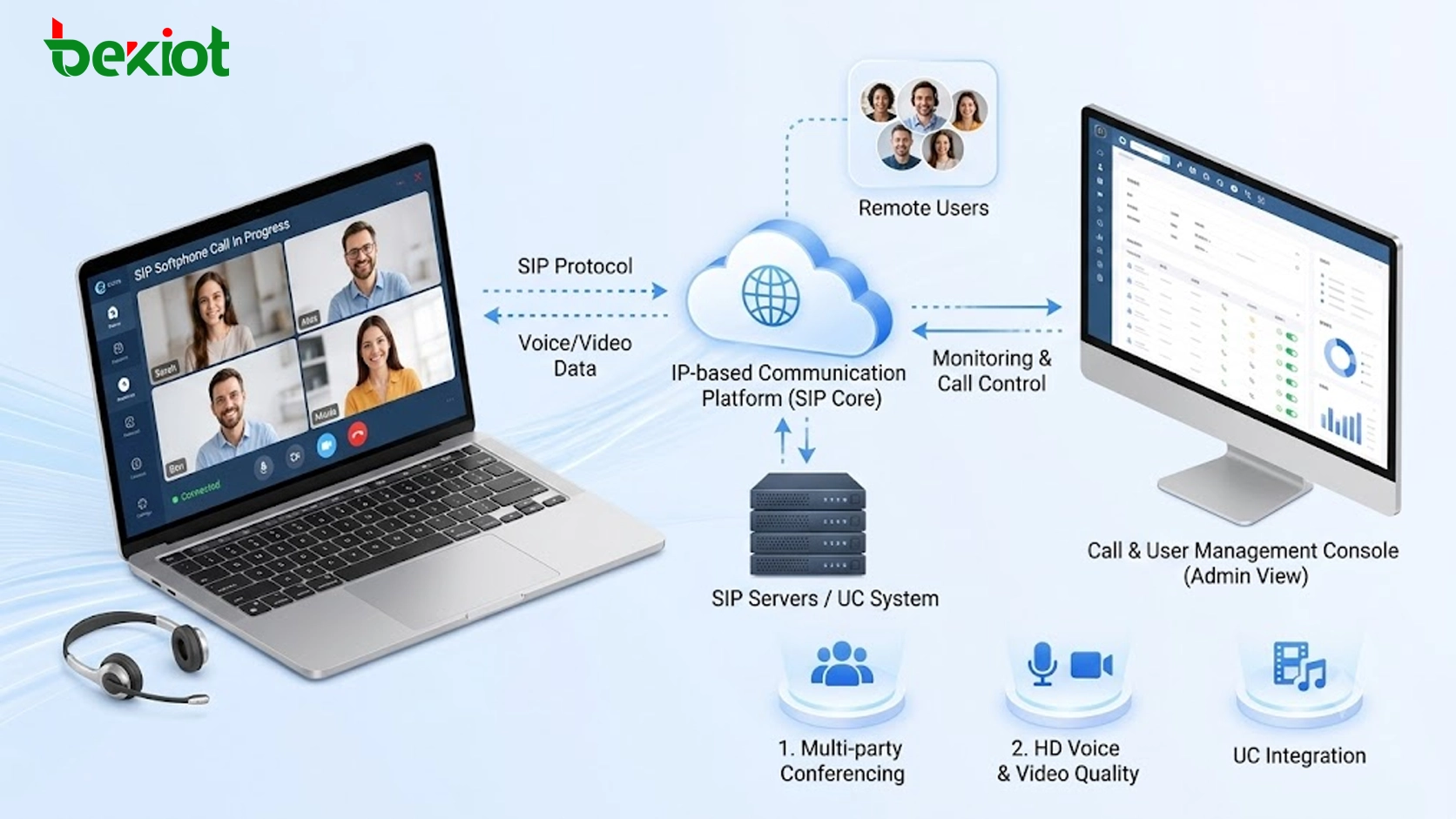
Why Softphone Clients Matter in Modern Communication
In traditional communication systems, users often rely on fixed IP phones or desk phones. This approach works well in stable office environments, but it is less flexible when employees need to work remotely, move between locations, join video meetings, or access communication services from mobile devices. SIP softphones solve this problem by turning computers and mobile devices into communication terminals.
With a SIP account, users can register to an IP PBX, SIP server, VoIP gateway, call center platform, or unified communication system. Once registered, they can make and receive calls in a similar way to using a physical IP phone. Many softphones also support video calls, messaging, call history, contact lists, call transfer, call hold, mute, auto-answer, and quick dialing.
This makes softphones useful in daily office communication, hybrid work, customer service, emergency coordination, school communication, healthcare support, industrial dispatch, and small business telephony. They can reduce hardware dependency and make communication deployment faster, especially when users are distributed across different locations.
Core Capabilities Required in a Practical Solution
A good SIP softphone deployment should support standard SIP protocol registration, stable voice calls, clear audio quality, and basic call control functions. Common call operations include calling, answering, hanging up, holding, muting, redialing, viewing call history, and managing contacts.
Codec support is also important. Softphones that support audio codecs such as Opus, G.711, G.722, and Speex can adapt to different network environments and voice quality requirements. For organizations that need video communication, support for video calling and high-definition video transmission should also be considered.
Security should not be ignored. Some softphones support encrypted communication technologies such as SRTP, ZRTP, and TLS, which can help protect call privacy and signaling security. This is especially important for enterprise communication, remote office, government projects, healthcare communication, education systems, and command dispatch scenarios.
Cross-Platform Access for Distributed Teams
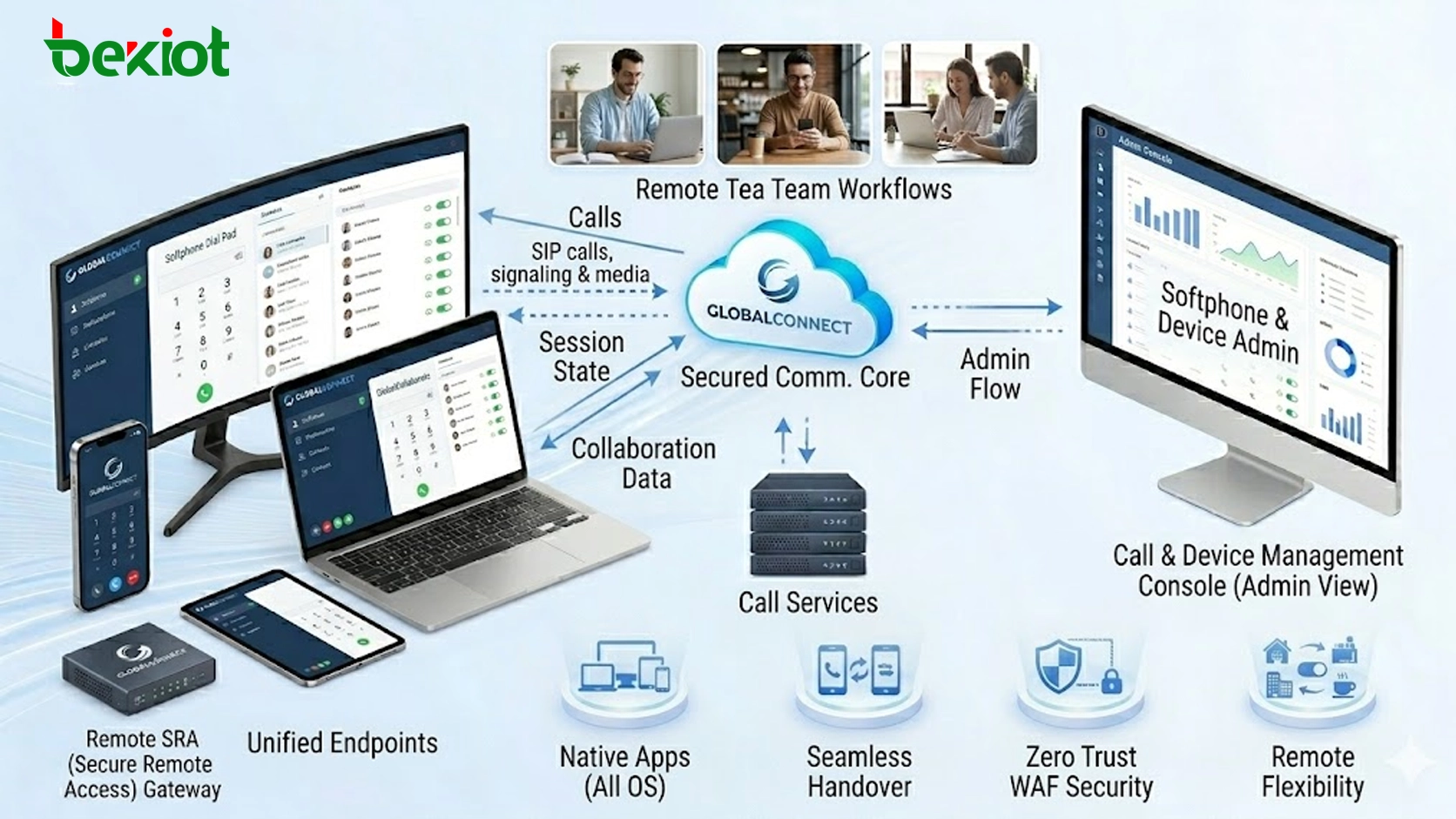
One of the main advantages of softphones is cross-platform support. Many free or open-source SIP softphones are available on Windows, macOS, Linux, iOS, and Android. This allows organizations to serve different user groups without forcing everyone to use the same type of device.
For example, office users may prefer desktop clients on Windows or macOS. Remote workers may need mobile applications on iOS or Android. Technical teams may prefer Linux clients. Field staff may use mobile devices, while customer service teams may use PC-based clients together with headsets.
Cross-platform deployment improves flexibility. It also helps organizations build a communication system that can support office users, mobile users, remote users, and temporary project teams at the same time.
Common Free Options and Their Suitable Use Cases
Several free SIP softphones are widely used in VoIP and unified communication projects. They are not identical in positioning, and each one is more suitable for a different type of user or deployment scenario.
Zoiper is a full-featured SIP softphone that supports multiple platforms, including Windows, macOS, Linux, iOS, and Android. It supports standard SIP communication, voice calls, video calls, instant messaging, contact management, and high-quality audio codecs such as Opus, G.711, and G.722. It is suitable for users who need a friendly interface, multi-platform access, and both voice and video communication.
Linphone is an open-source SIP softphone available on Windows, macOS, Linux, iOS, and Android. It supports voice calls, video calls, instant messaging, standard SIP protocol, and multiple audio codecs, including Opus, G.711, and G.722. It also supports security technologies such as ZRTP and SRTP, making it suitable for users who value open-source flexibility, privacy, and technical transparency.
MicroSIP is a lightweight SIP softphone mainly used on Windows. It has a small installation package, a simple interface, and practical voice calling functions. It supports basic operations such as calling, answering, hanging up, call hold, mute, call logs, speed dial, auto-answer, and call transfer. It also supports codecs such as G.711, G.722, and Speex, as well as network protocols such as UDP, TCP, and TLS. It is suitable for individual users, small businesses, test environments, and simple desktop calling scenarios.
Jitsi is better known as an open-source video conferencing solution, but it can also support SIP-based communication in certain deployment scenarios. It provides screen sharing, real-time messaging, meeting recording, multi-party video meetings, and web-based access. Users can join meetings through a browser without installing software or creating an account in some usage modes. It is suitable for teams that need video meetings, webinars, collaboration, and privacy-focused communication.
Matching Softphones With Business Scenarios
The best softphone is not always the one with the most functions. The right choice depends on the communication scenario. For general office communication, a stable and easy-to-use client with contact management and call history may be enough. For remote work, cross-platform support and mobile availability are more important. For customer service, call stability, headset compatibility, quick dialing, and integration with call center systems are more valuable.
For emergency command and dispatch communication, the system should focus on fast access, clear voice, account management, call recording integration, and compatibility with the command platform. For technical testing or small VoIP projects, lightweight clients such as MicroSIP can be useful because they are easy to install and configure.
In enterprise deployments, it is also common to use more than one softphone. For example, one client may be used by office users, another by technical staff, and another by mobile users. The key is to ensure that all clients can register to the same SIP platform and follow the same communication management rules.
Integration With IP PBX and Unified Platforms
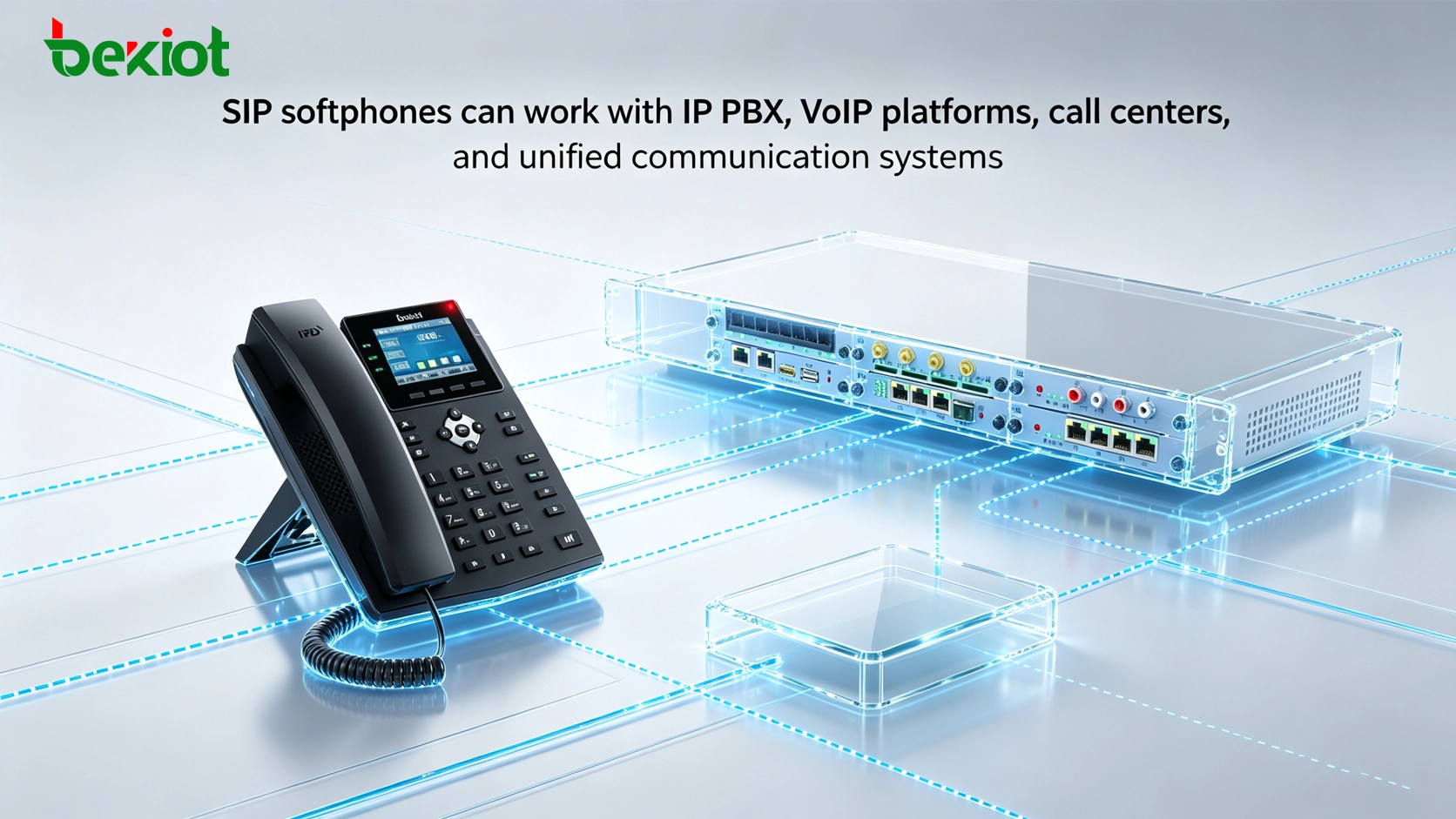
A SIP softphone becomes more valuable when it is connected with a complete communication platform. Through IP PBX or SIP server registration, softphone users can communicate with IP phones, analog phones through gateways, call center agents, mobile clients, and other SIP endpoints.
In unified communication projects, softphones can become part of a larger system that includes voice calling, video calling, conferencing, message delivery, call recording, extension management, outbound calling, customer service, and emergency notification. This allows organizations to build a flexible communication environment without relying only on hardware phones.
For call centers, softphones can reduce endpoint cost and support agent mobility. For multi-branch companies, they can help connect offices without installing physical phones at every seat. For schools, hospitals, and industrial parks, softphones can provide quick access to internal communication and emergency coordination.
Network and Security Planning
Before deploying SIP softphones, network conditions should be checked carefully. Voice communication is sensitive to delay, packet loss, and jitter. If the network is unstable, users may experience one-way audio, call drops, echo, or poor voice quality. Proper network planning, NAT traversal, firewall configuration, and QoS settings can help improve call stability.
Security planning is also necessary. SIP account passwords should be strong, default ports should be protected, and unauthorized registration attempts should be monitored. Where possible, TLS can be used for signaling protection, and SRTP or ZRTP can be used for media encryption. These measures help reduce security risks in public network and remote access environments.
For organizations with many users, administrators should also manage account permissions, extension numbers, registration limits, call routing rules, and device access policies. A softphone deployment should be convenient for users, but it should also remain controllable for administrators.
Deployment Recommendations
For small teams, a simple SIP client connected to an IP PBX or cloud VoIP service may be enough. Users can install the client, enter SIP account information, and start making internal or external calls. This approach is cost-effective and suitable for testing, remote work, and small office communication.
For medium and large organizations, deployment should be more structured. The communication platform should define extension rules, department groups, call permissions, recording requirements, security policies, and support procedures. Softphone clients should be selected based on operating system, user role, communication needs, and integration requirements.
For projects involving video calls, conferencing, command dispatch, or customer service, testing should include voice quality, video quality, headset compatibility, network performance, call transfer, call recording, and system integration. This helps ensure that the softphone is not only usable, but reliable in daily operation.
Long-Term Value for Communication Systems
SIP softphones provide flexibility that hardware-only communication systems cannot easily offer. They allow users to communicate from multiple devices, reduce hardware dependency, support remote work, and extend communication services to more business scenarios.
When properly deployed, softphones can help organizations build a more flexible VoIP environment. They can connect with IP phones, gateways, softswitches, call centers, unified communication platforms, and emergency command systems. This makes them suitable not only for individual calling, but also for broader communication system integration.
The long-term value of a SIP softphone solution comes from standard protocol compatibility. As long as the platform supports SIP, organizations can select different clients according to actual needs and continue expanding their communication system over time.
Conclusion
Free SIP softphones provide a practical entry point for organizations that want to build or test IP-based communication systems. Zoiper, Linphone, MicroSIP, and Jitsi all provide useful communication capabilities, but they are suitable for different scenarios. Zoiper is strong in user experience and cross-platform communication. Linphone is suitable for open-source and security-focused use. MicroSIP is lightweight and practical for Windows desktop calling. Jitsi is more suitable for video meetings and collaboration.
For business communication, the final decision should not be based only on which softphone is free. A complete solution should evaluate platform support, SIP compatibility, codec capability, call stability, video requirements, security, ease of deployment, and integration with existing VoIP or unified communication systems. With proper planning, SIP softphones can become an important part of office communication, remote work, call center operations, and enterprise communication modernization.
FAQ
Can a SIP softphone replace a physical IP phone?
Yes, in many office and remote work scenarios, a SIP softphone can replace a physical IP phone. However, hardware phones may still be preferred in front desks, control rooms, public areas, or places that require dedicated devices.
Do softphones need a SIP server to work?
In most business scenarios, yes. A softphone usually needs to register to an IP PBX, SIP server, VoIP platform, or cloud communication service before it can make and receive calls.
Which softphone is better for technical testing?
A lightweight client with simple configuration is usually better for testing. Windows users often prefer a compact softphone for quick SIP account registration, codec testing, and call route verification.
Are free SIP softphones suitable for call center agents?
They can be used in some call center environments, but the final choice depends on call volume, headset support, CRM integration, recording requirements, stability, and administrator control. For large call centers, managed agent clients may be more suitable.
What causes poor voice quality when using a softphone?
Common causes include unstable network connection, high latency, packet loss, incorrect audio device settings, NAT or firewall problems, codec mismatch, and insufficient bandwidth. Network and SIP configuration should be tested before large-scale deployment.







