


In many buildings, campuses, factories, hospitals, warehouses, and public facilities, VoIP phone systems and public address speakers still operate as two separate communication worlds. Staff may use IP phones for daily calls, while emergency announcements, zone paging, or PA broadcasts are handled by another independent system. When an urgent message must be delivered, this separation can slow down response and make operation more complicated.
A SIP Paging Gateway solves this problem by bridging VoIP communication with public address and emergency notification infrastructure. It allows IP PBX systems, SIP servers, VoIP phones, dispatch consoles, and unified communication platforms to trigger live paging, priority broadcasts, zone announcements, and emergency alerts through speakers, amplifiers, paging terminals, and existing PA equipment.
Related Product Introduction: SIP Paging Gateway
For organizations that want to modernize paging without replacing every speaker or amplifier, a SIP Paging Gateway is one of the most practical choices. It brings traditional PA systems into the IP communication environment, improves daily operation efficiency, and creates a stronger foundation for emergency voice notification.
Why VoIP and PA Systems Need to Work Together
The problem with isolated communication systems
A VoIP system is usually designed for person-to-person communication, while a public address system is designed for one-to-many announcements. In many facilities, these two systems are installed and managed separately. Phones, softphones, and dispatch platforms may belong to the IP network, while amplifiers, horns, ceiling speakers, and zone controllers remain part of a legacy audio system.
This separation creates practical problems. Operators may need to switch between different control panels, microphone stations, and software interfaces. Emergency messages may not be linked with fire alarm inputs, access control events, or dispatch workflows. Maintenance teams may also need to manage two communication systems instead of one coordinated architecture.
The value of unified paging control
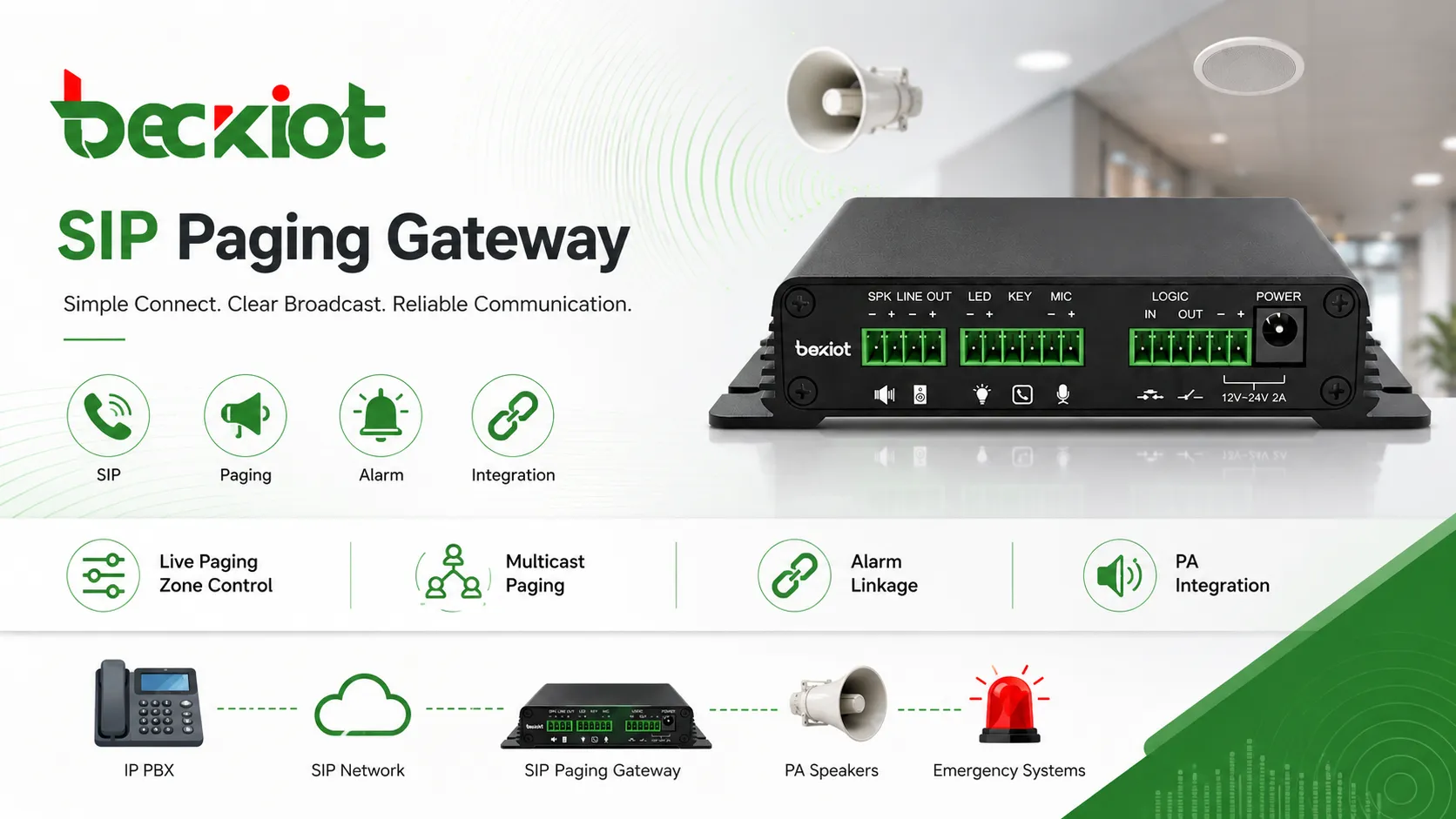
When VoIP and public address systems are connected through a SIP Paging Gateway, paging becomes part of the normal communication workflow. A user can dial a paging extension from an IP phone, press a shortcut key on a dispatch console, or trigger an announcement through an IP PBX rule. The gateway receives the SIP call and converts it into audio output for the PA system.
This unified approach makes announcements easier to operate, easier to expand, and easier to integrate with emergency response processes. It also helps organizations reuse existing speaker infrastructure while adding modern SIP-based call control and network management.
What Is a SIP Paging Gateway?
Basic definition
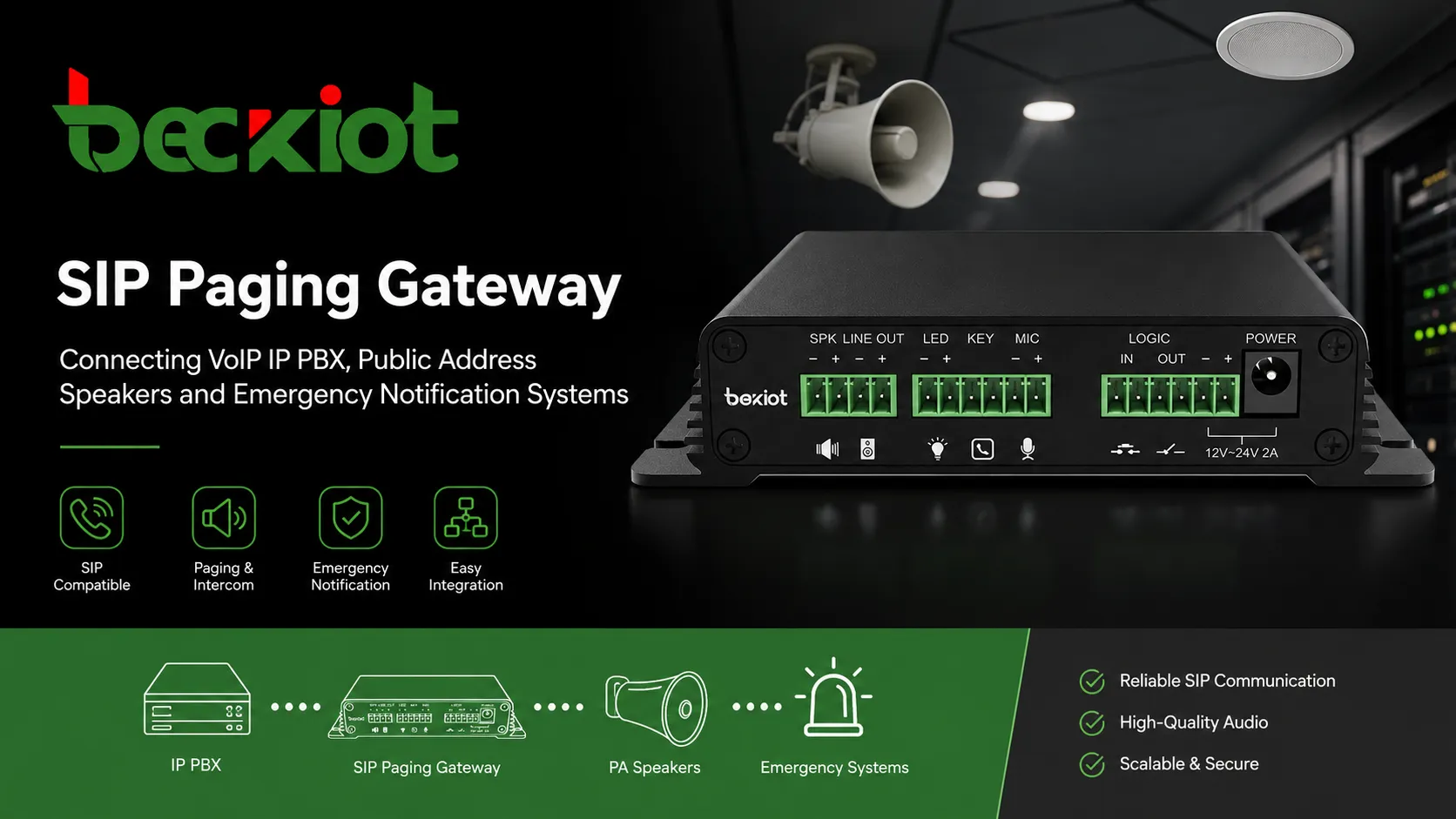
A SIP Paging Gateway is a device that connects a SIP or VoIP communication system with paging speakers, PA amplifiers, analog speaker lines, IP audio endpoints, or emergency notification systems. It usually registers to an IP PBX, SIP server, softswitch, or dispatch platform as a SIP endpoint or paging extension.
When the gateway receives a SIP call, it automatically answers the session and converts the incoming voice stream into an audio output suitable for public address broadcasting. Depending on the product and system design, it may output line-level audio to an amplifier, drive local speaker zones, activate relay outputs, trigger alert devices, or forward audio to multicast paging endpoints.
A bridge between VoIP and public address
The key role of the gateway is translation. On one side, it understands SIP signaling and VoIP media streams. On the other side, it connects to audio equipment such as amplifiers, speakers, horns, paging zones, or alarm-linked devices. This makes it possible for a standard IP phone or PBX extension to become a paging source.
In retrofit projects, this is especially valuable. Many sites already have working PA amplifiers and speakers. Instead of removing them, the organization can add a SIP Paging Gateway to connect those assets with the modern IP voice network.
How a SIP Paging Gateway Works
SIP call initiation
The paging process usually starts from an IP phone, softphone, dispatch console, IP PBX feature code, or management platform. When an operator dials a paging extension or selects a paging zone, the SIP system routes the call to the SIP Paging Gateway.
The gateway answers the SIP call automatically and receives the voice stream from the operator. This voice stream can then be converted into an analog audio signal, sent to a PA amplifier, forwarded to an IP speaker group, or distributed to a specific paging zone according to the system configuration.
Audio conversion and output
A professional SIP Paging Gateway converts digital VoIP audio into a format that can be used by public address equipment. In many systems, the gateway provides line-level output for an amplifier, relay output for control linkage, and network configuration for SIP registration and call routing.
Some gateways can also support modern audio codecs such as G.711 or G.722, helping improve voice clarity compared with older narrowband paging paths. In practical projects, the final audio quality also depends on the amplifier, speaker type, acoustic environment, and network condition.
Zone paging and priority control
In larger facilities, paging must be delivered to the right area instead of always broadcasting to the entire site. A SIP Paging Gateway can support zone-based announcements through multiple audio outputs, external controllers, multicast groups, or integration with a paging platform.
Priority control is also important. Emergency broadcasts should be able to override lower-priority background audio or routine announcements. This allows evacuation instructions, safety warnings, and urgent operational messages to reach the required area more quickly.
Emergency notification triggering
A SIP Paging Gateway can become part of an emergency notification workflow. It may be integrated with fire alarm inputs, emergency buttons, access control systems, sensors, CCTV platforms, or dispatch systems. When an event is triggered, the system can automatically start a call, play a warning tone, broadcast a pre-recorded message, or open a live announcement channel.
This does not replace a complete life-safety system where certified fire or evacuation systems are required, but it can greatly improve operational notification and site-wide communication when designed correctly.
Key Features That Matter in Real Projects
SIP and IP PBX compatibility
The gateway should support standard SIP registration and interconnection with IP PBX systems, SIP servers, hosted VoIP platforms, softswitch systems, and dispatch platforms. This allows it to work as a normal SIP endpoint, paging extension, or paging interface in the communication system.
Compatibility matters because real projects often involve multiple systems. The gateway may need to work with existing IP phones, SIP trunks, PBX dial plans, dispatch consoles, intercom terminals, and recording platforms.
Live paging and scheduled announcements
Live paging allows authorized users to make real-time announcements from phones or consoles. This is useful for daily operations, visitor guidance, production coordination, school announcements, warehouse dispatch, and public service messages.
In some systems, scheduled announcements can also be configured. Schools may use scheduled bells, factories may use shift-change reminders, and commercial buildings may use automated service notifications. When the gateway is integrated with a platform, paging becomes more automated and easier to manage.
Multicast paging and scalable distribution
For large sites, multicast paging can help distribute one audio stream to many network endpoints efficiently. A SIP Paging Gateway may receive a SIP call and then distribute the audio to multicast-enabled speakers, gateways, or paging terminals.
This design is useful when a facility needs many speakers to receive the same announcement without creating too many separate SIP sessions. It is commonly considered in campuses, factories, logistics centers, and multi-building environments.
Legacy PA integration
A major advantage of a SIP Paging Gateway is its ability to connect VoIP systems with existing PA amplifiers and speaker lines. Many buildings already have ceiling speakers, horn speakers, wall speakers, or analog amplifiers that still work well. The gateway allows these devices to be controlled from the SIP communication network.
This helps reduce replacement cost, shortens upgrade time, and gives organizations a practical migration path from traditional paging to IP-based paging and notification.
Alarm linkage and external control
Many paging gateway projects require more than audio output. Relay contacts, dry contact inputs, alarm triggers, strobe light activation, or external device control may also be needed. These functions allow paging to connect with safety and security workflows.
For example, an emergency button can trigger a pre-recorded alert, a fire alarm signal can start a priority broadcast, or a dispatch platform can activate a specific zone. This makes the gateway part of a larger event-response chain.
Typical Deployment Scenarios
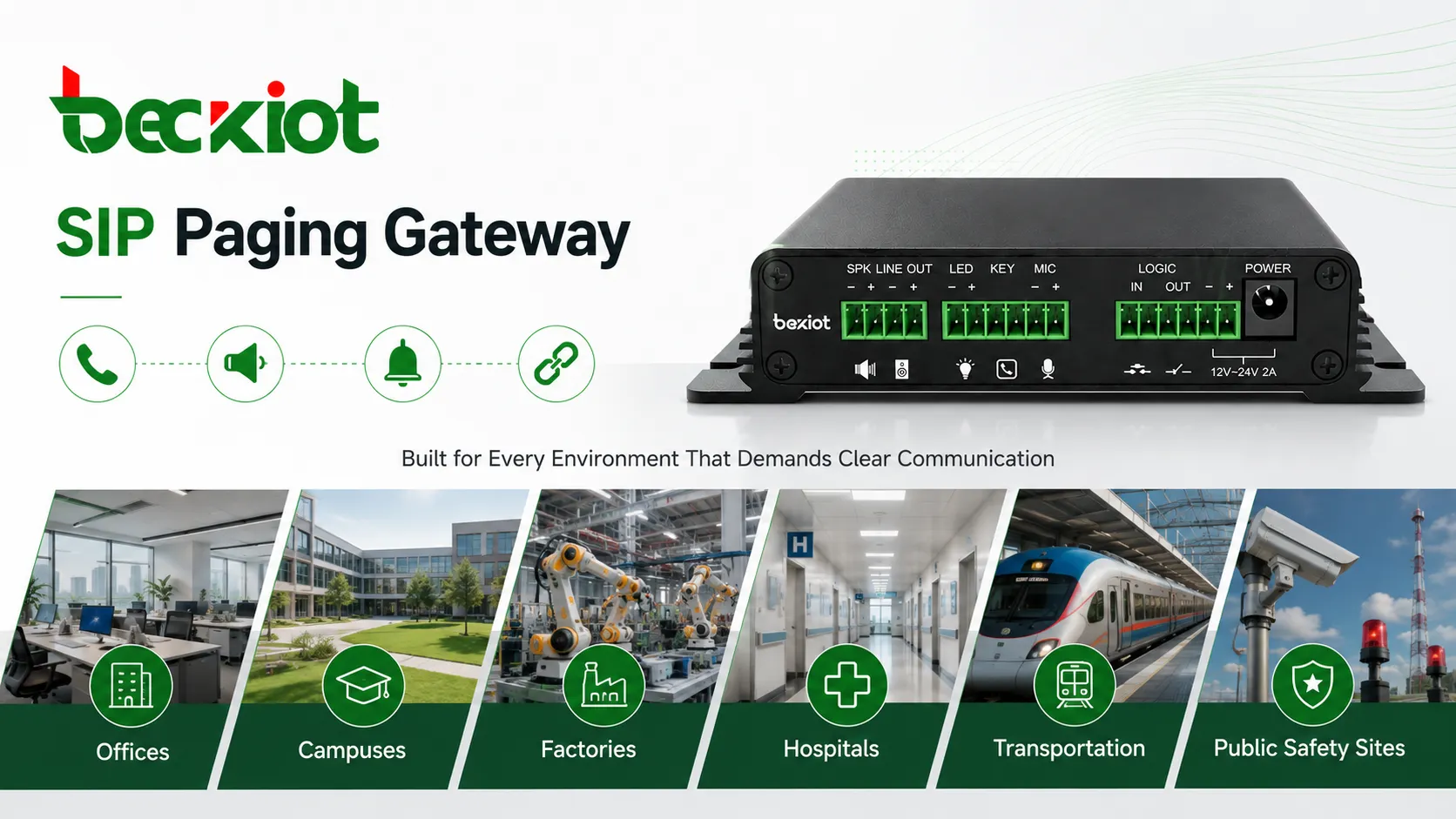
Offices and commercial buildings
In office buildings, a SIP Paging Gateway can support reception announcements, visitor calls, staff notifications, meeting reminders, service alerts, and emergency evacuation messages. Staff can make announcements from existing IP phones instead of using a separate microphone station.
For multi-floor commercial buildings, zone paging can help deliver messages only to selected areas such as lobby zones, office floors, parking levels, or equipment rooms.
Schools and campuses
Schools and campuses need daily announcements, class-change tones, emergency alerts, and campus-wide notification. A SIP Paging Gateway can connect the school’s IP PBX or communication platform with PA speakers across classrooms, corridors, playgrounds, dormitories, and administrative areas.
The system can support both routine messages and urgent notifications, making it useful for daily management and safety response.
Factories and warehouses
Industrial sites often include noisy workshops, loading docks, production lines, storage areas, and outdoor yards. A SIP Paging Gateway can connect dispatch communication with rugged speakers, horn speakers, paging amplifiers, or existing PA zones.
Operators can make production announcements, safety reminders, maintenance calls, and emergency instructions from a central console or SIP phone. When integrated with alarms or sensors, the system can also support automated warning broadcasts.
Hospitals and healthcare facilities
Hospitals can use SIP paging for department notices, nurse station announcements, emergency codes, public messages, and operational coordination. A SIP Paging Gateway allows healthcare facilities to connect IP PBX systems with existing PA infrastructure and paging zones.
This helps improve response efficiency while allowing different areas, such as wards, corridors, offices, and service zones, to receive targeted announcements.
Transportation and public safety sites
Metro stations, airports, tunnels, parking facilities, public service halls, and emergency command sites often need clear public announcements and urgent notification. SIP Paging Gateway deployment can support service messages, evacuation instructions, traffic guidance, emergency alerts, and control room paging.
In these environments, the gateway should be designed as part of a reliable communication architecture that considers redundancy, zone planning, audio coverage, and emergency workflow.
Why It Is Better Than an Isolated PA System
Unified communication workflow
Traditional PA systems often work separately from telephones, dispatch platforms, intercom systems, and emergency communication tools. A SIP Paging Gateway brings paging into the VoIP environment, allowing users to make announcements from familiar communication devices.
This improves operation efficiency because paging, intercom, calling, dispatch, and emergency notification can be designed as connected workflows instead of isolated systems.
Lower upgrade cost
In many retrofit projects, the existing speakers and amplifiers do not need to be removed immediately. A SIP Paging Gateway can connect those legacy PA assets with the IP communication system, helping users modernize step by step.
This migration-friendly approach is especially useful for schools, factories, hospitals, warehouses, and commercial buildings that already have installed PA infrastructure.
Better scalability
As the facility grows, new paging gateways, SIP endpoints, IP speakers, or zones can be added to the network. Compared with rigid analog paging designs, a SIP-based architecture is usually easier to expand across floors, buildings, workshops, and remote sites.
Scalability is one of the key reasons organizations choose SIP paging for long-term communication planning.
Stronger emergency response support
When connected with alarms, dispatch platforms, monitoring systems, and control room workflows, the SIP Paging Gateway becomes part of a complete emergency notification chain. It helps deliver urgent voice instructions more quickly and consistently to the people who need them.
For safety-sensitive environments, this integration value is often more important than the paging function alone.
What to Consider Before Choosing a SIP Paging Gateway
Port count and zone requirements
Before selecting a gateway, the project team should confirm how many paging zones are required and whether each zone needs independent audio output. A small office may only need one or two zones, while a factory, campus, or hospital may require many zones across different buildings and floors.
Audio output and amplifier compatibility
The gateway should match the existing or planned audio infrastructure. Some projects require line-level output to a PA amplifier, while others need connection to powered speakers, IP speakers, or speaker zone controllers. Output type, impedance, gain control, and audio clarity should be reviewed carefully.
SIP platform and codec support
The gateway should be compatible with the IP PBX, SIP server, hosted VoIP platform, or dispatch system used in the project. Codec support, registration method, DTMF behavior, call routing, and SIP account configuration should be tested before large-scale deployment.
Security and management
In modern network environments, paging devices should not be treated as simple audio accessories. They are part of the IP network and should support secure configuration, user authentication, network segmentation, and reliable management. Where required, TLS, SRTP, HTTPS, VLAN, Syslog, and centralized provisioning may be considered.
Emergency workflow and priority logic
If the gateway will be used for emergency notification, the project should define who can trigger broadcasts, which messages have priority, which zones receive alerts, and how the system behaves during a network or power failure. Emergency communication should be planned as a workflow, not only as a hardware function.
SIP Paging Gateway for Integrated Paging Projects
In practical deployment, a SIP Paging Gateway should be selected according to the existing VoIP platform, paging zones, speaker infrastructure, alarm linkage requirements, and long-term maintenance plan. For projects that involve IP PBX integration, public address modernization, emergency notification, or industrial paging, Becke Telcom can provide suitable SIP paging gateway options and system integration support according to the site environment.
The Becke Telcom SIP Paging Gateway can help connect SIP communication systems with paging amplifiers, speakers, public address zones, emergency call stations, alarm systems, and control room platforms. It is suitable for buildings, campuses, factories, hospitals, transportation facilities, energy sites, and public safety communication projects that need unified voice paging and emergency notification.
Conclusion
A SIP Paging Gateway is one of the most practical ways to connect VoIP communication with public address and emergency notification systems. It allows organizations to use SIP phones, IP PBX systems, dispatch consoles, and alarm platforms to deliver live paging, zone announcements, and urgent voice alerts through speakers and PA infrastructure.
For modern facilities, the value is not only in paging itself. The real value is in building a unified, scalable, and manageable communication system that supports daily announcements, operational coordination, and emergency response from one IP-based architecture.
FAQ
What is a SIP Paging Gateway?
A SIP Paging Gateway is a device that connects SIP or VoIP systems with paging speakers, PA amplifiers, IP audio endpoints, or emergency notification systems.
Can a SIP Paging Gateway work with an IP PBX?
Yes. A SIP Paging Gateway can usually register to or connect with an IP PBX, SIP server, softswitch, hosted VoIP platform, or dispatch system as part of the communication architecture.
Can it connect to existing public address speakers?
Yes. Many SIP Paging Gateway solutions are designed to connect VoIP systems with existing PA amplifiers and analog speaker lines, making retrofit and upgrade projects easier.
Where is a SIP Paging Gateway commonly used?
It is commonly used in offices, campuses, factories, warehouses, hospitals, transportation stations, public buildings, industrial sites, and emergency communication projects.
Why use SIP paging instead of a traditional PA system?
SIP paging allows public address functions to be integrated with VoIP, IP PBX, dispatch, alarm, and emergency systems, improving scalability, control, and response efficiency.







