


Unified communications projects are designed to bring different communication resources into one manageable platform. In most projects, the basic architecture is built around SIP-based voice communication, then expanded to include radio systems, video platforms, public address, emergency notification, messaging, mobile terminals, command dispatch, and third-party business systems.
On paper, this sounds straightforward: connect different systems, convert protocols, centralize management, and allow users to communicate across platforms. In real deployment, however, the most difficult part is often not the main platform itself. The hidden cost usually appears during integration, licensing, compatibility testing, field adaptation, and final acceptance.
A successful project therefore needs more than a product quotation. It requires a realistic understanding of existing systems, supported protocols, vendor restrictions, media formats, terminal types, user habits, regulatory risks, and long-term maintenance requirements.
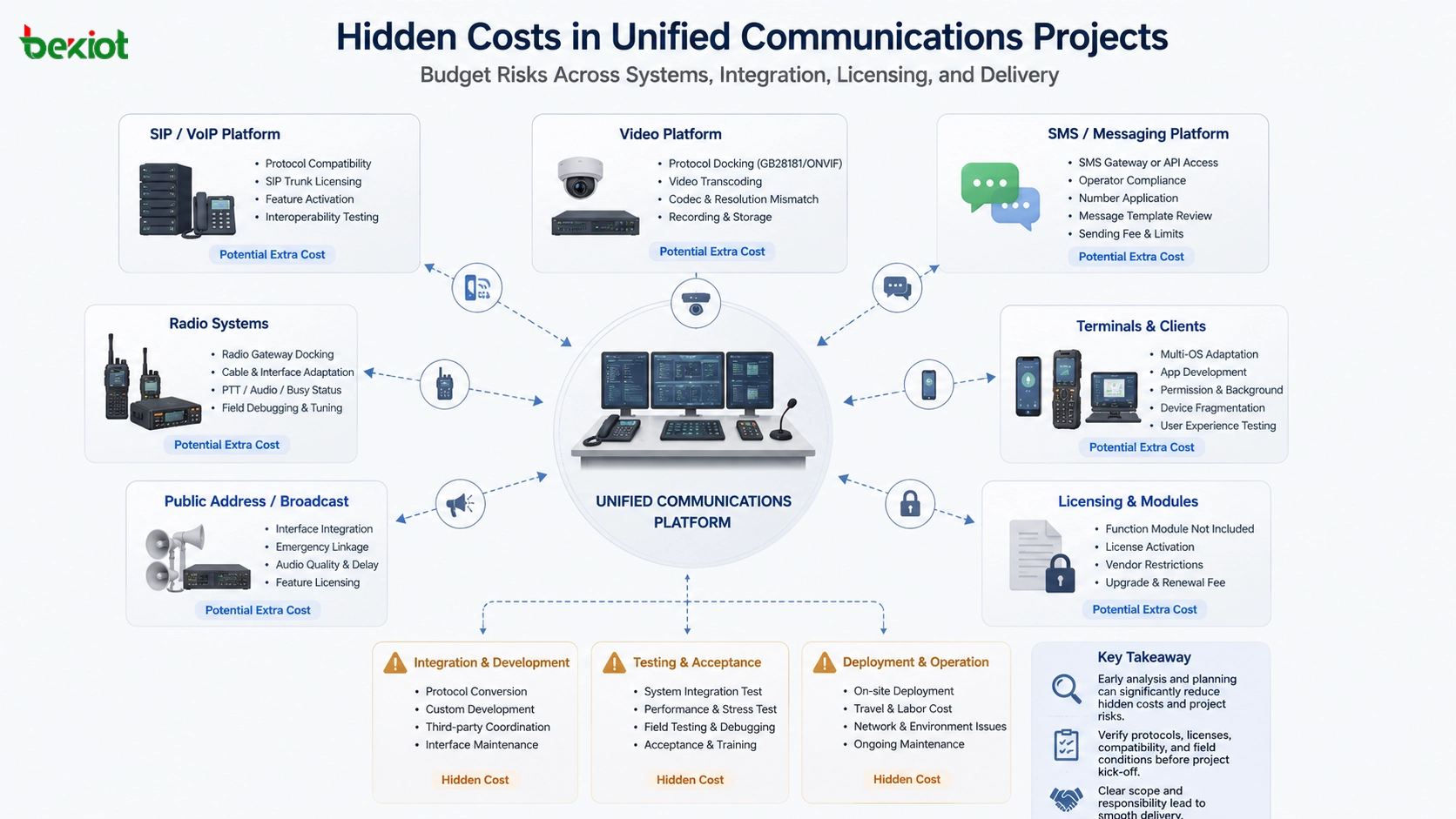
Why Extra Costs Appear After the Project Starts
The design concept of unified communications is based on integration. Voice, video, radio, broadcast, alarm, messaging, and dispatch resources must be connected so users can operate them through a unified communication or command platform. The more systems are involved, the more technical conditions must be verified.
In many projects, customers already have legacy equipment from different manufacturers. Some systems support standard protocols, while others use customized interfaces, limited access permissions, or paid modules. Even when the customer says a platform “supports integration,” the real question is whether the function has been purchased, activated, documented, tested, and opened for third-party access.
Hidden costs usually appear because these details are not confirmed early enough. What looks like a simple interface connection may become custom development, additional hardware, vendor licensing, on-site debugging, travel cost, or delayed acceptance.
Protocol Integration Is Often the Biggest Risk
Protocol docking is one of the most common hidden costs in unified communications projects. Different systems may use SIP, RTP, RTSP, GB28181, ONVIF, proprietary SDKs, radio gateway interfaces, HTTP APIs, database interfaces, or vendor-defined signaling methods. The project may require protocol conversion before these systems can work together.
In theory, most protocols can be converted through software, middleware, gateways, or customized development. In practice, the difficulty depends on the protocol openness, documentation quality, media flow design, authentication method, and vendor cooperation level. If there is no standard product available, custom development may be required, which introduces uncertainty in time, cost, and delivery quality.
Another common risk is licensing. For example, a customer’s video platform may technically support GB28181 integration, but the function may not be included in the current license. If the project requires GB28181 access, the customer may need to purchase an additional module before integration can proceed. If this cost is not defined in the early contract stage, it may become a dispute during implementation.
Video Compatibility Can Change the Budget
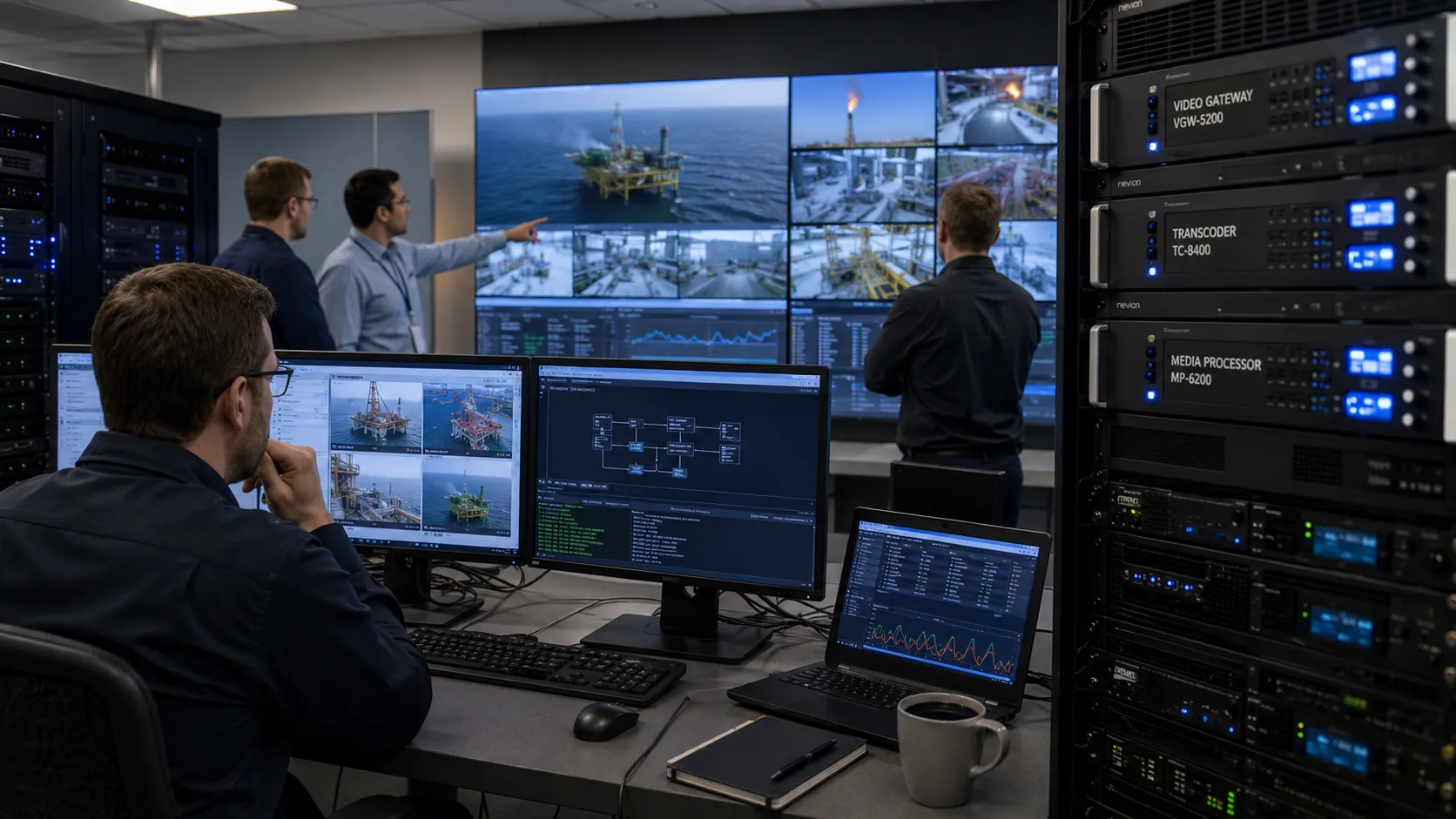
Video integration is frequently underestimated. Many teams assume that a video gateway can simply forward streams between platforms and devices. During actual deployment, they may discover codec incompatibility, bitrate mismatch, resolution mismatch, stream instability, unsupported formats, or high decoding load.
These issues often require video transcoding equipment or media processing servers. Transcoding is not only a hardware cost. It also affects bandwidth planning, CPU or GPU resources, system delay, power consumption, server room capacity, and maintenance workload.
If the customer expects video access but the project quotation only includes basic forwarding, the extra cost may become difficult to allocate later. A professional design should verify camera streams, platform formats, recording requirements, preview delay, multi-screen display, and command center usage before finalizing the budget.
Messaging Platforms Bring Regulatory and Service Risks
Many unified communications projects need SMS integration. The system may send alerts, emergency notifications, dispatch messages, fault reminders, or duty information to mobile phones. Technically, this may seem simple, but the hidden cost is usually related to service availability and compliance.
SMS sending is increasingly regulated by operators and platform providers. A project that uses an SMS gateway may face difficulties obtaining a compliant sending number. A project that uses a third-party SMS platform may also face account restrictions, content review, service suspension, or sending limits.
These risks can directly affect project acceptance. If the system must send SMS notifications but the sending channel is blocked or unavailable, the function cannot be verified normally. The project team should clarify the SMS provider, account ownership, compliance documents, message template approval, service fee, and responsibility boundary before deployment.
Radio Gateway Docking Needs Field-Level Verification
Radio system integration is another area where hidden costs are common. In many projects, the unified communications platform must connect with trunked radio systems, analog radios, DMR, PDT, PoC, or other walkie-talkie systems. A radio gateway is often used for this purpose.
The problem is that some radio gateway products only provide simple interface definitions. The supplier may sell the device and provide basic wiring instructions, but the project team may still need to build cables, adjust audio levels, test PTT triggering, verify busy status, and handle field interference.
In simple projects, this may be acceptable. In more complex environments, however, the project team may spend one to two weeks on travel, wiring, debugging, and repeated testing just to solve a gateway docking issue. These costs are rarely visible in the original equipment price, but they can significantly increase the real delivery cost.
Terminal Adaptation Should Not Be Ignored
Unified communications projects often include smart terminal integration. Some customers want to use existing mobile phones, tablets, rugged handheld terminals, or old Android devices to reduce investment. This approach may look economical at the beginning, but it can create adaptation risks later.
Different terminals may have different operating system versions, permission controls, background process restrictions, microphone behavior, audio routing rules, screen sizes, battery policies, and network stability. These differences may affect push-to-talk, SIP registration, alarm notification, video preview, GPS reporting, and background running.
If many terminal models are used at the same time, testing becomes difficult and user experience becomes inconsistent. For projects that require stable delivery, dedicated and unified terminals are usually easier to manage. They reduce compatibility problems and make training, maintenance, and acceptance more predictable.
Licensing and Module Activation Should Be Checked Early
A common mistake is to treat “support” as equal to “available.” A system may support SIP, GB28181, API integration, recording, video access, or dispatch linkage, but the customer’s current license may not include these functions. In other cases, the module exists but has not been activated by the original supplier.
This creates a budget gap. The integration team may be ready to connect the system, but the existing platform cannot open the required interface without extra payment. If the project contract does not define who pays for licensing, the project schedule and cost structure may be affected.
Before the project starts, the integrator should request license screenshots, module lists, interface documents, platform access permission, and vendor confirmation. This reduces uncertainty and helps the customer understand that integration cost is not only the cost of the new unified communications platform.
Testing and Acceptance Also Consume Resources
Integration projects require repeated testing. Voice quality, echo, delay, packet loss, codec negotiation, audio level, video stream stability, SMS sending, alarm linkage, dispatch control, recording, user permission, and terminal behavior all need to be verified in realistic conditions.
The project may pass laboratory testing but fail in the field because of network quality, device location, firewall rules, unstable power, poor grounding, blocked ports, or local operating habits. Each problem requires engineers to analyze the root cause and coordinate with multiple vendors.
This is why project acceptance should be designed as a process, not a final-day activity. Test cases, acceptance criteria, user roles, fallback plans, and responsibility boundaries should be defined before delivery.
How to Reduce Hidden Costs Before Deployment
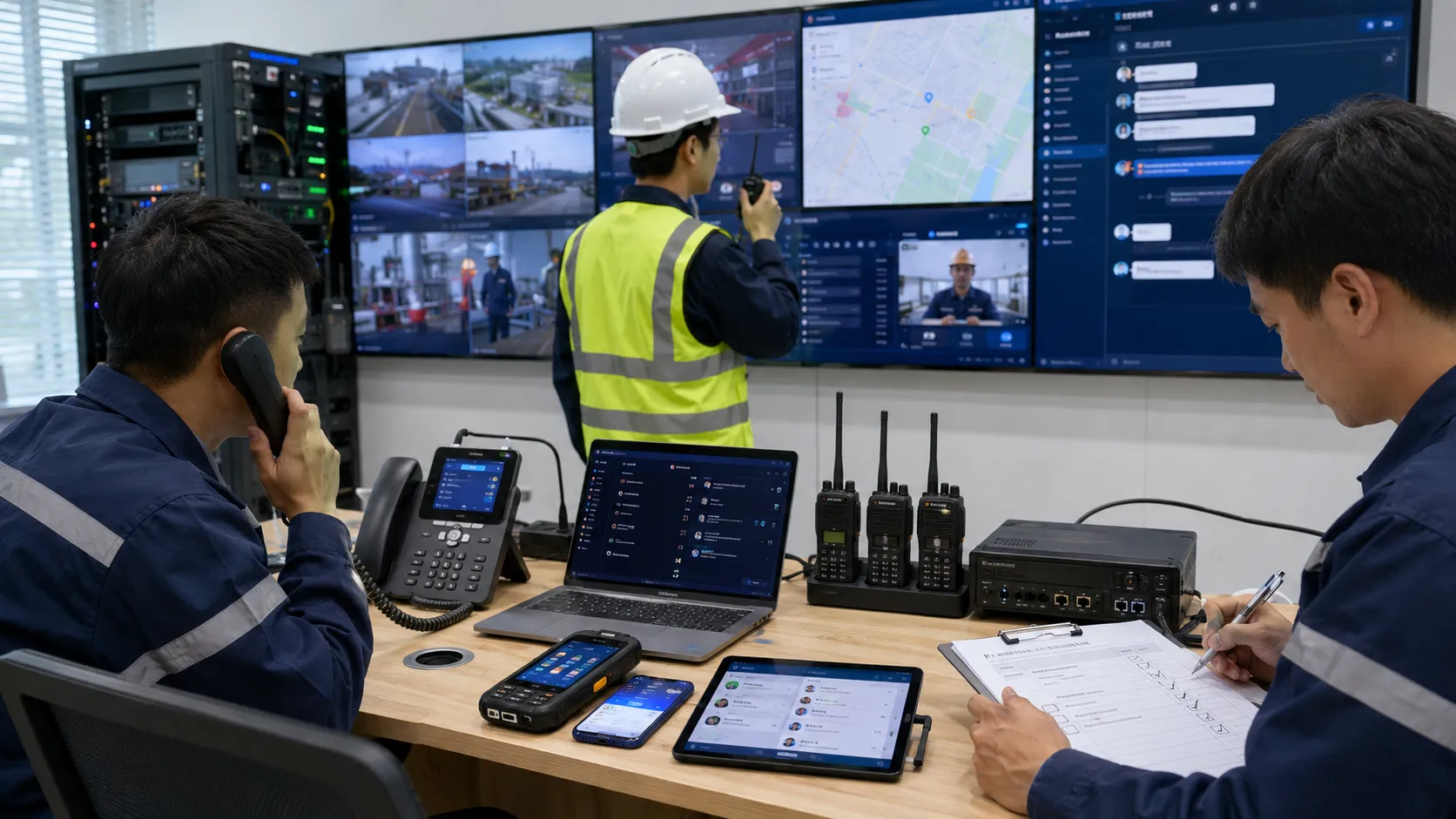
The best way to control hidden cost is to move technical verification to the early design stage. Before quotation and contract confirmation, the project team should investigate the customer’s existing systems, interface capabilities, licenses, terminal models, network conditions, and future expansion requirements.
A practical project plan should include an integration checklist. This checklist should cover protocols, media formats, gateway interfaces, user permissions, hardware requirements, platform licenses, SMS service conditions, radio docking methods, video transcoding needs, and field testing arrangements.
For larger projects, a pilot test is recommended. A small-scale proof of concept can expose compatibility problems before full deployment. This may add a small cost at the beginning, but it can prevent much larger cost overruns during delivery.
Where Becke Telcom Fits into Unified Communication Planning
Becke Telcom can be considered for projects that require SIP communication, command dispatch, radio interconnection, emergency broadcasting, industrial telephony, and unified communication integration. Instead of treating each subsystem as an isolated product, the project design should focus on how voice, video, radio, alarm, and dispatch resources work together in real operational workflows.
In industrial parks, transportation facilities, energy sites, tunnels, campuses, and emergency response centers, Becke Telcom solutions can help project teams build a more manageable communication architecture. The recommended configuration should be selected according to the customer’s existing systems, required interfaces, number of users, redundancy needs, and long-term maintenance model.
Hidden cost control is not only a budgeting issue. It is a technical design issue, a vendor coordination issue, and a project delivery issue.
Recommended Project Evaluation Workflow
Confirm Existing Systems
Identify all systems that need to be connected, including PBX, dispatch platform, video platform, radio system, SMS platform, PA system, alarm system, access control, IoT platform, and mobile terminals. The project should not proceed with only a general description such as “connect everything.”
Verify Interfaces and Licenses
Check whether required interfaces are open, whether paid modules are already activated, whether protocol documents are available, and whether the original vendor will support third-party integration. This step prevents unexpected licensing and vendor service costs.
Test Media Compatibility
Verify voice codecs, video codecs, bitrate, resolution, stream format, network delay, and device load. If video transcoding or media processing is required, it should be included in the budget at the beginning.
Define Responsibility Boundaries
Clarify who provides cables, gateways, licenses, SMS accounts, terminal devices, SIM cards, network access, platform accounts, API documents, and on-site support. Unclear responsibility is one of the main causes of hidden cost.
Reserve Budget for Field Issues
Even with careful planning, field integration may still require adjustment. A reasonable contingency budget should be reserved for debugging, travel, replacement equipment, cabling, license upgrades, and additional testing.
Conclusion
Unified communications projects are not only about purchasing a platform. They are about connecting many different systems into one stable, usable, and maintainable communication environment. The hidden costs usually come from protocol conversion, video transcoding, SMS service risk, radio gateway docking, terminal adaptation, licensing, field testing, and vendor coordination.
To reduce these risks, project teams should investigate existing systems in detail, verify licenses and interfaces early, test media compatibility, define responsibility boundaries, and reserve a realistic budget for integration work. With proper planning and experienced solution design, unified communications can deliver real value instead of becoming a difficult and unpredictable project.
FAQ
What is the biggest hidden cost in unified communications projects?
Protocol integration is often the biggest hidden cost because different systems may use different protocols, closed interfaces, paid modules, or vendor-defined signaling methods. Custom development and repeated testing can increase both cost and delivery time.
Why does video transcoding create additional cost?
Video transcoding may be required when camera streams, platforms, codecs, bitrate, or resolution settings are not compatible. This requires additional servers, processing resources, bandwidth planning, and testing.
Can existing smart terminals always be reused?
Not always. Existing terminals may have permission restrictions, background process limitations, audio routing issues, or unstable network performance. Dedicated and unified terminals are often easier to manage in professional projects.
How can project teams avoid licensing disputes?
They should verify which modules and interfaces are already licensed before signing the contract. If additional licenses are required, the cost and responsibility should be clearly defined in the project scope.
How much contingency budget should be reserved?
The exact amount depends on project complexity, number of systems, vendor cooperation, field environment, and integration depth. For multi-system projects, it is important to reserve enough budget for debugging, licensing, testing, cabling, and on-site support.







