


Video meetings have become a normal part of modern work. Remote offices, digital government, enterprise collaboration, emergency dispatch, online training, and cross-region project management all rely heavily on platforms such as video conferencing systems, collaboration apps, and cloud meeting tools. Online face-to-face communication is now familiar to almost every organization.
However, the rise of video conferencing does not mean phone conferencing has lost its value. In many real business and mission-critical scenarios, voice meetings remain faster, simpler, more reliable, and easier to access. The better direction is not to replace phone conferences with video meetings, but to combine audio, video, SIP phones, mobile terminals, fixed phones, recording, and enterprise communication platforms into one flexible meeting workflow.
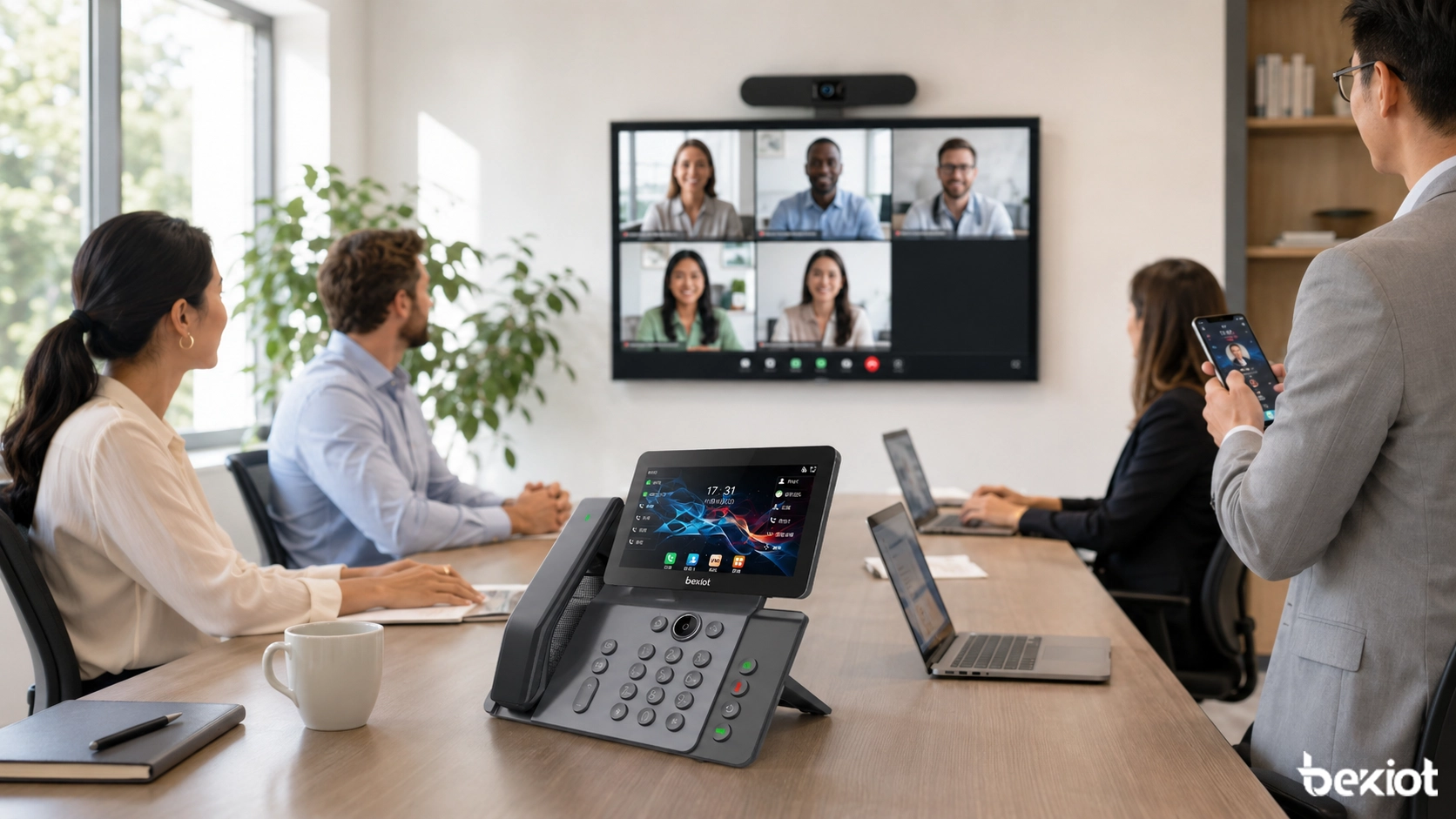
Why Voice Meetings Still Matter
Video conferencing is powerful because it shows faces, presentations, gestures, screens, and room interaction. It is ideal for sales presentations, remote training, product reviews, online interviews, and management discussions where visual information improves communication quality.
But many work situations do not need video. Some meetings are short decision calls. Some users only need to listen. Some teams are working at night, in the field, inside a control room, on a production line, or in an emergency command environment. In these cases, turning on a camera may not improve efficiency; it may even slow down the meeting.
Phone conferencing remains useful because it reduces barriers. Users can join quickly, speak clearly, and focus on the discussion without adjusting cameras, lighting, screen sharing, background privacy, or complex meeting settings.
Where Video Is Not Always the Best Choice
Some environments are not suitable for video meetings. Public safety field operations, medical treatment areas, noisy factories, emergency rescue scenes, energy facilities, transportation control rooms, and industrial maintenance sites may all require fast voice communication more than visual interaction.
In these environments, users may not have time to open a meeting app, check video settings, or manage screen layouts. A direct phone conference or SIP-based voice meeting is often more practical. It allows participants to join from desk phones, SIP phones, mobile phones, fixed lines, or other connected communication terminals.
Phone conferencing also protects privacy. Not every participant wants or needs to appear on camera. Senior managers, night-shift staff, field engineers, duty officers, and meeting observers may prefer audio-only participation because it is less intrusive and easier to manage.
Network Conditions Decide the Real Experience
Video meetings require stable bandwidth, low latency, and relatively good network quality. When the network is weak, the user experience quickly becomes poor: frozen screens, delayed audio, dropped calls, blurred images, or failed screen sharing.
Voice meetings need less bandwidth and are usually more tolerant of unstable networks. In mountain areas, outdoor emergency scenes, cross-border calls, temporary command posts, remote construction sites, and mobile work environments, a phone conference may be more reliable than video.
This is especially important for organizations that cannot depend on public internet quality all the time. Government departments, utilities, transportation operators, industrial parks, and emergency teams often need communication methods that remain usable even when video conditions are not ideal.
A Modern Phone Conference Is Not Just Dial-In Calling
Traditional phone conferencing was often seen as simple dial-in audio. Modern systems are very different. A professional phone conference solution can support SIP protocol, IP PBX integration, MCU interconnection, local deployment, public network access, private network access, satellite phone access, conference control, call recording, and hybrid audio-video participation.
This means phone conferencing is no longer just a backup option. It becomes a basic communication capability that can extend video meetings, improve meeting access, and support users who cannot join through a camera-based platform.
In a hybrid meeting architecture, a phone user can join a video meeting by voice, a SIP phone can participate in a multi-party conference, a mobile user can dial in from outside the office, and a control-room operator can record the discussion for later review.
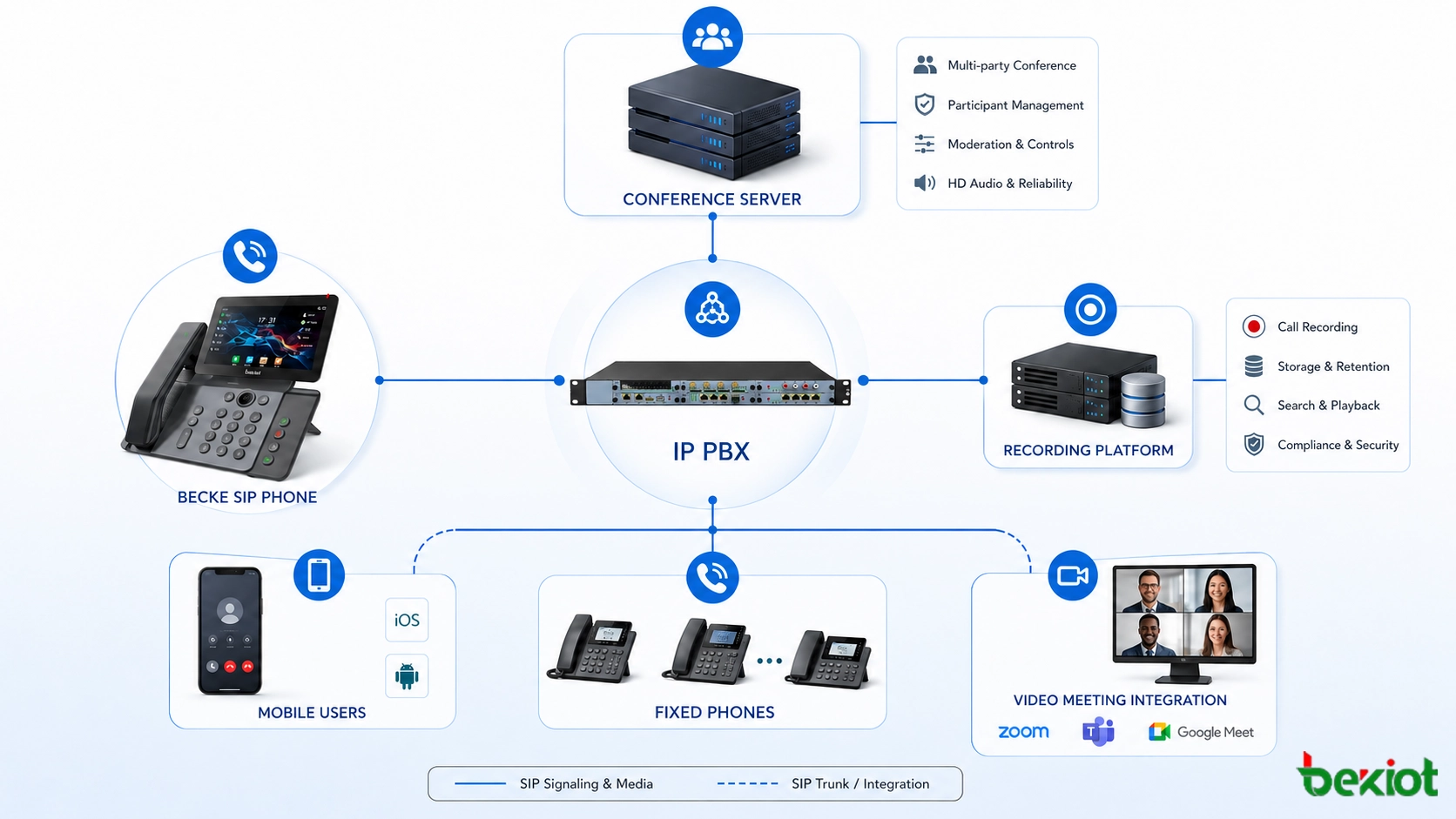
Core Functions for Enterprise Collaboration
Multi-Party Audio Conferencing
A business conference system should allow multiple participants to join the same call from different endpoints. Users may come from SIP phones, office extensions, mobile phones, fixed lines, or softphone clients. This is useful for daily meetings, project coordination, management calls, supplier communication, and remote office collaboration.
Audio and Video Meeting Support
In many organizations, the meeting mode should be flexible. Some participants may use video terminals, while others join by phone. A suitable solution should support mixed participation so that users are not excluded because of device type, location, or network condition.
Recording and Review
Recording is important for meeting traceability, internal review, customer service, emergency command, compliance, and training. A phone conference system with recording can help organizations preserve key decisions, meeting discussions, and responsibility records.
Host Control and Meeting Management
Professional conference systems should support host permissions, participant management, mute control, conference lock, identity verification, and meeting security. These functions help prevent disorder in large meetings and improve communication efficiency.
Local Deployment for Sensitive Environments
Some industries have strict requirements for data security and internal communication control. Local deployment can help government, energy, finance, transportation, healthcare, industrial, and emergency response users keep meeting data and voice resources under their own management.
How Becke Telcom Fits into the Solution
Becke Telcom can be considered for enterprise and industry users that need SIP-based voice communication, multi-party audio and video meetings, call recording, office collaboration, and integration with existing IP PBX or unified communication systems. Instead of treating a desk phone as a single-function calling device, Becke Telcom SIP phones can be used as part of a broader meeting and communication workflow.
In enterprise offices, Becke Telcom SIP phones can support daily calling, internal extension communication, multi-party conferencing, audio-video collaboration, and recording-related workflows depending on the project configuration. For organizations that already use video meeting platforms, SIP phones can provide a reliable audio access layer for users who need quick, stable, and camera-free participation.
This lightweight integration is useful for headquarters, branch offices, conference rooms, reception desks, control rooms, service centers, and distributed teams. It allows companies to keep the convenience of video meetings while preserving the reliability of phone-based collaboration.
The best meeting system is not “video instead of voice.” It is a flexible communication environment where video, voice, SIP phones, mobile users, and recording work together.
Practical Use Cases
Daily Office Meetings
For internal coordination, project updates, department meetings, and quick decisions, audio conferencing is often enough. Users can join from office SIP phones, mobile phones, or soft clients without preparing a full video session.
Executive and Management Calls
Senior managers often need fast communication across different locations. A phone conference can reduce setup time and allow participants to join immediately, even while traveling or working from a private environment.
Emergency and Duty Communication
In emergency command, night duty, security operations, and facility management, voice communication is often more practical than video. Phone conferencing allows fast group communication and can be recorded for later review.
Hybrid Video Meeting Access
When some users join through a video meeting room and others join through SIP phones or mobile phones, the meeting becomes more inclusive. This is useful for branch offices, field staff, partners, suppliers, and users with limited network quality.
Deployment Design for Modern Enterprises
A complete solution usually includes SIP phones, IP PBX, conference server, recording system, video meeting platform, mobile access, network security policy, and user permission management. The exact architecture depends on the number of users, meeting scale, recording requirements, internal security policy, and whether the company needs local deployment or cloud integration.
For small and medium-sized offices, the design may focus on SIP extensions, conference rooms, and basic recording. For larger enterprises, the system may also include multi-site networking, centralized management, branch-office access, video meeting integration, operator console, and unified communication platform docking.
Before deployment, engineers should check SIP compatibility, codec settings, network bandwidth, firewall rules, recording storage, user permissions, meeting control functions, and endpoint availability. If video meeting integration is required, the project team should also verify MCU access, SIP trunk behavior, audio mixing, and meeting invitation workflow.
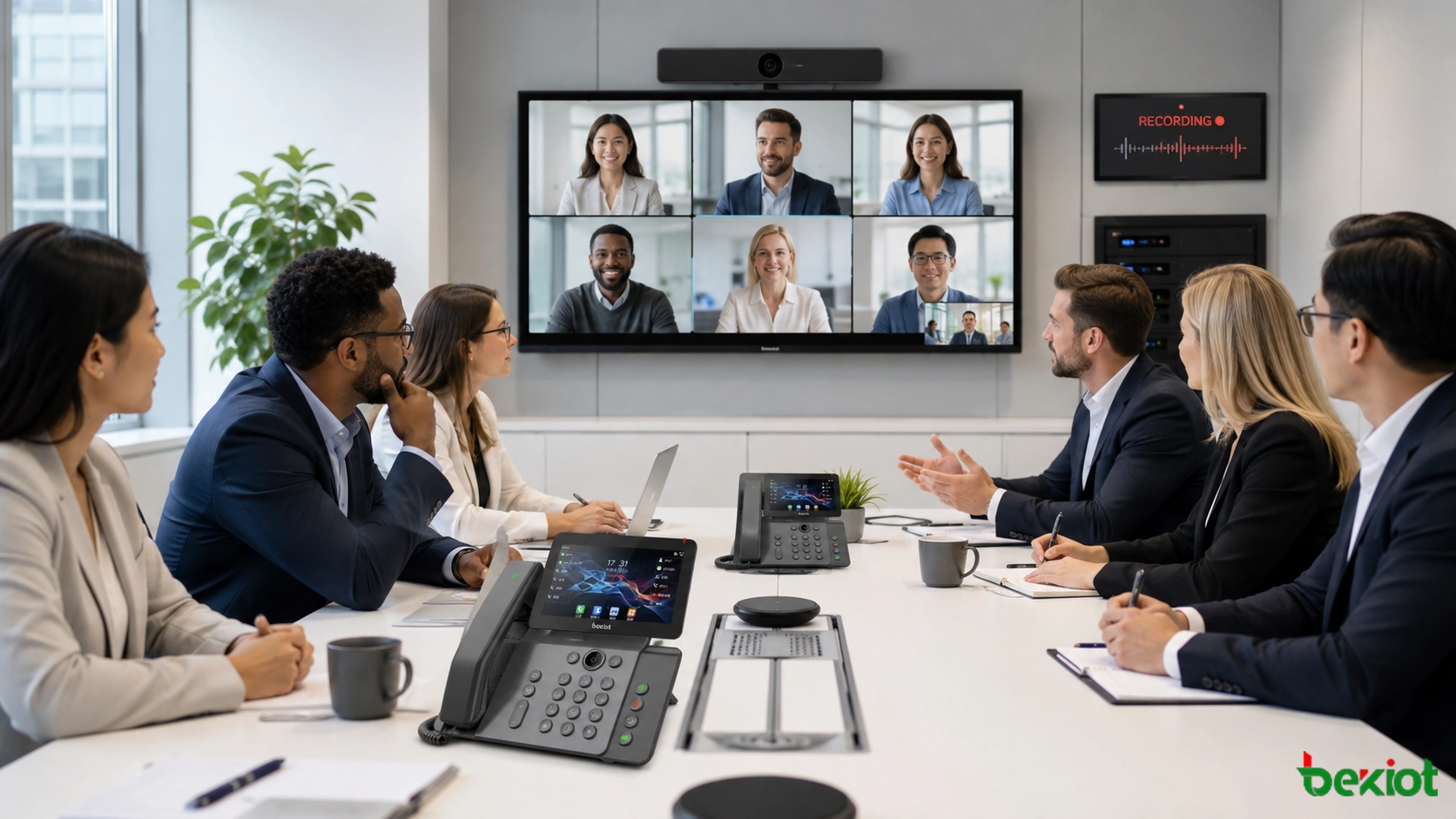
Why the Future Is Hybrid
Video conferencing will continue to be important because it offers visual communication and richer collaboration. But phone conferencing will remain a core capability because it is simpler, faster, more reliable in poor network conditions, and easier for many users to join.
The future of enterprise meetings is not a competition between video and phone. It is a hybrid model where video is used when visual collaboration is needed, and phone conferencing is used when speed, reliability, privacy, or wide access matters more.
For companies building a long-term communication system, SIP phones, video meeting platforms, recording, mobile access, and conference management should be planned together. This creates a meeting environment that can support both daily office communication and critical operational scenarios.
Conclusion
Phone conferencing is still useful in the video meeting era. It remains a reliable foundation for enterprise communication, especially when users need fast access, low bandwidth, privacy, simple operation, and stable audio collaboration.
A modern meeting system should allow audio and video to work together. With SIP-based communication, multi-party conferencing, recording, local deployment, and hybrid meeting access, organizations can build a more practical collaboration environment. Becke Telcom SIP phones can be considered as part of this architecture for enterprise offices, control rooms, conference rooms, and distributed teams that need reliable voice and audio-video communication.
FAQ
Are phone conferences outdated now that video meetings are popular?
No. Video meetings are useful, but phone conferences remain valuable for fast access, weak network conditions, privacy, emergency communication, executive calls, and users who only need audio participation.
Can SIP phones join multi-party meetings?
Yes. With a suitable SIP platform, IP PBX, or conference server, SIP phones can join multi-party audio conferences and may also work within hybrid audio-video meeting workflows depending on system configuration.
Why do enterprises still need conference recording?
Recording helps preserve decisions, meeting details, service records, emergency communication history, and compliance evidence. It is useful for management review, training, dispute handling, and operational traceability.
Where can Becke Telcom SIP phones be used?
Becke Telcom SIP phones can be used in offices, meeting rooms, reception areas, control rooms, service centers, branch offices, and enterprise communication systems that require stable calling, conferencing, recording-related workflows, and SIP integration.
Should companies choose video meetings or phone meetings?
Companies should not treat them as opposites. Video meetings are suitable for visual collaboration, while phone meetings are better for quick, reliable, low-bandwidth, and privacy-friendly communication. A hybrid solution is usually the most practical choice.







