A PABX system, short for Private Automatic Branch Exchange, is a business telephone system used to manage internal and external voice communication. It allows employees to call each other through internal extensions while also sharing external telephone lines for calls to customers, suppliers, partners, and remote offices.
For many organizations, a PABX system is the core of daily voice communication. It helps route calls, reduce telephone line costs, improve call handling efficiency, and support professional features such as auto attendant, voicemail, call transfer, call recording, conference calling, and extension management.
Although traditional PABX systems were mainly based on analog or digital telephone lines, modern systems often use IP technology, SIP trunks, VoIP endpoints, cloud platforms, or hybrid architectures. This makes PABX suitable for offices, hotels, hospitals, industrial sites, campuses, government facilities, and multi-branch enterprises.
What Is a PABX System?
A PABX system is a private telephone switching system used inside an organization. Instead of giving every employee a separate public telephone line, the company can use a PABX to connect multiple internal extensions and manage shared access to outside lines.
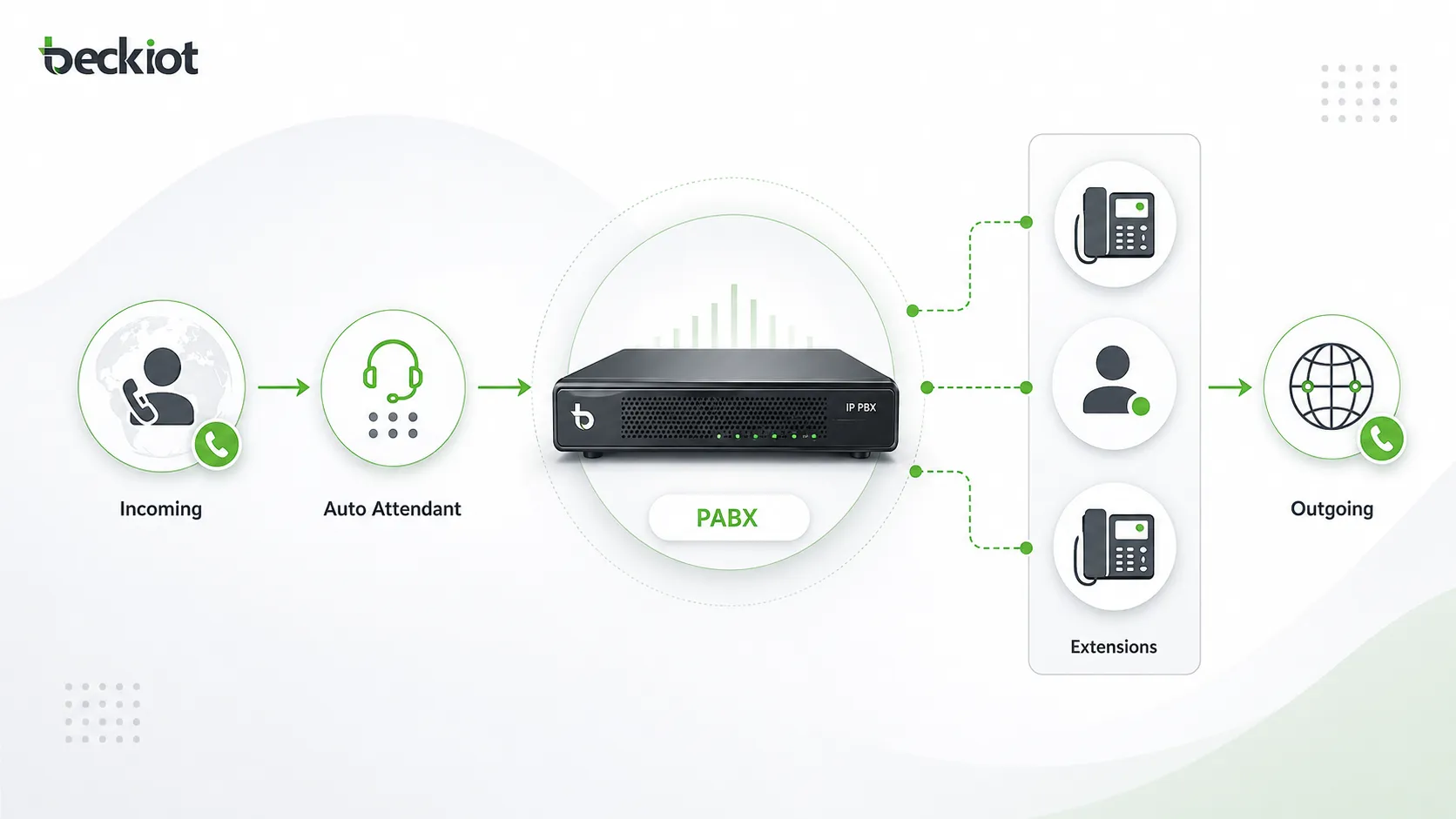
The word “automatic” means that calls can be connected and routed without a manual switchboard operator. When a user dials an extension number, the PABX identifies the destination and connects the call internally. When a user dials an external number, the system selects an available outside line or SIP trunk and sends the call to the public network.
In simple terms, a PABX system works like a private call control center for a business. It decides where calls should go, how they should be routed, which users should receive them, and which features should be applied during the call.
A PABX system helps businesses organize voice communication by connecting internal extensions, managing external calls, and automating call routing from one central platform.
PABX vs PBX: Are They the Same?
PABX and PBX are often used interchangeably today. PBX means Private Branch Exchange, while PABX means Private Automatic Branch Exchange. In earlier telephone history, PBX systems could require manual operators to connect calls, while PABX systems introduced automatic switching.
In modern business communication, most PBX systems are already automatic. Therefore, the terms PBX and PABX usually refer to the same type of business phone system. Some markets still prefer the term PABX, especially when describing office telephone systems, hotel telephone systems, or enterprise telephony solutions.
How Does a PABX System Work?
Internal Call Switching
One of the most basic functions of a PABX system is internal call switching. Each employee, department, or room can be assigned an extension number. When one user calls another extension, the PABX connects the call within the organization without using an external telephone line.
This makes internal communication faster and more cost-effective. Employees can contact reception, sales, finance, security, warehouse teams, or control rooms using short extension numbers instead of full public phone numbers.
External Call Routing
When users need to call outside the organization, the PABX routes the call through analog lines, ISDN lines, E1/T1 lines, GSM gateways, SIP trunks, or other external connection methods. The system can apply routing rules based on cost, number prefix, department, user permission, or destination.
For incoming calls, the PABX can send calls to a receptionist, auto attendant, call queue, department group, or specific extension. This improves customer response and prevents important calls from being missed.
Call Control and Feature Management
A PABX system does more than connect calls. It can manage call forwarding, call transfer, voicemail, caller ID, call waiting, call hold, music on hold, conference calls, call recording, call permissions, and call detail records.
Administrators can configure users, extensions, call groups, routing rules, trunk lines, working hours, and security policies from a management interface. This gives businesses better control over how voice communication is handled.
Main Types of PABX Systems
Traditional Analog PABX
An analog PABX system connects to traditional telephone lines and analog desk phones. It is simple, stable, and suitable for small offices or sites that still rely on legacy telephone infrastructure. However, it may have limited scalability and fewer advanced communication features.
Analog systems are often used where basic voice calling is enough, but they are less flexible when businesses need remote extensions, SIP trunking, software-based management, or integration with modern communication platforms.
Digital PABX
A digital PABX uses digital signaling and digital telephone terminals. Compared with analog systems, it usually provides better voice quality, more features, and improved call management. Digital systems are common in hotels, office buildings, and medium-sized organizations.
However, digital PABX systems may still depend on proprietary phones and hardware. Expansion can require specific cards, modules, or vendor-compatible devices.
IP PABX
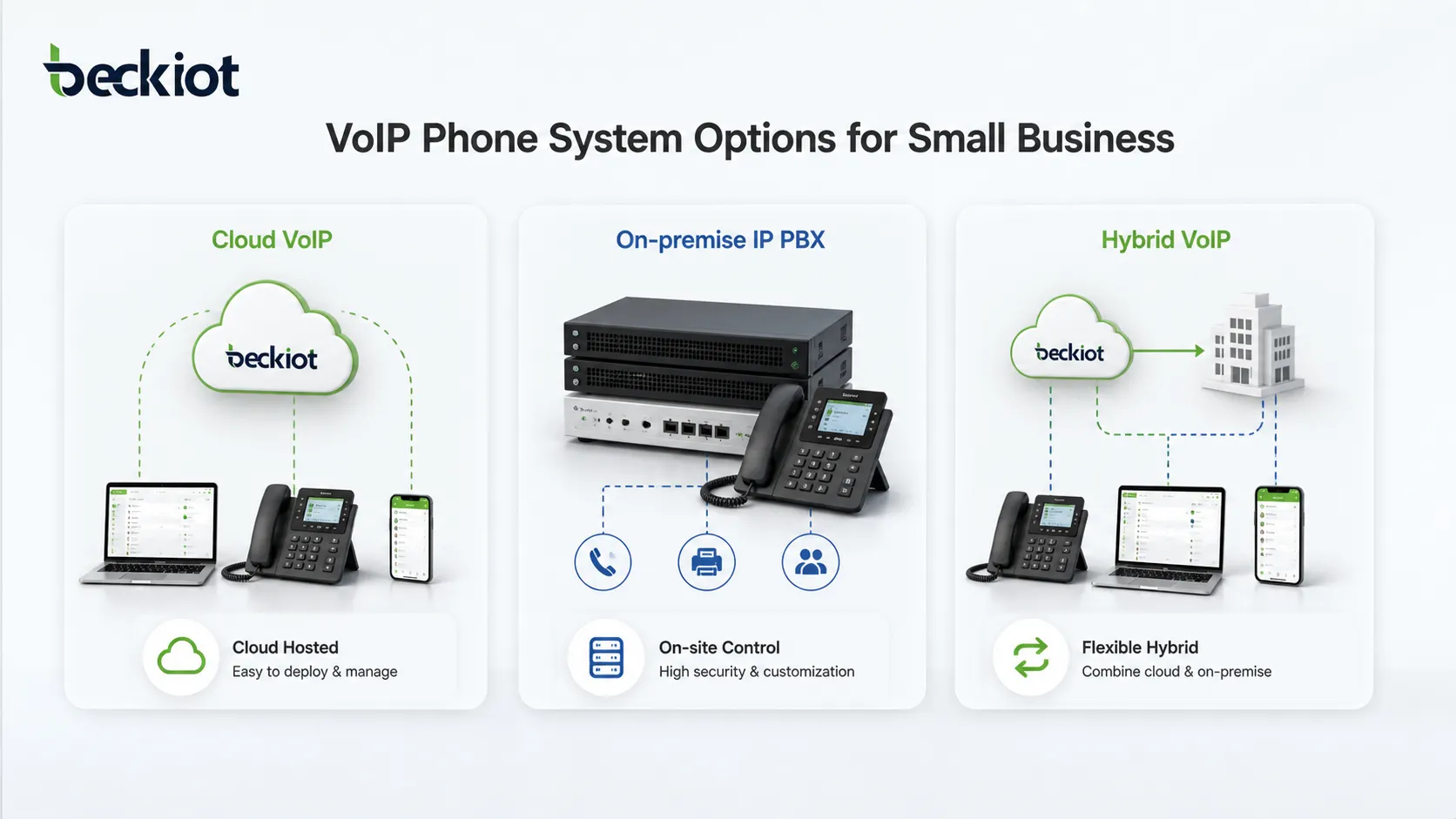
An IP PABX, also called an IP PBX, uses IP networks to transmit voice calls. It supports SIP phones, softphones, VoIP gateways, SIP trunks, remote extensions, and integration with business applications. This is one of the most common choices for modern business communication.
IP PABX systems are flexible because they can run over existing LAN, WAN, VPN, or cloud networks. They are suitable for businesses that need multi-site communication, remote work, unified communication, centralized management, and scalable deployment.
Cloud PABX
A cloud PABX is hosted by a service provider instead of being installed on the customer’s premises. Users connect to the system through IP phones, mobile apps, desktop softphones, or web-based interfaces.
This model reduces local hardware investment and simplifies maintenance. It is suitable for small and medium-sized businesses that prefer subscription-based communication services and do not want to manage servers on site.
Hybrid PABX
A hybrid PABX combines traditional telephone lines with IP-based communication. It can connect analog phones, digital phones, SIP phones, PSTN lines, SIP trunks, and VoIP gateways in one system.
This type is useful for organizations that want to modernize gradually. They can keep existing telephone devices while adding IP extensions, SIP trunking, remote access, and advanced call management features.
Key Features of a PABX System
Extension Management
A PABX system allows businesses to create and manage internal extensions for employees, departments, rooms, service desks, security posts, or operation centers. Each extension can have its own number, permission level, call forwarding rule, voicemail box, and ring strategy.
This makes communication more organized, especially in companies with multiple departments or locations.
Auto Attendant
Auto attendant helps answer incoming calls automatically and guide callers to the correct department. For example, callers may hear options such as “Press 1 for sales, press 2 for technical support, press 3 for after-sales service.”
This improves the professional image of the company and reduces the workload of reception staff.
Call Transfer and Call Forwarding
Call transfer allows users to move an active call to another extension or department. Call forwarding sends incoming calls to another number when the user is busy, unavailable, or outside the office.
These features are important for businesses that need smooth customer service and internal collaboration.
Voicemail and Missed Call Handling
Voicemail helps users receive messages when they cannot answer calls. Some systems can send voicemail notifications by email or integrate missed call information into a management platform.
This reduces the risk of losing customer inquiries or important business messages.
Call Queue and Ring Group
A call queue places incoming calls in line until an available agent answers. A ring group allows multiple phones to ring together or in sequence. These features are useful for sales teams, service teams, reception desks, help desks, and control rooms.
With proper configuration, businesses can improve answer rates and distribute call traffic more efficiently.
Call Recording and Call Reports
Many PABX systems support call recording and call detail records. These functions help businesses review service quality, resolve disputes, train staff, and analyze communication performance.
Call reports can show call duration, call volume, missed calls, trunk usage, extension activity, and department-level communication patterns.
SIP Trunk Support
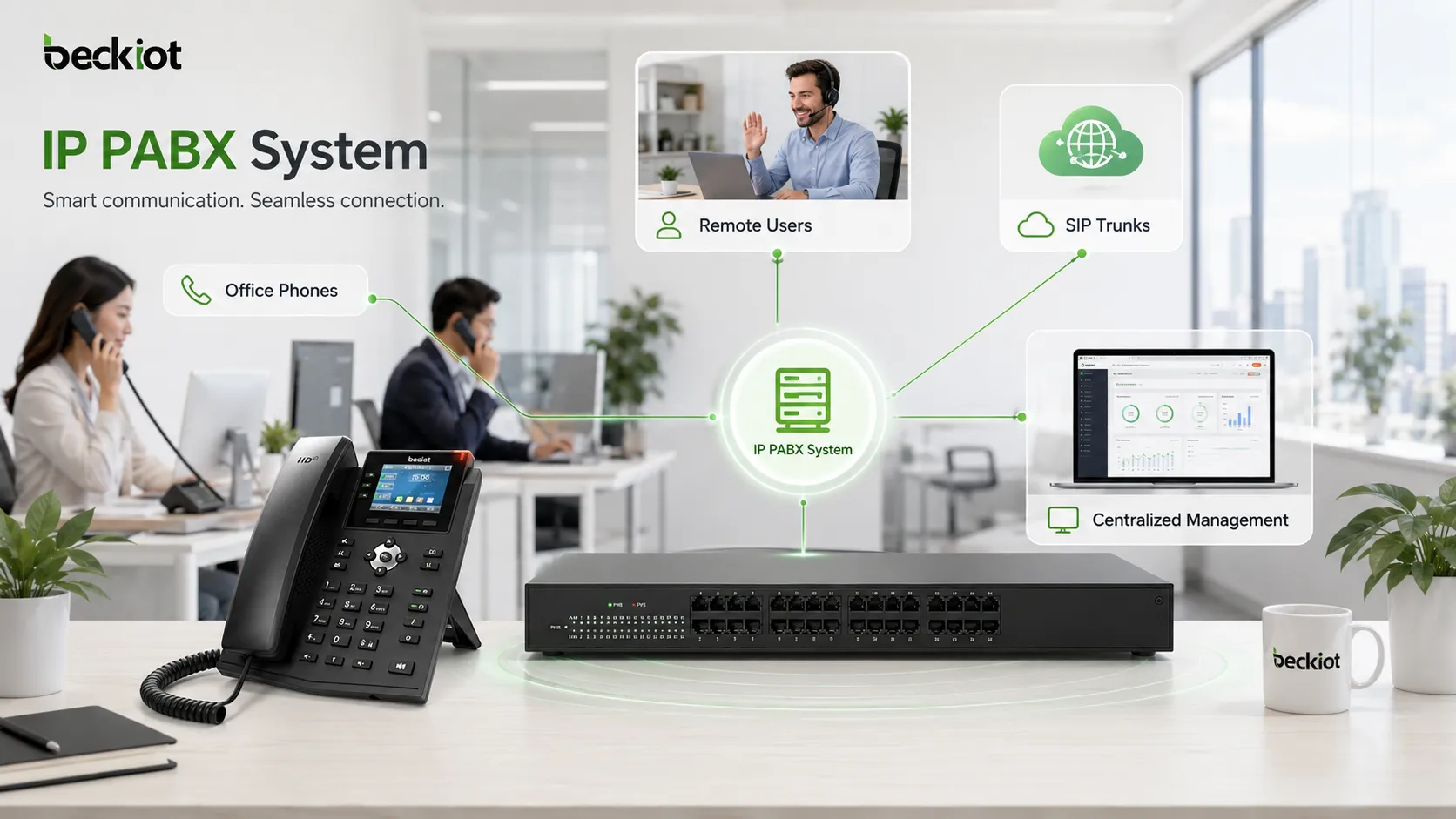
Modern IP PABX systems often support SIP trunks, which allow businesses to make and receive calls over IP networks instead of traditional telephone lines. SIP trunking can reduce communication costs and support flexible number management.
For multi-branch companies, SIP trunks can also help centralize external call access and simplify telecom management.
Benefits of Using a PABX System
Lower Communication Costs
A PABX system can reduce costs by allowing internal calls to stay within the private network. Businesses do not need a separate public line for every employee. With SIP trunking or VoIP routing, long-distance and inter-branch calls may also become more cost-efficient.
For companies with many users, departments, or branches, this cost advantage can be significant over time.
Professional Call Handling
Features such as auto attendant, call queue, voicemail, ring group, and call forwarding help businesses handle calls more professionally. Customers can reach the correct department faster, and internal teams can respond more efficiently.
This is especially important for companies that rely on phone communication for sales, support, service scheduling, emergency coordination, or daily operations.
Better Internal Collaboration
With extension dialing, call transfer, conference calling, and department groups, employees can communicate more smoothly. Teams in different offices, floors, buildings, or remote locations can be connected through one managed system.
For industrial and campus environments, a PABX can also connect office phones, control room phones, emergency phones, SIP intercoms, paging systems, and dispatch platforms.
Scalability for Business Growth
As a company grows, a PABX system can add more extensions, trunks, devices, and call rules. IP-based systems are especially scalable because new users can often be added through software configuration rather than complex rewiring.
This makes PABX suitable for businesses that expect future expansion, new branches, or changing communication needs.
Centralized Management
A PABX system gives administrators a central place to manage users, numbers, permissions, routing rules, call records, and system settings. This reduces disorder and makes communication easier to control.
Centralized management is valuable for organizations with strict operational, security, compliance, or service quality requirements.
Common Applications of PABX Systems
Office Business Communication
In office environments, a PABX system connects reception, sales, customer service, finance, management, and back-office teams. It helps employees communicate through extensions and gives external callers a professional call experience.
Small businesses may use a basic cloud or IP PABX, while larger companies may need advanced routing, recording, multi-site networking, and integration with CRM or help desk systems.
Hotels and Hospitality
Hotels use PABX systems to connect guest rooms, front desk, housekeeping, security, restaurants, and administration offices. The system can support room-to-room calling, wake-up calls, billing records, and front desk call management.
For hospitality environments, stability and ease of operation are especially important because phone service directly affects guest experience.
Hospitals and Healthcare Facilities
Hospitals and clinics use PABX systems for communication between nurse stations, departments, laboratories, administration offices, emergency rooms, and service teams. The system can also work with paging, intercom, and emergency notification systems.
Reliable voice communication is essential in healthcare because delays can affect patient service and operational coordination.
Industrial and Security Communication
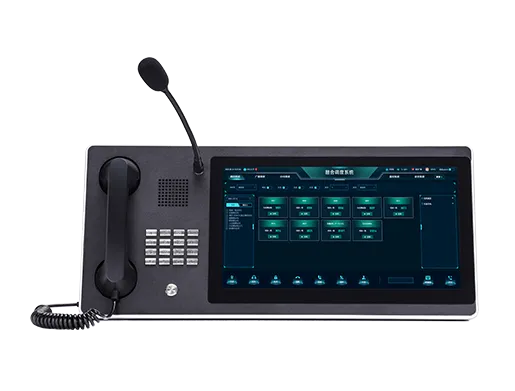
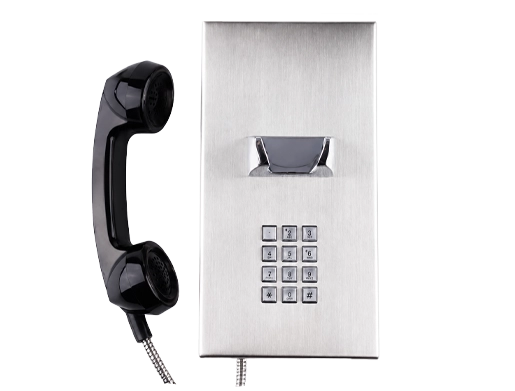
Industrial sites, energy facilities, factories, warehouses, tunnels, and transportation hubs often need rugged and reliable communication systems. A PABX or IP PBX can connect office phones, industrial telephones, SIP intercoms, emergency call stations, dispatch consoles, and public address systems.
In these environments, Becke Telcom can provide industrial communication terminals and SIP-based system integration options for harsh environments, emergency communication, and control room dispatch scenarios.
How to Choose the Right PABX System
Check Your Current Communication Needs
Before choosing a PABX system, businesses should review how many users, extensions, departments, branches, and external lines they need. It is also important to consider call volume, peak-time traffic, remote users, and future expansion plans.
A small office may only need basic calling and voicemail, while a larger organization may require call recording, SIP trunking, call queue, multi-level IVR, redundancy, and integration with other platforms.
Decide Between On-Premise, Cloud, or Hybrid
An on-premise PABX gives the business more local control and can be suitable for organizations with internal IT teams or strict security requirements. A cloud PABX reduces hardware maintenance and is easier to deploy for distributed teams.
A hybrid model is useful when a company wants to keep existing analog or digital devices while gradually moving toward IP-based communication.
Consider SIP and VoIP Compatibility
For modern business communication, SIP compatibility is an important factor. A SIP-enabled PABX can connect SIP phones, SIP trunks, VoIP gateways, intercom devices, paging terminals, and third-party communication platforms.
This gives the business more flexibility when selecting devices, carriers, and integration solutions.
Evaluate Reliability and Security
A business phone system should be stable, secure, and easy to maintain. Important considerations include backup power, network quality, user permissions, password policies, encryption options, firewall configuration, failover routing, and system monitoring.
For critical communication environments, redundancy and emergency call routing should also be planned carefully.
Review Management and Support
The system should be easy to configure and manage. Administrators should be able to add users, change extensions, view call records, adjust routing rules, and troubleshoot issues efficiently.
Good technical support, documentation, training, and long-term maintenance are also important when selecting a PABX vendor or solution provider.
PABX System and the Future of Business Communication
The role of the PABX system is changing. It is no longer only a device for connecting office telephones. Modern PABX platforms are becoming part of unified communication, customer service, security, dispatch, and emergency response systems.
With IP networks, SIP protocols, cloud platforms, mobile extensions, and software-based management, businesses can build more flexible communication environments. Voice calls can be connected with video, paging, recording, monitoring, alarm systems, and workflow platforms.
For companies that need reliable communication across offices, industrial sites, service teams, and remote users, a well-designed PABX system remains a practical foundation for business voice communication.
Conclusion
A PABX system is an essential business telephone solution that manages internal extensions, external calls, call routing, voicemail, call transfer, and many other communication functions. It helps organizations reduce costs, improve call handling, support internal collaboration, and maintain a professional communication experience.
Whether a business chooses an analog PABX, digital PABX, IP PABX, cloud PABX, or hybrid system, the right solution should match its current needs and future growth. For modern businesses, SIP compatibility, scalability, reliability, security, and centralized management are key factors in building an efficient communication system.
FAQ
What does PABX stand for?
PABX stands for Private Automatic Branch Exchange. It is a private telephone system that automatically connects internal extensions and manages external calls for a business or organization.
Is PABX the same as PBX?
In most modern usage, PABX and PBX mean almost the same thing. PABX emphasizes automatic call switching, while PBX is the broader term for a private branch exchange system.
Can a PABX system use VoIP?
Yes. Modern IP PABX systems can use VoIP technology and SIP trunks to make and receive calls over IP networks. They can also connect SIP phones, softphones, gateways, and remote extensions.
What type of business needs a PABX system?
Any business that needs multiple extensions, professional call routing, shared external lines, voicemail, call transfer, and centralized telephone management can benefit from a PABX system.
How do I choose between cloud PABX and on-premise PABX?
Cloud PABX is suitable for businesses that want simple deployment and lower hardware maintenance. On-premise PABX is better for organizations that need more local control, custom integration, or strict communication security requirements.