


Audio conferencing is sometimes seen as an outdated communication method, especially in an era where video meetings, instant messaging, and collaboration platforms are widely used. In real enterprise operations, however, voice conferencing remains one of the most efficient, stable, and accessible ways to support daily coordination, customer communication, emergency meetings, and cross-location collaboration. Many large organizations, including multinational enterprises, still maintain their own audio conferencing capabilities because voice meetings are fast to start, easy to join, less dependent on bandwidth, and suitable for both office and mobile users.
For enterprises with frequent internal meetings, customer calls, regional coordination, emergency dispatch needs, or strict security requirements, relying only on public conferencing services may create limitations in cost control, call quality, data privacy, integration flexibility, and service availability. A privately deployed conferencing system gives the enterprise direct control over lines, users, access rules, recordings, meeting scenarios, and integration with existing communication resources.
Hosted Services and Private Deployment Are Different Choices
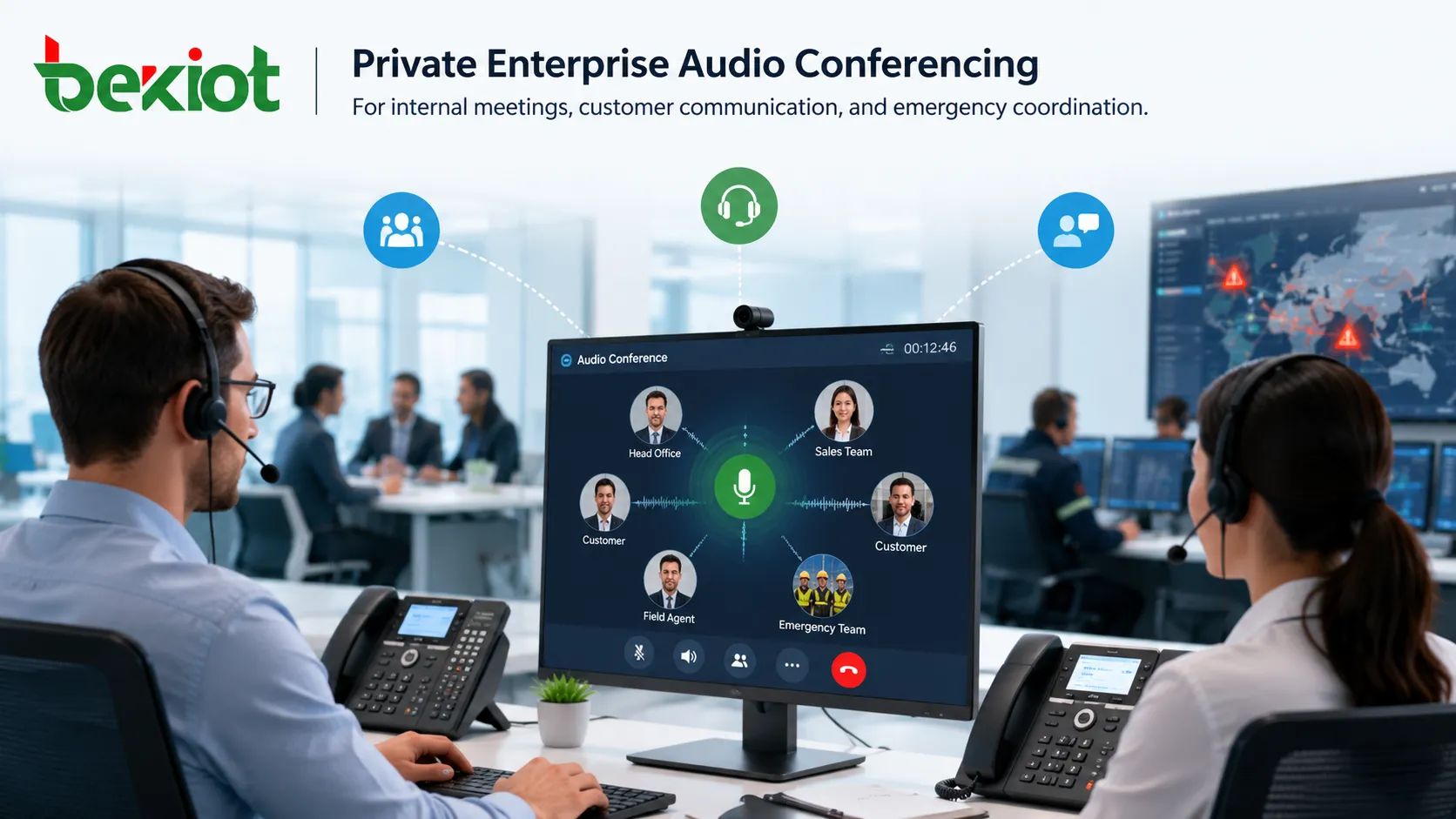
Enterprise audio conferencing solutions are generally divided into two models: hosted conferencing services and privately deployed conferencing systems. A hosted service is operated by a third-party provider. The enterprise pays for access and can usually start using the service quickly without purchasing or managing conferencing infrastructure. This model is convenient for temporary use, short-term projects, or organizations that do not need high-frequency conferencing.
A privately deployed solution is different. The enterprise purchases or deploys its own conferencing platform, connects its own telephone lines or IP voice resources, and manages the system internally. The conferencing bridge, access numbers, user permissions, recordings, meeting rooms, reports, and integration interfaces are controlled by the enterprise itself. This model requires initial planning, but it is often more suitable for organizations that use conferencing frequently or need stronger security, better voice quality, and deeper system integration.
Why Public Conferencing Platforms May Not Be Enough
Hosted conferencing platforms are easy to activate, but long-term enterprise use can expose several practical problems. The first issue is cost. When a company holds many meetings every month, especially with many participants or long call durations, recurring service fees may become higher than expected. What looks inexpensive at the beginning may become costly after usage grows.
The second issue is service assurance. Many hosted platforms are shared by multiple customers. When many users access the platform at the same time, enterprises may have less control over resource allocation, capacity guarantee, troubleshooting speed, and meeting continuity. For daily office communication this may be acceptable, but for management meetings, customer communication, emergency response, or operational command, weak service assurance can become a risk.
Voice quality is another concern. Some low-cost conferencing services rely heavily on IP-based routes to reduce operating expenses. If the route quality, packet loss control, jitter buffering, echo cancellation, or access gateway performance is insufficient, users may experience delay, noise, unstable volume, dropped audio, or poor speech clarity. Since audio conferencing depends entirely on voice, unclear sound directly reduces meeting value.
Security is also important. When meetings, recordings, participant information, address books, and call records are stored or processed by an external platform, the enterprise must trust a third party with communication data. For industries such as finance, government, energy, healthcare, manufacturing, transportation, and large corporate groups, this may not meet internal compliance or information security requirements.
Private Ownership Gives the Enterprise More Control
A self-owned conferencing system gives the enterprise complete control over the platform and its communication resources. The organization can decide how meeting rooms are created, who can join, which numbers are allowed, how recordings are stored, how reports are generated, and how users are authenticated. This helps IT and communication teams manage conferencing as part of the enterprise’s own infrastructure instead of depending entirely on a third-party service.
Dedicated access lines can also improve reliability and voice quality. When the enterprise connects its own PSTN lines, SIP trunks, internal extensions, or private IP voice network, it can design call routing according to its own quality and cost requirements. This is especially valuable for companies that already operate IPPBX, unified communications, dispatch systems, call centers, or branch voice networks.
Private deployment also supports customized meeting scenarios. Different enterprises use conferencing in different ways. A headquarters meeting, branch coordination meeting, emergency call, board meeting, customer support escalation, and large training session may all need different access rules, prompts, recording policies, participant controls, and reporting requirements. A self-owned system can be adjusted around these real workflows.
Voice Quality Should Be Treated as the Core Requirement
Audio quality is the most important requirement in a conferencing system. The purpose of a conference call is to allow people to discuss problems, make decisions, confirm tasks, and exchange information. If participants cannot hear clearly, interrupt each other because of delay, or repeatedly ask others to repeat, the meeting loses efficiency.
Voice quality becomes more difficult when the number of participants increases. A small meeting with several people is relatively easy to handle, but a large conference with more than 30 participants places higher demands on mixing performance, echo control, noise handling, access capacity, and system stability. In many real projects, high-quality audio for large conferences is one of the key indicators that separates a professional conferencing system from a simple PBX conference feature.
Enterprises should evaluate voice quality under real conditions before deployment. Testing should include multiple participant sizes, mobile phone access, fixed-line access, SIP extension access, branch network access, long-duration meetings, mute and unmute operations, entry and exit prompts, and recording playback quality. A system that sounds acceptable in a small demo may not perform well in a large enterprise environment.
Audio and Video Meetings Should Complement Each Other
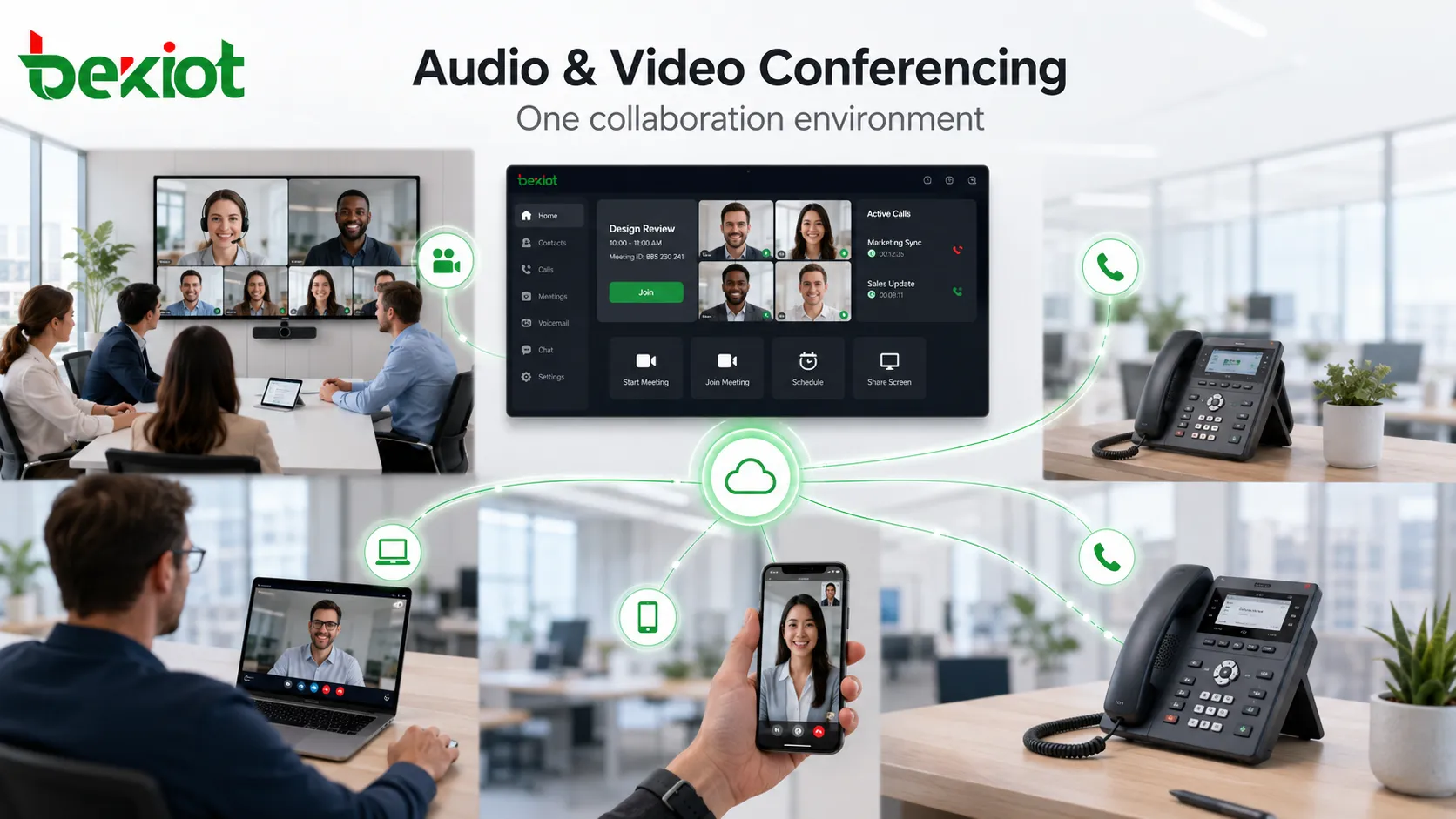
Many enterprises have already deployed video conferencing platforms, but video meetings are not always the best option for every situation. Video meetings require stronger network conditions, endpoint availability, screen access, camera readiness, and sometimes more user preparation. In mobile, emergency, low-bandwidth, or power-limited conditions, audio conferencing can be more practical.
A strong enterprise solution should allow audio conferencing and video conferencing to complement each other. For example, when a video conference is unavailable due to network interruption, endpoint failure, power outage, or remote user access limitations, the audio conferencing system can provide a backup channel. Participants can still join by mobile phone, landline, SIP extension, or conference access number.
In more advanced deployments, audio conferencing can integrate with video meeting infrastructure at the protocol or platform level. A video conference system may trigger the audio conference bridge to call required phone numbers when some participants cannot join by video. This improves meeting continuity and gives enterprises more resilience during abnormal conditions.
Multiple Meeting Rooms Improve Department Efficiency
A professional enterprise conferencing platform should support multiple meetings at the same time. Different departments, branches, project teams, and management groups may need their own conference rooms without interfering with each other. Sales teams may hold customer calls, technical teams may coordinate support work, and executives may hold management meetings at the same time.
Independent meeting rooms also make administration easier. The enterprise can assign different hosts, permissions, access codes, participant limits, recording rules, and reporting policies for different groups. This supports decentralized use while keeping centralized IT control.
Useful Functions Go Beyond Basic Calling
A complete enterprise conferencing solution should provide more than simple multi-party calling. Meeting recording is often required for review, compliance, training, dispute handling, and project tracking. Reports allow administrators to check meeting duration, participant attendance, access numbers, usage frequency, and resource utilization.
Flexible voice prompts are also important. Enterprises may need different prompts for entering a meeting, leaving a meeting, waiting for the host, recording participant names, playing hold music, reminding users during long meetings, or guiding users through keypad functions. These details may seem small, but they greatly affect the user experience in daily operation.
API integration can further increase value. When the conferencing system exposes development interfaces, enterprises can connect it with internal portals, CRM systems, office automation platforms, dispatch systems, customer service platforms, ticketing systems, or emergency notification workflows. This allows conferencing to become part of a broader communication process instead of a standalone tool.
Hybrid IP and PSTN Access Reduces Cost and Improves Reach
Many large enterprises already operate their own IP networks. When this network is properly used for voice communication, it can reduce communication costs and improve internal collaboration efficiency. A well-designed conferencing solution should support both IP access and traditional telephone access.
IP access allows users to join meetings from SIP phones, softphones, branch IPPBX systems, unified communication platforms, or internal extensions. PSTN access allows users to join through mobile phones, landlines, or external numbers. By combining both access methods, enterprises can support internal users, remote employees, external customers, suppliers, and field personnel in one meeting environment.
Compared with video conferencing, VoIP audio requires much less bandwidth. In many cases, enterprises do not need to rebuild their existing IP network to support audio conferencing. With proper QoS planning, gateway selection, and routing strategy, the existing network can often carry voice meetings efficiently.
Large Meeting Rooms Can Be Connected with Existing Audio Systems
Many enterprises, institutions, and public organizations already have large meeting rooms equipped with microphones, mixers, amplifiers, loudspeakers, and other audio equipment. A private conferencing solution can connect these meeting rooms to the audio conference bridge with relatively limited additional investment.
This allows remote users to join large on-site meetings by phone or IP extension. It also helps enterprises make better use of existing meeting room resources. Instead of treating conference rooms and phone meetings as separate systems, the organization can build a connected communication environment that supports both local discussion and remote participation.
Emergency Communication Needs a Fast and Reliable Channel
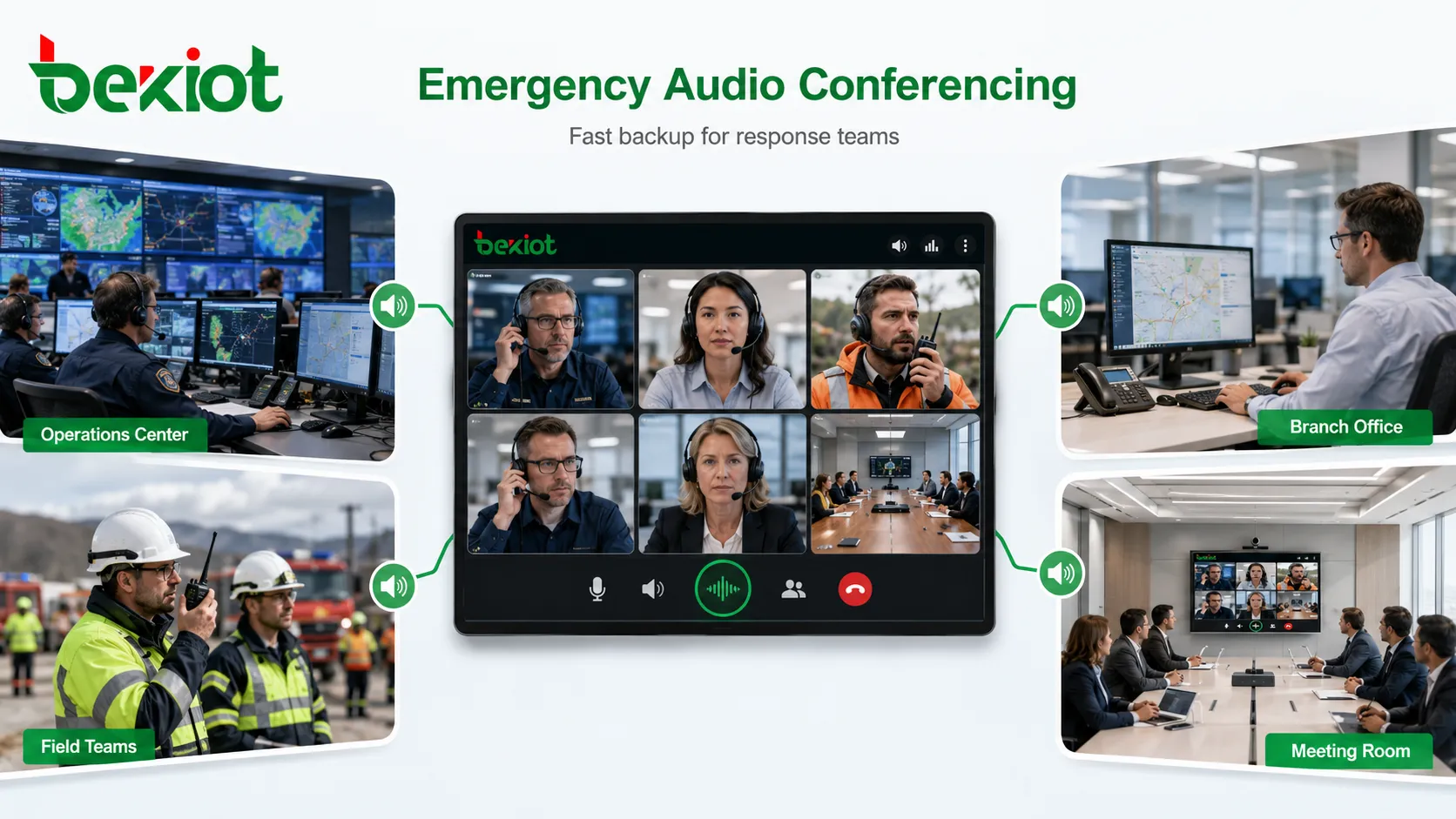
Audio conferencing is especially useful in emergency situations because it is fast, direct, and easy to access. Users do not need to open cameras, install complex clients, or depend on high-bandwidth video connections. A phone number or extension can often bring key personnel into a meeting quickly.
For enterprises with safety management, production operation, facility maintenance, logistics coordination, security response, or public service responsibilities, an internal audio conferencing system can become an important backup communication channel. When video systems, office networks, or collaboration platforms are unavailable, telephone access may still allow managers, operators, and field teams to coordinate action.
Integration with Existing Communication Systems Saves Investment
Enterprises often already have communication assets such as PBX systems, SIP trunks, PSTN lines, IP phones, dispatch consoles, call center platforms, video meeting rooms, or branch voice gateways. A private conferencing system can connect with these resources and extend their value.
Instead of paying separately for every conference call on a third-party platform, the enterprise can route internal participants through its own voice network and only use external lines when needed. This can reduce long-term communication expenses, especially for organizations with frequent meetings and many internal users.
Integration also simplifies management. IT teams can use existing extension numbers, user directories, authentication rules, call routing policies, and monitoring systems. This makes the conferencing platform easier to operate and easier to align with enterprise communication policies.
Professional Selection Requires Testing, Not Just Specifications
The conferencing equipment market includes many different types of products. Some systems are designed as professional conference bridges, while others only provide basic multi-party calling through PBX conference functions. These two approaches are not the same. A simple PBX conference feature may be acceptable for small internal calls, but it may not meet enterprise requirements for large meetings, voice mixing, reporting, recording, access control, simultaneous rooms, and high stability.
Before choosing a solution, enterprises should test the system under realistic conditions. Important tests include voice quality with more than 30 participants, simultaneous conference rooms, PSTN and IP mixed access, mobile phone access, recording quality, reporting accuracy, host controls, user permissions, API availability, video meeting integration, large room connection, and abnormal network conditions.
A reliable supplier should understand enterprise communication architecture, not only sell a conferencing device. The supplier should be able to support line access planning, SIP integration, PSTN gateway connection, meeting room audio connection, system security, deployment training, and long-term maintenance.
Recommended Solution Architecture
A practical enterprise audio conferencing solution can be planned as a layered architecture. The core layer includes the conference bridge, meeting room management, media processing, recording, reporting, and user control. The access layer connects SIP extensions, IPPBX systems, PSTN lines, mobile users, branch gateways, and large meeting room audio systems. The management layer provides administrator configuration, meeting templates, user permissions, call records, usage statistics, and API integration.
This architecture allows the enterprise to start with essential conferencing functions and expand gradually. A company may begin with internal audio meetings and PSTN dial-in access, then add video meeting backup, API integration, large room access, emergency meeting workflows, or branch-level conferencing later. The system should be selected with enough capacity and flexibility for future growth.
Deployment Planning Checklist
Capacity and Meeting Size
Estimate the number of daily meetings, peak simultaneous meetings, average participants, and maximum participants. Pay special attention to large meetings above 30 participants because they place higher requirements on audio mixing, system processing, and line capacity.
Access Methods
Confirm whether users will join by SIP phone, softphone, IPPBX extension, PSTN line, mobile phone, landline, video conference system, or large meeting room audio equipment. A hybrid IP and PSTN design is usually more flexible than a single access method.
Security and Data Control
Define where recordings are stored, who can access meeting reports, how users are authenticated, whether external participants need passwords, and how sensitive meetings are protected. For regulated industries, private deployment can provide stronger control over meeting data.
Integration Requirements
Check whether the conferencing system needs to integrate with existing PBX, unified communications, video conferencing, CRM, dispatch, office automation, customer service, or emergency notification systems. API support is important for organizations that require workflow automation.
Operation and Maintenance
Plan administrator roles, monitoring methods, backup strategy, user training, troubleshooting process, and upgrade policy. A conferencing system is a long-term communication infrastructure, so maintenance convenience should be considered from the beginning.
Final Review
Building a private enterprise audio conferencing solution is not simply about replacing a hosted conference service. It is about creating a controlled, secure, reliable, and integrated voice collaboration platform that fits the enterprise’s real communication workflow. For companies with frequent meetings, large participant numbers, multiple departments, branch offices, customer communication needs, or emergency coordination requirements, private deployment can provide stronger long-term value.
The key is to focus on practical performance rather than only product appearance or basic specifications. Voice quality, capacity, simultaneous meetings, hybrid IP/PSTN access, video meeting backup, recording, reporting, API integration, large meeting room connection, security, and supplier experience should all be evaluated carefully. With proper planning, an enterprise-owned conferencing system can improve communication efficiency, reduce long-term cost, protect sensitive meeting data, and provide a dependable backup channel when other collaboration tools are unavailable.
FAQ
Can an enterprise audio conferencing system work without internet access?
Yes. If the system is connected to internal extensions, local voice gateways, or PSTN lines, users can still hold meetings through the enterprise voice network. Internet access may be needed only for remote IP users, cloud integration, or external online services.
Is a PBX built-in conference room enough for enterprise use?
It depends on the scale and requirements. A PBX conference function may support small internal meetings, but larger organizations usually need stronger capacity, better audio processing, multiple simultaneous rooms, recordings, reports, access control, and integration features.
How should enterprises evaluate call quality before deployment?
They should test real participant numbers, mixed access methods, mobile and fixed-line users, long meetings, recording playback, simultaneous rooms, and unstable network conditions. Testing only a small demo call is not enough for enterprise-level evaluation.







