


As enterprise voice systems continue moving from traditional telephone wiring to IP-based networks, SIP phones have become a practical choice for offices, factories, warehouses, service teams, and distributed facilities. A conventional desk SIP phone works well for fixed workstations, but many business environments also need reliable voice communication for people who move between rooms, production areas, storage zones, security points, and maintenance locations.
A wireless SIP phone solution addresses this gap by combining Wi-Fi network access, built-in SIP registration, battery-powered operation, and portable handset design. Instead of relying only on fixed desk phones or consumer smartphones with third-party softphone apps, organizations can extend their IP PBX communication system to mobile users while keeping voice calling, extension dialing, and internal communication under the same SIP architecture.
Why Mobility Matters in Modern Voice Networks
SIP telephony is widely used because it reduces the complexity of traditional phone cabling and supports richer communication features through an IP network. However, most SIP phones are still designed for desktop placement. Even when some desk phones support Wi-Fi, they often remain fixed devices because their size, power supply, and usage style are not suitable for mobile work.
In real workplace scenarios, many employees are not always sitting at a desk. Factory supervisors, warehouse staff, hotel service teams, campus security personnel, maintenance engineers, and logistics operators often need to move while staying reachable. A wireless SIP handset allows these users to carry an extension with them, receive calls, make internal calls, and respond faster without returning to a fixed phone location.
This mobility is especially valuable in environments where delays create operational risk. If a maintenance worker must walk back to an office phone, a fault report may be delayed. If a warehouse supervisor cannot be reached while checking goods, loading operations may slow down. If a security guard cannot contact the control room immediately, response efficiency may be affected. A portable SIP handset helps keep communication close to the person doing the work.
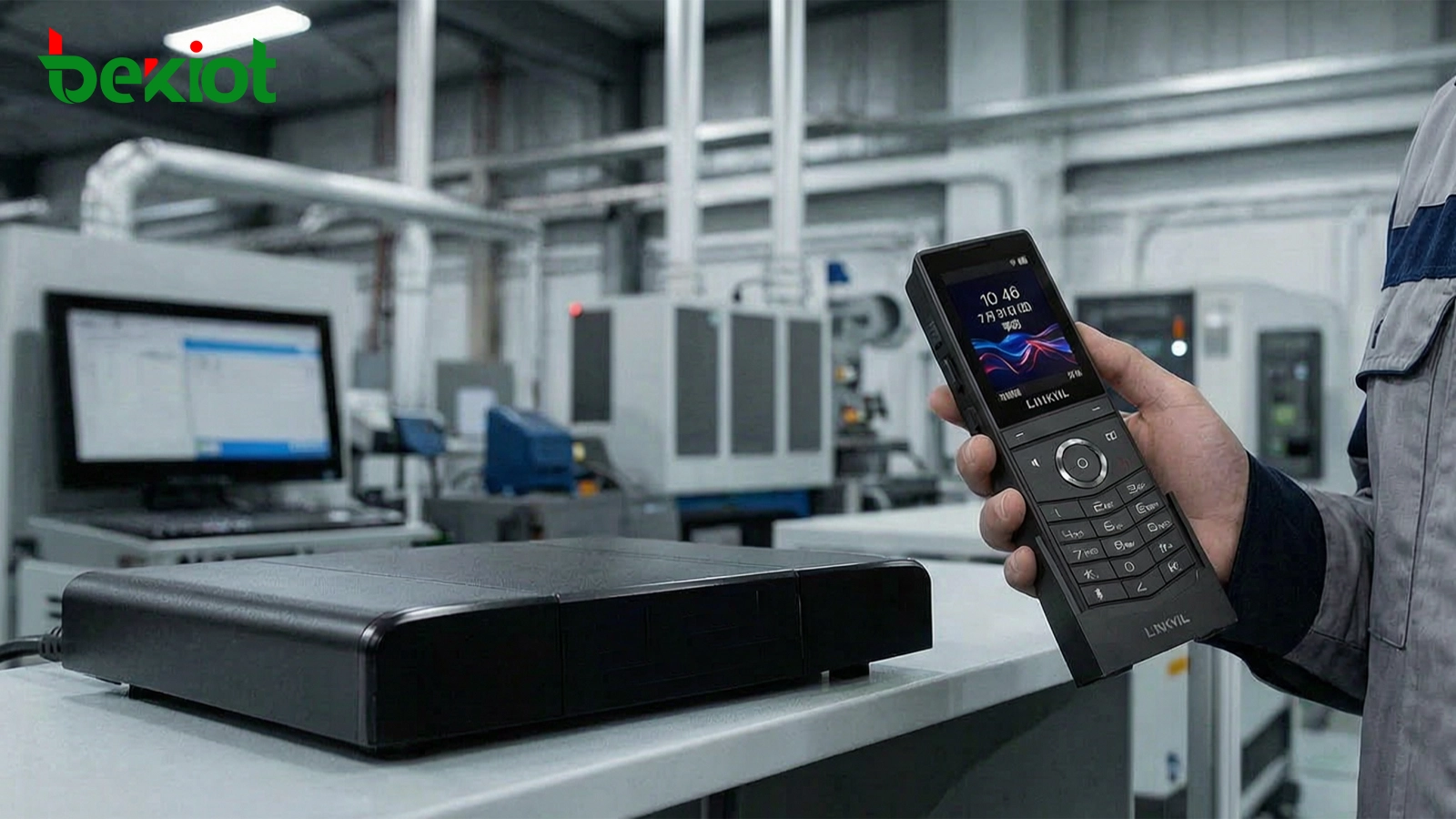
The image shows a typical mobile workplace communication scenario. Staff can move through production, service, or security areas while keeping direct voice access to the enterprise IP PBX system.
A Practical Extension of the IP PBX System
The key value of a wireless SIP phone is not only that it connects through Wi-Fi. Its greater value is that it contains a dedicated SIP client inside the handset. This allows the device to register directly with an IP PBX or SIP server and work as a normal extension in the enterprise communication system.
Compared with using a smartphone plus a SIP softphone application, a dedicated wireless SIP handset can offer a more stable and purpose-built communication experience. It avoids app compatibility problems, background process restrictions, battery management issues, and operating system interruptions that may affect softphone reliability in daily use.
Once registered with the IP PBX, the wireless handset can support internal extension calling, incoming calls, outbound calls through system routes, and integration with business communication workflows. This makes it suitable for enterprises that already have an IP PBX and want to expand voice coverage to mobile users without building a separate voice system.
Designed for Real Working Conditions
Mobile communication devices used in factories, warehouses, service areas, and outdoor-adjacent environments need more than basic voice capability. They must also tolerate dust, moisture, accidental drops, frequent handling, and long working hours. A rugged wireless SIP phone can support IP67-level protection, helping resist dust and water exposure in demanding environments.
Drop resistance is another important factor. A device designed to withstand falls of up to 1.8 meters can reduce downtime and replacement costs in daily operations. For mobile teams, durability is not an optional feature; it directly affects communication continuity and maintenance cost.
Battery performance also determines whether the solution is practical for a full shift. A handset with a removable 1900 mAh battery, up to 9 hours of talk time, and up to 200 hours of standby time can meet many daily communication needs in offices, workshops, logistics areas, and service environments.
In daily deployment, charging management should also be considered. Teams should define where handsets are stored, who is responsible for charging, whether spare batteries are needed, and how devices are handed over between shifts. A good charging workflow is part of communication reliability, especially in 24-hour operation sites such as factories, warehouses, hotels, campuses, and security control areas.
Fast Calling and Task-Oriented Operation
Wireless SIP handsets are often used in situations where speed matters. Side keys for volume adjustment and a dedicated PTT button can make communication more direct than navigating a touchscreen app or searching through menus. PTT-style operation is especially useful for teams that need quick response, group coordination, or one-touch calling behavior.
Configurable shortcut keys further improve usability. Enterprises can assign common contacts, emergency numbers, service desks, supervisors, maintenance teams, or dispatch extensions to shortcut buttons. This helps reduce operation steps and makes the device easier to use for staff who need simple, repeatable communication actions during work.
In some organizations, the same handset may be used by different shifts. In this case, shortcut keys should be planned by role rather than by individual preference. For example, a warehouse handset may include shortcuts for dispatch, loading dock, security, maintenance, and office reception. A hotel service handset may include shortcuts for front desk, engineering, housekeeping, and emergency support.
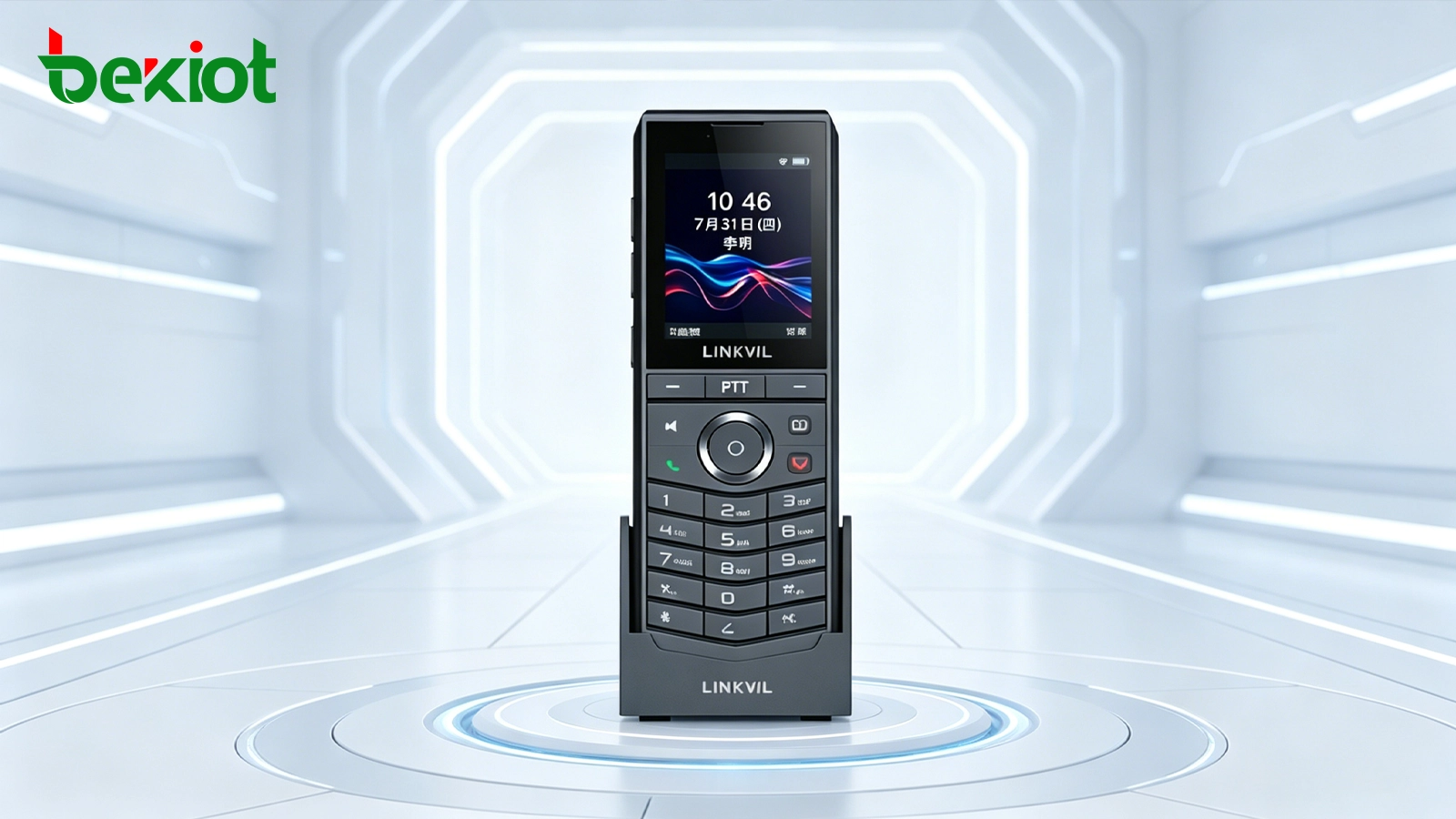
Shortcut keys and PTT-style operation help mobile users complete frequent communication tasks with fewer steps, which is important in fast-response service and operational environments.
Configuration and Network Visibility
A wireless SIP phone solution should provide clear configuration access for administrators. Useful management information includes contact lists, network status, Wi-Fi connection status, SIP registration details, and device operation status. These functions help IT or communication teams verify whether the handset is connected correctly and registered successfully.
Simple configuration is important during deployment. If the device can quickly join the Wi-Fi network and register with different IP PBX platforms using standard SIP settings, the rollout becomes easier for both small offices and larger operational sites. Compatibility with mainstream IP PBX systems allows the handset to become part of the existing communication environment rather than a separate standalone device.
Security should also be part of the configuration plan. Administrators should control Wi-Fi access, extension permissions, outbound call rules, password strength, and device registration policies. For larger networks, separating voice devices from ordinary office terminals through VLANs or dedicated SSIDs can help improve manageability and reduce unnecessary network exposure.
Where This Solution Fits Best
A wireless SIP phone is suitable for scenarios where staff need mobility but still require managed enterprise voice communication. In factories, it can support production supervisors, maintenance teams, and safety personnel. In warehouses, it helps operators communicate across storage zones, loading areas, and offices. In hotels or commercial buildings, it can support engineering, housekeeping, security, and service response teams.
It is also valuable in daily office environments where employees move between meeting rooms, reception areas, server rooms, and shared spaces. Instead of relying only on mobile phone calls or messaging apps, the organization can keep internal voice communication within the enterprise SIP system.
| Scenario | Communication Need | Solution Value |
|---|---|---|
| Factory floor | Mobile staff need fast voice contact across production areas | Portable SIP extension with rugged protection and PTT operation |
| Warehouse and logistics | Teams move between storage, packing, and loading zones | Wi-Fi-based calling without returning to a fixed desk phone |
| Office and campus | Staff need internal calling while moving between departments | Extension mobility under the existing IP PBX system |
| Security and maintenance | Response teams need quick contact and simple operation | Shortcut keys and one-touch calling for faster coordination |
Planning a Reliable Deployment
Successful deployment depends on more than selecting the handset. The Wi-Fi network must provide stable coverage in all intended calling areas. Signal strength, roaming performance, access point placement, network congestion, and voice traffic priority should be reviewed before large-scale use.
For voice communication, latency and packet loss are more noticeable than in ordinary data applications. Enterprises should evaluate whether the Wi-Fi network supports smooth roaming, sufficient bandwidth, and stable connectivity during movement. In larger facilities, site testing is recommended before final deployment.
The IP PBX side should also be prepared. Extension numbers, SIP credentials, call permissions, ring groups, emergency contacts, and shortcut key mappings should be planned according to actual workflows. When configured properly, the wireless SIP handset becomes a natural extension of the enterprise voice system.
During site testing, engineers should walk through real user routes rather than only testing from fixed points. Corridors, stairways, warehouse aisles, machine areas, loading docks, outdoor entrances, and weak-signal corners should be checked. The test should include call setup, call holding, roaming between access points, voice clarity, and reconnection after temporary signal loss.
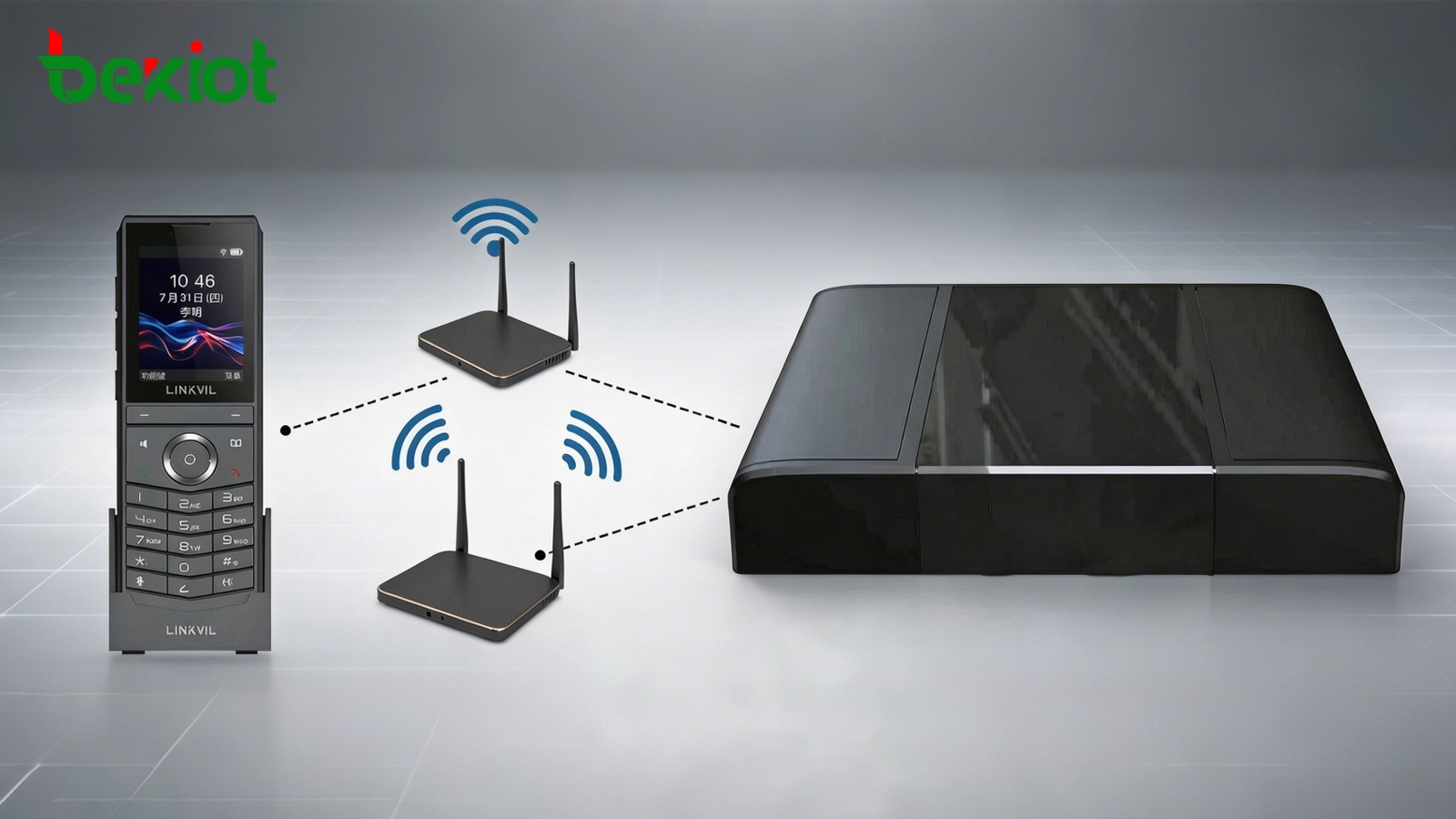
A reliable deployment connects wireless handsets, Wi-Fi access points, and the IP PBX into one managed voice network. Coverage, roaming, QoS, and SIP registration stability should be verified before large-scale use.
Business Value for Mobile Teams
A wireless SIP phone solution helps enterprises extend managed voice communication to places where desk phones are inconvenient. It reduces dependence on personal mobile phones, avoids fragmented communication tools, and keeps internal calling under the organization’s IP PBX structure.
For mobile workers, the benefit is simple: they can carry a dedicated communication device, make and receive calls through the enterprise system, use shortcut keys for common contacts, and stay connected while moving. For administrators, the benefit is unified extension management, SIP compatibility, and easier integration with existing voice infrastructure.
When durability, battery life, Wi-Fi coverage, SIP compatibility, and user workflow are considered together, wireless SIP phones can become an effective communication layer for offices, factories, warehouses, campuses, hotels, and service-oriented facilities.
FAQ
Can a wireless SIP phone replace a smartphone for business calling?
It can replace a smartphone in many internal calling scenarios, especially where staff need a dedicated enterprise voice device. However, smartphones may still be useful for mobile data, external apps, and personal communication.
Does a wireless SIP phone require a special PBX?
In most cases, it can work with a standard IP PBX or SIP server if the system supports SIP extension registration. The exact configuration depends on the PBX platform, network policy, and call routing plan.
What should be checked before installing many wireless handsets?
The most important checks include Wi-Fi coverage, roaming quality, SIP registration stability, battery charging workflow, extension planning, and whether users need shortcut keys or PTT-style operation.
Is Wi-Fi calling stable enough for industrial environments?
It can be stable when the wireless network is designed correctly. Access point density, interference control, quality of service, and site testing are important for factories, warehouses, and large buildings.
Can wireless SIP handsets be used for emergency contact?
Yes, they can be configured with shortcut keys or dedicated call targets for emergency contact. For critical safety systems, they should be planned together with alarms, dispatch procedures, backup communication, and network reliability measures.







