


In many converged communication projects, mobile access is an important requirement. Field users may need voice calls, video calls, push-to-talk, positioning, task instructions, recording, emergency alerts, and command center coordination through a smart terminal. At first glance, an ordinary smartphone seems to be a low-cost option because it can install apps and connect to mobile networks. However, in real industry projects, dedicated rugged industry terminals are usually a more practical and reliable choice.
The reason is not only device appearance. Converged communication is often used in public safety, industrial production, energy, transportation, campuses, emergency response, chemical plants, logistics, security patrol, and field maintenance. These environments require stable operation, controlled permissions, long-term compatibility, physical durability, clear ownership, and predictable project delivery. Ordinary consumer smartphones are not designed for these requirements.
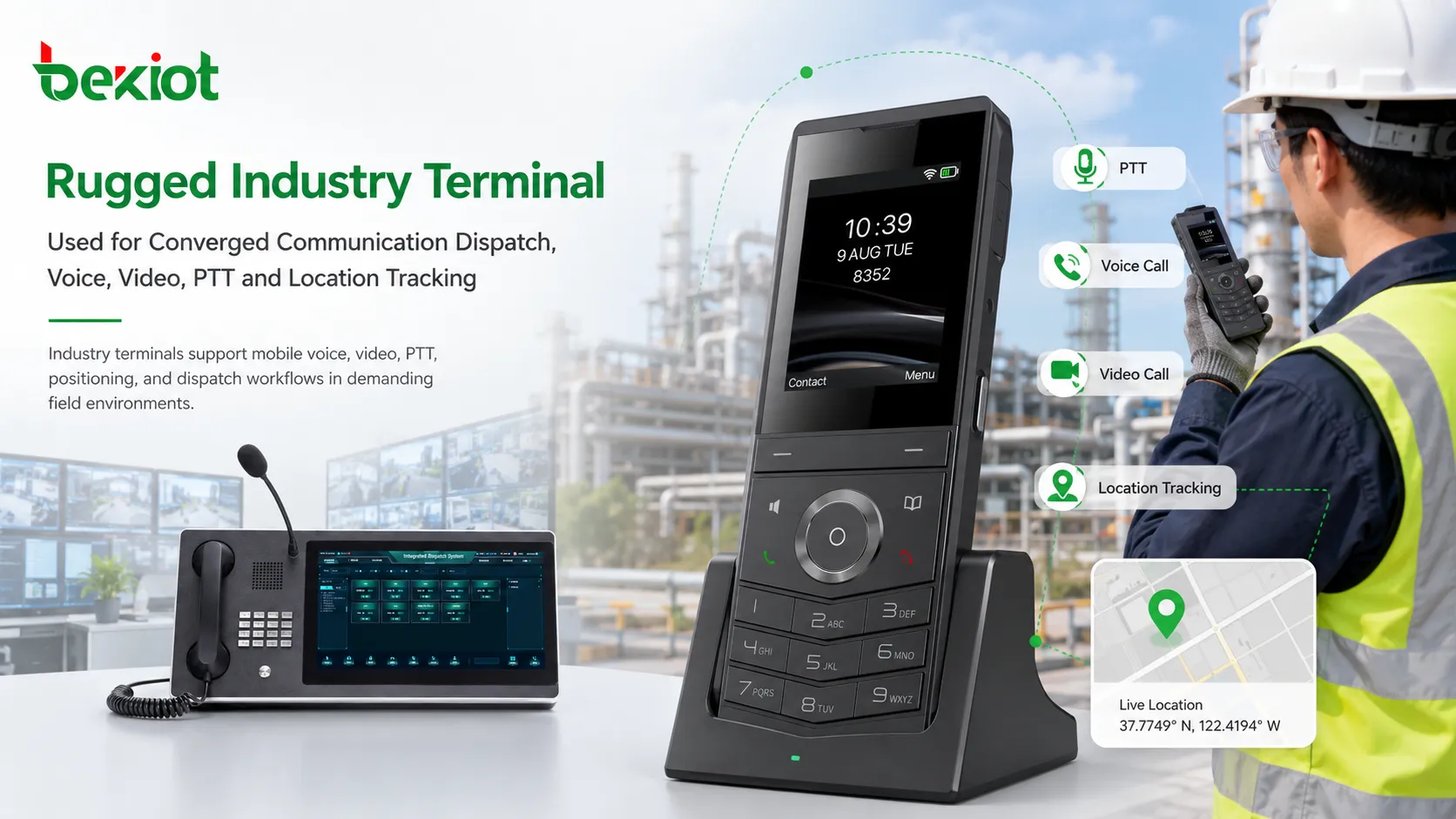
Mobile Access as a Core Part of Field Communication
A converged communication platform usually connects dispatch consoles, SIP phones, intercom devices, gateways, video systems, radio networks, broadcasting systems, and mobile terminals. The mobile terminal extends the system from a fixed command room to field workers, patrol teams, maintenance engineers, emergency responders, and mobile supervisors.
With a suitable smart terminal and communication app, users can join group calls, make video calls, receive dispatch instructions, report location, send pictures, upload field information, and communicate with the command center. This is why mobile terminal selection has a direct impact on the success of the entire project.
In many projects, the smart terminal is essentially a rugged Android-based communication device. It may look similar to a smartphone, but it is designed for professional use. It can be configured, managed, protected, and optimized around one purpose: keeping the communication application reliable during daily operation and emergency response.
Stronger Hardware Protection for Harsh Environments
Ordinary smartphones are designed for consumer use. They may be suitable for office communication, personal messaging, and normal mobile apps, but they are not built for industrial dust, rain, vibration, impact, outdoor temperature changes, gloves, wet hands, or long shifts in the field.
Rugged industry terminals usually provide better resistance to dust, water, shock, and vibration. This makes them more suitable for industrial parks, construction sites, petrochemical facilities, power plants, transportation networks, mines, warehouses, outdoor patrols, and emergency rescue environments.
Some industry terminals are also designed for special scenarios. For example, explosion-proof or intrinsically safe terminals may be required in chemical plants, oil and gas facilities, fuel storage areas, and other hazardous environments. Ordinary smartphones cannot simply replace these devices because they do not meet the same environmental and safety requirements.
Professional Functions Beyond Consumer Devices
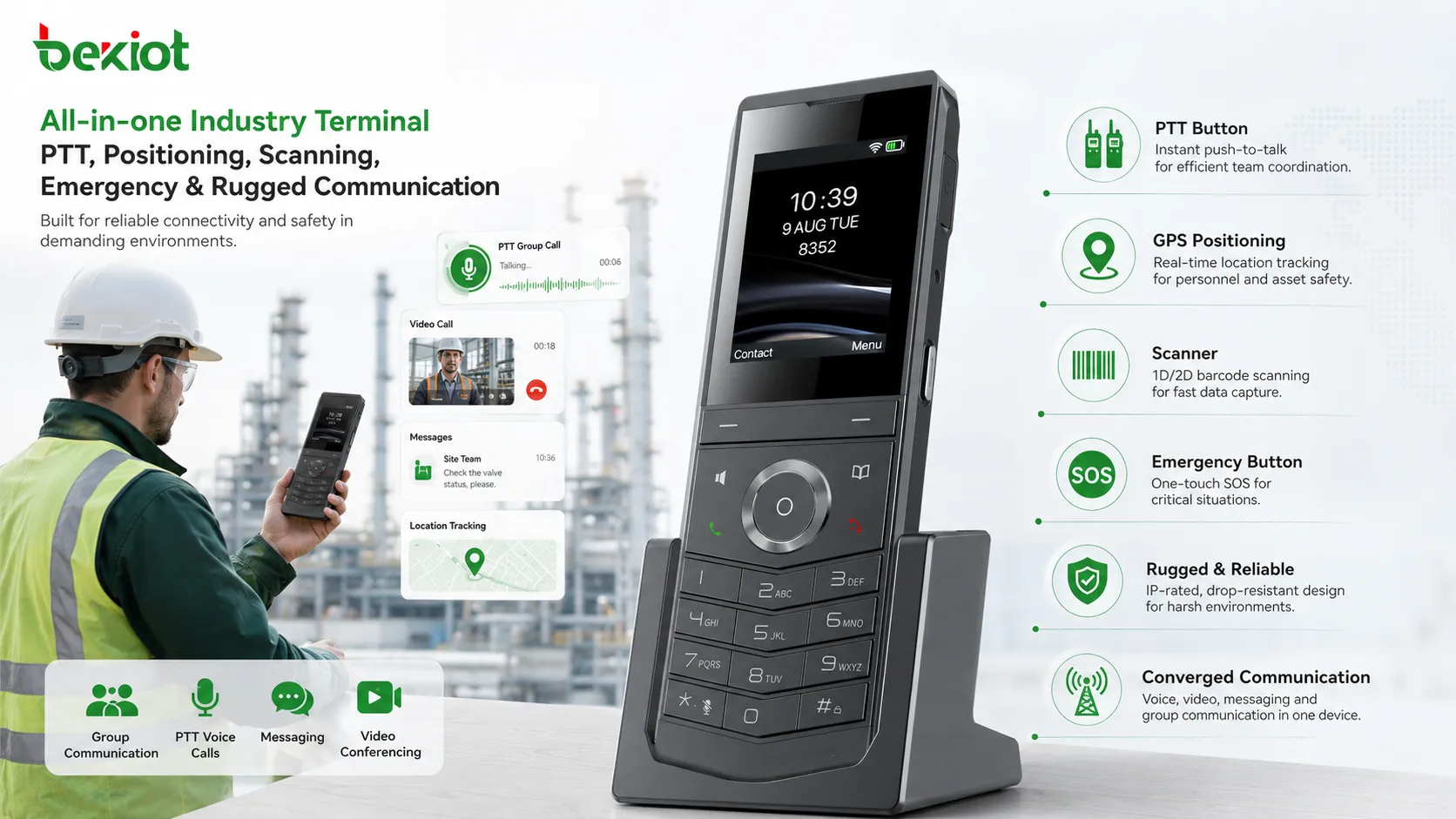
Industry terminals often include functions that ordinary smartphones do not provide by default. Depending on the model and application scenario, they may support a physical PTT key, high-accuracy GPS or BeiDou positioning, barcode scanning, NFC, infrared scanning, high-capacity batteries, dedicated emergency buttons, loud speakers, stronger microphones, glove-friendly operation, and extended industrial accessories.
The physical PTT key is especially important for push-to-talk communication. In field work, users often need to speak quickly without opening the screen, unlocking the device, finding an app, and pressing a software button. A side-mounted PTT key makes group communication closer to the experience of a traditional two-way radio.
Some rugged terminals may also integrate functions such as satellite communication, walkie-talkie modules, high-precision positioning, or scanning modules. These capabilities are not decorative features. They are designed around real operational tasks, such as inspection, patrol, logistics, rescue, ticket checking, emergency response, industrial maintenance, and on-site command.
Simpler Adaptation and Lower Software Maintenance Risk
A converged communication app is usually an industry application, not a mass-market consumer app. Its user base is smaller, its update cycle is often slower, and its priority is stability rather than frequent consumer feature changes. This makes terminal adaptation an important project issue.
If a project uses a dedicated terminal model, software adaptation is much easier. The app can be tested against a controlled hardware configuration, operating system version, microphone behavior, speaker output, camera access, GPS performance, battery management policy, and permission environment.
If the same app must support many ordinary smartphones from different brands, models, Android versions, chipsets, system skins, and security policies, the workload becomes much heavier. Frequent system updates may also introduce compatibility problems. For consumer-facing apps, this may be acceptable because the user base is large. For industry projects, the return often does not justify such a large adaptation and support burden.
Permission Control for Continuous App Operation
Converged communication apps usually need sensitive and high-level permissions. They may use audio, video, camera, microphone, location, background operation, recording, file access, notification, Bluetooth, network access, and sometimes screen wake-up or emergency alert functions. These permissions are essential for real-time communication and dispatch.
Ordinary smartphones often have strict permission controls and aggressive battery optimization policies. Some systems may restrict background recording, location updates, push notifications, auto-start behavior, or long-term network connection. Security tools, cleaning apps, antivirus tools, or system optimization policies may also stop the communication process unexpectedly.
In a normal consumer app, this may only cause inconvenience. In an industrial or emergency communication project, it may become unacceptable. If the app is killed by the system during a safety incident, field users may miss emergency calls, dispatch instructions, location tracking, or group communication. A dedicated terminal can be configured with higher-level control to keep the communication app running reliably.
Operational Reliability in Safety-Critical Scenarios
Many converged communication projects are deployed in environments where communication failure can lead to operational delay, safety risk, or even accidents. A patrol officer may need to report an abnormal event. A maintenance worker may need urgent support. A command center may need to locate a team member. An emergency operator may need to broadcast instructions to mobile users.
In these scenarios, the terminal must behave like a professional communication tool, not a personal entertainment device. It should keep the app online, support fast response, maintain audio quality, survive field conditions, and provide predictable operation under pressure.
Dedicated terminals also make user training easier. The same hardware, same buttons, same app interface, and same management policy reduce confusion. This is valuable when a project involves many users, shift workers, temporary teams, outsourced service teams, or emergency response groups.
Privacy and Ownership Management
One of the most commonly overlooked issues is privacy. Many employees use their own personal smartphones. Installing a work communication app on a private phone can create concerns because converged communication apps may include location tracking, audio communication, video functions, recording, monitoring-related capabilities, or remote task instructions.
Even when the organization has legitimate operational needs, using personal phones can still create privacy disputes. Users may worry about whether their location is tracked after work, whether camera or microphone permissions are too broad, or whether company data is mixed with personal data.
Device ownership is another issue. If a personal smartphone is damaged during work, responsibility can be difficult to define. If the organization must provide a phone to each worker, a dedicated industry terminal often becomes the more reasonable option because it is purpose-built, easier to manage, and in many cases more cost-effective for professional deployment than buying consumer phones and then trying to control them.
Centralized Device Management and Project Delivery
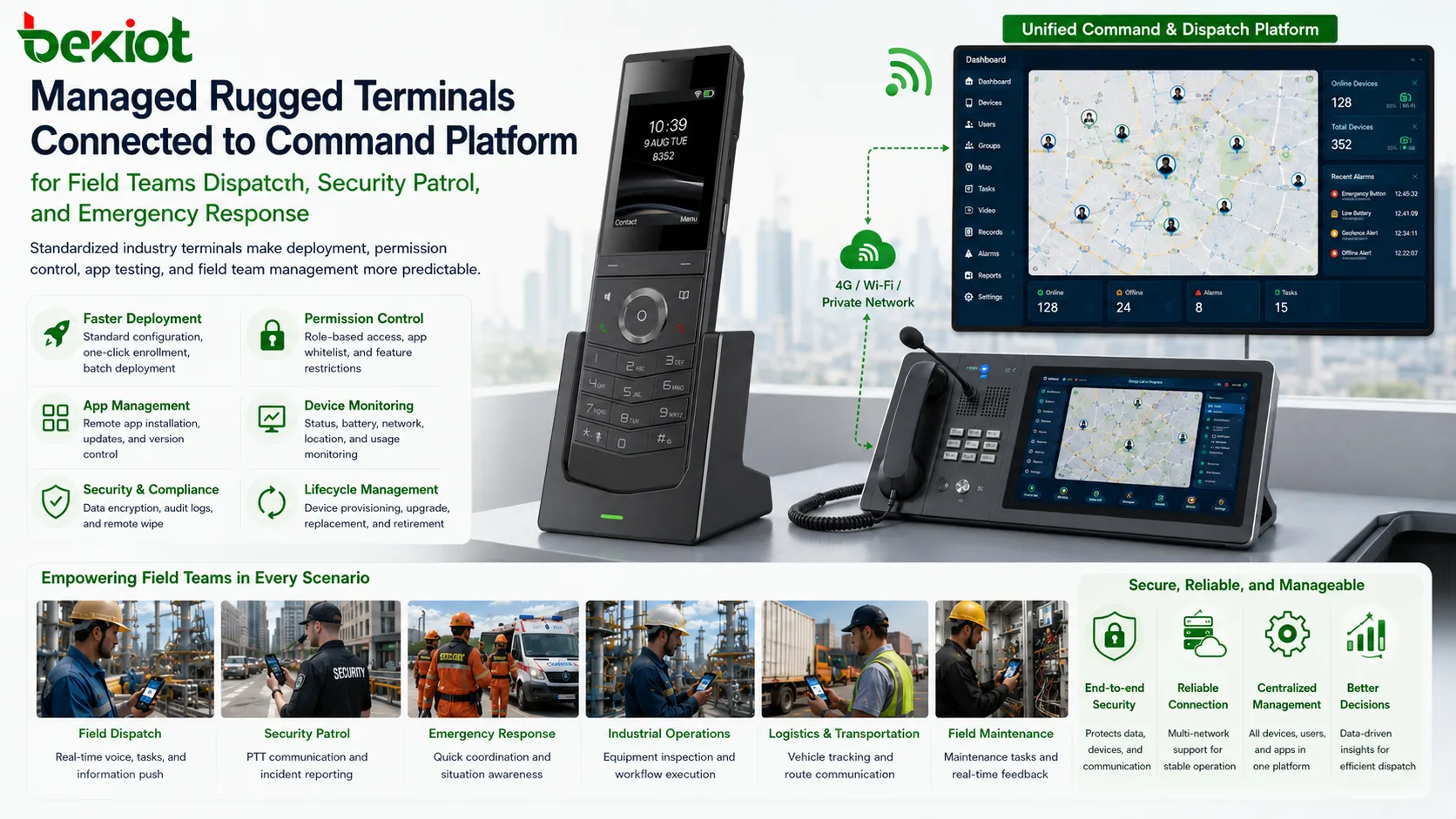
Industry terminals are easier to manage as part of a project. The organization can standardize device models, install approved apps, configure permissions, lock unnecessary functions, control updates, assign accounts, manage device ownership, and define maintenance responsibilities.
This standardization improves project delivery. The system integrator can test the full workflow before deployment, including login, SIP or platform registration, PTT calling, video calling, GPS reporting, recording, emergency alerts, and dispatch console interaction. Problems can be reproduced and solved more efficiently because the hardware environment is controlled.
In contrast, if users bring different personal smartphones, project delivery becomes unpredictable. One device may block background operation, another may have microphone compatibility issues, another may fail after a system update, and another may not allow required permissions. These problems increase support cost and may weaken user confidence in the system.
Limited Role of Ordinary Smartphones
This does not mean ordinary smartphones have no value in a converged communication environment. In some light-duty scenarios, they may be used for temporary access, management approval, information viewing, mobile office functions, or non-critical communication. They may also be suitable for users who only need occasional participation and do not require rugged protection, PTT buttons, high-level permissions, or continuous background operation.
However, when the project requires full communication functions such as real-time PTT, audio and video dispatch, continuous location reporting, recording, emergency alerts, and stable background operation, ordinary smartphones are usually not the best primary terminal. They can support part of the workflow, but they cannot always meet the requirements of professional field communication.
In some projects, lightweight access methods such as mini programs, web apps, VoLTE-based communication, or limited mobile apps may be considered for personal devices. These methods can be useful, but they also have limitations. They are better treated as supplementary access methods rather than replacements for dedicated industry terminals.
Recommended Deployment Strategy
A practical project should begin with a clear investigation of user roles and work scenarios. The project team should define who needs mobile communication, who needs PTT, who needs video, who needs GPS reporting, who needs emergency functions, and who only needs light access. This avoids over-designing simple users while also protecting critical users with proper professional terminals.
For frontline teams, rugged terminals should be selected according to environment, battery life, protection level, PTT design, speaker volume, microphone performance, positioning accuracy, scanning needs, camera quality, network support, and system compatibility. For command center users, dispatch consoles and fixed communication devices may be more important. For managers, limited mobile access may be enough.
The best architecture is often a layered terminal strategy: rugged industry terminals for core field users, fixed SIP devices for control rooms and offices, dispatch consoles for operators, gateway-connected devices for legacy systems, and ordinary smartphones only for limited or non-critical mobile access.
Long-Term Value for Converged Communication Projects
The choice of terminal affects the stability, safety, maintenance cost, and delivery quality of the entire communication project. A cheaper consumer phone may reduce the first purchase cost, but it can introduce hidden costs in adaptation, compatibility, permission control, privacy disputes, user training, device damage, and technical support.
Dedicated industry terminals provide a more controlled foundation. They support professional functions, withstand harsher environments, simplify software adaptation, improve background reliability, and make the communication system easier to manage as an operational asset.
For a converged communication project, the terminal is not just an app carrier. It is the point where the communication platform meets the field user. Choosing the right terminal helps ensure that voice, video, PTT, positioning, recording, instructions, and emergency workflows can be delivered reliably in real working conditions.
FAQ
How should a project team decide which users need rugged terminals?
Users who work outdoors, move between sites, handle safety tasks, rely on PTT, need continuous positioning, or participate in emergency response should usually receive rugged terminals. Office users or occasional managers may only need lighter mobile access.
Are rugged terminals always more expensive than ordinary smartphones?
Not necessarily. The unit price may vary by model and configuration, but total project cost should include software adaptation, device management, damage replacement, support workload, compatibility testing, and reliability risk. In professional deployments, rugged terminals can be more cost-effective over the full lifecycle.
Can personal phones be used only for backup access?
Yes. Personal phones can be used for limited backup access, notifications, approval workflows, or emergency contact lists, but they should not replace dedicated devices for critical communication tasks that require stable background operation and professional control.
What terminal specifications should be checked before procurement?
Important specifications include protection rating, battery capacity, PTT key design, speaker loudness, microphone quality, network bands, GPS or BeiDou performance, camera capability, operating system version, app compatibility, charging accessories, device management support, and after-sales availability.
Why is background operation so important in communication apps?
Dispatch calls, emergency alerts, location reporting, and group communication often need to work even when the screen is off or the user is not actively using the app. If the system stops the app in the background, the communication workflow may fail at the moment it is needed most.







