In many smart city, emergency command, industrial park, transportation, public safety, and enterprise communication projects, video resources are no longer limited to a single surveillance platform. Cameras, drones, mobile surveillance units, body-worn recorders, video conference systems, vehicle-mounted cameras, and command center displays may all need to work together. The challenge is not simply collecting more video sources, but making them interoperable, manageable, and usable across different systems.
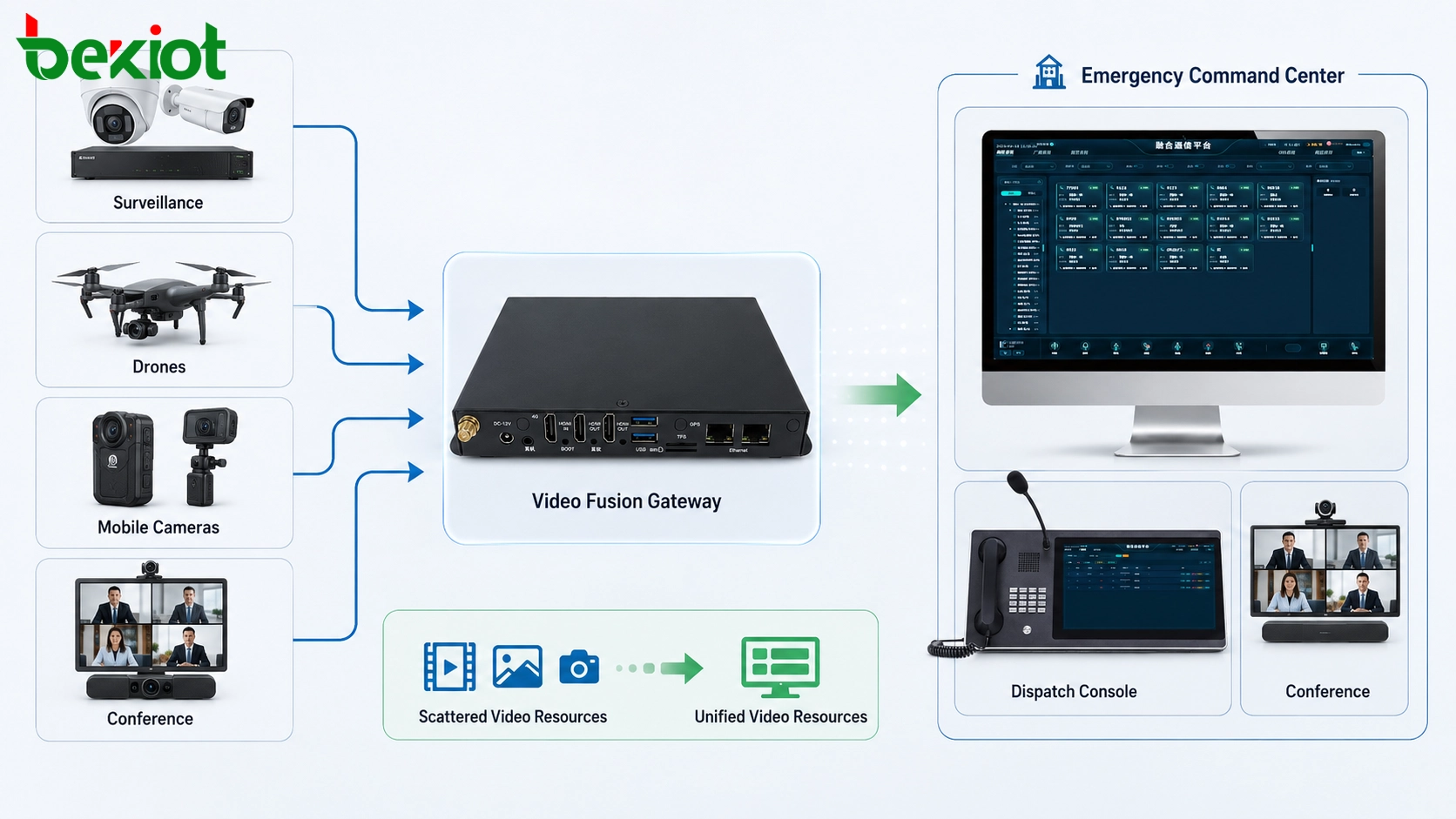
A video fusion gateway is designed for this problem. It connects video systems that use different protocols, formats, platforms, and transmission methods, then converts, aggregates, forwards, and distributes video resources to upper-level platforms, converged communication systems, video conferences, and emergency command centers. In practical deployment, it becomes the bridge between isolated video resources and a unified visual command workflow.
Why fragmented video systems create operational barriers
Many organizations already have video resources, but these resources often belong to different systems. A city may have several surveillance platforms. A park may have fixed IP cameras, mobile patrol cameras, and drone feeds. An emergency command vehicle may carry its own video equipment. A conference room may use a separate video meeting platform. These systems may all work independently, but they do not automatically work together.
When video systems cannot interconnect, operators face several problems. They may need to switch between multiple platforms, request access from different departments, manually search for camera directories, or use temporary screen sharing to view external video. This slows down response and makes centralized command more difficult.
In emergency command and smart operation projects, video should be a shared resource. Command centers should be able to call up surveillance images, access drone video, view mobile field cameras, connect video meetings, and share critical images with dispatch terminals. Without a fusion layer, these workflows often become complicated and unstable.
Centralized access for surveillance networking
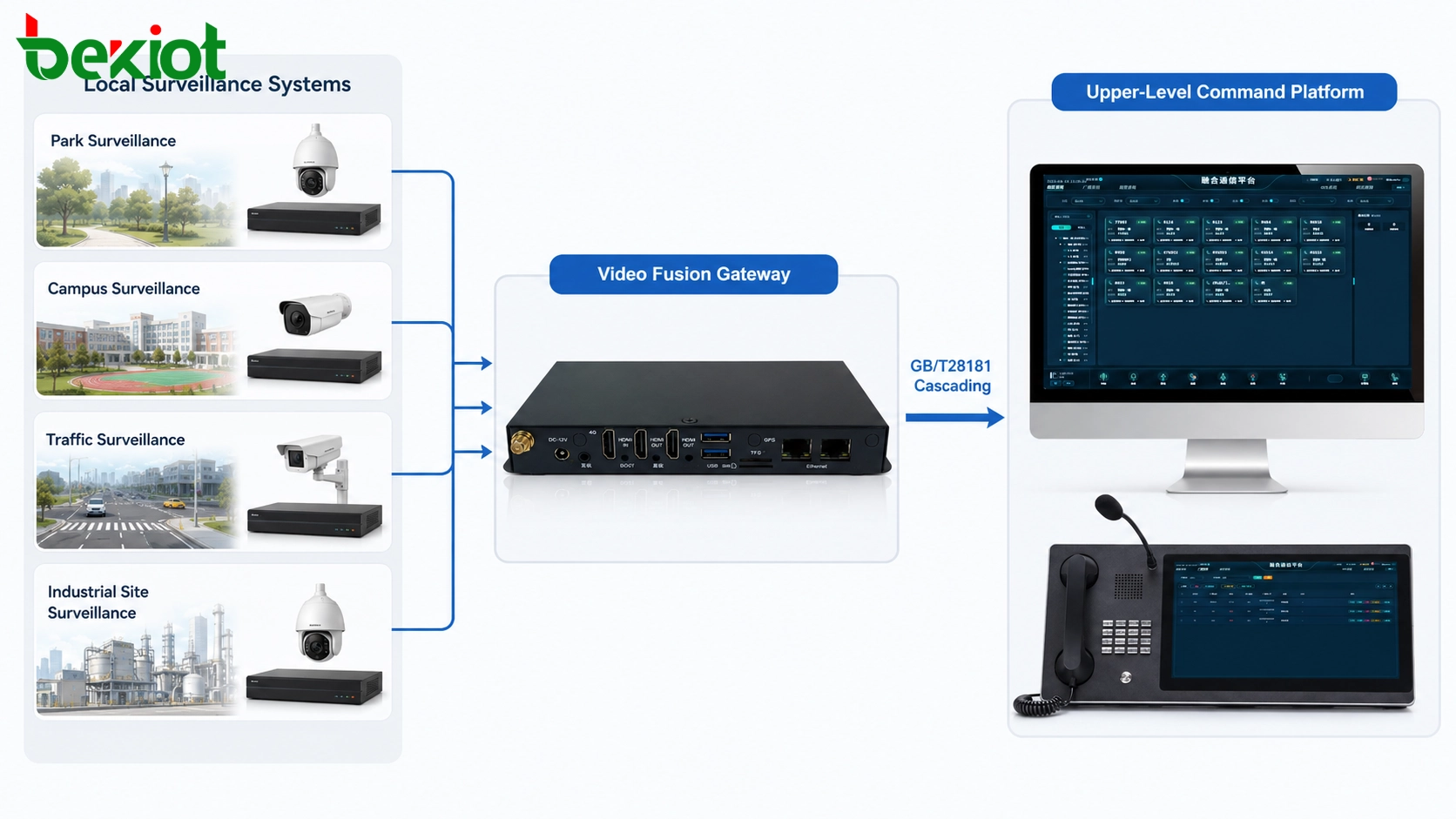
One of the most important functions of a video fusion gateway is surveillance platform networking. Many video surveillance platforms support the GB/T28181 protocol, which is widely used for video platform cascading, device registration, catalog synchronization, live preview, playback access, and upper-level platform interconnection.
Through a video fusion gateway, multiple surveillance platforms deployed in different regions, departments, parks, or command centers can be aggregated into a unified access layer. Operators can obtain camera directories, call live video, manage video resources, and provide access to third-party business platforms through standard interfaces.
This capability is especially useful when a project needs to integrate cameras from different brands, different management platforms, or different administrative levels. Instead of rebuilding the entire surveillance system, the gateway can act as a protocol and resource bridge, helping the existing systems become part of a larger visual command network.
Drone and mobile camera integration
Drones and mobile surveillance devices are now common in emergency response, patrol inspection, public safety, construction monitoring, and disaster management. They provide flexible visual coverage where fixed cameras cannot reach. However, drone video and mobile camera video often use different transmission methods from traditional surveillance platforms.
A video fusion gateway should support mainstream streaming and access methods such as RTMP, RTSP, and GB/T28181. This allows drone video, temporary surveillance cameras, portable camera units, and mobile field devices to push live streams into the gateway platform. Once received, these streams can be viewed locally, forwarded to command platforms, or converted into formats required by other video systems.
The practical value is clear. A command center can combine fixed surveillance cameras with drone aerial views and temporary field cameras. Field teams can push live images into the same visual workflow without waiting for complex platform reconstruction. For emergency command, this improves situational awareness and helps decision makers understand both wide-area conditions and close-range details.
Upward cascading to higher-level platforms
In many government, transportation, public safety, energy, and enterprise projects, video resources must be reported or shared with a higher-level platform. This is where upward cascading becomes important. A video fusion gateway can output video resources to an upper-level GB/T28181 platform after aggregation and conversion.
If a video source already supports GB/T28181, the gateway can help register and forward it to the upper platform. If the source does not support GB/T28181, the gateway can convert the video stream into a standard form before output. This allows non-standard cameras, drone streams, mobile devices, and third-party video sources to be included in the upper-level video supervision or emergency command system.
This function is important for multi-level command architectures. Local sites, district platforms, enterprise parks, mobile command posts, and central command centers can share selected video resources through a standardized cascading structure. It reduces repeated construction and improves cross-platform visibility.
Connecting visual resources with communication platforms
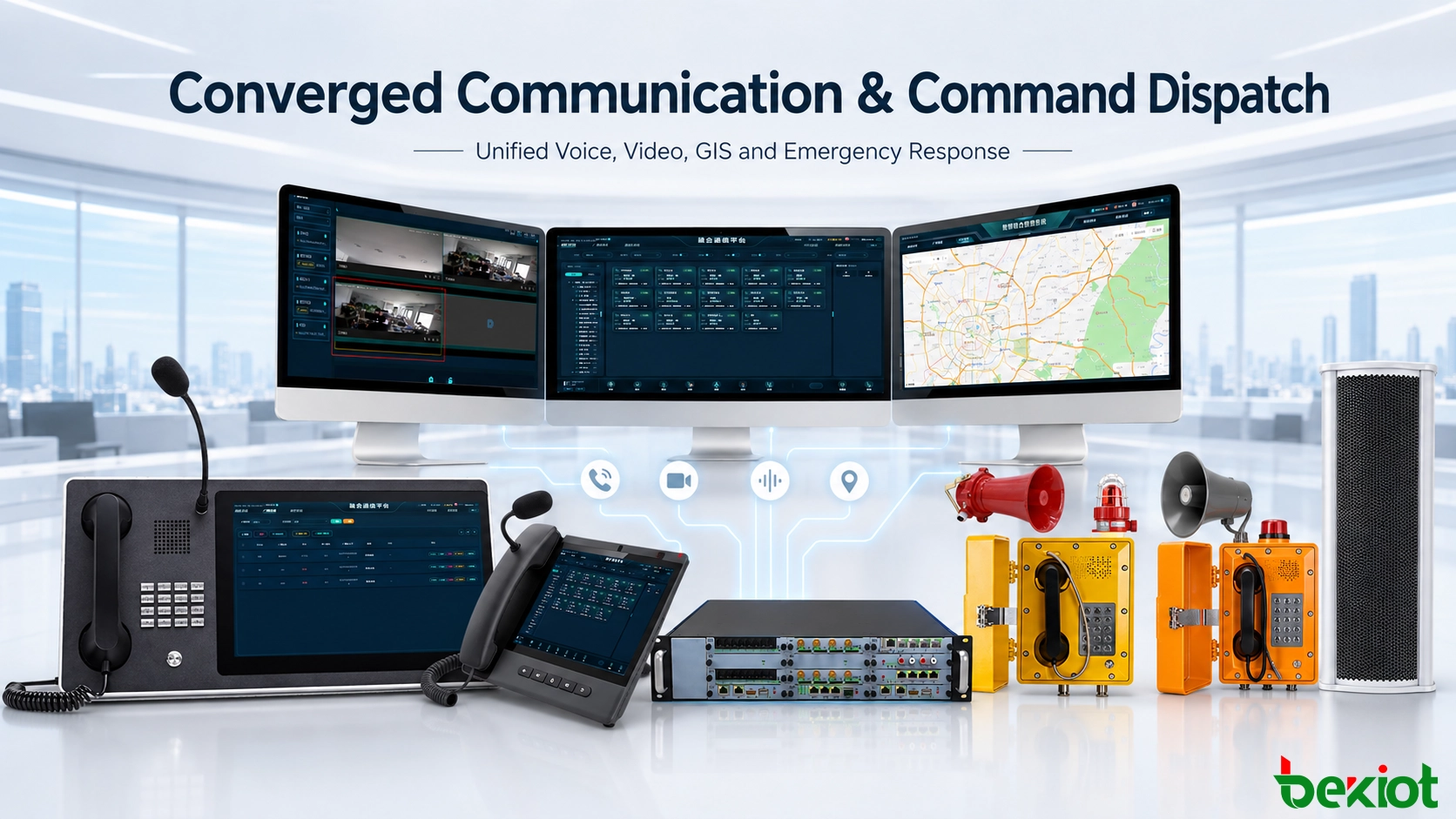
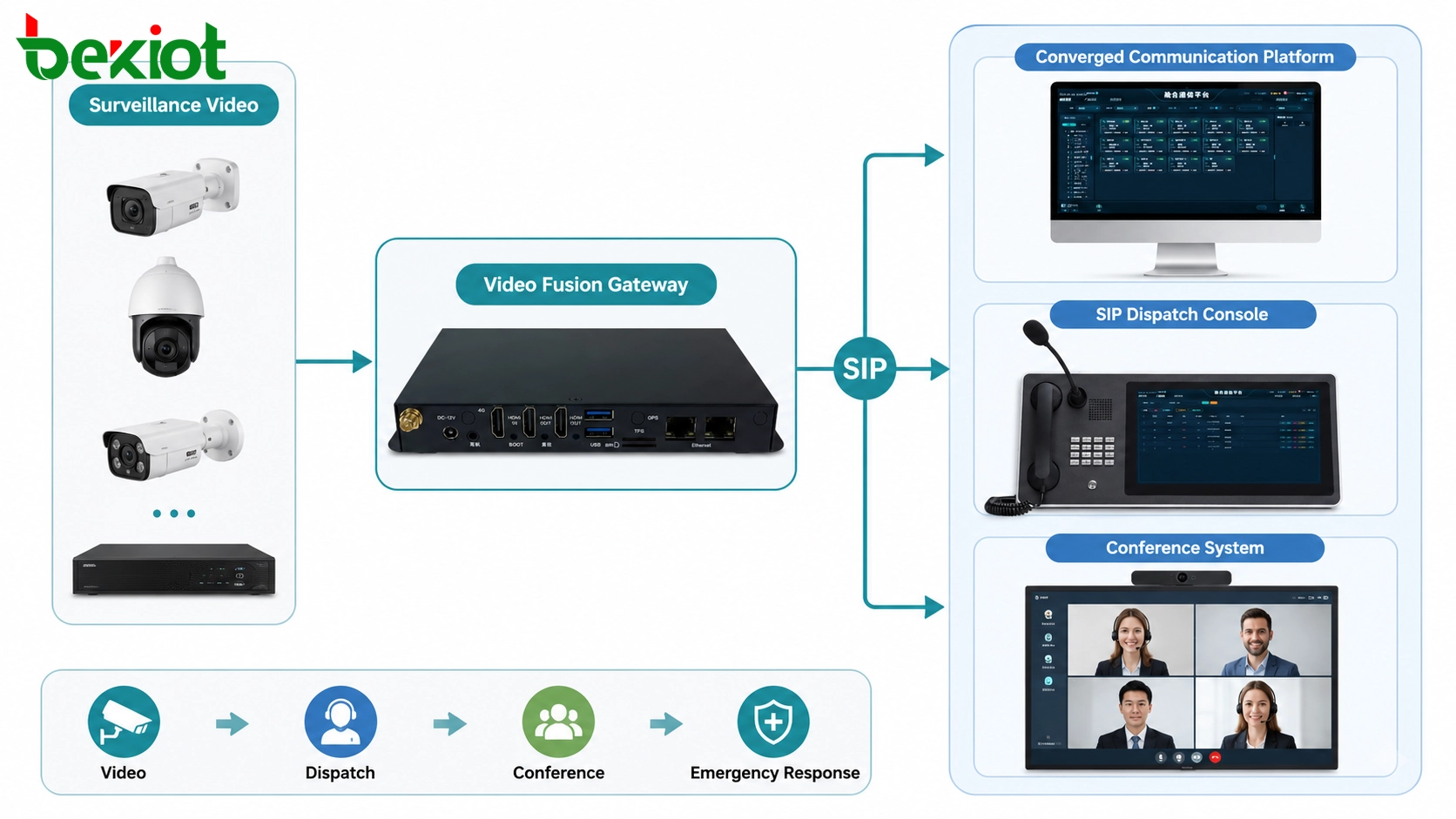
Video fusion is not only about surveillance. In modern emergency communication and command systems, video must also interact with voice dispatch, SIP terminals, command consoles, conference systems, and unified communication platforms. This is why SIP integration has become an important gateway function.
After the gateway aggregates surveillance video, drone video, mobile camera feeds, and recorder video, it can connect these resources to a converged communication platform through SIP and related media conversion mechanisms. Dispatch consoles, video terminals, and communication users can then call or access video resources in a more direct way.
For example, a dispatcher may need to view a surveillance camera from the command console. A field commander may need to access drone video through a communication terminal. An emergency meeting may need to bring in a mobile camera feed from the scene. These workflows require video resources and communication resources to be connected rather than isolated.
Related Product: Becke Converged Communication System
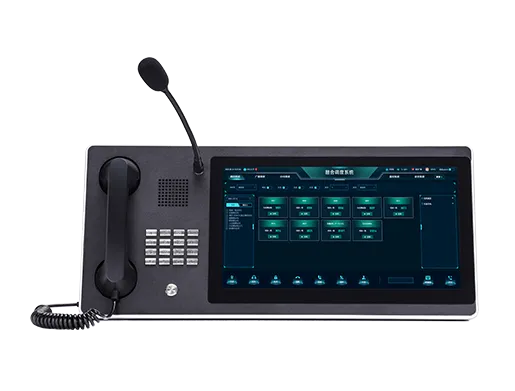
The Becke Converged Communication System can be introduced as the unified communication layer in emergency command, industrial dispatch, park operation, and multi-department collaboration scenarios. When integrated with a video fusion gateway, it can help connect voice, video, dispatch, intercom, conference, and field communication resources into a more complete command workflow.
Protocol conversion and media adaptation
Different video systems often use different protocols, codecs, stream formats, resolutions, and encapsulation methods. A gateway must therefore do more than simple forwarding. It should provide protocol conversion, stream packaging, media adaptation, and video transcoding to make cross-system communication possible.
Common access and output methods may include GB/T28181, SIP, RTSP, RTMP, HDMI input, IP stream input, and other platform-oriented interfaces depending on the project design. Through these capabilities, the gateway can convert video streams from one system into a form that another system can recognize and use.
Video transcoding is especially important when the source and target systems do not support the same encoding format or bitrate requirement. For example, one platform may output a high-bitrate stream, while another platform may require a lower bitrate or a different codec. Without transcoding, the video may fail to display, load slowly, or consume excessive bandwidth.
Video conference access and cross-platform meetings
Video conferencing is another important application in many command and collaboration projects. Emergency response, enterprise dispatch, government coordination, remote expert consultation, and field maintenance support often require video meetings. However, conference systems may use different architectures, such as SIP-based conferencing, MCU platforms, or H.323 systems.
A video fusion gateway can help connect field video resources with video conference systems. After video sources are received by the gateway, they can be converted and connected to conference platforms through SIP or other supported methods. This allows surveillance images, drone feeds, mobile camera video, and command vehicle video to enter a conference session as usable visual resources.
For legacy or specialized video conference systems, HDMI access and protocol conversion may also be required. In these cases, the gateway can serve as an adaptation layer between H.323 systems, SIP conference systems, and other video fusion environments.
APIs for third-party platform development
Many video fusion projects are not standalone systems. They are part of larger smart operation platforms, emergency command platforms, industrial management platforms, or digital park systems. These platforms often need to call video resources through APIs rather than using a separate gateway interface manually.
A complete video fusion gateway should provide development interfaces so third-party platforms can request camera directories, call live video, control resource access, obtain stream addresses, and integrate video functions into their own business pages. This improves usability and allows video resources to become part of daily operational workflows.
For example, a smart park platform may show building information, alarm events, access control data, and camera video on the same dashboard. An emergency command platform may link an incident location with nearby cameras, drone video, and field communication terminals. API capability makes these integrated workflows possible.
Typical deployment architecture
A practical video fusion gateway solution usually includes the video source layer, gateway access layer, communication integration layer, and upper application layer. Each layer has a clear role in the system.
Video source layer
This layer includes fixed surveillance platforms, IP cameras, drones, mobile surveillance units, body-worn recorders, vehicle-mounted cameras, HDMI sources, conference systems, and temporary field video devices. These sources provide the original images and live feeds.
The main challenge at this layer is diversity. Devices may come from different manufacturers, support different protocols, and use different transmission formats. Direct platform-to-platform connection is often difficult.
Gateway access layer
This layer performs resource aggregation, protocol conversion, GB/T28181 cascading, stream forwarding, SIP adaptation, video transcoding, and API output. It is the core layer that turns isolated video resources into standardized and reusable video channels.
In many projects, this layer also determines the system’s scalability. If the gateway supports more access methods and stronger conversion capability, the project can more easily integrate future video sources.
Communication integration layer
This layer connects video resources with SIP communication, dispatch consoles, video terminals, conference systems, and converged communication platforms. It allows users to access video through communication workflows rather than only through surveillance software.
This is especially important for emergency command. Operators may need to speak, dispatch, view, forward, and conference at the same time. Video should support the command process instead of becoming a separate island.
Upper application layer
This layer includes emergency command platforms, smart city systems, industrial operation platforms, park management systems, public safety platforms, and large-screen visualization systems. These platforms use the unified video resources for monitoring, decision support, event response, and collaborative command.
When the lower layers provide standardized video access, upper applications can focus more on business logic, event management, and operational decision-making.
Where the solution is most useful
Video fusion gateways are commonly used in projects that require cross-system video sharing and multi-source visual command. Typical scenarios include emergency command centers, smart city platforms, industrial parks, transportation hubs, ports, energy sites, large factories, public safety departments, campus security centers, and mobile command vehicles.
In emergency response, the gateway helps combine fixed surveillance, drone video, field cameras, and command center systems. In industrial parks, it helps connect existing camera platforms with dispatch and operation systems. In transportation and public safety, it supports multi-level video sharing and faster visual verification of incidents.
The solution is also valuable when older video platforms must be connected with newer communication platforms. Instead of replacing all existing systems, a gateway-based architecture can reuse existing video resources while adding protocol adaptation and unified access capability.
Planning checklist for project design
Before deploying a video fusion gateway, project teams should evaluate the real integration requirements instead of only counting camera channels. The following questions are useful during planning:
Which video sources need to be integrated: surveillance platforms, drones, mobile cameras, recorders, conference systems, or HDMI sources?
Which protocols are required, such as GB/T28181, SIP, RTSP, RTMP, H.323, or platform APIs?
Does the project need upward cascading to a higher-level video platform?
Does the system need to convert non-standard video sources into GB/T28181 resources?
Will dispatch consoles or communication terminals need to call video through SIP?
Does the project require video conference integration?
Are third-party platforms expected to call video resources through APIs?
Is video transcoding needed for codec, bitrate, or resolution adaptation?
How should video resources be named, grouped, authorized, recorded, and maintained?
Conclusion
A video fusion gateway is not just a video converter. It is a key integration node for projects where surveillance, drones, mobile devices, conference systems, command platforms, and communication systems must work together. Its value lies in resource aggregation, protocol conversion, GB/T28181 cascading, SIP integration, video transcoding, conference access, API output, and cross-system interoperability.
For smart operation and emergency command environments, the gateway helps transform scattered video feeds into unified visual resources. It reduces platform isolation, simplifies video access, improves command visibility, and allows video to participate in communication and dispatch workflows.
When combined with a converged communication system, the video fusion gateway can further connect visual resources with voice dispatch, SIP terminals, command consoles, video meetings, and emergency collaboration. This creates a more complete solution for real-time command, cross-department coordination, and intelligent field response.
FAQ
Can a video fusion gateway replace a surveillance platform?
No. A gateway usually does not replace the full management role of a surveillance platform. It mainly connects, converts, aggregates, and forwards video resources so different platforms and communication systems can interoperate.
Is GB/T28181 support enough for every project?
Not always. GB/T28181 is important for surveillance platform cascading, but projects may also need SIP, RTSP, RTMP, HDMI access, video conference integration, API output, and transcoding depending on the system architecture.
Why is SIP important in video fusion?
SIP allows video resources to interact with communication systems, dispatch consoles, terminals, and conference platforms. This makes video part of the command communication workflow instead of only a monitoring resource.
When should video transcoding be considered?
Transcoding should be considered when video sources and target platforms use different codecs, resolutions, bitrates, or stream formats. It helps improve compatibility and reduces display or transmission problems.