


Emergency response depends on fast, reliable, and widely accessible communication. Government agencies, oil and gas facilities, chemical plants, transportation networks, environmental departments, fire services, industrial parks, and public safety organizations are all building more advanced command and dispatch systems. These systems may include video conferencing, IP phones, mobile phones, radio systems, satellite phones, data platforms, maps, sensors, and dispatch software. However, when an incident happens, communication can still become chaotic if there is no professional audio conferencing layer designed for emergency coordination.
In many command systems, video platforms and information systems receive most of the investment, while telephone-based conferencing is often underestimated. This creates a hidden risk: once network bandwidth, video terminals, software accounts, or cross-platform tools become unreliable, teams may lose the simplest and fastest way to bring decision-makers, dispatchers, field personnel, and support departments into one shared voice channel.
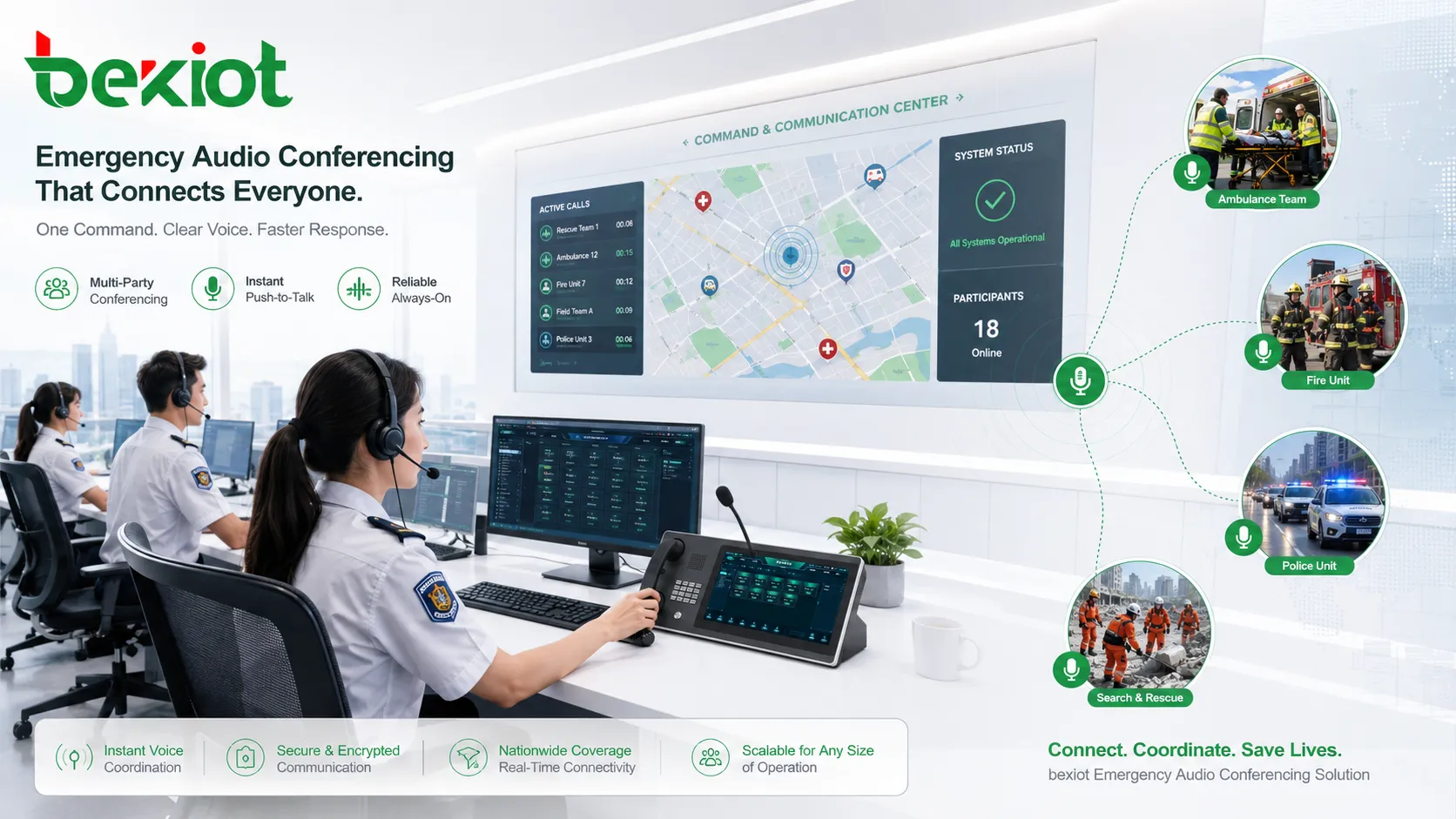
Why Voice Communication Remains the Foundation
Emergency systems still depend on basic voice access
An emergency command platform is usually a large system integration project. It may involve communication networks, information systems, command software, video surveillance, GIS maps, radio dispatch, alarm linkage, and multi-agency coordination. Yet voice communication remains one of the most basic and critical layers.
During a real incident, the goal is not only to display information, but to make decisions quickly and coordinate people immediately. A professional audio conferencing system allows command staff to call, gather, brief, instruct, and coordinate multiple teams without waiting for video rooms, software preparation, or complex login processes.
Too many tools can still lead to disorder
Modern organizations often deploy many communication tools at the same time, including fixed phones, mobile phones, IP phones, two-way radios, satellite phones, video calls, video conferencing systems, and instant messaging platforms. These tools are useful, but they do not automatically create a complete emergency communication workflow.
If each department uses a different platform, a different contact directory, or a different conference method, the command team may spend valuable time locating people, confirming access methods, switching systems, or solving compatibility problems. A dedicated telephone conferencing platform reduces this complexity by creating a common voice meeting method that nearly everyone can access.
The Practical Value of Telephone-Based Coordination
Phone reach is extremely high
Telephone access remains one of the most universal communication methods. The source article notes that in 2018, mobile phone penetration reached 112.2 units per 100 people. This means that in many emergency scenarios, a phone number is still one of the most reliable ways to reach a person quickly.
This matters for command and dispatch because emergency participants are not always sitting in front of a computer. They may be driving, inspecting equipment, working outdoors, moving between sites, staying in temporary locations, or operating in areas where video conditions are unstable. A phone-based conference gives them a direct way to join the command conversation.
Users already understand how to make and answer calls
Telephones have been used for more than a century, and the basic user behavior has changed very little. Most people already know how to dial, answer, listen, speak, mute, and hang up. In an emergency, this low learning cost is very important.
Compared with specialized applications that may require account login, app installation, meeting links, permission settings, or device checks, phone access is much easier for large-scale participation. The fewer steps a user needs to take, the faster the command center can organize a meeting.
Connection speed supports urgent decision-making
The original article highlights that telephone call setup delay can be less than 3 seconds. This speed is valuable when an emergency team needs to organize a large conference immediately. Users do not need to prepare a room, adjust cameras, launch client software, or confirm display devices before communication starts.
For typhoon response, fire incidents, traffic accidents, production safety events, environmental emergencies, utility failures, and major public activities, this speed can directly improve command efficiency. The system should allow authorized personnel to initiate a multi-party call, invite departments, and connect field teams within the shortest possible time.
Reducing Dependence on Video and Network Platforms
Video systems are useful but should not be the only plan
Video conferencing is valuable for visual reporting, face-to-face meetings, remote inspection, and multi-screen command rooms. However, video usually depends on higher bandwidth, compatible terminals, cameras, displays, software clients, and stable network conditions. These dependencies may become weak points during emergency operations.
A professional audio conferencing system should not replace video. Instead, it should become a backup and companion layer. When video conferences are unavailable, unstable, overloaded, or interrupted, the command center can continue coordination through a reliable voice conference.
Telephone numbering rules simplify cross-department contact
Different departments may use different video systems, instant messaging tools, or collaboration platforms. Before communication begins, teams may need to confirm which platform is available, whether the other side has an account, and whether the meeting link can be opened.
Telephone numbers solve this problem more simply. Phone numbering rules are globally recognized, operator-independent, and device-independent. Whether the user is on a fixed phone, mobile phone, IP phone, satellite phone, or conference phone, a reachable number can become a common access method.
Voice recovery is often the first priority after failure
In many emergency communication plans, when communication infrastructure is damaged, basic voice service is one of the first capabilities that must be restored. Voice is direct, low-bandwidth, easy to understand, and suitable for urgent instruction delivery.
This is why telephone conferencing should be considered part of emergency resilience. Even when data systems, video systems, or command screens are degraded, the organization should still have a voice meeting path for command continuity.
Key Capabilities Required in a Professional System
High-capacity concurrent conferencing
An emergency audio conferencing platform should support large concurrent capacity. Multiple departments may need to hold meetings at the same time, while a command center may also need to create one large cross-agency conference during a major incident.
The system should be designed for peak usage, not only daily office communication. Capacity planning should consider the number of simultaneous conferences, participant count, trunk resources, SIP channels, PSTN access, recording demand, and disaster recovery requirements.
Clear audio for command reliability
Audio quality is not a secondary feature. If speech is unclear, delayed, distorted, or frequently interrupted, the conference loses its value as an emergency coordination tool. Clear voice helps prevent misunderstanding, repeated confirmation, and command errors.
A professional system should support stable voice processing, echo control, appropriate codec strategy, call quality monitoring, and reliable media handling. For noisy field environments, integration with suitable endpoints, headsets, dispatch consoles, or industrial phones may also be necessary.
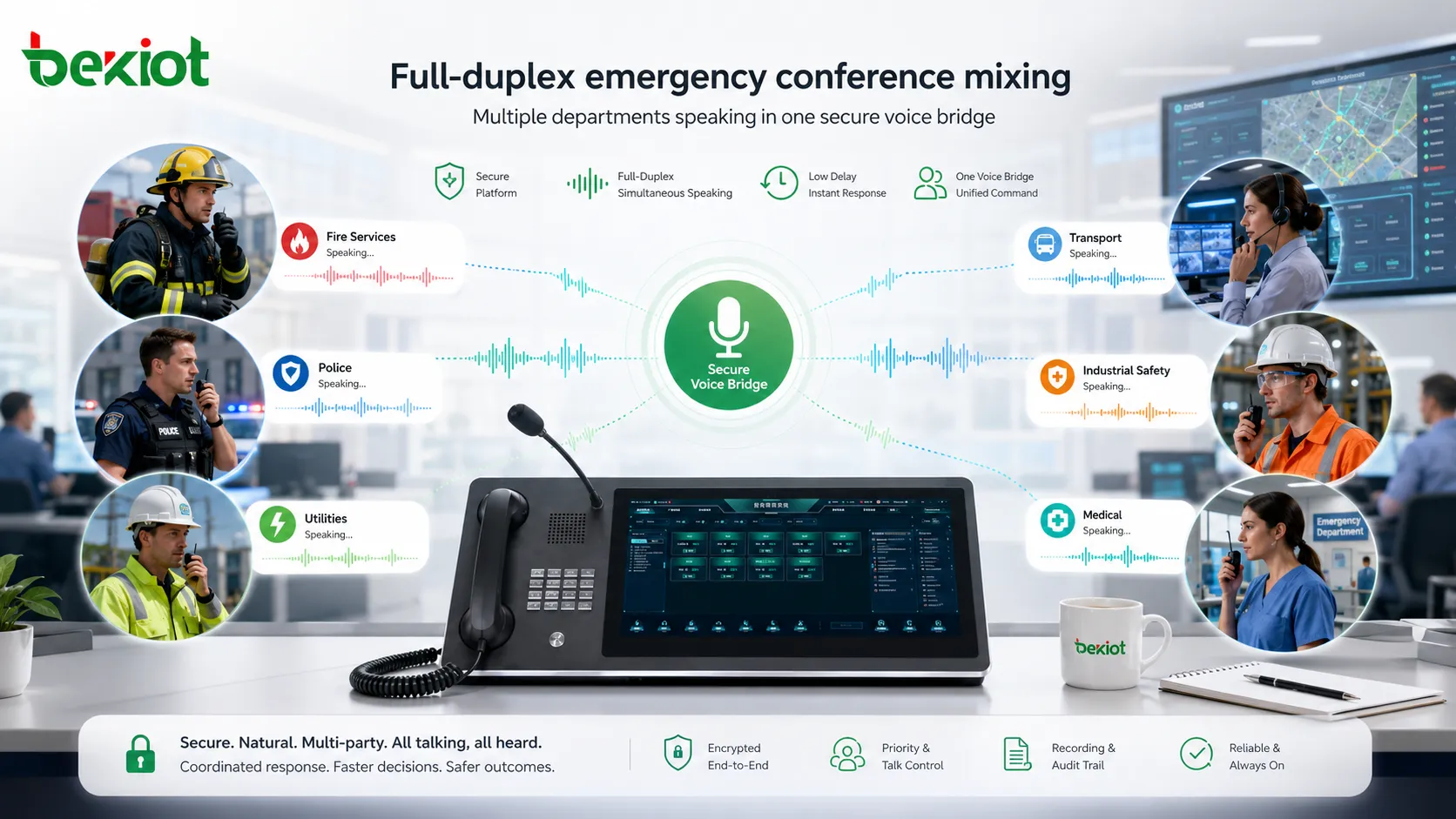
True full-duplex mixing
A real conference requires the system to mix the voices of all participants and distribute the mixed audio properly. This depends on dedicated conferencing and mixing technology. Some basic products use a limited or pseudo-mixing method where one person speaks while others mainly listen.
This approach may appear to support multi-party conferencing, but in practice it can create excessive delay, voice stutter, lost first words, and poor conversational flow. In a professional emergency meeting, whether 10 or 100 participants join, the system should maintain stable, clear, and continuous audio even when multiple microphones are active.
Scenario Design for Real Emergency Workflows
Configurable meeting modes
Different emergency scenarios require different meeting structures. A daily duty meeting, a leadership briefing, a field rescue conference, a cross-department coordination call, and a major incident command meeting may all require different participant rules and control permissions.
The platform should allow administrators to configure meeting scenarios without custom development each time. Common modes may include scheduled meetings, instant emergency meetings, operator-assisted conferences, department group calls, password-protected meetings, listen-only briefings, and automatically launched incident conferences.
Operational reports and usage records
Emergency communication must be measurable and traceable. A professional system should provide detailed reports covering meeting quantity, meeting duration, participants, access numbers, call records, failed access attempts, and usage trends.
These reports help operation teams evaluate system performance, review communication behavior, optimize emergency plans, and provide evidence after major incidents. They also help IT teams understand whether capacity and routing policies are sufficient.
Integration with command platforms
Emergency command systems are moving toward convergence. Communication systems, business systems, information systems, video platforms, alarms, maps, and dispatch applications are increasingly expected to work together.
Because no single device vendor can cover every project requirement, system integrators need open interfaces. A professional audio conferencing platform should provide APIs for quick integration with command software, OA systems, incident management platforms, dispatch consoles, address books, recording systems, and alarm workflows.
Interconnection Across Voice, Video, and Dispatch
Supporting different telephone endpoints
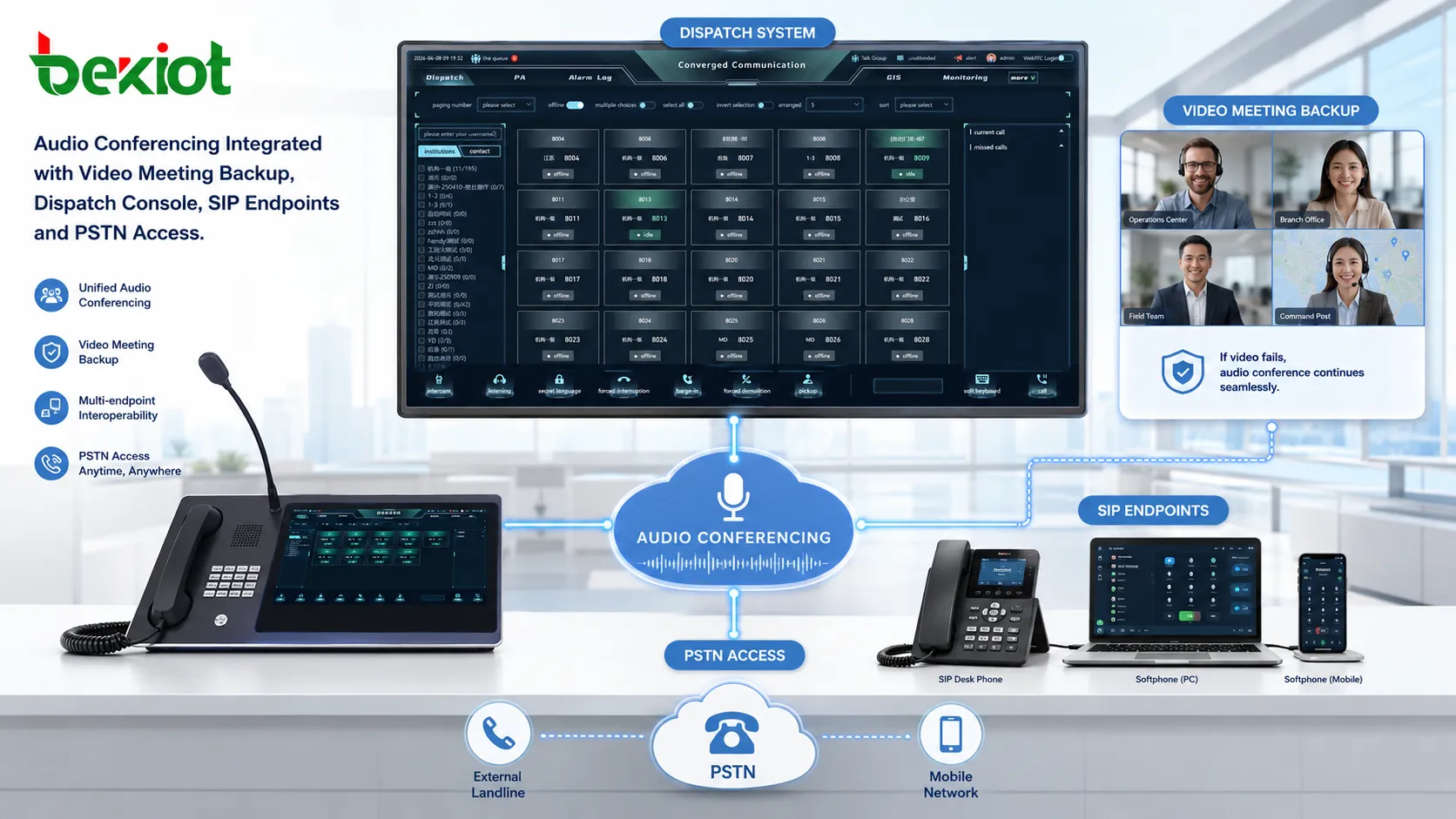
The system should allow different types of endpoints to join the same conference. These may include fixed phones, mobile phones, IP phones, SIP softphones, conference phones, industrial phones, satellite phones, and PSTN users.
As voice networks continue to move toward VoIP and SIP, emergency systems often need to connect IP-based endpoints and traditional telephone resources at the same time. A unified audio conferencing layer makes this mixed access easier to manage.
Using audio as a backup for video meetings
In a mature command architecture, audio conferencing can be interconnected with video conferencing. If a video meeting fails because of network instability, power interruption, endpoint failure, or platform issue, the system can automatically or manually switch participants into an audio conference.
This backup design is especially useful for command centers that rely heavily on video. Instead of treating audio and video as separate systems, the organization can build a layered communication plan where video supports visual collaboration and audio guarantees basic command continuity.
Connecting dispatch and field response
Audio conferencing can also be connected with dispatch systems. A dispatcher may need to bring supervisors, rescue teams, technical experts, radio users, and public service departments into the same voice bridge.
When combined with SIP dispatch, recording, paging, radio gateway, or emergency notification systems, the conference bridge becomes part of a larger response workflow. Becke Telcom can be considered as a lightweight integration partner for SIP communication, dispatch linkage, industrial endpoints, and emergency voice coordination.
Deployment Guidance for Command Centers
Start from the emergency communication plan
The system should not be deployed only as an office meeting tool. It should be designed around emergency roles, command levels, department responsibilities, incident types, escalation paths, and backup communication procedures.
Before deployment, the organization should define who can initiate emergency conferences, which departments should be called first, how external experts join, how field users are identified, and what happens if the primary network is unavailable.
Plan capacity and redundancy carefully
Emergency communication requires higher reliability than normal office communication. The platform should be evaluated for server redundancy, SIP trunk backup, PSTN access backup, power continuity, network survivability, monitoring, and recording storage.
For high-risk industries, local survivability is also important. If headquarters connectivity is interrupted, a local site may still need to create or join emergency conferences through available voice resources.
Keep operation simple for users
A successful emergency communication system must be simple to use under pressure. Users should not need to remember complicated procedures during an incident. Access numbers, emergency conference templates, group directories, role-based permissions, and one-click launch functions can all reduce operational difficulty.
The best design is one where trained dispatchers can start a conference quickly, while invited users can join with a familiar phone call process.
Conclusion
Emergency command systems are becoming more advanced, but communication risk does not disappear simply because more tools are deployed. In many cases, the missing layer is a professional audio conferencing system that can organize people quickly, connect different endpoints, support high-capacity voice meetings, and provide a reliable backup for video and data platforms.
Telephone-based conferencing remains valuable because phones are widely available, users already know how to operate them, call setup can be extremely fast, numbering rules are globally recognized, and voice service is often the first communication function that must be restored after failure. For command centers, public agencies, industrial sites, and critical infrastructure operators, a well-designed emergency audio conferencing solution can solve major coordination problems with a focused and practical communication layer.
FAQ
Should emergency audio conferencing be deployed on-premises or in the cloud?
For command centers and critical infrastructure, on-premises or private cloud deployment is often preferred because it gives the organization stronger control over routing, security, recording, and continuity. A hybrid model can also be used when external access and multi-site resilience are required.
How can external experts join an emergency conference securely?
External experts can join through temporary access codes, approved dial-in numbers, operator invitation, callback verification, or role-based meeting permissions. For sensitive incidents, access records and recording permissions should be controlled by administrators.
What should be tested before the system goes live?
Testing should include concurrent conference capacity, SIP and PSTN routing, endpoint compatibility, call quality, recording, API integration, failover, power backup, administrator control, and real emergency drills with multiple departments.
Can radio users participate in the same conference?
Yes, radio users can be connected when the system is integrated with radio gateways, RoIP gateways, dispatch consoles, or converged communication platforms. This allows radio teams and telephone users to coordinate in a shared command workflow.
How often should emergency conference plans be reviewed?
Plans should be reviewed after major drills, organizational changes, contact directory updates, system upgrades, or real incidents. Regular review ensures that participant groups, escalation routes, access numbers, and backup procedures remain valid.







