


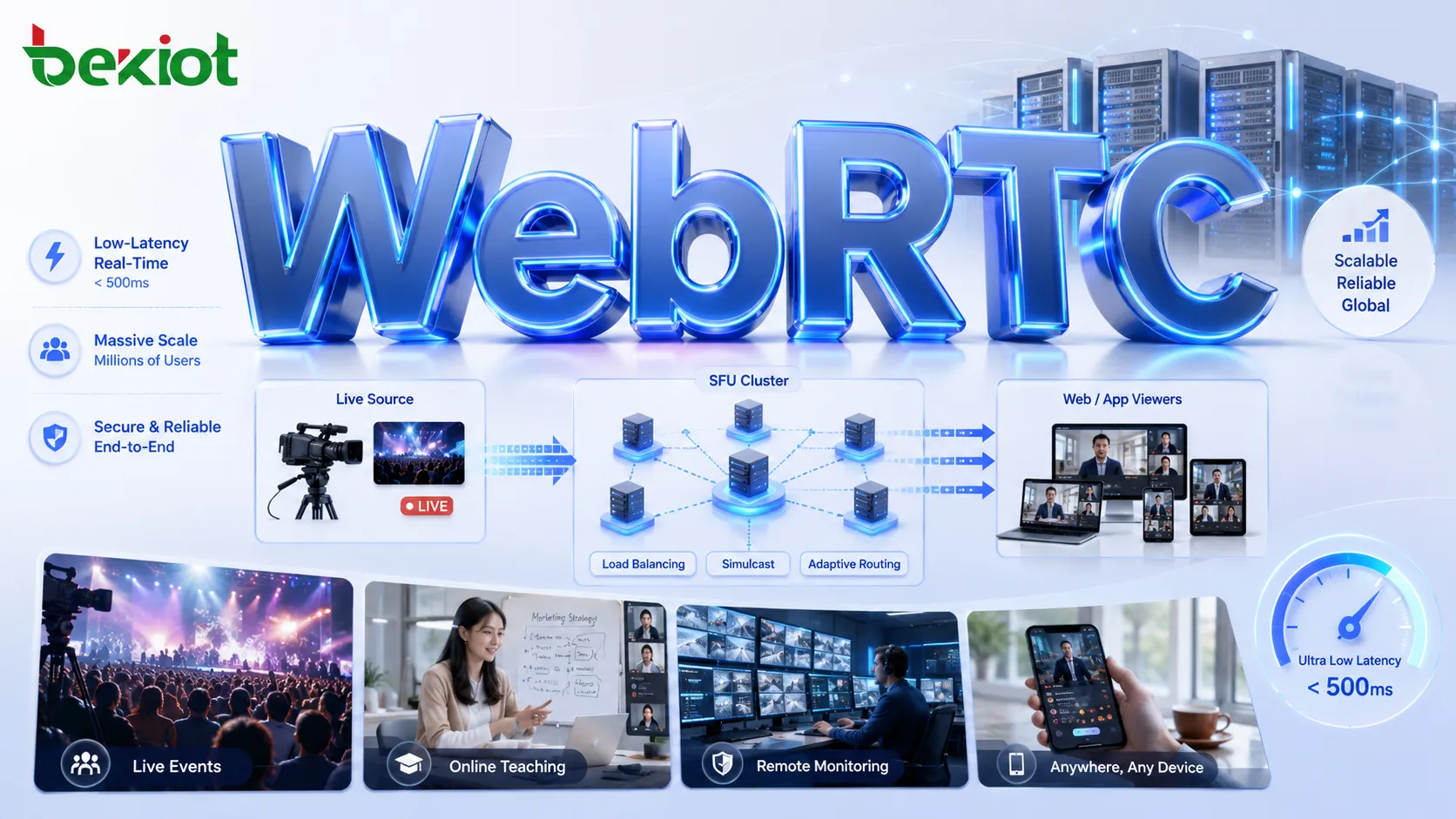
WebRTC is often considered a strong option for low-latency live streaming because it can deliver audio and video with sub-second response, browser-native playback, and real-time interaction. But live streaming is not judged by latency alone. A production system also needs smooth playback, stable image quality, scalable distribution, and enough tolerance for unstable public networks.
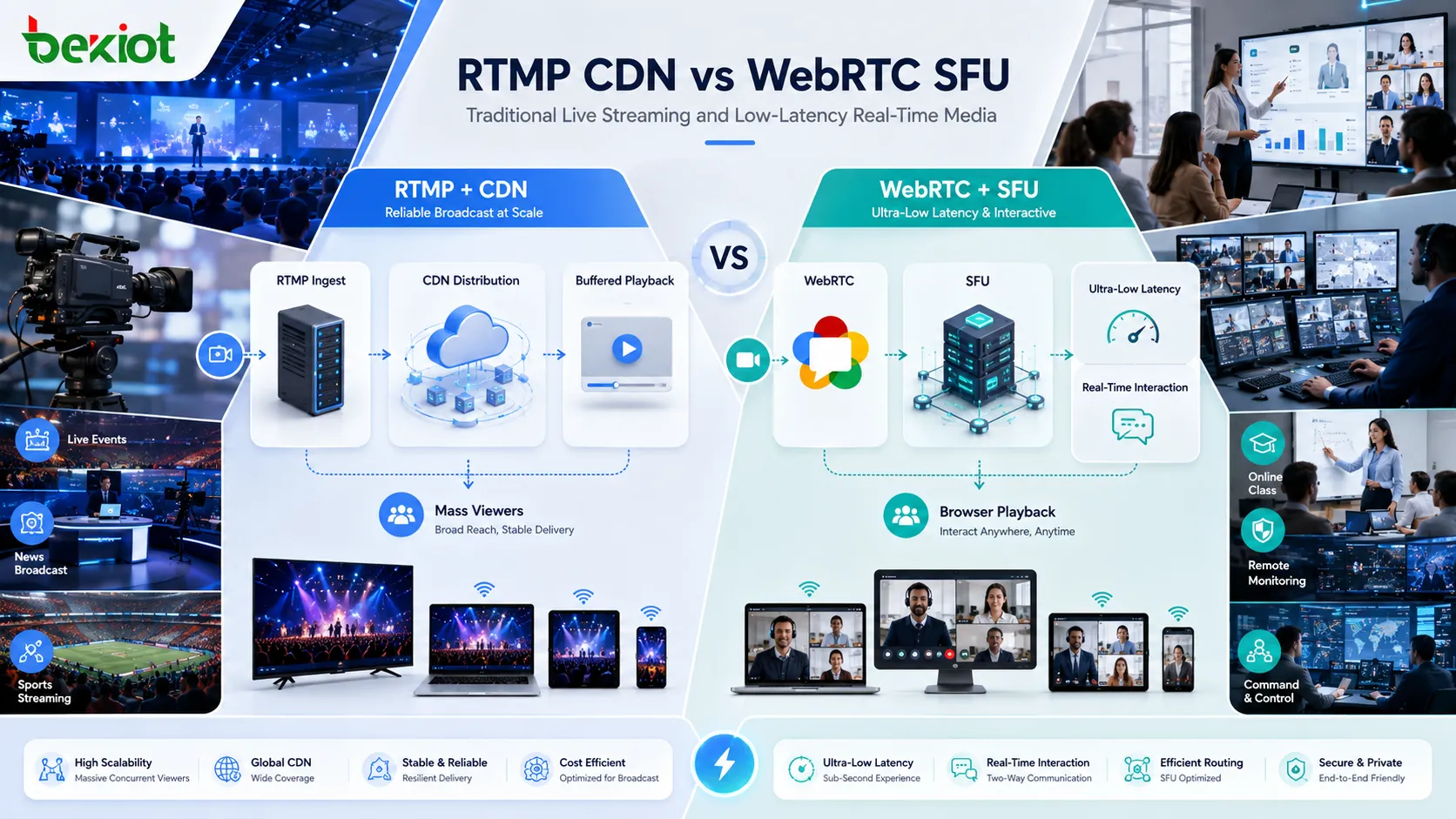
This is where WebRTC and traditional live streaming take different technical paths. RTMP-based workflows and CDN delivery are designed for buffering, stable playback, high-quality encoding, and large-scale distribution. WebRTC is designed for real-time media, short buffers, fast bandwidth adaptation, and interactive communication. The difference is not only protocol choice; it changes how the whole streaming system behaves.
Live Streaming Design Goals
A live streaming system usually needs to balance three goals: smooth playback, network tolerance, and visual quality. Viewers do not want frequent freezing, broken audio, frame loss, or sudden quality drops. For entertainment, online events, product launches, training, and public broadcasts, stability often matters more than absolute real-time response.
Traditional live streaming accepts a few seconds of delay because that delay creates room for buffering. When the network jitters for a short time, the player can continue playing buffered media instead of stopping immediately. This is why many public live platforms prefer a controlled delay that users can tolerate rather than a fragile ultra-low-latency path.
Visual quality is another important factor. Traditional live encoding can use stronger compression structures, higher profiles, and in many cases B-frames to improve quality at the same bitrate. This is useful when the main purpose is clean viewing rather than real-time conversation.
RTMP and CDN Advantages
Traditional live workflows commonly use RTMP for ingest and TCP-based transmission. When network congestion appears on the publishing side, the sender can buffer media for a short period instead of immediately lowering quality. On the viewer side, the player often keeps about 2–4 seconds of buffer, which helps absorb short-term network fluctuation.
This buffer is not a weakness in traditional live streaming. It is part of the stability design. The stream may arrive unevenly, but playback can stay smooth because the player is not forced to consume each packet as soon as it arrives.
Distribution is also more mature. RTMP streams can enter origin server clusters, pass through cascaded server layers, and be delivered through CDN networks. For large-scale public viewing, this model is efficient and widely proven. A single stream can be expanded to many viewers without every viewer maintaining a real-time session with the media server.
WebRTC Delivery Behavior
WebRTC is built for real-time communication. In a well-designed network path, transport delay can often stay below 300ms. Its buffer is intentionally short, which is ideal for video calls, interactive classrooms, remote control, live monitoring, and command scenarios where people need to respond quickly.
The same design also brings pressure. Because the buffer is short, WebRTC has less ability to hide jitter. When the network becomes unstable, the viewer may quickly see freezing, broken frames, audio interruption, or visible quality reduction. The system reacts fast, but it cannot smooth every network issue the way a buffered live player can.
WebRTC usually handles congestion by estimating available bandwidth and adjusting the encoder output. When bandwidth drops, the stream may reduce bitrate, resolution, frame rate, or image detail. When bandwidth improves, quality can rise again. This protects low delay, but it also means the viewer may notice quality changes more directly.
Codec and Quality Tradeoffs
Codec behavior is another key difference. WebRTC low-latency workflows usually avoid B-frames because B-frames require frame reordering and increase delay. In H.264, WebRTC often uses baseline profile or a basic main profile. For H.265, practical low-latency use also tends to rely on simpler I/P-frame structures.
This means WebRTC gives up part of the compression efficiency that traditional live streaming can use. At the same bitrate, a carefully tuned broadcast encoder using B-frames and higher profiles may deliver better image quality than a low-latency WebRTC encoder.
That does not make WebRTC unsuitable for live streaming. It simply means the project must accept the tradeoff. WebRTC is valuable when delay is the primary requirement. If the main target is high resolution, stable quality, and large-scale public distribution, traditional streaming still has strong advantages.
Latency Versus Playback Stability
The conflict between WebRTC and traditional live streaming is not a small implementation detail. Their priorities differ at almost every layer: buffering, congestion handling, codec structure, distribution method, and viewer experience.
| Requirement | Traditional Live Streaming | WebRTC Low-Latency Streaming |
|---|---|---|
| Playback goal | Smooth and stable viewing | Real-time delivery with minimal delay |
| Buffer strategy | Player buffer often around 2–4 seconds | Very short buffer for sub-second response |
| Network jitter | Short jitter can be absorbed by buffer | Jitter may quickly cause freezing or quality changes |
| Encoding | Can use higher profiles and B-frames for quality | Usually avoids B-frames to protect latency |
| Distribution | Origin clusters and CDN delivery are mature | SFU clustering and cascading are more complex |
A system with very low delay but unstable playback may not be suitable for a public broadcast. At the same time, a traditional stream with several seconds of delay may be unacceptable for interactive teaching, remote monitoring, or command-and-control applications.
Best-Fit WebRTC Scenarios
WebRTC works best when low latency is a real product requirement rather than a marketing label. If viewers only need to watch a performance, product launch, or public event, a few seconds of delay may be acceptable. If viewers need to interact, respond, control, or make decisions based on the video, delay becomes part of the user experience.
Large interactive classes
Education platforms may use WebRTC for large-room classes where teacher-student interaction matters. Viewers are not only watching; they may ask questions, join discussion, or respond to live instruction. Lower delay can make the class feel more natural than a buffered live stream.
WHIP-based publishing
Some platforms need WebRTC ingest through WHIP. OBS and FFmpeg already support WHIP publishing, which makes WebRTC push workflows easier to build. This gives production teams a more standard way to send real-time media into a WebRTC server.
Industrial monitoring
Industrial cameras and field video systems may use WebRTC when real-time viewing matters more than cinematic quality. For equipment monitoring, safety observation, remote inspection, and field operation, seconds of delay can reduce the practical value of the video feed.
WHIP Ingest Workflow
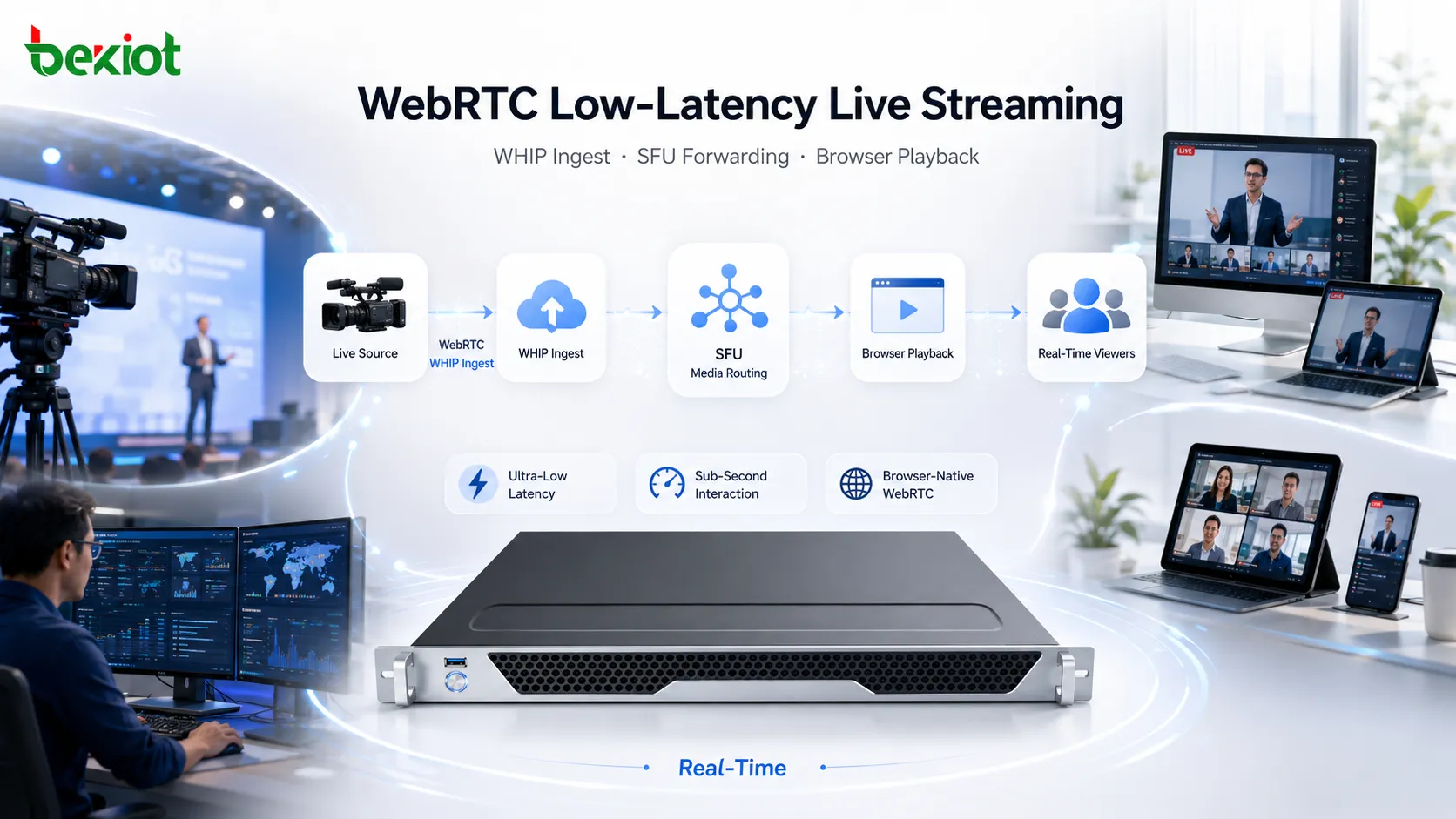
WHIP, or WebRTC-HTTP Ingestion Protocol, is becoming an important entry point for WebRTC live streaming. It allows tools such as OBS and FFmpeg to push media into a WebRTC server through a more standardized publishing interface.
For engineering teams, this reduces the gap between traditional live production tools and real-time WebRTC delivery. Without WHIP, a platform may depend on custom publisher clients, browser-only capture, or special SDKs. That increases integration cost and makes deployment harder.
WHIP mainly solves ingest. It does not solve large-scale viewer distribution by itself. A complete system still needs an SFU layer, room management, viewer signaling, cluster expansion, and media forwarding logic.
SFU Cluster Architecture
For WebRTC live streaming, the SFU sits at the center of the media path. The publisher sends audio and video to the SFU, and viewers receive forwarded media from it. This is different from CDN-style delivery, where media can be segmented, cached, and distributed across a mature content network.
A single SFU has limited downstream capacity. As the room grows, the server must handle more viewer connections, more packet forwarding, more congestion feedback, and more real-time session state. Large-room WebRTC streaming therefore requires cluster planning rather than only a standalone server.
Many open-source WebRTC SFU projects are useful for real-time rooms, but not all provide complete clustering and cascading support out of the box. The real challenge includes room synchronization, stream state management, cross-node forwarding, user routing, and operational monitoring.
RTCPilot Architecture Example
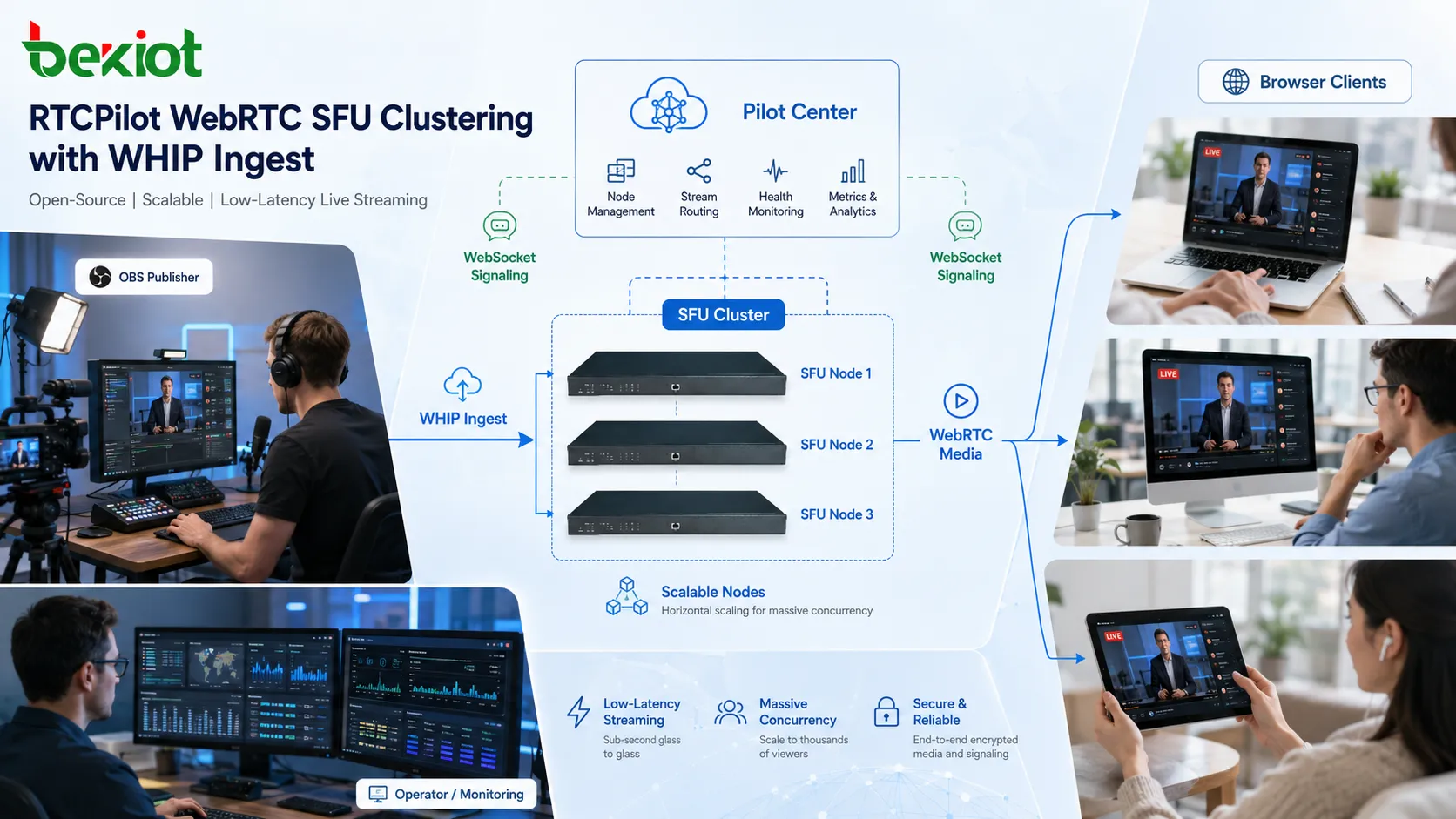
RTCPilot is an example of an open-source WebRTC SFU project designed with cross-platform and cluster use in mind. It supports Windows, Linux, and macOS, and its architecture includes WHIP ingest and SFU clustering. This makes it relevant for low-latency live streaming tests where a single SFU is not enough.
The cluster structure includes three main parts. Pilot Center receives WebSocket registrations from RTC Pilot SFU nodes and synchronizes room, user, and stream information. RTC Pilot SFU receives WHIP publishing from tools such as OBS, accepts client access, reports room and stream state to Pilot Center, and forwards audio/video streams between SFU nodes. The client frontend uses WebSocket for signaling and WebRTC for media connection.
With this structure, additional SFU nodes can be added as capacity grows. It does not remove the complexity of WebRTC distribution, but it gives the system a clearer path beyond a single media server.
Practical Deployment Checks
A WebRTC low-latency live platform should not begin with the assumption that WebRTC is always better than RTMP or HLS. The first question should be whether the project truly needs near real-time response. If stable public viewing is the main target, traditional live streaming is usually easier to operate. If interaction or real-time decision-making matters, WebRTC becomes more reasonable.
When WebRTC is selected, the checklist should include WHIP ingest, SFU capacity, cluster design, browser compatibility, NAT traversal, bandwidth estimation, encoder settings, monitoring, and fallback behavior. Real network testing is important because office networks, mobile networks, overseas routes, and public Wi-Fi can behave very differently.
For operation, teams should monitor latency, packet loss, bitrate changes, freeze events, server load, and room distribution together. Watching only one metric can hide the real reason behind playback problems.
Final Technical View
WebRTC is a strong technology for low-latency live streaming, but it is not a universal replacement for traditional live streaming. RTMP and CDN workflows remain better suited to smooth, high-quality, large-scale broadcasts. WebRTC is more suitable when low delay is essential, such as interactive classes, WHIP-based real-time publishing, industrial monitoring, remote observation, and time-sensitive video applications.
The key question is not whether WebRTC can support live streaming. It can. The real question is whether the project can accept the tradeoffs: short buffers, higher sensitivity to jitter, adaptive quality drops, limited use of B-frames, and more complex SFU distribution. When the use case justifies those tradeoffs and the server side supports WHIP plus clustering, WebRTC can become a practical low-latency streaming architecture.
FAQ
Is WebRTC always better than RTMP for live streaming?
No. WebRTC is better when very low delay is required. RTMP and CDN-based workflows are often better for stable high-quality broadcasts with large audiences and less need for real-time interaction.
Why does WebRTC video become blurry during weak network conditions?
WebRTC uses bandwidth estimation and adapts the encoder quickly. When available bandwidth drops, the stream may lower bitrate, resolution, or image quality to keep latency low.
Can OBS publish to a WebRTC system?
Yes, when the receiving platform supports WHIP. OBS and FFmpeg can publish through WHIP, making WebRTC ingest easier for production and test workflows.
Why is SFU clustering important for large rooms?
A single SFU has limited forwarding capacity. Clustering allows multiple SFU nodes to share traffic, synchronize room state, and support more viewers in low-latency rooms.
What type of project should consider WebRTC live streaming first?
Projects that need real-time interaction, remote monitoring, live teaching response, field observation, or low-latency decision support should evaluate WebRTC before choosing a traditional buffered live workflow.







