


A dispatch console is the central operating point in a command and coordination system. It helps operators manage people, devices, tasks, resources, voice calls, video communication, and field information from one position. In many projects, a full-size professional dispatch console is not always required. For smaller control rooms, duty stations, security offices, industrial sites, property management centers, and emergency service points, a high-end IP phone can become a practical and cost-effective dispatch terminal.
Modern IP phones are no longer limited to simple VoIP calling. Some models support gooseneck microphones, DSS shortcut keys, SIP video, RTSP camera viewing, Android applications, external USB cameras, HD video calls, SIP paging, and broadcast control. When selected and configured properly, they can provide fast voice command, visual monitoring, one-touch operation, and flexible dispatch interaction in compact scenarios.
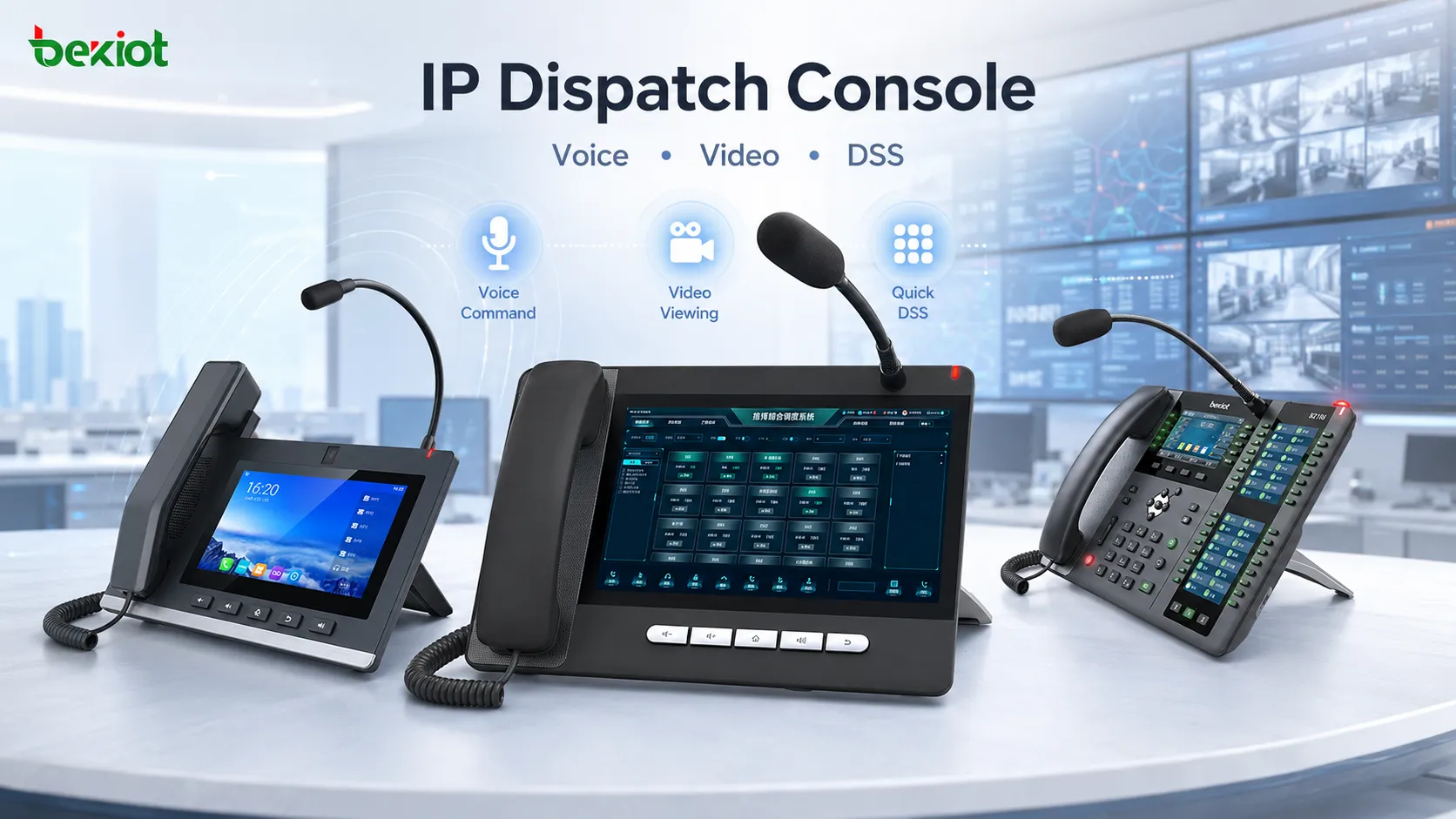
Why a Phone Can Become a Dispatch Terminal
A traditional office phone is mainly used for point-to-point calls. A dispatch terminal needs more functions. It should allow the operator to call individuals, call groups, speak to field terminals, view video, trigger shortcuts, manage common contacts, and respond quickly during urgent situations.
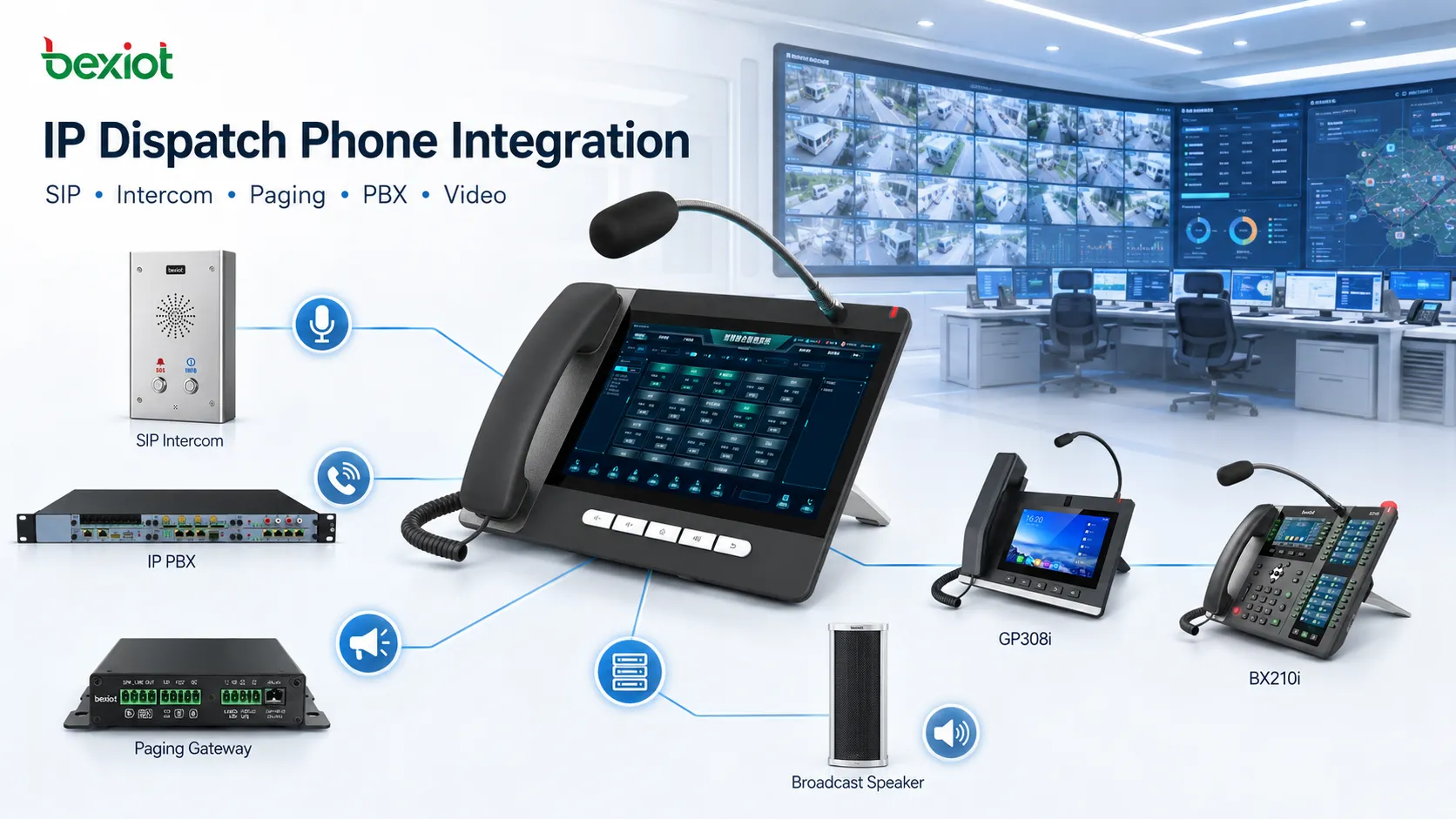
High-end IP phones can meet part of this requirement because they are built on SIP and VoIP communication. They can connect with SIP intercom terminals, IP PBX systems, paging systems, video phones, SIP speakers, and other IP communication devices. This makes them useful in projects where the dispatch point needs both telephone communication and operational control.
Compared with a large custom dispatch console, an IP dispatch phone is easier to install and more suitable for limited desks. It can be used as a main duty phone, a secondary dispatch station, a branch control terminal, a gatehouse communication point, or a supervisor command terminal.
Voice Control Needs Fast and Clear Operation
In a dispatch environment, operators should not spend too much time searching for contacts or entering numbers manually. Shortcut keys are important because they can be configured for one-touch calling, group calling, broadcast calling, intercom calling, transfer, monitoring, or other defined actions.
DSS keys are especially useful in this type of design. They can display or trigger commonly used functions and frequently contacted extensions. For a duty operator, this means faster response when contacting security guards, production teams, patrol staff, maintenance personnel, emergency points, or remote terminals.
A gooseneck microphone also improves usability. The operator can speak more naturally without holding a handset, which is helpful when looking at a screen, checking a camera image, operating a computer, or handling several tasks at the same time.
BX210i for Voice Dispatch and Video Viewing
The BX210i is suitable for scenarios that require quick voice command and convenient paging-style operation. Its external gooseneck microphone allows hands-free dispatch speech, making it practical for control desks, duty rooms, operation centers, and small command stations.
A key value of this type of phone is its large number of programmable DSS keys. With support for up to 106 DSS keys, the operator can configure individual calls, group calls, paging groups, speed dial, monitoring actions, or other custom functions. This turns the phone from a normal calling device into a shortcut-based dispatch terminal.
The BX210i can also support serverless communication in suitable SIP environments. It may directly call other SIP terminals through the SIP protocol, which is useful for simple projects where a lightweight communication structure is preferred. Although the phone itself does not need to rely on a built-in camera, it supports H.264 video encoding capability and can view SIP video from the remote side or pull camera images through RTSP.
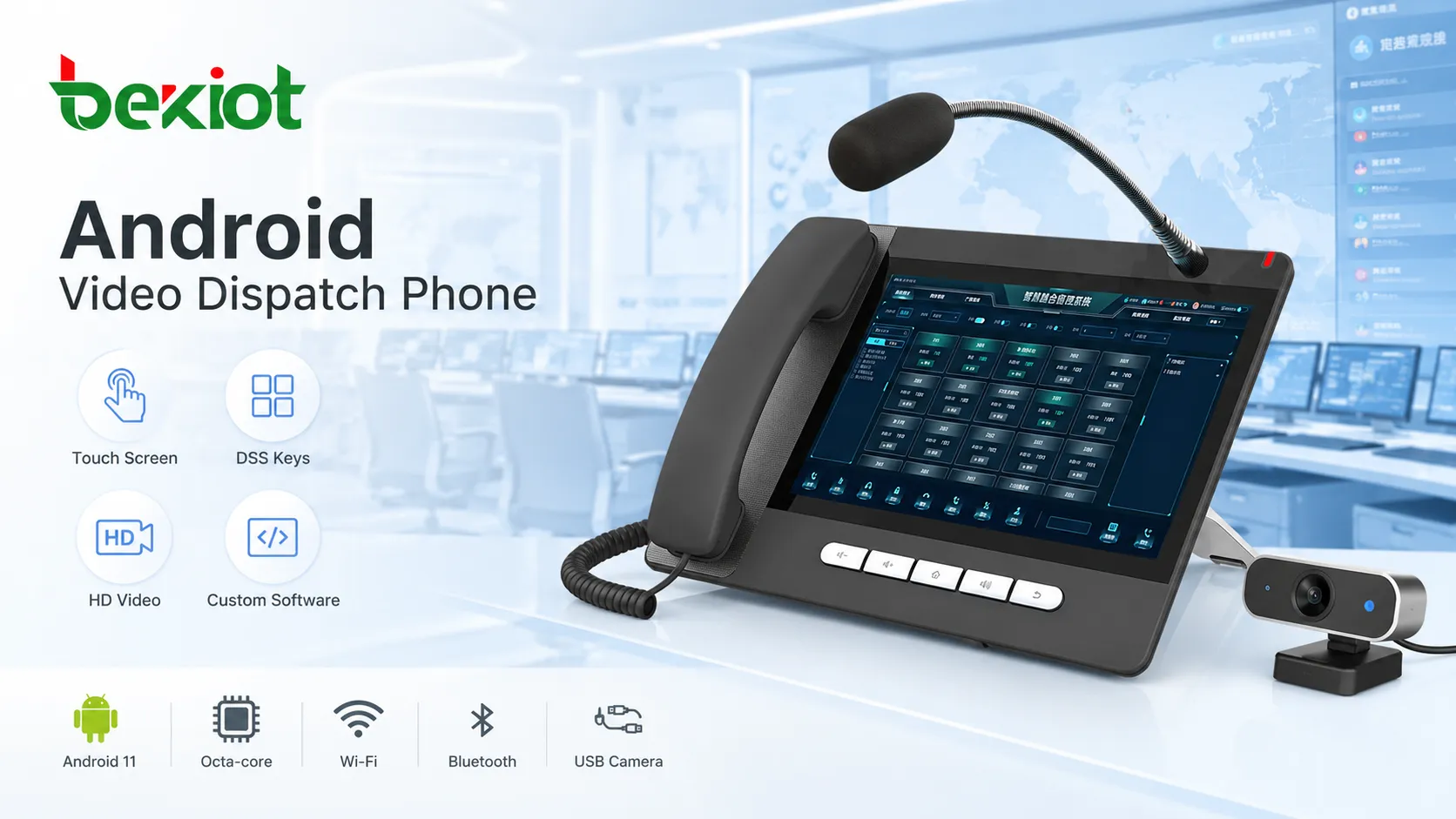
GP320i for Touch Control and Custom Applications
The GP320i is more suitable when the dispatch point needs a richer visual interface. It supports an external gooseneck microphone, which makes it convenient for dispatch, paging, and broadcast-style speaking. Its Android operating system also gives the terminal stronger software expansion capability.
The 10.1-inch touch screen can provide a more flexible operating area for dispatch applications. Project teams can customize dedicated dispatch software, integrate business functions, or use the built-in DSS-style touch keys for quick calling and common operations. With up to 112 touch DSS keys, the terminal can support a large number of contacts, groups, or shortcut functions.
The GP320i also works as a video phone. By connecting an external USB camera, it can support two-way video calls and 1080P HD video communication. This makes it useful for control rooms that need not only voice dispatch but also visual confirmation, remote communication, or face-to-face coordination.
GP308i for SIP Paging and Desk-Based Voice Dispatch
The GP308i is suitable for scenarios that require SIP paging, desk-based voice dispatch, and quick broadcast control. It can be used in duty rooms, control centers, security offices, industrial sites, transportation hubs, campus management rooms, and emergency communication points where operators need to make announcements, call groups, or communicate with field terminals quickly.
As a SIP paging microphone console, the GP308i focuses on clear voice pickup, full-duplex communication, convenient desktop operation, and fast dispatch access. It can work with SIP speakers, IP phones, paging zones, intercom terminals, dispatch groups, and emergency broadcast endpoints, allowing operators to issue voice commands or area announcements from a fixed control position.
The GP308i runs on the Android system and supports H.264 video, G.722 and Opus audio codecs. Equipped with a 5MP camera, high-volume audio output and up to 116 DSS keys, it is ideal for projects prioritizing SIP paging, voice command, broadcast notification, quick dial access and centralized communication control over large-screen video conferencing.
Matching Device Types to Dispatch Scenarios
Different dispatch rooms need different terminal characteristics. A small security office may need fast one-touch calling and a clear gooseneck microphone. A command room may need video viewing, camera access, and group calling. A branch management office may need touch-screen operation and custom dispatch software. A paging control point may need a desktop microphone console for SIP broadcast and zone announcements.
The BX210i is suitable for voice-oriented dispatch and shortcut operation. The GP320i is suitable for touch-screen dispatch, Android application expansion, and HD video calls. The GP308i is suitable for SIP paging, desktop voice command, broadcast notification, and centralized dispatch communication.
The right selection should be based on the actual workflow rather than only on screen size or appearance. Important factors include the number of contacts, whether video is required, whether customized software is needed, whether field terminals use SIP, whether paging zones must be controlled, and whether the site needs quick broadcast access.
Video Capability Adds Field Awareness
Dispatch is not only about speaking. In many modern projects, operators also need to see what is happening in the field. Video capability helps the duty station verify conditions, confirm visitors, check alarm points, view industrial areas, or monitor important entrances.
SIP video and RTSP camera access can extend the value of an IP dispatch phone. For example, the terminal may view video from another SIP video endpoint, or pull RTSP images from a surveillance camera. This gives the operator a basic visual command capability without deploying a full video management workstation in every location.
When video-capable terminals are used correctly, visual communication can support remote consultation, supervisor communication, access control confirmation, maintenance guidance, or emergency discussion. For paging microphone consoles, video support should be treated as an auxiliary function, while voice command and paging control remain the primary purpose.
Integration with SIP-Based Communication Systems
IP dispatch phones are most valuable when they are connected into a broader SIP communication system. They can work with IP PBX platforms, SIP intercom terminals, SIP speakers, paging gateways, video phones, emergency call points, and dispatch servers.
In a simple system, terminals may communicate directly through SIP. In a larger system, a PBX or dispatch platform can provide account management, call routing, recording, group calling, paging, permission control, and linkage with other systems. This allows the IP phone to become one node in a more complete communication architecture.
For users building command and dispatch projects, this flexibility is important. The terminal can start as a standalone duty phone or paging console and later be integrated with a larger communication platform as the project grows.
Recommended Selection Framework
Choosing an IP dispatch phone should start with the dispatch task. If the operator mainly needs frequent voice calls and paging, the number of DSS keys and microphone design are very important. If the operator needs to run custom dispatch software, Android support and touch-screen size become more important. If video communication is required, camera support, codec capability, and screen display should be evaluated carefully.
Project teams should also consider how the terminal will connect with other systems. Some projects only need SIP calls between endpoints. Others need integration with IP PBX, SIP paging, camera systems, access control, video intercom, dispatch platforms, or emergency communication systems.
| Model | Key Characteristics | Best-Fit Use |
|---|---|---|
| BX210i | Gooseneck microphone, up to 106 DSS keys, SIP calling, H.264 video support, RTSP viewing | Voice dispatch, paging operation, shortcut-based control, compact duty stations |
| GP320i | Android system, 10.1-inch touch screen, gooseneck microphone, up to 112 touch DSS keys, USB camera, 1080P HD video calls | Touch dispatch, custom applications, visual communication, control room operation |
| GP308i | SIP paging microphone console, Android-based operation, full-duplex communication, H.264 video support, G.722 and Opus audio, 5MP camera, high-volume audio output, up to 116 DSS keys | SIP paging, desk-based voice dispatch, broadcast notification, quick call access, centralized communication control |
Where These Terminals Fit Best
IP dispatch phones can be used in many practical scenarios. They are suitable for security control rooms, industrial duty rooms, property management centers, campus security offices, hotel engineering departments, transportation duty stations, emergency service desks, warehouse management points, and small command centers.
In these environments, the dispatch desk may not need a large professional console, but it still needs fast calling, group communication, paging control, camera viewing, video interaction, and easy operation. A properly selected IP dispatch phone can fill this gap between an ordinary office phone and a full command console.
The solution is also useful for distributed organizations. A headquarters may use a professional dispatch platform, while branch sites use IP dispatch phones or SIP paging microphone consoles as local operating points. This keeps the system scalable while controlling equipment cost and desk space.
Planning Points Before Deployment
Before deploying IP phones as dispatch terminals, the project team should define the communication architecture clearly. This includes SIP account planning, extension numbering, call groups, DSS key layout, paging zone design, camera access addresses, video requirements, permission levels, and backup communication paths.
The network should also be checked. Voice, paging, and video communication require stable LAN or WAN connectivity. If RTSP viewing or HD video calls are used, bandwidth and display performance should be tested before large-scale deployment. For important duty points, power supply, network redundancy, and configuration backup should also be considered.
A successful solution should not rely only on hardware features. The key is to match terminal capabilities with real workflow: who needs to be called, which groups must be reached quickly, which zones need paging, whether video is needed, how emergencies are handled, and how the device connects with the wider communication system.
Conclusion
High-end IP phones can provide a practical and flexible option for compact dispatch console applications. With VoIP calling, DSS shortcuts, gooseneck microphones, Android expansion, video support, RTSP viewing, SIP paging, and system integration, they can support many duty-room and small command scenarios.
The BX210i, GP320i, and GP308i represent different directions of dispatch terminal design: voice shortcut operation, touch-screen visual control, and SIP paging microphone control. By selecting the right model according to project needs, organizations can build a more efficient dispatch desk without always deploying a large dedicated console.
FAQ
Can an IP phone fully replace a professional dispatch console?
Not in every project. an IP phone is suitable for compact dispatch, branch duty desks, and small command points. Large command centers may still need professional dispatch software, multi-screen workstations, recording systems, and deeper platform integration.
Why are DSS keys important for dispatch operation?
DSS keys reduce manual dialing and allow operators to trigger common actions quickly. They can be configured for speed dial, group calls, paging, intercom access, monitoring, transfer, or other frequently used functions.
Is a gooseneck microphone necessary?
It is not mandatory, but it improves hands-free operation. It is especially useful when the operator needs to speak while checking video, operating a screen, or handling other tasks on the desk.
What should be checked before using RTSP camera viewing?
The project team should confirm camera stream compatibility, network bandwidth, decoding capability, stream resolution, access permission, and whether the phone display can meet the actual viewing requirement.
Which model is better for SIP paging control?
A SIP paging microphone console is usually more suitable when the main task is zone paging, voice announcement, desk-based dispatch, and quick broadcast control. The final choice should depend on paging zones, DSS key quantity, SIP compatibility, audio output, and integration requirements.







