


Communication equipment includes the hardware and system components used to transmit, receive, route, secure, amplify, display, record, and manage information between people, machines, networks, and control centers. In a modern organization, communication is no longer limited to telephones or radios. It may involve IP networks, wireless access, video monitoring, public address, emergency alerts, access control, dispatch software, cloud services, and industrial field devices working together as one connected environment.
Understanding the main types of communication equipment helps planners, integrators, IT teams, facility managers, and safety departments choose the right devices for daily operations and emergency response. The best system is not always the one with the most devices; it is the one that matches the site's communication habits, safety requirements, coverage area, network conditions, and future expansion plan.
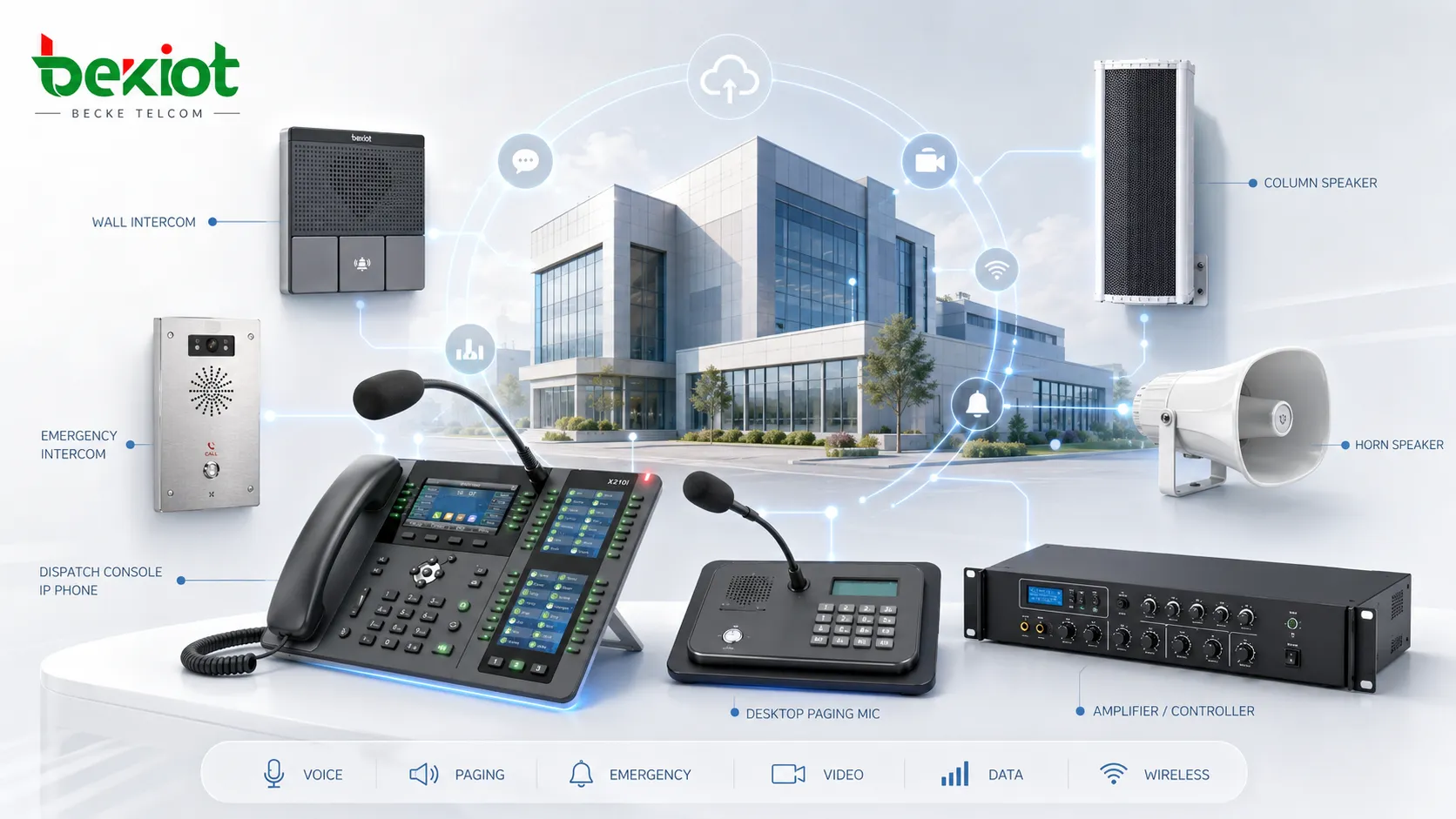
A practical way to classify communication systems
Communication equipment can be classified by function, transmission medium, environment, and user scenario. Some devices are designed for person-to-person voice communication, while others are built for data exchange, mass notification, machine communication, or centralized command. A business office, a factory, a hospital, a transportation hub, and a campus may all use communication systems, but the device mix and reliability requirements are different.
A practical classification usually begins with the question: what information needs to move, who needs to receive it, how fast it must arrive, and what should happen if the network is unstable? This approach is more useful than simply separating devices by product name, because many modern systems combine voice, video, data, alerts, and software control in the same platform.
Voice communication equipment
Telephones and voice endpoints
Voice communication equipment includes analog phones, IP phones, SIP phones, softphones, conference phones, hotel phones, emergency phones, intercom stations, and operator consoles. These endpoints allow users to make calls, receive calls, transfer conversations, access directories, trigger speed dial functions, or connect with a reception desk, control room, or security center.
In enterprise and industrial environments, voice endpoints are often selected according to use conditions. Office phones may focus on screen size, directory access, headset support, and call handling. Industrial phones may require weather resistance, vandal resistance, hands-free operation, high-volume audio, or emergency call buttons for noisy and harsh environments.
PBX and call control systems
PBX systems, IP PBX platforms, SIP servers, cloud telephony platforms, and unified communication servers control how calls are routed, managed, recorded, transferred, and integrated with other systems. They support internal extensions, external trunks, ring groups, IVR menus, call queues, voicemail, call forwarding, conferencing, and call logs.
For many organizations, the call control system is the core of voice communication. It connects endpoints, gateways, trunk lines, mobile users, and remote branches. When properly planned, it can also connect with paging systems, access control, alarm systems, radio networks, and dispatch platforms.
Data network equipment
Switches routers and network gateways
Data network equipment provides the transport foundation for IP-based communication. Ethernet switches connect phones, cameras, computers, wireless access points, servers, and IoT devices. Routers connect internal networks to external networks, branch locations, service providers, VPNs, and cloud platforms. Gateways help different network types or communication protocols exchange information.
In communication projects, network design directly affects voice clarity, video stability, alarm delivery, and system management. Power over Ethernet, VLAN planning, QoS policies, redundancy, bandwidth control, and cybersecurity settings are important when multiple communication services share the same infrastructure.
Modems media converters and edge devices
Modems, optical network terminals, media converters, cellular routers, serial-to-IP converters, and industrial edge devices are often used where communication must pass through different physical media. They may convert copper to fiber, serial data to Ethernet, cellular signals to LAN access, or legacy interfaces to IP-based services.
These devices are especially useful in transportation, utilities, energy, mining, ports, and remote infrastructure sites. They allow older equipment, distributed sensors, substations, control cabinets, and field terminals to remain connected without replacing every system at once.
Good communication design is not only about faster transmission. It is also about compatibility, reliability, manageability, and the ability to keep critical services working under pressure.
Wireless communication equipment
Wi-Fi and enterprise wireless access
Wireless access points, wireless controllers, mesh nodes, antennas, and roaming systems provide network access for mobile users and portable devices. In offices, hotels, schools, hospitals, warehouses, and public venues, Wi-Fi supports laptops, tablets, smartphones, scanners, voice handsets, sensors, and visitor access.
Enterprise wireless systems require more planning than home Wi-Fi. Coverage, roaming performance, channel design, interference control, authentication, capacity, and security all affect the user experience. For voice and video applications, stable latency and handover behavior can be more important than maximum speed.
Radio and private wireless systems
Two-way radios, DMR systems, TETRA systems, LTE/5G private networks, radio repeaters, dispatch radios, and radio-over-IP gateways support team communication where mobility, group calling, wide-area coverage, or fast push-to-talk operation is required. These systems are common in public safety, logistics, factories, ports, mines, airports, and large outdoor sites.
Radio communication remains valuable because it can provide instant group voice and operational discipline. When integrated with IP networks or dispatch software, radio users, SIP phones, control room operators, and mobile teams can communicate across different technologies.
Video and visual communication equipment
Cameras displays and video endpoints
Video communication equipment includes network cameras, video intercoms, video conferencing devices, NVR systems, video walls, operator displays, door stations, and remote monitoring terminals. These devices help people see events, verify identity, coordinate operations, and review evidence after incidents.
Video equipment is widely used in security rooms, reception areas, building entrances, factories, campuses, transportation sites, and command centers. In many projects, video is combined with voice, access control, alarms, and maps so that operators can understand both what happened and where it happened.
Streaming and conferencing systems
Video conferencing systems, webcams, collaboration bars, microphones, speakers, codecs, and streaming appliances support remote meetings, hybrid work, distance training, telemedicine, online events, and technical support. These systems may connect through cloud meeting platforms, SIP/H.323 infrastructure, WebRTC applications, or dedicated meeting room equipment.
The typical selection factors include audio pickup range, camera field of view, echo cancellation, screen sharing support, room size, network bandwidth, platform compatibility, and ease of use. For large organizations, centralized device management and firmware maintenance are also important.
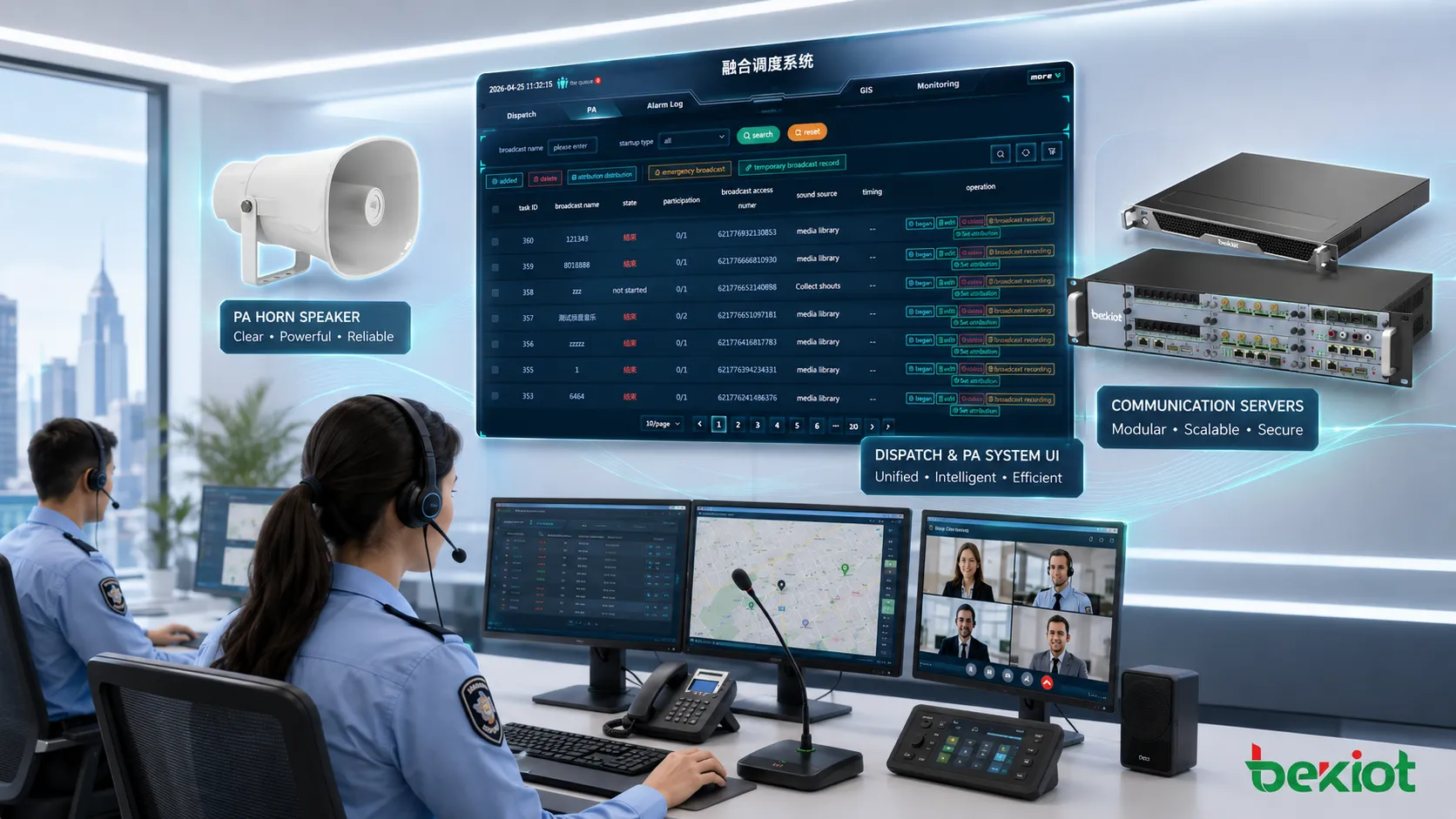
Paging and public notification equipment
Speakers amplifiers and paging controllers
Paging and public address equipment includes IP speakers, horn speakers, ceiling speakers, wall-mounted speakers, amplifiers, paging microphones, SIP paging adapters, zone controllers, and audio management software. These devices send announcements to selected areas, all-call zones, buildings, platforms, warehouses, production lines, or outdoor spaces.
Paging systems are used for daily announcements, shift changes, visitor instructions, safety reminders, background music, emergency evacuation, and operational coordination. In IP-based systems, paging can be triggered from phones, software consoles, schedules, sensors, or emergency buttons.
Visual alerting and mass notification
Visual notification equipment includes strobe lights, LED displays, message boards, beacons, tower lights, and multi-color indicators. These devices are important where sound may not be enough, such as noisy workshops, quiet zones, public corridors, transportation platforms, or environments with hearing accessibility requirements.
Modern mass notification systems may combine audio messages, flashing lights, text display, SMS, mobile apps, desktop pop-ups, email, and control room alerts. The goal is to reach the right people through multiple channels, especially when a single method may fail or be missed.
Industrial and emergency communication devices
Rugged field communication equipment
Industrial communication equipment is designed for environments where standard office devices may not survive. It may include weatherproof telephones, explosion-proof telephones, tunnel phones, help points, emergency intercoms, waterproof speakers, rugged gateways, cabinet-mounted devices, and field communication terminals.
Typical requirements include high ingress protection, impact resistance, corrosion resistance, temperature tolerance, loud audio, glove-friendly operation, visible status indication, and stable performance in dusty, wet, noisy, or hazardous areas. These devices are common in oil and gas, chemicals, power plants, railways, highways, tunnels, ports, mines, and heavy manufacturing.
Emergency call and incident response equipment
Emergency communication equipment helps users request assistance, alert operators, coordinate response teams, and document incidents. It may include SOS stations, emergency phones, panic buttons, alarm panels, dispatch consoles, recording systems, sirens, beacons, and integrated command software.
For projects that need SIP endpoints, industrial telephones, paging devices, emergency communication, and dispatch-oriented system planning under one communication architecture, Becke Telcom can be considered as a light reference option during solution comparison. The key is to evaluate whether the selected equipment matches the site's network, environment, response workflow, and maintenance capability.
Specialized communication interfaces
Gateways adapters and protocol bridges
Gateways and adapters are used when different communication systems need to connect. Common examples include VoIP gateways, FXS gateways, FXO gateways, E1/T1 gateways, SIP paging adapters, radio-over-IP gateways, analog-to-IP converters, and serial communication gateways.
These devices are important in migration projects because many sites cannot replace all legacy systems at once. A gateway can connect analog phones to IP PBX, PSTN lines to SIP trunks, radio channels to dispatch software, or old paging amplifiers to modern IP paging systems.
Antennas cables and passive components
Not all communication equipment is intelligent or software-driven. Antennas, coaxial cables, fiber cables, patch panels, connectors, splitters, grounding components, cabinets, racks, surge protectors, and cable management accessories also affect system performance.
Poor cabling and weak passive infrastructure can cause signal loss, noise, dropped connections, unstable video, power issues, grounding faults, and difficult maintenance. For mission-critical sites, these components should be documented and tested as carefully as active devices.
Management security and monitoring platforms
Centralized management software
Management platforms help administrators configure devices, monitor status, update firmware, assign users, review logs, manage alarms, and maintain system health. They may support phones, speakers, cameras, access points, gateways, servers, and field devices from one interface.
Centralized management is especially valuable for multi-building and multi-site deployments. Instead of checking every device manually, operators can identify offline endpoints, abnormal traffic, failed registrations, device faults, or configuration drift from a single platform.
Security and compliance tools
Communication systems also require security equipment and software, including firewalls, session border controllers, VPN gateways, identity systems, certificate services, network access control, log servers, and backup platforms. These tools protect communication services from unauthorized access, fraud, configuration misuse, interception, and service disruption.
Security planning should cover both IT networks and operational systems. Voice, video, paging, alarms, and access control can all become business-critical once they are integrated into daily workflows and emergency response procedures.
| Equipment category | Typical devices | Common uses |
|---|---|---|
| Voice communication | IP phones, SIP phones, intercoms, PBX systems | Internal calling, customer service, reception, emergency calls |
| Data networking | Switches, routers, gateways, media converters | Device connectivity, IP transport, branch networking |
| Wireless systems | Access points, radios, repeaters, private wireless equipment | Mobile communication, site coverage, push-to-talk operations |
| Video systems | Cameras, video intercoms, conferencing devices, displays | Monitoring, verification, meetings, remote collaboration |
| Notification systems | Speakers, strobes, beacons, message displays | Paging, alerts, evacuation, public information |
| Management and security | Management software, SBCs, firewalls, log platforms | Monitoring, protection, configuration, compliance |
How to choose the right equipment mix
Start from the communication workflow
The first step is to define the workflow instead of selecting products too early. A site may need daily office calling, emergency help points, warehouse paging, radio team communication, video verification, visitor entry, or remote branch support. Each workflow has different requirements for speed, coverage, audio quality, permissions, logging, and backup.
For example, a factory may care more about loud audio, rugged endpoints, visual alerts, and group calling than about advanced desktop phone features. A corporate office may care more about conferencing, softphone support, call transfer, receptionist workflows, and CRM integration. A transportation site may prioritize emergency calls, outdoor coverage, control room visibility, and system redundancy.
Match devices to environment and risk level
Device selection should consider temperature, dust, water, vibration, vandalism, electromagnetic interference, explosive atmosphere risk, cable distance, power availability, and maintenance access. A device that works well in an office may fail quickly in a tunnel, port, workshop, or outdoor gate.
Risk level also matters. Systems used for life safety, emergency response, industrial operations, or public security should be designed with redundancy, monitoring, backup power, clear operating procedures, and tested escalation rules.
Communication equipment should be selected as part of a system. The endpoint, network, power supply, software, cabling, and maintenance process must support the same operational goal.
Typical application scenarios
Enterprise offices and commercial buildings
Commercial buildings use communication equipment for reception, internal calling, meeting rooms, visitor entry, access control coordination, elevator emergency calls, public announcements, and security monitoring. IP phones, softphones, video intercoms, Wi-Fi, network cameras, and paging devices may all share the same building network.
For larger buildings, integration helps reduce response time. A door event can show camera video, a help point can call the security desk, a receptionist can transfer calls to departments, and a paging system can broadcast instructions during drills or emergencies.
Industrial facilities and energy sites
Industrial facilities require communication systems that support operations, safety, and maintenance. Rugged telephones, emergency stations, radio systems, IP speakers, alarm beacons, control room consoles, and field gateways may be distributed across production areas, substations, tank farms, loading zones, and maintenance corridors.
Typical uses include fault reporting, emergency assistance, work coordination, evacuation instructions, equipment room communication, and incident escalation. Clear audio, fast access, environmental protection, and system visibility are often more important than decorative appearance.
Transportation campuses and public facilities
Transportation sites, campuses, hospitals, shopping centers, and public service buildings use communication equipment to coordinate staff, inform visitors, improve security, and manage emergencies. Public address, visual alerts, video surveillance, intercoms, access control, radio, and control room software may operate together.
These environments often require zoning. Different areas may need different announcements, language options, priority levels, access permissions, and emergency procedures. System planning should prevent message conflict and ensure that urgent information reaches the correct locations.
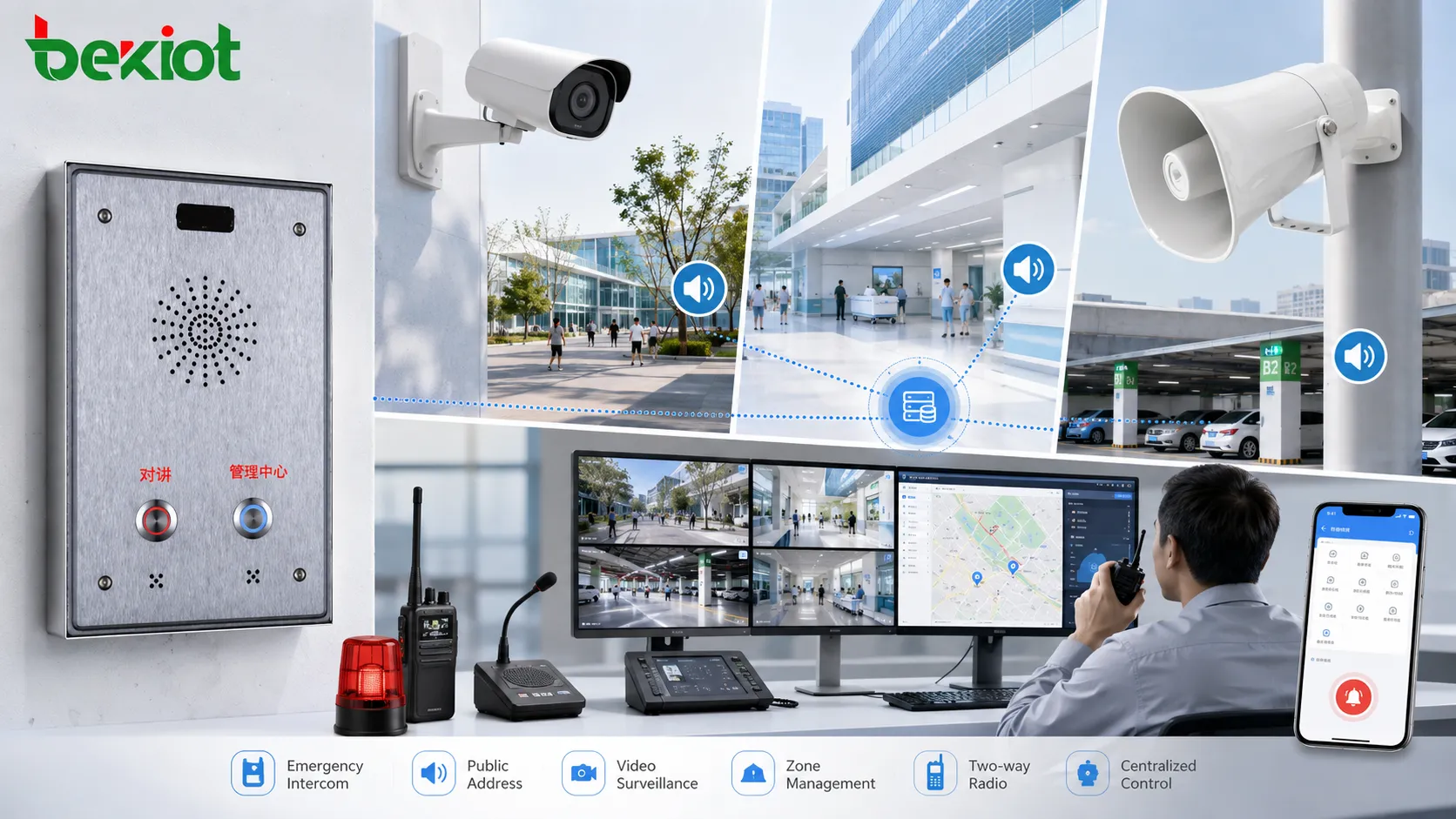
Future trends in communication equipment
More integration across voice video data and alerts
Communication equipment is becoming more integrated. Instead of separate systems for phones, cameras, paging, radio, access control, and alarms, many organizations now want connected workflows. An event can trigger a call, open a video feed, display a map, send a notification, record the incident, and guide operators through response steps.
This trend makes interoperability more important. Open protocols, API support, SIP compatibility, ONVIF support, secure authentication, and centralized management can help systems remain flexible as needs change.
Smarter management and remote maintenance
Device management is also becoming more software-driven. Administrators expect remote configuration, health monitoring, automatic provisioning, firmware updates, log review, and event reporting. This is useful when systems are spread across multiple buildings, cities, or remote industrial sites.
As communication equipment becomes more connected, cybersecurity and lifecycle planning become essential. Strong passwords, segmentation, encryption, backups, patch management, and clear ownership should be part of the system plan from the beginning.
Conclusion
Communication equipment includes a wide range of devices, from simple phones and radios to IP networks, video systems, paging platforms, emergency terminals, gateways, software consoles, and security tools. Each category has a different role, but the real value appears when the equipment is selected and integrated around practical workflows.
For offices, industrial sites, transportation hubs, campuses, hospitals, and public facilities, the right communication equipment can improve daily coordination, reduce downtime, support emergency response, and make system management easier. A successful project should balance device function, environmental suitability, network design, interoperability, cybersecurity, and long-term maintenance.
FAQ
How often should communication equipment be inspected?
Inspection frequency depends on the site risk level and operating environment. Office devices may only need periodic checks during IT maintenance, while emergency phones, paging speakers, alarm beacons, and industrial field devices should be tested more regularly. Sites with safety obligations should document test results and repair actions.
Can old analog communication devices still be used in a modern system?
Yes, many legacy devices can remain in service if they are connected through the correct gateways or adapters. This approach is common during phased migration, but the organization should still check voice quality, spare parts availability, security exposure, and whether the old device can support required emergency workflows.
What information should be documented after installation?
Useful documentation includes device location, IP address, extension number, cable route, power source, login ownership, firmware version, configuration backup, zone assignment, maintenance contact, and test records. Good documentation reduces troubleshooting time and prevents confusion when staff change.
Why do some communication systems fail even when the devices are good?
Failure often comes from weak planning rather than poor hardware. Common causes include overloaded networks, unclear call flows, poor cabling, missing backup power, wrong device placement, weak passwords, unmanaged firmware, and no regular testing. A system-level review can reveal these issues before they become serious.
Should communication equipment be separated from the office IT network?
In many projects, logical separation is recommended. VLANs, firewall rules, QoS policies, and access control can help protect voice, video, paging, and emergency services from general network traffic. Full physical separation is not always necessary, but critical services should be designed with security and reliability in mind.







