


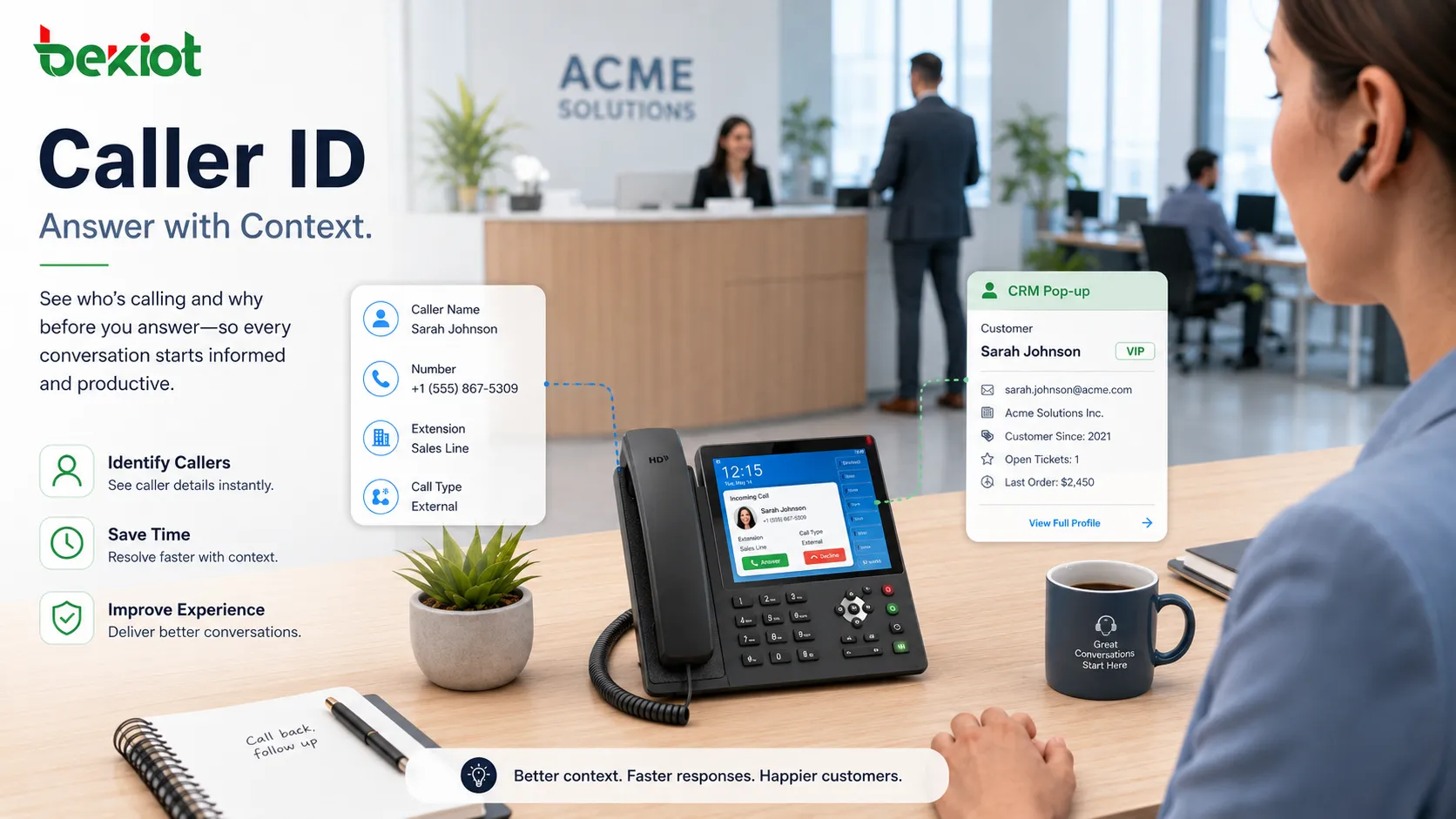
Caller ID is a telecommunication function that presents information about the calling party before or during an incoming call. Depending on the network, device, and service platform, it may show a phone number, extension number, display name, organization name, location label, trunk identity, department name, or verified calling status.
Although the function looks simple to end users, it plays an important role in call handling, security awareness, customer service, emergency response, call routing, business workflow, and communication records. In modern voice systems, caller information is not only shown on a phone screen. It can also appear in softphones, PBX logs, CRM pop-ups, dispatch consoles, call center dashboards, mobile clients, and recording systems.
Why Calling Identity Matters Before Answering
When a phone rings, the person receiving the call needs context. Is the call from a customer, internal colleague, supplier, patient, visitor, emergency terminal, delivery driver, alarm system, or unknown number? Caller information helps the user make a faster and more informed decision.
For business environments, this context can reduce missed opportunities and improve response quality. A sales team can recognize returning customers. A receptionist can distinguish internal calls from external calls. A support agent can open the correct customer record. A control room can identify which site or terminal is calling.
The value becomes stronger when calls are frequent, time-sensitive, or linked to service workflows. Without calling identity, every incoming call starts with uncertainty. With accurate identification, the communication process begins with useful information.
How the Information Is Delivered
Traditional Telephone Networks
In traditional telephone systems, caller information may be delivered between the first and second ring, or through signaling associated with the call setup process. The receiving phone decodes the information and displays the caller number or name if supported.
Analog lines, ISDN, PBX extensions, and public telephone networks may use different signaling methods. This is why caller display behavior can vary by region, carrier, phone model, and line type.
IP Voice and SIP Systems
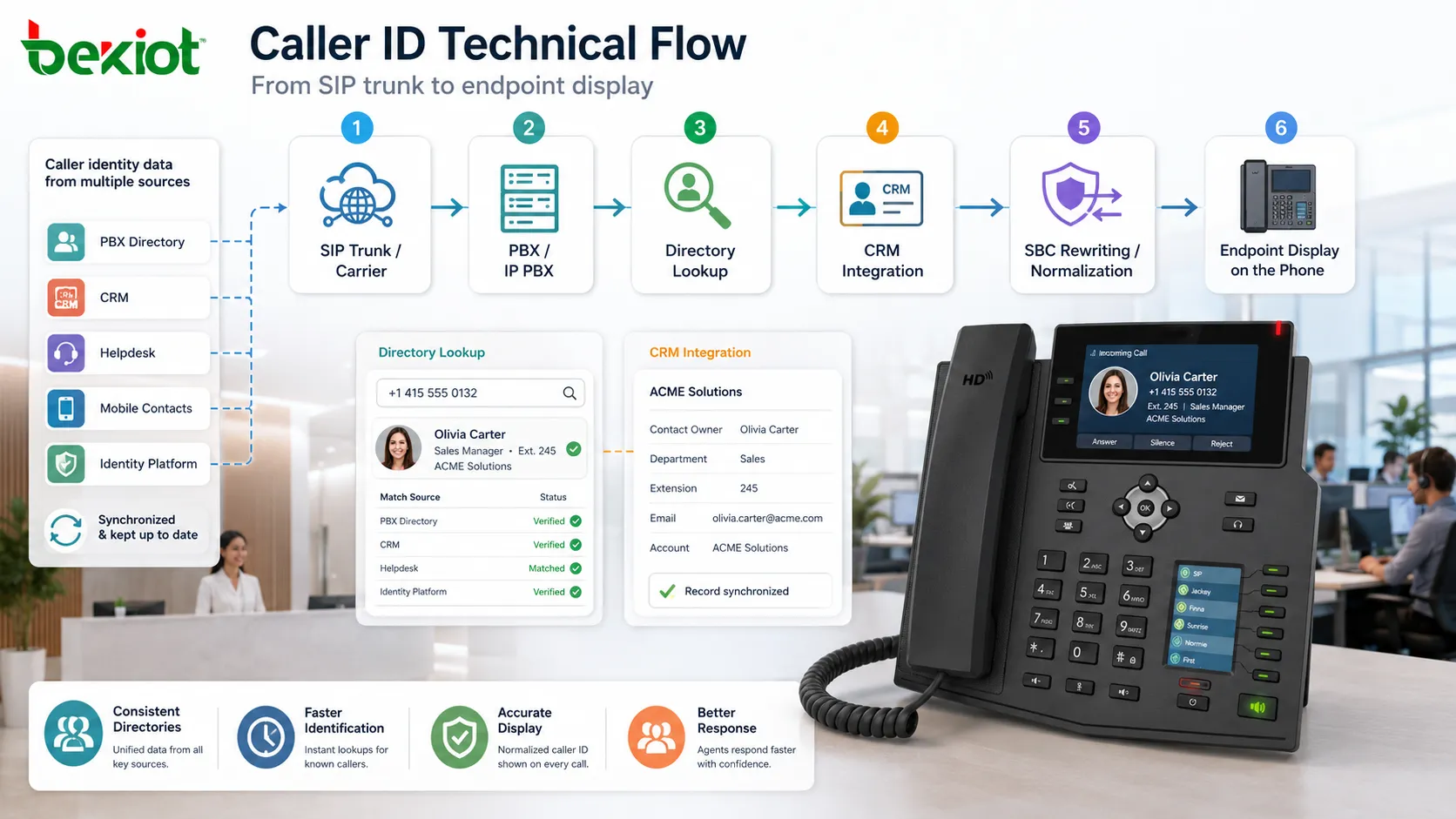
In SIP-based systems, caller information is usually carried in SIP headers such as From, Contact, P-Asserted-Identity, Remote-Party-ID, or other platform-specific fields. The receiving device or application displays the information according to its configuration and trust policy.
Because SIP networks can pass through PBXs, SBCs, gateways, trunks, and hosted platforms, caller information may be rewritten, normalized, blocked, or verified at different points in the call path.
Database and Directory Lookup
Some systems do not rely only on the number delivered by the network. They compare the number with internal directories, CRM systems, contact lists, tenant databases, or customer records. If a match is found, a friendly name or account record may appear.
This approach is useful because a number alone may not be enough. A business user usually wants to know who the caller is, what organization they belong to, and whether there is related history.
Core Functional Capabilities
Number Presentation
The basic function is to show the calling number. For external calls, this may be a public telephone number. For internal calls, it may be an extension. For special devices, it may be a service number or terminal ID.
Number presentation helps users decide whether to answer, call back, transfer, block, or record the interaction. It also supports call logs and missed call lists.
Name Display
Name display adds a human-readable label. It may show a person’s name, company name, department name, site name, or device name. This makes calls easier to understand, especially in organizations with many extensions or service terminals.
Good naming rules improve daily communication. Labels such as “Main Reception,” “Warehouse Gate,” “Support Desk,” or “Building A Security” are more useful than random extension numbers.
Call Screening
Users can decide whether to answer based on caller information. This helps reduce interruptions from unknown callers, spam calls, repeated nuisance calls, or low-priority calls during busy work.
In business systems, call screening can also be handled automatically by rules that route certain numbers to voicemail, attendants, priority agents, or blocked lists.
Callback Support
Missed call records are more useful when caller information is accurate. Users can return calls quickly without manually writing numbers down or asking others for contact details.
For sales, support, healthcare, property management, and service desks, callback accuracy can directly affect customer satisfaction.
System Integration
Caller information can trigger actions in software systems. A CRM screen can open automatically, a ticket can be created, a dispatch map can highlight a location, or a recording system can tag the call with customer information.
This turns caller display from a phone feature into part of a larger business workflow.
| Function Area | Typical Output | Operational Value |
|---|---|---|
| Basic Identification | Number, extension, or caller label. | Helps users recognize the source of the call before answering. |
| Business Lookup | Customer name, account, department, or contact record. | Improves service preparation and reduces manual search time. |
| Security Handling | Unknown, blocked, spoofing warning, or verified status. | Supports fraud awareness and safer call response decisions. |
| Workflow Integration | CRM pop-up, ticket link, dispatch location, or call log tag. | Connects voice calls with business systems and records. |
Applications in Business Communication
Reception and Front Desk
Reception teams use caller information to handle calls more professionally. If a returning customer, VIP visitor, supplier, or internal department calls, the receptionist can respond with better context.
Caller labels can also help reception teams route calls faster. For example, internal extension calls, public trunk calls, and intercom calls may appear differently on the console.
Sales and Customer Service
Sales and service teams often need to know who is calling before they answer. When caller information is matched with CRM data, agents can see account history, previous tickets, contract status, or assigned representative information.
This reduces the need for callers to repeat information and helps agents start the conversation more efficiently.
Healthcare and Appointment Centers
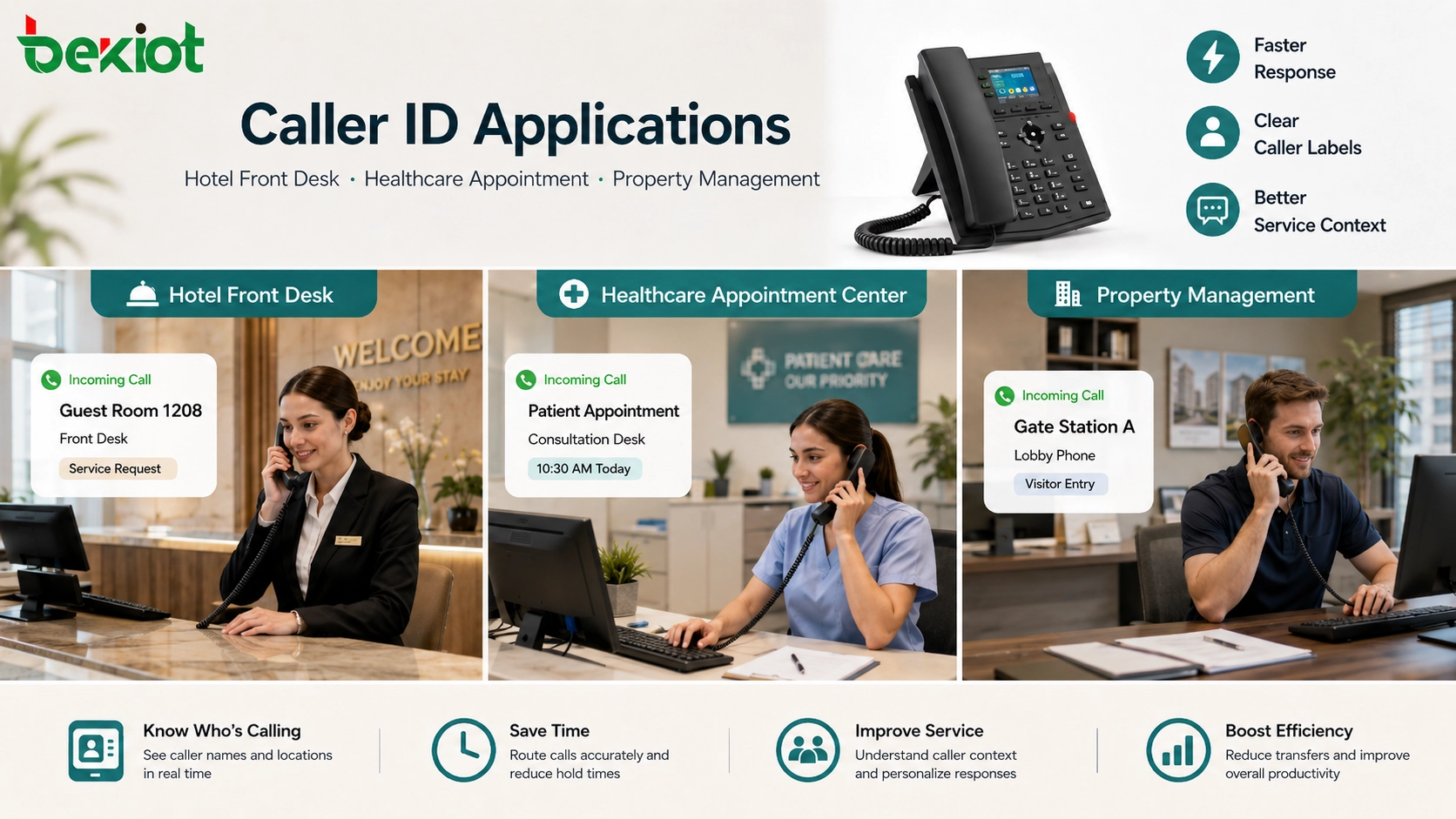
Clinics, hospitals, and appointment desks can use caller information to identify patients, departments, laboratories, pharmacies, or internal staff. This can improve call triage and reduce confusion in busy environments.
Privacy must be handled carefully. Displayed information should be useful but not expose unnecessary sensitive details on shared screens.
Hotels and Property Management
Hotels can identify guest room calls, front desk calls, service calls, and external inquiries. Property management teams can identify gate stations, lobby phones, tenant extensions, maintenance rooms, or emergency points.
Clear caller labels reduce response time and help staff understand where assistance may be needed.
Security and Trust Challenges
Number Spoofing
Caller information can be manipulated in some networks. A displayed number may not always prove the real identity of the caller. Attackers may spoof trusted numbers to increase the chance that users answer.
This is why modern call security increasingly relies on verification, carrier-level authentication, fraud detection, and user awareness rather than display alone.
Anonymous and Blocked Calls
Some callers intentionally hide their number. In other cases, the number may be unavailable because of carrier restrictions, private networks, gateway configuration, or international routing limitations.
Organizations should define how anonymous calls are handled. They may be allowed, sent to attendants, rejected, logged, or treated with lower trust.
Incorrect Name Mapping
Caller name may come from a local directory, PBX contact list, public database, carrier CNAM service, or CRM system. If these records are outdated, the displayed name may be wrong.
Incorrect display can cause misrouting, user confusion, or accidental disclosure. Contact databases should be maintained regularly.
Internal Extension Mislabeling
Inside an organization, mislabeled extensions can create operational problems. If an intercom, emergency phone, office extension, or service desk number has the wrong name, staff may respond incorrectly.
Clear naming standards and regular audits are important in large systems.
Role in Call Routing and Automation
Caller information can influence routing decisions. A PBX or contact center system may route VIP customers to priority agents, send known suppliers to procurement, direct internal calls to a different queue, or block numbers on a deny list.
Rules can also be based on area code, country code, customer account, campaign number, trunk source, or calling group. When integrated with business data, call handling becomes more intelligent.
Automation should be used carefully. If the identity data is incomplete or spoofed, automatic routing may send calls to the wrong place. Important workflows should include fallback paths and manual override options.
Technical Factors That Affect Accuracy
Number Format Normalization
The same number may appear in different formats, such as local format, national format, international format, extension format, or with trunk prefixes. If systems do not normalize numbers, directory matching may fail.
Consistent formatting improves lookup accuracy, reporting, blocking rules, and CRM integration.
Gateway and Trunk Rewriting
Voice gateways, SIP trunks, SBCs, and PBX route rules may rewrite caller numbers. This may be necessary for compliance or routing, but incorrect rewriting can break caller display.
Administrators should test inbound and outbound caller information across all trunks and routes.
Device Display Limits
Some phones have small screens or limited character support. Long names may be truncated, special characters may display incorrectly, and multilingual names may not appear as expected.
For practical use, display labels should be concise and readable on the actual endpoint.
Directory Synchronization
If a company uses multiple systems, caller identity data may be stored in several places. PBX directory, CRM, helpdesk software, mobile contacts, and identity platforms should be synchronized where possible.
Inconsistent directories lead to inconsistent caller display across devices.
Configuration and Management Practices
Organizations should define naming rules for internal extensions, departments, shared devices, service lines, and emergency terminals. A clear naming scheme helps users understand calls quickly.
Inbound trunks should be tested with different caller types, including local numbers, mobile numbers, international numbers, anonymous calls, and transferred calls. This helps identify formatting or display issues early.
Outbound caller information should also be planned. A business may want users to present a main company number, department number, direct number, or regional number depending on role and compliance needs.
Call logs should preserve original information where possible. Even if the display is normalized for users, technical logs should help administrators trace the real call path during troubleshooting.
Common Problems and Troubleshooting
No Number Displayed
If no caller number appears, check carrier support, trunk configuration, PBX inbound rules, analog line capability, SIP header handling, and endpoint display settings.
For analog lines, the phone and adapter must support the correct regional caller display format.
Wrong Name Appears
A wrong name may come from an outdated local directory, incorrect CRM match, old carrier CNAM data, duplicate contacts, or number normalization errors.
Checking which database supplied the name is the first step in fixing the problem.
Only Internal Calls Show Names
This often happens when internal extensions are mapped in the PBX directory, but external calls do not include name information from the carrier or lookup database.
External caller name may require additional service, directory integration, or CRM lookup.
Transferred Calls Show the Wrong Party
Call transfer can change what identity is displayed. Depending on platform configuration, the receiving user may see the original caller, the transferring user, or the trunk identity.
Transfer display policy should be tested because it affects call handling in reception, support, and contact center workflows.
Outbound Calls Show an Unexpected Number
Outbound display depends on trunk rules, carrier policy, PBX caller ID settings, department mapping, emergency calling rules, and number ownership verification.
If the wrong number appears, check both PBX configuration and carrier-side permissions.
Caller information is useful only when it is accurate, readable, trusted, and aligned with how calls are actually handled in the organization.
FAQ
Can caller display prove the real identity of the caller?
No. Displayed information can help identify a call, but it should not be treated as absolute proof because numbers may be spoofed or incorrectly mapped.
Why do some calls show only a number and no name?
The network may provide only the number, the endpoint may lack a matching directory entry, or the service may not support caller name lookup.
Can a company choose what number appears on outbound calls?
Usually yes, within carrier rules and number ownership requirements. Businesses often present a main number, direct number, department number, or regional number.
What is the best way to label internal devices?
Use short labels that describe location or function, such as “Main Gate,” “Reception,” “Warehouse Office,” or “IT Support,” instead of unclear device codes.
Why does caller information differ between desk phones and softphones?
They may use different directories, display rules, SIP headers, CRM integrations, or contact matching logic. Synchronizing identity sources helps reduce differences.







