


A PBX, or Private Branch Exchange, is a private telephone system used inside a business, institution, or industrial organization. Its job is to manage internal extensions, route calls between users, connect those users to the public telephone network, and provide business calling features that go far beyond a basic single-line phone service. In simple terms, a PBX becomes the call-control center of an organization’s voice environment.
The term itself has been around for decades, but the meaning of PBX has expanded with technology. Traditional PBX systems were built around circuit-switched telephony and dedicated hardware. Modern PBX platforms may still sit on-site, but many now run as IP PBX systems over Ethernet networks, virtualized platforms, or cloud-based calling environments. That is why PBX is best understood as a category of enterprise telephony system rather than a single product type.
For many organizations, a PBX remains the practical foundation of voice communication. It centralizes extension dialing, call routing, voicemail, hunt groups, auto attendants, conferencing, call recording options, directory features, and external call connectivity. Whether it supports an office, a factory, a hospital, a school, a control room, or a distributed enterprise, the PBX provides structure and control to business communications.
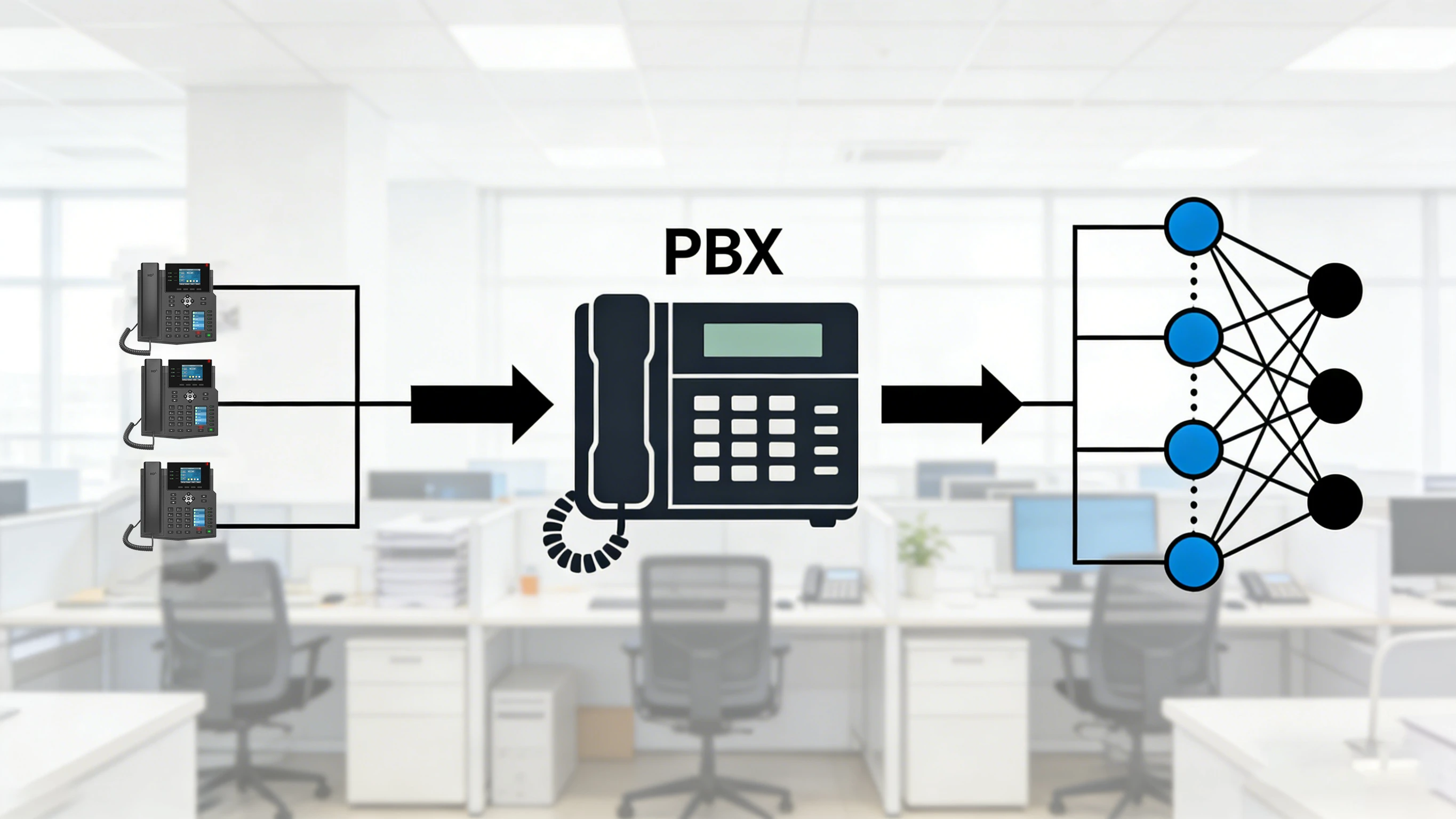
A PBX sits between internal users and external networks, coordinating extensions, call routing, and outside-line access.
What Is a PBX?
A PBX is a private telephone network that allows people inside an organization to call one another using extension numbers while also handling calls to and from external networks. Instead of every employee requiring a separate direct public line, the PBX lets many users share common outside connectivity in a controlled, centralized way.
Historically, this meant a cabinet or switchboard that physically switched voice circuits. In a modern environment, the switching logic may be software-based and operate across IP infrastructure. Even so, the core purpose remains familiar: the PBX decides where a call should go, what policies apply to it, what features are available, and how the organization connects its internal voice system to the outside world.
That is why PBX platforms are often described as the business equivalent of a communications hub. They are not just for making and receiving calls. They also create the rules of the phone system, including extension plans, call permissions, ring groups, transfer behavior, voicemail handling, time-based routing, and integration with trunks, gateways, or unified communications tools.
How a PBX Evolved from Traditional Telephony to Modern Networks
Older PBX systems were built for analog or digital telephony, often using proprietary switching hardware and line cards. External access came from PSTN trunks, while internal desk phones were wired directly into the PBX through structured cabling and dedicated telephony interfaces. These systems were reliable, but expansion, feature updates, and remote access were often more complex and costly.
As IP networking matured, voice began to move onto Ethernet infrastructure. This gave rise to the IP PBX, which uses IP endpoints, SIP-based signaling, RTP media streams, and software-oriented call control. Once voice became part of the data network, organizations gained new flexibility: phones could share the same structured network as computers, remote users could register from other sites, and businesses could connect to SIP trunks instead of relying only on legacy telephony lines.
Cloud and hosted PBX models pushed the idea even further. In those deployments, the business phone system may still function like a PBX from the user’s perspective, but some or all of the call-control platform runs in a provider-managed environment. Even when the deployment model changes, the business functions associated with PBX do not disappear. They simply move from hardware-heavy infrastructure toward virtualized, software-defined, and service-based architectures.
How a PBX Works
At the center of a PBX is call control. When a user lifts a handset, dials an extension, places an external call, receives an incoming call, or transfers a conversation, the PBX processes that event and decides what should happen next. It authenticates endpoints, consults routing logic, checks policies, and coordinates the signaling needed to connect the session.
In a traditional setup, the PBX may switch a call over internal circuits and present it to another station port. In an IP-based setup, the process is usually more software-driven. The PBX communicates with IP phones, softphones, gateways, or session border elements through signaling protocols such as SIP. Once signaling is completed and the session is established, the media path may flow directly between endpoints or through other media-handling components, depending on the design.
For external calling, the PBX also needs a path to the public telephone world. That path might be an analog line, a digital PRI or BRI interface, a gateway connected to legacy trunks, or a SIP trunk over an IP network. Incoming calls from the outside are received by the PBX, which then routes them to an extension, ring group, queue, operator, IVR menu, or voicemail destination according to business rules.
Basic PBX Call Flow
A typical call process usually follows a predictable pattern. An endpoint registers to the PBX or is otherwise presented as an internal station. When a user dials, the PBX analyzes the dialed digits, compares them with its dial plan, and decides whether the destination is an internal extension, an external number, a service code, a conference bridge, or a feature trigger.
If the call is internal, the PBX locates the target endpoint and alerts it. If the call is external, the PBX selects the correct trunk or gateway, applies class-of-service rules, and passes the call to the outside network. For inbound traffic, the process happens in reverse: the PBX receives the call, checks routing logic, and sends the call to the appropriate user, department, or automated service.
This seems simple from a user’s point of view, but that simplicity is exactly the value of a PBX. It hides the complexity of trunks, networks, numbering plans, and call treatment behind a system that turns them into manageable business calling behavior.
Main Features of a PBX
A PBX is usually defined less by a single hardware shape and more by the features it delivers. Different vendors and deployment models vary, but most business-grade PBX platforms include a recognizable set of core capabilities.
Extension and Internal Call Management
The most basic PBX function is extension management. Each user, phone, or application endpoint can be assigned an internal identity, and users can reach one another through short extension dialing instead of full public numbers. This simplifies internal communication and creates a coherent numbering structure across departments, sites, or roles.
Extension logic also supports call pickup, call park, transfer, intercom, ringing behavior, busy handling, forwarding rules, and presence-related actions in more advanced systems. In a well-designed environment, extension planning becomes the foundation of day-to-day call efficiency.
Call Routing and Auto Attendant
Businesses rarely want all calls to ring in the same place. PBX routing tools allow calls to be directed by time of day, number dialed, caller identity, business hours, failover conditions, or department logic. This is where features such as auto attendants, IVR menus, hunt groups, and ring groups become important.
Instead of relying on a single receptionist for every incoming call, the PBX can provide structured call entry points. Sales calls can go one way, service calls another, after-hours calls another, and emergency or priority paths can be treated differently still.
Voicemail, Conferencing, and User Productivity Features
PBX systems commonly include voicemail, call hold, transfer, call forwarding, do-not-disturb, voicemail-to-email, conferencing, music on hold, paging integration, call recording options, and sometimes presence or messaging tools. These features make the phone system more than a dial tone service. They turn it into a workflow tool for individual users and teams.
In modern business deployments, these functions may extend to desktop clients, mobile apps, browser softphones, and remote endpoints. That is one reason the PBX remains relevant even in a world where users are not always sitting at the same desk.
Trunk Connectivity and External Call Access
A PBX must also manage outside connectivity. This includes choosing and controlling analog trunks, digital trunks, SIP trunks, or gateway-based connections to external networks. It can apply least-cost routing, failover logic, emergency routing, and policy-based control over who can call where.
That external connectivity layer is a major reason organizations still think in PBX terms. A PBX is not only an internal communications platform. It is also the controlled edge between internal users and external telephony services.
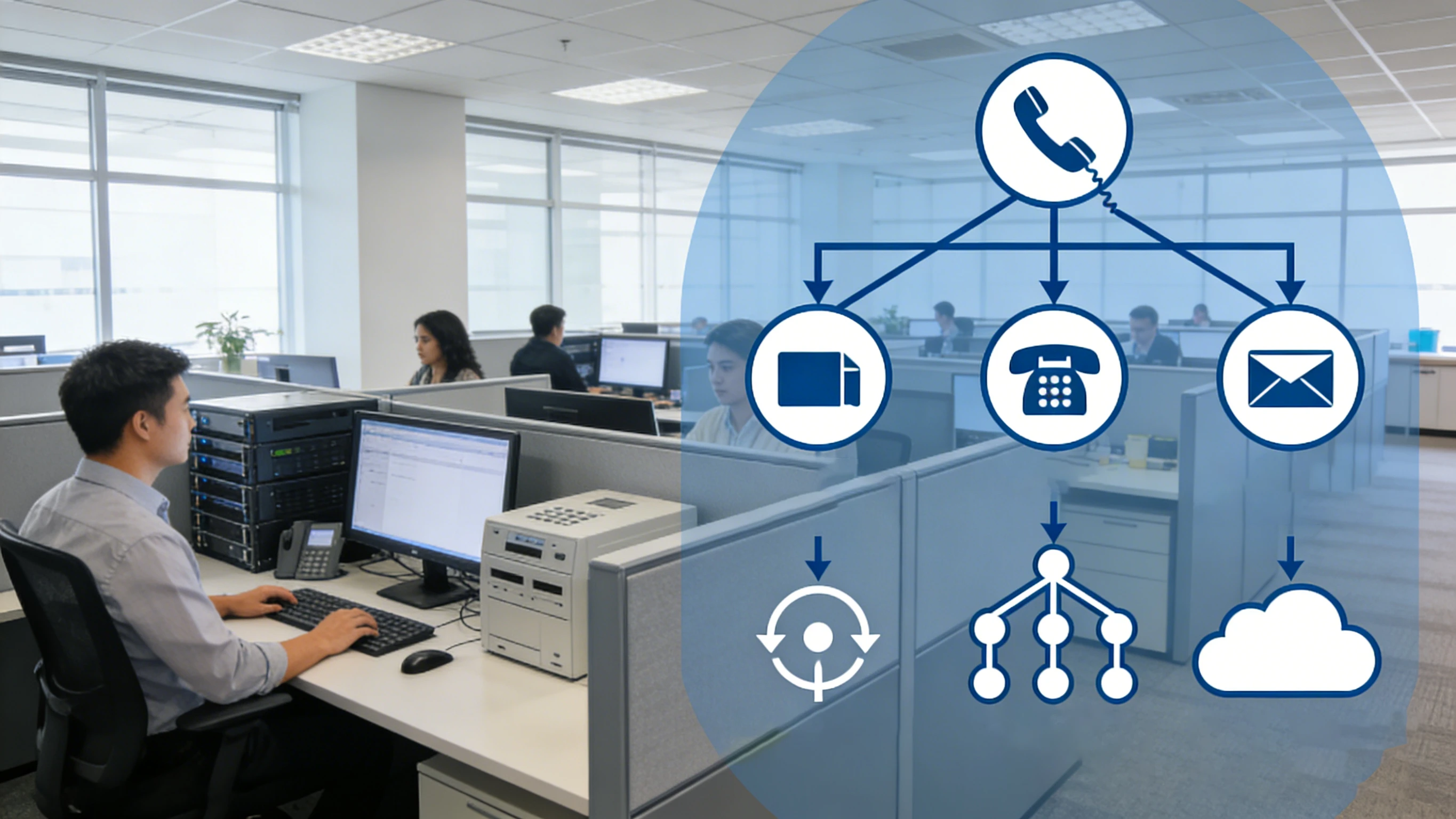
Modern PBX platforms handle extensions, routing logic, voicemail, automated menus, and external trunks in one coordinated call environment.
PBX Network Architecture
PBX architecture can vary by era and deployment model, but most designs can still be understood as a set of functional layers: endpoints, call control, media or service resources, and external connectivity. Once these layers are clear, even complex systems become easier to understand.
Endpoints and User Access Layer
The user layer includes desk phones, IP phones, softphones, conference phones, paging endpoints, analog adapters, and sometimes specialized devices such as intercom terminals or industrial communication stations. These endpoints register with or connect through the PBX so they can participate in the enterprise dial plan.
In an IP environment, this layer also depends on underlying LAN services such as switching, VLAN segmentation, PoE, QoS, DHCP, DNS, and security controls. A phone system may appear to be about voice, but the endpoint experience is often shaped by the quality of the underlying data network.
Call Control and Service Layer
This is the logical heart of the PBX. It stores extension data, authentication information, dial plans, permissions, routing rules, voicemail policies, and feature behavior. In an IP PBX, this role is often carried by a server, a cluster, or a cloud service rather than a purely fixed-function hardware shelf.
Depending on the design, adjacent service components may include voicemail platforms, recording systems, conferencing resources, operator consoles, directory services, analytics, and unified communications applications. In resilient environments, call-control nodes may be duplicated for high availability.
Connectivity Layer: Trunks, Gateways, and Network Edges
The connectivity layer links the PBX to other networks. That may mean SIP trunks to a service provider, media gateways to analog or digital lines, intersite trunks between branch PBXs, or secure border devices for traffic crossing public IP networks. In more advanced deployments, session border controllers and security policies help protect the voice edge and manage signaling interoperability.
For organizations with mixed environments, this is also the place where legacy and modern telephony meet. A PBX can sit at the center of hybrid communications, connecting older analog devices, digital trunks, SIP phones, remote workers, mobile clients, and cloud calling paths within one broader voice architecture.
Common Types of PBX Deployment
Although the word PBX sounds singular, real-world systems are deployed in several different ways. The right model depends on scale, budget, IT capability, compliance requirements, and the organization’s appetite for control.
Traditional PBX: Based on analog or digital telephony interfaces and usually installed on-site with dedicated hardware.
IP PBX: Uses IP networking for phones, trunks, signaling, and management while often remaining under enterprise control.
Hosted PBX: PBX functionality is delivered from a provider-managed environment, reducing on-site infrastructure.
Cloud PBX: A service-oriented model that provides PBX-style features through cloud-native or cloud-managed telephony platforms.
Hybrid PBX: Combines on-premises systems with IP trunks, cloud tools, gateways, or remote users.
These deployment models are not mutually exclusive. Many organizations run hybrid environments for years, especially when migrating from legacy telephony toward IP and cloud services in stages rather than all at once.
Why PBX Systems Still Matter
PBX platforms still matter because businesses need structured voice control. Even in environments full of chat, video, and collaboration apps, phone calls remain essential for customer service, external business communication, emergency calling, reception workflows, public-network access, and integration with operational systems.
What has changed is the implementation. Modern PBX platforms are now expected to support distributed workforces, soft clients, SIP trunks, API-driven integrations, analytics, and security-conscious edge design. Yet the business need behind them is familiar: one organized system that controls who can call, how calls are handled, and how the organization stays reachable.
Applications of PBX in Real Environments
The PBX is widely used wherever an organization needs more than a basic collection of independent phone lines. Because it centralizes numbering, routing, and features, it fits a wide range of business and institutional environments.
Corporate Offices and Multi-Branch Organizations
In office settings, PBX platforms support extensions, departmental routing, receptionist functions, voicemail, call queues, conference bridges, and mobility features. They also help unify multiple offices under a shared dial plan, allowing distributed staff to behave like part of one logical phone system.
For organizations with remote employees or branch sites, an IP-based PBX can extend services without requiring each location to operate as a completely isolated phone island. This creates operational consistency and simplifies administration.
Industrial, Campus, and Operational Sites
PBX systems are also useful in factories, warehouses, transport hubs, schools, hospitals, and utility sites. In these environments, the PBX often works with paging systems, intercom terminals, help points, gateways, broadcast systems, and security workflows. The value is not just calling. It is coordinated communication across many endpoints and locations.
When integrated with gateways and specialized terminals, a PBX can become part of a broader operational communications platform, linking administrative phones, field communication points, and voice services into one managed environment.
Customer Service and Front-Desk Operations
Reception desks, service teams, reservation centers, and support groups rely on PBX logic for queues, hunt groups, auto attendants, operator consoles, forwarding policies, and after-hours treatment. The PBX helps shape the customer’s calling experience long before a person picks up the call.
That is one reason PBX design affects both technical operations and business perception. A poorly structured PBX creates missed calls and confusion. A well-designed PBX creates fast routing, clear menus, controlled escalation, and a more professional front door for the organization.
PBX vs IP PBX vs Cloud PBX
These terms are closely related, but they are not identical. PBX is the broad category. IP PBX is a PBX implementation that uses IP networking and often SIP-based communications. Cloud PBX describes a service-delivered version of PBX functionality, where much of the call-control infrastructure runs off-site in a provider or cloud environment.
This distinction matters because many articles treat PBX as if it always means legacy hardware. In reality, the modern communications market often uses PBX as the umbrella concept, with traditional, IP, hosted, and cloud models all sitting beneath it.
Key Considerations When Choosing a PBX
Choosing a PBX is not only about feature count. Organizations should think about the number of users, site distribution, PSTN connectivity needs, SIP trunk support, remote access, redundancy requirements, management model, security posture, and how the phone system should integrate with business workflows.
It is also important to consider endpoint compatibility, codec support, emergency calling requirements, voicemail and recording needs, operator workflows, API or CRM integration, and the long-term plan for legacy lines or analog devices. A PBX that looks sufficient on paper can still become a poor fit if it does not match the organization’s operating model.
Conclusion
A PBX is the private call-control system that gives an organization structure, policy, and flexibility in voice communications. It manages extensions, routes internal and external calls, connects users to outside networks, and provides the features that turn telephony into a business tool rather than a collection of unrelated lines.
Whether it is traditional, IP-based, hosted, or cloud-delivered, the PBX remains one of the clearest ways to understand enterprise voice architecture. The technology has evolved, but the mission has not: keep people reachable, keep calls organized, and give the organization control over how communication flows.
FAQ
Is PBX the same as IP PBX?
No. PBX is the broader category of private business telephone system. IP PBX is one modern form of PBX that uses IP networking and typically SIP-based communication methods.
Does every business still need a PBX?
Not every business needs a traditional on-site PBX, but many still need PBX-style call control. Even cloud calling platforms often provide PBX functions such as extensions, routing, voicemail, conferencing, and trunk connectivity.
What is the difference between PBX and VoIP?
PBX is the phone system or call-control platform. VoIP is the method of carrying voice over IP networks. A PBX may use VoIP, but the two terms are not interchangeable.
Can a PBX connect to both SIP trunks and legacy lines?
Yes. Many PBX systems, especially hybrid deployments, can connect to SIP trunks, analog lines, digital trunks, or gateways at the same time.
Where is a PBX commonly used?
PBX systems are commonly used in offices, hospitals, schools, factories, warehouses, hotels, campuses, public-service environments, and multi-site organizations that need centralized telephony features and controlled external calling.







