


A password policy is a set of rules, controls, and procedures that define how passwords are created, used, stored, changed, protected, and monitored within an organization or digital system. It helps ensure that user accounts, administrator accounts, service accounts, applications, devices, and cloud platforms follow consistent password security requirements.
Passwords remain one of the most common authentication methods in business systems, websites, cloud services, email platforms, VPNs, databases, communication systems, and enterprise applications. Because passwords can be guessed, reused, stolen, phished, leaked, or cracked, organizations need a clear policy to reduce account compromise and improve identity security.
A modern password policy is not only about forcing users to include uppercase letters, numbers, and symbols. It should also consider password length, password reuse, known compromised passwords, multi-factor authentication, account lockout, rate limiting, password managers, secure storage, password reset workflows, privileged accounts, audit logs, and user education. The goal is to create a practical balance between security, usability, and operational reliability.
What Is a Password Policy?
Definition and Core Meaning
A password policy is a documented and technically enforced set of password rules used to protect accounts and systems. It may apply to employees, administrators, contractors, customers, partners, service accounts, APIs, remote access users, and privileged users. The policy defines what is acceptable when a password is created, changed, reset, stored, or used for authentication.
The core meaning of password policy is controlled password security. Instead of allowing every user or system owner to choose their own password practices, the organization defines a common standard. This standard helps reduce weak passwords, reused credentials, uncontrolled password sharing, and inconsistent access practices.
A password policy can be implemented through identity platforms, directory services, operating systems, cloud authentication tools, SaaS administration portals, password managers, privileged access management systems, and application-level security settings.
A password policy turns password security from a personal habit into an organization-wide access control standard.
Why Password Policies Matter
Password policies matter because compromised passwords are a common path into systems. Attackers may use phishing, credential stuffing, brute-force attacks, password spraying, malware, social engineering, or leaked password databases to gain access. If users choose short, reused, predictable, or commonly known passwords, the risk becomes higher.
A clear policy helps reduce this risk by setting minimum requirements and supporting better authentication behavior. It also helps administrators manage account security across many systems, users, and departments. Without a policy, password practices may become inconsistent and difficult to audit.
Password policies also support compliance, incident response, and governance. They help organizations show that account security is managed, access is controlled, and compromised credentials can be addressed through a defined process.
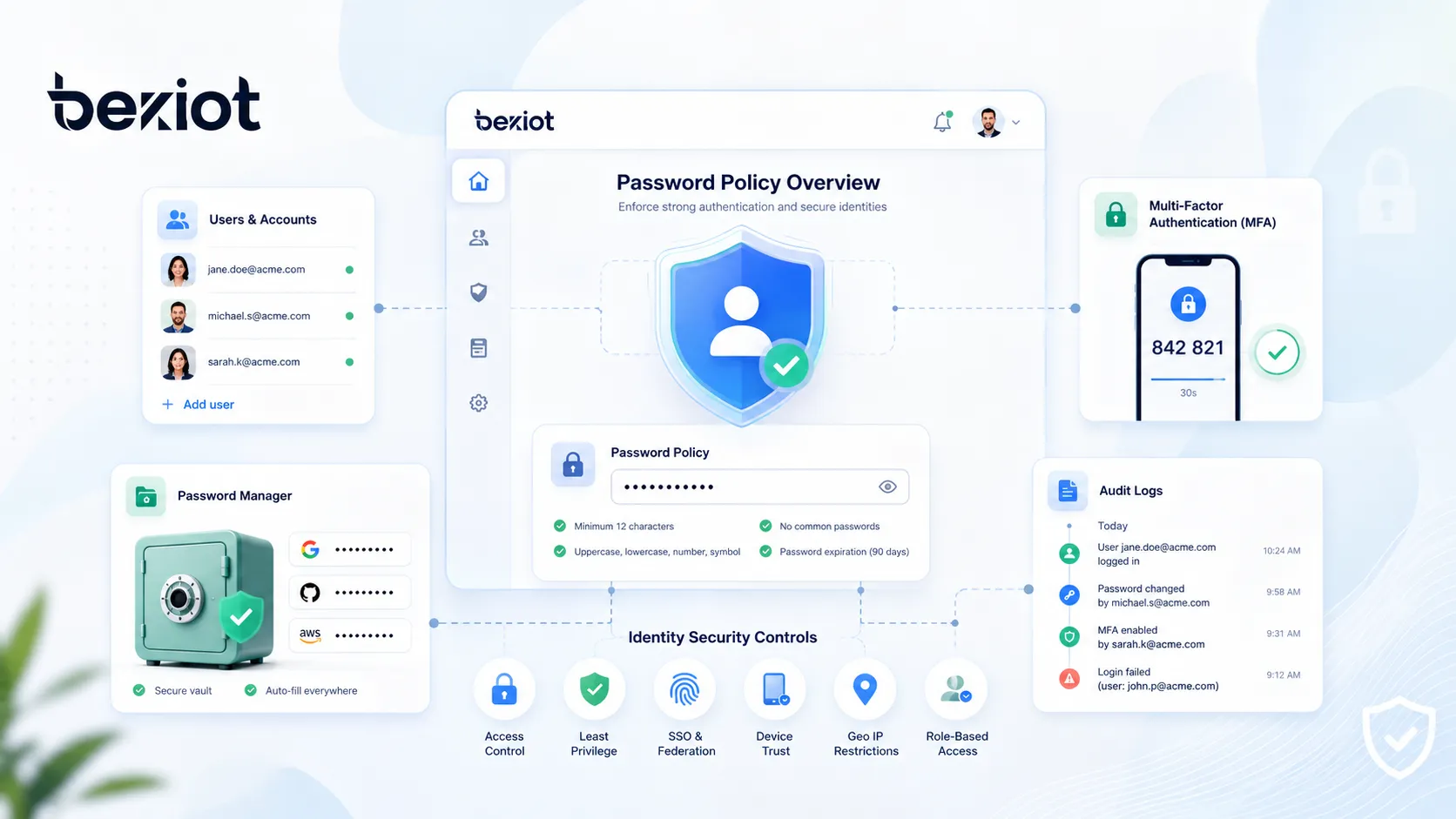
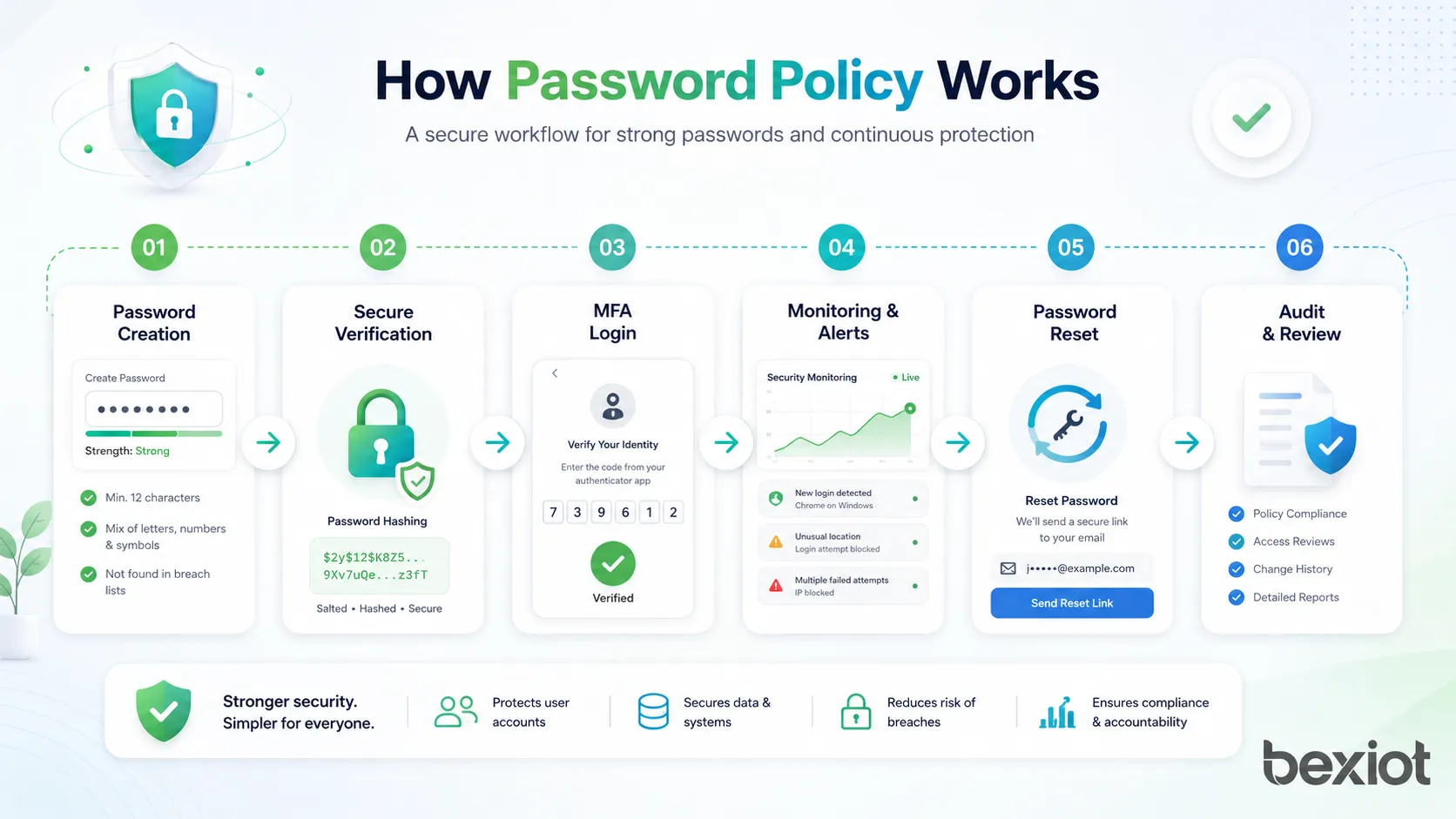
How a Password Policy Works
Password Creation Rules
Password creation rules define what users must follow when setting a new password. These rules may include minimum length, maximum length support, blocking commonly used passwords, preventing use of personal information, and discouraging password reuse. Modern policies often emphasize longer passwords or passphrases rather than only complex character mixtures.
A good password creation rule should help users choose stronger passwords without making the process unnecessarily frustrating. If rules are too complicated, users may create predictable patterns such as adding “123!” to the end of a word, writing passwords down insecurely, or reusing similar passwords across systems.
Effective password policies should clearly explain requirements on the password creation screen. Users should know why a password is rejected and how to choose a better one.
Password Verification
When a user logs in, the system verifies the submitted password against the stored password record. A secure system should not store the actual password in plain text. Instead, it should store a protected password representation created through a secure hashing process with suitable salting and computational cost.
During login, the system applies the same protected calculation to the submitted password and compares the result with the stored value. If they match, the user can proceed, depending on other controls such as multi-factor authentication or conditional access rules.
Verification should also include protections against repeated guessing. Rate limits, lockout rules, progressive delays, bot detection, and monitoring can help reduce automated attacks.
Password Change and Reset
Password change and reset workflows define how users update passwords. A user may change a password voluntarily, or the organization may require a change when there is evidence of compromise, suspicious activity, account takeover, administrator action, or user request.
A password reset process must be secure because attackers often target reset workflows. If a reset link, help desk procedure, or recovery question is weak, the attacker may bypass the password itself. Strong reset processes may include verified email, MFA, identity checks, time-limited links, support approval, or secure self-service recovery.
Password changes should invalidate old sessions where appropriate, especially after compromise. This prevents an attacker from staying logged in after the password has been changed.
Monitoring and Enforcement
A password policy works best when it is enforced technically and monitored continuously. Policy settings can block weak passwords, prevent reuse, require MFA, log failed attempts, alert on suspicious behavior, and prevent users from setting compromised credentials.
Monitoring can include failed login trends, password spraying indicators, impossible travel, unusual login locations, password reset spikes, privileged account changes, and compromised credential detection. These signals help security teams identify attacks before they become serious incidents.
Enforcement should be consistent across all major systems. A strong password policy for one application does not protect the organization if another critical system allows weak or reused passwords.
Main Features of a Password Policy
Minimum Password Length
Minimum password length is one of the most important password policy settings. Longer passwords are generally harder to guess or crack than short passwords, especially when they are unique and not based on common words or predictable patterns.
Many modern security guidelines encourage longer passwords or passphrases because they can be both stronger and easier for users to remember. A passphrase made from several unrelated words can be easier to type and remember than a short password filled with forced symbols.
The chosen minimum length should reflect the risk level of the system, whether MFA is required, the type of users, and the sensitivity of the account.
Support for Long Passwords and Passphrases
A good password policy should allow long passwords. If a system limits passwords to a short maximum length, it prevents users from choosing strong passphrases. Long password support is especially useful when users rely on password managers to generate unique credentials.
Passphrases can improve usability because users may remember a sentence-like or word-based password more easily than a random short string. However, passphrases should not be famous quotes, common phrases, song lyrics, company slogans, or predictable personal information.
Systems should accept spaces and a broad range of characters where practical, while ensuring that password handling is consistent across login, reset, mobile, web, and API interfaces.
Blocking Common and Compromised Passwords
A strong password policy should block passwords that are known to be weak, common, leaked, or compromised. Examples include simple sequences, repeated characters, keyboard patterns, dictionary words, company names, product names, user names, and passwords found in breach datasets.
Blocking known bad passwords is often more effective than forcing users to include a symbol or number. A password such as “Password2026!” may satisfy some old complexity rules but still be predictable and unsafe.
Compromised password screening helps prevent users from choosing credentials that attackers may already have in password lists.
Password Reuse Prevention
Password reuse prevention stops users from repeatedly using the same password or cycling through a small set of passwords. This is important because a password compromised in one system may be used to attack another system.
Reuse controls may apply within the same system, across enterprise identity services, or through password manager policies. For business accounts, users should not reuse personal passwords, shared team passwords, or old passwords from unrelated services.
Preventing reuse is especially important for privileged accounts, administrator accounts, remote access accounts, and systems that contain sensitive information.
Multi-Factor Authentication Requirement
A modern password policy should be connected to multi-factor authentication. MFA adds another verification step beyond the password, such as an authenticator app, hardware security key, passkey, biometric factor, push approval, or one-time code.
MFA helps reduce the risk of account compromise when a password is stolen, phished, guessed, or leaked. It is especially important for remote access, administrator accounts, cloud services, financial systems, email accounts, and customer data platforms.
Passwords should not be treated as the only line of defense. MFA, conditional access, device trust, and risk-based login controls can strengthen the authentication process.
Account Lockout and Rate Limiting
Account lockout and rate limiting help defend against repeated password guessing. Rate limiting slows down attempts after repeated failures. Account lockout temporarily blocks access after too many failed attempts. Progressive delays can slow attackers while reducing the risk of denial-of-service lockouts against legitimate users.
These controls should be designed carefully. If lockout rules are too aggressive, attackers may intentionally lock many user accounts. If they are too weak, attackers may try large numbers of password guesses without being stopped.
A balanced policy uses rate limiting, monitoring, alerting, and suspicious login detection rather than relying only on hard lockout.
Password Manager Support
Password managers help users create and store long, unique passwords for different accounts. A password policy should support password manager use by allowing long passwords, avoiding unnecessary restrictions, and encouraging users not to memorize dozens of different credentials.
Password managers reduce the pressure to reuse passwords. They can also generate random passwords that are much harder to guess than human-created passwords.
For business environments, organizations may choose enterprise password managers with sharing controls, access logs, vault policies, emergency access, and offboarding support.
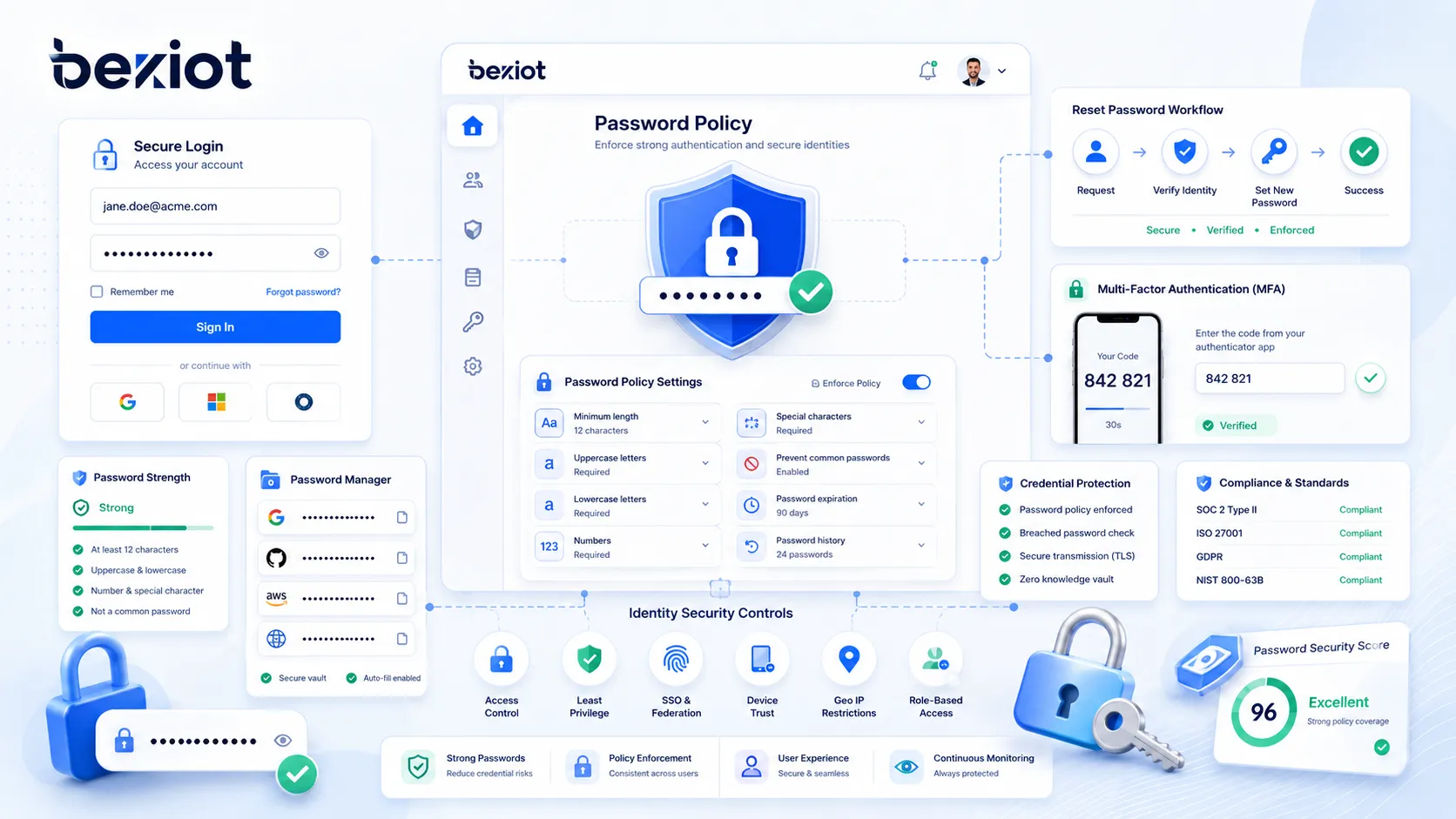
Password Policy Components
User Password Requirements
User password requirements define how ordinary users create and maintain passwords. These requirements should be clear, practical, and suitable for the user population. They should encourage strong, unique passwords without creating unnecessary frustration.
Requirements may include minimum length, long password support, no reuse, no common passwords, no compromised passwords, no username-based passwords, and use of MFA for sensitive systems. Users should also be advised not to share passwords or store them in unsecured notes.
A good user policy is easy to understand and easy to follow with the right tools.
Privileged Account Requirements
Privileged accounts need stricter protection because they can change systems, access sensitive data, create users, alter permissions, disable security controls, and affect business operations. Administrator passwords should be longer, unique, protected by MFA, and managed through strong access controls.
Privileged access may also require session recording, approval workflows, just-in-time access, password vaulting, automatic rotation, and monitoring. Shared administrator passwords should be avoided where possible because they reduce accountability.
A password policy should treat privileged accounts as higher risk than ordinary user accounts.
Service Account Passwords
Service accounts are used by applications, scripts, integrations, databases, and automated processes. Their passwords or secrets may be stored in configuration files, environment variables, vaults, or automation platforms. If poorly managed, service accounts can become hidden security risks.
Service account credentials should be unique, long, randomly generated, stored securely, rotated when needed, and limited to the minimum permissions required. They should not be reused across many systems.
Organizations should maintain an inventory of service accounts so that old or unused credentials do not remain active indefinitely.
Shared Passwords and Team Access
Shared passwords create accountability and security problems. If several people use the same password, it becomes difficult to know who performed an action. Shared passwords may also be copied, stored insecurely, or retained by former employees.
When team access is needed, organizations should prefer individual accounts with role-based permissions. If a shared credential is unavoidable, it should be stored in an approved password vault with access logging, limited visibility, and controlled rotation.
Shared credentials should be treated as exceptions, not as the normal way to manage access.
Password Storage Requirements
A password policy should include requirements for secure password storage. Systems should not store passwords in plain text or reversible formats unless there is a very specific and controlled reason. Passwords should be protected using strong hashing methods with unique salts and appropriate computational cost.
Secure storage is critical because attackers often target password databases. If a password database is stolen and passwords are poorly stored, attackers may quickly recover usable credentials.
Storage requirements should apply to custom applications, legacy systems, SaaS platforms, internal tools, and any system that manages authentication data.
Benefits of Password Policy
Reduced Risk of Account Compromise
The most direct benefit of a password policy is reduced risk of account compromise. Stronger and unique passwords make guessing, credential stuffing, and password reuse attacks harder. MFA further reduces risk when passwords are stolen.
A policy that blocks weak and compromised passwords helps prevent users from choosing credentials that attackers already know. Rate limiting and monitoring make automated attacks less effective.
Password policy cannot eliminate all account risk, but it significantly improves the first layer of authentication security.
Improved Identity Governance
Password policy supports identity governance by creating consistent rules for users, administrators, service accounts, password resets, offboarding, and access reviews. It helps organizations manage authentication as part of a broader identity program.
Without a policy, each system may use different rules. This creates confusion for users and makes security harder to audit. A unified policy helps standardize access practices across the organization.
Better governance improves both security and operational control.
Better Compliance Support
Many organizations must demonstrate that user access is protected by reasonable controls. A password policy helps provide evidence that authentication requirements are defined, enforced, reviewed, and maintained.
Compliance reviews may ask whether passwords are protected, whether privileged access is controlled, whether failed login attempts are monitored, whether accounts are reviewed, and whether compromised credentials are addressed.
A documented and enforced password policy can make compliance audits more efficient.
Improved User Experience
A well-designed password policy can improve user experience. Older policies often forced frequent password changes and complex character rules that users found frustrating. Modern policies can emphasize longer passphrases, password managers, MFA, and compromised password blocking.
This reduces the need for users to create unnatural passwords that are difficult to remember and easy to mistype. It can also reduce help desk requests caused by forgotten passwords and lockouts.
Good security should be practical enough for users to follow consistently.
Stronger Incident Response
Password policy supports incident response by defining what happens when credentials are suspected or confirmed to be compromised. The policy may require password reset, session invalidation, MFA review, account monitoring, access log review, and user notification.
During an incident, clear rules reduce confusion. Security teams know when passwords must be changed, which accounts need priority, and how to verify that access has been secured.
A policy turns credential incidents into a controlled response process.
Applications of Password Policy
Enterprise User Accounts
Enterprise user accounts are one of the main applications of password policy. Employees use passwords to access email, collaboration tools, HR systems, CRM platforms, ERP systems, file storage, VPNs, and internal applications.
A password policy helps ensure that employee accounts use strong authentication practices. It also supports onboarding, role changes, password reset, offboarding, and access review.
For enterprise accounts, password policy should be combined with MFA, SSO, conditional access, and identity lifecycle management.
Cloud and SaaS Platforms
Cloud and SaaS platforms often contain sensitive business data and are accessible from many networks and devices. Password policy is important for protecting user accounts, administrator consoles, API access, and customer data.
Many SaaS platforms allow administrators to configure password length, MFA, session timeout, SSO, password reset rules, and account lockout. These settings should be aligned with the organization’s overall identity security policy.
Cloud systems should not be left with default or weak authentication settings.
Remote Access and VPN
Remote access accounts are high-risk because they allow users to connect from outside the organization’s trusted network. VPN, remote desktop, cloud admin portals, and remote management tools should have strong password policy enforcement.
Remote access should usually require MFA. Password-only remote access is risky because stolen credentials can provide attackers with a direct path into internal systems.
Monitoring remote login activity is also important because unusual source locations or repeated failures may indicate an attack.
Privileged Access Management
Privileged access management uses password policy to protect administrator accounts, root accounts, database administrators, domain administrators, network device administrators, and emergency access accounts.
Privileged passwords should be long, unique, protected by MFA, stored in secure vaults where appropriate, rotated when required, and monitored through audit logs. Access should be granted only when needed and removed when no longer required.
Privileged account compromise can have severe impact, so password policy must be stronger for these accounts.
Customer Portals and Online Services
Customer portals and online services use password policy to protect customer accounts, personal data, billing information, orders, subscriptions, and service history. The policy must balance security with usability because customers may abandon services that make login too difficult.
Customer-facing password policies should support long passwords, password managers, MFA options, secure reset, and clear error messages. They should avoid unnecessary restrictions that prevent strong passwords.
For high-risk customer accounts, risk-based authentication and compromised password checks can improve protection.
Databases, Applications, and APIs
Databases, internal applications, and APIs often use passwords or secrets for authentication. These credentials may belong to users, applications, service accounts, integration tools, or automated jobs.
Password policy in these environments should include secure storage, rotation procedures, least privilege, secret vaulting, audit logs, and removal of unused credentials. Hard-coded passwords in source code or scripts should be avoided.
Application and API credentials are often overlooked, but they can create serious security exposure.
Designing a Modern Password Policy
Emphasize Length and Uniqueness
A modern password policy should emphasize length and uniqueness. Long, unique passwords are generally stronger than short passwords that merely satisfy character complexity rules. Users should be encouraged to use passphrases or password managers.
Uniqueness is essential because reused passwords create a major risk. If a password from one breached service is reused for a work account, attackers can try the same credential elsewhere.
The policy should make it clear that every important account needs a different password.
Avoid Unnecessary Complexity Rules
Traditional complexity rules often require uppercase letters, lowercase letters, numbers, and symbols. These rules may look strong, but users often respond with predictable patterns. For example, they may capitalize the first letter and add a number or symbol at the end.
A more practical approach is to block weak and compromised passwords, allow longer passphrases, and provide password strength feedback. Complexity can still happen naturally when users or password managers create strong passwords, but forced complexity alone should not be the main defense.
Password rules should reduce real attack risk, not merely create the appearance of security.
Use MFA for Important Accounts
Password policy should be paired with MFA policy. Important accounts such as email, remote access, cloud admin, finance, HR, customer data, and privileged accounts should use MFA wherever possible.
MFA helps protect accounts even when a password is phished or leaked. Strong MFA methods such as authenticator apps, hardware security keys, or passkeys may provide better protection than SMS codes in higher-risk environments.
Organizations should choose MFA methods based on risk, usability, device availability, and support needs.
Check Against Compromised Passwords
Password screening should check whether a proposed password appears in known compromised password lists or common password dictionaries. If a user chooses a known weak password, the system should reject it and explain that a different password is required.
This control helps prevent users from choosing passwords attackers already know. It is particularly useful because many users choose familiar words, names, years, keyboard patterns, or reused credentials.
Compromised password screening should be done securely without exposing the password itself to unnecessary third parties.
Define When Passwords Must Change
A modern password policy should define clear conditions for password change. Passwords should be changed when there is evidence of compromise, suspected account takeover, user request, role transition, lost device, exposed secret, or administrative reset.
Routine forced password changes without evidence of compromise can create user frustration and may lead to weaker password choices. If users are forced to change passwords too often, they may use predictable variations.
Password change requirements should be risk-based and supported by monitoring.
Include Password Reset Security
Password reset security is as important as password creation. Attackers may target reset links, support desks, recovery questions, or compromised email accounts to take over an account.
A secure reset process may include MFA, time-limited reset links, identity verification, notification to the user, session invalidation, and audit logging. Security questions based on personal information should be avoided because answers may be guessed or found online.
A weak reset process can undermine a strong password policy.
Deployment Considerations
Map All Systems That Use Passwords
Before enforcing a password policy, organizations should identify all systems that use passwords. This includes directory services, cloud applications, VPNs, databases, network devices, business applications, service accounts, legacy systems, and third-party platforms.
Mapping systems helps reveal where password rules are inconsistent. A strong identity provider policy may not protect a legacy application that uses its own weak password database.
A complete inventory is the first step toward consistent enforcement.
Align Policy With User Groups
Different user groups may need different password controls. Ordinary employees, administrators, service accounts, contractors, customers, and emergency access accounts may have different risk levels and operational needs.
High-risk accounts should have stronger requirements. For example, administrator accounts may require longer passwords, MFA, vaulting, session monitoring, and stricter reset procedures.
A one-size-fits-all policy may be too weak for privileged users or too burdensome for low-risk accounts.
Prepare User Communication
Password policy changes can frustrate users if they are not explained clearly. Organizations should communicate what is changing, why it matters, how to create strong passwords, how to use a password manager, and where to get help.
Users should receive practical examples. For example, they can be encouraged to use long passphrases or password managers rather than short complicated passwords.
Clear communication improves adoption and reduces help desk workload.
Test Before Full Enforcement
Password policy enforcement should be tested before a full rollout. Testing can reveal problems with legacy systems, mobile apps, integrations, password reset flows, SSO connections, and service accounts.
A sudden policy change may break applications or lock out users if dependencies are not understood. Pilot groups and staged deployment can reduce disruption.
Testing is especially important when changing minimum length, MFA requirements, password expiration rules, or account lockout behavior.
Monitor After Deployment
After deployment, administrators should monitor login failures, lockouts, password reset volume, user complaints, support tickets, compromised password alerts, and suspicious login attempts. This helps determine whether the policy is working as intended.
Monitoring may show that users need better guidance, that a system is misconfigured, or that attackers are testing accounts. The policy should be adjusted based on real operational data.
Password policy is not a one-time setup. It requires ongoing review and improvement.
A successful password policy combines technical enforcement, user education, MFA, monitoring, secure reset workflows, and regular review.
Common Challenges
User Frustration
User frustration is one of the most common password policy challenges. If users are forced to create passwords that are hard to remember, change them too often, or follow confusing rules, they may look for shortcuts.
Shortcuts may include writing passwords on paper, reusing old passwords, using predictable patterns, or storing passwords in insecure documents. These behaviors can weaken security instead of improving it.
A good policy should be strong enough to reduce risk but practical enough for normal users to follow.
Password Reuse
Password reuse remains a serious problem. Users may reuse the same password across work systems, personal email, shopping sites, social media, and cloud services. If one site is breached, attackers may try the same password elsewhere.
Password managers and user education can reduce reuse. Technical controls such as compromised password screening and SSO can also help.
Reuse prevention is essential for reducing credential stuffing risk.
Legacy System Limitations
Legacy systems may not support long passwords, modern hashing, MFA, SSO, Unicode characters, secure reset workflows, or detailed audit logs. These limitations can make policy enforcement difficult.
Organizations should identify legacy constraints and decide whether to upgrade, isolate, replace, or add compensating controls. For example, a legacy system may be protected by VPN, network segmentation, or an identity proxy if direct policy enforcement is limited.
Legacy exceptions should be documented and reviewed regularly.
Shared and Hard-Coded Passwords
Shared and hard-coded passwords are common operational risks. A shared password may be used by a team, vendor, application, script, or device. A hard-coded password may be embedded in source code, configuration files, or automation jobs.
These credentials are difficult to rotate and easy to lose track of. They may remain active long after people or systems no longer need them.
Organizations should move shared and hard-coded secrets into controlled vaults and replace shared access with individual authentication where possible.
Overly Aggressive Lockout Rules
Lockout rules can help block guessing attacks, but overly aggressive settings may create operational problems. Attackers can intentionally trigger lockouts, causing denial of service for legitimate users.
A better approach may combine progressive delays, risk-based detection, alerting, MFA, and suspicious login monitoring. Lockout should be used carefully and adjusted based on risk.
The goal is to slow attackers without making normal work unreliable.
Maintenance and Operation Tips
Review the Policy Regularly
Password policy should be reviewed regularly because technology, threats, regulations, and user behavior change over time. A policy written several years ago may rely on outdated assumptions.
Reviews should consider password length, MFA coverage, compromised password blocking, password reset workflows, service accounts, privileged access, and user feedback.
Regular review keeps the policy practical and aligned with current risk.
Audit Password-Related Events
Password-related events should be logged and reviewed. Important events include failed logins, password changes, password resets, account lockouts, MFA failures, privileged account login, password policy changes, and new administrator accounts.
Audit logs help detect suspicious behavior and support incident investigation. They also provide evidence for compliance reviews.
Logs should be protected from unauthorized modification and retained according to policy.
Remove Unused Accounts
Unused accounts create unnecessary risk. Former employees, old contractors, test users, abandoned service accounts, and inactive administrator accounts should be disabled or removed.
Even a strong password policy cannot protect an account that nobody monitors and nobody owns. Attackers often look for forgotten accounts because they may have weak passwords or old permissions.
Account lifecycle management should work together with password policy.
Train Users on Practical Password Security
User training should focus on practical behavior. Users should know how to create strong passphrases, use password managers, avoid password reuse, recognize phishing, protect MFA prompts, and report suspected compromise.
Training should avoid vague instructions such as “make it complex.” Instead, it should give clear examples and explain common attacker methods.
Better user understanding makes password policy more effective in real life.
Update Technical Controls
Password policy should be supported by modern technical controls. These may include SSO, MFA, password manager integration, compromised password screening, secure hashing, identity threat detection, conditional access, and privileged access management.
Technical controls reduce reliance on user memory and manual discipline. They also make enforcement more consistent across systems.
As systems modernize, password policy should be updated to use stronger controls.
Password Policy Versus Related Security Concepts
Password Policy Versus MFA Policy
Password policy defines how passwords are created, used, changed, and protected. MFA policy defines when and how users must provide an additional authentication factor. The two policies are related but not the same.
Password policy reduces the risk of weak credentials. MFA policy reduces the risk that a stolen password alone can access the account. Together, they provide stronger authentication security.
Important accounts should usually be protected by both strong password rules and MFA.
Password Policy Versus Access Control Policy
Password policy focuses on authentication credentials. Access control policy focuses on what users are allowed to do after authentication. A user may have a strong password but still have excessive permissions.
Both policies are needed. Password policy helps verify the user, while access control policy limits the user’s actions according to role and business need.
Strong authentication should be combined with least-privilege access.
Password Policy Versus Passkey Strategy
Passkeys are a newer authentication method designed to reduce reliance on traditional passwords. A passkey strategy may eventually reduce the importance of password policy in some systems. However, many organizations still operate systems that depend on passwords.
During transition, password policy remains important. Organizations may use passkeys for supported applications while keeping password controls for legacy systems, service accounts, backup access, and applications that do not yet support passwordless login.
Password policy and passwordless strategy can coexist during modernization.
Password Policy Versus Privileged Access Management
Privileged access management, or PAM, controls high-risk accounts and administrative access. It may include password vaulting, session monitoring, just-in-time access, approval workflows, and automatic credential rotation.
Password policy is broader and applies to many account types. PAM applies stricter controls to accounts that can create the greatest damage if compromised.
Organizations should use PAM for privileged accounts and a broader password policy for general identity security.
Conclusion
A password policy defines how passwords are created, used, stored, changed, reset, monitored, and protected. It helps organizations reduce weak passwords, prevent credential reuse, protect accounts from guessing attacks, and create consistent authentication practices across systems.
A modern password policy should emphasize password length, uniqueness, compromised password blocking, secure password storage, MFA, password manager support, rate limiting, secure reset workflows, privileged account protection, service account control, and audit logging. It should avoid outdated rules that create frustration without improving real security.
Password policy is used in enterprise systems, cloud platforms, customer portals, VPNs, remote access services, privileged access management, databases, applications, and APIs. When combined with user education, technical enforcement, monitoring, and regular review, it becomes an important foundation for identity security and access governance.
FAQ
What is a password policy in simple terms?
A password policy is a set of rules that explains how passwords should be created, protected, changed, stored, and monitored.
It helps organizations reduce weak passwords, prevent account compromise, and manage authentication more consistently.
What should a password policy include?
A password policy should include minimum length, support for long passwords, compromised password blocking, password reuse prevention, MFA requirements, account lockout or rate limiting, secure reset rules, password storage requirements, and audit logging.
It should also define different controls for ordinary users, administrators, service accounts, and high-risk systems.
Should passwords be changed regularly?
Passwords should be changed when there is evidence of compromise, suspected account takeover, user request, lost device, exposed secret, or administrative reset.
Forced periodic changes without evidence of compromise can create user frustration and may encourage predictable password patterns.
Why is password length important?
Longer passwords are generally harder to guess or crack than short passwords, especially when they are unique and not based on common words or predictable patterns.
Long passphrases and password manager-generated passwords can improve both security and usability.
Is a strong password enough without MFA?
A strong password is important, but it is not enough for high-risk accounts. Passwords can still be stolen through phishing, malware, data breaches, or social engineering.
MFA adds another layer of protection and is strongly recommended for remote access, administrator accounts, email, cloud services, financial systems, and sensitive data platforms.
How can organizations reduce password reuse?
Organizations can reduce password reuse by encouraging password managers, blocking known compromised passwords, using SSO where appropriate, training users, and preventing users from reusing recent passwords inside enterprise systems.
Every important account should use a unique password.







