


Internet Group Management Protocol (IGMP) is the IPv4 protocol used by hosts and neighboring multicast routers to manage membership in IP multicast groups. In simple terms, it tells the local network which devices want to receive traffic for a particular multicast stream and which devices no longer need that stream. The protocol is defined by the IETF, and the current Internet Standards Track specification for IGMPv3 is RFC 9776, which obsoletes RFC 3376 and updates RFC 2236.
IGMP matters because IP multicast is a one-to-many delivery model. Instead of sending separate copies of the same traffic to every receiver, a source can send one stream to a multicast group, and the network can replicate that traffic only where interested receivers exist. That is efficient, but the network still needs a mechanism to learn which receivers are interested on each local subnet. IGMP provides that control function for IPv4 multicast environments.
In practical deployments, IGMP is most often associated with managed LAN and campus networks, IPTV distribution, enterprise video, financial data feeds, and other one-to-many applications where many receivers subscribe to the same traffic. It is also closely associated with IGMP snooping, a Layer 2 switching feature that listens to IGMP control messages so switches can forward multicast traffic only to ports with interested receivers.
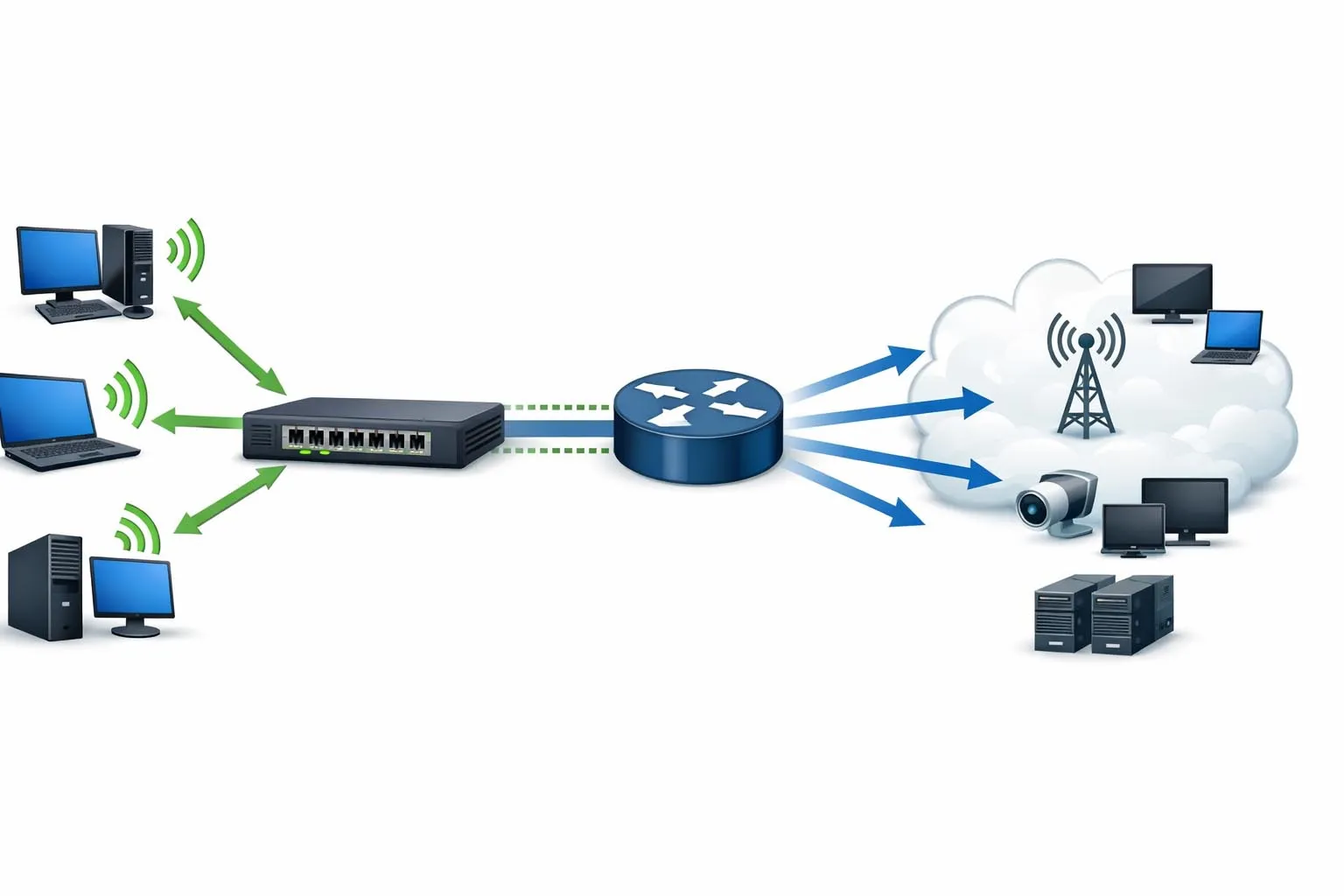
IGMP lets IPv4 hosts signal multicast interest so nearby routers and switches can deliver multicast traffic more efficiently.
What IGMP Means in Networking
A Group-Membership Protocol for IPv4 Multicast
IGMP is not a routing protocol in itself. It does not calculate end-to-end multicast paths across a wide network. Instead, it operates between hosts and their immediately neighboring multicast routers on a local subnet. Its main job is to communicate which multicast groups have interested listeners on that segment so the router can decide whether multicast traffic should continue to be forwarded there.
This local membership role is what makes IGMP foundational to IPv4 multicast operations. A multicast routing protocol may build distribution trees across the larger network, but it still depends on IGMP information at the access edge to know whether receivers are present on a directly attached LAN. Without that membership knowledge, multicast delivery would either be wasteful or incomplete.
It is also important to distinguish IGMP from its IPv6 counterpart. IGMP is used for IPv4 multicast group management, while IPv6 uses Multicast Listener Discovery (MLD) for a similar purpose.
More Than “Joining a Multicast Stream”
Many administrators first encounter IGMP when configuring video streaming, IPTV, or multicast applications on a switch or router. In that context, IGMP can look like a simple join process: a host wants a stream, sends a report, and starts receiving traffic. In reality, IGMP also supports queries, leave behavior, compatibility between versions, and in IGMPv3, source filtering that allows a host to specify which sources within a multicast group it wants to receive or avoid.
That added sophistication is why IGMP evolved across three major versions. IGMPv1 provided the basic query-response model. IGMPv2 improved leave behavior and reduced leave latency. IGMPv3 added source filtering and made source-specific multicast deployment more practical. Each version addressed operational limits discovered in earlier multicast networks.
IGMP is best understood as the access-edge control protocol for IPv4 multicast. It does not move multicast payloads itself; it tells the local network where those payloads are actually wanted.
How IGMP Works
Queries, Reports, and Local Membership State
IGMP works by exchanging a small set of control messages between receivers and a multicast router acting as the querier. The querier sends periodic messages asking whether any hosts on the subnet are listening to multicast groups. Hosts that want multicast traffic answer with membership reports for the relevant groups. The router then maintains local group state based on those reports and uses that information to decide whether multicast traffic should be forwarded onto that subnet.
In a typical subnet, one router acts as the IGMP querier and sends general queries to determine whether any multicast listeners are present. Later versions of IGMP also support group-specific queries, and IGMPv3 adds group-and-source-specific queries. Those more targeted queries allow the router to confirm whether listeners still want a particular multicast group or even a specific source within that group.
This process creates a constantly refreshed local membership table. Hosts do not need to maintain a permanent registration with the router; instead, the router learns active membership from reports and periodic query responses. If reports stop arriving, the router can eventually age out the group state for that subnet.
How Hosts Join and Leave Groups
When a host wants to receive traffic for a multicast group, it sends an unsolicited membership report, and it may also send reports in response to router queries. That is how the local router learns that the subnet has at least one interested receiver for the group. In managed switched networks, these same IGMP messages can also be observed by switches running IGMP snooping so they can map multicast groups to specific access ports.
Leave behavior differs by version. In IGMPv1, a host that lost interest simply stopped responding to queries, which could leave multicast traffic flowing longer than necessary. IGMPv2 added an explicit Leave Group message so a host could actively indicate that it no longer wanted the group, allowing the router to send a group-specific query and confirm whether any listeners remained. IGMPv3 extends this further by allowing hosts to express interest not only in a group, but in selected sources within that group.
The result is more efficient use of bandwidth and faster stopping of unwanted streams, especially in access networks with many multicast channels or frequent channel changes.
IGMP Versions and What Changed
IGMPv1 introduced the fundamental query-response model for multicast membership on IPv4 networks. It was the first widely deployed version and established the basic behavior by which routers query and hosts report interest in groups. However, it lacked an explicit leave mechanism, which meant that traffic could continue to flow until membership timers expired.
IGMPv2 improved the protocol by adding the leave process, group-specific queries, and better control over how quickly routers can determine that a subnet no longer has active members for a group. This is why IGMPv2 is often associated with lower leave latency than IGMPv1.
IGMPv3, now specified by RFC 9776, adds source filtering. A receiver can express interest in traffic only from specific source addresses, or in traffic from all but certain sources. That capability is the foundation for more advanced multicast service models such as source-specific multicast.
IGMP and IGMP Snooping
Why Snooping Is Common in Switched LANs
IGMP itself operates between hosts and multicast routers, but most enterprise and campus networks also contain Layer 2 switches between those devices. By default, a switch can treat multicast traffic in a way that resembles flooding within the broadcast domain, because multicast MAC addresses are not learned in the same way as normal unicast MAC addresses. That can waste bandwidth when many multicast streams are present.
IGMP snooping addresses this problem by allowing the switch to inspect IGMP control traffic, learn which ports have receivers for each multicast group, and forward multicast traffic only to those ports. This makes multicast much more practical in switched LANs and is one of the main reasons administrators encounter IGMP settings on access and distribution switches even if the underlying multicast routing is handled elsewhere.
In other words, IGMP snooping does not replace IGMP. It uses IGMP information to optimize Layer 2 forwarding behavior.
How Snooping Reduces Unnecessary Traffic
When a switch running IGMP snooping sees membership reports from a host, it records the relationship between the multicast group and the receiving port. When it later sees a leave event or determines that membership has expired, it can prune that port from the forwarding entry. This means multicast traffic is sent only toward ports with subscribed receivers and toward router-facing ports that need the traffic for routing decisions.
This is especially important in environments with many video channels, digital signage streams, enterprise broadcasts, or specialized data feeds. Without snooping, those flows can consume bandwidth on ports that have no interested receivers. With snooping, the switch can constrain multicast delivery and reduce wasted traffic across the VLAN.
In most real LAN deployments, IGMP provides the membership language, while IGMP snooping turns that language into selective Layer 2 forwarding.
Benefits of IGMP
More Efficient One-to-Many Traffic Delivery
The primary benefit of IGMP is that it enables multicast traffic to be delivered only where receivers actually exist. In one-to-many applications, that is much more efficient than replicating separate unicast streams for every receiver. A source can send one multicast stream, and the network can duplicate it only at the points where branches are needed.
This makes bandwidth use much more efficient for applications in which many users watch or receive the same content at the same time. The efficiency benefit becomes more significant as the number of receivers increases.
Reduced Flooding in Switched Networks
In switched LANs, IGMP becomes especially valuable when paired with IGMP snooping. Instead of allowing multicast traffic to spread across every port in the VLAN, switches can forward it only toward ports that have active listeners. That reduces unnecessary traffic, lowers wasted bandwidth, and makes multicast services more scalable in enterprise and campus environments.
This is one of the most practical reasons IGMP-related features are enabled on switching infrastructure. It keeps multicast useful instead of disruptive.
Faster Channel Changes and Better Leave Behavior
IGMPv2 and IGMPv3 improve operational responsiveness compared with IGMPv1 because they allow routers to learn more quickly when a group no longer has interested receivers. In video and channel-based services, that helps reduce the amount of time unwanted traffic continues to flow after a receiver leaves a group.
With explicit tracking and newer multicast features on some platforms, networks can further reduce leave latency and improve channel-change behavior. That is especially useful in IPTV-style deployments and in other managed multicast environments where users move frequently between groups or channels.
Support for Source-Specific Multicast
IGMPv3 adds source filtering, which is one of the most important protocol improvements in the multicast family. Instead of subscribing only to a group, a receiver can request traffic from specific sources or exclude specific sources. This makes the protocol much better suited to source-specific multicast (SSM) designs, where the receiver is expected to identify both the multicast group and the source it wants.
That can improve control, reduce ambiguity, and simplify some multicast deployments compared with traditional any-source multicast models.
Applications of IGMP
IPTV and Managed Video Distribution
One of the most common applications of IGMP is IPTV and similar managed video services. In these environments, many users may choose among multiple live channels or multicast streams, and the network needs to deliver only the selected channels to each access segment. IGMP and IGMP snooping make that selective delivery possible.
This is why switch vendors often discuss IGMP filtering, throttling, and subscription-style control in the context of IPTV and multi-dwelling or metropolitan access networks. The protocol is well suited to situations where a shared catalog of streams is delivered to many receivers, but only some receivers want each stream at any given moment.
Enterprise and Campus Video
IGMP is also used in enterprise and campus networks for live internal broadcasts, lecture capture distribution, digital signage backbones, training streams, town hall video, and similar one-to-many content distribution use cases. If many viewers consume the same stream at the same time, multicast with IGMP can be much more efficient than opening many separate unicast sessions.
These environments often depend on managed network infrastructure and careful switch configuration, because multicast works best when the LAN is designed to constrain unwanted traffic and when the querier, snooping behavior, and VLAN boundaries are understood clearly.
Financial, Telemetry, and Specialized Data Feeds
Beyond video, IGMP can support specialized multicast data feeds where identical information is delivered to many receivers simultaneously. Examples can include market data distribution, telemetry dissemination, software feed distribution, or other real-time one-to-many messaging in controlled networks.
The benefit in these cases is the same as in video: efficient replication by the network rather than repeated transmission by the source for each receiver. When many endpoints subscribe to the same feed, multicast can significantly reduce upstream transmission load.
Industrial and Operational Networks
In industrial or operational environments, IGMP may appear wherever managed multicast is used for video monitoring, alarm fan-out, control-system telemetry distribution, or cross-site operational visibility on IPv4 networks. These deployments require care, because industrial networks often value predictability and may contain devices with long life cycles and mixed multicast support.
Where multicast is used responsibly, IGMP can help distribute one-to-many data efficiently to HMIs, monitoring stations, control-room displays, or specialized applications without creating unnecessary traffic on every segment.

IGMP is most valuable in controlled networks where many receivers need the same content and the infrastructure is designed to keep multicast selective rather than promiscuous.
Important Design Considerations
IGMP Works on the Local Subnet Edge
A common design misunderstanding is to assume that IGMP alone handles all multicast forwarding across the network. It does not. IGMP communicates listener interest on the local subnet. Larger multicast path building across routed domains typically depends on multicast routing behavior in addition to IGMP membership signaling.
That means a successful multicast deployment often requires both local membership control and broader multicast routing design. On small Layer 2-only networks, snooping and a querier may be enough. On routed enterprise or service-provider networks, broader multicast architecture must also be considered.
Version Compatibility Matters
Because IGMP has multiple versions, administrators need to understand version compatibility across hosts, switches, and routers. IGMPv3-capable equipment often supports older-version interoperability, but operational behavior can still depend on what the querier supports and whether features such as source filtering or SSM are in use.
In mixed environments, the practical multicast capability may fall back to the lowest common behavior on the subnet. That is particularly important if advanced IGMPv3 features are expected but some devices still behave as IGMPv2-only systems.
IPv6 Uses MLD, Not IGMP
IGMP is an IPv4 protocol. If the multicast environment is based on IPv6, the equivalent host-to-router membership mechanism is Multicast Listener Discovery. This distinction matters in dual-stack or migration environments, because similar multicast goals exist in both protocol families, but the group-management protocols are not the same.
Clear separation of IPv4 IGMP design and IPv6 MLD design helps avoid configuration mistakes and troubleshooting confusion in modern networks.
FAQ
What is IGMP in simple terms?
IGMP is the IPv4 protocol that lets hosts tell nearby multicast routers which multicast groups they want to receive. It helps the network send multicast traffic only where listeners exist.
What is the difference between IGMP and IGMP snooping?
IGMP is the host-to-router membership protocol. IGMP snooping is a Layer 2 switch feature that listens to IGMP messages and uses them to forward multicast traffic only to ports with interested receivers.
What are the main versions of IGMP?
The three major versions are IGMPv1, IGMPv2, and IGMPv3. IGMPv2 improves leave behavior and reduces leave latency, while IGMPv3 adds source filtering and supports source-specific multicast more effectively.
Is IGMP used for IPv6 multicast?
No. IGMP is used for IPv4 multicast. IPv6 uses Multicast Listener Discovery (MLD) for similar group-membership functions.
Where is IGMP commonly used?
IGMP is commonly used in managed multicast environments such as IPTV, enterprise video, campus streaming, financial data distribution, and other one-to-many IPv4 applications on routed and switched networks.







