


A headset jack is a physical audio connection port that allows a headset, earphone, microphone headset, or professional communication accessory to connect to a phone, computer, radio terminal, intercom device, dispatch console, or communication endpoint. It provides an interface for voice input, audio output, or both, depending on the connector type and device design.
Although it may look like a small hardware detail, the headset jack plays an important role in daily communication. It supports hands-free calling, private listening, clearer speech pickup, agent productivity, operator comfort, and flexible deployment across office, contact center, industrial, healthcare, education, security, and dispatch environments.
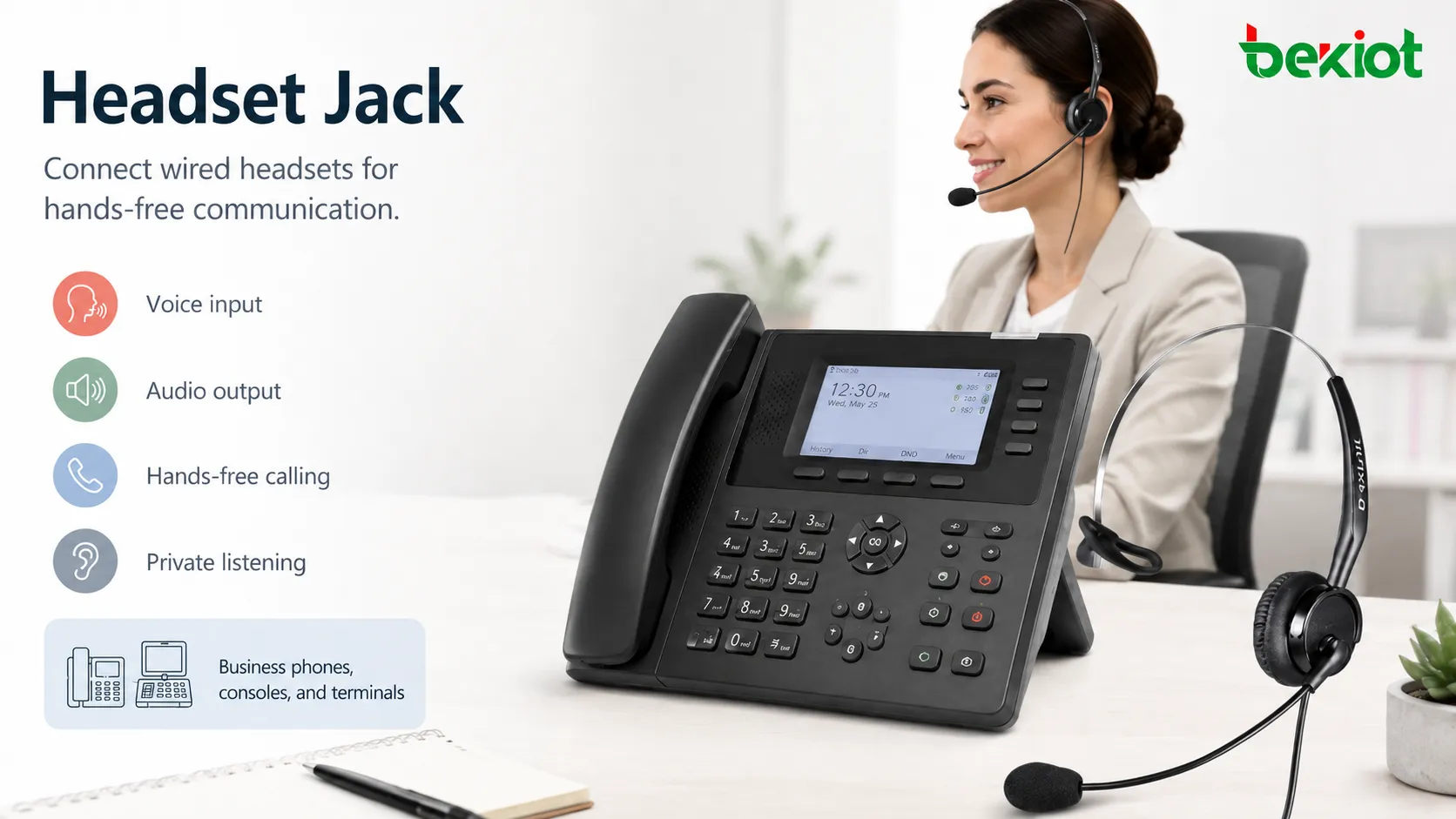
Small Port, Important Communication Role
In many workplaces, voice communication is not limited to picking up a handset. Users may need to type while speaking, monitor a screen, operate equipment, handle customer records, or move slightly around a workstation. A headset jack makes this possible by connecting a wearable audio device directly to the communication endpoint.
The jack may be used for a single-ear headset, dual-ear headset, boom microphone headset, noise-reducing headset, lightweight office headset, rugged industrial headset, or dispatcher-style headset. The exact function depends on the device, wiring standard, audio circuit, and headset compatibility.
For users, the value is simple: they can hear and speak more comfortably. For organizations, the value is broader: better call handling, fewer missed details, cleaner workstations, improved privacy, and more consistent audio quality across teams.
Common Connector Types
3.5 mm Audio Jack
The 3.5 mm audio jack is one of the most familiar headset connectors. It is commonly found on computers, mobile devices, tablets, some desk phones, recorders, and consumer audio equipment. Depending on the wiring, it may support audio output only or both audio output and microphone input.
Many modern 3.5 mm headset connectors use TRRS wiring, which means the plug includes left audio, right audio, microphone, and ground contacts. However, wiring standards can vary, so not every 3.5 mm headset works correctly with every device.
2.5 mm Audio Jack
The 2.5 mm jack is smaller than the 3.5 mm jack and has been used on some older phones, cordless phones, radios, and compact communication devices. It is less common today but still appears in some legacy systems and specialized equipment.
When replacing headsets for older devices, connector size should be checked carefully. A 2.5 mm headset and a 3.5 mm headset may look similar at a glance but are not physically interchangeable without an adapter.
RJ9 or 4P4C Headset Port
Many business desk phones use an RJ9-style headset port, also known as 4P4C. This connector resembles a small telephone handset plug and is common in office telephony and contact center environments.
RJ9 headset compatibility can vary by phone brand and headset wiring. Even if the connector physically fits, microphone and speaker pins may not match. For large deployments, compatibility testing is important before purchasing headsets in bulk.
USB and USB-C Audio Ports
Some modern devices use USB or USB-C headsets instead of traditional analog jacks. A USB headset usually includes its own digital audio interface, which can provide better device recognition, software control, and sometimes improved audio processing.
USB headsets are common for softphones, video conferencing, contact centers, and hybrid work. However, USB devices may require driver compatibility, operating system support, and endpoint management.
Quick Disconnect Connectors
Professional headset systems may use quick disconnect connectors between the headset and the device cable. This allows users to disconnect from the phone or console without removing the headset.
This is useful in contact centers, dispatch rooms, control centers, and service desks where users may need to stand up, change stations, or swap cables while keeping their headset on.
How the Audio Path Works
A headset jack connects the headset’s speaker and microphone circuits to the communication device. In analog designs, the device sends electrical audio signals to the headset speaker and receives microphone signals from the headset microphone. In digital designs such as USB, the headset may convert audio between analog and digital internally.
When a headset is plugged in, the device may automatically switch audio from the handset or built-in speaker to the headset. Some devices allow users to manually choose between handset, headset, speakerphone, or Bluetooth audio. Others detect the plug and change mode automatically.
Good audio performance depends on more than the connector. Microphone sensitivity, impedance, wiring, shielding, grounding, amplifier design, software settings, echo cancellation, gain control, and headset quality all affect the final experience.
A headset jack is not only a hole in the device. It is part of the complete audio path that determines how clearly users hear and speak during real communication.
Deployment Benefits
Hands-Free Work
The most direct benefit is hands-free operation. Users can speak while typing, checking records, controlling software, writing notes, scanning items, or handling equipment. This is especially useful for receptionists, agents, dispatchers, support engineers, nurses, warehouse staff, and operators.
Hands-free communication reduces interruption and improves workflow continuity. It also allows users to maintain better posture compared with holding a handset for long periods.
Improved Audio Consistency
A headset positions the microphone closer to the user’s mouth than many speakerphones or built-in microphones. This can improve voice pickup and reduce room noise, especially when the headset includes a boom microphone or noise-reducing design.
For teams that handle many calls, consistent microphone distance can improve call quality, recording quality, and speech recognition accuracy.
Better Privacy
Headsets help users listen privately, which is useful in shared offices, customer service desks, healthcare stations, dispatch centers, and public-facing counters. Instead of playing audio through a speaker, the conversation is heard through the headset.
This does not replace proper privacy policies, but it reduces the chance that nearby people overhear sensitive information from the far-end speaker.
Higher Productivity
In call-heavy environments, small time savings matter. A headset jack allows users to answer, speak, type, transfer calls, search records, and document outcomes without switching constantly between handset and keyboard.
For contact centers and service teams, this can improve efficiency and reduce physical strain during long shifts.
Flexible Accessory Choices
A standard headset interface gives organizations more flexibility when selecting accessories. Depending on the endpoint, users may choose lightweight headsets, noise-reducing headsets, mono or stereo models, quick-disconnect cables, or adapters for different users.
This flexibility helps organizations match headset type to the role. A receptionist, field dispatcher, call center agent, and industrial operator may all need different headset characteristics.
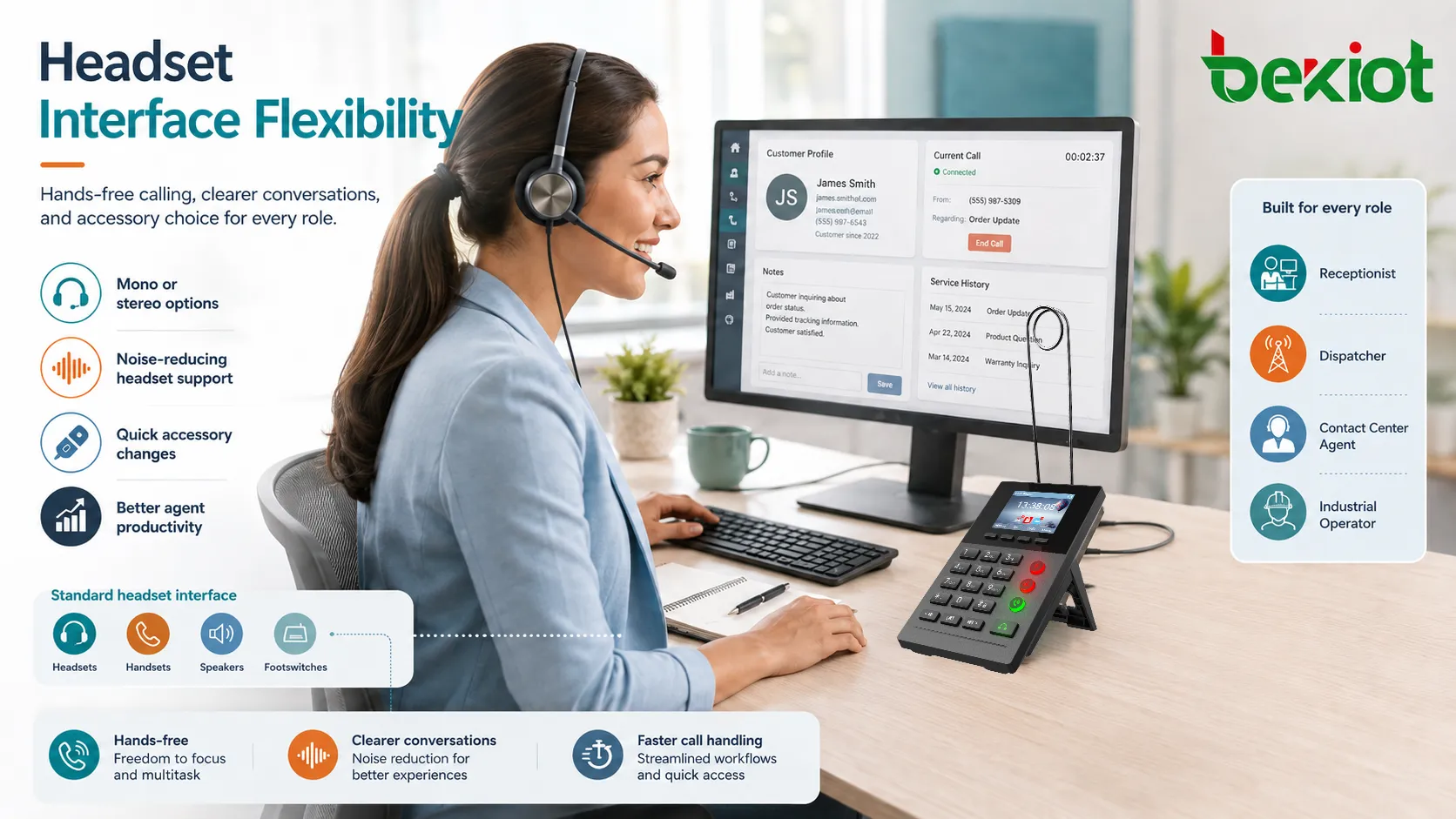
Where Wired Connections Still Make Sense
Wireless headsets are popular, but wired headset jacks remain useful in many environments. Wired connections do not require charging, pairing, wireless spectrum planning, or battery replacement. They also provide predictable connection behavior for shared workstations and fixed communication terminals.
In regulated, security-sensitive, or high-reliability environments, a wired headset may be preferred because it reduces wireless interference concerns and keeps the audio path simple. In dispatch and control room environments, predictable wired audio can be more important than mobility.
Wired headsets are also practical when many users share devices. A user can plug in, work, and unplug without managing Bluetooth pairing or device ownership.
Compatibility Factors Before Installation
Connector Shape and Size
The first compatibility factor is physical connector type. A 3.5 mm plug, 2.5 mm plug, RJ9 connector, USB-A connector, and USB-C connector are not the same. Even adapters may not solve every compatibility issue because wiring and audio standards can differ.
Before deployment, confirm the device’s supported headset interface and the headset’s plug type. This avoids purchasing accessories that physically do not fit or cannot carry microphone audio correctly.
Wiring Standard
Some connectors have different wiring standards. For example, 3.5 mm TRRS headsets may use different microphone and ground arrangements. RJ9 headset ports may also vary between phone manufacturers.
If the wiring does not match, users may hear audio but the microphone may not work, or the sound may be weak, noisy, or reversed. Bulk deployments should always include sample testing.
Impedance and Signal Level
Analog headset ports are designed for certain microphone and speaker characteristics. If the headset impedance or microphone level is not suitable, audio may sound too quiet, too loud, distorted, or noisy.
Professional headsets often provide model-specific compatibility guides. These guides should be checked when deploying headsets with business phones, radios, intercoms, or dispatch consoles.
Device Audio Settings
Many phones and softphones include audio settings for headset volume, microphone gain, sidetone, echo cancellation, ringtone output, and answer mode. These settings should be reviewed during deployment.
A headset that works poorly with default settings may perform well after proper adjustment. User training should also explain how to switch audio modes and adjust volume safely.
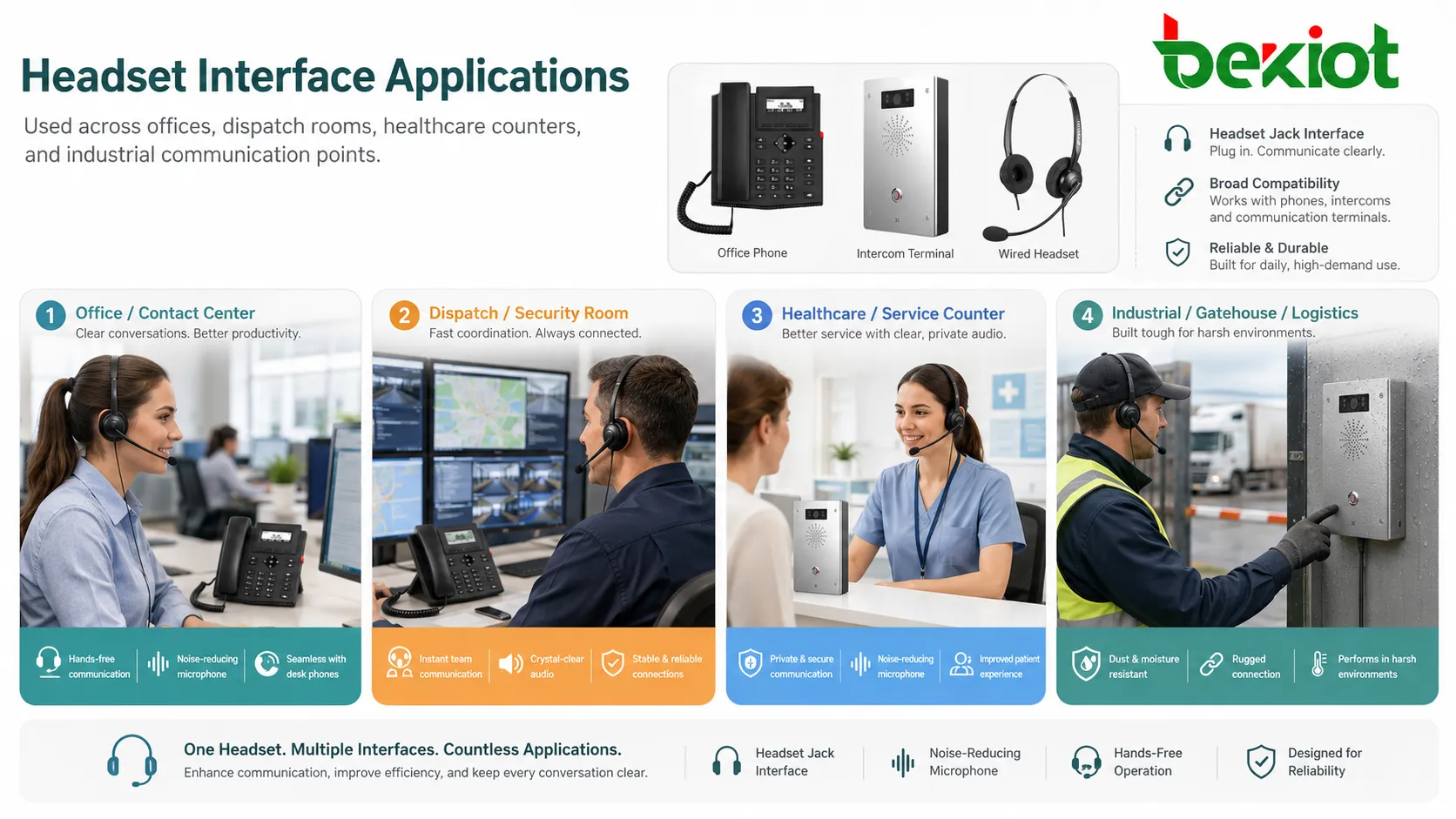
Applications Across Workplaces
Office Phones and Reception Desks
Office workers and receptionists use headset jacks to manage calls while working on computers or handling visitors. This improves comfort and reduces the need to hold the handset during long conversations.
Reception teams often benefit from wired headsets because they answer calls frequently and need stable audio throughout the day.
Contact Centers
Contact centers rely heavily on headset connectivity. Agents may speak for many hours, so comfort, microphone placement, audio consistency, and quick disconnect options are important.
Headset jacks or headset ports also support standardized workstation setups, making it easier to replace headsets, move agents, and maintain consistent audio across teams.
Dispatch and Control Rooms
Dispatchers and control room operators often need to monitor calls, radio channels, alarms, and software dashboards at the same time. Headsets help them focus on audio while keeping both hands free for keyboard, mouse, console, or control panel operation.
In these environments, headset durability, comfort, audio isolation, and reliable connector design are especially important.
Healthcare and Service Counters
Hospitals, clinics, laboratories, and service counters may use headsets for appointment handling, internal coordination, and customer communication. Headsets reduce the need to use speakerphones in shared areas.
For healthcare environments, cleaning procedures and personal assignment policies should be considered. Shared headsets may require replaceable ear cushions, microphone covers, or hygiene controls.
Industrial and Security Environments
Industrial sites, warehouses, security rooms, logistics centers, and gatehouses may use headsets with phones, intercoms, radios, or dispatch terminals. These environments may require rugged cables, stronger connectors, hearing protection compatibility, or noise-reducing microphones.
The headset jack or port should be protected from dust, moisture, vibration, and repeated pulling if the device is used in harsh areas.
Maintenance Tips
Inspect the Port Regularly
Dust, lint, moisture, and debris can affect contact quality. A dirty port may cause crackling, weak audio, intermittent microphone failure, or one-sided sound. Devices used in dusty or public environments should be inspected more often.
Cleaning should be done carefully with suitable tools. Sharp objects or excessive force can damage the internal contacts.
Check Cable Strain
Many headset problems are caused by cable strain rather than the port itself. Repeated pulling, twisting, bending, or rolling chairs over cables can damage wires and connectors.
Use cable management clips, strain relief, and proper workstation layout to reduce stress on the jack and plug. In busy environments, quick-disconnect cables can also reduce wear.
Replace Worn Plugs
A worn or bent plug can create intermittent audio. Users may report that sound works only when the plug is moved or held at a certain angle. This usually indicates mechanical wear or contact damage.
Replacing the headset or cable is often better than forcing the plug into the port, which may damage the device itself.
Test Both Speaker and Microphone
When troubleshooting, test both directions of audio. A user may hear the far end clearly while the microphone does not work, or the microphone may work while the earpiece is silent.
Testing should include a known-good headset and a known-good device. This helps determine whether the problem is the headset, cable, jack, endpoint setting, or communication platform.
Keep Spare Accessories
Organizations with call-heavy teams should keep spare headsets, cables, adapters, ear cushions, and microphone covers. This reduces downtime when a headset fails during a shift.
Spare parts should match approved models. Random adapters may fit physically but create audio or wiring problems.
Most headset connection problems are simple to prevent: reduce cable strain, keep the port clean, standardize compatible accessories, and test audio before users depend on it.
Deployment Planning Checklist
Before deploying headsets across a team, confirm the endpoint model, connector type, supported wiring standard, required adapter, audio settings, user role, workstation layout, and expected call volume. A headset that works for one role may not be suitable for another.
For contact centers, test comfort over long shifts. For dispatch centers, test audio clarity during multitasking. For healthcare or shared environments, review hygiene and replacement procedures. For industrial sites, review ruggedness and environmental protection.
It is also helpful to create a standard headset list. This prevents users from buying incompatible accessories and simplifies maintenance for IT or facility teams.
Common Problems and Troubleshooting
No Audio Output
If the user cannot hear sound, check whether the headset is fully inserted, whether the device is set to headset mode, whether volume is muted, and whether the headset works on another device.
For USB headsets, check device selection in the operating system or softphone. The headset may be connected but not selected as the active audio output.
Microphone Not Detected
If the microphone does not work, the issue may be wiring mismatch, wrong adapter, muted microphone, damaged cable, incorrect software input selection, or incompatible headset type.
Test with an approved headset model before changing system settings. This helps avoid chasing software problems when the real issue is connector compatibility.
Crackling or Intermittent Sound
Crackling sound often points to a loose connector, dirty contact, damaged cable, or worn jack. If audio changes when the cable is moved, mechanical wear is likely.
Do not keep forcing the plug into the port. Replacing the cable or headset early can prevent damage to the endpoint.
Low Microphone Volume
Low microphone volume may be caused by poor microphone position, wrong headset type, low gain setting, blocked microphone opening, or incompatible impedance. Users should position boom microphones correctly and avoid covering the microphone.
Device settings may also need adjustment, but large gain increases can amplify background noise.
Security and Privacy Considerations
A headset jack itself is a physical audio interface, but it can still affect privacy and operational security. In shared environments, a plugged-in headset may allow private listening, but it may also make it less obvious to others that a call is active.
Organizations should define headset use policies for sensitive areas. Users should understand when to use headsets, when speaker mode is inappropriate, and how to handle calls involving personal, financial, medical, or confidential information.
For public devices, administrators should also consider whether unauthorized accessories can be connected. In some secure environments, physical port access may need to be restricted or monitored.
How to Choose the Right Interface
The best headset connection depends on the device and workplace. For traditional business phones, an RJ9 headset port may be practical. For computers and softphones, USB or USB-C may offer better software integration. For simple audio devices, 3.5 mm may be enough.
For professional communication environments, choose based on compatibility, durability, audio quality, comfort, replacement cost, hygiene, and support availability. Do not choose only by connector shape.
When deploying at scale, test a small group first. Evaluate comfort, audio level, microphone clarity, cable durability, plug stability, and user feedback before purchasing for the entire organization.
FAQ
Why do some headsets fit the port but still not work?
The connector may fit physically while using a different wiring standard or audio requirement. This is common with some 3.5 mm TRRS and RJ9 headset combinations. Physical fit does not always mean electrical compatibility.
Can adapters solve all headset connection problems?
No. Adapters can convert connector shape, but they may not fix microphone impedance, wiring order, software detection, power requirements, or device-specific headset standards.
Should shared workstations use personal headsets?
In many environments, personal headsets are better for hygiene and comfort. If headsets must be shared, replaceable ear cushions, microphone covers, and cleaning procedures should be used.
Why does the headset microphone pick up too much background noise?
Possible causes include poor microphone placement, high gain settings, omnidirectional microphone design, open office noise, damaged microphone cover, or using a headset not designed for noisy environments.
When should a headset port be repaired instead of replacing the headset?
If several known-good headsets fail on the same device, or if the port feels loose, damaged, or produces intermittent audio with every cable, the device port may need repair or replacement.







