


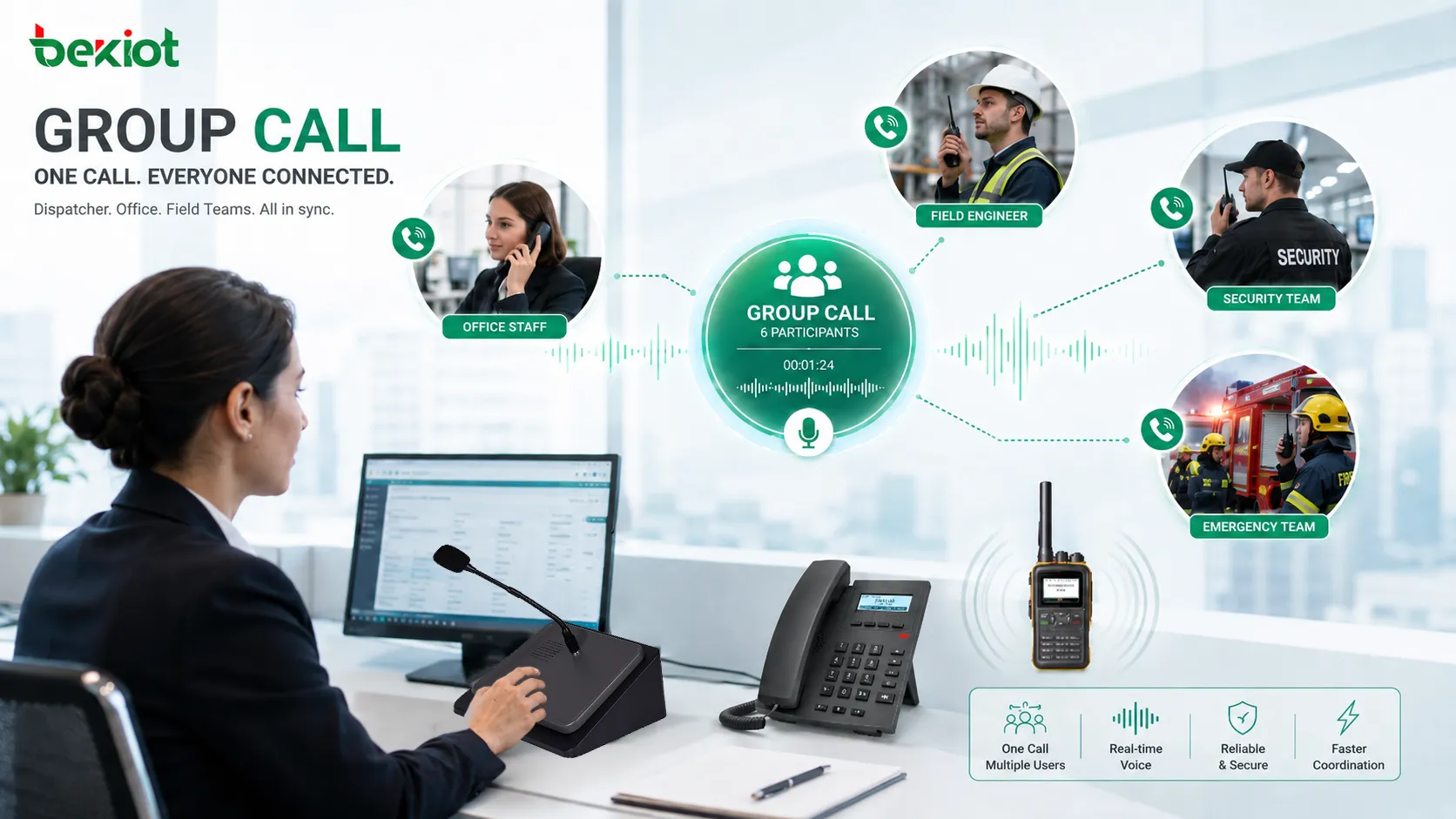
Group calling is a communication feature that allows one user, dispatcher, operator, or system to start a voice call with multiple participants at the same time. Instead of calling each person separately, the system connects a predefined group, department, team, response unit, or user list into one shared voice session.
This function is widely used in enterprise phone systems, dispatch platforms, push-to-talk networks, IP PBX systems, emergency communication systems, industrial facilities, schools, hospitals, transportation networks, security teams, and field service operations. Its main value is speed: when information must reach several people quickly, a single group call can save time and reduce coordination gaps.
A Practical Communication Scenario
In daily operations, teams often need to communicate as a group rather than one-to-one. A warehouse supervisor may need to reach all loading dock staff. A hospital coordinator may need to contact the maintenance team. A school administrator may need to connect security, reception, and facility personnel. A dispatch center may need to speak with several field units during a fast-moving event.
Without group calling, the caller may need to dial each person individually, repeat the same message several times, and wait for separate responses. This is inefficient and increases the chance that some people receive outdated or incomplete information.
Group calling creates a shared audio space where everyone hears the same message at the same time. Depending on the system design, participants may be able to speak back, listen only, confirm attendance, join automatically, or be added by an operator during the session.
How the Call Flow Is Built
Group Definition
The first step is defining who belongs to the group. A group may be based on department, role, location, shift, emergency responsibility, device type, extension range, radio channel, or operational workflow. For example, a group may include all security guards, all maintenance engineers, all warehouse supervisors, or all emergency response members.
Groups can be static or dynamic. A static group remains mostly unchanged, while a dynamic group may update based on user status, duty schedule, location, availability, or system events. Dynamic grouping is useful in dispatch and emergency environments where team membership changes frequently.
Call Initiation
A group call may be started from a desk phone, softphone, dispatch console, mobile app, push-to-talk terminal, IP PBX feature code, emergency button, web platform, or automation rule. The caller may select a group name, dial a group extension, press a programmed key, or trigger the call through an application workflow.
Once initiated, the system sends call invitations or paging commands to all selected participants. Some systems ring each device, while others auto-connect endpoints in speaker mode or push-to-talk mode.
Participant Connection
Participant behavior depends on the platform. Some users must answer manually. Some devices auto-answer. Some participants join as listeners only. Others can speak freely or use push-to-talk control to avoid audio conflict.
The system may also handle unavailable users differently. It may skip offline devices, retry later, send missed-call notifications, forward to another extension, or show attendance status to the caller.
Audio Mixing and Control
For two-way group sessions, the system must manage audio mixing. If many participants speak at once, the conversation can become chaotic. Some systems allow open conversation, while others use floor control, moderator control, or push-to-talk rules.
Audio control is important in large groups. Clear rules help prevent echo, background noise, overlapping speech, and confusion during urgent coordination.
Core Functions That Matter
Predefined Team Lists
Predefined lists allow users to call the right team quickly. Instead of remembering several numbers, the caller selects one group or dials one group extension. This improves speed and reduces dialing mistakes.
Lists should be maintained carefully. If employees change roles, leave the company, move to another site, or switch shifts, the group list should be updated to avoid calling the wrong people.
One-to-Many Voice Delivery
One-to-many delivery allows a message to reach multiple endpoints at once. This is useful for announcements, operational updates, rapid coordination, and emergency instructions.
In some systems, the call behaves like a conference. In others, it behaves more like live paging, where one person speaks and many people listen. The right mode depends on whether feedback is required.
Two-Way Discussion
Two-way group conversation allows participants to speak back, ask questions, confirm status, or coordinate tasks. This is useful when the situation is interactive and decisions need to be made quickly.
However, two-way discussion should be controlled in large groups. Too many open microphones can create noise and make the session hard to follow.
Priority and Emergency Handling
Some platforms support priority rules. A high-priority group call may override normal calls, ring louder, auto-answer selected devices, or interrupt lower-priority audio sessions.
This is useful in security, industrial, healthcare, transportation, and emergency environments where urgent messages must reach the right people immediately.
Attendance and Status Visibility
Advanced systems may show who received the call, who answered, who missed it, who is busy, and who dropped out. This is valuable when group calls are used for response coordination.
Status visibility helps supervisors know whether the message reached the full team or whether follow-up is needed for missing members.
The value of group communication is not only that many phones ring together; it is that the right people receive the same information at the same time.
System Value for Organizations
Faster Coordination
When time matters, calling people one by one is inefficient. A group session shortens the communication path and allows the caller to share instructions once. This is useful for daily operations and urgent events.
Faster coordination can reduce delays in maintenance, logistics, security response, customer service escalation, and emergency handling.
Reduced Message Distortion
When information is passed from person to person, details may change. A group call reduces this risk because everyone hears the original message directly.
This improves consistency, especially when the information includes locations, times, safety instructions, customer requirements, equipment status, or operational decisions.
Better Team Awareness
A shared call allows participants to hear each other’s updates. This can improve situational awareness because team members understand not only their own task but also what others are doing.
In dispatch, field service, and incident management, this shared awareness can prevent duplicate work and improve response alignment.
Lower Communication Workload
Group calling reduces the number of repeated calls, messages, and manual updates. Supervisors, receptionists, dispatchers, and managers can reach teams more efficiently.
This lowers communication workload during peak times and helps staff focus on action rather than repeated coordination.
Improved Continuity During Events
During emergencies, equipment failures, schedule changes, or operational disruptions, group voice communication can help teams stay connected. It provides an immediate channel for updates, clarification, and decision-making.
For critical environments, group calling should be combined with backup communication channels, logging, redundancy, and clear escalation procedures.
Common Operating Modes
| Mode | How It Works | Best Use |
|---|---|---|
| Ring Group | Several phones ring when one group number is dialed. | Reception teams, support groups, department calls, shared responsibility teams. |
| Conference Style | Multiple participants join one shared two-way voice session. | Team coordination, incident discussion, remote collaboration, management calls. |
| Push-to-Talk Group | Participants speak one at a time using floor control or PTT behavior. | Dispatch, field teams, security, logistics, transportation, radio-like workflows. |
| Paging Group | One caller broadcasts audio to many endpoints, often one-way. | Announcements, alerts, public address, facility notices, quick instructions. |
| Emergency Group | Priority rules connect or notify selected response members quickly. | Safety teams, emergency response, plant incidents, campus security, control rooms. |
Applications in Different Environments
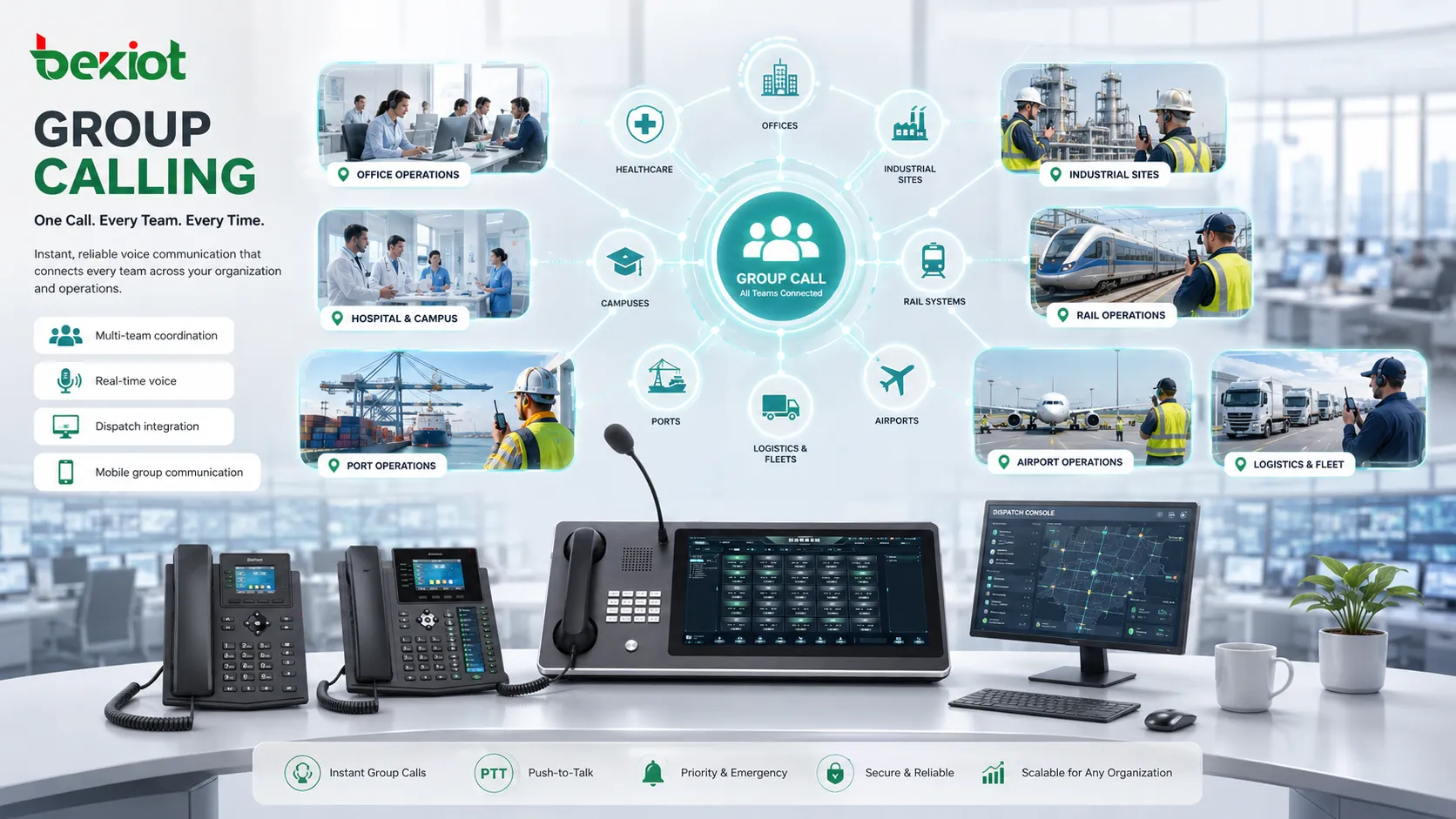
Enterprise Offices
Office teams use group calling for reception groups, sales teams, service desks, internal support, management coordination, and department communication. A shared group number can make it easier for callers to reach available staff.
This is especially useful when several employees share responsibility for answering calls or handling internal requests.
Contact Centers and Service Teams
Service teams may use group voice sessions for supervisor escalation, urgent customer issue review, technical support coordination, or internal callback handling. Instead of transferring a customer repeatedly, the team can quickly coordinate behind the scenes.
Group functions can also help supervisors brief agents before a campaign, shift, or service change.
Industrial Facilities
Factories, warehouses, utilities, mines, ports, and energy sites may use group communication to reach maintenance teams, control rooms, safety officers, equipment operators, or shift supervisors.
In these environments, voice clarity, priority handling, rugged endpoints, and noise control are important because users may be working near machinery, vehicles, alarms, or outdoor conditions.
Healthcare and Hospitals
Hospitals and clinics may use group calling for nurse stations, maintenance response, security coordination, department alerts, and administrative communication. A group call can help staff respond faster when multiple roles need to be informed at the same time.
Privacy and workflow rules should be considered carefully. Not every group message should include patient information or be broadcast widely.
Schools and Campuses
Education environments use group calls for security teams, administrative offices, facility staff, dormitory services, transportation teams, and emergency response groups. During urgent situations, reaching the correct team quickly can support safer and more organized response.
Group communication can also support routine operations such as event coordination, maintenance tasks, and daily staff updates.
Transportation and Logistics
Transportation operators, fleet managers, ports, airports, rail systems, and logistics centers use group calling to coordinate drivers, dispatchers, gate staff, maintenance teams, and field workers.
For mobile teams, integration with push-to-talk, radio gateways, mobile apps, or dispatch platforms can make group communication more practical.
Technical Design Considerations
Group Size
The number of participants affects system design. A small team call may work like a normal conference, while a large group may require paging, push-to-talk control, or moderated speaking.
Large open conversations can become difficult to manage, so the system should match group size with the right audio mode.
Endpoint Compatibility
Participants may use desk phones, softphones, mobile apps, SIP intercoms, dispatch consoles, radios, or paging speakers. The system should support the required endpoint types and handle different answer modes correctly.
Compatibility testing is important when group calls include mixed devices or remote users.
Network Capacity
Group voice sessions can increase media traffic. If the system sends separate audio streams to many users, bandwidth usage may rise quickly. The network must support expected call volume, codec choice, packet timing, and quality of service.
For large deployments, administrators should plan capacity before enabling broad group communication features.
Priority Rules
Priority is important when group calls are used for safety, dispatch, or operations. The system should define whether a group call can interrupt an active call, override lower-priority sessions, or trigger stronger alerts.
Priority rules should be clear and tested. Poorly designed rules may interrupt users unnecessarily or fail to deliver urgent messages.
Logging and Recording
Some organizations need records of group call activity. Logs may show who started the call, which group was contacted, who joined, how long the session lasted, and whether the call was recorded.
Recording policies should be planned carefully, especially when calls involve sensitive information, customer data, healthcare communication, or emergency response.
Planning a Reliable Deployment
Before enabling group calling, organizations should define real communication scenarios. Which teams need it? How often will it be used? Should participants answer manually or automatically? Should the call be one-way or two-way? Should it have priority over other calls?
Group membership should be reviewed regularly. A group that contains outdated extensions, inactive users, or wrong departments can create confusion during important calls. Ownership of each group should be assigned to a team leader, administrator, or department manager.
Audio quality should also be tested. If many users join from speakerphones or noisy environments, echo and background noise may reduce clarity. For operational use, headset guidance, push-to-talk control, muting rules, or moderator control may be needed.
A well-planned group call is not just a list of numbers. It is a communication workflow with defined members, purpose, priority, and response behavior.
Maintenance and Optimization
Group lists should be audited after staff changes, shift changes, department restructuring, new site openings, or device replacement. An outdated list can cause missed communication or unnecessary calls.
Administrators should review call logs to understand usage patterns. If a group is rarely used, it may no longer be needed. If one group is used frequently during incidents, it may require priority rules, better endpoints, or additional backup members.
Performance should also be reviewed. If users report delay, echo, failed joining, or unclear audio, check network quality, codec settings, endpoint behavior, server capacity, and group size. The problem may not be the feature itself but the way the audio session is delivered.
Choosing the Right Setup
The right setup depends on whether the main goal is availability, speed, discussion, announcement, or emergency response. A ring group works well when any team member can answer. A conference-style group works well for discussion. A paging group works well for one-way announcements. A push-to-talk group works well for operational teams that need controlled voice traffic.
Organizations should avoid using one mode for every scenario. Different departments may need different rules. Security teams may need priority and auto-answer. Sales teams may need shared ringing. Maintenance teams may need mobile push-to-talk. Administration teams may need scheduled group briefings.
For critical environments, group calling should be part of a broader communication plan that includes failover routing, emergency contacts, multi-channel notification, recording policies, and regular testing.
FAQ
Can external numbers be included in a group call?
Some systems allow external mobile or PSTN numbers to join group sessions, while others support only internal extensions. External participation may require trunk capacity, caller ID planning, and cost control.
What happens if one participant is busy?
Behavior depends on the system. The busy user may be skipped, notified, placed into waiting status, or added when available. For urgent workflows, administrators may configure priority override or alternative contacts.
How is this different from a normal conference call?
A conference call is usually arranged for selected participants at a scheduled or manual time. Group calling often uses predefined groups, faster initiation, operational rules, and sometimes priority or auto-answer behavior.
Can group sessions be limited by department or role?
Yes. Many enterprise systems allow group membership and calling permissions to be controlled by department, role, location, user level, or administrator policy.
What should be tested before using it for emergencies?
Test group membership accuracy, endpoint behavior, priority rules, audio clarity, network capacity, failover routing, logging, recording, and whether backup contacts receive the call when primary members are unavailable.







