


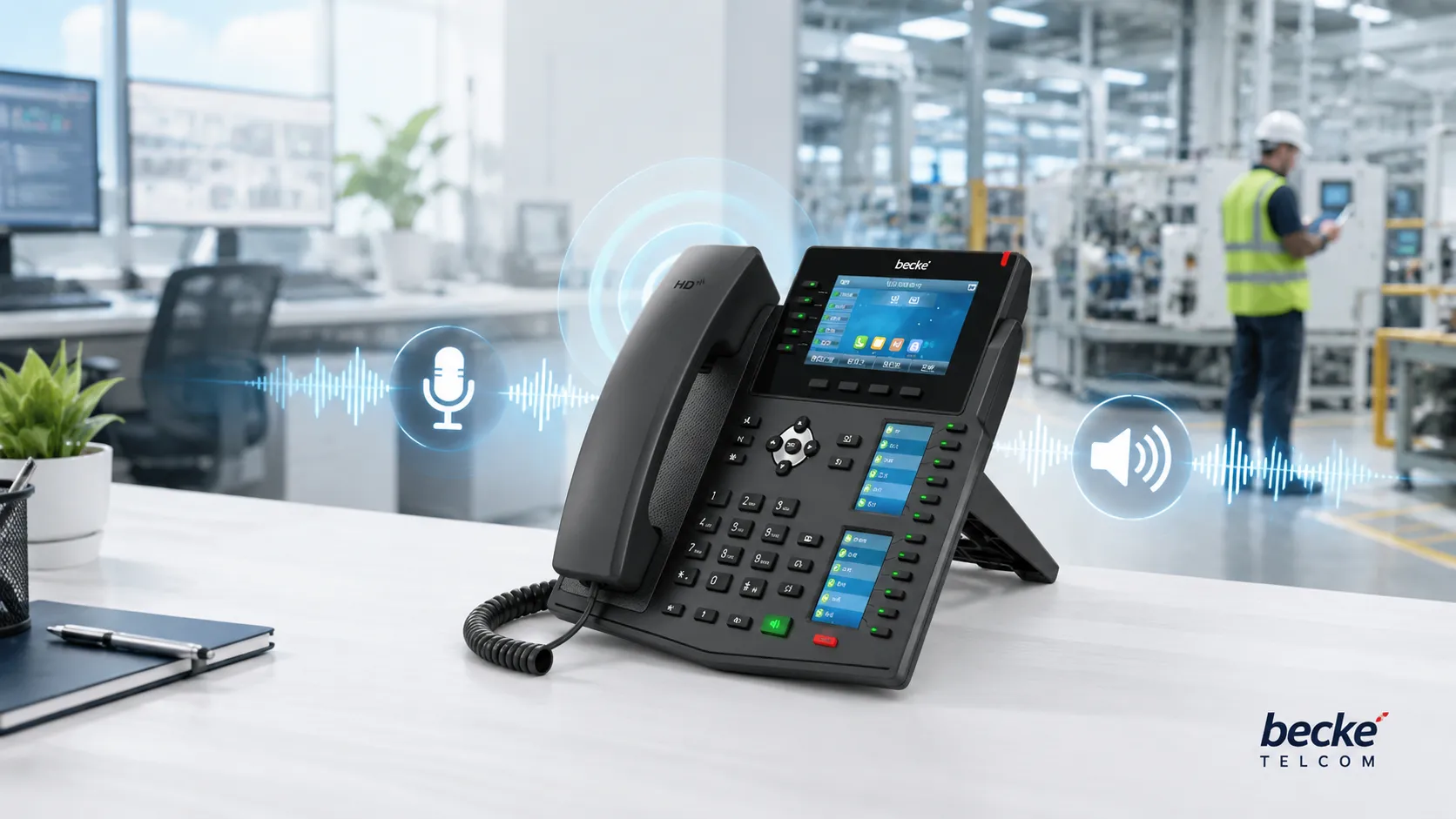
Hands-free calling is a voice communication method that allows users to make or receive calls without holding a handset. Instead of using a traditional receiver, the system captures speech through microphones and plays incoming audio through built-in speakers, external loudspeakers, conference audio devices, vehicle audio systems, or industrial intercom terminals.
In business and industrial communication projects, hands-free calling is more than a convenient phone function. It is a practical solution for environments where users need to keep their hands available, respond quickly, work safely, or communicate with multiple people at the same time. Offices, control rooms, clean rooms, factories, emergency call stations, vehicles, hospitals, campuses, and public service areas all benefit from hands-free voice interaction.
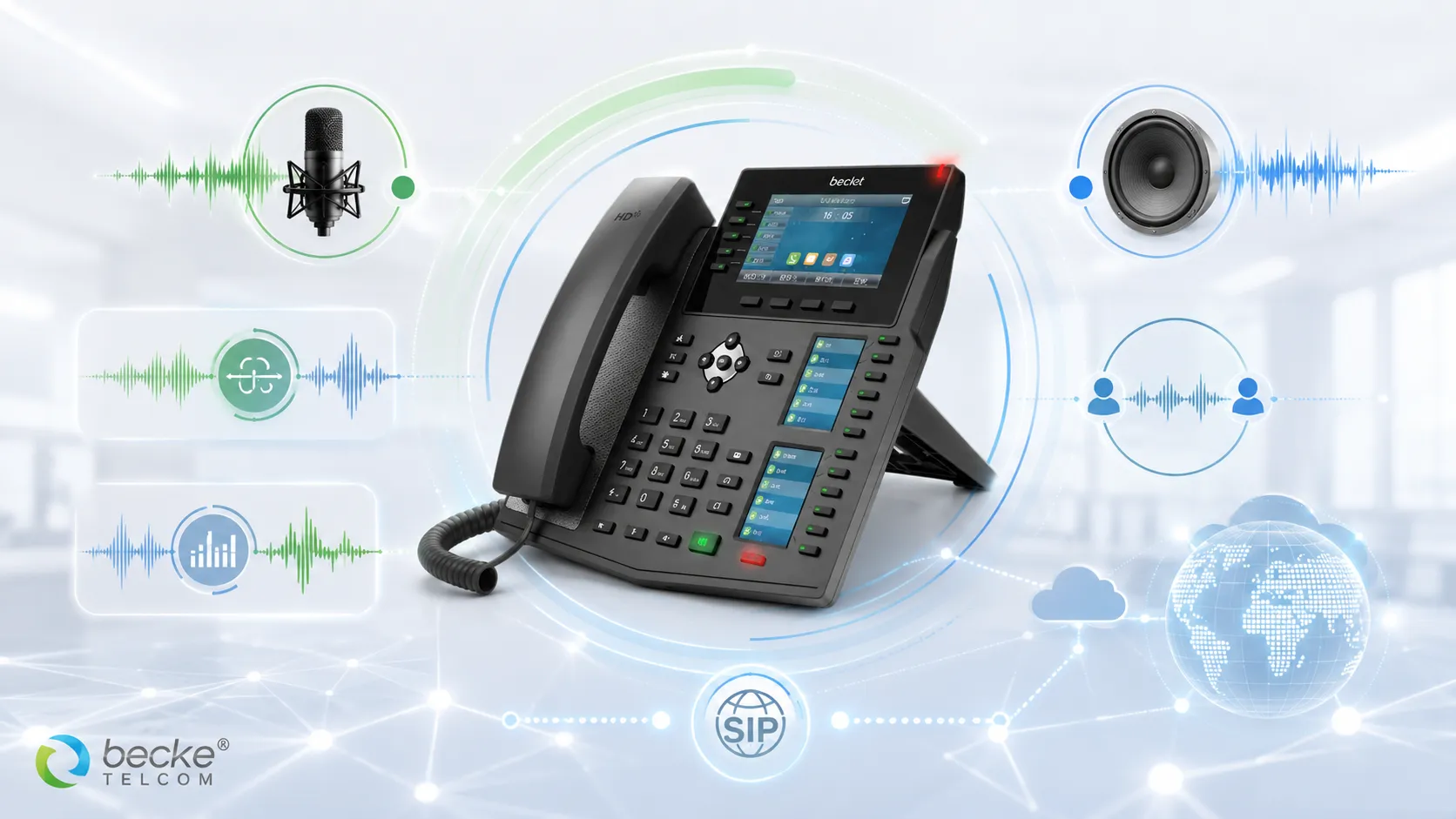
A well-designed hands-free calling solution usually combines speakerphone hardware, microphone pickup, acoustic echo cancellation, noise reduction, SIP calling, IP PBX integration, and endpoint management. When these elements work together, users can speak naturally, receive clear audio, and stay connected without interrupting their task.
What Is Hands-Free Calling?
Definition and Practical Meaning
Hands-free calling means that a user can talk and listen during a call without physically holding a phone handset. The communication device may use a speakerphone, an integrated microphone, a microphone array, a wall-mounted intercom, a SIP terminal, a conference speaker, or a vehicle audio system to complete the call.
The purpose is to make communication faster, safer, and more flexible. In an office, a user may join a call while taking notes. In a factory, a worker may communicate while operating equipment. In an emergency call point, a visitor may press one button and speak directly to a control room without needing to hold any device.
From Simple Speakerphone to Integrated Communication Endpoint
Traditional hands-free calling was often understood as a basic speakerphone function on a desk phone. Modern hands-free communication has expanded far beyond that. Today, it may be part of SIP intercom systems, IP phones, emergency help points, industrial telephones, clean room communication terminals, video intercoms, dispatch consoles, and unified communication platforms.
In a modern IP-based system, hands-free calling can work with SIP servers, IP PBX platforms, paging systems, access control, CCTV linkage, and emergency response workflows. This makes it suitable not only for personal communication, but also for facility operation, public safety, industrial dispatch, and service support.
Hands-free calling is not only about freeing the user’s hands. In professional communication systems, it helps improve response speed, safety, accessibility, and operational efficiency.
How a Hands-Free Calling Solution Works
Audio Pickup Through Microphones
The first step in hands-free calling is voice capture. The device uses one or more microphones to pick up the user’s speech. In a simple phone, this may be a built-in microphone near the speakerphone area. In a conference room, multiple microphones may be used to capture voices from different directions. In an industrial environment, the microphone design may need stronger noise resistance.
Microphone quality directly affects the user experience. If the pickup range is too short, the caller must stand very close to the device. If background noise is too strong, the remote party may struggle to understand the message. For professional deployments, microphone sensitivity, directionality, mounting position, and acoustic environment should all be considered.
Audio Output Through Speakers
The second step is audio playback. The remote party’s voice is played through a speaker rather than a handset earpiece. In office phones, this may be a built-in loudspeaker. In emergency intercoms or industrial terminals, the speaker may need higher output power so the voice can be heard in noisy or open areas.
Speaker performance should match the application scenario. A quiet office does not need the same sound pressure level as a factory workshop, tunnel entrance, vehicle bay, or outdoor help point. In harsh environments, the speaker may also need waterproof, dustproof, anti-vandal, or corrosion-resistant protection.
Real-Time Audio Processing
Hands-free calling creates a technical challenge because the microphone and speaker are active at the same time. The speaker output may be picked up again by the microphone, causing echo or feedback. To solve this, professional systems use Acoustic Echo Cancellation, often called AEC.
Noise Reduction, Automatic Gain Control, and full-duplex audio processing are also important. Noise Reduction helps reduce background sound. Automatic Gain Control helps keep voice volume stable. Full-duplex communication allows both sides to speak and listen naturally at the same time, instead of forcing users to talk one by one.
Core Features of Hands-Free Calling
Speakerphone Communication
Speakerphone communication is the most familiar hands-free feature. Users can activate the speaker mode on a phone, intercom, or communication terminal and speak without lifting a handset. This is useful for quick conversations, shared listening, group discussion, and situations where the user needs to continue working during the call.
In business environments, speakerphone mode improves collaboration. In public service areas, it makes assistance easier. In industrial environments, it allows workers to communicate without removing gloves or stopping their current task.
Auto-Answer and One-Touch Calling
Many hands-free endpoints support auto-answer. When an authorized call arrives, the device can answer automatically and open the speakerphone channel. This is useful for control rooms, nurse stations, security posts, production areas, and emergency intercom systems where immediate voice connection is required.
One-touch calling is another important feature. A user can press a single emergency button, service button, or programmed key to call a specific extension, dispatch desk, control room, reception desk, or security center. This reduces dialing errors and shortens response time.
Full-Duplex Voice Communication
Full-duplex communication allows both sides to speak and hear at the same time. This makes the conversation more natural than half-duplex systems, where only one side can speak at a time. In real projects, full-duplex hands-free voice is valuable for emergency assistance, medical communication, visitor entry, industrial operation, and office collaboration.
For best results, full-duplex communication should be supported by proper echo cancellation and noise control. Without these technologies, open speaker and microphone operation may create echo, distortion, or unstable voice quality.
SIP and IP PBX Integration
Modern hands-free calling is commonly deployed over SIP-based IP communication systems. A hands-free endpoint can register to an IP PBX, SIP server, or unified communication platform as an extension. Users can then call, answer, transfer, page, or connect with other communication endpoints across the same network.
SIP integration makes the solution more scalable. The same platform can connect desk phones, industrial phones, SIP intercoms, emergency stations, paging terminals, dispatch consoles, and mobile clients. This is especially useful for organizations that want one communication architecture for office, field, security, and emergency workflows.
Benefits of Hands-Free Calling
Improved Safety
Hands-free calling helps users communicate while keeping their hands free for essential actions. In vehicles, drivers can stay focused on the road. In factories, workers can keep their hands on tools or controls. In emergency locations, users can call for help quickly without needing to handle a handset.
This safety value is one of the strongest reasons to use hands-free communication in industrial, transportation, healthcare, and public service environments. The feature reduces unnecessary physical interaction and supports faster response when time matters.
Higher Work Efficiency
In daily operations, hands-free calling reduces interruption. Staff can communicate while checking a screen, typing information, inspecting equipment, handling materials, or coordinating with colleagues. This is useful in offices, warehouses, laboratories, nurse stations, reception areas, and control rooms.
For teams that need frequent short communication, hands-free calling can save time and reduce friction. When combined with one-touch dialing or auto-answer, it becomes even faster and more practical for daily workflows.
Better Collaboration
A hands-free call can be heard by more than one person in the same room or work area. This makes it helpful for group discussion, supervisor coordination, meeting rooms, dispatch centers, maintenance teams, and shared workspaces.
In a control room or duty room, hands-free audio can allow multiple operators to hear an incoming call or emergency report. This improves situational awareness and helps teams make decisions together.
Greater Accessibility
Hands-free communication also improves accessibility. People who cannot easily hold a handset, such as elderly users, patients, visitors, or workers wearing gloves, can still communicate effectively. Public help points, hospital rooms, accessible entrances, and service counters can all benefit from this design.
In emergency scenarios, accessibility is especially important. A person under stress may not have the time or ability to operate a complex device. A simple hands-free call button can make communication more direct and reliable.
Application Scenarios of Hands-Free Calling
Office and Enterprise Communication
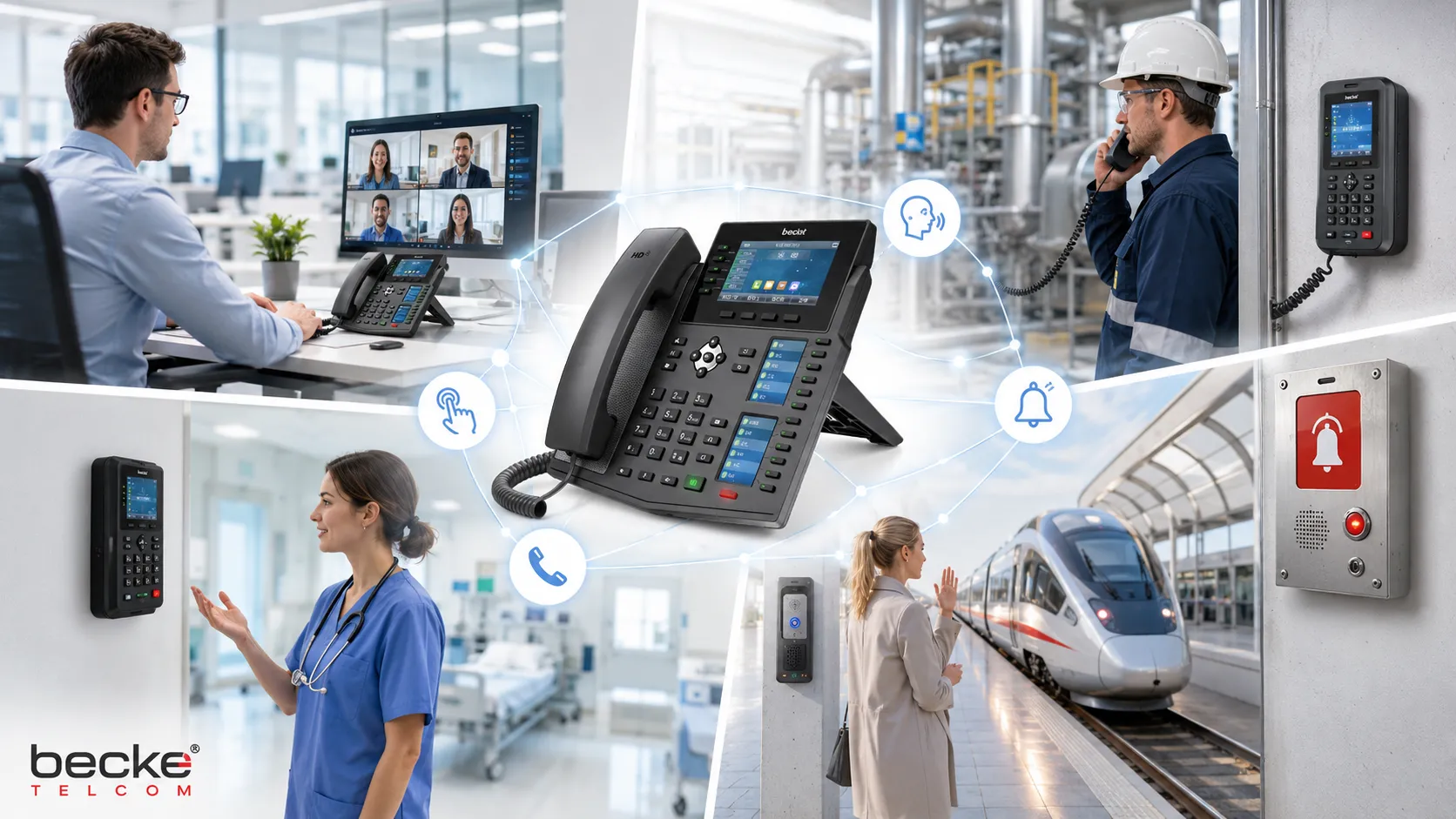
In office environments, hands-free calling is widely used on IP phones, conference phones, reception terminals, and unified communication clients. Employees can join calls while working at their desks, and teams can share call audio during discussions.
For enterprise communication systems, hands-free functionality improves convenience and supports flexible work styles. It can also be integrated with call transfer, voicemail, conference calling, and extension management through an IP PBX or SIP platform.
Industrial and Factory Communication
In factories, workshops, warehouses, power plants, tunnels, and outdoor industrial sites, hands-free calling helps workers communicate without stopping their current operation. This is especially useful when users wear gloves, protective clothing, or hearing protection.
Industrial hands-free terminals may need rugged housings, high-volume speakers, waterproof protection, dust resistance, anti-vandal design, and stable SIP connectivity. In these environments, voice clarity and durability are both critical.
Emergency Call Stations and Public Help Points
Emergency call stations often rely on hands-free calling. A user presses a button, and the system opens a voice channel to a security desk, control room, dispatch center, or emergency response team. The user does not need to know a phone number or hold a handset.
This application is common in campuses, parking areas, tunnels, railway stations, roadside help points, industrial sites, and public facilities. When integrated with CCTV or access control, the hands-free call can become part of a complete emergency response workflow.
Healthcare and Clean Room Environments
Hospitals, laboratories, clean rooms, pharmaceutical production areas, and operating support spaces often require communication devices that are easy to use and easy to clean. Hands-free calling can reduce physical contact with handsets and support quick staff communication.
In clean or controlled environments, devices may need stainless-steel surfaces, flush installation, waterproof design, and SIP compatibility. A hands-free SIP phone or intercom terminal can support voice communication while helping maintain hygiene and operational efficiency.
Vehicles and Transportation Systems
Hands-free calling is also widely used in vehicles, dispatch fleets, public transport, rail operations, and logistics environments. Drivers and field personnel can communicate while keeping attention on the route, vehicle, or task.
In transportation infrastructure, hands-free endpoints can also be installed at stations, platforms, gates, tunnels, and control points. These devices help connect passengers, staff, security teams, and control centers more efficiently.
Hands-Free Calling Solution Architecture
Endpoint Layer
The endpoint layer includes the physical devices used by callers. These may include IP phones, SIP intercoms, emergency call stations, clean room phones, industrial telephones, conference speakers, vehicle audio terminals, or wall-mounted communication devices.
The endpoint should be selected according to the site environment. Office endpoints focus on convenience and user experience. Industrial endpoints focus on durability, audio power, and protection. Public help points focus on simple operation and fast access to support.
Network and Platform Layer
The network and platform layer usually includes LAN switches, PoE power, SIP servers, IP PBX systems, voice gateways, dispatch platforms, or unified communication systems. SIP endpoints register to the platform and become part of the organization’s communication network.
This layer manages extension numbers, call routing, auto-answer policies, emergency call destinations, recording, paging, and integration with other systems. A strong platform design helps ensure that hands-free calling is not isolated, but connected to real operational workflows.
Integration Layer
In advanced projects, hands-free calling may integrate with CCTV, door access, paging, alarms, nurse call systems, dispatch consoles, or emergency management platforms. For example, when an emergency button is pressed, the system can start a hands-free call, display a camera view, trigger an alert, and record the event.
This integration is what turns a simple hands-free feature into a complete communication solution. It allows organizations to respond faster, manage incidents more clearly, and improve coordination between field users and command teams.
How to Choose a Hands-Free Calling Device
Evaluate the Acoustic Environment
The first step is to understand the noise level and acoustic conditions of the installation site. A quiet office, a hospital corridor, a busy factory floor, and an outdoor road area require different microphone and speaker designs.
For noisy or open environments, choose devices with stronger speaker output, better microphone pickup, AEC, noise reduction, and suitable installation height. For clean indoor environments, the focus may be hygiene, appearance, ease of cleaning, and stable SIP operation.
Check System Compatibility
The device should be compatible with the existing communication platform. In SIP-based systems, confirm support for SIP registration, codec requirements, DTMF methods, PoE power, auto-answer, call transfer, remote management, and security settings.
Compatibility is important for future expansion. A good hands-free endpoint should work not only as a standalone device, but also as part of a larger IP PBX, intercom, paging, dispatch, or emergency communication architecture.
Consider Durability and Maintenance
For industrial and public environments, physical durability matters. Devices may need waterproof protection, dustproof construction, anti-vandal housing, stainless-steel panels, UV resistance, corrosion resistance, or wide-temperature operation.
Maintenance should also be simple. Web management, remote configuration, batch deployment, firmware upgrade support, and centralized monitoring can reduce long-term operation costs and improve service reliability.
Where Becke Telcom Fits
Becke Telcom provides industrial communication endpoints and SIP-based communication solutions for environments where reliable voice interaction is important. In hands-free calling projects, its industrial telephones, SIP intercom terminals, clean room phones, emergency call devices, paging products, and dispatch integration solutions can help connect field users with control rooms, offices, security teams, and emergency response points.
For users planning office communication, industrial intercom, emergency help point, clean room communication, or site-wide voice integration, Becke Telcom can support a practical solution design based on environment, audio requirements, SIP platform compatibility, and long-term maintenance needs.
Conclusion
Hands-free calling is a practical communication capability that allows users to speak and listen without holding a handset. In modern systems, it depends on microphones, speakers, AEC, noise reduction, full-duplex audio, SIP signaling, and proper integration with IP PBX or communication platforms.
Its value is clear across many scenarios. It improves safety in mobile and industrial environments, increases efficiency in offices and healthcare spaces, supports quick assistance in emergency call stations, and improves accessibility in public service areas. When designed as part of a complete communication solution, hands-free calling becomes more than a phone feature. It becomes a reliable voice access method for real operational needs.
For businesses, campuses, factories, hospitals, and public facilities, the best hands-free solution should be selected according to the environment, audio performance, device protection, SIP compatibility, and integration workflow. A well-planned design helps users communicate faster, safer, and more clearly.
FAQ
What is hands-free calling?
Hands-free calling is a communication feature that allows users to make or receive calls without holding a handset. It uses microphones and speakers to support voice communication while keeping the user’s hands free.
What technologies are important for hands-free calling?
Important technologies include speakerphone audio, microphone pickup, Acoustic Echo Cancellation, Noise Reduction, Automatic Gain Control, full-duplex voice, SIP signaling, and IP PBX integration.
Where is hands-free calling commonly used?
It is commonly used in offices, vehicles, factories, hospitals, clean rooms, emergency call stations, public help points, campuses, transportation systems, and industrial communication environments.
What is the difference between hands-free calling and headset calling?
Hands-free calling usually uses open microphones and speakers, while headset calling uses a wearable audio device. Hands-free calling is better for convenience, public access, and group listening, while headsets are better for privacy and focused conversations.
Can hands-free calling work with SIP systems?
Yes. Many modern hands-free devices support SIP and can register to an IP PBX, SIP server, or unified communication platform. This allows integration with extension calling, intercom, paging, dispatch, and emergency workflows.







