


What Is an FXO Gateway?
An FXO gateway is a voice gateway that connects analog PSTN lines, CO lines, or legacy PBX analog trunks to an IP-based communication system. It allows an IP PBX, SIP server, hosted voice platform, or unified communications system to send and receive calls through traditional analog telephone lines while still using modern SIP/RTP-based IP telephony on the network side.
FXO stands for Foreign Exchange Office. An FXO port behaves like an analog telephone from the perspective of the line it connects to. It receives battery, ringing voltage, caller ID, and line supervision signals from the PSTN or PBX interface, then translates those events into SIP signaling and digital voice media.
In practical deployments, an FXO gateway is selected when an organization needs to keep existing analog outside lines, maintain local PSTN backup, connect an IP system with a legacy PBX, or migrate to VoIP gradually without replacing all telephony infrastructure at once.
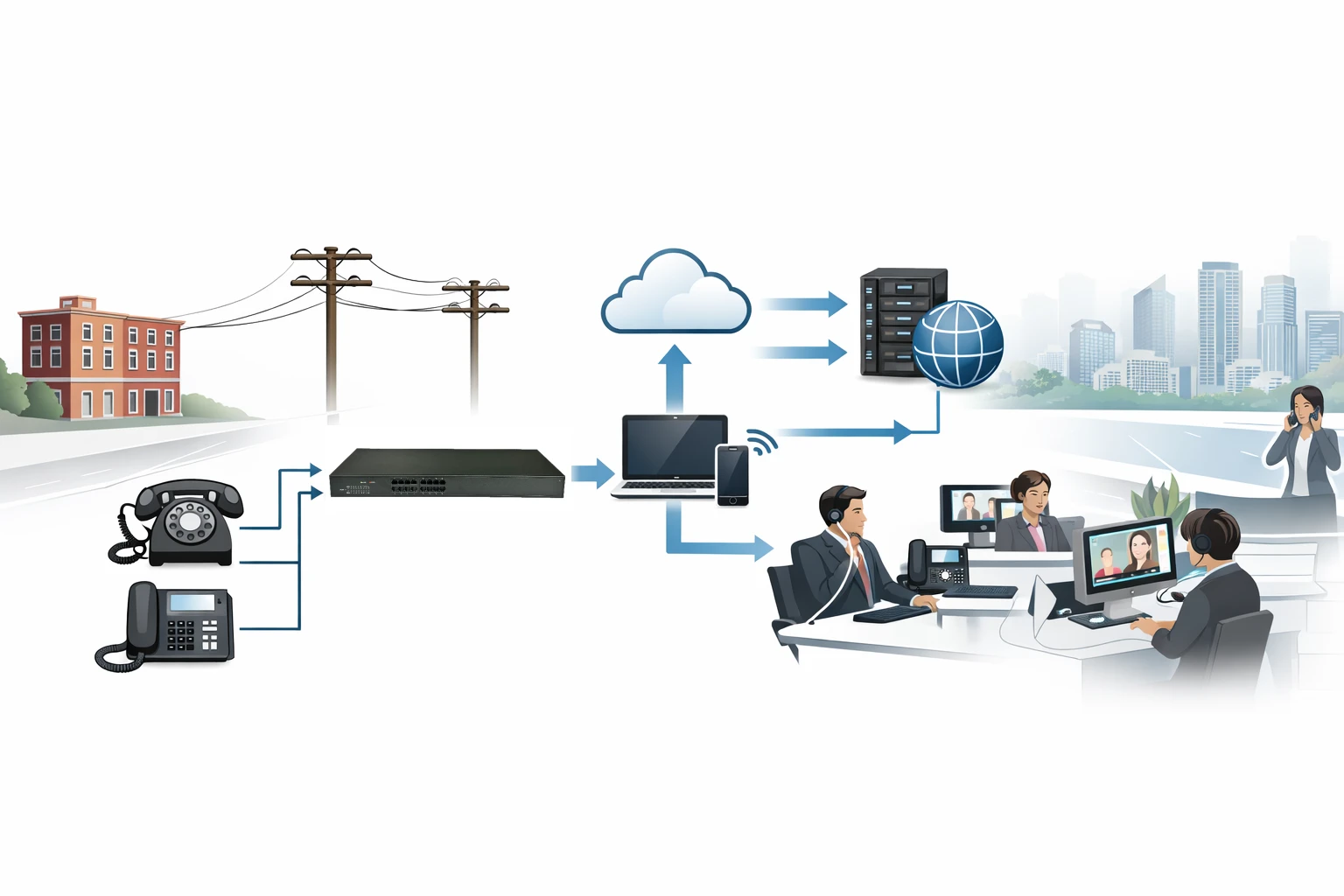
An FXO gateway serves as a bridge between analog telephone lines and an IP voice platform.
How an FXO Gateway Works
An FXO gateway operates between two environments. On one side, its FXO ports connect to analog telephone lines or analog PBX interfaces. On the other side, its Ethernet interface connects to an IP network and communicates with an IP PBX, SIP softswitch, cloud PBX, or unified communications platform.
When an incoming PSTN call reaches the analog line, the FXO port detects the ringing signal and, when supported, collects caller ID information. The gateway then sends a SIP call request to the configured IP destination, such as a SIP extension, IVR, queue, receptionist phone, or ring group. After the call is answered, the gateway converts analog audio into RTP media packets for the IP network.
For outgoing calls, the IP PBX routes the call to the FXO gateway according to dial-plan rules. The gateway seizes an available analog line, sends the dialed digits to the PSTN or PBX interface, and bridges the voice path between the SIP endpoint and the analog telephone network.
Core Operating Functions
A stable FXO gateway deployment depends on several coordinated functions:
Line detection: Monitors ringing, off-hook status, line voltage, and supervisory signals.
Signaling conversion: Converts analog call events into SIP messages such as INVITE, 180 Ringing, 200 OK, and BYE.
Digit processing: Applies routing rules, prefix insertion, digit stripping, and number normalization.
Media conversion: Digitizes analog voice and carries it over the IP network through RTP streams.
Voice processing: Handles echo cancellation, gain control, tone detection, silence handling, and codec processing.
Call release detection: Uses CPC, polarity reversal, battery drop, busy tone detection, or timers to clear calls correctly.
Incoming Call Flow Example
A caller dials the company’s analog PSTN number.
The PSTN line sends ringing voltage to the FXO port.
The gateway detects the call and sends a SIP INVITE to the IP PBX.
The IP PBX routes the call to an extension, queue, IVR, or receptionist phone.
After answer, the gateway converts analog audio into RTP media.
When the call ends, the gateway detects the disconnect signal and releases both call legs.
Although the process appears simple, real-world reliability depends on local carrier behavior, caller ID format, tone plan, loop start or ground start signaling, and disconnect supervision method.
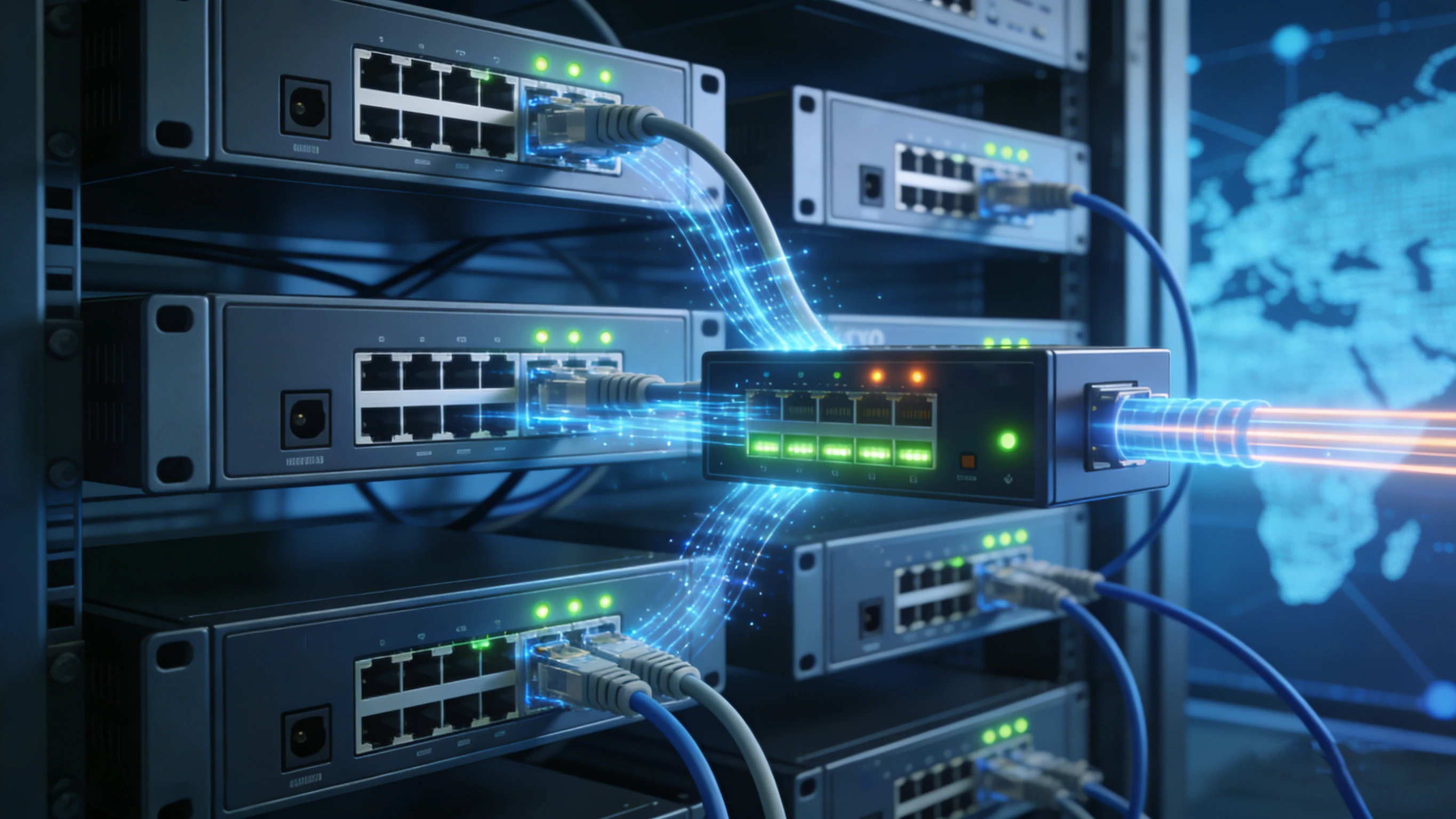
An incoming analog call can be converted into a SIP session and delivered to IP phones, queues, or IVR services.
FXO Gateway vs FXS Gateway
FXO and FXS interfaces are often mentioned together, but they serve opposite roles in analog voice systems. An FXO port connects to a line that already supplies battery, ringing, and dial tone. An FXS port supplies those line conditions to an analog endpoint such as a telephone, fax machine, speakerphone, or intercom.
Therefore, an FXO gateway is used to bring analog outside lines into an IP system, while an FXS gateway is used to connect analog devices to an IP system. Some hybrid projects may use both, but each solves a different connectivity problem.
| Item | FXO Gateway | FXS Gateway |
|---|---|---|
| Main purpose | Connect analog PSTN or PBX lines to IP telephony | Connect analog phones or fax devices to IP telephony |
| Port behavior | Acts like a telephone toward the line side | Acts like a line provider toward the endpoint |
| Typical peer device | PSTN line, CO line, PBX analog trunk | Analog phone, fax, speakerphone, intercom |
| Common use case | Outbound PSTN access and inbound analog line routing | Retaining analog endpoints in an IP system |
Key Features to Evaluate
Modern FXO gateways usually include analog trunk access, SIP interoperability, routing control, voice processing, and management tools. The exact feature set varies by model, but the following areas are especially important during selection.
Analog Trunk Connectivity
The core function is to connect one or more analog PSTN lines to an IP-based phone system. This provides local call breakout, inbound analog number access, or fallback voice routes when SIP trunks or WAN connectivity are unavailable.
SIP Interoperability
FXO gateways typically support SIP registration, peer-to-peer SIP trunks, direct IP calling, codec negotiation, DTMF transport, and compatibility settings for IP PBX platforms, softswitches, and hosted voice services.
Routing and Number Handling
Administrators can define how calls should enter or leave the system. Common options include prefix-based routing, business-hour routing, emergency number handling, line hunting, digit stripping, prefix insertion, number normalization, and caller ID control.
Voice Quality Processing
Analog integration can introduce echo, level mismatch, or tone-detection issues. Business-grade gateways often include DSP-based echo cancellation, gain adjustment, silence handling, tone detection, jitter control, and codec configuration to improve call quality.
Caller ID and Disconnect Supervision
Reliable analog operation depends heavily on regional line behavior. A suitable FXO gateway should support local caller ID standards and multiple disconnect methods, including CPC, polarity reversal, battery drop, busy tone detection, and timer-based clearing.
Fax and Modem Support
Some deployments still need fax or modem compatibility. FXO gateways may offer fax passthrough settings, codec control, or T.38 support on the IP side, but final performance depends on line quality, network stability, and provider compatibility.
Management and Monitoring
Web administration, provisioning tools, configuration backup, firmware management, syslog, SNMP, alarm reporting, and call statistics help simplify installation, maintenance, and troubleshooting in single-site or multi-site environments.
Redundancy and Survivability
FXO gateways are often used as resilience devices. They can preserve limited PSTN calling during SIP trunk failure, WAN outage, cloud PBX interruption, or planned platform maintenance.
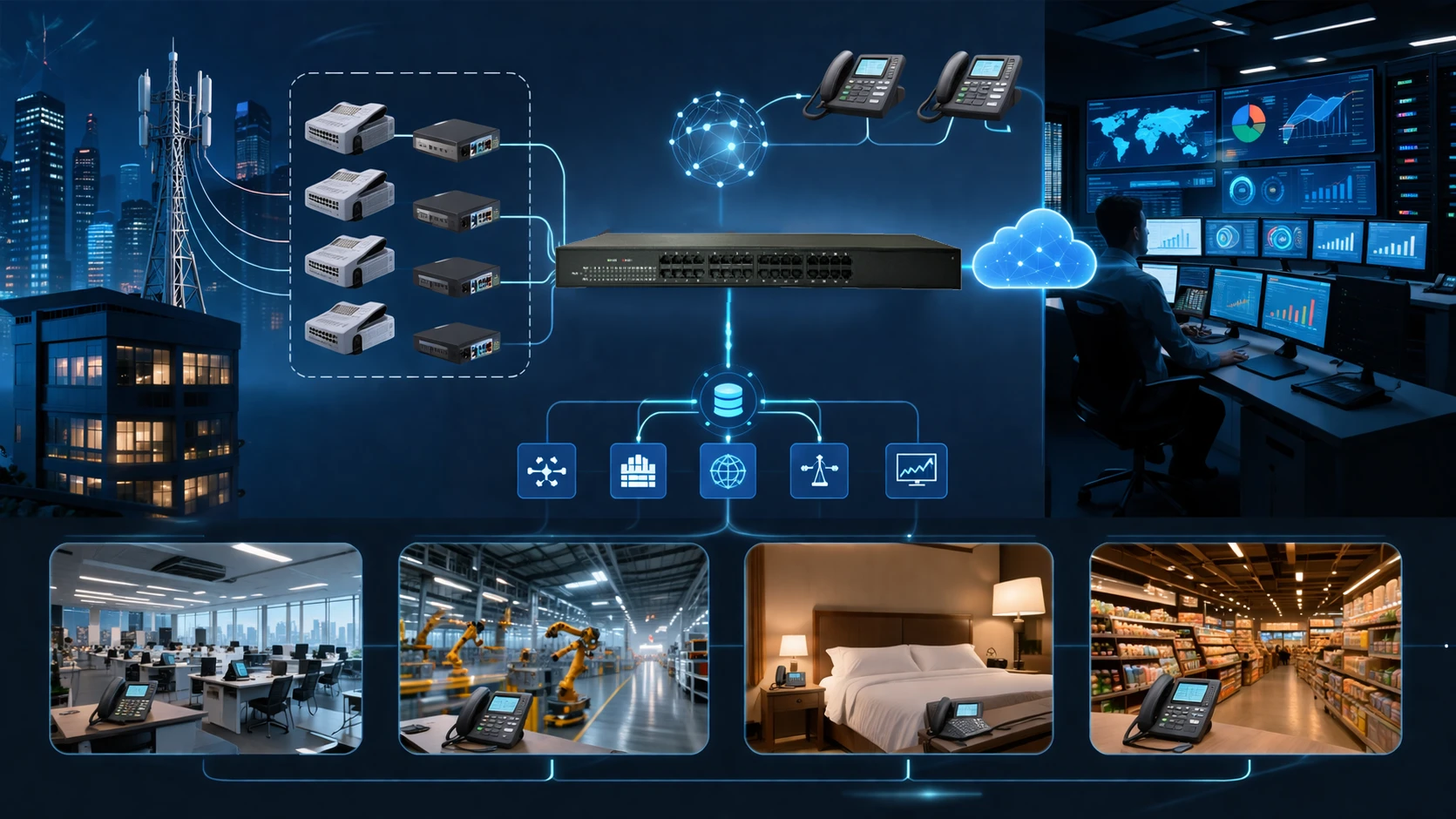
Business-grade FXO gateways combine analog trunk access, SIP interoperability, routing control, and centralized management.
Where FXO Gateways Are Used
FXO gateways are widely used where organizations need to retain analog line connectivity while adopting IP-based communications. Their value is strongest in hybrid environments, phased migration projects, and sites where local PSTN access remains operationally important.
VoIP Migration
When a business replaces a traditional PBX with an IP PBX, existing analog outside lines may still need to remain active. An FXO gateway lets the new IP system use those lines during the transition.
Branch Office PSTN Access
Remote offices may require local calling, local number identity, or site-level backup. An FXO gateway provides analog PSTN access while the branch remains connected to a centralized IP telephony system.
Backup Calling Paths
Even when SIP trunks are the primary route, analog lines may be retained for emergency fallback. If WAN service, SIP trunking, or the main platform fails, the gateway can preserve essential outbound or inbound calling.
Legacy PBX Interconnection
Some enterprises need to connect an IP communications platform with an older PBX during phased migration or shared-numbering projects. FXO interfaces can help link analog trunk ports between the two systems.
Small Business, Retail, and Hospitality
Shops, clinics, hotels, and small offices often have existing analog line service. FXO gateways allow them to add IP phones, IVR, call recording, remote management, or cloud voice integration without removing every analog dependency immediately.
Industrial and Utility Sites
Factories, substations, utility facilities, remote stations, and industrial campuses may keep analog lines for carrier availability, backup communication, alarm integration, or legacy system support. FXO gateways bring those lines into modern voice or dispatch environments.
Deployment Considerations
Choosing an FXO gateway is not only a matter of port count. Stable operation depends on analog signaling details, regional line characteristics, network quality, security settings, and the way the gateway integrates with the IP voice platform.
Port Density and Capacity
Determine how many analog lines must be connected now and whether more ports may be required later. Each FXO port usually supports one simultaneous analog call, so capacity planning should match expected call volume.
Loop Start and Ground Start
Analog interfaces may use loop start or ground start signaling. The gateway must match the line type required by the PSTN or PBX environment to avoid glare, seizure conflicts, or unstable call setup.
Regional Line Parameters
Ring cadence, impedance, caller ID method, tone plan, voltage behavior, and disconnect signaling vary by country and carrier. International deployments should use gateways with country templates or detailed analog tuning options.
Disconnect Detection
Failed call release is a common analog integration issue. If the gateway does not detect the far-end hang-up correctly, calls may remain stuck. Proper configuration of CPC, polarity reversal, busy tone detection, battery drop, or release timers is essential.
Codec and IP Network Quality
The analog side may be traditional, but the IP side still requires suitable codec selection, packet timing, jitter control, and QoS design. G.711 is often used for PSTN transparency, while compressed codecs may be considered when bandwidth is limited.
Security and Administration
FXO gateways should be managed like other IP infrastructure. Secure access control, strong SIP account settings, firmware updates, network segmentation, configuration backup, logs, and monitoring should be part of the deployment plan.
Benefits of Using an FXO Gateway
An FXO gateway helps protect existing telecom investment by allowing organizations to keep analog lines while modernizing the rest of the voice network. It also reduces migration pressure because IP telephony can be introduced gradually instead of through a disruptive full replacement.
It adds routing flexibility as well. The IP PBX can use analog lines for local calls, backup calls, emergency routes, branch access, or special-purpose traffic. In sites where SIP trunks are not available or where analog lines remain necessary, this flexibility can be highly practical.
Service continuity is another important benefit. If the primary SIP trunk, WAN connection, or hosted platform becomes unavailable, the organization may still be able to place essential calls through analog PSTN lines connected to the FXO gateway.
Limitations to Understand
FXO gateways are useful, but analog trunks have limitations. They provide limited channel capacity, may require careful tuning, and often offer fewer advanced service features than SIP trunks, PRI, or fully digital interconnects.
For large-scale systems, SIP trunks or digital gateways may provide better scalability and more predictable behavior. However, when analog lines remain valuable for backup, migration, local access, or legacy interconnection, an FXO gateway remains a practical and cost-effective solution.
Frequently Asked Questions
Is an FXO gateway the same as a VoIP gateway?
An FXO gateway is one type of VoIP gateway. The FXO label specifically refers to gateways that connect analog line interfaces, such as PSTN lines or PBX analog trunks, to an IP voice system.
Can an FXO gateway connect directly to an analog phone?
Not in normal deployment. An analog phone usually needs an FXS interface, because the phone expects dial tone, battery, and ringing from the line side. An FXO gateway is designed to connect to a line-providing interface.
Can an FXO gateway work with a cloud PBX?
Yes. Many FXO gateways can register to or peer with a cloud PBX, allowing local analog lines to be used as inbound or outbound routes, provided the hosted platform supports the required SIP integration method.
Why do FXO deployments sometimes have disconnect problems?
Analog line supervision varies by carrier, region, and PBX type. If the gateway’s disconnect parameters do not match the actual line behavior, the call may not clear correctly after one side hangs up.
When should an FXO gateway be chosen instead of SIP trunking?
An FXO gateway is commonly chosen when analog lines already exist, SIP trunks are unavailable, local PSTN backup is required, or a phased migration strategy makes analog line retention necessary.
Does an FXO gateway support fax?
Many FXO gateways can be used in fax-related deployments, but success depends on line quality, codec settings, network stability, service provider behavior, and whether fax passthrough or T.38 is properly supported.
Conclusion
An FXO gateway is a practical bridge between analog telephone lines and modern IP communication systems. By converting analog line signaling into SIP-based voice sessions, it allows organizations to retain PSTN access, preserve legacy interconnection, and build hybrid voice architectures during VoIP migration.
The best results come from selecting the right port density, matching local analog signaling characteristics, configuring disconnect supervision correctly, and integrating the gateway carefully with the wider IP telephony environment.







