


Auto Answer is a communication feature that allows a phone, intercom, softphone, speakerphone, paging terminal, dispatch console, or communication endpoint to answer an incoming call automatically without requiring the user to press a button. Once the call arrives, the device or system accepts it after a defined condition, such as a delay timer, trusted caller rule, intercom mode, paging command, or application trigger.
Unlike ordinary manual answering, Auto Answer is designed for situations where speed, convenience, hands-free operation, or immediate connection matters. It is widely used in office phone systems, SIP intercoms, emergency communication points, healthcare facilities, elevators, control rooms, warehouses, industrial sites, security desks, clean rooms, and dispatch environments.
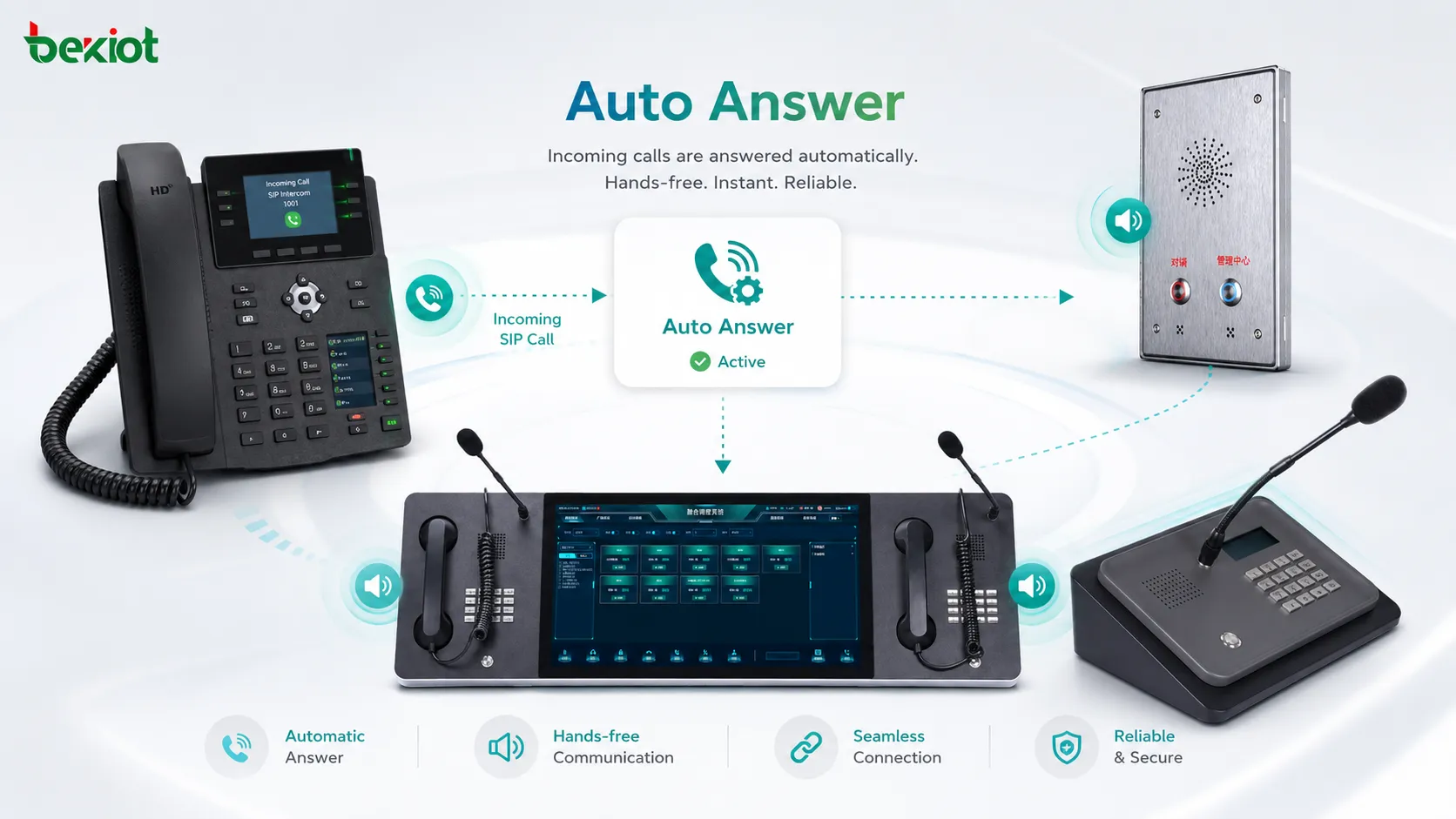
The basic definition of "Auto Answe"
Auto Answer means that the receiving side does not need to manually pick up the call. The system accepts the call automatically and opens the audio path according to predefined settings. Depending on the device and configuration, the call may be answered through a handset, speakerphone, headset, built-in microphone, intercom speaker, or external audio system.
In a simple office phone, Auto Answer may answer an incoming internal call after one ring. In an intercom system, it may allow a guard station or control room to connect instantly with a door station or emergency point. In a dispatch system, it may let operators receive priority calls without losing time. In healthcare or clean room environments, it may support hands-free communication where touching the device is inconvenient or unsafe.
The feature is not only about convenience. In many professional environments, it supports faster response, clearer workflow, and more reliable access to people or locations where manual answering may be delayed.
How Auto Answer Works
Incoming Call Detection
The process begins when the communication endpoint receives an incoming call. This call may come from an internal extension, SIP server, IP PBX, dispatch console, door intercom, emergency button, call queue, mobile client, or another communication terminal.
The device checks whether Auto Answer is enabled and whether the incoming call matches the configured rules. If the call does not match the rule, the device may ring normally and wait for manual answer.
Rule Verification
Auto Answer should not always accept every call. A well-designed system verifies conditions before opening the audio path. These conditions may include caller ID, extension group, SIP header, paging priority, contact list, time schedule, device mode, user status, or emergency priority.
For example, an office phone may auto-answer only calls from the receptionist or manager. An intercom endpoint may auto-answer only calls from the security desk. A dispatch terminal may auto-answer high-priority operational calls while treating ordinary calls normally.
Answer Delay or Immediate Pickup
Some systems answer immediately, while others wait for one or more rings. A short delay gives the user time to notice the call before the audio path opens. Immediate pickup is more common in intercom, paging, emergency, and dispatch scenarios.
The correct delay depends on the environment. In an office, a short warning tone may be helpful. In an emergency call point, immediate connection may be more appropriate.
Audio Path Activation
After the call is accepted, the device activates the audio path. This may turn on the speaker, microphone, headset, handset audio, or external amplifier. Some systems play a beep or announcement before enabling two-way audio, especially when privacy is a concern.
Audio settings such as microphone sensitivity, speaker volume, echo cancellation, noise reduction, and automatic gain control can affect the quality of the Auto Answer experience.
Core Features of Auto Answer
Configurable Answer Delay
A configurable answer delay lets administrators define how quickly the device accepts the call. The system may answer immediately, after one ring, after several seconds, or after a defined timeout.
This feature is useful because different environments have different expectations. A receptionist phone may need a short delay, while a wall-mounted intercom in a secure area may need instant response.
Caller-Based Control
Caller-based control allows Auto Answer only for trusted extensions, numbers, groups, or system roles. This prevents the device from automatically answering unwanted calls.
For example, a warehouse paging phone may auto-answer calls from the dispatch console but not external callers. A manager’s phone may auto-answer assistant calls but require manual answering for all other calls.
Hands-Free Speaker Mode
Many Auto Answer deployments use speakerphone or hands-free mode. Once the call is accepted, the user can speak without touching the device. This is useful when users are wearing gloves, handling equipment, working at a workstation, or moving around a controlled area.
Hands-free mode should be paired with good echo cancellation and microphone placement. Otherwise, users may experience feedback, echo, weak pickup, or unclear speech.
Intercom and Paging Support
Auto Answer is often used in intercom and paging systems. A caller can reach a station instantly, and the receiving device opens the speaker or microphone path automatically. This supports fast announcements, room-to-room calling, door communication, and operational coordination.
In some systems, one-way paging and two-way intercom use different Auto Answer behaviors. Paging may open only the speaker, while intercom mode may open both speaker and microphone.
Priority Call Handling
Priority call handling allows urgent calls to bypass normal ringing behavior. Emergency calls, security calls, dispatch calls, or supervisor calls may be answered automatically even when ordinary calls require manual response.
This is valuable in environments where delays may affect safety, service continuity, or operational coordination.
Auto Answer works best when it is not treated as a universal setting, but as a controlled rule for specific callers, locations, priorities, and workflows.
Benefits of Auto Answer
Faster Response
Auto Answer reduces the time between call arrival and connection. This is useful when the person receiving the call may not be able to reach the phone quickly, or when the caller needs immediate access to a room, desk, station, or operator.
In emergency points, security stations, industrial control rooms, and dispatch environments, a few seconds can matter. Auto Answer helps reduce unnecessary delay in the communication path.
Hands-Free Operation
Hands-free answering supports users who cannot easily touch a phone. This may include healthcare workers, clean room staff, warehouse operators, machine operators, laboratory users, drivers, or people working with tools and equipment.
By removing the need to press a button, Auto Answer makes communication more convenient and helps users stay focused on their current task.
Improved Workflow Continuity
In busy environments, users may miss calls because their hands are occupied or because they cannot move away from their workstation. Auto Answer keeps communication flowing without forcing users to interrupt their work.
This can improve coordination in reception areas, control rooms, maintenance desks, production lines, security posts, and service counters.
Better Accessibility
Auto Answer can support users with mobility limitations or accessibility needs. If a user cannot easily reach the handset or answer button, automatic pickup can make communication easier.
It can also support assisted living, healthcare, and monitoring environments where staff need to reach a room or endpoint quickly.
Reduced Missed Internal Calls
For internal communication, Auto Answer can reduce missed calls between trusted users or departments. This is especially useful for teams that rely on quick internal coordination rather than formal phone conversations.
However, it should be configured carefully so that users are not interrupted by unwanted or unexpected audio connections.
Applications of Auto Answer
Office Phone Systems
In office environments, Auto Answer may be used for assistant-to-manager calling, receptionist communication, internal team coordination, or headset-based answering. It allows selected calls to connect quickly without manual pickup.
Some employees prefer Auto Answer when using headsets because it lets them handle calls while working at a computer. Others may use it only for internal calls to avoid privacy concerns with external callers.
Intercom and Door Communication
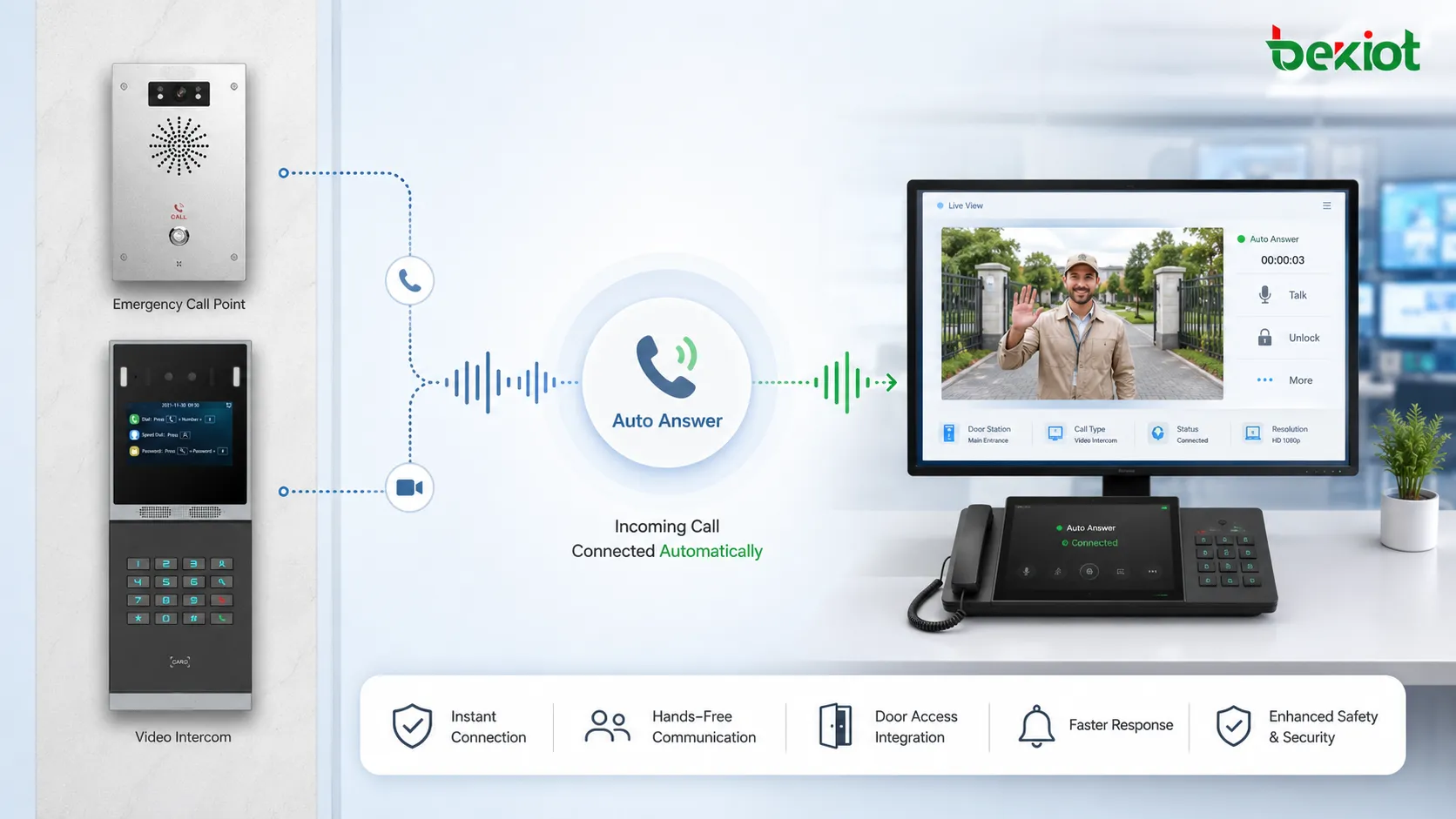
Intercom systems often rely on Auto Answer to provide fast connection between door stations, reception desks, guard rooms, elevators, parking entrances, and control centers. When a call arrives from a known intercom point, the answering station can connect automatically.
This improves visitor handling, access coordination, and security response. In some cases, Auto Answer may be combined with video preview, door release, call recording, and access control integration.
Emergency Call Points
Emergency call stations, help points, roadside phones, elevator emergency phones, and campus safety terminals may use Auto Answer so that operators can connect quickly with the person requesting help.
In these applications, the system should be designed for reliability. Call priority, audio clarity, location identification, fallback routing, and monitoring are often more important than convenience.
Healthcare and Assisted Living
Hospitals, clinics, nursing homes, laboratories, and assisted living facilities may use Auto Answer for room communication, nurse stations, hands-free calling, and controlled area communication. Staff may need to answer calls while wearing gloves or handling medical tasks.
Privacy rules should be considered carefully. In healthcare environments, automatic audio connection should be limited to approved workflows and authorized users.
Industrial and Warehouse Communication
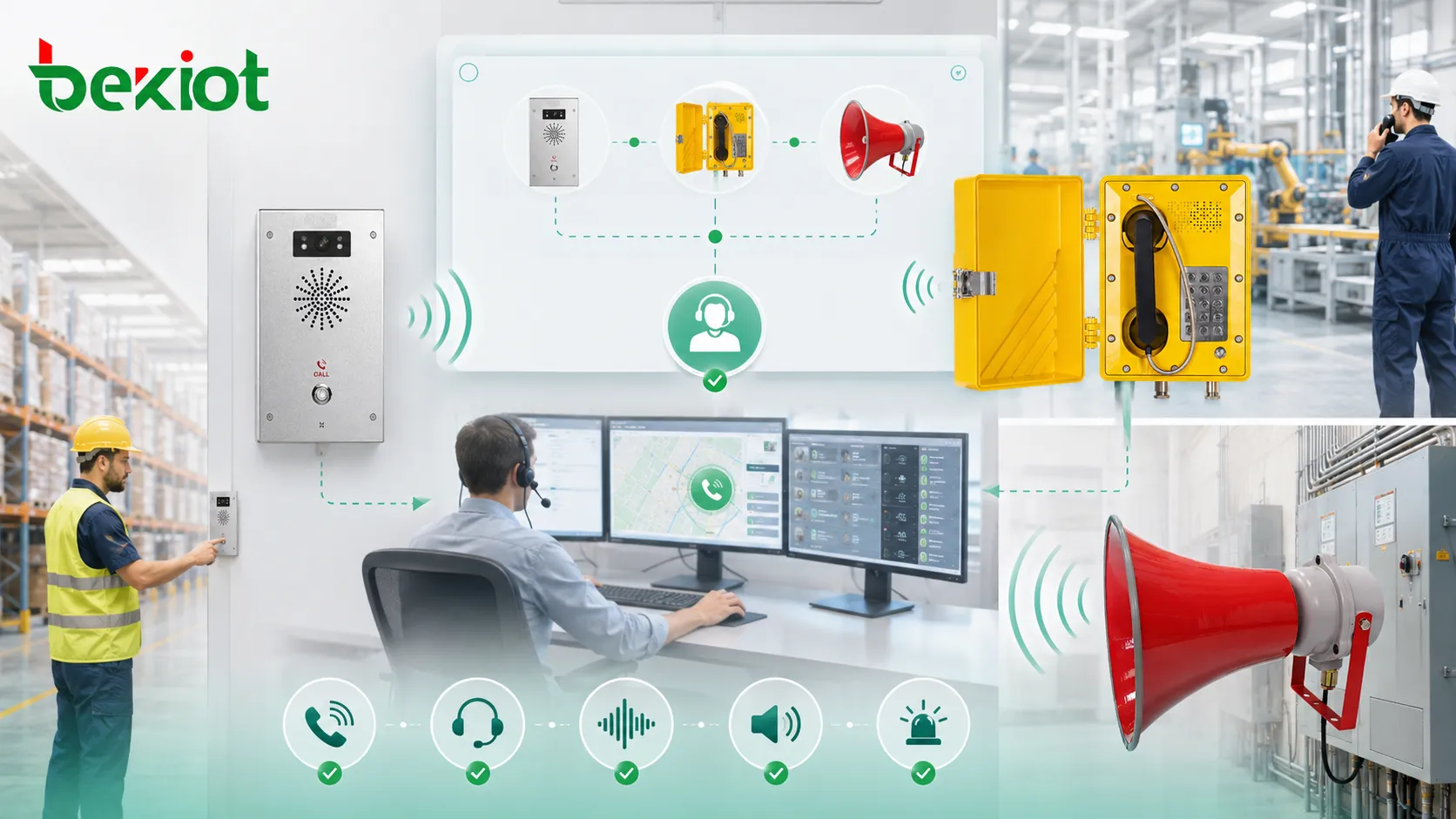
Factories, warehouses, logistics centers, power plants, and maintenance facilities may use Auto Answer on rugged phones, intercoms, operator stations, or control room terminals. Workers may need to receive instructions without stopping work or removing protective equipment.
In noisy areas, Auto Answer should be combined with suitable speaker volume, microphone design, noise reduction, visual alerts, and clear call priority rules.
Auto Answer in VoIP and SIP Systems
In VoIP and SIP environments, Auto Answer may be controlled by phone settings, server policies, SIP headers, endpoint firmware, or application behavior. Some IP phones support Auto Answer through local configuration, while others respond to specific SIP signaling instructions from a PBX or paging platform.
This makes Auto Answer flexible but also requires careful testing. Different endpoints may interpret Auto Answer settings differently. One phone may open speaker mode, another may require headset mode, and another may reject auto-answer behavior unless a trusted header or configuration is present.
Administrators should test Auto Answer across IP phones, softphones, SIP intercoms, mobile clients, PBX platforms, and gateways before using it in critical workflows.
Privacy and Security Considerations
Prevent Unwanted Listening
Auto Answer can create privacy concerns if it opens the microphone without the user expecting it. For this reason, it should be limited to trusted callers, known extensions, approved applications, or specific device groups.
Many systems use a beep tone, screen notification, LED indicator, or short delay to warn the user before the call connects. This helps reduce the risk of silent or unexpected audio pickup.
Use Access Rules
Auto Answer should not be enabled for all calls by default unless the device is designed for public intercom or emergency use. Access rules should define who can trigger automatic answering and under what conditions.
For enterprise systems, administrators may use extension groups, caller ID rules, SIP authentication, device profiles, and role-based permissions to control access.
Protect Configuration Settings
If attackers or unauthorized users can change Auto Answer settings, they may create privacy or security risks. Device configuration should be protected with strong passwords, secure management access, firmware updates, and centralized policy control.
Remote provisioning systems should also be secured so that Auto Answer behavior cannot be changed without authorization.
Deployment Tips
Start with Specific Use Cases
Organizations should not enable Auto Answer everywhere just because the feature exists. It should be applied to specific workflows where automatic pickup solves a real problem.
Good use cases include internal priority calling, intercom access, hands-free workstations, emergency call points, clean rooms, security desks, and dispatch communication.
Define Caller Permissions
Auto Answer should be limited to approved callers or systems. This reduces interruptions and protects privacy. Administrators should document which extensions, groups, or applications are allowed to trigger automatic answering.
If the environment changes, these permissions should be reviewed. Former users, retired devices, or outdated groups should not keep unnecessary Auto Answer privileges.
Test Audio Quality
Automatic pickup is only useful if the audio is clear. Test the microphone, speaker, echo control, volume, background noise, and user distance from the device.
In hands-free environments, users may stand farther away from the endpoint than expected. The system should still capture speech clearly without creating echo or feedback.
Provide Visual or Audible Notification
A notification tone, screen message, LED indicator, or voice prompt can help users understand that a call has been connected automatically. This is especially important in office, healthcare, and shared work areas.
In emergency or industrial applications, notification behavior should match the urgency of the workflow. A short tone may be enough for routine intercom calls, while priority calls may need stronger visual indication.
Common Problems and How to Avoid Them
Unexpected Audio Connection
The most common complaint about Auto Answer is unexpected audio connection. Users may feel that the device answered too quickly or accepted a call they did not want.
This can be avoided by using caller restrictions, answer delay, warning tones, and clear user training.
Echo and Feedback
When Auto Answer uses speakerphone mode, echo and feedback can occur if the microphone picks up speaker audio. This is more likely in reflective rooms, high-volume settings, or poorly placed devices.
Good echo cancellation, proper volume settings, and suitable device placement can reduce this problem.
Wrong Device Behavior
Some devices may answer automatically through the wrong audio path. For example, a phone may answer on speaker instead of headset, or a softphone may answer but not activate the microphone correctly.
Administrators should verify endpoint behavior during deployment and after firmware updates.
Too Many Interruptions
If Auto Answer is used too broadly, users may be interrupted constantly. This reduces productivity and may cause them to disable the feature.
Auto Answer should be reserved for communication that genuinely benefits from immediate connection.
The best Auto Answer setup feels intentional: the right caller, the right device, the right audio path, and the right level of user awareness.
Best Practices for Auto Answer
Use Auto Answer for clear operational scenarios rather than as a general default. Start with a limited group of devices and callers, test the workflow, gather user feedback, and expand only when the behavior is predictable.
Combine Auto Answer with privacy indicators. A beep, light, display message, or call announcement helps users understand when they are connected. This is especially important in shared offices, healthcare facilities, schools, and public-facing areas.
Review settings after system updates. Firmware upgrades, PBX changes, SIP header changes, and provisioning template updates can affect Auto Answer behavior. Testing should be part of change management.
Keep emergency use separate from routine use. Priority calls, help points, and safety workflows should have stricter reliability requirements than ordinary internal convenience features.
How to Choose Auto Answer Settings
The right settings depend on the purpose of the device. A desk phone may need Auto Answer only for trusted internal contacts. A security intercom may need immediate answering from a guard station. A healthcare room terminal may need hands-free answering with an audible notice. An emergency phone may need operator-controlled connection and reliable fallback routing.
Administrators should consider who can trigger the feature, how quickly the call should answer, whether the microphone should open automatically, whether the speaker or headset should be used, and what indication the user should receive.
For larger systems, centralized provisioning is recommended. It keeps Auto Answer rules consistent across many devices and reduces the risk of local misconfiguration.
Limitations of Auto Answer
Auto Answer improves response speed and convenience, but it is not suitable for every call. Some conversations require user consent before connection. Some users may feel uncomfortable if a device answers automatically without clear notification.
The feature also depends on endpoint behavior. If the device is offline, muted, misconfigured, or connected to the wrong audio accessory, Auto Answer may not deliver the expected result.
For critical communication, Auto Answer should be combined with monitoring, fallback routing, device health checks, call logs, and clear operating procedures.
FAQ
Is Auto Answer the same as call forwarding?
No. Auto Answer accepts the call on the receiving device automatically. Call forwarding sends the call to another number, extension, or destination before it is answered.
Can Auto Answer work only for selected callers?
Yes. Many systems allow Auto Answer to be limited to specific extensions, caller groups, SIP headers, intercom devices, or trusted communication platforms.
Does Auto Answer always turn on the microphone?
Not always. Some systems open two-way audio, while others may open only the speaker for paging or announcements. The behavior depends on the device, mode, and configuration.
Is Auto Answer safe for office use?
It can be safe when configured with clear rules, trusted callers, user notification, and privacy awareness. It should not be enabled broadly for all external calls without a defined reason.
Why does Auto Answer not work on some phones?
Possible causes include disabled endpoint settings, unsupported firmware, missing SIP headers, headset mode conflicts, PBX policy restrictions, provisioning errors, or device-specific limitations.







